| # Frame Capture with RenderDoc |
| |
| [RenderDoc](https://renderdoc.org/) is a graphics debugger that can be used to capture frames. With Impeller starting to support OpenGL ES and Vulkan backends, RenderDoc can provide insights into the application's frames. |
| |
| 1. First step is to set up RenderDoc. Follow the [quickstart instructions](https://renderdoc.org/docs/getting_started/quick_start.html). |
| For the purposes of this guide it is assumed that you are able to get RenderDoc running. |
| If the RenderDoc installed from your package manager crashes on startup, consider [building from source](https://github.com/baldurk/renderdoc/blob/v1.x/docs/CONTRIBUTING/Compiling.md). |
| |
| 2. The next step would be to run the application you wish the capture the frames of. |
| Typically these would be one of the [playground tests](https://github.com/flutter/engine/tree/main/impeller/playground), |
| for example [those in entity_unittests.cc](https://github.com/flutter/flutter/blob/main/engine/src/flutter/impeller/entity/entity_unittests.cc). |
| To build these, do: |
| |
| ```bash |
| # In your $ENGINE_SRC folder, do: |
| |
| ./flutter/tools/gn --unopt |
| ninja -C out/host_debug_unopt/ |
| ``` |
| |
| Building a "debug_unopt" build ensures that you have tracing enabled. Without this, RenderDoc will not have much to show. |
| |
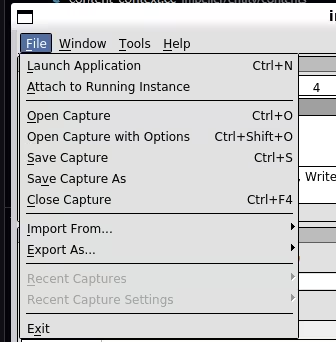
| 3. Start RenderDoc and (if necessary) select "Launch Application" button from the menu: |
| |
|  |
| |
| On Linux, the executable is `qrenderdoc`. |
| |
| You may also need to click the message that says "Click here to set up Vulkan capture". |
| This will probably be needed if you built from source. |
| |
| 4. Fill out the configuration fields. |
| Here, we will configure RenderDoc to specifically capture the "CanDrawRect" test: |
| |
| - executable path: `$ENGINE_SRC/out/host_debug/impeller_unittests` (expand `ENGINE_SRC`). |
| - working directory: `$ENGINE_SRC` (expand `ENGINE_SRC`) |
| - command-line arguments: `--gtest_filter="*CanDrawRect/Vulkan*" --enable_playground` |
| |
| 5. Click "Launch". If everything is working, you'll get a window with the selected unit test rendering, |
| with a prompt in the top-left corner telling you to press `F12` or `Print Screen` to capture a frame. |
| (If you do not, try capturing a different program, like factorio. On at least one occasion that has |
| shaken things loose, though we have no explanation for why.) |
| |
| Press `ESC` to move on to the next test. |
| |
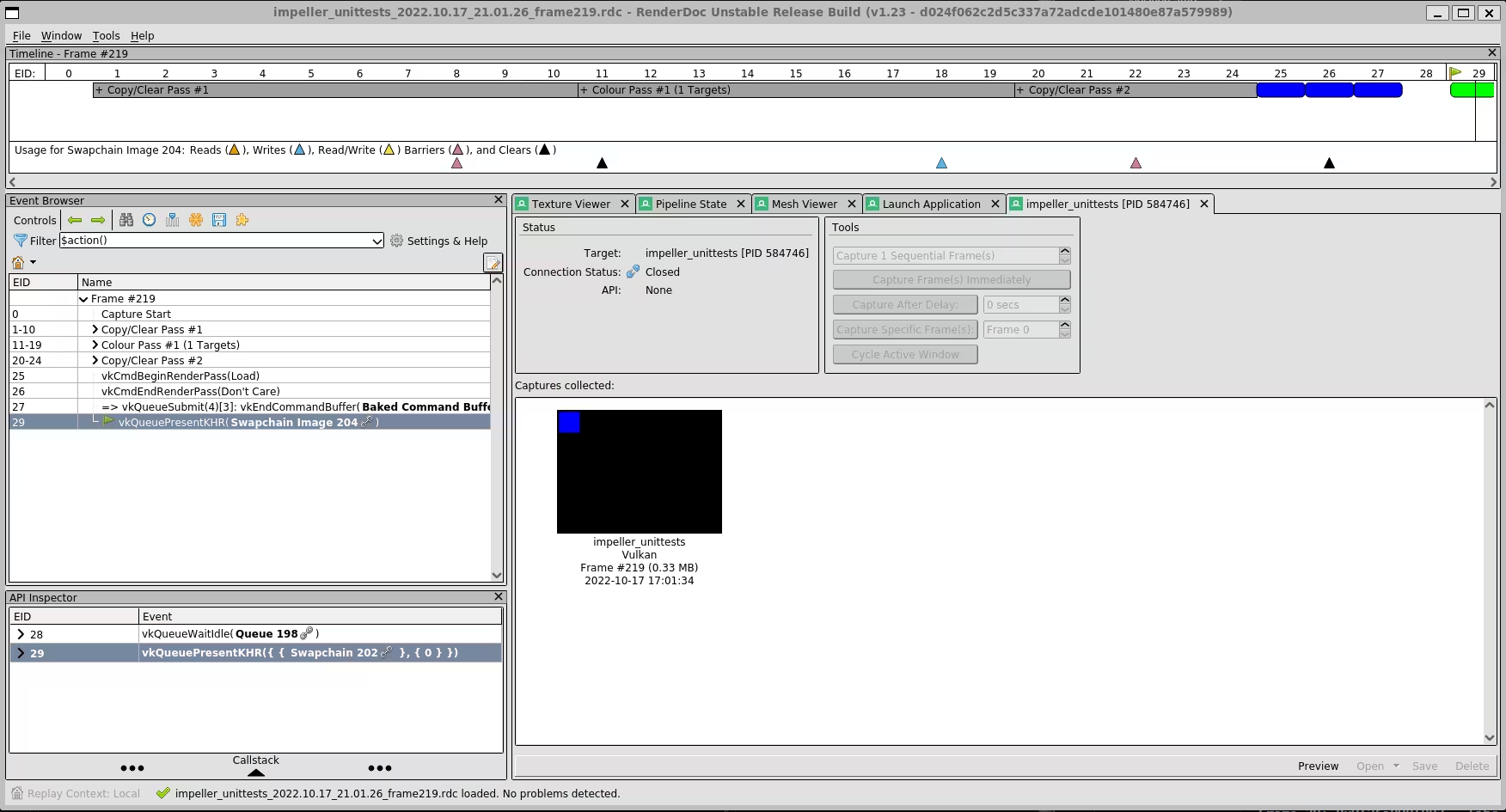
| 5. For the frame you wish to capture, press `F12`, you will now be able to see the frame capture and inspect the state: |
| |
|  |
| |
| ## RenderDoc on Android |
| |
| RenderDoc can be used on a debug-mode Flutter app running on Android. |
| |
| 1. First use `flutter run` to build and install the debug-mode app apk onto the Android device. |
| - The app can use the default engine |
| or it can [use a local engine](https://github.com/flutter/flutter/blob/main/docs/engine/Debugging-the-engine.md#running-a-flutter-app-with-a-local-engine). |
| - To debug an app with Impeller explicitly enabled or disabled, |
| specify an `EnableImpeller` value in your `AndroidManifest.xml` as described |
| [here](https://github.com/flutter/flutter/blob/main/engine/src/flutter/impeller/README.md#android). |
| - **Note**: Any `--(no-)enable-impeller` flag used with `flutter run` will not be retained when the app is launched from RenderDoc. |
| |
| 2. Follow the RenderDoc [Android How To](https://renderdoc.org/docs/how/how_android_capture.html) |
| to connect RenderDoc to your Android device and select your app to debug. |
| - Click the `...` button at the end of the "Executable Path" input field |
| to choose from available installed app packages on the device. |
| |
| 3. Click "Launch". |
| If everything is working, the app should begin running on your device. |
| Capturing frames works in exactly the same way as described above for |
| debugging a Linux executable. |
| |
| ## See also |
| |
| * [Learning to Read GPU Frame Captures](https://github.com/flutter/flutter/blob/main/docs/engine/impeller/docs/read_frame_captures.md) |
| * The official [RenderDoc documentation](https://renderdoc.org/docs/index.html) |
| * Particularly the [Quick Start](https://renderdoc.org/docs/getting_started/quick_start.html) |
| and [How do I...?](https://renderdoc.org/docs/how/index.html) guides |
