| // Copyright 2013 The Flutter Authors. All rights reserved. |
| // Use of this source code is governed by a BSD-style license that can be |
| // found in the LICENSE file. |
| part of dart.ui; |
| |
| // Examples can assume: |
| // // (for the example in Color) |
| // // ignore_for_file: use_full_hex_values_for_flutter_colors |
| // late ui.Image _image; |
| // dynamic _cacheImage(dynamic _, [dynamic _]) { } |
| // dynamic _drawImage(dynamic _, [dynamic _]) { } |
| |
| // Some methods in this file assert that their arguments are not null. These |
| // asserts are just to improve the error messages; they should only cover |
| // arguments that are either dereferenced _in Dart_, before being passed to the |
| // engine, or that the engine explicitly null-checks itself (after attempting to |
| // convert the argument to a native type). It should not be possible for a null |
| // or invalid value to be used by the engine even in release mode, since that |
| // would cause a crash. It is, however, acceptable for error messages to be much |
| // less useful or correct in release mode than in debug mode. |
| // |
| // Painting APIs will also warn about arguments representing NaN coordinates, |
| // which can not be rendered by Skia. |
| |
| bool _rectIsValid(Rect rect) { |
| assert(!rect.hasNaN, 'Rect argument contained a NaN value.'); |
| return true; |
| } |
| |
| bool _rrectIsValid(RRect rrect) { |
| assert(!rrect.hasNaN, 'RRect argument contained a NaN value.'); |
| return true; |
| } |
| |
| bool _rsuperellipseIsValid(RSuperellipse rsuperellipse) { |
| assert(!rsuperellipse.hasNaN, 'RSuperellipse argument contained a NaN value.'); |
| return true; |
| } |
| |
| bool _offsetIsValid(Offset offset) { |
| assert(!offset.dx.isNaN && !offset.dy.isNaN, 'Offset argument contained a NaN value.'); |
| return true; |
| } |
| |
| bool _matrix4IsValid(Float64List matrix4) { |
| assert(matrix4.length == 16, 'Matrix4 must have 16 entries.'); |
| assert(matrix4.every((double value) => value.isFinite), 'Matrix4 entries must be finite.'); |
| return true; |
| } |
| |
| bool _radiusIsValid(Radius radius) { |
| assert(!radius.x.isNaN && !radius.y.isNaN, 'Radius argument contained a NaN value.'); |
| return true; |
| } |
| |
| Color _scaleAlpha(Color x, double factor) { |
| return x.withValues(alpha: clampDouble(x.a * factor, 0, 1)); |
| } |
| |
| ColorSpace _widerColorSpace(ColorSpace a, ColorSpace b) { |
| return a == ColorSpace.displayP3 || b == ColorSpace.displayP3 ? ColorSpace.displayP3 : a; |
| } |
| |
| /// An immutable color value in ARGB format. |
| /// |
| /// Consider the light teal of the [Flutter logo](https://flutter.dev/brand). It |
| /// is fully opaque, with a red [r] channel value of `0.2588` (or `0x42` or `66` |
| /// as an 8-bit value), a green [g] channel value of `0.6471` (or `0xA5` or |
| /// `165` as an 8-bit value), and a blue [b] channel value of `0.9608` (or |
| /// `0xF5` or `245` as an 8-bit value). In a common [CSS hex color syntax](https://developer.mozilla.org/en-US/docs/Web/CSS/hex-color) |
| /// for RGB color values, it would be described as `#42A5F5`. |
| /// |
| /// Here are some ways it could be constructed: |
| /// |
| /// ```dart |
| /// const Color c1 = Color.from(alpha: 1.0, red: 0.2588, green: 0.6471, blue: 0.9608); |
| /// const Color c2 = Color(0xFF42A5F5); |
| /// const Color c3 = Color.fromARGB(0xFF, 0x42, 0xA5, 0xF5); |
| /// const Color c4 = Color.fromARGB(255, 66, 165, 245); |
| /// const Color c5 = Color.fromRGBO(66, 165, 245, 1.0); |
| /// ``` |
| /// |
| /// If you are having a problem with [Color.new] wherein it seems your color is |
| /// just not painting, check to make sure you are specifying the full 8 |
| /// hexadecimal digits. If you only specify six, then the leading two digits are |
| /// assumed to be zero, which means fully-transparent: |
| /// |
| /// ```dart |
| /// const Color c1 = Color(0xFFFFFF); // fully transparent white (invisible) |
| /// const Color c2 = Color(0xFFFFFFFF); // fully opaque white (visible) |
| /// |
| /// // Or use double-based channel values: |
| /// const Color c3 = Color.from(alpha: 1.0, red: 1.0, green: 1.0, blue: 1.0); |
| /// ``` |
| /// |
| /// [Color]'s color components are stored as floating-point values. Care should |
| /// be taken if one does not want the literal equality provided by `operator==`. |
| /// To test equality inside of Flutter tests consider using [`isSameColorAs`][]. |
| /// |
| /// See also: |
| /// |
| /// * [Colors](https://api.flutter.dev/flutter/material/Colors-class.html), |
| /// which defines the colors found in the Material Design specification. |
| /// * [`isSameColorAs`][], |
| /// a Matcher to handle floating-point deltas when checking [Color] equality. |
| /// |
| /// [`isSameColorAs`]: https://api.flutter.dev/flutter/flutter_test/isSameColorAs.html |
| class Color { |
| /// Construct an [ColorSpace.sRGB] color from the lower 32 bits of an [int]. |
| /// |
| /// The bits are interpreted as follows: |
| /// |
| /// * Bits 24-31 are the alpha value. |
| /// * Bits 16-23 are the red value. |
| /// * Bits 8-15 are the green value. |
| /// * Bits 0-7 are the blue value. |
| /// |
| /// In other words, if AA is the alpha value in hex, RR the red value in hex, |
| /// GG the green value in hex, and BB the blue value in hex, a color can be |
| /// expressed as `Color(0xAARRGGBB)`. |
| /// |
| /// For example, to get a fully opaque orange, you would use `const |
| /// Color(0xFFFF9000)` (`FF` for the alpha, `FF` for the red, `90` for the |
| /// green, and `00` for the blue). |
| /// |
| /// {@template dart.ui.Color.componentsStoredAsFloatingPoint} |
| /// > [!NOTE] |
| /// > Each color is stored as floating-point color components, where the final |
| /// > value of each component is approximated by storing `c / 255`, where `c` |
| /// is one of the four components (alpha, red, green, blue). |
| /// {@endtemplate} |
| const Color(int value) |
| : this._fromARGBC(value >> 24, value >> 16, value >> 8, value, ColorSpace.sRGB); |
| |
| /// Construct a color with floating-point color components. |
| /// |
| /// Color components allows arbitrary bit depths for color components to be be |
| /// supported. The values are interpreted relative to the [ColorSpace] |
| /// argument. |
| /// |
| /// ## Example |
| /// |
| /// ```dart |
| /// // Fully opaque maximum red color |
| /// const Color c1 = Color.from(alpha: 1.0, red: 1.0, green: 0.0, blue: 0.0); |
| /// |
| /// // Partially transparent moderately blue and green color |
| /// const Color c2 = Color.from(alpha: 0.5, red: 0.0, green: 0.5, blue: 0.5); |
| /// |
| /// // Fully transparent color |
| /// const Color c3 = Color.from(alpha: 0.0, red: 0.0, green: 0.0, blue: 0.0); |
| /// ``` |
| const Color.from({ |
| required double alpha, |
| required double red, |
| required double green, |
| required double blue, |
| this.colorSpace = ColorSpace.sRGB, |
| }) : a = alpha, |
| r = red, |
| g = green, |
| b = blue; |
| |
| /// Construct an sRGB color from the lower 8 bits of four integers. |
| /// |
| /// * `a` is the alpha value, with 0 being transparent and 255 being fully |
| /// opaque. |
| /// * `r` is [red], from 0 to 255. |
| /// * `g` is [green], from 0 to 255. |
| /// * `b` is [blue], from 0 to 255. |
| /// |
| /// Out of range values are brought into range using modulo 255. |
| /// |
| /// See also [fromRGBO], which takes the alpha value as a floating point |
| /// value. |
| /// |
| /// {@macro dart.ui.Color.componentsStoredAsFloatingPoint} |
| const Color.fromARGB(int a, int r, int g, int b) : this._fromARGBC(a, r, g, b, ColorSpace.sRGB); |
| |
| const Color._fromARGBC(int alpha, int red, int green, int blue, ColorSpace colorSpace) |
| : this._fromRGBOC(red, green, blue, (alpha & 0xff) / 255, colorSpace); |
| |
| /// Create an sRGB color from red, green, blue, and opacity, similar to |
| /// `rgba()` in CSS. |
| /// |
| /// * `r` is [red], from 0 to 255. |
| /// * `g` is [green], from 0 to 255. |
| /// * `b` is [blue], from 0 to 255. |
| /// * `opacity` is alpha channel of this color as a double, with 0.0 being |
| /// transparent and 1.0 being fully opaque. |
| /// |
| /// Out of range values are brought into range using modulo 255. |
| /// |
| /// See also [fromARGB], which takes the opacity as an integer value. |
| /// |
| /// {@macro dart.ui.Color.componentsStoredAsFloatingPoint} |
| const Color.fromRGBO(int r, int g, int b, double opacity) |
| : this._fromRGBOC(r, g, b, opacity, ColorSpace.sRGB); |
| |
| const Color._fromRGBOC(int r, int g, int b, double opacity, this.colorSpace) |
| : a = opacity, |
| r = (r & 0xff) / 255, |
| g = (g & 0xff) / 255, |
| b = (b & 0xff) / 255; |
| |
| /// The alpha channel of this color. |
| final double a; |
| |
| /// The red channel of this color. |
| final double r; |
| |
| /// The green channel of this color. |
| final double g; |
| |
| /// The blue channel of this color. |
| final double b; |
| |
| /// The color space of this color. |
| final ColorSpace colorSpace; |
| |
| static int _floatToInt8(double x) { |
| return (x * 255.0).round().clamp(0, 255); |
| } |
| |
| /// A 32 bit value representing this color. |
| /// |
| /// This getter is a _stub_. It is recommended instead to use the explicit |
| /// [toARGB32] method. |
| @Deprecated('Use component accessors like .r or .g, or toARGB32 for an explicit conversion') |
| int get value => toARGB32(); |
| |
| /// Returns a 32-bit value representing this color. |
| /// |
| /// The returned value is compatible with the default constructor |
| /// ([Color.new]) but does _not_ guarantee to result in the same color due to |
| /// [imprecisions in numeric conversions](https://en.wikipedia.org/wiki/Floating-point_error_mitigation). |
| /// |
| /// Unlike accessing the floating point equivalent channels individually |
| /// ([a], [r], [g], [b]), this method is intentionally _lossy_, and scales |
| /// each channel using `(channel * 255.0).round().clamp(0, 255)`. |
| /// |
| /// While useful for storing a 32-bit integer value, prefer accessing the |
| /// individual channels (and storing the double equivalent) where higher |
| /// precision is required. |
| /// |
| /// The bits are assigned as follows: |
| /// |
| /// * Bits 24-31 represents the [a] channel as an 8-bit unsigned integer. |
| /// * Bits 16-23 represents the [r] channel as an 8-bit unsigned integer. |
| /// * Bits 8-15 represents the [g] channel as an 8-bit unsigned integer. |
| /// * Bits 0-7 represents the [b] channel as an 8-bit unsigned integer. |
| /// |
| /// > [!WARNING] |
| /// > The value returned by this getter implicitly converts floating-point |
| /// > component values (such as `0.5`) into their 8-bit equivalent by using |
| /// > the [toARGB32] method; the returned value is not guaranteed to be stable |
| /// > across different platforms or executions due to the complexity of |
| /// > floating-point math. |
| int toARGB32() { |
| return _floatToInt8(a) << 24 | |
| _floatToInt8(r) << 16 | |
| _floatToInt8(g) << 8 | |
| _floatToInt8(b) << 0; |
| } |
| |
| /// The alpha channel of this color in an 8 bit value. |
| /// |
| /// A value of 0 means this color is fully transparent. A value of 255 means |
| /// this color is fully opaque. |
| @Deprecated('Use (*.a * 255.0).round().clamp(0, 255)') |
| int get alpha => (0xff000000 & value) >> 24; |
| |
| /// The alpha channel of this color as a double. |
| /// |
| /// A value of 0.0 means this color is fully transparent. A value of 1.0 means |
| /// this color is fully opaque. |
| @Deprecated('Use .a.') |
| double get opacity => alpha / 0xFF; |
| |
| /// The red channel of this color in an 8 bit value. |
| @Deprecated('Use (*.r * 255.0).round().clamp(0, 255)') |
| int get red => (0x00ff0000 & value) >> 16; |
| |
| /// The green channel of this color in an 8 bit value. |
| @Deprecated('Use (*.g * 255.0).round().clamp(0, 255)') |
| int get green => (0x0000ff00 & value) >> 8; |
| |
| /// The blue channel of this color in an 8 bit value. |
| @Deprecated('Use (*.b * 255.0).round().clamp(0, 255)') |
| int get blue => (0x000000ff & value) >> 0; |
| |
| /// Returns a new color with the provided components updated. |
| /// |
| /// Each component ([alpha], [red], [green], [blue]) represents a |
| /// floating-point value; see [Color.from] for details and examples. |
| /// |
| /// If [colorSpace] is provided, and is different than the current color |
| /// space, the component values are updated before transforming them to the |
| /// provided [ColorSpace]. |
| /// |
| /// Example: |
| /// ```dart |
| /// import 'dart:ui'; |
| /// /// Create a color with 50% opacity. |
| /// Color makeTransparent(Color color) => color.withValues(alpha: 0.5); |
| /// ``` |
| Color withValues({ |
| double? alpha, |
| double? red, |
| double? green, |
| double? blue, |
| ColorSpace? colorSpace, |
| }) { |
| Color? updatedComponents; |
| if (alpha != null || red != null || green != null || blue != null) { |
| updatedComponents = Color.from( |
| alpha: alpha ?? a, |
| red: red ?? r, |
| green: green ?? g, |
| blue: blue ?? b, |
| colorSpace: this.colorSpace, |
| ); |
| } |
| if (colorSpace != null && colorSpace != this.colorSpace) { |
| final _ColorTransform transform = _getColorTransform(this.colorSpace, colorSpace); |
| return transform.transform(updatedComponents ?? this, colorSpace); |
| } else { |
| return updatedComponents ?? this; |
| } |
| } |
| |
| /// Returns a new color that matches this color with the alpha channel |
| /// replaced with `a` (which ranges from 0 to 255). |
| /// |
| /// Out of range values will have unexpected effects. |
| Color withAlpha(int a) { |
| return Color.fromARGB(a, red, green, blue); |
| } |
| |
| /// Returns a new color that matches this color with the alpha channel |
| /// replaced with the given `opacity` (which ranges from 0.0 to 1.0). |
| /// |
| /// Out of range values will have unexpected effects. |
| @Deprecated('Use .withValues() to avoid precision loss.') |
| Color withOpacity(double opacity) { |
| assert(opacity >= 0.0 && opacity <= 1.0); |
| return withAlpha((255.0 * opacity).round()); |
| } |
| |
| /// Returns a new color that matches this color with the red channel replaced |
| /// with `r` (which ranges from 0 to 255). |
| /// |
| /// Out of range values will have unexpected effects. |
| Color withRed(int r) { |
| return Color.fromARGB(alpha, r, green, blue); |
| } |
| |
| /// Returns a new color that matches this color with the green channel |
| /// replaced with `g` (which ranges from 0 to 255). |
| /// |
| /// Out of range values will have unexpected effects. |
| Color withGreen(int g) { |
| return Color.fromARGB(alpha, red, g, blue); |
| } |
| |
| /// Returns a new color that matches this color with the blue channel replaced |
| /// with `b` (which ranges from 0 to 255). |
| /// |
| /// Out of range values will have unexpected effects. |
| Color withBlue(int b) { |
| return Color.fromARGB(alpha, red, green, b); |
| } |
| |
| // See <https://www.w3.org/TR/WCAG20/#relativeluminancedef> |
| static double _linearizeColorComponent(double component) { |
| if (component <= 0.03928) { |
| return component / 12.92; |
| } |
| return math.pow((component + 0.055) / 1.055, 2.4) as double; |
| } |
| |
| /// Returns a brightness value between 0 for darkest and 1 for lightest. |
| /// |
| /// Represents the relative luminance of the color. This value is computationally |
| /// expensive to calculate. |
| /// |
| /// See <https://en.wikipedia.org/wiki/Relative_luminance>. |
| double computeLuminance() { |
| assert(colorSpace != ColorSpace.extendedSRGB); |
| // See <https://www.w3.org/TR/WCAG20/#relativeluminancedef> |
| final double R = _linearizeColorComponent(r); |
| final double G = _linearizeColorComponent(g); |
| final double B = _linearizeColorComponent(b); |
| return 0.2126 * R + 0.7152 * G + 0.0722 * B; |
| } |
| |
| /// Linearly interpolate between two colors. |
| /// |
| /// This is intended to be fast but as a result may be ugly. Consider |
| /// [HSVColor] or writing custom logic for interpolating colors. |
| /// |
| /// If either color is null, this function linearly interpolates from a |
| /// transparent instance of the other color. This is usually preferable to |
| /// interpolating from [material.Colors.transparent] (`const |
| /// Color(0x00000000)`), which is specifically transparent _black_. |
| /// |
| /// The `t` argument represents position on the timeline, with 0.0 meaning |
| /// that the interpolation has not started, returning `a` (or something |
| /// equivalent to `a`), 1.0 meaning that the interpolation has finished, |
| /// returning `b` (or something equivalent to `b`), and values in between |
| /// meaning that the interpolation is at the relevant point on the timeline |
| /// between `a` and `b`. The interpolation can be extrapolated beyond 0.0 and |
| /// 1.0, so negative values and values greater than 1.0 are valid (and can |
| /// easily be generated by curves such as [Curves.elasticInOut]). Each channel |
| /// will be clamped to the range 0 to 255. |
| /// |
| /// Values for `t` are usually obtained from an [Animation<double>], such as |
| /// an [AnimationController]. |
| /// |
| /// If the two colors are in different color spaces, both are converted to |
| /// the wider gamut color space before interpolating. The result will be in |
| /// the wider gamut color space. For example, interpolating between an sRGB |
| /// color and a Display P3 color will produce a Display P3 result. |
| static Color? lerp(Color? x, Color? y, double t) { |
| assert(x?.colorSpace != ColorSpace.extendedSRGB); |
| assert(y?.colorSpace != ColorSpace.extendedSRGB); |
| if (y == null) { |
| if (x == null) { |
| return null; |
| } else { |
| return _scaleAlpha(x, 1.0 - t); |
| } |
| } else { |
| if (x == null) { |
| return _scaleAlpha(y, t); |
| } else { |
| final Color a; |
| final Color b; |
| final ColorSpace resultColorSpace; |
| if (x.colorSpace == y.colorSpace) { |
| a = x; |
| b = y; |
| resultColorSpace = x.colorSpace; |
| } else { |
| resultColorSpace = _widerColorSpace(x.colorSpace, y.colorSpace); |
| a = x.withValues(colorSpace: resultColorSpace); |
| b = y.withValues(colorSpace: resultColorSpace); |
| } |
| return Color.from( |
| alpha: clampDouble(_lerpDouble(a.a, b.a, t), 0, 1), |
| red: clampDouble(_lerpDouble(a.r, b.r, t), 0, 1), |
| green: clampDouble(_lerpDouble(a.g, b.g, t), 0, 1), |
| blue: clampDouble(_lerpDouble(a.b, b.b, t), 0, 1), |
| colorSpace: resultColorSpace, |
| ); |
| } |
| } |
| } |
| |
| /// Combine the foreground color as a transparent color over top |
| /// of a background color, and return the resulting combined color. |
| /// |
| /// This uses standard alpha blending ("SRC over DST") rules to produce a |
| /// blended color from two colors. This can be used as a performance |
| /// enhancement when trying to avoid needless alpha blending compositing |
| /// operations for two things that are solid colors with the same shape, but |
| /// overlay each other: instead, just paint one with the combined color. |
| static Color alphaBlend(Color foreground, Color background) { |
| assert(foreground.colorSpace == background.colorSpace); |
| assert(foreground.colorSpace != ColorSpace.extendedSRGB); |
| final double alpha = foreground.a; |
| if (alpha == 0) { |
| // Foreground completely transparent. |
| return background; |
| } |
| final double invAlpha = 1 - alpha; |
| double backAlpha = background.a; |
| if (backAlpha == 1) { |
| // Opaque background case |
| return Color.from( |
| alpha: 1, |
| red: alpha * foreground.r + invAlpha * background.r, |
| green: alpha * foreground.g + invAlpha * background.g, |
| blue: alpha * foreground.b + invAlpha * background.b, |
| colorSpace: foreground.colorSpace, |
| ); |
| } else { |
| // General case |
| backAlpha = backAlpha * invAlpha; |
| final double outAlpha = alpha + backAlpha; |
| assert(outAlpha != 0); |
| return Color.from( |
| alpha: outAlpha, |
| red: (foreground.r * alpha + background.r * backAlpha) / outAlpha, |
| green: (foreground.g * alpha + background.g * backAlpha) / outAlpha, |
| blue: (foreground.b * alpha + background.b * backAlpha) / outAlpha, |
| colorSpace: foreground.colorSpace, |
| ); |
| } |
| } |
| |
| /// Returns an alpha value representative of the provided [opacity] value. |
| /// |
| /// The [opacity] value may not be null. |
| static int getAlphaFromOpacity(double opacity) { |
| return (clampDouble(opacity, 0.0, 1.0) * 255).round(); |
| } |
| |
| @override |
| bool operator ==(Object other) { |
| if (identical(this, other)) { |
| return true; |
| } |
| if (other.runtimeType != runtimeType) { |
| return false; |
| } |
| return other is Color && |
| other.a == a && |
| other.r == r && |
| other.g == g && |
| other.b == b && |
| other.colorSpace == colorSpace; |
| } |
| |
| @override |
| int get hashCode => Object.hash(a, r, g, b, colorSpace); |
| |
| @override |
| String toString() => |
| 'Color(alpha: ${a.toStringAsFixed(4)}, red: ${r.toStringAsFixed(4)}, green: ${g.toStringAsFixed(4)}, blue: ${b.toStringAsFixed(4)}, colorSpace: $colorSpace)'; |
| } |
| |
| /// Algorithms to use when painting on the canvas. |
| /// |
| /// When drawing a shape or image onto a canvas, different algorithms can be |
| /// used to blend the pixels. The different values of [BlendMode] specify |
| /// different such algorithms. |
| /// |
| /// Each algorithm has two inputs, the _source_, which is the image being drawn, |
| /// and the _destination_, which is the image into which the source image is |
| /// being composited. The destination is often thought of as the _background_. |
| /// The source and destination both have four color channels, the red, green, |
| /// blue, and alpha channels. These are typically represented as numbers in the |
| /// range 0.0 to 1.0. The output of the algorithm also has these same four |
| /// channels, with values computed from the source and destination. |
| /// |
| /// The documentation of each value below describes how the algorithm works. In |
| /// each case, an image shows the output of blending a source image with a |
| /// destination image. In the images below, the destination is represented by an |
| /// image with horizontal lines and an opaque landscape photograph, and the |
| /// source is represented by an image with vertical lines (the same lines but |
| /// rotated) and a bird clip-art image. The [src] mode shows only the source |
| /// image, and the [dst] mode shows only the destination image. In the |
| /// documentation below, the transparency is illustrated by a checkerboard |
| /// pattern. The [clear] mode drops both the source and destination, resulting |
| /// in an output that is entirely transparent (illustrated by a solid |
| /// checkerboard pattern). |
| /// |
| /// The horizontal and vertical bars in these images show the red, green, and |
| /// blue channels with varying opacity levels, then all three color channels |
| /// together with those same varying opacity levels, then all three color |
| /// channels set to zero with those varying opacity levels, then two bars showing |
| /// a red/green/blue repeating gradient, the first with full opacity and the |
| /// second with partial opacity, and finally a bar with the three color channels |
| /// set to zero but the opacity varying in a repeating gradient. |
| /// |
| /// ## Application to the [Canvas] API |
| /// |
| /// When using [Canvas.saveLayer] and [Canvas.restore], the blend mode of the |
| /// [Paint] given to the [Canvas.saveLayer] will be applied when |
| /// [Canvas.restore] is called. Each call to [Canvas.saveLayer] introduces a new |
| /// layer onto which shapes and images are painted; when [Canvas.restore] is |
| /// called, that layer is then composited onto the parent layer, with the source |
| /// being the most-recently-drawn shapes and images, and the destination being |
| /// the parent layer. (For the first [Canvas.saveLayer] call, the parent layer |
| /// is the canvas itself.) |
| /// |
| /// See also: |
| /// |
| /// * [Paint.blendMode], which uses [BlendMode] to define the compositing |
| /// strategy. |
| enum BlendMode { |
| // This list comes from Skia's SkXfermode.h and the values (order) should be |
| // kept in sync. |
| // See: https://skia.org/docs/user/api/skpaint_overview/#SkXfermode |
| |
| /// Drop both the source and destination images, leaving nothing. |
| /// |
| /// This corresponds to the "clear" Porter-Duff operator. |
| /// |
| /// 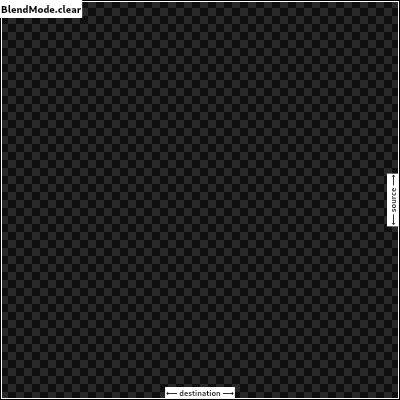 |
| clear, |
| |
| /// Drop the destination image, only paint the source image. |
| /// |
| /// Conceptually, the destination is first cleared, then the source image is |
| /// painted. |
| /// |
| /// This corresponds to the "Copy" Porter-Duff operator. |
| /// |
| /// 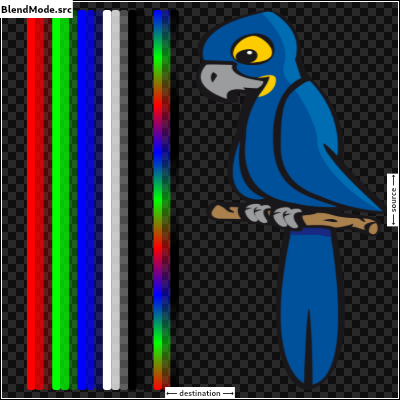 |
| src, |
| |
| /// Drop the source image, only paint the destination image. |
| /// |
| /// Conceptually, the source image is discarded, leaving the destination |
| /// untouched. |
| /// |
| /// This corresponds to the "Destination" Porter-Duff operator. |
| /// |
| /// 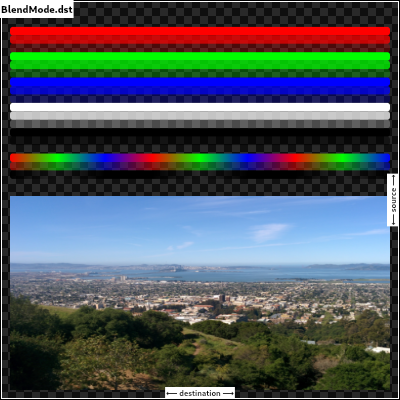 |
| dst, |
| |
| /// Composite the source image over the destination image. |
| /// |
| /// This is the default value. It represents the most intuitive case, where |
| /// shapes are painted on top of what is below, with transparent areas showing |
| /// the destination layer. |
| /// |
| /// This corresponds to the "Source over Destination" Porter-Duff operator, |
| /// also known as the Painter's Algorithm. |
| /// |
| /// 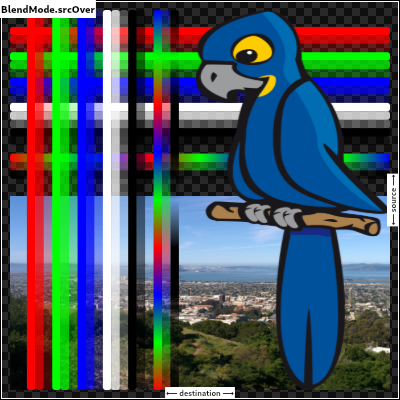 |
| srcOver, |
| |
| /// Composite the source image under the destination image. |
| /// |
| /// This is the opposite of [srcOver]. |
| /// |
| /// This corresponds to the "Destination over Source" Porter-Duff operator. |
| /// |
| /// 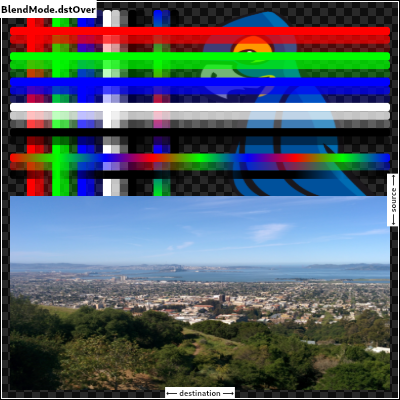 |
| /// |
| /// This is useful when the source image should have been painted before the |
| /// destination image, but could not be. |
| dstOver, |
| |
| /// Show the source image, but only where the two images overlap. The |
| /// destination image is not rendered, it is treated merely as a mask. The |
| /// color channels of the destination are ignored, only the opacity has an |
| /// effect. |
| /// |
| /// To show the destination image instead, consider [dstIn]. |
| /// |
| /// To reverse the semantic of the mask (only showing the source where the |
| /// destination is absent, rather than where it is present), consider |
| /// [srcOut]. |
| /// |
| /// This corresponds to the "Source in Destination" Porter-Duff operator. |
| /// |
| /// 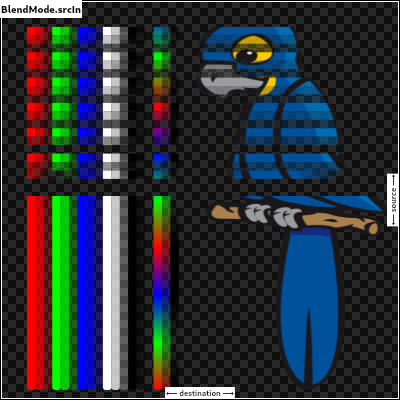 |
| srcIn, |
| |
| /// Show the destination image, but only where the two images overlap. The |
| /// source image is not rendered, it is treated merely as a mask. The color |
| /// channels of the source are ignored, only the opacity has an effect. |
| /// |
| /// To show the source image instead, consider [srcIn]. |
| /// |
| /// To reverse the semantic of the mask (only showing the source where the |
| /// destination is present, rather than where it is absent), consider [dstOut]. |
| /// |
| /// This corresponds to the "Destination in Source" Porter-Duff operator. |
| /// |
| /// 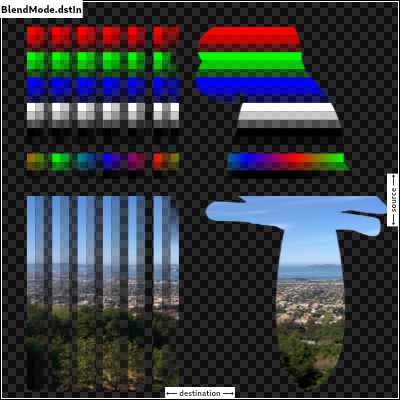 |
| dstIn, |
| |
| /// Show the source image, but only where the two images do not overlap. The |
| /// destination image is not rendered, it is treated merely as a mask. The color |
| /// channels of the destination are ignored, only the opacity has an effect. |
| /// |
| /// To show the destination image instead, consider [dstOut]. |
| /// |
| /// To reverse the semantic of the mask (only showing the source where the |
| /// destination is present, rather than where it is absent), consider [srcIn]. |
| /// |
| /// This corresponds to the "Source out Destination" Porter-Duff operator. |
| /// |
| /// 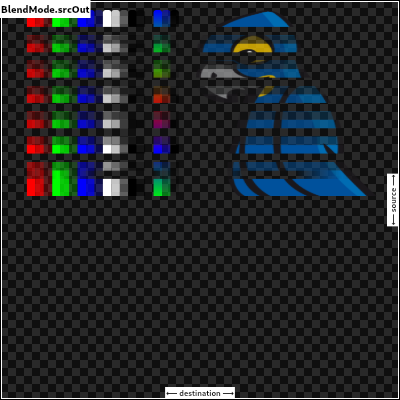 |
| srcOut, |
| |
| /// Show the destination image, but only where the two images do not overlap. The |
| /// source image is not rendered, it is treated merely as a mask. The color |
| /// channels of the source are ignored, only the opacity has an effect. |
| /// |
| /// To show the source image instead, consider [srcOut]. |
| /// |
| /// To reverse the semantic of the mask (only showing the destination where the |
| /// source is present, rather than where it is absent), consider [dstIn]. |
| /// |
| /// This corresponds to the "Destination out Source" Porter-Duff operator. |
| /// |
| /// 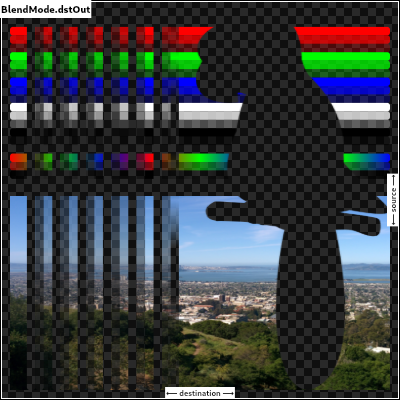 |
| dstOut, |
| |
| /// Composite the source image over the destination image, but only where it |
| /// overlaps the destination. |
| /// |
| /// This corresponds to the "Source atop Destination" Porter-Duff operator. |
| /// |
| /// This is essentially the [srcOver] operator, but with the output's opacity |
| /// channel being set to that of the destination image instead of being a |
| /// combination of both image's opacity channels. |
| /// |
| /// For a variant with the destination on top instead of the source, see |
| /// [dstATop]. |
| /// |
| /// 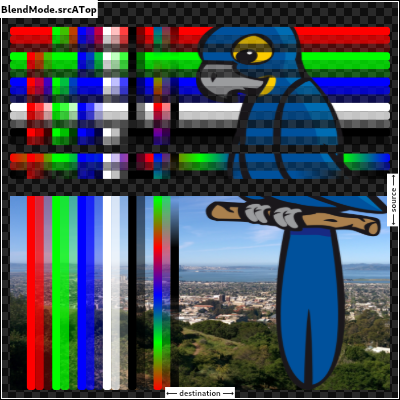 |
| srcATop, |
| |
| /// Composite the destination image over the source image, but only where it |
| /// overlaps the source. |
| /// |
| /// This corresponds to the "Destination atop Source" Porter-Duff operator. |
| /// |
| /// This is essentially the [dstOver] operator, but with the output's opacity |
| /// channel being set to that of the source image instead of being a |
| /// combination of both image's opacity channels. |
| /// |
| /// For a variant with the source on top instead of the destination, see |
| /// [srcATop]. |
| /// |
| /// 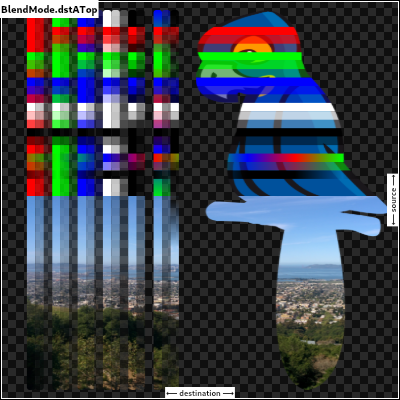 |
| dstATop, |
| |
| /// Apply a bitwise `xor` operator to the source and destination images. This |
| /// leaves transparency where they would overlap. |
| /// |
| /// This corresponds to the "Source xor Destination" Porter-Duff operator. |
| /// |
| /// 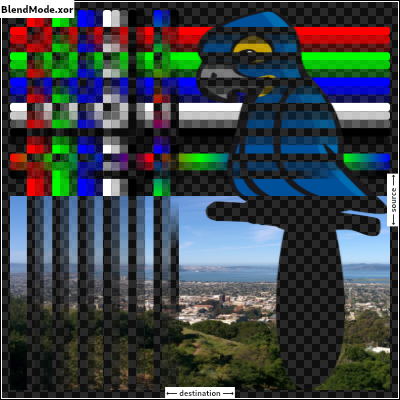 |
| xor, |
| |
| /// Sum the components of the source and destination images. |
| /// |
| /// Transparency in a pixel of one of the images reduces the contribution of |
| /// that image to the corresponding output pixel, as if the color of that |
| /// pixel in that image was darker. |
| /// |
| /// This corresponds to the "Source plus Destination" Porter-Duff operator. |
| /// |
| /// This is the right blend mode for cross-fading between two images. Consider |
| /// two images A and B, and an interpolation time variable _t_ (from 0.0 to |
| /// 1.0). To cross fade between them, A should be drawn with opacity 1.0 - _t_ |
| /// into a new layer using [BlendMode.srcOver], and B should be drawn on top |
| /// of it, at opacity _t_, into the same layer, using [BlendMode.plus]. |
| /// |
| /// 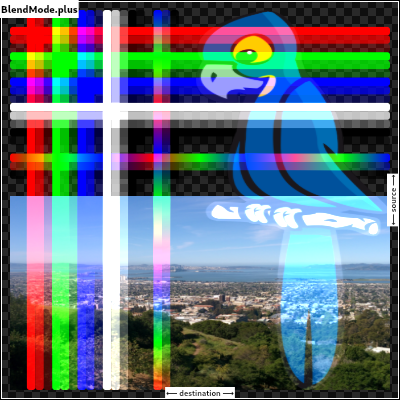 |
| plus, |
| |
| /// Multiply the color components of the source and destination images. |
| /// |
| /// This can only result in the same or darker colors (multiplying by white, |
| /// 1.0, results in no change; multiplying by black, 0.0, results in black). |
| /// |
| /// When compositing two opaque images, this has similar effect to overlapping |
| /// two transparencies on a projector. |
| /// |
| /// For a variant that also multiplies the alpha channel, consider [multiply]. |
| /// |
| /// 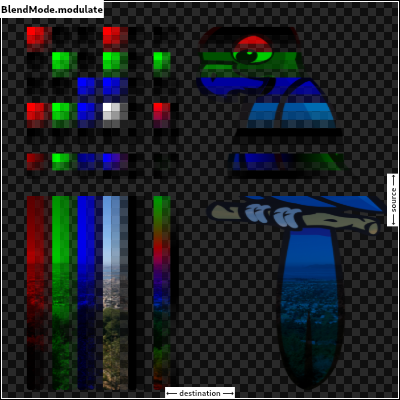 |
| /// |
| /// See also: |
| /// |
| /// * [screen], which does a similar computation but inverted. |
| /// * [overlay], which combines [modulate] and [screen] to favor the |
| /// destination image. |
| /// * [hardLight], which combines [modulate] and [screen] to favor the |
| /// source image. |
| modulate, |
| |
| // Following blend modes are defined in the CSS Compositing standard. |
| |
| /// Multiply the inverse of the components of the source and destination |
| /// images, and inverse the result. |
| /// |
| /// Inverting the components means that a fully saturated channel (opaque |
| /// white) is treated as the value 0.0, and values normally treated as 0.0 |
| /// (black, transparent) are treated as 1.0. |
| /// |
| /// This is essentially the same as [modulate] blend mode, but with the values |
| /// of the colors inverted before the multiplication and the result being |
| /// inverted back before rendering. |
| /// |
| /// This can only result in the same or lighter colors (multiplying by black, |
| /// 1.0, results in no change; multiplying by white, 0.0, results in white). |
| /// Similarly, in the alpha channel, it can only result in more opaque colors. |
| /// |
| /// This has similar effect to two projectors displaying their images on the |
| /// same screen simultaneously. |
| /// |
| /// 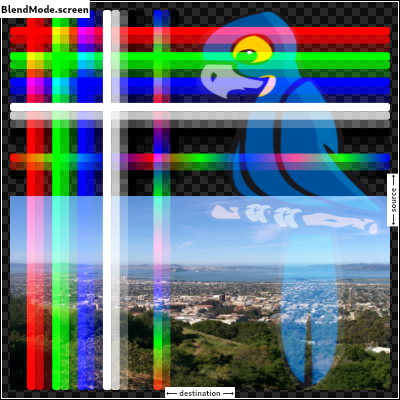 |
| /// |
| /// See also: |
| /// |
| /// * [modulate], which does a similar computation but without inverting the |
| /// values. |
| /// * [overlay], which combines [modulate] and [screen] to favor the |
| /// destination image. |
| /// * [hardLight], which combines [modulate] and [screen] to favor the |
| /// source image. |
| screen, // The last coeff mode. |
| /// Multiply the components of the source and destination images after |
| /// adjusting them to favor the destination. |
| /// |
| /// Specifically, if the destination value is smaller, this multiplies it with |
| /// the source value, whereas is the source value is smaller, it multiplies |
| /// the inverse of the source value with the inverse of the destination value, |
| /// then inverts the result. |
| /// |
| /// Inverting the components means that a fully saturated channel (opaque |
| /// white) is treated as the value 0.0, and values normally treated as 0.0 |
| /// (black, transparent) are treated as 1.0. |
| /// |
| /// 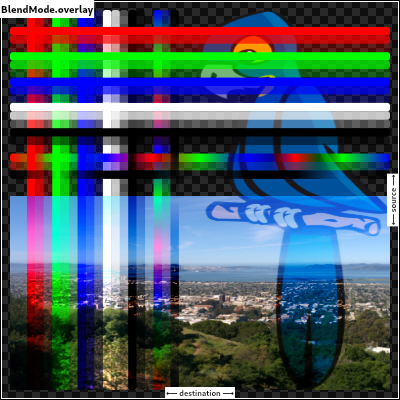 |
| /// |
| /// See also: |
| /// |
| /// * [modulate], which always multiplies the values. |
| /// * [screen], which always multiplies the inverses of the values. |
| /// * [hardLight], which is similar to [overlay] but favors the source image |
| /// instead of the destination image. |
| overlay, |
| |
| /// Composite the source and destination image by choosing the lowest value |
| /// from each color channel. |
| /// |
| /// The opacity of the output image is computed in the same way as for |
| /// [srcOver]. |
| /// |
| /// 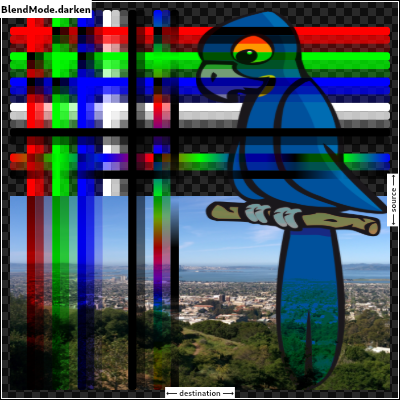 |
| darken, |
| |
| /// Composite the source and destination image by choosing the highest value |
| /// from each color channel. |
| /// |
| /// The opacity of the output image is computed in the same way as for |
| /// [srcOver]. |
| /// |
| /// 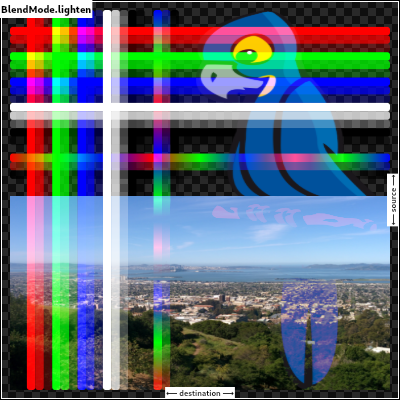 |
| lighten, |
| |
| /// Divide the destination by the inverse of the source. |
| /// |
| /// Inverting the components means that a fully saturated channel (opaque |
| /// white) is treated as the value 0.0, and values normally treated as 0.0 |
| /// (black, transparent) are treated as 1.0. |
| /// |
| /// 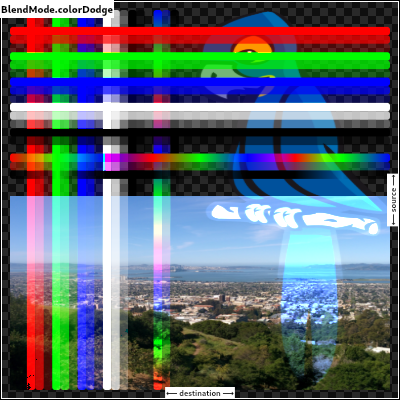 |
| colorDodge, |
| |
| /// Divide the inverse of the destination by the source, and inverse the result. |
| /// |
| /// Inverting the components means that a fully saturated channel (opaque |
| /// white) is treated as the value 0.0, and values normally treated as 0.0 |
| /// (black, transparent) are treated as 1.0. |
| /// |
| /// 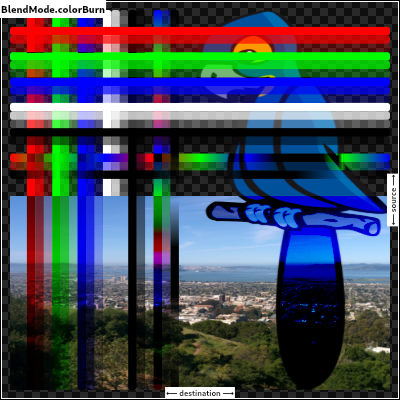 |
| colorBurn, |
| |
| /// Multiply the components of the source and destination images after |
| /// adjusting them to favor the source. |
| /// |
| /// Specifically, if the source value is smaller, this multiplies it with the |
| /// destination value, whereas is the destination value is smaller, it |
| /// multiplies the inverse of the destination value with the inverse of the |
| /// source value, then inverts the result. |
| /// |
| /// Inverting the components means that a fully saturated channel (opaque |
| /// white) is treated as the value 0.0, and values normally treated as 0.0 |
| /// (black, transparent) are treated as 1.0. |
| /// |
| /// 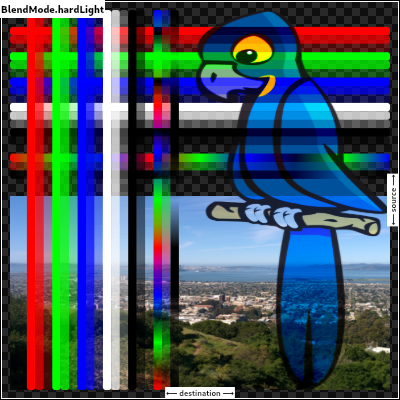 |
| /// |
| /// See also: |
| /// |
| /// * [modulate], which always multiplies the values. |
| /// * [screen], which always multiplies the inverses of the values. |
| /// * [overlay], which is similar to [hardLight] but favors the destination |
| /// image instead of the source image. |
| hardLight, |
| |
| /// Use [colorDodge] for source values below 0.5 and [colorBurn] for source |
| /// values above 0.5. |
| /// |
| /// This results in a similar but softer effect than [overlay]. |
| /// |
| /// 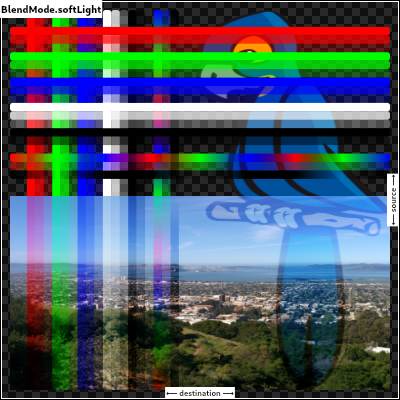 |
| /// |
| /// See also: |
| /// |
| /// * [color], which is a more subtle tinting effect. |
| softLight, |
| |
| /// Subtract the smaller value from the bigger value for each channel. |
| /// |
| /// Compositing black has no effect; compositing white inverts the colors of |
| /// the other image. |
| /// |
| /// The opacity of the output image is computed in the same way as for |
| /// [srcOver]. |
| /// |
| /// The effect is similar to [exclusion] but harsher. |
| /// |
| /// 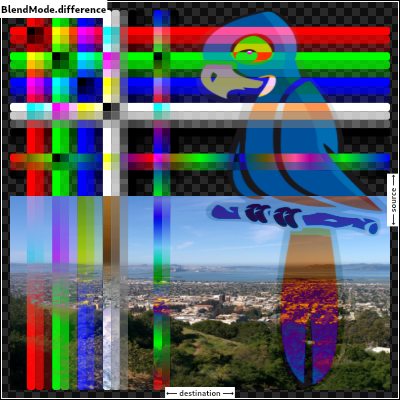 |
| difference, |
| |
| /// Subtract double the product of the two images from the sum of the two |
| /// images. |
| /// |
| /// Compositing black has no effect; compositing white inverts the colors of |
| /// the other image. |
| /// |
| /// The opacity of the output image is computed in the same way as for |
| /// [srcOver]. |
| /// |
| /// The effect is similar to [difference] but softer. |
| /// |
| /// 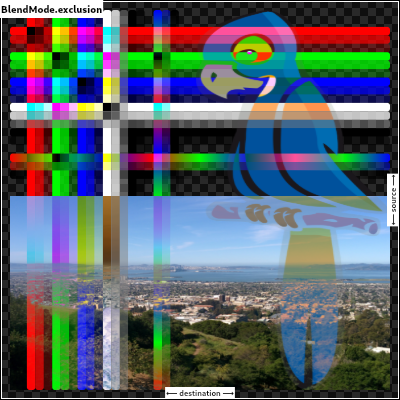 |
| exclusion, |
| |
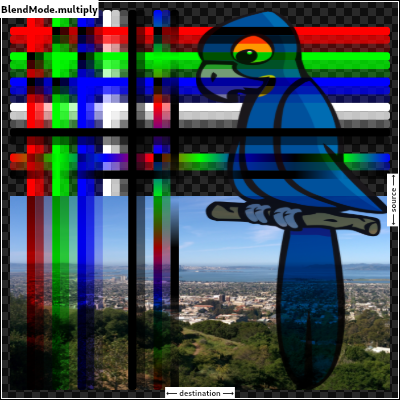
| /// Multiply the components of the source and destination images, including |
| /// the alpha channel. |
| /// |
| /// This can only result in the same or darker colors (multiplying by white, |
| /// 1.0, results in no change; multiplying by black, 0.0, results in black). |
| /// |
| /// Since the alpha channel is also multiplied, a fully-transparent pixel |
| /// (opacity 0.0) in one image results in a fully transparent pixel in the |
| /// output. This is similar to [dstIn], but with the colors combined. |
| /// |
| /// For a variant that multiplies the colors but does not multiply the alpha |
| /// channel, consider [modulate]. |
| /// |
| ///  |
| multiply, // The last separable mode. |
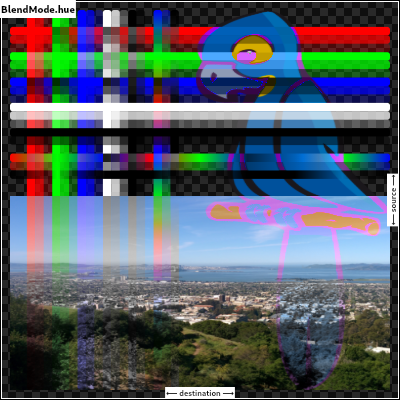
| /// Take the hue of the source image, and the saturation and luminosity of the |
| /// destination image. |
| /// |
| /// The effect is to tint the destination image with the source image. |
| /// |
| /// The opacity of the output image is computed in the same way as for |
| /// [srcOver]. Regions that are entirely transparent in the source image take |
| /// their hue from the destination. |
| /// |
| ///  |
| /// |
| /// See also: |
| /// |
| /// * [color], which is a similar but stronger effect as it also applies the |
| /// saturation of the source image. |
| /// * [HSVColor], which allows colors to be expressed using Hue rather than |
| /// the red/green/blue channels of [Color]. |
| hue, |
| |
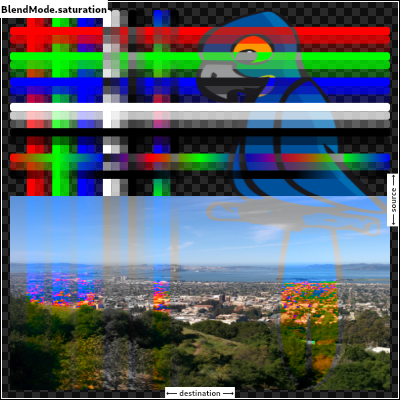
| /// Take the saturation of the source image, and the hue and luminosity of the |
| /// destination image. |
| /// |
| /// The opacity of the output image is computed in the same way as for |
| /// [srcOver]. Regions that are entirely transparent in the source image take |
| /// their saturation from the destination. |
| /// |
| ///  |
| /// |
| /// See also: |
| /// |
| /// * [color], which also applies the hue of the source image. |
| /// * [luminosity], which applies the luminosity of the source image to the |
| /// destination. |
| saturation, |
| |
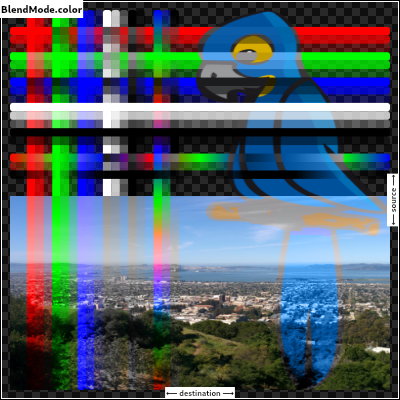
| /// Take the hue and saturation of the source image, and the luminosity of the |
| /// destination image. |
| /// |
| /// The effect is to tint the destination image with the source image. |
| /// |
| /// The opacity of the output image is computed in the same way as for |
| /// [srcOver]. Regions that are entirely transparent in the source image take |
| /// their hue and saturation from the destination. |
| /// |
| ///  |
| /// |
| /// See also: |
| /// |
| /// * [hue], which is a similar but weaker effect. |
| /// * [softLight], which is a similar tinting effect but also tints white. |
| /// * [saturation], which only applies the saturation of the source image. |
| color, |
| |
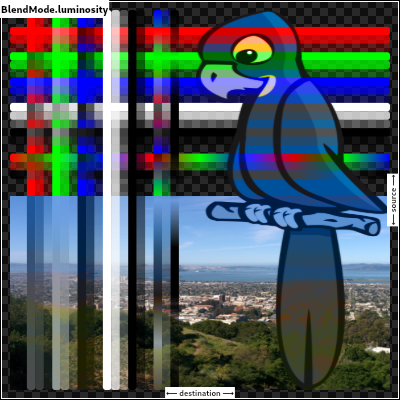
| /// Take the luminosity of the source image, and the hue and saturation of the |
| /// destination image. |
| /// |
| /// The opacity of the output image is computed in the same way as for |
| /// [srcOver]. Regions that are entirely transparent in the source image take |
| /// their luminosity from the destination. |
| /// |
| ///  |
| /// |
| /// See also: |
| /// |
| /// * [saturation], which applies the saturation of the source image to the |
| /// destination. |
| /// * [ImageFilter.blur], which can be used with [BackdropFilter] for a |
| /// related effect. |
| luminosity, |
| } |
| |
| /// Quality levels for image sampling in [ImageFilter] and [Shader] objects that sample |
| /// images and for [Canvas] operations that render images. |
| /// |
| /// When scaling up typically the quality is lowest at [none], higher at [low] and [medium], |
| /// and for very large scale factors (over 10x) the highest at [high]. |
| /// |
| /// When scaling down, [medium] provides the best quality especially when scaling an |
| /// image to less than half its size or for animating the scale factor between such |
| /// reductions. Otherwise, [low] and [high] provide similar effects for reductions of |
| /// between 50% and 100% but the image may lose detail and have dropouts below 50%. |
| /// |
| /// To get high quality when scaling images up and down, or when the scale is |
| /// unknown, [medium] is typically a good balanced choice. |
| /// |
| ///  |
| /// |
| /// When building for the web using the `--web-renderer=html` option, filter |
| /// quality has no effect. All images are rendered using the respective |
| /// browser's default setting. |
| /// |
| /// See also: |
| /// |
| /// * [Paint.filterQuality], which is used to pass [FilterQuality] to the |
| /// engine while using drawImage calls on a [Canvas]. |
| /// * [ImageShader]. |
| /// * [FragmentShader.setImageSampler]. |
| /// * [ImageFilter.matrix]. |
| /// * [Canvas.drawImage]. |
| /// * [Canvas.drawImageRect]. |
| /// * [Canvas.drawImageNine]. |
| /// * [Canvas.drawAtlas]. |
| enum FilterQuality { |
| // This list and the values (order) should be kept in sync with the equivalent list |
| // in lib/ui/painting/image_filter.cc |
| |
| /// The fastest filtering method, albeit also the lowest quality. |
| /// |
| /// This value results in a "Nearest Neighbor" algorithm which just |
| /// repeats or eliminates pixels as an image is scaled up or down. |
| none, |
| |
| /// Better quality than [none], faster than [medium]. |
| /// |
| /// This value results in a "Bilinear" algorithm which smoothly |
| /// interpolates between pixels in an image. |
| low, |
| |
| /// The best all around filtering method that is only worse than [high] |
| /// at extremely large scale factors. |
| /// |
| /// This value improves upon the "Bilinear" algorithm specified by [low] |
| /// by utilizing a Mipmap that pre-computes high quality lower resolutions |
| /// of the image at half (and quarter and eighth, etc.) sizes and then |
| /// blends between those to prevent loss of detail at small scale sizes. |
| /// |
| /// {@template dart.ui.filterQuality.seeAlso} |
| /// See also: |
| /// |
| /// * [FilterQuality] class-level documentation that goes into detail about |
| /// relative qualities of the constant values. |
| /// {@endtemplate} |
| medium, |
| |
| /// Best possible quality when scaling up images by scale factors larger than |
| /// 5-10x. |
| /// |
| /// When images are scaled down, this can be worse than [medium] for scales |
| /// smaller than 0.5x, or when animating the scale factor. |
| /// |
| /// This option is also the slowest. |
| /// |
| /// This value results in a standard "Bicubic" algorithm which uses a 3rd order |
| /// equation to smooth the abrupt transitions between pixels while preserving |
| /// some of the sense of an edge and avoiding sharp peaks in the result. |
| /// |
| /// {@macro dart.ui.filterQuality.seeAlso} |
| high, |
| } |
| |
| /// Styles to use for line endings. |
| /// |
| /// See also: |
| /// |
| /// * [Paint.strokeCap] for how this value is used. |
| /// * [StrokeJoin] for the different kinds of line segment joins. |
| // These enum values must be kept in sync with DlStrokeCap. |
| enum StrokeCap { |
| /// Begin and end contours with a flat edge and no extension. |
| /// |
| ///  |
| /// |
| /// Compare to the [square] cap, which has the same shape, but extends past |
| /// the end of the line by half a stroke width. |
| butt, |
| |
| /// Begin and end contours with a semi-circle extension. |
| /// |
| ///  |
| /// |
| /// The cap is colored in the diagram above to highlight it: in normal use it |
| /// is the same color as the line. |
| round, |
| |
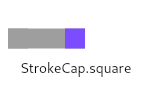
| /// Begin and end contours with a half square extension. This is |
| /// similar to extending each contour by half the stroke width (as |
| /// given by [Paint.strokeWidth]). |
| /// |
| ///  |
| /// |
| /// The cap is colored in the diagram above to highlight it: in normal use it |
| /// is the same color as the line. |
| /// |
| /// Compare to the [butt] cap, which has the same shape, but doesn't extend |
| /// past the end of the line. |
| square, |
| } |
| |
| /// Styles to use for line segment joins. |
| /// |
| /// This only affects line joins for polygons drawn by [Canvas.drawPath] and |
| /// rectangles, not points drawn as lines with [Canvas.drawPoints]. |
| /// |
| /// See also: |
| /// |
| /// * [Paint.strokeJoin] and [Paint.strokeMiterLimit] for how this value is |
| /// used. |
| /// * [StrokeCap] for the different kinds of line endings. |
| // These enum values must be kept in sync with DlStrokeJoin. |
| enum StrokeJoin { |
| /// Joins between line segments form sharp corners. |
| /// |
| /// {@animation 300 300 https://flutter.github.io/assets-for-api-docs/assets/dart-ui/miter_4_join.mp4} |
| /// |
| /// The center of the line segment is colored in the diagram above to |
| /// highlight the join, but in normal usage the join is the same color as the |
| /// line. |
| /// |
| /// See also: |
| /// |
| /// * [Paint.strokeJoin], used to set the line segment join style to this |
| /// value. |
| /// * [Paint.strokeMiterLimit], used to define when a miter is drawn instead |
| /// of a bevel when the join is set to this value. |
| miter, |
| |
| /// Joins between line segments are semi-circular. |
| /// |
| /// {@animation 300 300 https://flutter.github.io/assets-for-api-docs/assets/dart-ui/round_join.mp4} |
| /// |
| /// The center of the line segment is colored in the diagram above to |
| /// highlight the join, but in normal usage the join is the same color as the |
| /// line. |
| /// |
| /// See also: |
| /// |
| /// * [Paint.strokeJoin], used to set the line segment join style to this |
| /// value. |
| round, |
| |
| /// Joins between line segments connect the corners of the butt ends of the |
| /// line segments to give a beveled appearance. |
| /// |
| /// {@animation 300 300 https://flutter.github.io/assets-for-api-docs/assets/dart-ui/bevel_join.mp4} |
| /// |
| /// The center of the line segment is colored in the diagram above to |
| /// highlight the join, but in normal usage the join is the same color as the |
| /// line. |
| /// |
| /// See also: |
| /// |
| /// * [Paint.strokeJoin], used to set the line segment join style to this |
| /// value. |
| bevel, |
| } |
| |
| /// Strategies for painting shapes and paths on a canvas. |
| /// |
| /// See [Paint.style]. |
| // These enum values must be kept in sync with DlDrawStyle. |
| enum PaintingStyle { |
| // This list comes from dl_paint.h and the values (order) should be kept |
| // in sync. |
| |
| /// Apply the [Paint] to the inside of the shape. For example, when |
| /// applied to the [Canvas.drawCircle] call, this results in a disc |
| /// of the given size being painted. |
| fill, |
| |
| /// Apply the [Paint] to the edge of the shape. For example, when |
| /// applied to the [Canvas.drawCircle] call, this results is a hoop |
| /// of the given size being painted. The line drawn on the edge will |
| /// be the width given by the [Paint.strokeWidth] property. |
| stroke, |
| } |
| |
| /// Different ways to clip content. |
| /// |
| /// See also: |
| /// |
| /// * [Paint.isAntiAlias], the anti-aliasing switch for general draw operations. |
| enum Clip { |
| /// No clip at all. |
| /// |
| /// This is the default option for most widgets: if the content does not |
| /// overflow the widget boundary, don't pay any performance cost for clipping. |
| /// |
| /// If the content does overflow, consider the following [Clip] options: |
| /// |
| /// * [hardEdge], which is the fastest clipping, but with lower fidelity. |
| /// * [antiAlias], which is a little slower than [hardEdge], but with smoothed edges. |
| /// * [antiAliasWithSaveLayer], which is much slower than [antiAlias], and should |
| /// rarely be used. |
| none, |
| |
| /// Clip, but do not apply anti-aliasing. |
| /// |
| /// This mode enables clipping, but curves and non-axis-aligned straight lines will be |
| /// jagged as no effort is made to anti-alias. |
| /// |
| /// Faster than other clipping modes, but slower than [none]. |
| /// |
| /// This is a reasonable choice when clipping is needed, if the container is an axis- |
| /// aligned rectangle or an axis-aligned rounded rectangle with very small corner radii. |
| /// |
| /// See also: |
| /// |
| /// * [antiAlias], recommended when clipping is needed and the shape is not |
| /// an axis-aligned rectangle. |
| hardEdge, |
| |
| /// Clip with anti-aliasing. |
| /// |
| /// This mode has anti-aliased clipping edges, which reduces jagged edges when |
| /// the clip shape itself has edges that are diagonal, curved, or otherwise |
| /// not axis-aligned. |
| /// |
| /// This is much faster than [antiAliasWithSaveLayer], but slower than [hardEdge]. |
| /// |
| /// Unlike [hardEdge] and [antiAliasWithSaveLayer], this clipping can have |
| /// bleeding edge artifacts |
| /// ([Skia Fiddle example](https://fiddle.skia.org/c/21cb4c2b2515996b537f36e7819288ae)). |
| /// |
| /// See also: |
| /// |
| /// * [hardEdge], which is faster, but with lower fidelity. |
| /// * [antiAliasWithSaveLayer], which is much slower, but avoids bleeding |
| /// edge artifacts. |
| /// * [Paint.isAntiAlias], which is the anti-aliasing switch for general draw operations. |
| antiAlias, |
| |
| /// Clip with anti-aliasing and `saveLayer` immediately following the clip. |
| /// |
| /// This mode not only clips with anti-aliasing, but also allocates an offscreen |
| /// buffer. All subsequent paints are carried out on that buffer before finally |
| /// being clipped and composited back. |
| /// |
| /// This is very slow. It has no bleeding edge artifacts, unlike [antiAlias], |
| /// but it changes the semantics as it introduces an offscreen buffer. |
| /// For example, see this |
| /// [Skia Fiddle without `saveLayer`](https://fiddle.skia.org/c/83ed46ceadaf90f36a4df3b98cbe1c35) |
| /// and this |
| /// [Skia Fiddle with `saveLayer`](https://fiddle.skia.org/c/704acfa049a7e99fbe685232c45d1582). |
| /// |
| /// Use this mode only if necessary. For example, if you have an |
| /// image overlaid on a very different background color. In these |
| /// cases, consider if you can avoid overlaying multiple colors in one |
| /// location (e.g. by having the background color only present where the image is |
| /// absent). If possible, prefer [antiAlias] as it is much faster. |
| /// |
| /// See also: |
| /// |
| /// * [antiAlias], which is much faster, and has similar clipping results. |
| /// * [Canvas.saveLayer]. |
| antiAliasWithSaveLayer, |
| } |
| |
| /// A description of the style to use when drawing on a [Canvas]. |
| /// |
| /// Most APIs on [Canvas] take a [Paint] object to describe the style |
| /// to use for that operation. |
| final class Paint { |
| /// Constructs an empty [Paint] object with all fields initialized to |
| /// their defaults. |
| Paint(); |
| |
| /// Constructs a new [Paint] object with the same fields as [other]. |
| /// |
| /// Any changes made to the object returned will not affect [other], and |
| /// changes to [other] will not affect the object returned. |
| /// |
| /// Backends (for example web versus native) may have different performance |
| /// characteristics. If the code is performance-sensitive, consider profiling |
| /// and falling back to reusing a single [Paint] object if necessary. |
| Paint.from(Paint other) { |
| // Every field on Paint is deeply immutable, so to create a copy of a Paint |
| // object, we copy the underlying data buffer and the list of objects (which |
| // are also deeply immutable). |
| _data.buffer.asUint32List().setAll(0, other._data.buffer.asUint32List()); |
| _objects = other._objects?.toList(); |
| } |
| |
| // Paint objects are encoded in two buffers: |
| // |
| // * _data is binary data in four-byte fields, each of which is either a |
| // uint32_t or a float. The default value for each field is encoded as |
| // zero to make initialization trivial. Most values already have a default |
| // value of zero, but some, such as color, have a non-zero default value. |
| // To encode or decode these values, XOR the value with the default value. |
| // |
| // * _objects is a list of unencodable objects, typically wrappers for native |
| // objects. The objects are simply stored in the list without any additional |
| // encoding. |
| // |
| // The binary format must match the deserialization code in paint.cc. |
| |
| // C++ unit tests access this. |
| @pragma('vm:entry-point') |
| final ByteData _data = ByteData(_kDataByteCount); |
| |
| // Must match //lib/ui/painting/paint.cc. |
| static const int _kIsAntiAliasIndex = 0; |
| static const int _kColorRedIndex = 1; |
| static const int _kColorGreenIndex = 2; |
| static const int _kColorBlueIndex = 3; |
| static const int _kColorAlphaIndex = 4; |
| static const int _kColorSpaceIndex = 5; |
| static const int _kBlendModeIndex = 6; |
| static const int _kStyleIndex = 7; |
| static const int _kStrokeWidthIndex = 8; |
| static const int _kStrokeCapIndex = 9; |
| static const int _kStrokeJoinIndex = 10; |
| static const int _kStrokeMiterLimitIndex = 11; |
| static const int _kFilterQualityIndex = 12; |
| static const int _kMaskFilterIndex = 13; |
| static const int _kMaskFilterBlurStyleIndex = 14; |
| static const int _kMaskFilterSigmaIndex = 15; |
| static const int _kInvertColorIndex = 16; |
| |
| static const int _kIsAntiAliasOffset = _kIsAntiAliasIndex << 2; |
| static const int _kColorRedOffset = _kColorRedIndex << 2; |
| static const int _kColorGreenOffset = _kColorGreenIndex << 2; |
| static const int _kColorBlueOffset = _kColorBlueIndex << 2; |
| static const int _kColorAlphaOffset = _kColorAlphaIndex << 2; |
| static const int _kColorSpaceOffset = _kColorSpaceIndex << 2; |
| static const int _kBlendModeOffset = _kBlendModeIndex << 2; |
| static const int _kStyleOffset = _kStyleIndex << 2; |
| static const int _kStrokeWidthOffset = _kStrokeWidthIndex << 2; |
| static const int _kStrokeCapOffset = _kStrokeCapIndex << 2; |
| static const int _kStrokeJoinOffset = _kStrokeJoinIndex << 2; |
| static const int _kStrokeMiterLimitOffset = _kStrokeMiterLimitIndex << 2; |
| static const int _kFilterQualityOffset = _kFilterQualityIndex << 2; |
| static const int _kMaskFilterOffset = _kMaskFilterIndex << 2; |
| static const int _kMaskFilterBlurStyleOffset = _kMaskFilterBlurStyleIndex << 2; |
| static const int _kMaskFilterSigmaOffset = _kMaskFilterSigmaIndex << 2; |
| static const int _kInvertColorOffset = _kInvertColorIndex << 2; |
| |
| // If you add more fields, remember to update _kDataByteCount. |
| static const int _kDataByteCount = 68; // 4 * (last index + 1). |
| |
| // Binary format must match the deserialization code in paint.cc. |
| // C++ unit tests access this. |
| @pragma('vm:entry-point') |
| List<Object?>? _objects; |
| |
| List<Object?> _ensureObjectsInitialized() { |
| return _objects ??= List<Object?>.filled(_kObjectCount, null); |
| } |
| |
| static const int _kShaderIndex = 0; |
| static const int _kColorFilterIndex = 1; |
| static const int _kImageFilterIndex = 2; |
| static const int _kObjectCount = 3; // Must be one larger than the largest index. |
| |
| /// Whether to apply anti-aliasing to lines and images drawn on the |
| /// canvas. |
| /// |
| /// Defaults to true. |
| bool get isAntiAlias { |
| return _data.getInt32(_kIsAntiAliasOffset, _kFakeHostEndian) == 0; |
| } |
| |
| set isAntiAlias(bool value) { |
| // We encode true as zero and false as one because the default value, which |
| // we always encode as zero, is true. |
| final encoded = value ? 0 : 1; |
| _data.setInt32(_kIsAntiAliasOffset, encoded, _kFakeHostEndian); |
| } |
| |
| // Must be kept in sync with the default in paint.cc. |
| static const int _kColorDefault = 0xFF000000; |
| |
| /// The color to use when stroking or filling a shape. |
| /// |
| /// Defaults to opaque black. |
| /// |
| /// See also: |
| /// |
| /// * [style], which controls whether to stroke or fill (or both). |
| /// * [colorFilter], which overrides [color]. |
| /// * [shader], which overrides [color] with more elaborate effects. |
| /// |
| /// This color is not used when compositing. To colorize a layer, use |
| /// [colorFilter]. |
| Color get color { |
| final double red = _data.getFloat32(_kColorRedOffset, _kFakeHostEndian); |
| final double green = _data.getFloat32(_kColorGreenOffset, _kFakeHostEndian); |
| final double blue = _data.getFloat32(_kColorBlueOffset, _kFakeHostEndian); |
| final double alpha = 1.0 - _data.getFloat32(_kColorAlphaOffset, _kFakeHostEndian); |
| final ColorSpace colorSpace = _indexToColorSpace( |
| _data.getInt32(_kColorSpaceOffset, _kFakeHostEndian), |
| ); |
| return Color.from(alpha: alpha, red: red, green: green, blue: blue, colorSpace: colorSpace); |
| } |
| |
| set color(Color value) { |
| _data.setFloat32(_kColorRedOffset, value.r, _kFakeHostEndian); |
| _data.setFloat32(_kColorGreenOffset, value.g, _kFakeHostEndian); |
| _data.setFloat32(_kColorBlueOffset, value.b, _kFakeHostEndian); |
| _data.setFloat32(_kColorAlphaOffset, 1.0 - value.a, _kFakeHostEndian); |
| _data.setInt32(_kColorSpaceOffset, _colorSpaceToIndex(value.colorSpace), _kFakeHostEndian); |
| } |
| |
| // Must be kept in sync with the default in paint.cc. |
| static final int _kBlendModeDefault = BlendMode.srcOver.index; |
| |
| /// A blend mode to apply when a shape is drawn or a layer is composited. |
| /// |
| /// The source colors are from the shape being drawn (e.g. from |
| /// [Canvas.drawPath]) or layer being composited (the graphics that were drawn |
| /// between the [Canvas.saveLayer] and [Canvas.restore] calls), after applying |
| /// the [colorFilter], if any. |
| /// |
| /// The destination colors are from the background onto which the shape or |
| /// layer is being composited. |
| /// |
| /// Defaults to [BlendMode.srcOver]. |
| /// |
| /// See also: |
| /// |
| /// * [Canvas.saveLayer], which uses its [Paint]'s [blendMode] to composite |
| /// the layer when [Canvas.restore] is called. |
| /// * [BlendMode], which discusses the user of [Canvas.saveLayer] with |
| /// [blendMode]. |
| BlendMode get blendMode { |
| final int encoded = _data.getInt32(_kBlendModeOffset, _kFakeHostEndian); |
| return BlendMode.values[encoded ^ _kBlendModeDefault]; |
| } |
| |
| set blendMode(BlendMode value) { |
| final int encoded = value.index ^ _kBlendModeDefault; |
| _data.setInt32(_kBlendModeOffset, encoded, _kFakeHostEndian); |
| } |
| |
| /// Whether to paint inside shapes, the edges of shapes, or both. |
| /// |
| /// Defaults to [PaintingStyle.fill]. |
| PaintingStyle get style { |
| return PaintingStyle.values[_data.getInt32(_kStyleOffset, _kFakeHostEndian)]; |
| } |
| |
| set style(PaintingStyle value) { |
| final int encoded = value.index; |
| _data.setInt32(_kStyleOffset, encoded, _kFakeHostEndian); |
| } |
| |
| /// How wide to make edges drawn when [style] is set to |
| /// [PaintingStyle.stroke]. The width is given in logical pixels measured in |
| /// the direction orthogonal to the direction of the path. |
| /// |
| /// Defaults to 0.0, which correspond to a hairline width. |
| double get strokeWidth { |
| return _data.getFloat32(_kStrokeWidthOffset, _kFakeHostEndian); |
| } |
| |
| set strokeWidth(double value) { |
| final encoded = value; |
| _data.setFloat32(_kStrokeWidthOffset, encoded, _kFakeHostEndian); |
| } |
| |
| /// The kind of finish to place on the end of lines drawn when |
| /// [style] is set to [PaintingStyle.stroke]. |
| /// |
| /// Defaults to [StrokeCap.butt], i.e. no caps. |
| StrokeCap get strokeCap { |
| return StrokeCap.values[_data.getInt32(_kStrokeCapOffset, _kFakeHostEndian)]; |
| } |
| |
| set strokeCap(StrokeCap value) { |
| final int encoded = value.index; |
| _data.setInt32(_kStrokeCapOffset, encoded, _kFakeHostEndian); |
| } |
| |
| /// The kind of finish to place on the joins between segments. |
| /// |
| /// This applies to paths drawn when [style] is set to [PaintingStyle.stroke], |
| /// It does not apply to points drawn as lines with [Canvas.drawPoints]. |
| /// |
| /// Defaults to [StrokeJoin.miter], i.e. sharp corners. |
| /// |
| /// Some examples of joins: |
| /// |
| /// {@animation 300 300 https://flutter.github.io/assets-for-api-docs/assets/dart-ui/miter_4_join.mp4} |
| /// |
| /// {@animation 300 300 https://flutter.github.io/assets-for-api-docs/assets/dart-ui/round_join.mp4} |
| /// |
| /// {@animation 300 300 https://flutter.github.io/assets-for-api-docs/assets/dart-ui/bevel_join.mp4} |
| /// |
| /// The centers of the line segments are colored in the diagrams above to |
| /// highlight the joins, but in normal usage the join is the same color as the |
| /// line. |
| /// |
| /// See also: |
| /// |
| /// * [strokeMiterLimit] to control when miters are replaced by bevels when |
| /// this is set to [StrokeJoin.miter]. |
| /// * [strokeCap] to control what is drawn at the ends of the stroke. |
| /// * [StrokeJoin] for the definitive list of stroke joins. |
| StrokeJoin get strokeJoin { |
| return StrokeJoin.values[_data.getInt32(_kStrokeJoinOffset, _kFakeHostEndian)]; |
| } |
| |
| set strokeJoin(StrokeJoin value) { |
| final int encoded = value.index; |
| _data.setInt32(_kStrokeJoinOffset, encoded, _kFakeHostEndian); |
| } |
| |
| // Must be kept in sync with the default in paint.cc. |
| static const double _kStrokeMiterLimitDefault = 4.0; |
| |
| /// The limit for miters to be drawn on segments when the join is set to |
| /// [StrokeJoin.miter] and the [style] is set to [PaintingStyle.stroke]. If |
| /// this limit is exceeded, then a [StrokeJoin.bevel] join will be drawn |
| /// instead. This may cause some 'popping' of the corners of a path if the |
| /// angle between line segments is animated, as seen in the diagrams below. |
| /// |
| /// This limit is expressed as a limit on the length of the miter. |
| /// |
| /// Defaults to 4.0. Using zero as a limit will cause a [StrokeJoin.bevel] |
| /// join to be used all the time. |
| /// |
| /// {@animation 300 300 https://flutter.github.io/assets-for-api-docs/assets/dart-ui/miter_0_join.mp4} |
| /// |
| /// {@animation 300 300 https://flutter.github.io/assets-for-api-docs/assets/dart-ui/miter_4_join.mp4} |
| /// |
| /// {@animation 300 300 https://flutter.github.io/assets-for-api-docs/assets/dart-ui/miter_6_join.mp4} |
| /// |
| /// The centers of the line segments are colored in the diagrams above to |
| /// highlight the joins, but in normal usage the join is the same color as the |
| /// line. |
| /// |
| /// See also: |
| /// |
| /// * [strokeJoin] to control the kind of finish to place on the joins |
| /// between segments. |
| /// * [strokeCap] to control what is drawn at the ends of the stroke. |
| double get strokeMiterLimit { |
| return _data.getFloat32(_kStrokeMiterLimitOffset, _kFakeHostEndian); |
| } |
| |
| set strokeMiterLimit(double value) { |
| final double encoded = value - _kStrokeMiterLimitDefault; |
| _data.setFloat32(_kStrokeMiterLimitOffset, encoded, _kFakeHostEndian); |
| } |
| |
| /// A mask filter (for example, a blur) to apply to a shape after it has been |
| /// drawn but before it has been composited into the image. |
| /// |
| /// See [MaskFilter] for details. |
| MaskFilter? get maskFilter { |
| switch (_data.getInt32(_kMaskFilterOffset, _kFakeHostEndian)) { |
| case MaskFilter._TypeNone: |
| return null; |
| case MaskFilter._TypeBlur: |
| return MaskFilter.blur( |
| BlurStyle.values[_data.getInt32(_kMaskFilterBlurStyleOffset, _kFakeHostEndian)], |
| _data.getFloat32(_kMaskFilterSigmaOffset, _kFakeHostEndian), |
| ); |
| } |
| return null; |
| } |
| |
| set maskFilter(MaskFilter? value) { |
| if (value == null) { |
| _data.setInt32(_kMaskFilterOffset, MaskFilter._TypeNone, _kFakeHostEndian); |
| _data.setInt32(_kMaskFilterBlurStyleOffset, 0, _kFakeHostEndian); |
| _data.setFloat32(_kMaskFilterSigmaOffset, 0.0, _kFakeHostEndian); |
| } else { |
| // For now we only support one kind of MaskFilter, so we don't need to |
| // check what the type is if it's not null. |
| _data.setInt32(_kMaskFilterOffset, MaskFilter._TypeBlur, _kFakeHostEndian); |
| _data.setInt32(_kMaskFilterBlurStyleOffset, value._style.index, _kFakeHostEndian); |
| _data.setFloat32(_kMaskFilterSigmaOffset, value._sigma, _kFakeHostEndian); |
| } |
| } |
| |
| /// Controls the performance vs quality trade-off to use when sampling bitmaps, |
| /// as with an [ImageShader], or when drawing images, as with [Canvas.drawImage], |
| /// [Canvas.drawImageRect], [Canvas.drawImageNine] or [Canvas.drawAtlas]. |
| /// |
| /// Defaults to [FilterQuality.none]. |
| // TODO(ianh): verify that the image drawing methods actually respect this |
| FilterQuality get filterQuality { |
| return FilterQuality.values[_data.getInt32(_kFilterQualityOffset, _kFakeHostEndian)]; |
| } |
| |
| set filterQuality(FilterQuality value) { |
| final int encoded = value.index; |
| _data.setInt32(_kFilterQualityOffset, encoded, _kFakeHostEndian); |
| } |
| |
| /// The shader to use when stroking or filling a shape. |
| /// |
| /// When this is null, the [color] is used instead. |
| /// |
| /// See also: |
| /// |
| /// * [Gradient], a shader that paints a color gradient. |
| /// * [ImageShader], a shader that tiles an [Image]. |
| /// * [colorFilter], which overrides [shader]. |
| /// * [color], which is used if [shader] and [colorFilter] are null. |
| Shader? get shader { |
| return _objects?[_kShaderIndex] as Shader?; |
| } |
| |
| set shader(Shader? value) { |
| assert(() { |
| assert(value == null || !value.debugDisposed, 'Attempted to set a disposed shader to $this'); |
| return true; |
| }()); |
| assert(() { |
| if (value is FragmentShader) { |
| if (!value._validateSamplers()) { |
| throw Exception('Invalid FragmentShader ${value._debugName ?? ''}: missing sampler'); |
| } |
| } |
| return true; |
| }()); |
| _ensureObjectsInitialized()[_kShaderIndex] = value; |
| } |
| |
| /// A color filter to apply when a shape is drawn or when a layer is |
| /// composited. |
| /// |
| /// See [ColorFilter] for details. |
| /// |
| /// When a shape is being drawn, [colorFilter] overrides [color] and [shader]. |
| ColorFilter? get colorFilter { |
| final nativeFilter = _objects?[_kColorFilterIndex] as _ColorFilter?; |
| return nativeFilter?.creator; |
| } |
| |
| set colorFilter(ColorFilter? value) { |
| final _ColorFilter? nativeFilter = value?._toNativeColorFilter(); |
| if (nativeFilter == null) { |
| if (_objects != null) { |
| _objects![_kColorFilterIndex] = null; |
| } |
| } else { |
| _ensureObjectsInitialized()[_kColorFilterIndex] = nativeFilter; |
| } |
| } |
| |
| /// The [ImageFilter] to use when drawing raster images. |
| /// |
| /// For example, to blur an image using [Canvas.drawImage], apply an |
| /// [ImageFilter.blur]: |
| /// |
| /// ```dart |
| /// void paint(Canvas canvas, Size size) { |
| /// canvas.drawImage( |
| /// _image, |
| /// ui.Offset.zero, |
| /// Paint()..imageFilter = ui.ImageFilter.blur(sigmaX: 0.5, sigmaY: 0.5), |
| /// ); |
| /// } |
| /// ``` |
| /// |
| /// See also: |
| /// |
| /// * [MaskFilter], which is used for drawing geometry. |
| ImageFilter? get imageFilter { |
| final nativeFilter = _objects?[_kImageFilterIndex] as _ImageFilter?; |
| return nativeFilter?.creator; |
| } |
| |
| set imageFilter(ImageFilter? value) { |
| if (value == null) { |
| if (_objects != null) { |
| _objects![_kImageFilterIndex] = null; |
| } |
| } else { |
| final List<Object?> objects = _ensureObjectsInitialized(); |
| final imageFilter = objects[_kImageFilterIndex] as _ImageFilter?; |
| if (imageFilter?.creator != value) { |
| objects[_kImageFilterIndex] = value._toNativeImageFilter(); |
| } |
| } |
| } |
| |
| /// Whether the colors of the image are inverted when drawn. |
| /// |
| /// Inverting the colors of an image applies a new color filter that will |
| /// be composed with any user provided color filters. This is primarily |
| /// used for implementing smart invert on iOS. |
| bool get invertColors { |
| return _data.getInt32(_kInvertColorOffset, _kFakeHostEndian) == 1; |
| } |
| |
| set invertColors(bool value) { |
| _data.setInt32(_kInvertColorOffset, value ? 1 : 0, _kFakeHostEndian); |
| } |
| |
| @override |
| String toString() { |
| if (const bool.fromEnvironment('dart.vm.product')) { |
| return super.toString(); |
| } |
| final result = StringBuffer(); |
| var semicolon = ''; |
| result.write('Paint('); |
| if (style == PaintingStyle.stroke) { |
| result.write('$style'); |
| if (strokeWidth != 0.0) { |
| result.write(' ${strokeWidth.toStringAsFixed(1)}'); |
| } else { |
| result.write(' hairline'); |
| } |
| if (strokeCap != StrokeCap.butt) { |
| result.write(' $strokeCap'); |
| } |
| if (strokeJoin == StrokeJoin.miter) { |
| if (strokeMiterLimit != _kStrokeMiterLimitDefault) { |
| result.write(' $strokeJoin up to ${strokeMiterLimit.toStringAsFixed(1)}'); |
| } |
| } else { |
| result.write(' $strokeJoin'); |
| } |
| semicolon = '; '; |
| } |
| if (!isAntiAlias) { |
| result.write('${semicolon}antialias off'); |
| semicolon = '; '; |
| } |
| if (color != const Color(_kColorDefault)) { |
| result.write('$semicolon$color'); |
| semicolon = '; '; |
| } |
| if (blendMode.index != _kBlendModeDefault) { |
| result.write('$semicolon$blendMode'); |
| semicolon = '; '; |
| } |
| if (colorFilter != null) { |
| result.write('${semicolon}colorFilter: $colorFilter'); |
| semicolon = '; '; |
| } |
| if (maskFilter != null) { |
| result.write('${semicolon}maskFilter: $maskFilter'); |
| semicolon = '; '; |
| } |
| if (filterQuality != FilterQuality.none) { |
| result.write('${semicolon}filterQuality: $filterQuality'); |
| semicolon = '; '; |
| } |
| if (shader != null) { |
| result.write('${semicolon}shader: $shader'); |
| semicolon = '; '; |
| } |
| if (imageFilter != null) { |
| result.write('${semicolon}imageFilter: $imageFilter'); |
| semicolon = '; '; |
| } |
| if (invertColors) { |
| result.write('${semicolon}invert: $invertColors'); |
| } |
| result.write(')'); |
| return result.toString(); |
| } |
| } |
| |
| /// The color space describes the colors that are available to an [Image]. |
| /// |
| /// This value can help decide which [ImageByteFormat] to use with |
| /// [Image.toByteData]. Images that are in the [extendedSRGB] color space |
| /// should use something like [ImageByteFormat.rawExtendedRgba128] so that |
| /// colors outside of the sRGB gamut aren't lost. |
| /// |
| /// This is also the result of [Image.colorSpace]. |
| /// |
| /// See also: https://en.wikipedia.org/wiki/Color_space |
| enum ColorSpace { |
| /// The sRGB color space. |
| /// |
| /// You may know this as the standard color space for the web or the color |
| /// space of non-wide-gamut Flutter apps. |
| /// |
| /// See also: https://en.wikipedia.org/wiki/SRGB |
| sRGB, |
| |
| /// A color space that is backwards compatible with sRGB but can represent |
| /// colors outside of that gamut with values outside of [0..1]. In order to |
| /// see the extended values an [ImageByteFormat] like |
| /// [ImageByteFormat.rawExtendedRgba128] must be used. |
| extendedSRGB, |
| |
| /// The Display P3 color space. |
| /// |
| /// This is a wide gamut color space that has broad hardware support. It's |
| /// supported in cases like using Impeller on iOS. When used on a platform |
| /// that doesn't support Display P3, the colors will be clamped to sRGB. |
| /// |
| /// See also: https://en.wikipedia.org/wiki/DCI-P3 |
| displayP3, |
| } |
| |
| int _colorSpaceToIndex(ColorSpace colorSpace) { |
| switch (colorSpace) { |
| case ColorSpace.sRGB: |
| return 0; |
| case ColorSpace.extendedSRGB: |
| return 1; |
| case ColorSpace.displayP3: |
| return 2; |
| } |
| } |
| |
| ColorSpace _indexToColorSpace(int index) { |
| switch (index) { |
| case 0: |
| return ColorSpace.sRGB; |
| case 1: |
| return ColorSpace.extendedSRGB; |
| case 2: |
| return ColorSpace.displayP3; |
| default: |
| throw ArgumentError('Unknown color space: $index'); |
| } |
| } |
| |
| /// The format in which image bytes should be returned when using |
| /// [Image.toByteData]. |
| // We do not expect to add more encoding formats to the ImageByteFormat enum, |
| // considering the binary size of the engine after LTO optimization. You can |
| // use the third-party pure dart image library to encode other formats. |
| // See: https://github.com/flutter/flutter/issues/16635 for more details. |
| enum ImageByteFormat { |
| /// Raw RGBA format. |
| /// |
| /// Unencoded bytes, in RGBA row-primary form with premultiplied alpha, 8 bits per channel. |
| rawRgba, |
| |
| /// Raw straight RGBA format. |
| /// |
| /// Unencoded bytes, in RGBA row-primary form with straight alpha, 8 bits per channel. |
| rawStraightRgba, |
| |
| /// Raw unmodified format. |
| /// |
| /// Unencoded bytes, in the image's existing format. For example, a grayscale |
| /// image may use a single 8-bit channel for each pixel. |
| rawUnmodified, |
| |
| /// Raw extended range RGBA format. |
| /// |
| /// Unencoded bytes, in RGBA row-primary form with straight alpha, 32 bit |
| /// float (IEEE 754 binary32) per channel. |
| /// |
| /// Example usage: |
| /// |
| /// ```dart |
| /// import 'dart:ui' as ui; |
| /// import 'dart:typed_data'; |
| /// |
| /// Future<Map<String, double>> getFirstPixel(ui.Image image) async { |
| /// final ByteData data = |
| /// (await image.toByteData(format: ui.ImageByteFormat.rawExtendedRgba128))!; |
| /// final Float32List floats = Float32List.view(data.buffer); |
| /// return <String, double>{ |
| /// 'r': floats[0], |
| /// 'g': floats[1], |
| /// 'b': floats[2], |
| /// 'a': floats[3], |
| /// }; |
| /// } |
| /// ``` |
| rawExtendedRgba128, |
| |
| /// PNG format. |
| /// |
| /// A loss-less compression format for images. This format is well suited for |
| /// images with hard edges, such as screenshots or sprites, and images with |
| /// text. Transparency is supported. The PNG format supports images up to |
| /// 2,147,483,647 pixels in either dimension, though in practice available |
| /// memory provides a more immediate limitation on maximum image size. |
| /// |
| /// PNG images normally use the `.png` file extension and the `image/png` MIME |
| /// type. |
| /// |
| /// See also: |
| /// |
| /// * <https://en.wikipedia.org/wiki/Portable_Network_Graphics>, the Wikipedia page on PNG. |
| /// * <https://tools.ietf.org/rfc/rfc2083.txt>, the PNG standard. |
| png, |
| } |
| |
| /// The format of pixel data given to [decodeImageFromPixels]. |
| enum PixelFormat { |
| /// Each pixel is 32 bits, with the highest 8 bits encoding red, the next 8 |
| /// bits encoding green, the next 8 bits encoding blue, and the lowest 8 bits |
| /// encoding alpha. Premultiplied alpha is used. |
| rgba8888, |
| |
| /// Each pixel is 32 bits, with the highest 8 bits encoding blue, the next 8 |
| /// bits encoding green, the next 8 bits encoding red, and the lowest 8 bits |
| /// encoding alpha. Premultiplied alpha is used. |
| bgra8888, |
| |
| /// Each pixel is 128 bits, where each color component is a 32 bit float that |
| /// is normalized across the sRGB gamut. The first float is the red |
| /// component, followed by: green, blue and alpha. Premultiplied alpha isn't |
| /// used, matching [ImageByteFormat.rawExtendedRgba128]. |
| rgbaFloat32, |
| |
| /// Each pixel is 32 bits, the red channel is just one 32 bit float. |
| rFloat32, |
| } |
| |
| /// The format of pixel data of the texture generated by |
| /// [decodeImageFromPixels]. |
| enum TargetPixelFormat { |
| /// Unspecified pixel format, let the engine decide the best pixel format. |
| dontCare, |
| |
| /// Each pixel is 128 bits, where each color component is a 32 bit float. |
| rgbaFloat32, |
| |
| /// Each pixel is 32 bits, the red channel is just one 32 bit float. |
| rFloat32, |
| } |
| |
| /// Signature for [Image] lifecycle events. |
| typedef ImageEventCallback = void Function(Image image); |
| |
| /// Opaque handle to raw decoded image data (pixels). |
| /// |
| /// To obtain an [Image] object, use the [ImageDescriptor] API. |
| /// |
| /// To draw an [Image], use one of the methods on the [Canvas] class, such as |
| /// [Canvas.drawImage]. |
| /// |
| /// A class or method that receives an image object must call [dispose] on the |
| /// handle when it is no longer needed. To create a shareable reference to the |
| /// underlying image, call [clone]. The method or object that receives |
| /// the new instance will then be responsible for disposing it, and the |
| /// underlying image itself will be disposed when all outstanding handles are |
| /// disposed. |
| /// |
| /// If `dart:ui` passes an `Image` object and the recipient wishes to share |
| /// that handle with other callers, [clone] must be called _before_ [dispose]. |
| /// A handle that has been disposed cannot create new handles anymore. |
| /// |
| /// See also: |
| /// |
| /// * [Image](https://api.flutter.dev/flutter/widgets/Image-class.html), the class in the [widgets] library. |
| /// * [ImageDescriptor], which allows reading information about the image and |
| /// creating a codec to decode it. |
| /// * [instantiateImageCodec], a utility method that wraps [ImageDescriptor]. |
| class Image { |
| Image._(this._image, this.width, this.height) { |
| assert(() { |
| _debugStack = StackTrace.current; |
| return true; |
| }()); |
| _image._handles.add(this); |
| onCreate?.call(this); |
| } |
| |
| // C++ unit tests access this. |
| @pragma('vm:entry-point') |
| final _Image _image; |
| |
| /// A callback that is invoked to report an image creation. |
| /// |
| /// It's preferred to use [MemoryAllocations] in flutter/foundation.dart |
| /// than to use [onCreate] directly because [MemoryAllocations] |
| /// allows multiple callbacks. |
| static ImageEventCallback? onCreate; |
| |
| /// A callback that is invoked to report the image disposal. |
| /// |
| /// It's preferred to use [MemoryAllocations] in flutter/foundation.dart |
| /// than to use [onDispose] directly because [MemoryAllocations] |
| /// allows multiple callbacks. |
| static ImageEventCallback? onDispose; |
| |
| StackTrace? _debugStack; |
| |
| /// The number of image pixels along the image's horizontal axis. |
| final int width; |
| |
| /// The number of image pixels along the image's vertical axis. |
| final int height; |
| |
| bool _disposed = false; |
| |
| /// Release this handle's claim on the underlying Image. This handle is no |
| /// longer usable after this method is called. |
| /// |
| /// Once all outstanding handles have been disposed, the underlying image will |
| /// be disposed as well. |
| /// |
| /// In debug mode, [debugGetOpenHandleStackTraces] will return a list of |
| /// [StackTrace] objects from all open handles' creation points. This is |
| /// useful when trying to determine what parts of the program are keeping an |
| /// image resident in memory. |
| void dispose() { |
| onDispose?.call(this); |
| assert(!_disposed && !_image._disposed); |
| assert(_image._handles.contains(this)); |
| _disposed = true; |
| final bool removed = _image._handles.remove(this); |
| assert(removed); |
| if (_image._handles.isEmpty) { |
| _image.dispose(); |
| } |
| } |
| |
| /// Whether this reference to the underlying image is [dispose]d. |
| /// |
| /// This only returns a valid value if asserts are enabled, and must not be |
| /// used otherwise. |
| bool get debugDisposed { |
| bool? disposed; |
| assert(() { |
| disposed = _disposed; |
| return true; |
| }()); |
| return disposed ?? |
| (throw StateError('Image.debugDisposed is only available when asserts are enabled.')); |
| } |
| |
| /// Converts the [Image] object into a byte array. |
| /// |
| /// The [format] argument specifies the format in which the bytes will be |
| /// returned. |
| /// |
| /// Using [ImageByteFormat.rawRgba] on an image in the color space |
| /// [ColorSpace.extendedSRGB] will result in the gamut being squished to fit |
| /// into the sRGB gamut, resulting in the loss of wide-gamut colors. |
| /// |
| /// Returns a future that completes with the binary image data or an error |
| /// if encoding fails. |
| // We do not expect to add more encoding formats to the ImageByteFormat enum, |
| // considering the binary size of the engine after LTO optimization. You can |
| // use the third-party pure dart image library to encode other formats. |
| // See: https://github.com/flutter/flutter/issues/16635 for more details. |
| Future<ByteData?> toByteData({ImageByteFormat format = ImageByteFormat.rawRgba}) { |
| assert(!_disposed && !_image._disposed); |
| return _image.toByteData(format: format); |
| } |
| |
| /// The color space that is used by the [Image]'s colors. |
| /// |
| /// This value is a consequence of how the [Image] has been created. For |
| /// example, loading a PNG that is in the Display P3 color space will result |
| /// in a [ColorSpace.extendedSRGB] image. |
| /// |
| /// On rendering backends that don't support wide gamut colors (anything but |
| /// iOS impeller), wide gamut images will still report [ColorSpace.sRGB] if |
| /// rendering wide gamut colors isn't supported. |
| // Note: The docstring will become outdated as new platforms support wide |
| // gamut color, please keep it up to date. |
| ColorSpace get colorSpace { |
| final int colorSpaceValue = _image.colorSpace; |
| switch (colorSpaceValue) { |
| case 0: |
| return ColorSpace.sRGB; |
| case 1: |
| return ColorSpace.extendedSRGB; |
| default: |
| throw UnsupportedError('Unrecognized color space: $colorSpaceValue'); |
| } |
| } |
| |
| /// If asserts are enabled, returns the [StackTrace]s of each open handle from |
| /// [clone], in creation order. |
| /// |
| /// If asserts are disabled, this method always returns null. |
| List<StackTrace>? debugGetOpenHandleStackTraces() { |
| List<StackTrace>? stacks; |
| assert(() { |
| stacks = _image._handles.map((Image handle) => handle._debugStack!).toList(); |
| return true; |
| }()); |
| return stacks; |
| } |
| |
| /// Creates a disposable handle to this image. |
| /// |
| /// Holders of an [Image] must dispose of the image when they no longer need |
| /// to access it or draw it. However, once the underlying image is disposed, |
| /// it is no longer possible to use it. If a holder of an image needs to share |
| /// access to that image with another object or method, [clone] creates a |
| /// duplicate handle. The underlying image will only be disposed once all |
| /// outstanding handles are disposed. This allows for safe sharing of image |
| /// references while still disposing of the underlying resources when all |
| /// consumers are finished. |
| /// |
| /// It is safe to pass an [Image] handle to another object or method if the |
| /// current holder no longer needs it. |
| /// |
| /// To check whether two [Image] references are referring to the same |
| /// underlying image memory, use [isCloneOf] rather than the equality operator |
| /// or [identical]. |
| /// |
| /// The following example demonstrates valid usage. |
| /// |
| /// ```dart |
| /// import 'dart:async'; |
| /// import 'dart:typed_data'; |
| /// import 'dart:ui'; |
| /// |
| /// Future<Image> _loadImage(int width, int height) { |
| /// final Completer<Image> completer = Completer<Image>(); |
| /// decodeImageFromPixels( |
| /// Uint8List.fromList(List<int>.filled(width * height * 4, 0xFF)), |
| /// width, |
| /// height, |
| /// PixelFormat.rgba8888, |
| /// // Don't worry about disposing or cloning this image - responsibility |
| /// // is transferred to the caller, and that is safe since this method |
| /// // will not touch it again. |
| /// (Image image) => completer.complete(image), |
| /// ); |
| /// return completer.future; |
| /// } |
| /// |
| /// Future<void> main() async { |
| /// final Image image = await _loadImage(5, 5); |
| /// // Make sure to clone the image, because MyHolder might dispose it |
| /// // and we need to access it again. |
| /// final MyImageHolder holder = MyImageHolder(image.clone()); |
| /// final MyImageHolder holder2 = MyImageHolder(image.clone()); |
| /// // Now we dispose it because we won't need it again. |
| /// image.dispose(); |
| /// |
| /// final PictureRecorder recorder = PictureRecorder(); |
| /// final Canvas canvas = Canvas(recorder); |
| /// |
| /// holder.draw(canvas); |
| /// holder.dispose(); |
| /// |
| /// canvas.translate(50, 50); |
| /// holder2.draw(canvas); |
| /// holder2.dispose(); |
| /// } |
| /// |
| /// class MyImageHolder { |
| /// MyImageHolder(this.image); |
| /// |
| /// final Image image; |
| /// |
| /// void draw(Canvas canvas) { |
| /// canvas.drawImage(image, Offset.zero, Paint()); |
| /// } |
| /// |
| /// void dispose() => image.dispose(); |
| /// } |
| /// ``` |
| /// |
| /// The returned object behaves identically to this image. Calling |
| /// [dispose] on it will only dispose the underlying native resources if it |
| /// is the last remaining handle. |
| Image clone() { |
| if (_disposed) { |
| throw StateError( |
| 'Cannot clone a disposed image.\n' |
| 'The clone() method of a previously-disposed Image was called. Once an ' |
| 'Image object has been disposed, it can no longer be used to create ' |
| 'handles, as the underlying data may have been released.', |
| ); |
| } |
| assert(!_image._disposed); |
| return Image._(_image, width, height); |
| } |
| |
| /// Returns true if `other` is a [clone] of this and thus shares the same |
| /// underlying image memory, even if this or `other` is [dispose]d. |
| /// |
| /// This method may return false for two images that were decoded from the |
| /// same underlying asset, if they are not sharing the same memory. For |
| /// example, if the same file is decoded using [instantiateImageCodec] twice, |
| /// or the same bytes are decoded using [decodeImageFromPixels] twice, there |
| /// will be two distinct [Image]s that render the same but do not share |
| /// underlying memory, and so will not be treated as clones of each other. |
| bool isCloneOf(Image other) => other._image == _image; |
| |
| @override |
| String toString() => _image.toString(); |
| } |
| |
| @pragma('vm:entry-point') |
| base class _Image extends NativeFieldWrapperClass1 { |
| // This class is created by the engine, and should not be instantiated |
| // or extended directly. |
| // |
| // _Images are always handed out wrapped in [Image]s. To create an [Image], |
| // use the ImageDescriptor API. |
| @pragma('vm:entry-point') |
| _Image._(); |
| |
| @Native<Int32 Function(Pointer<Void>)>(symbol: 'Image::width', isLeaf: true) |
| external int get width; |
| |
| @Native<Int32 Function(Pointer<Void>)>(symbol: 'Image::height', isLeaf: true) |
| external int get height; |
| |
| Future<ByteData?> toByteData({ImageByteFormat format = ImageByteFormat.rawRgba}) { |
| return _futurizeWithError((_CallbackWithError<ByteData?> callback) { |
| return _toByteData(format.index, (Uint8List? encoded, String? error) { |
| if (error == null && encoded != null) { |
| callback(encoded.buffer.asByteData(), null); |
| } else { |
| callback(null, error); |
| } |
| }); |
| }); |
| } |
| |
| /// Returns an error message on failure, null on success. |
| @Native<Handle Function(Pointer<Void>, Int32, Handle)>(symbol: 'Image::toByteData') |
| external String? _toByteData(int format, void Function(Uint8List?, String?) callback); |
| |
| bool _disposed = false; |
| void dispose() { |
| assert(!_disposed); |
| assert( |
| _handles.isEmpty, |
| 'Attempted to dispose of an Image object that has ${_handles.length} ' |
| 'open handles.\n' |
| 'If you see this, it is a bug in dart:ui. Please file an issue at ' |
| 'https://github.com/flutter/flutter/issues/new.', |
| ); |
| _disposed = true; |
| _dispose(); |
| } |
| |
| /// This can't be a leaf call because the native function calls Dart API |
| /// (Dart_SetNativeInstanceField). |
| @Native<Void Function(Pointer<Void>)>(symbol: 'Image::dispose') |
| external void _dispose(); |
| |
| final Set<Image> _handles = <Image>{}; |
| |
| @Native<Int32 Function(Pointer<Void>)>(symbol: 'Image::colorSpace') |
| external int get colorSpace; |
| |
| @override |
| String toString() => '[$width\u00D7$height]'; |
| } |
| |
| @pragma('vm:entry-point') |
| Image _wrapImage(_Image image) { |
| return Image._(image, image.width, image.height); |
| } |
| |
| /// Callback signature for [decodeImageFromList]. |
| typedef ImageDecoderCallback = void Function(Image result); |
| |
| /// Information for a single frame of an animation. |
| /// |
| /// To obtain an instance of the [FrameInfo] interface, see |
| /// [Codec.getNextFrame]. |
| /// |
| /// The recipient of an instance of this class is responsible for calling |
| /// [Image.dispose] on [image]. To share the image with other interested |
| /// parties, use [Image.clone]. If the [FrameInfo] object itself is passed to |
| /// another method or object, that method or object must assume it is |
| /// responsible for disposing the image when done, and the passer must not |
| /// access the [image] after that point. |
| /// |
| /// For example, the following code sample is incorrect: |
| /// |
| /// ```dart |
| /// /// BAD |
| /// Future<void> nextFrameRoutine(ui.Codec codec) async { |
| /// final ui.FrameInfo frameInfo = await codec.getNextFrame(); |
| /// _cacheImage(frameInfo); |
| /// // ERROR - _cacheImage is now responsible for disposing the image, and |
| /// // the image may not be available any more for this drawing routine. |
| /// _drawImage(frameInfo); |
| /// // ERROR again - the previous methods might or might not have created |
| /// // handles to the image. |
| /// frameInfo.image.dispose(); |
| /// } |
| /// ``` |
| /// |
| /// Correct usage is: |
| /// |
| /// ```dart |
| /// /// GOOD |
| /// Future<void> nextFrameRoutine(ui.Codec codec) async { |
| /// final ui.FrameInfo frameInfo = await codec.getNextFrame(); |
| /// _cacheImage(frameInfo.image.clone(), frameInfo.duration); |
| /// _drawImage(frameInfo.image.clone(), frameInfo.duration); |
| /// // This method is done with its handle, and has passed handles to its |
| /// // clients already. |
| /// // The image will live until those clients dispose of their handles, and |
| /// // this one must not be disposed since it will not be used again. |
| /// frameInfo.image.dispose(); |
| /// } |
| /// ``` |
| class FrameInfo { |
| /// This class is created by the engine, and should not be instantiated |
| /// or extended directly. |
| /// |
| /// To obtain an instance of the [FrameInfo] interface, see |
| /// [Codec.getNextFrame]. |
| FrameInfo._({required this.duration, required this.image}); |
| |
| /// The duration this frame should be shown. |
| /// |
| /// A zero duration indicates that the frame should be shown indefinitely. |
| final Duration duration; |
| |
| /// The [Image] object for this frame. |
| /// |
| /// This object must be disposed by the recipient of this frame info. |
| /// |
| /// To share this image with other interested parties, use [Image.clone]. |
| final Image image; |
| } |
| |
| /// A handle to an image codec. |
| /// |
| /// This class is created by the engine, and should not be instantiated |
| /// or extended directly. |
| /// |
| /// To obtain an instance of the [Codec] interface, see |
| /// [instantiateImageCodec]. |
| abstract class Codec { |
| /// Number of frames in this image. |
| int get frameCount; |
| |
| /// Number of times to repeat the animation. |
| /// |
| /// * 0 when the animation should be played once. |
| /// * -1 for infinity repetitions. |
| int get repetitionCount; |
| |
| /// Fetches the next animation frame. |
| /// |
| /// Wraps back to the first frame after returning the last frame. |
| /// |
| /// The returned future can complete with an error if the decoding has failed. |
| /// |
| /// The caller of this method is responsible for disposing the |
| /// [FrameInfo.image] on the returned object. |
| Future<FrameInfo> getNextFrame(); |
| |
| /// Release the resources used by this object. The object is no longer usable |
| /// after this method is called. |
| /// |
| /// This can't be a leaf call because the native function calls Dart API |
| /// (Dart_SetNativeInstanceField). |
| void dispose(); |
| } |
| |
| base class _NativeCodec extends NativeFieldWrapperClass1 implements Codec { |
| // |
| // This class is created by the engine, and should not be instantiated |
| // or extended directly. |
| // |
| // To obtain an instance of the [Codec] interface, see |
| // [instantiateImageCodec]. |
| _NativeCodec._(); |
| |
| int? _cachedFrameCount; |
| |
| @override |
| int get frameCount => _cachedFrameCount ??= _frameCount; |
| |
| @Native<Int32 Function(Pointer<Void>)>(symbol: 'Codec::frameCount', isLeaf: true) |
| external int get _frameCount; |
| |
| int? _cachedRepetitionCount; |
| |
| @override |
| int get repetitionCount => _cachedRepetitionCount ??= _repetitionCount; |
| |
| @Native<Int32 Function(Pointer<Void>)>(symbol: 'Codec::repetitionCount', isLeaf: true) |
| external int get _repetitionCount; |
| |
| @override |
| Future<FrameInfo> getNextFrame() async { |
| final completer = Completer<FrameInfo>.sync(); |
| final String? error = _getNextFrame(( |
| _Image? image, |
| int durationMilliseconds, |
| String decodeError, |
| ) { |
| if (image == null) { |
| if (decodeError.isEmpty) { |
| decodeError = 'Codec failed to produce an image, possibly due to invalid image data.'; |
| } |
| completer.completeError(Exception(decodeError)); |
| } else { |
| completer.complete( |
| FrameInfo._( |
| image: Image._(image, image.width, image.height), |
| duration: Duration(milliseconds: durationMilliseconds), |
| ), |
| ); |
| } |
| }); |
| if (error != null) { |
| throw Exception(error); |
| } |
| return completer.future; |
| } |
| |
| /// Returns an error message on failure, null on success. |
| @Native<Handle Function(Pointer<Void>, Handle)>(symbol: 'Codec::getNextFrame') |
| external String? _getNextFrame(void Function(_Image?, int, String) callback); |
| |
| @override |
| @Native<Void Function(Pointer<Void>)>(symbol: 'Codec::dispose') |
| external void dispose(); |
| |
| @override |
| String toString() => 'Codec(${_cachedFrameCount == null ? "" : "$_cachedFrameCount frames"})'; |
| } |
| |
| /// Instantiates an image [Codec]. |
| /// |
| /// This method is a convenience wrapper around the [ImageDescriptor] API, and |
| /// using [ImageDescriptor] directly is preferred since it allows the caller to |
| /// make better determinations about how and whether to use the `targetWidth` |
| /// and `targetHeight` parameters. |
| /// |
| /// The `list` parameter is the binary image data (e.g a PNG or GIF binary data). |
| /// The data can be for either static or animated images. The following image |
| /// formats are supported: |
| // Update this list when changing the list of supported codecs. |
| /// {@template dart.ui.imageFormats} |
| /// JPEG, PNG, GIF, Animated GIF, WebP, Animated WebP, BMP, and WBMP. Additional |
| /// formats may be supported by the underlying platform. Flutter will |
| /// attempt to call platform API to decode unrecognized formats, and if the |
| /// platform API supports decoding the image Flutter will be able to render it. |
| /// {@endtemplate} |
| /// |
| /// The `targetWidth` and `targetHeight` arguments specify the size of the |
| /// output image, in image pixels. If they are not equal to the intrinsic |
| /// dimensions of the image, then the image will be scaled after being decoded. |
| /// If the `allowUpscaling` parameter is not set to true, both dimensions will |
| /// be capped at the intrinsic dimensions of the image, even if only one of |
| /// them would have exceeded those intrinsic dimensions. If exactly one of these |
| /// two arguments is specified, then the aspect ratio will be maintained while |
| /// forcing the image to match the other given dimension. If neither is |
| /// specified, then the image maintains its intrinsic size. |
| /// |
| /// Scaling the image to larger than its intrinsic size should usually be |
| /// avoided, since it causes the image to use more memory than necessary. |
| /// Instead, prefer scaling the [Canvas] transform. If the image must be scaled |
| /// up, the `allowUpscaling` parameter must be set to true. |
| /// |
| /// The returned future can complete with an error if the image decoding has |
| /// failed. |
| Future<Codec> instantiateImageCodec( |
| Uint8List list, { |
| int? targetWidth, |
| int? targetHeight, |
| bool allowUpscaling = true, |
| }) async { |
| final ImmutableBuffer buffer = await ImmutableBuffer.fromUint8List(list); |
| return instantiateImageCodecFromBuffer( |
| buffer, |
| targetWidth: targetWidth, |
| targetHeight: targetHeight, |
| allowUpscaling: allowUpscaling, |
| ); |
| } |
| |
| /// Instantiates an image [Codec]. |
| /// |
| /// This method is a convenience wrapper around the [ImageDescriptor] API, and |
| /// using [ImageDescriptor] directly is preferred since it allows the caller to |
| /// make better determinations about how and whether to use the `targetWidth` |
| /// and `targetHeight` parameters. |
| /// |
| /// The [buffer] parameter is the binary image data (e.g a PNG or GIF binary data). |
| /// The data can be for either static or animated images. The following image |
| /// formats are supported: {@macro dart.ui.imageFormats} |
| /// |
| /// The [buffer] will be disposed by this method once the codec has been created, |
| /// so the caller must relinquish ownership of the [buffer] when they call this |
| /// method. |
| /// |
| /// The [targetWidth] and [targetHeight] arguments specify the size of the |
| /// output image, in image pixels. If they are not equal to the intrinsic |
| /// dimensions of the image, then the image will be scaled after being decoded. |
| /// If the `allowUpscaling` parameter is not set to true, both dimensions will |
| /// be capped at the intrinsic dimensions of the image, even if only one of |
| /// them would have exceeded those intrinsic dimensions. If exactly one of these |
| /// two arguments is specified, then the aspect ratio will be maintained while |
| /// forcing the image to match the other given dimension. If neither is |
| /// specified, then the image maintains its intrinsic size. |
| /// |
| /// Scaling the image to larger than its intrinsic size should usually be |
| /// avoided, since it causes the image to use more memory than necessary. |
| /// Instead, prefer scaling the [Canvas] transform. If the image must be scaled |
| /// up, the `allowUpscaling` parameter must be set to true. |
| /// |
| /// The returned future can complete with an error if the image decoding has |
| /// failed. |
| /// |
| /// ## Compatibility note on the web |
| /// |
| /// When running Flutter on the web, only the CanvasKit renderer supports image |
| /// resizing capabilities (not the HTML renderer). So if image resizing is |
| /// critical to your use case, and you're deploying to the web, you should |
| /// build using the CanvasKit renderer. |
| Future<Codec> instantiateImageCodecFromBuffer( |
| ImmutableBuffer buffer, { |
| int? targetWidth, |
| int? targetHeight, |
| bool allowUpscaling = true, |
| }) { |
| return instantiateImageCodecWithSize( |
| buffer, |
| getTargetSize: (int intrinsicWidth, int intrinsicHeight) { |
| if (!allowUpscaling) { |
| if (targetWidth != null && targetWidth! > intrinsicWidth) { |
| targetWidth = intrinsicWidth; |
| } |
| if (targetHeight != null && targetHeight! > intrinsicHeight) { |
| targetHeight = intrinsicHeight; |
| } |
| } |
| return TargetImageSize(width: targetWidth, height: targetHeight); |
| }, |
| ); |
| } |
| |
| /// Instantiates an image [Codec]. |
| /// |
| /// This method is a convenience wrapper around the [ImageDescriptor] API. |
| /// |
| /// The [buffer] parameter is the binary image data (e.g a PNG or GIF binary |
| /// data). The data can be for either static or animated images. The following |
| /// image formats are supported: {@macro dart.ui.imageFormats} |
| /// |
| /// The [buffer] will be disposed by this method once the codec has been |
| /// created, so the caller must relinquish ownership of the [buffer] when they |
| /// call this method. |
| /// |
| /// The [getTargetSize] parameter, when specified, will be invoked and passed |
| /// the image's intrinsic size to determine the size to decode the image to. |
| /// The width and the height of the size it returns must be positive values |
| /// greater than or equal to 1, or null. It is valid to return a |
| /// [TargetImageSize] that specifies only one of `width` and `height` with the |
| /// other remaining null, in which case the omitted dimension will be scaled to |
| /// maintain the aspect ratio of the original dimensions. When both are null or |
| /// omitted, the image will be decoded at its native resolution (as will be the |
| /// case if the [getTargetSize] parameter is omitted). |
| /// |
| /// Scaling the image to larger than its intrinsic size should usually be |
| /// avoided, since it causes the image to use more memory than necessary. |
| /// Instead, prefer scaling the [Canvas] transform. |
| /// |
| /// The returned future can complete with an error if the image decoding has |
| /// failed. |
| /// |
| /// ## Compatibility note on the web |
| /// |
| /// When running Flutter on the web, only the CanvasKit renderer supports image |
| /// resizing capabilities (not the HTML renderer). So if image resizing is |
| /// critical to your use case, and you're deploying to the web, you should |
| /// build using the CanvasKit renderer. |
| Future<Codec> instantiateImageCodecWithSize( |
| ImmutableBuffer buffer, { |
| TargetImageSizeCallback? getTargetSize, |
| }) async { |
| getTargetSize ??= _getDefaultImageSize; |
| final ImageDescriptor descriptor = await ImageDescriptor.encoded(buffer); |
| try { |
| final TargetImageSize targetSize = getTargetSize(descriptor.width, descriptor.height); |
| assert(targetSize.width == null || targetSize.width! > 0); |
| assert(targetSize.height == null || targetSize.height! > 0); |
| return descriptor.instantiateCodec( |
| targetWidth: targetSize.width, |
| targetHeight: targetSize.height, |
| ); |
| } finally { |
| buffer.dispose(); |
| } |
| } |
| |
| TargetImageSize _getDefaultImageSize(int intrinsicWidth, int intrinsicHeight) { |
| return const TargetImageSize(); |
| } |
| |
| /// Signature for a callback that determines the size to which an image should |
| /// be decoded given its intrinsic size. |
| /// |
| /// See also: |
| /// |
| /// * [instantiateImageCodecWithSize], which used this signature for its |
| /// `getTargetSize` argument. |
| typedef TargetImageSizeCallback = TargetImageSize Function(int intrinsicWidth, int intrinsicHeight); |
| |
| /// A specification of the size to which an image should be decoded. |
| /// |
| /// See also: |
| /// |
| /// * [TargetImageSizeCallback], a callback that returns instances of this |
| /// class when consulted by image decoding methods such as |
| /// [instantiateImageCodecWithSize]. |
| class TargetImageSize { |
| /// Creates a new instance of this class. |
| /// |
| /// The `width` and `height` may both be null, but if they're non-null, they |
| /// must be positive. |
| const TargetImageSize({this.width, this.height}) |
| : assert(width == null || width > 0), |
| assert(height == null || height > 0); |
| |
| /// The width into which to load the image. |
| /// |
| /// If this is non-null, the image will be decoded into the specified width. |
| /// If this is null and [height] is also null, the image will be decoded into |
| /// its intrinsic size. If this is null and [height] is non-null, the image |
| /// will be decoded into a width that maintains its intrinsic aspect ratio |
| /// while respecting the [height] value. |
| /// |
| /// If this value is non-null, it must be positive. |
| final int? width; |
| |
| /// The height into which to load the image. |
| /// |
| /// If this is non-null, the image will be decoded into the specified height. |
| /// If this is null and [width] is also null, the image will be decoded into |
| /// its intrinsic size. If this is null and [width] is non-null, the image |
| /// will be decoded into a height that maintains its intrinsic aspect ratio |
| /// while respecting the [width] value. |
| /// |
| /// If this value is non-null, it must be positive. |
| final int? height; |
| |
| @override |
| String toString() => 'TargetImageSize($width x $height)'; |
| } |
| |
| /// Loads a single image frame from a byte array into an [Image] object. |
| /// |
| /// This is a convenience wrapper around [instantiateImageCodec]. Prefer using |
| /// [instantiateImageCodec] which also supports multi frame images and offers |
| /// better error handling. This function swallows asynchronous errors. |
| void decodeImageFromList(Uint8List list, ImageDecoderCallback callback) { |
| _decodeImageFromListAsync(list, callback); |
| } |
| |
| Future<void> _decodeImageFromListAsync(Uint8List list, ImageDecoderCallback callback) async { |
| final Codec codec = await instantiateImageCodec(list); |
| final FrameInfo frameInfo; |
| try { |
| frameInfo = await codec.getNextFrame(); |
| } finally { |
| codec.dispose(); |
| } |
| callback(frameInfo.image); |
| } |
| |
| /// Convert an array of pixel values into an [Image] object. |
| /// |
| /// The `pixels` parameter is the pixel data. They are packed in bytes in the |
| /// order described by `format`, then grouped in rows, from left to right, |
| /// then top to bottom. |
| /// |
| /// The `rowBytes` parameter is the number of bytes consumed by each row of |
| /// pixels in the data buffer. If unspecified, it defaults to `width` multiplied |
| /// by the number of bytes per pixel in the provided `format`. |
| /// |
| /// The `targetWidth` and `targetHeight` arguments specify the size of the |
| /// output image, in image pixels. If they are not equal to the intrinsic |
| /// dimensions of the image, then the image will be scaled after being decoded. |
| /// If the `allowUpscaling` parameter is not set to true, both dimensions will |
| /// be capped at the intrinsic dimensions of the image, even if only one of |
| /// them would have exceeded those intrinsic dimensions. If exactly one of these |
| /// two arguments is specified, then the aspect ratio will be maintained while |
| /// forcing the image to match the other given dimension. If neither is |
| /// specified, then the image maintains its intrinsic size. |
| /// |
| /// Scaling the image to larger than its intrinsic size should usually be |
| /// avoided, since it causes the image to use more memory than necessary. |
| /// Instead, prefer scaling the [Canvas] transform. If the image must be scaled |
| /// up, the `allowUpscaling` parameter must be set to true. |
| void decodeImageFromPixels( |
| Uint8List pixels, |
| int width, |
| int height, |
| PixelFormat format, |
| ImageDecoderCallback callback, { |
| int? rowBytes, |
| int? targetWidth, |
| int? targetHeight, |
| bool allowUpscaling = true, |
| TargetPixelFormat targetFormat = TargetPixelFormat.dontCare, |
| }) { |
| if (targetWidth != null) { |
| assert(allowUpscaling || targetWidth <= width); |
| } |
| if (targetHeight != null) { |
| assert(allowUpscaling || targetHeight <= height); |
| } |
| |
| ImmutableBuffer.fromUint8List(pixels).then((ImmutableBuffer buffer) { |
| final descriptor = ImageDescriptor.raw( |
| buffer, |
| width: width, |
| height: height, |
| rowBytes: rowBytes, |
| pixelFormat: format, |
| ); |
| |
| if (!allowUpscaling) { |
| if (targetWidth != null && targetWidth! > descriptor.width) { |
| targetWidth = descriptor.width; |
| } |
| if (targetHeight != null && targetHeight! > descriptor.height) { |
| targetHeight = descriptor.height; |
| } |
| } |
| |
| descriptor |
| .instantiateCodec( |
| targetWidth: targetWidth, |
| targetHeight: targetHeight, |
| targetFormat: targetFormat, |
| ) |
| .then((Codec codec) { |
| final Future<FrameInfo> frameInfo = codec.getNextFrame(); |
| codec.dispose(); |
| return frameInfo; |
| }) |
| .then((FrameInfo frameInfo) { |
| buffer.dispose(); |
| descriptor.dispose(); |
| |
| return callback(frameInfo.image); |
| }); |
| }); |
| } |
| |
| /// Decodes the given [pixels] into an [Image] synchronously. |
| /// |
| /// The [pixels] are expected to be in the format specified by [format]. |
| /// |
| /// The [width] and [height] arguments specify the dimensions of the image. |
| /// |
| /// This function returns an [Image] immediately. The image might not be |
| /// fully decoded yet, but it can be drawn to a [Canvas]. |
| Image decodeImageFromPixelsSync(Uint8List pixels, int width, int height, PixelFormat format) { |
| final image = Image._(_Image._(), width, height); |
| _decodeImageFromPixelsSync(pixels, width, height, format.index, image._image); |
| return image; |
| } |
| |
| @Native<Void Function(Handle, Int32, Int32, Int32, Handle)>( |
| symbol: 'Image::decodeImageFromPixelsSync', |
| ) |
| external void _decodeImageFromPixelsSync( |
| Uint8List pixels, |
| int width, |
| int height, |
| int format, |
| _Image outImage, |
| ); |
| |
| /// Determines the winding rule that decides how the interior of a [Path] is |
| /// calculated. |
| /// |
| /// This enum is used by the [Path.fillType] property. |
| enum PathFillType { |
| /// The interior is defined by a non-zero sum of signed edge crossings. |
| /// |
| /// For a given point, the point is considered to be on the inside of the path |
| /// if a line drawn from the point to infinity crosses lines going clockwise |
| /// around the point a different number of times than it crosses lines going |
| /// counter-clockwise around that point. |
| /// |
| /// See: <https://en.wikipedia.org/wiki/Nonzero-rule> |
| nonZero, |
| |
| /// The interior is defined by an odd number of edge crossings. |
| /// |
| /// For a given point, the point is considered to be on the inside of the path |
| /// if a line drawn from the point to infinity crosses an odd number of lines. |
| /// |
| /// See: <https://en.wikipedia.org/wiki/Even-odd_rule> |
| evenOdd, |
| } |
| |
| /// Strategies for combining paths. |
| /// |
| /// See also: |
| /// |
| /// * [Path.combine], which uses this enum to decide how to combine two paths. |
| // Must be kept in sync with SkPathOp |
| enum PathOperation { |
| /// Subtract the second path from the first path. |
| /// |
| /// For example, if the two paths are overlapping circles of equal diameter |
| /// but differing centers, the result would be a crescent portion of the |
| /// first circle that was not overlapped by the second circle. |
| /// |
| /// See also: |
| /// |
| /// * [reverseDifference], which is the same but subtracting the first path |
| /// from the second. |
| difference, |
| |
| /// Create a new path that is the intersection of the two paths, leaving the |
| /// overlapping pieces of the path. |
| /// |
| /// For example, if the two paths are overlapping circles of equal diameter |
| /// but differing centers, the result would be only the overlapping portion |
| /// of the two circles. |
| /// |
| /// See also: |
| /// * [xor], which is the inverse of this operation |
| intersect, |
| |
| /// Create a new path that is the union (inclusive-or) of the two paths. |
| /// |
| /// For example, if the two paths are overlapping circles of equal diameter |
| /// but differing centers, the result would be a figure-eight like shape |
| /// matching the outer boundaries of both circles. |
| union, |
| |
| /// Create a new path that is the exclusive-or of the two paths, leaving |
| /// everything but the overlapping pieces of the path. |
| /// |
| /// For example, if the two paths are overlapping circles of equal diameter |
| /// but differing centers, the figure-eight like shape less the overlapping parts |
| /// |
| /// See also: |
| /// * [intersect], which is the inverse of this operation |
| xor, |
| |
| /// Subtract the first path from the second path. |
| /// |
| /// For example, if the two paths are overlapping circles of equal diameter |
| /// but differing centers, the result would be a crescent portion of the |
| /// second circle that was not overlapped by the first circle. |
| /// |
| /// See also: |
| /// |
| /// * [difference], which is the same but subtracting the second path |
| /// from the first. |
| reverseDifference, |
| } |
| |
| /// A handle for the framework to hold and retain an engine layer across frames. |
| abstract class EngineLayer { |
| /// Release the resources used by this object. The object is no longer usable |
| /// after this method is called. |
| /// |
| /// EngineLayers indirectly retain platform specific graphics resources. Some |
| /// of these resources, such as images, may be memory intensive. It is |
| /// important to dispose of EngineLayer objects that will no longer be used as |
| /// soon as possible to avoid retaining these resources until the next |
| /// garbage collection. |
| /// |
| /// Once this EngineLayer is disposed, it is no longer eligible for use as a |
| /// retained layer, and must not be passed as an `oldLayer` to any of the |
| /// [SceneBuilder] methods which accept that parameter. |
| /// |
| /// This can't be a leaf call because the native function calls Dart API |
| /// (Dart_SetNativeInstanceField). |
| void dispose(); |
| } |
| |
| base class _NativeEngineLayer extends NativeFieldWrapperClass1 implements EngineLayer { |
| /// This class is created by the engine, and should not be instantiated |
| /// or extended directly. |
| _NativeEngineLayer._(); |
| |
| @override |
| @Native<Void Function(Pointer<Void>)>(symbol: 'EngineLayer::dispose') |
| external void dispose(); |
| } |
| |
| /// A complex, one-dimensional subset of a plane. |
| /// |
| /// A path consists of a number of sub-paths, and a _current point_. |
| /// |
| /// Sub-paths consist of segments of various types, such as lines, |
| /// arcs, or beziers. Sub-paths can be open or closed, and can |
| /// self-intersect. |
| /// |
| /// Closed sub-paths enclose a (possibly discontiguous) region of the |
| /// plane based on the current [fillType]. |
| /// |
| /// The _current point_ is initially at the origin. After each |
| /// operation adding a segment to a sub-path, the current point is |
| /// updated to the end of that segment. |
| /// |
| /// Paths can be drawn on canvases using [Canvas.drawPath], and can |
| /// used to create clip regions using [Canvas.clipPath]. |
| abstract class Path { |
| // TODO(matanlurey): have original authors document; see https://github.com/flutter/flutter/issues/151917. |
| // ignore: public_member_api_docs |
| factory Path() = _NativePath; |
| |
| /// Creates a copy of another [Path]. |
| /// |
| /// This copy is fast and does not require additional memory unless either |
| /// the `source` path or the path returned by this constructor are modified. |
| factory Path.from(Path source) { |
| final clonedPath = _NativePath._(); |
| (source as _NativePath)._clone(clonedPath); |
| return clonedPath; |
| } |
| |
| /// Determines how the interior of this path is calculated. |
| /// |
| /// Defaults to the non-zero winding rule, [PathFillType.nonZero]. |
| PathFillType get fillType; |
| set fillType(PathFillType value); |
| |
| /// Starts a new sub-path at the given coordinate. |
| void moveTo(double x, double y); |
| |
| /// Starts a new sub-path at the given offset from the current point. |
| void relativeMoveTo(double dx, double dy); |
| |
| /// Adds a straight line segment from the current point to the given |
| /// point. |
| void lineTo(double x, double y); |
| |
| /// Adds a straight line segment from the current point to the point |
| /// at the given offset from the current point. |
| void relativeLineTo(double dx, double dy); |
| |
| /// Adds a quadratic bezier segment that curves from the current |
| /// point to the given point (x2,y2), using the control point |
| /// (x1,y1). |
| /// |
| /// 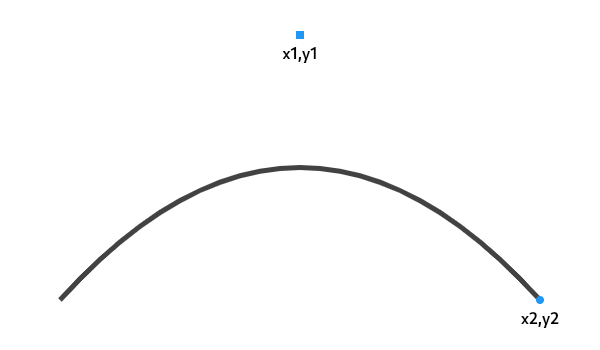 |
| /// 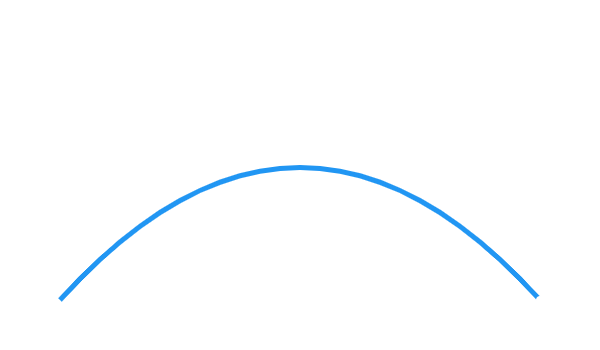 |
| void quadraticBezierTo(double x1, double y1, double x2, double y2); |
| |
| /// Adds a quadratic bezier segment that curves from the current |
| /// point to the point at the offset (x2,y2) from the current point, |
| /// using the control point at the offset (x1,y1) from the current |
| /// point. |
| void relativeQuadraticBezierTo(double x1, double y1, double x2, double y2); |
| |
| /// Adds a cubic bezier segment that curves from the current point |
| /// to the given point (x3,y3), using the control points (x1,y1) and |
| /// (x2,y2). |
| /// |
| /// 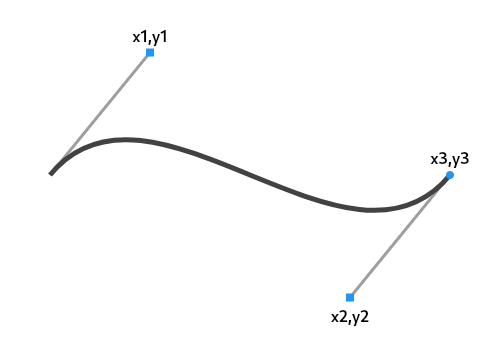 |
| /// 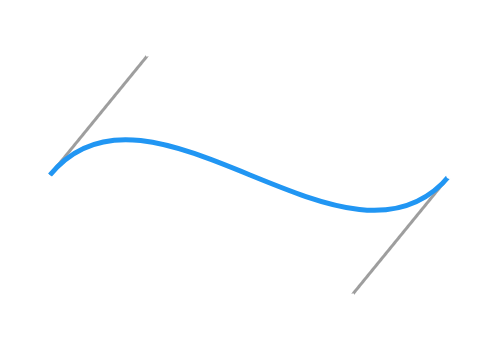 |
| void cubicTo(double x1, double y1, double x2, double y2, double x3, double y3); |
| |
| /// Adds a cubic bezier segment that curves from the current point |
| /// to the point at the offset (x3,y3) from the current point, using |
| /// the control points at the offsets (x1,y1) and (x2,y2) from the |
| /// current point. |
| void relativeCubicTo(double x1, double y1, double x2, double y2, double x3, double y3); |
| |
| /// Adds a bezier segment that curves from the current point to the |
| /// given point (x2,y2), using the control points (x1,y1) and the |
| /// weight w. If the weight is greater than 1, then the curve is a |
| /// hyperbola; if the weight equals 1, it's a parabola; and if it is |
| /// less than 1, it is an ellipse. |
| /// |
| /// 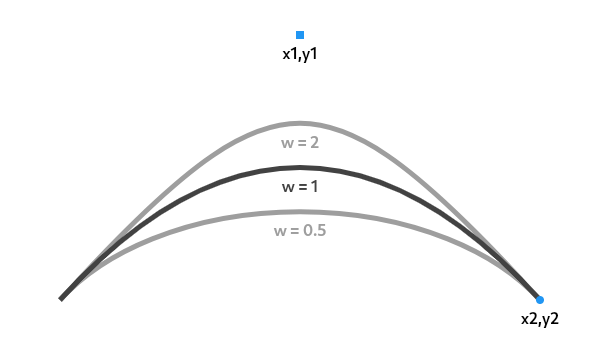 |
| /// 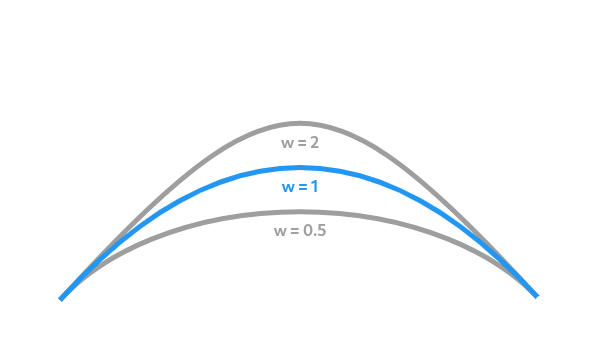 |
| void conicTo(double x1, double y1, double x2, double y2, double w); |
| |
| /// Adds a bezier segment that curves from the current point to the |
| /// point at the offset (x2,y2) from the current point, using the |
| /// control point at the offset (x1,y1) from the current point and |
| /// the weight w. If the weight is greater than 1, then the curve is |
| /// a hyperbola; if the weight equals 1, it's a parabola; and if it |
| /// is less than 1, it is an ellipse. |
| void relativeConicTo(double x1, double y1, double x2, double y2, double w); |
| |
| /// If the `forceMoveTo` argument is false, adds a straight line |
| /// segment and an arc segment. |
| /// |
| /// If the `forceMoveTo` argument is true, starts a new sub-path |
| /// consisting of an arc segment. |
| /// |
| /// In either case, the arc segment consists of the arc that follows |
| /// the edge of the oval bounded by the given rectangle, from |
| /// startAngle radians around the oval up to startAngle + sweepAngle |
| /// radians around the oval, with zero radians being the point on |
| /// the right hand side of the oval that crosses the horizontal line |
| /// that intersects the center of the rectangle and with positive |
| /// angles going clockwise around the oval. |
| /// |
| /// The line segment added if `forceMoveTo` is false starts at the |
| /// current point and ends at the start of the arc. Note that this |
| /// method does not draw anything if the [sweepAngle] is a multiple |
| /// of $2\pi$ (e.g., $2\pi$, $4\pi$). If you need to draw a full |
| /// circle or an overlapping arc, use [addArc] as a workaround. |
| void arcTo(Rect rect, double startAngle, double sweepAngle, bool forceMoveTo); |
| |
| /// Appends up to four conic curves weighted to describe an oval of `radius` |
| /// and rotated by `rotation` (measured in degrees and clockwise). |
| /// |
| /// The first curve begins from the last point in the path and the last ends |
| /// at `arcEnd`. The curves follow a path in a direction determined by |
| /// `clockwise` and `largeArc` in such a way that the sweep angle |
| /// is always less than 360 degrees. |
| /// |
| /// A simple line is appended if either radii are zero or the last |
| /// point in the path is `arcEnd`. The radii are scaled to fit the last path |
| /// point if both are greater than zero but too small to describe an arc. |
| /// |
| void arcToPoint( |
| Offset arcEnd, { |
| Radius radius = Radius.zero, |
| double rotation = 0.0, |
| bool largeArc = false, |
| bool clockwise = true, |
| }); |
| |
| /// Appends up to four conic curves weighted to describe an oval of `radius` |
| /// and rotated by `rotation` (measured in degrees and clockwise). |
| /// |
| /// The last path point is described by (px, py). |
| /// |
| /// The first curve begins from the last point in the path and the last ends |
| /// at `arcEndDelta.dx + px` and `arcEndDelta.dy + py`. The curves follow a |
| /// path in a direction determined by `clockwise` and `largeArc` |
| /// in such a way that the sweep angle is always less than 360 degrees. |
| /// |
| /// A simple line is appended if either radii are zero, or, both |
| /// `arcEndDelta.dx` and `arcEndDelta.dy` are zero. The radii are scaled to |
| /// fit the last path point if both are greater than zero but too small to |
| /// describe an arc. |
| void relativeArcToPoint( |
| Offset arcEndDelta, { |
| Radius radius = Radius.zero, |
| double rotation = 0.0, |
| bool largeArc = false, |
| bool clockwise = true, |
| }); |
| |
| /// Adds a new sub-path that consists of four lines that outline the |
| /// given rectangle. |
| void addRect(Rect rect); |
| |
| /// Adds a new sub-path that consists of a curve that forms the |
| /// ellipse that fills the given rectangle. |
| /// |
| /// To add a circle, pass an appropriate rectangle as `oval`. [Rect.fromCircle] |
| /// can be used to easily describe the circle's center [Offset] and radius. |
| void addOval(Rect oval); |
| |
| /// Adds a new sub-path with one arc segment that consists of the arc |
| /// that follows the edge of the oval bounded by the given |
| /// rectangle, from startAngle radians around the oval up to |
| /// startAngle + sweepAngle radians around the oval, with zero |
| /// radians being the point on the right hand side of the oval that |
| /// crosses the horizontal line that intersects the center of the |
| /// rectangle and with positive angles going clockwise around the |
| /// oval. |
| /// |
| /// 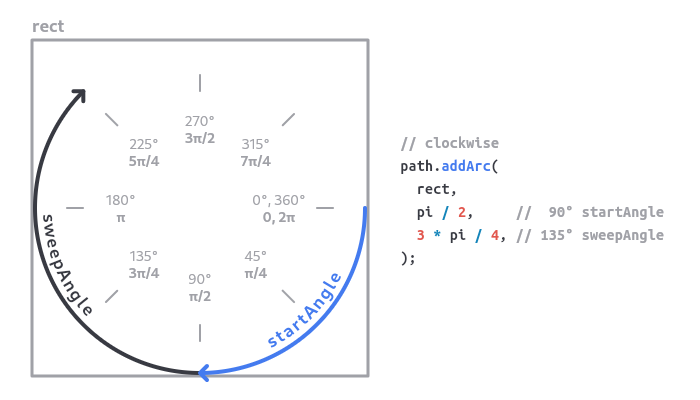 |
| /// 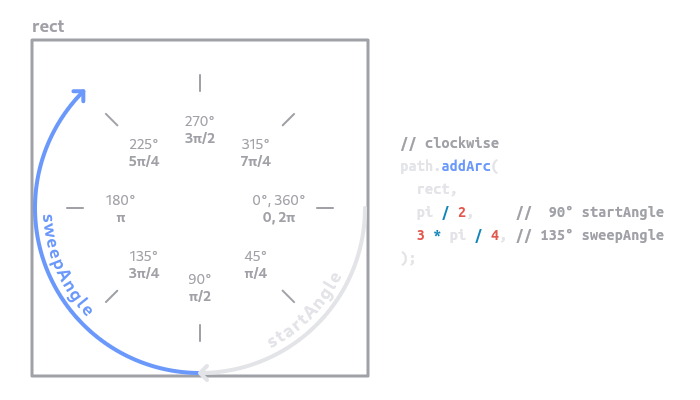 |
| /// |
| /// 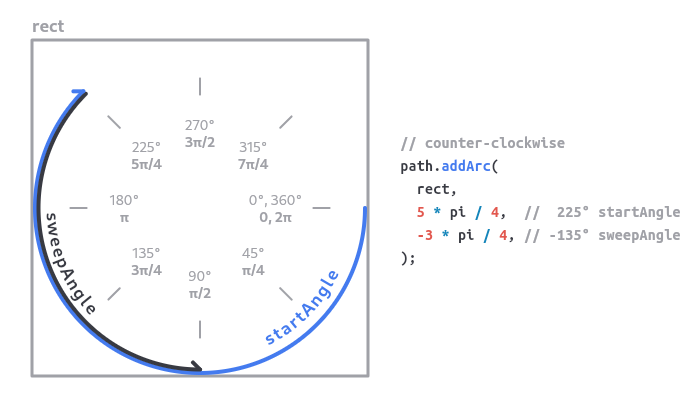 |
| /// 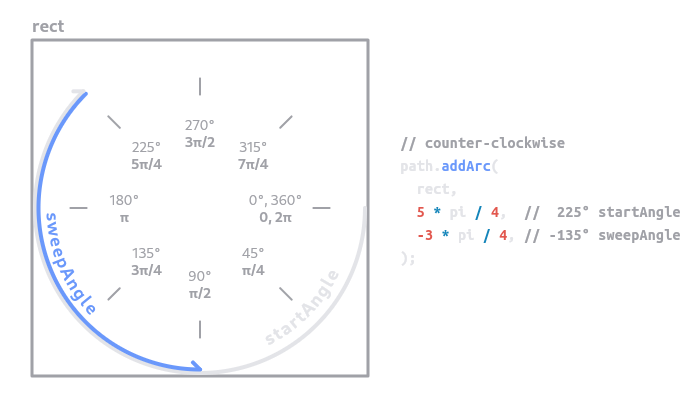 |
| void addArc(Rect oval, double startAngle, double sweepAngle); |
| |
| /// Adds a new sub-path with a sequence of line segments that connect the given |
| /// points. |
| /// |
| /// If `close` is true, a final line segment will be added that connects the |
| /// last point to the first point. |
| /// |
| /// The `points` argument is interpreted as offsets from the origin. |
| void addPolygon(List<Offset> points, bool close); |
| |
| /// Adds a new sub-path that consists of the straight lines and |
| /// curves needed to form the rounded rectangle described by the |
| /// argument. |
| void addRRect(RRect rrect); |
| |
| /// Adds a new sub-path that consists of curves needed to form the rounded |
| /// superellipse described by the argument. |
| void addRSuperellipse(RSuperellipse rsuperellipse); |
| |
| /// Adds the sub-paths of `path`, offset by `offset`, to this path. |
| /// |
| /// If `matrix4` is specified, the path will be transformed by this matrix |
| /// after the matrix is translated by the given offset. The matrix is a 4x4 |
| /// matrix stored in column major order. |
| void addPath(Path path, Offset offset, {Float64List? matrix4}); |
| |
| /// Adds the sub-paths of `path`, offset by `offset`, to this path. |
| /// The current sub-path is extended with the first sub-path |
| /// of `path`, connecting them with a lineTo if necessary. |
| /// |
| /// If `matrix4` is specified, the path will be transformed by this matrix |
| /// after the matrix is translated by the given `offset`. The matrix is a 4x4 |
| /// matrix stored in column major order. |
| void extendWithPath(Path path, Offset offset, {Float64List? matrix4}); |
| |
| /// Closes the last sub-path, as if a straight line had been drawn |
| /// from the current point to the first point of the sub-path. |
| void close(); |
| |
| /// Clears the [Path] object of all sub-paths, returning it to the |
| /// same state it had when it was created. The _current point_ is |
| /// reset to the origin. |
| void reset(); |
| |
| /// Tests to see if the given point is within the path. (That is, whether the |
| /// point would be in the visible portion of the path if the path was used |
| /// with [Canvas.clipPath].) |
| /// |
| /// The `point` argument is interpreted as an offset from the origin. |
| /// |
| /// Returns true if the point is in the path, and false otherwise. |
| bool contains(Offset point); |
| |
| /// Returns a copy of the path with all the segments of every |
| /// sub-path translated by the given offset. |
| Path shift(Offset offset); |
| |
| /// Returns a copy of the path with all the segments of every |
| /// sub-path transformed by the given matrix. |
| Path transform(Float64List matrix4); |
| |
| /// Computes the bounding rectangle for this path. |
| /// |
| /// A path containing only axis-aligned points on the same straight line will |
| /// have no area, and therefore `Rect.isEmpty` will return true for such a |
| /// path. Consider checking `rect.width + rect.height > 0.0` instead, or |
| /// using the [computeMetrics] API to check the path length. |
| /// |
| /// For many more elaborate paths, the bounds may be inaccurate. For example, |
| /// when a path contains a circle, the points used to compute the bounds are |
| /// the circle's implied control points, which form a square around the circle; |
| /// if the circle has a transformation applied using [transform] then that |
| /// square is rotated, and the (axis-aligned, non-rotated) bounding box |
| /// therefore ends up grossly overestimating the actual area covered by the |
| /// circle. |
| // see https://skia.org/user/api/SkPath_Reference#SkPath_getBounds |
| Rect getBounds(); |
| |
| /// Combines the two paths according to the manner specified by the given |
| /// `operation`. |
| /// |
| /// The resulting path will be constructed from non-overlapping contours. The |
| /// curve order is reduced where possible so that cubics may be turned into |
| /// quadratics, and quadratics maybe turned into lines. |
| static Path combine(PathOperation operation, Path path1, Path path2) { |
| final path = _NativePath(); |
| if (path._op(path1 as _NativePath, path2 as _NativePath, operation.index)) { |
| return path; |
| } |
| throw StateError( |
| 'Path.combine() failed. This may be due an invalid path; in particular, check for NaN values.', |
| ); |
| } |
| |
| /// Creates a [PathMetrics] object for this path, which can describe various |
| /// properties about the contours of the path. |
| /// |
| /// A [Path] is made up of zero or more contours. A contour is made up of |
| /// connected curves and segments, created via methods like [lineTo], |
| /// [cubicTo], [arcTo], [quadraticBezierTo], their relative counterparts, as |
| /// well as the add* methods such as [addRect]. Creating a new [Path] starts |
| /// a new contour once it has any drawing instructions, and another new |
| /// contour is started for each [moveTo] instruction. |
| /// |
| /// A [PathMetric] object describes properties of an individual contour, |
| /// such as its length, whether it is closed, what the tangent vector of a |
| /// particular offset along the path is. It also provides a method for |
| /// creating sub-paths: [PathMetric.extractPath]. |
| /// |
| /// Calculating [PathMetric] objects is not trivial. The [PathMetrics] object |
| /// returned by this method is a lazy [Iterable], meaning it only performs |
| /// calculations when the iterator is moved to the next [PathMetric]. Callers |
| /// that wish to memoize this iterable can easily do so by using |
| /// [Iterable.toList] on the result of this method. In particular, callers |
| /// looking for information about how many contours are in the path should |
| /// either store the result of `path.computeMetrics().length`, or should use |
| /// `path.computeMetrics().toList()` so they can repeatedly check the length, |
| /// since calling `Iterable.length` causes traversal of the entire iterable. |
| /// |
| /// In particular, callers should be aware that [PathMetrics.length] is the |
| /// number of contours, **not the length of the path**. To get the length of |
| /// a contour in a path, use [PathMetric.length]. |
| /// |
| /// Zero-length contours (where the start and end points are the same, such as |
| /// `Path()..lineTo(0, 0)`) are not included in the returned [PathMetrics]. |
| /// Only contours with a positive length will have a corresponding [PathMetric]. |
| /// |
| /// If `forceClosed` is set to true, the contours of the path will be measured |
| /// as if they had been closed, even if they were not explicitly closed. |
| PathMetrics computeMetrics({bool forceClosed = false}); |
| } |
| |
| base class _NativePath extends NativeFieldWrapperClass1 implements Path { |
| /// Create a new empty [Path] object. |
| _NativePath() { |
| _constructor(); |
| } |
| |
| /// Avoids creating a new native backing for the path for methods that will |
| /// create it later, such as [Path.from], [shift] and [transform]. |
| _NativePath._(); |
| |
| @Native<Void Function(Handle)>(symbol: 'Path::Create') |
| external void _constructor(); |
| |
| @Native<Void Function(Pointer<Void>, Handle)>(symbol: 'Path::clone') |
| external void _clone(Path outPath); |
| |
| @override |
| PathFillType get fillType => PathFillType.values[_getFillType()]; |
| @override |
| set fillType(PathFillType value) => _setFillType(value.index); |
| |
| @Native<Int32 Function(Pointer<Void>)>(symbol: 'Path::getFillType', isLeaf: true) |
| external int _getFillType(); |
| |
| @Native<Void Function(Pointer<Void>, Int32)>(symbol: 'Path::setFillType', isLeaf: true) |
| external void _setFillType(int fillType); |
| |
| @override |
| @Native<Void Function(Pointer<Void>, Double, Double)>(symbol: 'Path::moveTo', isLeaf: true) |
| external void moveTo(double x, double y); |
| |
| @override |
| @Native<Void Function(Pointer<Void>, Double, Double)>( |
| symbol: 'Path::relativeMoveTo', |
| isLeaf: true, |
| ) |
| external void relativeMoveTo(double dx, double dy); |
| |
| @override |
| @Native<Void Function(Pointer<Void>, Double, Double)>(symbol: 'Path::lineTo', isLeaf: true) |
| external void lineTo(double x, double y); |
| |
| @override |
| @Native<Void Function(Pointer<Void>, Double, Double)>( |
| symbol: 'Path::relativeLineTo', |
| isLeaf: true, |
| ) |
| external void relativeLineTo(double dx, double dy); |
| |
| @override |
| @Native<Void Function(Pointer<Void>, Double, Double, Double, Double)>( |
| symbol: 'Path::quadraticBezierTo', |
| isLeaf: true, |
| ) |
| external void quadraticBezierTo(double x1, double y1, double x2, double y2); |
| |
| @override |
| @Native<Void Function(Pointer<Void>, Double, Double, Double, Double)>( |
| symbol: 'Path::relativeQuadraticBezierTo', |
| isLeaf: true, |
| ) |
| external void relativeQuadraticBezierTo(double x1, double y1, double x2, double y2); |
| |
| @override |
| @Native<Void Function(Pointer<Void>, Double, Double, Double, Double, Double, Double)>( |
| symbol: 'Path::cubicTo', |
| isLeaf: true, |
| ) |
| external void cubicTo(double x1, double y1, double x2, double y2, double x3, double y3); |
| |
| @override |
| @Native<Void Function(Pointer<Void>, Double, Double, Double, Double, Double, Double)>( |
| symbol: 'Path::relativeCubicTo', |
| isLeaf: true, |
| ) |
| external void relativeCubicTo(double x1, double y1, double x2, double y2, double x3, double y3); |
| |
| @override |
| @Native<Void Function(Pointer<Void>, Double, Double, Double, Double, Double)>( |
| symbol: 'Path::conicTo', |
| isLeaf: true, |
| ) |
| external void conicTo(double x1, double y1, double x2, double y2, double w); |
| |
| @override |
| @Native<Void Function(Pointer<Void>, Double, Double, Double, Double, Double)>( |
| symbol: 'Path::relativeConicTo', |
| isLeaf: true, |
| ) |
| external void relativeConicTo(double x1, double y1, double x2, double y2, double w); |
| |
| @override |
| void arcTo(Rect rect, double startAngle, double sweepAngle, bool forceMoveTo) { |
| assert(_rectIsValid(rect)); |
| _arcTo(rect.left, rect.top, rect.right, rect.bottom, startAngle, sweepAngle, forceMoveTo); |
| } |
| |
| @Native<Void Function(Pointer<Void>, Double, Double, Double, Double, Double, Double, Bool)>( |
| symbol: 'Path::arcTo', |
| isLeaf: true, |
| ) |
| external void _arcTo( |
| double left, |
| double top, |
| double right, |
| double bottom, |
| double startAngle, |
| double sweepAngle, |
| bool forceMoveTo, |
| ); |
| |
| @override |
| void arcToPoint( |
| Offset arcEnd, { |
| Radius radius = Radius.zero, |
| double rotation = 0.0, |
| bool largeArc = false, |
| bool clockwise = true, |
| }) { |
| assert(_offsetIsValid(arcEnd)); |
| assert(_radiusIsValid(radius)); |
| _arcToPoint(arcEnd.dx, arcEnd.dy, radius.x, radius.y, rotation, largeArc, clockwise); |
| } |
| |
| @Native<Void Function(Pointer<Void>, Double, Double, Double, Double, Double, Bool, Bool)>( |
| symbol: 'Path::arcToPoint', |
| isLeaf: true, |
| ) |
| external void _arcToPoint( |
| double arcEndX, |
| double arcEndY, |
| double radiusX, |
| double radiusY, |
| double rotation, |
| bool largeArc, |
| bool clockwise, |
| ); |
| |
| @override |
| void relativeArcToPoint( |
| Offset arcEndDelta, { |
| Radius radius = Radius.zero, |
| double rotation = 0.0, |
| bool largeArc = false, |
| bool clockwise = true, |
| }) { |
| assert(_offsetIsValid(arcEndDelta)); |
| assert(_radiusIsValid(radius)); |
| _relativeArcToPoint( |
| arcEndDelta.dx, |
| arcEndDelta.dy, |
| radius.x, |
| radius.y, |
| rotation, |
| largeArc, |
| clockwise, |
| ); |
| } |
| |
| @Native<Void Function(Pointer<Void>, Double, Double, Double, Double, Double, Bool, Bool)>( |
| symbol: 'Path::relativeArcToPoint', |
| isLeaf: true, |
| ) |
| external void _relativeArcToPoint( |
| double arcEndX, |
| double arcEndY, |
| double radiusX, |
| double radiusY, |
| double rotation, |
| bool largeArc, |
| bool clockwise, |
| ); |
| |
| @override |
| void addRect(Rect rect) { |
| assert(_rectIsValid(rect)); |
| _addRect(rect.left, rect.top, rect.right, rect.bottom); |
| } |
| |
| @Native<Void Function(Pointer<Void>, Double, Double, Double, Double)>( |
| symbol: 'Path::addRect', |
| isLeaf: true, |
| ) |
| external void _addRect(double left, double top, double right, double bottom); |
| |
| @override |
| void addOval(Rect oval) { |
| assert(_rectIsValid(oval)); |
| _addOval(oval.left, oval.top, oval.right, oval.bottom); |
| } |
| |
| @Native<Void Function(Pointer<Void>, Double, Double, Double, Double)>( |
| symbol: 'Path::addOval', |
| isLeaf: true, |
| ) |
| external void _addOval(double left, double top, double right, double bottom); |
| |
| @override |
| void addArc(Rect oval, double startAngle, double sweepAngle) { |
| assert(_rectIsValid(oval)); |
| _addArc(oval.left, oval.top, oval.right, oval.bottom, startAngle, sweepAngle); |
| } |
| |
| @Native<Void Function(Pointer<Void>, Double, Double, Double, Double, Double, Double)>( |
| symbol: 'Path::addArc', |
| isLeaf: true, |
| ) |
| external void _addArc( |
| double left, |
| double top, |
| double right, |
| double bottom, |
| double startAngle, |
| double sweepAngle, |
| ); |
| |
| @override |
| void addPolygon(List<Offset> points, bool close) { |
| _addPolygon(_encodePointList(points), close); |
| } |
| |
| @Native<Void Function(Pointer<Void>, Handle, Bool)>(symbol: 'Path::addPolygon') |
| external void _addPolygon(Float32List points, bool close); |
| |
| @override |
| void addRRect(RRect rrect) { |
| assert(_rrectIsValid(rrect)); |
| _addRRect(rrect._getValue32()); |
| } |
| |
| @Native<Void Function(Pointer<Void>, Handle)>(symbol: 'Path::addRRect') |
| external void _addRRect(Float32List rrect); |
| |
| @override |
| void addRSuperellipse(RSuperellipse rsuperellipse) { |
| assert(_rsuperellipseIsValid(rsuperellipse)); |
| _addRSuperellipse(rsuperellipse._native()); |
| } |
| |
| @Native<Void Function(Pointer<Void>, Pointer<Void>)>(symbol: 'Path::addRSuperellipse') |
| external void _addRSuperellipse(_NativeRSuperellipse rsuperellipse); |
| |
| @override |
| void addPath(Path path, Offset offset, {Float64List? matrix4}) { |
| assert(_offsetIsValid(offset)); |
| if (matrix4 != null) { |
| assert(_matrix4IsValid(matrix4)); |
| _addPathWithMatrix(path as _NativePath, offset.dx, offset.dy, matrix4); |
| } else { |
| _addPath(path as _NativePath, offset.dx, offset.dy); |
| } |
| } |
| |
| @Native<Void Function(Pointer<Void>, Pointer<Void>, Double, Double)>(symbol: 'Path::addPath') |
| external void _addPath(_NativePath path, double dx, double dy); |
| |
| @Native<Void Function(Pointer<Void>, Pointer<Void>, Double, Double, Handle)>( |
| symbol: 'Path::addPathWithMatrix', |
| ) |
| external void _addPathWithMatrix(_NativePath path, double dx, double dy, Float64List matrix); |
| |
| @override |
| void extendWithPath(Path path, Offset offset, {Float64List? matrix4}) { |
| assert(_offsetIsValid(offset)); |
| if (matrix4 != null) { |
| assert(_matrix4IsValid(matrix4)); |
| _extendWithPathAndMatrix(path as _NativePath, offset.dx, offset.dy, matrix4); |
| } else { |
| _extendWithPath(path as _NativePath, offset.dx, offset.dy); |
| } |
| } |
| |
| @Native<Void Function(Pointer<Void>, Pointer<Void>, Double, Double)>( |
| symbol: 'Path::extendWithPath', |
| ) |
| external void _extendWithPath(_NativePath path, double dx, double dy); |
| |
| @Native<Void Function(Pointer<Void>, Pointer<Void>, Double, Double, Handle)>( |
| symbol: 'Path::extendWithPathAndMatrix', |
| ) |
| external void _extendWithPathAndMatrix( |
| _NativePath path, |
| double dx, |
| double dy, |
| Float64List matrix, |
| ); |
| |
| @override |
| @Native<Void Function(Pointer<Void>)>(symbol: 'Path::close', isLeaf: true) |
| external void close(); |
| |
| @override |
| @Native<Void Function(Pointer<Void>)>(symbol: 'Path::reset', isLeaf: true) |
| external void reset(); |
| |
| @override |
| bool contains(Offset point) { |
| assert(_offsetIsValid(point)); |
| return _contains(point.dx, point.dy); |
| } |
| |
| @Native<Bool Function(Pointer<Void>, Double, Double)>(symbol: 'Path::contains', isLeaf: true) |
| external bool _contains(double x, double y); |
| |
| @override |
| Path shift(Offset offset) { |
| assert(_offsetIsValid(offset)); |
| final path = _NativePath._(); |
| _shift(path, offset.dx, offset.dy); |
| return path; |
| } |
| |
| @Native<Void Function(Pointer<Void>, Handle, Double, Double)>(symbol: 'Path::shift') |
| external void _shift(Path outPath, double dx, double dy); |
| |
| @override |
| Path transform(Float64List matrix4) { |
| assert(_matrix4IsValid(matrix4)); |
| final path = _NativePath._(); |
| _transform(path, matrix4); |
| return path; |
| } |
| |
| @Native<Void Function(Pointer<Void>, Handle, Handle)>(symbol: 'Path::transform') |
| external void _transform(Path outPath, Float64List matrix4); |
| |
| @override |
| Rect getBounds() { |
| final Float32List rect = _getBounds(); |
| return Rect.fromLTRB(rect[0], rect[1], rect[2], rect[3]); |
| } |
| |
| @Native<Handle Function(Pointer<Void>)>(symbol: 'Path::getBounds') |
| external Float32List _getBounds(); |
| |
| @Native<Bool Function(Pointer<Void>, Pointer<Void>, Pointer<Void>, Int32)>(symbol: 'Path::op') |
| external bool _op(_NativePath path1, _NativePath path2, int operation); |
| |
| @override |
| PathMetrics computeMetrics({bool forceClosed = false}) { |
| return PathMetrics._(this, forceClosed); |
| } |
| |
| @override |
| String toString() => 'Path'; |
| } |
| |
| /// The geometric description of a tangent: the angle at a point. |
| /// |
| /// See also: |
| /// * [PathMetric.getTangentForOffset], which returns the tangent of an offset along a path. |
| class Tangent { |
| /// Creates a [Tangent] with the given values. |
| /// |
| /// The arguments must not be null. |
| const Tangent(this.position, this.vector); |
| |
| /// Creates a [Tangent] based on the angle rather than the vector. |
| /// |
| /// The [vector] is computed to be the unit vector at the given angle, interpreted |
| /// as clockwise radians from the x axis. |
| factory Tangent.fromAngle(Offset position, double angle) { |
| return Tangent(position, Offset(math.cos(angle), math.sin(angle))); |
| } |
| |
| /// Position of the tangent. |
| /// |
| /// When used with [PathMetric.getTangentForOffset], this represents the precise |
| /// position that the given offset along the path corresponds to. |
| final Offset position; |
| |
| /// The vector of the curve at [position]. |
| /// |
| /// When used with [PathMetric.getTangentForOffset], this is the vector of the |
| /// curve that is at the given offset along the path (i.e. the direction of the |
| /// curve at [position]). |
| final Offset vector; |
| |
| /// The direction of the curve at [position]. |
| /// |
| /// When used with [PathMetric.getTangentForOffset], this is the angle of the |
| /// curve that is the given offset along the path (i.e. the direction of the |
| /// curve at [position]). |
| /// |
| /// This value is in radians, with 0.0 meaning pointing along the x axis in |
| /// the positive x-axis direction, positive numbers pointing downward toward |
| /// the negative y-axis, i.e. in a clockwise direction, and negative numbers |
| /// pointing upward toward the positive y-axis, i.e. in a counter-clockwise |
| /// direction. |
| // flip the sign to be consistent with [Path.arcTo]'s `sweepAngle` |
| double get angle => -math.atan2(vector.dy, vector.dx); |
| } |
| |
| /// An iterable collection of [PathMetric] objects describing a [Path]. |
| /// |
| /// A [PathMetrics] object is created by using the [Path.computeMetrics] method, |
| /// and represents the path as it stood at the time of the call. Subsequent |
| /// modifications of the path do not affect the [PathMetrics] object. |
| /// |
| /// Each path metric corresponds to a segment, or contour, of a path. |
| /// |
| /// For example, a path consisting of a [Path.lineTo], a [Path.moveTo], and |
| /// another [Path.lineTo] will contain two contours and thus be represented by |
| /// two [PathMetric] objects. |
| /// |
| /// This iterable does not memoize. Callers who need to traverse the list |
| /// multiple times, or who need to randomly access elements of the list, should |
| /// use [toList] on this object. |
| class PathMetrics extends collection.IterableBase<PathMetric> { |
| PathMetrics._(Path path, bool forceClosed) |
| : _iterator = PathMetricIterator._(_PathMeasure(path as _NativePath, forceClosed)); |
| |
| final Iterator<PathMetric> _iterator; |
| |
| @override |
| Iterator<PathMetric> get iterator => _iterator; |
| } |
| |
| /// Used by [PathMetrics] to track iteration from one segment of a path to the |
| /// next for measurement. |
| class PathMetricIterator implements Iterator<PathMetric> { |
| PathMetricIterator._(this._pathMeasure); |
| |
| PathMetric? _pathMetric; |
| final _PathMeasure _pathMeasure; |
| |
| @override |
| PathMetric get current { |
| final PathMetric? currentMetric = _pathMetric; |
| if (currentMetric == null) { |
| throw RangeError( |
| 'PathMetricIterator is not pointing to a PathMetric. This can happen in two situations:\n' |
| '- The iteration has not started yet. If so, call "moveNext" to start iteration.\n' |
| '- The iterator ran out of elements. If so, check that "moveNext" returns true prior to calling "current".', |
| ); |
| } |
| return currentMetric; |
| } |
| |
| @override |
| bool moveNext() { |
| if (_pathMeasure._nextContour()) { |
| _pathMetric = PathMetric._(_pathMeasure); |
| return true; |
| } |
| _pathMetric = null; |
| return false; |
| } |
| } |
| |
| /// Utilities for measuring a [Path] and extracting sub-paths. |
| /// |
| /// Iterate over the object returned by [Path.computeMetrics] to obtain |
| /// [PathMetric] objects. Callers that want to randomly access elements or |
| /// iterate multiple times should use `path.computeMetrics().toList()`, since |
| /// [PathMetrics] does not memoize. |
| /// |
| /// Once created, the metrics are only valid for the path as it was specified |
| /// when [Path.computeMetrics] was called. If additional contours are added or |
| /// any contours are updated, the metrics need to be recomputed. Previously |
| /// created metrics will still refer to a snapshot of the path at the time they |
| /// were computed, rather than to the actual metrics for the new mutations to |
| /// the path. |
| class PathMetric { |
| PathMetric._(this._measure) |
| : length = _measure.length(_measure.currentContourIndex), |
| isClosed = _measure.isClosed(_measure.currentContourIndex), |
| contourIndex = _measure.currentContourIndex; |
| |
| /// Return the total length of the current contour. |
| /// |
| /// The length may be calculated from an approximation of the geometry |
| /// originally added. For this reason, it is not recommended to rely on |
| /// this property for mathematically correct lengths of common shapes. |
| final double length; |
| |
| /// Whether the contour is closed. |
| /// |
| /// Returns true if the contour ends with a call to [Path.close] (which may |
| /// have been implied when using methods like [Path.addRect]) or if |
| /// `forceClosed` was specified as true in the call to [Path.computeMetrics]. |
| /// Returns false otherwise. |
| final bool isClosed; |
| |
| /// The zero-based index of the contour. |
| /// |
| /// [Path] objects are made up of zero or more contours. The first contour is |
| /// created once a drawing command (e.g. [Path.lineTo]) is issued. A |
| /// [Path.moveTo] command after a drawing command may create a new contour, |
| /// although it may not if optimizations are applied that determine the move |
| /// command did not actually result in moving the pen. |
| /// |
| /// This property is only valid with reference to its original iterator and |
| /// the contours of the path at the time the path's metrics were computed. If |
| /// additional contours were added or existing contours updated, this metric |
| /// will be invalid for the current state of the path. |
| final int contourIndex; |
| |
| final _PathMeasure _measure; |
| |
| /// Computes the position of the current contour at the given offset, and the |
| /// angle of the path at that point. |
| /// |
| /// For example, calling this method with a distance of 1.41 for a line from |
| /// 0.0,0.0 to 2.0,2.0 would give a point 1.0,1.0 and the angle 45 degrees |
| /// (but in radians). |
| /// |
| /// Returns null if the contour has zero [length]. |
| /// |
| /// The distance is clamped to the [length] of the current contour. |
| Tangent? getTangentForOffset(double distance) { |
| return _measure.getTangentForOffset(contourIndex, distance); |
| } |
| |
| /// Given a start and end distance, return the intervening segment(s). |
| /// |
| /// `start` and `end` are clamped to legal values (0..[length]) |
| /// Begin the segment with a moveTo if `startWithMoveTo` is true. |
| Path extractPath(double start, double end, {bool startWithMoveTo = true}) { |
| return _measure.extractPath(contourIndex, start, end, startWithMoveTo: startWithMoveTo); |
| } |
| |
| @override |
| String toString() => |
| 'PathMetric(length: $length, isClosed: $isClosed, contourIndex: $contourIndex)'; |
| } |
| |
| base class _PathMeasure extends NativeFieldWrapperClass1 { |
| _PathMeasure(_NativePath path, bool forceClosed) { |
| _constructor(path, forceClosed); |
| } |
| |
| @Native<Void Function(Handle, Pointer<Void>, Bool)>(symbol: 'PathMeasure::Create') |
| external void _constructor(_NativePath path, bool forceClosed); |
| |
| double length(int contourIndex) { |
| assert( |
| contourIndex <= currentContourIndex, |
| 'Iterator must be advanced before index $contourIndex can be used.', |
| ); |
| return _length(contourIndex); |
| } |
| |
| @Native<Double Function(Pointer<Void>, Int32)>(symbol: 'PathMeasure::getLength', isLeaf: true) |
| external double _length(int contourIndex); |
| |
| Tangent? getTangentForOffset(int contourIndex, double distance) { |
| assert( |
| contourIndex <= currentContourIndex, |
| 'Iterator must be advanced before index $contourIndex can be used.', |
| ); |
| final Float32List posTan = _getPosTan(contourIndex, distance); |
| // first entry == 0 indicates that Skia returned false |
| if (posTan[0] == 0.0) { |
| return null; |
| } else { |
| return Tangent(Offset(posTan[1], posTan[2]), Offset(posTan[3], posTan[4])); |
| } |
| } |
| |
| @Native<Handle Function(Pointer<Void>, Int32, Double)>(symbol: 'PathMeasure::getPosTan') |
| external Float32List _getPosTan(int contourIndex, double distance); |
| |
| Path extractPath(int contourIndex, double start, double end, {bool startWithMoveTo = true}) { |
| assert( |
| contourIndex <= currentContourIndex, |
| 'Iterator must be advanced before index $contourIndex can be used.', |
| ); |
| final path = _NativePath._(); |
| _extractPath(path, contourIndex, start, end, startWithMoveTo); |
| return path; |
| } |
| |
| @Native<Void Function(Pointer<Void>, Handle, Int32, Double, Double, Bool)>( |
| symbol: 'PathMeasure::getSegment', |
| ) |
| external void _extractPath( |
| Path outPath, |
| int contourIndex, |
| double start, |
| double end, |
| bool startWithMoveTo, |
| ); |
| |
| bool isClosed(int contourIndex) { |
| assert( |
| contourIndex <= currentContourIndex, |
| 'Iterator must be advanced before index $contourIndex can be used.', |
| ); |
| return _isClosed(contourIndex); |
| } |
| |
| @Native<Bool Function(Pointer<Void>, Int32)>(symbol: 'PathMeasure::isClosed', isLeaf: true) |
| external bool _isClosed(int contourIndex); |
| |
| // Move to the next contour in the path. |
| // |
| // A path can have a next contour if [Path.moveTo] was called after drawing began. |
| // Return true if one exists, or false. |
| bool _nextContour() { |
| final bool next = _nativeNextContour(); |
| if (next) { |
| currentContourIndex++; |
| } |
| return next; |
| } |
| |
| @Native<Bool Function(Pointer<Void>)>(symbol: 'PathMeasure::nextContour', isLeaf: true) |
| external bool _nativeNextContour(); |
| |
| /// The index of the current contour in the list of contours in the path. |
| /// |
| /// [nextContour] will increment this to the zero based index. |
| int currentContourIndex = -1; |
| } |
| |
| /// Styles to use for blurs in [MaskFilter] objects. |
| // These enum values must be kept in sync with DlBlurStyle. |
| enum BlurStyle { |
| // These mirror DlBlurStyle and must be kept in sync. |
| |
| /// Fuzzy inside and outside. This is useful for painting shadows that are |
| /// offset from the shape that ostensibly is casting the shadow. |
| normal, |
| |
| /// Solid inside, fuzzy outside. This corresponds to drawing the shape, and |
| /// additionally drawing the blur. This can make objects appear brighter, |
| /// maybe even as if they were fluorescent. |
| solid, |
| |
| /// Nothing inside, fuzzy outside. This is useful for painting shadows for |
| /// partially transparent shapes, when they are painted separately but without |
| /// an offset, so that the shadow doesn't paint below the shape. |
| outer, |
| |
| /// Fuzzy inside, nothing outside. This can make shapes appear to be lit from |
| /// within. |
| inner, |
| } |
| |
| /// A mask filter to apply to shapes as they are painted. A mask filter is a |
| /// function that takes a bitmap of color pixels, and returns another bitmap of |
| /// color pixels. |
| /// |
| /// Instances of this class are used with [Paint.maskFilter] on [Paint] objects. |
| class MaskFilter { |
| /// Creates a mask filter that takes the shape being drawn and blurs it. |
| /// |
| /// This is commonly used to approximate shadows. |
| /// |
| /// The `style` argument controls the kind of effect to draw; see [BlurStyle]. |
| /// |
| /// The `sigma` argument controls the size of the effect. It is the standard |
| /// deviation of the Gaussian blur to apply. The value must be greater than |
| /// zero. The sigma corresponds to very roughly half the radius of the effect |
| /// in pixels. |
| /// |
| /// A blur is an expensive operation and should therefore be used sparingly. |
| /// |
| /// The arguments must not be null. |
| /// |
| /// See also: |
| /// |
| /// * [Canvas.drawShadow], which is a more efficient way to draw shadows. |
| const MaskFilter.blur(this._style, this._sigma); |
| |
| final BlurStyle _style; |
| final double _sigma; |
| |
| // The type of MaskFilter class to create for flutter::DisplayList. |
| // These constants must be kept in sync with MaskFilterType in paint.cc. |
| static const int _TypeNone = 0; // null |
| static const int _TypeBlur = 1; // DlBlurMaskFilter |
| |
| @override |
| bool operator ==(Object other) { |
| return other is MaskFilter && other._style == _style && other._sigma == _sigma; |
| } |
| |
| @override |
| int get hashCode => Object.hash(_style, _sigma); |
| |
| @override |
| String toString() => 'MaskFilter.blur($_style, ${_sigma.toStringAsFixed(1)})'; |
| } |
| |
| abstract class _ColorTransform { |
| Color transform(Color color, ColorSpace resultColorSpace); |
| } |
| |
| class _IdentityColorTransform implements _ColorTransform { |
| const _IdentityColorTransform(); |
| @override |
| Color transform(Color color, ColorSpace resultColorSpace) => color; |
| } |
| |
| class _ClampTransform implements _ColorTransform { |
| const _ClampTransform(this.child); |
| final _ColorTransform child; |
| @override |
| Color transform(Color color, ColorSpace resultColorSpace) { |
| return Color.from( |
| alpha: clampDouble(color.a, 0, 1), |
| red: clampDouble(color.r, 0, 1), |
| green: clampDouble(color.g, 0, 1), |
| blue: clampDouble(color.b, 0, 1), |
| colorSpace: resultColorSpace, |
| ); |
| } |
| } |
| |
| // sRGB standard constants for transfer functions. |
| // See https://en.wikipedia.org/wiki/SRGB. |
| const double _kSrgbGamma = 2.4; |
| const double _kSrgbLinearThreshold = 0.04045; |
| const double _kSrgbLinearSlope = 12.92; |
| const double _kSrgbEncodedOffset = 0.055; |
| const double _kSrgbEncodedDivisor = 1.055; |
| const double _kSrgbLinearToEncodedThreshold = 0.0031308; |
| |
| /// sRGB electro-optical transfer function (gamma decode to linear). |
| double _srgbEOTF(double v) { |
| if (v <= _kSrgbLinearThreshold) { |
| return v / _kSrgbLinearSlope; |
| } |
| return math.pow((v + _kSrgbEncodedOffset) / _kSrgbEncodedDivisor, _kSrgbGamma).toDouble(); |
| } |
| |
| /// sRGB opto-electronic transfer function (linear to gamma encode). |
| double _srgbOETF(double v) { |
| if (v <= _kSrgbLinearToEncodedThreshold) { |
| return v * _kSrgbLinearSlope; |
| } |
| return _kSrgbEncodedDivisor * math.pow(v, 1.0 / _kSrgbGamma).toDouble() - _kSrgbEncodedOffset; |
| } |
| |
| /// Extended versions that handle negative values by mirroring. |
| double _srgbEOTFExtended(double v) { |
| return v < 0.0 ? -_srgbEOTF(-v) : _srgbEOTF(v); |
| } |
| |
| double _srgbOETFExtended(double v) { |
| return v < 0.0 ? -_srgbOETF(-v) : _srgbOETF(v); |
| } |
| |
| /// Display P3 to sRGB 3x3 matrix in linear space. |
| /// M = sRGB_XYZ_to_RGB * P3_RGB_to_XYZ |
| const List<double> _kP3ToSrgbLinear = <double>[ |
| 1.2249401, |
| -0.2249402, |
| 0.0, |
| -0.0420569, |
| 1.0420571, |
| 0.0, |
| -0.0196376, |
| -0.0786507, |
| 1.0982884, |
| ]; |
| |
| /// sRGB to Display P3 3x3 matrix in linear space (inverse of [_kP3ToSrgbLinear]). |
| const List<double> _kSrgbToP3Linear = <double>[ |
| 0.8224622, |
| 0.1775380, |
| 0.0, |
| 0.0331942, |
| 0.9668058, |
| 0.0, |
| 0.0170806, |
| 0.0723974, |
| 0.9105220, |
| ]; |
| |
| /// Converts Display P3 (gamma-encoded) to extended sRGB (gamma-encoded). |
| /// Pipeline: EOTF(decode) -> 3x3 matrix -> OETF(encode). |
| class _P3ToSrgbTransform implements _ColorTransform { |
| const _P3ToSrgbTransform(); |
| |
| @override |
| Color transform(Color color, ColorSpace resultColorSpace) { |
| final double rLin = _srgbEOTFExtended(color.r); |
| final double gLin = _srgbEOTFExtended(color.g); |
| final double bLin = _srgbEOTFExtended(color.b); |
| |
| final double rOut = |
| _kP3ToSrgbLinear[0] * rLin + _kP3ToSrgbLinear[1] * gLin + _kP3ToSrgbLinear[2] * bLin; |
| final double gOut = |
| _kP3ToSrgbLinear[3] * rLin + _kP3ToSrgbLinear[4] * gLin + _kP3ToSrgbLinear[5] * bLin; |
| final double bOut = |
| _kP3ToSrgbLinear[6] * rLin + _kP3ToSrgbLinear[7] * gLin + _kP3ToSrgbLinear[8] * bLin; |
| |
| return Color.from( |
| alpha: color.a, |
| red: _srgbOETFExtended(rOut), |
| green: _srgbOETFExtended(gOut), |
| blue: _srgbOETFExtended(bOut), |
| colorSpace: resultColorSpace, |
| ); |
| } |
| } |
| |
| /// Converts sRGB (gamma-encoded) to Display P3 (gamma-encoded). |
| /// Pipeline: EOTF(decode) -> 3x3 matrix -> OETF(encode). |
| class _SrgbToP3Transform implements _ColorTransform { |
| const _SrgbToP3Transform(); |
| |
| @override |
| Color transform(Color color, ColorSpace resultColorSpace) { |
| final double rLin = _srgbEOTFExtended(color.r); |
| final double gLin = _srgbEOTFExtended(color.g); |
| final double bLin = _srgbEOTFExtended(color.b); |
| |
| final double rOut = |
| _kSrgbToP3Linear[0] * rLin + _kSrgbToP3Linear[1] * gLin + _kSrgbToP3Linear[2] * bLin; |
| final double gOut = |
| _kSrgbToP3Linear[3] * rLin + _kSrgbToP3Linear[4] * gLin + _kSrgbToP3Linear[5] * bLin; |
| final double bOut = |
| _kSrgbToP3Linear[6] * rLin + _kSrgbToP3Linear[7] * gLin + _kSrgbToP3Linear[8] * bLin; |
| |
| return Color.from( |
| alpha: color.a, |
| red: _srgbOETFExtended(rOut), |
| green: _srgbOETFExtended(gOut), |
| blue: _srgbOETFExtended(bOut), |
| colorSpace: resultColorSpace, |
| ); |
| } |
| } |
| |
| _ColorTransform _getColorTransform(ColorSpace source, ColorSpace destination) { |
| switch (source) { |
| case ColorSpace.sRGB: |
| switch (destination) { |
| case ColorSpace.sRGB: |
| return const _IdentityColorTransform(); |
| case ColorSpace.extendedSRGB: |
| return const _IdentityColorTransform(); |
| case ColorSpace.displayP3: |
| return const _SrgbToP3Transform(); |
| } |
| case ColorSpace.extendedSRGB: |
| switch (destination) { |
| case ColorSpace.sRGB: |
| return const _ClampTransform(_IdentityColorTransform()); |
| case ColorSpace.extendedSRGB: |
| return const _IdentityColorTransform(); |
| case ColorSpace.displayP3: |
| return const _ClampTransform(_SrgbToP3Transform()); |
| } |
| case ColorSpace.displayP3: |
| switch (destination) { |
| case ColorSpace.sRGB: |
| return const _ClampTransform(_P3ToSrgbTransform()); |
| case ColorSpace.extendedSRGB: |
| return const _P3ToSrgbTransform(); |
| case ColorSpace.displayP3: |
| return const _IdentityColorTransform(); |
| } |
| } |
| } |
| |
| /// A description of a color filter to apply when drawing a shape or compositing |
| /// a layer with a particular [Paint]. A color filter is a function that takes |
| /// two colors, and outputs one color. When applied during compositing, it is |
| /// independently applied to each pixel of the layer being drawn before the |
| /// entire layer is merged with the destination. |
| /// |
| /// Instances of this class are used with [Paint.colorFilter] on [Paint] |
| /// objects. |
| class ColorFilter implements ImageFilter { |
| /// Creates a color filter that applies the blend mode given as the second |
| /// argument. The source color is the one given as the first argument, and the |
| /// destination color is the one from the layer being composited. |
| /// |
| /// The output of this filter is then composited into the background according |
| /// to the [Paint.blendMode], using the output of this filter as the source |
| /// and the background as the destination. |
| const ColorFilter.mode(Color color, BlendMode blendMode) |
| : _color = color, |
| _blendMode = blendMode, |
| _matrix = null, |
| _type = _kTypeMode; |
| |
| /// Construct a color filter from a 4x5 row-major matrix. The matrix is |
| /// interpreted as a 5x5 matrix, where the fifth row is the identity |
| /// configuration. |
| /// |
| /// Every pixel's color value, represented as an `[R, G, B, A]`, is matrix |
| /// multiplied to create a new color: |
| /// |
| /// | R' | | a00 a01 a02 a03 a04 | | R | |
| /// | G' | | a10 a11 a12 a13 a14 | | G | |
| /// | B' | = | a20 a21 a22 a23 a24 | * | B | |
| /// | A' | | a30 a31 a32 a33 a34 | | A | |
| /// | 1 | | 0 0 0 0 1 | | 1 | |
| /// |
| /// The matrix is in row-major order and the translation column is specified |
| /// in unnormalized, 0...255, space. For example, the identity matrix is: |
| /// |
| /// ```dart |
| /// const ColorFilter identity = ColorFilter.matrix(<double>[ |
| /// 1, 0, 0, 0, 0, |
| /// 0, 1, 0, 0, 0, |
| /// 0, 0, 1, 0, 0, |
| /// 0, 0, 0, 1, 0, |
| /// ]); |
| /// ``` |
| /// |
| /// ## Examples |
| /// |
| /// An inversion color matrix: |
| /// |
| /// ```dart |
| /// const ColorFilter invert = ColorFilter.matrix(<double>[ |
| /// -1, 0, 0, 0, 255, |
| /// 0, -1, 0, 0, 255, |
| /// 0, 0, -1, 0, 255, |
| /// 0, 0, 0, 1, 0, |
| /// ]); |
| /// ``` |
| /// |
| /// A sepia-toned color matrix (values based on the [Filter Effects Spec](https://www.w3.org/TR/filter-effects-1/#sepiaEquivalent)): |
| /// |
| /// ```dart |
| /// const ColorFilter sepia = ColorFilter.matrix(<double>[ |
| /// 0.393, 0.769, 0.189, 0, 0, |
| /// 0.349, 0.686, 0.168, 0, 0, |
| /// 0.272, 0.534, 0.131, 0, 0, |
| /// 0, 0, 0, 1, 0, |
| /// ]); |
| /// ``` |
| /// |
| /// A greyscale color filter (values based on the [Filter Effects Spec](https://www.w3.org/TR/filter-effects-1/#grayscaleEquivalent)): |
| /// |
| /// ```dart |
| /// const ColorFilter greyscale = ColorFilter.matrix(<double>[ |
| /// 0.2126, 0.7152, 0.0722, 0, 0, |
| /// 0.2126, 0.7152, 0.0722, 0, 0, |
| /// 0.2126, 0.7152, 0.0722, 0, 0, |
| /// 0, 0, 0, 1, 0, |
| /// ]); |
| /// ``` |
| const ColorFilter.matrix(List<double> matrix) |
| : _color = null, |
| _blendMode = null, |
| _matrix = matrix, |
| _type = _kTypeMatrix; |
| |
| /// Construct a color filter that applies the sRGB gamma curve to the RGB |
| /// channels. |
| const ColorFilter.linearToSrgbGamma() |
| : _color = null, |
| _blendMode = null, |
| _matrix = null, |
| _type = _kTypeLinearToSrgbGamma; |
| |
| /// Creates a color filter that applies the inverse of the sRGB gamma curve |
| /// to the RGB channels. |
| const ColorFilter.srgbToLinearGamma() |
| : _color = null, |
| _blendMode = null, |
| _matrix = null, |
| _type = _kTypeSrgbToLinearGamma; |
| |
| /// Creates a color filter that applies the given saturation to the RGB |
| /// channels. |
| factory ColorFilter.saturation(double saturation) { |
| const rLuminance = 0.2126; |
| const gLuminance = 0.7152; |
| const bLuminance = 0.0722; |
| final double invSat = 1 - saturation; |
| |
| return ColorFilter.matrix(<double>[ |
| // dart format off |
| invSat * rLuminance + saturation, invSat * gLuminance, invSat * bLuminance, 0, 0, |
| invSat * rLuminance, invSat * gLuminance + saturation, invSat * bLuminance, 0, 0, |
| invSat * rLuminance, invSat * gLuminance, invSat * bLuminance + saturation, 0, 0, |
| 0, 0, 0, 1, 0, |
| // dart format on |
| ]); |
| } |
| |
| final Color? _color; |
| final BlendMode? _blendMode; |
| final List<double>? _matrix; |
| final int _type; |
| |
| // The type of DlColorFilter class to create. |
| static const int _kTypeMode = 1; // MakeModeFilter |
| static const int _kTypeMatrix = 2; // MakeMatrixFilterRowMajor255 |
| static const int _kTypeLinearToSrgbGamma = 3; // MakeLinearToSRGBGamma |
| static const int _kTypeSrgbToLinearGamma = 4; // MakeSRGBToLinearGamma |
| |
| // DlColorImageFilter |
| @override |
| _ImageFilter _toNativeImageFilter() => _ImageFilter.fromColorFilter(this); |
| |
| _ColorFilter? _toNativeColorFilter() { |
| switch (_type) { |
| case _kTypeMode: |
| if (_color == null || _blendMode == null) { |
| return null; |
| } |
| return _ColorFilter.mode(this); |
| case _kTypeMatrix: |
| final List<double>? matrix = _matrix; |
| if (matrix == null) { |
| return null; |
| } |
| assert(matrix.length == 20, 'Color Matrix must have 20 entries.'); |
| return _ColorFilter.matrix(this); |
| case _kTypeLinearToSrgbGamma: |
| return _ColorFilter.linearToSrgbGamma(this); |
| case _kTypeSrgbToLinearGamma: |
| return _ColorFilter.srgbToLinearGamma(this); |
| default: |
| throw StateError('Unknown mode $_type for ColorFilter.'); |
| } |
| } |
| |
| @override |
| bool operator ==(Object other) { |
| if (other.runtimeType != runtimeType) { |
| return false; |
| } |
| return other is ColorFilter && |
| other._type == _type && |
| _listEquals<double>(other._matrix, _matrix) && |
| other._color == _color && |
| other._blendMode == _blendMode; |
| } |
| |
| @override |
| int get hashCode { |
| final List<double>? matrix = _matrix; |
| return Object.hash(_color, _blendMode, matrix == null ? null : Object.hashAll(matrix), _type); |
| } |
| |
| @override |
| String get debugShortDescription { |
| switch (_type) { |
| case _kTypeMode: |
| return 'ColorFilter.mode($_color, $_blendMode)'; |
| case _kTypeMatrix: |
| return 'ColorFilter.matrix($_matrix)'; |
| case _kTypeLinearToSrgbGamma: |
| return 'ColorFilter.linearToSrgbGamma()'; |
| case _kTypeSrgbToLinearGamma: |
| return 'ColorFilter.srgbToLinearGamma()'; |
| default: |
| return 'unknow ColorFilter'; |
| } |
| } |
| |
| @override |
| String toString() { |
| switch (_type) { |
| case _kTypeMode: |
| return 'ColorFilter.mode($_color, $_blendMode)'; |
| case _kTypeMatrix: |
| return 'ColorFilter.matrix($_matrix)'; |
| case _kTypeLinearToSrgbGamma: |
| return 'ColorFilter.linearToSrgbGamma()'; |
| case _kTypeSrgbToLinearGamma: |
| return 'ColorFilter.srgbToLinearGamma()'; |
| default: |
| return "Unknown ColorFilter type. This is an error. If you're seeing this, please file an issue at https://github.com/flutter/flutter/issues/new."; |
| } |
| } |
| } |
| |
| /// A [ColorFilter] that is backed by a native DlColorFilter. |
| /// |
| /// This is a private class, rather than being the implementation of the public |
| /// ColorFilter, because we want ColorFilter to be const constructible and |
| /// efficiently comparable, so that widgets can check for ColorFilter equality to |
| /// avoid repainting. |
| base class _ColorFilter extends NativeFieldWrapperClass1 { |
| _ColorFilter.mode(this.creator) : assert(creator._type == ColorFilter._kTypeMode) { |
| _constructor(); |
| _initMode(creator._color!.value, creator._blendMode!.index); |
| } |
| |
| _ColorFilter.matrix(this.creator) : assert(creator._type == ColorFilter._kTypeMatrix) { |
| _constructor(); |
| _initMatrix(Float32List.fromList(creator._matrix!)); |
| } |
| _ColorFilter.linearToSrgbGamma(this.creator) |
| : assert(creator._type == ColorFilter._kTypeLinearToSrgbGamma) { |
| _constructor(); |
| _initLinearToSrgbGamma(); |
| } |
| |
| _ColorFilter.srgbToLinearGamma(this.creator) |
| : assert(creator._type == ColorFilter._kTypeSrgbToLinearGamma) { |
| _constructor(); |
| _initSrgbToLinearGamma(); |
| } |
| |
| /// The original Dart object that created the native wrapper, which retains |
| /// the values used for the filter. |
| final ColorFilter creator; |
| |
| @Native<Void Function(Handle)>(symbol: 'ColorFilter::Create') |
| external void _constructor(); |
| |
| @Native<Void Function(Pointer<Void>, Int32, Int32)>(symbol: 'ColorFilter::initMode', isLeaf: true) |
| external void _initMode(int color, int blendMode); |
| |
| @Native<Void Function(Pointer<Void>, Handle)>(symbol: 'ColorFilter::initMatrix') |
| external void _initMatrix(Float32List matrix); |
| |
| @Native<Void Function(Pointer<Void>)>(symbol: 'ColorFilter::initLinearToSrgbGamma', isLeaf: true) |
| external void _initLinearToSrgbGamma(); |
| |
| @Native<Void Function(Pointer<Void>)>(symbol: 'ColorFilter::initSrgbToLinearGamma', isLeaf: true) |
| external void _initSrgbToLinearGamma(); |
| } |
| |
| /// A filter operation to apply to a raster image. |
| /// |
| /// See also: |
| /// |
| /// * [BackdropFilter], a widget that applies [ImageFilter] to its rendering. |
| /// * [ClipRect], a widget that limits the area affected by the [ImageFilter] |
| /// when used with [BackdropFilter]. |
| /// * [ImageFiltered], a widget that applies [ImageFilter] to its children. |
| /// * [SceneBuilder.pushBackdropFilter], which is the low-level API for using |
| /// this class as a backdrop filter. |
| /// * [SceneBuilder.pushImageFilter], which is the low-level API for using |
| /// this class as a child layer filter. |
| abstract class ImageFilter { |
| // This class is not meant to be extended; this constructor prevents extension. |
| ImageFilter._(); // ignore: unused_element |
| |
| /// Creates an image filter that applies a Gaussian blur. |
| /// |
| /// The `sigma_x` and `sigma_y` are the standard deviation of the Gaussian |
| /// kernel in the X direction and the Y direction, respectively. |
| /// |
| /// The `tile_mode` defines the behavior of sampling pixels at the edges when |
| /// performing a standard, unbounded blur. |
| /// |
| /// The `bounds` argument is optional and enables "bounded blur" mode. When |
| /// `bounds` is non-null, the image filter substitutes transparent black for |
| /// any sample it reads from outside the defined bounding rectangle. The final |
| /// weighted sum is then divided by the total weight of the non-transparent samples |
| /// (the effective alpha), resulting in opaque output. |
| /// |
| /// The bounded mode prevents color bleeding from content adjacent to the |
| /// bounds into the blurred area, and is typically used when the blur must be |
| /// strictly contained within a clipped region, such as for iOS-style frosted |
| /// glass effects. |
| /// |
| /// The `bounds` rectangle is specified in the canvas's current coordinate |
| /// space and is affected by the current transform; consequently, the bounds |
| /// may not be axis-aligned in the final canvas coordinates. |
| factory ImageFilter.blur({ |
| double sigmaX = 0.0, |
| double sigmaY = 0.0, |
| TileMode? tileMode, |
| Rect? bounds, |
| }) { |
| return _GaussianBlurImageFilter( |
| sigmaX: sigmaX, |
| sigmaY: sigmaY, |
| tileMode: tileMode, |
| bounds: bounds, |
| ); |
| } |
| |
| /// Creates an image filter that dilates each input pixel's channel values |
| /// to the max value within the given radii along the x and y axes. |
| factory ImageFilter.dilate({double radiusX = 0.0, double radiusY = 0.0}) { |
| return _DilateImageFilter(radiusX: radiusX, radiusY: radiusY); |
| } |
| |
| /// Create a filter that erodes each input pixel's channel values |
| /// to the minimum channel value within the given radii along the x and y axes. |
| factory ImageFilter.erode({double radiusX = 0.0, double radiusY = 0.0}) { |
| return _ErodeImageFilter(radiusX: radiusX, radiusY: radiusY); |
| } |
| |
| /// Creates an image filter that applies a matrix transformation. |
| /// |
| /// For example, applying a positive scale matrix (see [Matrix4.diagonal3]) |
| /// when used with [BackdropFilter] would magnify the background image. |
| factory ImageFilter.matrix( |
| Float64List matrix4, { |
| FilterQuality filterQuality = FilterQuality.medium, |
| }) { |
| if (matrix4.length != 16) { |
| throw ArgumentError('"matrix4" must have 16 entries.'); |
| } |
| return _MatrixImageFilter(data: Float64List.fromList(matrix4), filterQuality: filterQuality); |
| } |
| |
| /// Composes the `inner` filter with `outer`, to combine their effects. |
| /// |
| /// Creates a single [ImageFilter] that when applied, has the same effect as |
| /// subsequently applying `inner` and `outer`, i.e., |
| /// result = outer(inner(source)). |
| factory ImageFilter.compose({required ImageFilter outer, required ImageFilter inner}) { |
| return _ComposeImageFilter(innerFilter: inner, outerFilter: outer); |
| } |
| |
| /// Creates an image filter from a [FragmentShader]. |
| /// |
| /// > [!WARNING] |
| /// > This API is only supported when using the Impeller rendering engine. |
| /// > On other backends, an [UnsupportedError] will be thrown. |
| /// |
| /// > To check at runtime whether this API is supported, use [isShaderFilterSupported]. |
| /// |
| /// Example usage: |
| /// |
| /// ```dart |
| /// if (ui.ImageFilter.isShaderFilterSupported) { |
| /// // Use the filter... |
| /// } |
| /// ``` |
| /// |
| /// The fragment shader provided here has additional requirements to be used |
| /// by the engine for filtering. The first uniform value must be a vec2, this |
| /// will be set by the engine to the size of the bound texture. There must |
| /// also be at least one sampler2D uniform, the first of which will be set by |
| /// the engine to contain the filter input. |
| /// |
| /// When Impeller uses the OpenGL(ES) backend, the y-axis direction is |
| /// reversed. Custom fragment shaders must invert the y-axis on |
| /// GLES or they will render upside-down. |
| /// |
| /// For example, the following is a valid fragment shader that can be used |
| /// with this API. Note that the uniform names are not required to have any |
| /// particular value. |
| /// |
| /// ```glsl |
| /// #include <flutter/runtime_effect.glsl> |
| /// |
| /// uniform vec2 u_size; |
| /// uniform float u_time; |
| /// |
| /// uniform sampler2D u_texture_input; |
| /// |
| /// out vec4 frag_color; |
| /// |
| /// void main() { |
| /// vec2 uv = FlutterFragCoord().xy / u_size; |
| /// // Reverse y axis for OpenGL backend. |
| /// #ifdef IMPELLER_TARGET_OPENGLES |
| /// uv.y = 1.0 - uv.y |
| /// #endif |
| /// frag_color = texture(u_texture_input, uv) * u_time; |
| /// |
| /// } |
| /// |
| /// ``` |
| factory ImageFilter.shader(FragmentShader shader) { |
| if (!_impellerEnabled) { |
| throw UnsupportedError('ImageFilter.shader only supported with Impeller rendering engine.'); |
| } |
| final bool invalidFloats = shader._floats.length < 2; |
| final bool invalidSampler = !shader._validateImageFilter(); |
| if (invalidFloats || invalidSampler) { |
| final buffer = StringBuffer( |
| 'ImageFilter.shader requires that the first uniform is a vec2 and at ' |
| 'least one sampler uniform is present.\n', |
| ); |
| if (invalidFloats) { |
| buffer.write('The shader has fewer than two float uniforms.\n'); |
| } |
| if (invalidSampler) { |
| buffer.write('The shader is missing a sampler uniform.\n'); |
| } |
| throw StateError(buffer.toString()); |
| } |
| return _FragmentShaderImageFilter(shader); |
| } |
| |
| /// Whether [ImageFilter.shader] is supported on the current backend. |
| /// |
| /// > [!WARNING] |
| /// > This property will only return true when the Impeller rendering engine is enabled. |
| /// > Attempting to create an [ImageFilter.shader] when this property is `false` will throw an [UnsupportedError]. |
| static bool get isShaderFilterSupported => _impellerEnabled; |
| |
| // Converts this to a native DlImageFilter. See the comments of this method in |
| // subclasses for the exact type of DlImageFilter this method converts to. |
| _ImageFilter _toNativeImageFilter(); |
| |
| /// The description text to show when the filter is part of a composite |
| /// [ImageFilter] created using [ImageFilter.compose]. |
| String get debugShortDescription => toString(); |
| } |
| |
| class _MatrixImageFilter implements ImageFilter { |
| _MatrixImageFilter({required this.data, required this.filterQuality}); |
| |
| final Float64List data; |
| final FilterQuality filterQuality; |
| |
| // MakeMatrixFilterRowMajor255 |
| late final _ImageFilter nativeFilter = _ImageFilter.matrix(this); |
| @override |
| _ImageFilter _toNativeImageFilter() => nativeFilter; |
| |
| @override |
| String get debugShortDescription => 'matrix($data, $filterQuality)'; |
| |
| @override |
| String toString() => 'ImageFilter.matrix($data, $filterQuality)'; |
| |
| @override |
| bool operator ==(Object other) { |
| if (other.runtimeType != runtimeType) { |
| return false; |
| } |
| return other is _MatrixImageFilter && |
| other.filterQuality == filterQuality && |
| _listEquals<double>(other.data, data); |
| } |
| |
| @override |
| int get hashCode => Object.hash(filterQuality, Object.hashAll(data)); |
| } |
| |
| class _GaussianBlurImageFilter implements ImageFilter { |
| _GaussianBlurImageFilter({ |
| required this.sigmaX, |
| required this.sigmaY, |
| required this.tileMode, |
| this.bounds, |
| }); |
| |
| final double sigmaX; |
| final double sigmaY; |
| final TileMode? tileMode; |
| final Rect? bounds; |
| |
| // MakeBlurFilter |
| late final _ImageFilter nativeFilter = _ImageFilter.blur(this); |
| @override |
| _ImageFilter _toNativeImageFilter() => nativeFilter; |
| |
| String get _modeString { |
| switch (tileMode) { |
| case TileMode.clamp: |
| return 'clamp'; |
| case TileMode.mirror: |
| return 'mirror'; |
| case TileMode.repeated: |
| return 'repeated'; |
| case TileMode.decal: |
| return 'decal'; |
| case null: |
| return 'unspecified'; |
| } |
| } |
| |
| @override |
| String get debugShortDescription => 'blur($sigmaX, $sigmaY, $_modeString${_boundsString()})'; |
| |
| String _boundsString() => bounds == null ? '' : ', bounds: $bounds'; |
| |
| @override |
| String toString() => 'ImageFilter.blur($sigmaX, $sigmaY, $_modeString${_boundsString()})'; |
| |
| @override |
| bool operator ==(Object other) { |
| if (other.runtimeType != runtimeType) { |
| return false; |
| } |
| return other is _GaussianBlurImageFilter && |
| other.sigmaX == sigmaX && |
| other.sigmaY == sigmaY && |
| other.bounds == bounds && |
| other.tileMode == tileMode; |
| } |
| |
| @override |
| int get hashCode => Object.hash(sigmaX, sigmaY, bounds, tileMode); |
| } |
| |
| class _DilateImageFilter implements ImageFilter { |
| _DilateImageFilter({required this.radiusX, required this.radiusY}); |
| |
| final double radiusX; |
| final double radiusY; |
| |
| late final _ImageFilter nativeFilter = _ImageFilter.dilate(this); |
| @override |
| _ImageFilter _toNativeImageFilter() => nativeFilter; |
| |
| @override |
| String get debugShortDescription => 'dilate($radiusX, $radiusY)'; |
| |
| @override |
| String toString() => 'ImageFilter.dilate($radiusX, $radiusY)'; |
| |
| @override |
| bool operator ==(Object other) { |
| if (other.runtimeType != runtimeType) { |
| return false; |
| } |
| return other is _DilateImageFilter && other.radiusX == radiusX && other.radiusY == radiusY; |
| } |
| |
| @override |
| int get hashCode => Object.hash(radiusX, radiusY); |
| } |
| |
| class _ErodeImageFilter implements ImageFilter { |
| _ErodeImageFilter({required this.radiusX, required this.radiusY}); |
| |
| final double radiusX; |
| final double radiusY; |
| |
| late final _ImageFilter nativeFilter = _ImageFilter.erode(this); |
| @override |
| _ImageFilter _toNativeImageFilter() => nativeFilter; |
| |
| @override |
| String get debugShortDescription => 'erode($radiusX, $radiusY)'; |
| |
| @override |
| String toString() => 'ImageFilter.erode($radiusX, $radiusY)'; |
| |
| @override |
| bool operator ==(Object other) { |
| if (other.runtimeType != runtimeType) { |
| return false; |
| } |
| return other is _ErodeImageFilter && other.radiusX == radiusX && other.radiusY == radiusY; |
| } |
| |
| @override |
| int get hashCode => Object.hash(radiusX, radiusY); |
| } |
| |
| class _ComposeImageFilter implements ImageFilter { |
| _ComposeImageFilter({required this.innerFilter, required this.outerFilter}); |
| |
| final ImageFilter innerFilter; |
| final ImageFilter outerFilter; |
| |
| // DlComposeImageFilter |
| late final _ImageFilter nativeFilter = _ImageFilter.composed(this); |
| @override |
| _ImageFilter _toNativeImageFilter() => nativeFilter; |
| |
| @override |
| String get debugShortDescription => |
| '${innerFilter.debugShortDescription} -> ${outerFilter.debugShortDescription}'; |
| |
| @override |
| String toString() => 'ImageFilter.compose(source -> $debugShortDescription -> result)'; |
| |
| @override |
| bool operator ==(Object other) { |
| if (other.runtimeType != runtimeType) { |
| return false; |
| } |
| return other is _ComposeImageFilter && |
| other.innerFilter == innerFilter && |
| other.outerFilter == outerFilter; |
| } |
| |
| @override |
| int get hashCode => Object.hash(innerFilter, outerFilter); |
| } |
| |
| class _FragmentShaderImageFilter implements ImageFilter { |
| _FragmentShaderImageFilter(this.shader); |
| |
| final FragmentShader shader; |
| |
| late final _ImageFilter nativeFilter = _ImageFilter.shader(this); |
| |
| @override |
| _ImageFilter _toNativeImageFilter() => nativeFilter; |
| |
| @override |
| String get debugShortDescription => 'shader'; |
| |
| @override |
| String toString() => 'ImageFilter.shader(Shader#${shader.hashCode})'; |
| |
| @override |
| bool operator ==(Object other) { |
| if (other.runtimeType != runtimeType) { |
| return false; |
| } |
| return other is _FragmentShaderImageFilter && |
| other.shader == shader && |
| _equals(nativeFilter, other.nativeFilter); |
| } |
| |
| @Native<Bool Function(Handle, Handle)>(symbol: 'ImageFilter::equals') |
| external static bool _equals(_ImageFilter a, _ImageFilter b); |
| |
| @override |
| int get hashCode => shader.hashCode; |
| } |
| |
| /// An [ImageFilter] that is backed by a native DlImageFilter. |
| /// |
| /// This is a private class, rather than being the implementation of the public |
| /// ImageFilter, because we want ImageFilter to be efficiently comparable, so that |
| /// widgets can check for ImageFilter equality to avoid repainting. |
| base class _ImageFilter extends NativeFieldWrapperClass1 { |
| /// Creates an image filter that applies a Gaussian blur. |
| _ImageFilter.blur(_GaussianBlurImageFilter filter) : creator = filter { |
| _constructor(); |
| final Rect bounds = filter.bounds ?? Rect.zero; |
| _initBlur( |
| filter.sigmaX, |
| filter.sigmaY, |
| filter.tileMode?.index ?? -1, |
| filter.bounds != null, |
| bounds.left, |
| bounds.top, |
| bounds.right, |
| bounds.bottom, |
| ); |
| } |
| |
| /// Creates an image filter that dilates each input pixel's channel values |
| /// to the max value within the given radii along the x and y axes. |
| _ImageFilter.dilate(_DilateImageFilter filter) : creator = filter { |
| _constructor(); |
| _initDilate(filter.radiusX, filter.radiusY); |
| } |
| |
| /// Create a filter that erodes each input pixel's channel values |
| /// to the minimum channel value within the given radii along the x and y axes. |
| _ImageFilter.erode(_ErodeImageFilter filter) : creator = filter { |
| _constructor(); |
| _initErode(filter.radiusX, filter.radiusY); |
| } |
| |
| /// Creates an image filter that applies a matrix transformation. |
| /// |
| /// For example, applying a positive scale matrix (see [Matrix4.diagonal3]) |
| /// when used with [BackdropFilter] would magnify the background image. |
| _ImageFilter.matrix(_MatrixImageFilter filter) : creator = filter { |
| if (filter.data.length != 16) { |
| throw ArgumentError('"matrix4" must have 16 entries.'); |
| } |
| _constructor(); |
| _initMatrix(filter.data, filter.filterQuality.index); |
| } |
| |
| /// Converts a color filter to an image filter. |
| _ImageFilter.fromColorFilter(ColorFilter filter) : creator = filter { |
| _constructor(); |
| final _ColorFilter? nativeFilter = filter._toNativeColorFilter(); |
| _initColorFilter(nativeFilter); |
| } |
| |
| /// Composes `_innerFilter` with `_outerFilter`. |
| _ImageFilter.composed(_ComposeImageFilter filter) : creator = filter { |
| _constructor(); |
| final _ImageFilter nativeFilterInner = filter.innerFilter._toNativeImageFilter(); |
| final _ImageFilter nativeFilterOuter = filter.outerFilter._toNativeImageFilter(); |
| _initComposed(nativeFilterOuter, nativeFilterInner); |
| } |
| |
| _ImageFilter.shader(_FragmentShaderImageFilter filter) : creator = filter { |
| _constructor(); |
| _initShader(filter.shader); |
| } |
| |
| @Native<Void Function(Handle)>(symbol: 'ImageFilter::Create') |
| external void _constructor(); |
| |
| @Native< |
| Void Function(Pointer<Void>, Double, Double, Int32, Bool, Double, Double, Double, Double) |
| >(symbol: 'ImageFilter::initBlur', isLeaf: true) |
| external void _initBlur( |
| double sigmaX, |
| double sigmaY, |
| int tileMode, |
| bool bounded, |
| double boundsLeft, |
| double boundsTop, |
| double boundsRight, |
| double boundsBottom, |
| ); |
| |
| @Native<Void Function(Pointer<Void>, Double, Double)>( |
| symbol: 'ImageFilter::initDilate', |
| isLeaf: true, |
| ) |
| external void _initDilate(double radiusX, double radiusY); |
| |
| @Native<Void Function(Pointer<Void>, Double, Double)>( |
| symbol: 'ImageFilter::initErode', |
| isLeaf: true, |
| ) |
| external void _initErode(double radiusX, double radiusY); |
| |
| @Native<Void Function(Pointer<Void>, Handle, Int32)>(symbol: 'ImageFilter::initMatrix') |
| external void _initMatrix(Float64List matrix4, int filterQuality); |
| |
| @Native<Void Function(Pointer<Void>, Pointer<Void>)>(symbol: 'ImageFilter::initColorFilter') |
| external void _initColorFilter(_ColorFilter? colorFilter); |
| |
| @Native<Void Function(Pointer<Void>, Pointer<Void>, Pointer<Void>)>( |
| symbol: 'ImageFilter::initComposeFilter', |
| ) |
| external void _initComposed(_ImageFilter outerFilter, _ImageFilter innerFilter); |
| |
| @Native<Void Function(Pointer<Void>, Pointer<Void>)>(symbol: 'ImageFilter::initShader') |
| external void _initShader(FragmentShader shader); |
| |
| /// The original Dart object that created the native wrapper, which retains |
| /// the values used for the filter. |
| final ImageFilter creator; |
| } |
| |
| /// Base class for objects such as [Gradient] and [ImageShader] which |
| /// correspond to shaders as used by [Paint.shader]. |
| base class Shader extends NativeFieldWrapperClass1 { |
| /// This class is created by the engine, and should not be instantiated |
| /// or extended directly. |
| @pragma('vm:entry-point') |
| Shader._(); |
| |
| bool _debugDisposed = false; |
| |
| /// Whether [dispose] has been called. |
| /// |
| /// This must only be used when asserts are enabled. Otherwise, it will throw. |
| bool get debugDisposed { |
| late bool disposed; |
| assert(() { |
| disposed = _debugDisposed; |
| return true; |
| }()); |
| return disposed; |
| } |
| |
| /// Release the resources used by this object. The object is no longer usable |
| /// after this method is called. |
| /// |
| /// The underlying memory allocated by this object will be retained beyond |
| /// this call if it is still needed by another object that has not been |
| /// disposed. For example, a [Picture] that has not been disposed that |
| /// refers to an [ImageShader] may keep its underlying resources alive. |
| /// |
| /// Classes that override this method must call `super.dispose()`. |
| void dispose() { |
| assert(() { |
| assert(!_debugDisposed, 'A Shader cannot be disposed more than once.'); |
| _debugDisposed = true; |
| return true; |
| }()); |
| } |
| } |
| |
| /// Defines how to handle areas outside the defined bounds of a gradient or image filter. |
| /// |
| /// ## For Gradients |
| /// |
| /// Gradients are defined with some specific bounds creating an inner area and an outer area, and `TileMode` controls how colors |
| /// are determined for areas outside these bounds: |
| /// |
| /// - **Linear gradients**: The inner area is the area between two points |
| /// (typically referred to as `start` and `end` in the gradient API), or more precisely, |
| /// it's the area between the parallel lines that are orthogonal to the line drawn between the two points. |
| /// Colors outside this area are determined by the `TileMode`. |
| /// |
| /// - **Radial gradients**: The inner area is the disc defined by a center and radius. |
| /// Colors outside this disc are determined by the `TileMode`. |
| /// |
| /// - **Sweep gradients**: The inner area is the angular sector between `startAngle` |
| /// and `endAngle`. Colors outside this sector are determined by the `TileMode`. |
| /// |
| /// ## For Image Filters |
| /// |
| /// When applying filters (like blur) that sample colors from outside an image's bounds, |
| /// `TileMode` defines how those out-of-bounds samples are determined: |
| /// |
| /// - It controls what color values are used when the filter needs to sample |
| /// from areas outside the original image. |
| /// - This is particularly important for effects like blurring near image edges. |
| /// |
| /// See also: |
| /// |
| /// * [painting.Gradient], the superclass for [LinearGradient] and |
| /// [RadialGradient], as used by [BoxDecoration] et al, which works in |
| /// relative coordinates and can create a [Shader] representing the gradient |
| /// for a particular [Rect] on demand. |
| /// * [dart:ui.Gradient], the low-level class used when dealing with the |
| /// [Paint.shader] property directly, with its [Gradient.linear] and |
| /// [Gradient.radial] constructors. |
| /// * [dart:ui.ImageFilter.blur], an ImageFilter that may sometimes need to |
| /// read samples from outside an image to combine with the pixels near the |
| /// edge of the image. |
| // These enum values must be kept in sync with DlTileMode. |
| enum TileMode { |
| /// Samples beyond the edge are clamped to the nearest color in the defined inner area. |
| /// |
| /// For gradients, this means the region outside the inner area is painted with |
| /// the color at the end of the color stop list closest to that region. |
| /// |
| /// For sweep gradients specifically, the entire area outside the angular sector |
| /// defined by [startAngle] and [endAngle] will be painted with the color at the |
| /// end of the color stop list closest to that region. |
| /// |
| /// An image filter will substitute the nearest edge pixel for any samples taken from |
| /// outside its source image. |
| /// |
| /// 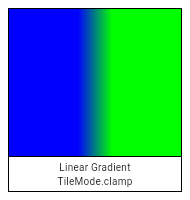 |
| /// 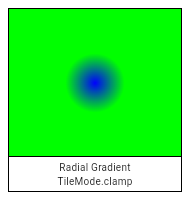 |
| /// 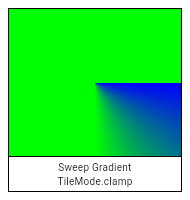 |
| clamp, |
| |
| /// Samples beyond the edge are repeated from the far end of the defined area. |
| /// |
| /// For a gradient, this technique is as if the stop points from 0.0 to 1.0 were then |
| /// repeated from 1.0 to 2.0, 2.0 to 3.0, and so forth (and for linear gradients, similarly |
| /// from -1.0 to 0.0, -2.0 to -1.0, etc). |
| /// |
| /// For sweep gradients, the gradient pattern is repeated in the same direction |
| /// (clockwise) for angles beyond [endAngle] and before [startAngle]. |
| /// |
| /// An image filter will treat its source image as if it were tiled across the enlarged |
| /// sample space from which it reads, each tile in the same orientation as the base image. |
| /// |
| /// 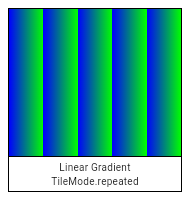 |
| /// 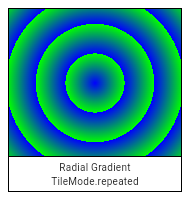 |
| /// 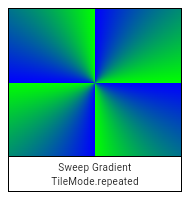 |
| repeated, |
| |
| /// Samples beyond the edge are mirrored back and forth across the defined area. |
| /// |
| /// For a gradient, this technique is as if the stop points from 0.0 to 1.0 were then |
| /// repeated backwards from 2.0 to 1.0, then forwards from 2.0 to 3.0, then backwards |
| /// again from 4.0 to 3.0, and so forth (and for linear gradients, similarly in the |
| /// negative direction). |
| /// |
| /// For sweep gradients, the gradient pattern is mirrored back and forth as the angle |
| /// increases beyond [endAngle] or decreases below [startAngle]. |
| /// |
| /// An image filter will treat its source image as tiled in an alternating forwards and |
| /// backwards or upwards and downwards direction across the sample space from which |
| /// it is reading. |
| /// |
| /// 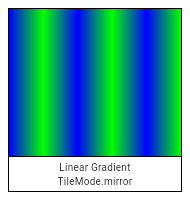 |
| /// 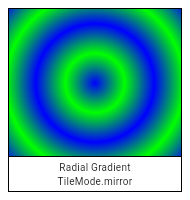 |
| /// 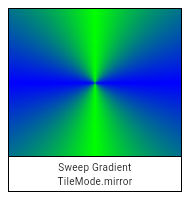 |
| mirror, |
| |
| /// Samples beyond the edge are treated as transparent black. |
| /// |
| /// A gradient will render transparency over any region that is outside the circle of a |
| /// radial gradient, outside the parallel lines that define the inner area of a linear |
| /// gradient, or outside the angular sector of a sweep gradient. |
| /// |
| /// For sweep gradients, only the sector between [startAngle] and [endAngle] will be |
| /// painted; all other areas will be transparent. |
| /// |
| /// An image filter will substitute transparent black for any sample it must read from |
| /// outside its source image. |
| /// |
| /// 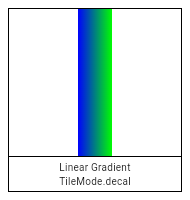 |
| /// 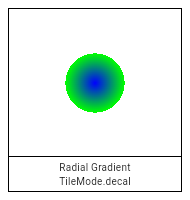 |
| /// 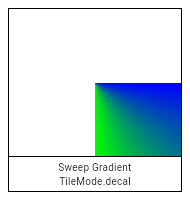 |
| decal, |
| } |
| |
| Float32List _encodeWideColorList(List<Color> colors) { |
| final int colorCount = colors.length; |
| final result = Float32List(colorCount * 4); |
| for (var i = 0; i < colorCount; i++) { |
| final Color colorXr = colors[i].withValues(colorSpace: ColorSpace.extendedSRGB); |
| result[i * 4 + 0] = colorXr.a; |
| result[i * 4 + 1] = colorXr.r; |
| result[i * 4 + 2] = colorXr.g; |
| result[i * 4 + 3] = colorXr.b; |
| } |
| return result; |
| } |
| |
| Int32List _encodeColorList(List<Color> colors) { |
| final int colorCount = colors.length; |
| final result = Int32List(colorCount); |
| for (var i = 0; i < colorCount; i++) { |
| result[i] = colors[i].value; |
| } |
| return result; |
| } |
| |
| Float32List _encodePointList(List<Offset> points) { |
| final int pointCount = points.length; |
| final result = Float32List(pointCount * 2); |
| for (var i = 0; i < pointCount; i++) { |
| final int xIndex = i * 2; |
| final int yIndex = xIndex + 1; |
| final Offset point = points[i]; |
| assert(_offsetIsValid(point)); |
| result[xIndex] = point.dx; |
| result[yIndex] = point.dy; |
| } |
| return result; |
| } |
| |
| Float32List _encodeTwoPoints(Offset pointA, Offset pointB) { |
| assert(_offsetIsValid(pointA)); |
| assert(_offsetIsValid(pointB)); |
| final result = Float32List(4); |
| result[0] = pointA.dx; |
| result[1] = pointA.dy; |
| result[2] = pointB.dx; |
| result[3] = pointB.dy; |
| return result; |
| } |
| |
| /// A shader (as used by [Paint.shader]) that renders a color gradient. |
| /// |
| /// There are several types of gradients, represented by the various constructors |
| /// on this class. |
| /// |
| /// See also: |
| /// |
| /// * [Gradient](https://api.flutter.dev/flutter/painting/Gradient-class.html), the class in the [painting] library. |
| /// |
| base class Gradient extends Shader { |
| /// Creates a linear gradient from `from` to `to`. |
| /// |
| /// If `colorStops` is provided, `colorStops[i]` is a number from 0.0 to 1.0 |
| /// that specifies where `color[i]` begins in the gradient. If `colorStops` is |
| /// not provided, then only two stops, at 0.0 and 1.0, are implied (and |
| /// `color` must therefore only have two entries). Stop values less than 0.0 |
| /// will be rounded up to 0.0 and stop values greater than 1.0 will be rounded |
| /// down to 1.0. Each stop value must be greater than or equal to the previous |
| /// stop value. Stop values that do not meet this criteria will be rounded up |
| /// to the previous stop value. |
| /// |
| /// The behavior before `from` and after `to` is described by the `tileMode` |
| /// argument. For details, see the [TileMode] enum. |
| /// |
| ///  |
| ///  |
| ///  |
| ///  |
| /// |
| /// If `from`, `to`, `colors`, or `tileMode` are null, or if `colors` or |
| /// `colorStops` contain null values, this constructor will throw a |
| /// [NoSuchMethodError]. |
| /// |
| /// If `matrix4` is provided, the gradient fill will be transformed by the |
| /// specified 4x4 matrix relative to the local coordinate system. `matrix4` must |
| /// be a column-major matrix packed into a list of 16 values. |
| Gradient.linear( |
| Offset from, |
| Offset to, |
| List<Color> colors, [ |
| List<double>? colorStops, |
| TileMode tileMode = TileMode.clamp, |
| Float64List? matrix4, |
| ]) : assert(_offsetIsValid(from)), |
| assert(_offsetIsValid(to)), |
| assert(matrix4 == null || _matrix4IsValid(matrix4)), |
| super._() { |
| _validateColorStops(colors, colorStops); |
| final Float32List endPointsBuffer = _encodeTwoPoints(from, to); |
| final Float32List colorsBuffer = _encodeWideColorList(colors); |
| final Float32List? colorStopsBuffer = colorStops == null |
| ? null |
| : Float32List.fromList(colorStops); |
| _constructor(); |
| _initLinear(endPointsBuffer, colorsBuffer, colorStopsBuffer, tileMode.index, matrix4); |
| } |
| |
| /// Creates a radial gradient centered at `center` that ends at `radius` |
| /// distance from the center. |
| /// |
| /// If `colorStops` is provided, `colorStops[i]` is a number from 0.0 to 1.0 |
| /// that specifies where `color[i]` begins in the gradient. If `colorStops` is |
| /// not provided, then only two stops, at 0.0 and 1.0, are implied (and |
| /// `color` must therefore only have two entries). Stop values less than 0.0 |
| /// will be rounded up to 0.0 and stop values greater than 1.0 will be rounded |
| /// down to 1.0. Each stop value must be greater than or equal to the previous |
| /// stop value. Stop values that do not meet this criteria will be rounded up |
| /// to the previous stop value. |
| /// |
| /// The behavior before and after the radius is described by the `tileMode` |
| /// argument. For details, see the [TileMode] enum. |
| /// |
| ///  |
| ///  |
| ///  |
| ///  |
| /// |
| /// If `center`, `radius`, `colors`, or `tileMode` are null, or if `colors` or |
| /// `colorStops` contain null values, this constructor will throw a |
| /// [NoSuchMethodError]. |
| /// |
| /// If `matrix4` is provided, the gradient fill will be transformed by the |
| /// specified 4x4 matrix relative to the local coordinate system. `matrix4` must |
| /// be a column-major matrix packed into a list of 16 values. |
| /// |
| /// If `focal` is provided and not equal to `center` and `focalRadius` is |
| /// provided and not equal to 0.0, the generated shader will be a two point |
| /// conical radial gradient, with `focal` being the center of the focal |
| /// circle and `focalRadius` being the radius of that circle. If `focal` is |
| /// provided and not equal to `center`, at least one of the two offsets must |
| /// not be equal to [Offset.zero]. |
| Gradient.radial( |
| Offset center, |
| double radius, |
| List<Color> colors, [ |
| List<double>? colorStops, |
| TileMode tileMode = TileMode.clamp, |
| Float64List? matrix4, |
| Offset? focal, |
| double focalRadius = 0.0, |
| ]) : assert(_offsetIsValid(center)), |
| assert(matrix4 == null || _matrix4IsValid(matrix4)), |
| super._() { |
| _validateColorStops(colors, colorStops); |
| final Float32List? colorStopsBuffer = colorStops == null |
| ? null |
| : Float32List.fromList(colorStops); |
| final Float32List colorsBuffer = _encodeWideColorList(colors); |
| |
| // If focal is null or focal radius is null, this should be treated as a regular radial gradient |
| // If focal == center and the focal radius is 0.0, it's still a regular radial gradient |
| if (focal == null || (focal == center && focalRadius == 0.0)) { |
| _constructor(); |
| _initRadial( |
| center.dx, |
| center.dy, |
| radius, |
| colorsBuffer, |
| colorStopsBuffer, |
| tileMode.index, |
| matrix4, |
| ); |
| } else { |
| assert( |
| center != Offset.zero || focal != Offset.zero, |
| ); // will result in exception(s) in Skia side |
| _constructor(); |
| _initConical( |
| focal.dx, |
| focal.dy, |
| focalRadius, |
| center.dx, |
| center.dy, |
| radius, |
| colorsBuffer, |
| colorStopsBuffer, |
| tileMode.index, |
| matrix4, |
| ); |
| } |
| } |
| |
| /// Creates a sweep gradient centered at `center` that starts at `startAngle` |
| /// and ends at `endAngle`. |
| /// |
| /// `startAngle` and `endAngle` should be provided in radians, with zero |
| /// radians being the horizontal line to the right of the `center` and with |
| /// positive angles going clockwise around the `center`. |
| /// |
| /// If `colorStops` is provided, `colorStops[i]` is a number from 0.0 to 1.0 |
| /// that specifies where `colors[i]` begins in the gradient. If `colorStops` is |
| /// not provided, then only two stops, at 0.0 and 1.0, are implied |
| /// (and `colors` must therefore only have two entries). Stop values less than |
| /// 0.0 will be rounded up to 0.0 and stop values greater than 1.0 will be |
| /// rounded down to 1.0. Each stop value must be greater than or equal to the |
| /// previous stop value. Stop values that do not meet this criteria will be |
| /// rounded up to the previous stop value. |
| /// |
| /// The `startAngle` and `endAngle` parameters define the angular sector to be |
| /// painted. Angles are measured in radians clockwise from the positive x-axis. |
| /// Values outside the range `[0, 2π]` are normalized to this range using modulo |
| /// arithmetic. The gradient is only painted in the sector between `startAngle` |
| /// and `endAngle`. The `tileMode` determines how the gradient behaves outside |
| /// this sector. |
| /// |
| /// The `tileMode` argument specifies how the gradient should handle areas |
| /// outside the angular sector defined by `startAngle` and `endAngle`: |
| /// |
| /// The behavior before `startAngle` and after `endAngle` is described by the |
| /// `tileMode` argument. For details, see the [TileMode] enum. |
| /// |
| /// * [TileMode.clamp]: The edge colors are extended to infinity. |
| /// * [TileMode.mirror]: The gradient is repeated, alternating direction each time. |
| /// * [TileMode.repeated]: The gradient is repeated in the same direction. |
| /// * [TileMode.decal]: Only the colors within the gradient's angular sector are |
| /// drawn, with transparent black elsewhere. |
| /// |
| /// The [colorStops] argument must have the same number of values as [colors], |
| /// if specified. It specifies the position of each color stop between 0.0 and |
| /// 1.0. If it is null, a uniform distribution is assumed. The stop values must |
| /// be in ascending order. A stop value of 0.0 corresponds to [startAngle], and |
| /// a stop value of 1.0 corresponds to [endAngle]. |
| /// |
| ///  |
| ///  |
| ///  |
| ///  |
| /// |
| /// If `center`, `colors`, `tileMode`, `startAngle`, or `endAngle` are null, |
| /// or if `colors` or `colorStops` contain null values, this constructor will |
| /// throw a [NoSuchMethodError]. |
| /// |
| /// If `matrix4` is provided, the gradient fill will be transformed by the |
| /// specified 4x4 matrix relative to the local coordinate system. `matrix4` must |
| /// be a column-major matrix packed into a list of 16 values. |
| Gradient.sweep( |
| Offset center, |
| List<Color> colors, [ |
| List<double>? colorStops, |
| TileMode tileMode = TileMode.clamp, |
| double startAngle = 0.0, |
| double endAngle = math.pi * 2, |
| Float64List? matrix4, |
| ]) : assert(_offsetIsValid(center)), |
| assert(startAngle < endAngle), |
| assert(matrix4 == null || _matrix4IsValid(matrix4)), |
| super._() { |
| _validateColorStops(colors, colorStops); |
| final Float32List colorsBuffer = _encodeWideColorList(colors); |
| final Float32List? colorStopsBuffer = colorStops == null |
| ? null |
| : Float32List.fromList(colorStops); |
| _constructor(); |
| _initSweep( |
| center.dx, |
| center.dy, |
| colorsBuffer, |
| colorStopsBuffer, |
| tileMode.index, |
| startAngle, |
| endAngle, |
| matrix4, |
| ); |
| } |
| |
| @Native<Void Function(Handle)>(symbol: 'Gradient::Create') |
| external void _constructor(); |
| |
| @Native<Void Function(Pointer<Void>, Handle, Handle, Handle, Int32, Handle)>( |
| symbol: 'Gradient::initLinear', |
| ) |
| external void _initLinear( |
| Float32List endPoints, |
| Float32List colors, |
| Float32List? colorStops, |
| int tileMode, |
| Float64List? matrix4, |
| ); |
| |
| @Native<Void Function(Pointer<Void>, Double, Double, Double, Handle, Handle, Int32, Handle)>( |
| symbol: 'Gradient::initRadial', |
| ) |
| external void _initRadial( |
| double centerX, |
| double centerY, |
| double radius, |
| Float32List colors, |
| Float32List? colorStops, |
| int tileMode, |
| Float64List? matrix4, |
| ); |
| |
| @Native< |
| Void Function( |
| Pointer<Void>, |
| Double, |
| Double, |
| Double, |
| Double, |
| Double, |
| Double, |
| Handle, |
| Handle, |
| Int32, |
| Handle, |
| ) |
| >(symbol: 'Gradient::initTwoPointConical') |
| external void _initConical( |
| double startX, |
| double startY, |
| double startRadius, |
| double endX, |
| double endY, |
| double endRadius, |
| Float32List colors, |
| Float32List? colorStops, |
| int tileMode, |
| Float64List? matrix4, |
| ); |
| |
| @Native< |
| Void Function(Pointer<Void>, Double, Double, Handle, Handle, Int32, Double, Double, Handle) |
| >(symbol: 'Gradient::initSweep') |
| external void _initSweep( |
| double centerX, |
| double centerY, |
| Float32List colors, |
| Float32List? colorStops, |
| int tileMode, |
| double startAngle, |
| double endAngle, |
| Float64List? matrix, |
| ); |
| |
| static void _validateColorStops(List<Color> colors, List<double>? colorStops) { |
| if (colorStops == null) { |
| if (colors.length != 2) { |
| throw ArgumentError('"colors" must have length 2 if "colorStops" is omitted.'); |
| } |
| } else { |
| if (colors.length != colorStops.length) { |
| throw ArgumentError('"colors" and "colorStops" arguments must have equal length.'); |
| } |
| } |
| } |
| } |
| |
| /// A shader (as used by [Paint.shader]) that tiles an image. |
| base class ImageShader extends Shader { |
| /// Creates an image-tiling shader. |
| /// |
| /// The first argument specifies the image to render. The |
| /// [decodeImageFromList] function can be used to decode an image from bytes |
| /// into the form expected here. (In production code, starting from |
| /// [instantiateImageCodec] may be preferable.) |
| /// |
| /// The second and third arguments specify the [TileMode] for the x direction |
| /// and y direction respectively. [TileMode.repeated] can be used for tiling |
| /// images. |
| /// |
| /// The fourth argument gives the matrix to apply to the effect. The |
| /// expression `Matrix4.identity().storage` creates a [Float64List] |
| /// prepopulated with the identity matrix. |
| /// |
| /// All the arguments are required and must not be null, except for |
| /// [filterQuality]. If [filterQuality] is not specified at construction time |
| /// it will be deduced from the environment where it is used, such as from |
| /// [Paint.filterQuality]. |
| @pragma('vm:entry-point') |
| ImageShader( |
| Image image, |
| TileMode tmx, |
| TileMode tmy, |
| Float64List matrix4, { |
| FilterQuality? filterQuality, |
| }) : assert(!image.debugDisposed), |
| super._() { |
| if (matrix4.length != 16) { |
| throw ArgumentError('"matrix4" must have 16 entries.'); |
| } |
| _constructor(); |
| final String? error = _initWithImage( |
| image._image, |
| tmx.index, |
| tmy.index, |
| filterQuality?.index ?? -1, |
| matrix4, |
| ); |
| if (error != null) { |
| throw Exception(error); |
| } |
| } |
| |
| @override |
| void dispose() { |
| super.dispose(); |
| _dispose(); |
| } |
| |
| @Native<Void Function(Handle)>(symbol: 'ImageShader::Create') |
| external void _constructor(); |
| |
| @Native<Handle Function(Pointer<Void>, Pointer<Void>, Int32, Int32, Int32, Handle)>( |
| symbol: 'ImageShader::initWithImage', |
| ) |
| external String? _initWithImage( |
| _Image image, |
| int tmx, |
| int tmy, |
| int filterQualityIndex, |
| Float64List matrix4, |
| ); |
| |
| /// This can't be a leaf call because the native function calls Dart API |
| /// (Dart_SetNativeInstanceField). |
| @Native<Void Function(Pointer<Void>)>(symbol: 'ImageShader::dispose') |
| external void _dispose(); |
| } |
| |
| typedef _UniformFloatInfo = ({int index, int size}); |
| |
| /// An instance of [FragmentProgram] creates [Shader] objects (as used by |
| /// [Paint.shader]). |
| /// |
| /// For more information, see the website |
| /// [documentation]( https://docs.flutter.dev/development/ui/advanced/shaders). |
| base class FragmentProgram extends NativeFieldWrapperClass1 { |
| @pragma('vm:entry-point') |
| FragmentProgram._fromAsset(String assetKey) { |
| _constructor(); |
| final String result = _initFromAsset(assetKey); |
| if (result.isNotEmpty) { |
| throw Exception(result); |
| } |
| assert(() { |
| _debugName = assetKey; |
| return true; |
| }()); |
| } |
| |
| String? _debugName; |
| final List<WeakReference<FragmentShader>> _shaders = <WeakReference<FragmentShader>>[]; |
| |
| /// Creates a fragment program from the asset with key [assetKey]. |
| /// |
| /// The asset must be a file produced as the output of the `impellerc` |
| /// compiler. The constructed object should then be reused via the |
| /// [fragmentShader] method to create [Shader] objects that can be used by |
| /// [Paint.shader]. |
| static Future<FragmentProgram> fromAsset(String assetKey) { |
| // The flutter tool converts all asset keys with spaces into URI |
| // encoded paths (replacing ' ' with '%20', for example). We perform |
| // the same encoding here so that users can load assets with the same |
| // key they have written in the pubspec. |
| final String encodedKey = Uri(path: Uri.encodeFull(assetKey)).path; |
| final FragmentProgram? program = _shaderRegistry[encodedKey]; |
| if (program != null) { |
| return Future<FragmentProgram>.value(program); |
| } |
| return Future<FragmentProgram>.microtask(() { |
| final program = FragmentProgram._fromAsset(encodedKey); |
| _shaderRegistry[encodedKey] = program; |
| return program; |
| }); |
| } |
| |
| // This is a cache of shaders that have been loaded by |
| // FragmentProgram.fromAsset. It holds a strong reference to theFragmentPrograms |
| // The native engine will retain the resources associated with this shader |
| // program (PSO variants) until shutdown, so maintaining a strong reference |
| // here ensures we do not perform extra work if the dart object is continually |
| // re-initialized. |
| static final Map<String, FragmentProgram> _shaderRegistry = <String, FragmentProgram>{}; |
| |
| // This is called on hot reload when a shader has changed. |
| static void _reinitializeShader(String assetKey) { |
| // If a shader for the asset isn't already registered, then there's no |
| // need to reinitialize it. The new shader will be loaded and initialized |
| // the next time the program access it. |
| final FragmentProgram? program = _shaderRegistry[assetKey]; |
| if (program == null) { |
| return; |
| } |
| |
| final String result = program._initFromAsset(assetKey); |
| if (result.isNotEmpty) { |
| throw result; // ignore: only_throw_errors |
| } |
| |
| // Update all the named bindings. |
| program._shaders.removeWhere((WeakReference<FragmentShader> shaderReference) { |
| final FragmentShader? shader = shaderReference.target; |
| if (shader == null) { |
| return true; |
| } |
| |
| shader._reinitialize(); |
| shader._slots.removeWhere((WeakReference<UniformFloatSlot> slotReference) { |
| final UniformFloatSlot? slot = slotReference.target; |
| if (slot == null) { |
| return true; |
| } |
| |
| if (!program._hasUniform(slot.name)) { |
| return true; |
| } |
| |
| final _UniformFloatInfo info = program._getUniformFloatInfo(slot.name); |
| slot._shaderIndex = info.index + slot.index; |
| |
| return false; |
| }); |
| |
| shader._samplers.removeWhere((WeakReference<ImageSamplerSlot> ref) { |
| final ImageSamplerSlot? slot = ref.target; |
| if (slot == null) { |
| return true; |
| } |
| |
| slot._shaderIndex = program._getImageSamplerIndex(slot.name); |
| return false; |
| }); |
| |
| return false; |
| }); |
| } |
| |
| bool _hasUniform(String name) { |
| return _uniformInfo.any((dynamic entryDynamic) { |
| final entry = entryDynamic! as Map<String, Object>; |
| return entry['name'] == name || |
| (entry['type'] == 'Struct' && |
| (entry['struct_field_names']! as List<dynamic>).contains(name)); |
| }); |
| } |
| |
| int _getImageSamplerIndex(String name) { |
| var index = 0; |
| var found = false; |
| for (final Object? entryDynamic in _uniformInfo) { |
| final entry = entryDynamic! as Map<String, Object>; |
| if (entry['name'] == name) { |
| if (entry['type'] != 'SampledImage') { |
| throw ArgumentError('Uniform "$name" is not an image sampler.'); |
| } |
| found = true; |
| break; |
| } else if (entry['type'] == 'SampledImage') { |
| index += 1; |
| } |
| } |
| |
| if (!found) { |
| if (_hasUniform(name)) { |
| throw ArgumentError('Uniform "$name" is not an image sampler.'); |
| } else { |
| throw ArgumentError('No uniform named "$name".'); |
| } |
| } |
| return index; |
| } |
| |
| _UniformFloatInfo _getUniformFloatInfo(String name) { |
| var offset = 0; |
| var sizeInFloats = 0; |
| var found = false; |
| const sizeOfFloat = 4; |
| for (final Object? entryDynamic in _uniformInfo) { |
| final entry = entryDynamic! as Map<String, Object>; |
| if (found) { |
| break; |
| } |
| |
| if (entry['type'] == 'Struct') { |
| final elementNames = entry['struct_field_names']! as List<dynamic>; |
| final elementSizes = entry['struct_field_bytes']! as List<dynamic>; |
| |
| for (var i = 0; i < elementNames.length; ++i) { |
| final elementName = elementNames[i]! as String; |
| final elementSize = elementSizes[i]! as int; |
| sizeInFloats = elementSize ~/ sizeOfFloat; |
| if (elementName == name) { |
| found = true; |
| break; |
| } |
| offset += sizeInFloats; |
| } |
| } else { |
| sizeInFloats = (entry['size'] as int? ?? 0) ~/ sizeOfFloat; |
| if (entry['name'] == name) { |
| found = true; |
| break; |
| } |
| offset += sizeInFloats; |
| } |
| } |
| |
| if (!found) { |
| throw ArgumentError('No uniform named "$name".'); |
| } |
| |
| return (index: offset, size: sizeInFloats); |
| } |
| |
| @pragma('vm:entry-point') |
| late int _uniformFloatCount; |
| |
| @pragma('vm:entry-point') |
| late int _samplerCount; |
| |
| @pragma('vm:entry-point') |
| late List<dynamic> _uniformInfo; |
| |
| @Native<Void Function(Handle)>(symbol: 'FragmentProgram::Create') |
| external void _constructor(); |
| |
| @Native<Handle Function(Pointer<Void>, Handle)>(symbol: 'FragmentProgram::initFromAsset') |
| external String _initFromAsset(String assetKey); |
| |
| /// Returns a fresh instance of [FragmentShader]. |
| FragmentShader fragmentShader() { |
| final result = FragmentShader._(this, debugName: _debugName); |
| _shaders.removeWhere((WeakReference<FragmentShader> ref) => ref.target == null); |
| _shaders.add(WeakReference<FragmentShader>(result)); |
| return result; |
| } |
| } |
| |
| /// A binding into a uniform defined in a shader. Used now to restrict the types |
| /// of UniformArrays that can be created. |
| sealed class UniformType {} |
| |
| /// A binding to a uniform of type float. Calling [set] on this object updates |
| /// a float uniform's value. |
| /// |
| /// Example: |
| /// |
| /// ```dart |
| /// void updateShader(ui.FragmentShader shader) { |
| /// shader.getUniformFloat('uColor', 0).set(1.0); |
| /// shader.getUniformFloat('uColor', 1).set(0.0); |
| /// shader.getUniformFloat('uColor', 2).set(0.0); |
| /// } |
| /// ``` |
| /// |
| /// See also: |
| /// [FragmentShader.getUniformFloat] - How [UniformFloatSlot] instances are acquired. |
| /// |
| base class UniformFloatSlot extends UniformType { |
| UniformFloatSlot._(this._shader, this.name, this.index, this._shaderIndex); |
| |
| /// Set the float value of the bound uniform. |
| void set(double val) { |
| _shader.setFloat(_shaderIndex, val); |
| } |
| |
| /// VisibleForTesting: This is the index one would use with |
| /// [FragmentShader.setFloat] for this uniform. |
| int get shaderIndex { |
| return _shaderIndex; |
| } |
| |
| final FragmentShader _shader; |
| int _shaderIndex; |
| |
| /// The name of the bound uniform. |
| final String name; |
| |
| /// The offset into the bound uniform. For example, 1 for `.y` or 2 for `.b`. |
| final int index; |
| } |
| |
| /// A binding to a uniform of type vec2. Calling [set] on this object updates |
| /// the uniform's value. |
| /// |
| /// Example: |
| /// |
| /// ```dart |
| /// void updateShader(ui.FragmentShader shader) { |
| /// shader.getUniformVec2('uSize').set(100, 100); |
| /// } |
| /// ``` |
| /// |
| /// See also: |
| /// [FragmentShader.getUniformVec2] - How [UniformVec2Slot] instances are acquired. |
| /// |
| base class UniformVec2Slot extends UniformType { |
| UniformVec2Slot._(this._xSlot, this._ySlot); |
| |
| /// Set the float value of the bound uniform. |
| void set(double x, double y) { |
| _xSlot.set(x); |
| _ySlot.set(y); |
| } |
| |
| final UniformFloatSlot _xSlot, _ySlot; |
| } |
| |
| /// A binding to a uniform of type vec3. Calling [set] on this object updates |
| /// the uniform's value. |
| /// |
| /// Example: |
| /// |
| /// ```dart |
| /// void updateShader(ui.FragmentShader shader, double time) { |
| /// shader.getUniformVec3('uScaledTime').set(time, time*0.1, time*0.01); |
| /// } |
| /// ``` |
| /// |
| /// See also: |
| /// [FragmentShader.getUniformVec3] - How [UniformVec3Slot] instances are acquired. |
| /// |
| base class UniformVec3Slot extends UniformType { |
| UniformVec3Slot._(this._xSlot, this._ySlot, this._zSlot); |
| |
| /// Set the float value of the bound uniform. |
| void set(double x, double y, double z) { |
| _xSlot.set(x); |
| _ySlot.set(y); |
| _zSlot.set(z); |
| } |
| |
| final UniformFloatSlot _xSlot, _ySlot, _zSlot; |
| } |
| |
| /// A binding to a uniform of type vec4. Calling [set] on this object updates |
| /// the uniform's value. |
| /// |
| /// Example: |
| /// |
| /// ```dart |
| /// void updateShader(ui.FragmentShader shader) { |
| /// shader.getUniformVec4('uColor').set(1.0, 0.0, 1.0, 1.0); |
| /// } |
| /// ``` |
| /// |
| /// See also: |
| /// [FragmentShader.getUniformVec4] - How [UniformVec4Slot] instances are acquired. |
| /// |
| base class UniformVec4Slot extends UniformType { |
| UniformVec4Slot._(this._xSlot, this._ySlot, this._zSlot, this._wSlot); |
| |
| /// Set the float value of the bound uniform. |
| void set(double x, double y, double z, double w) { |
| _xSlot.set(x); |
| _ySlot.set(y); |
| _zSlot.set(z); |
| _wSlot.set(w); |
| } |
| |
| final UniformFloatSlot _xSlot, _ySlot, _zSlot, _wSlot; |
| } |
| |
| /// A binding to a uniform of type mat2. Calling [set] on this object updates |
| /// the uniform's value. |
| /// |
| /// Example: |
| /// |
| /// ```dart |
| /// void updateShader(ui.FragmentShader shader) { |
| /// shader.getUniformMat2('uIdentity').set( |
| /// 1.0, 0.0, |
| /// 0.0, 1.0 |
| /// ); |
| /// } |
| /// ``` |
| /// |
| /// See also: |
| /// [FragmentShader.getUniformMat2] - How [UniformMat2Slot] instances are acquired. |
| /// |
| base class UniformMat2Slot extends UniformType { |
| UniformMat2Slot._(this._m00, this._m01, this._m10, this._m11); |
| |
| /// Set the float value of the matrix in row-major order. |
| void set(double m00, double m01, double m10, double m11) { |
| _m00.set(m00); |
| _m01.set(m01); |
| _m10.set(m10); |
| _m11.set(m11); |
| } |
| |
| final UniformFloatSlot _m00, _m01, _m10, _m11; |
| } |
| |
| /// A binding to a uniform of type mat3. Calling [set] on this object updates |
| /// the uniform's value. |
| /// |
| /// Example: |
| /// |
| /// ```dart |
| /// void updateShader(ui.FragmentShader shader) { |
| /// shader.getUniformMat3('uIdentity').set( |
| /// 1.0, 0.0, 0.0, |
| /// 0.0, 1.0, 0.0, |
| /// 0.0, 0.0, 1.0 |
| /// ); |
| /// } |
| /// ``` |
| /// |
| /// See also: |
| /// [FragmentShader.getUniformMat3] - How [UniformMat3Slot] instances are acquired. |
| /// |
| base class UniformMat3Slot extends UniformType { |
| UniformMat3Slot._( |
| this._m00, |
| this._m01, |
| this._m02, |
| this._m10, |
| this._m11, |
| this._m12, |
| this._m20, |
| this._m21, |
| this._m22, |
| ); |
| |
| /// Set the float value of the matrix in row-major order. |
| void set( |
| double m00, |
| double m01, |
| double m02, |
| double m10, |
| double m11, |
| double m12, |
| double m20, |
| double m21, |
| double m22, |
| ) { |
| _m00.set(m00); |
| _m01.set(m01); |
| _m02.set(m02); |
| _m10.set(m10); |
| _m11.set(m11); |
| _m12.set(m12); |
| _m20.set(m20); |
| _m21.set(m21); |
| _m22.set(m22); |
| } |
| |
| final UniformFloatSlot _m00, _m01, _m02, _m10, _m11, _m12, _m20, _m21, _m22; |
| } |
| |
| /// A binding to a uniform of type mat4. Calling [set] on this object updates |
| /// the uniform's value. |
| /// |
| /// Example: |
| /// |
| /// ```dart |
| /// void updateShader(ui.FragmentShader shader) { |
| /// shader.getUniformMat4('uIdentity').set( |
| /// 1.0, 0.0, 0.0, 0.0, |
| /// 0.0, 1.0, 0.0, 0.0, |
| /// 0.0, 0.0, 1.0, 0.0, |
| /// 0.0, 0.0, 0.0, 1.0 |
| /// ); |
| /// } |
| /// ``` |
| /// |
| /// See also: |
| /// [FragmentShader.getUniformMat4] - How [UniformMat4Slot] instances are acquired. |
| /// |
| |
| base class UniformMat4Slot extends UniformType { |
| UniformMat4Slot._( |
| this._m00, |
| this._m01, |
| this._m02, |
| this._m03, |
| this._m10, |
| this._m11, |
| this._m12, |
| this._m13, |
| this._m20, |
| this._m21, |
| this._m22, |
| this._m23, |
| this._m30, |
| this._m31, |
| this._m32, |
| this._m33, |
| ); |
| |
| /// Set the float value of the matrix in row-major order. |
| void set( |
| double m00, |
| double m01, |
| double m02, |
| double m03, |
| double m10, |
| double m11, |
| double m12, |
| double m13, |
| double m20, |
| double m21, |
| double m22, |
| double m23, |
| double m30, |
| double m31, |
| double m32, |
| double m33, |
| ) { |
| _m00.set(m00); |
| _m01.set(m01); |
| _m02.set(m02); |
| _m03.set(m03); |
| _m10.set(m10); |
| _m11.set(m11); |
| _m12.set(m12); |
| _m13.set(m13); |
| _m20.set(m20); |
| _m21.set(m21); |
| _m22.set(m22); |
| _m23.set(m23); |
| _m30.set(m30); |
| _m31.set(m31); |
| _m32.set(m32); |
| _m33.set(m33); |
| } |
| |
| final UniformFloatSlot _m00, |
| _m01, |
| _m02, |
| _m03, |
| _m10, |
| _m11, |
| _m12, |
| _m13, |
| _m20, |
| _m21, |
| _m22, |
| _m23, |
| _m30, |
| _m31, |
| _m32, |
| _m33; |
| } |
| |
| /// An array of bindings to uniforms of the same type T. Access elements via [] and |
| /// set them individually. |
| /// Example: |
| /// |
| /// ```dart |
| /// void updateShader(ui.FragmentShader shader) { |
| /// final ui.UniformArray<ui.UniformVec4Slot> colors = shader.getUniformVec4Array('uColorArray'); |
| /// colors[0].set(1.0, 0.0, 1.0, 0.3); |
| /// } |
| /// ``` |
| /// |
| /// See also: |
| /// [FragmentShader.getUniformFloatArray] - How [UniformArray<Float>] instances are acquired. |
| /// |
| class UniformArray<T extends UniformType> { |
| UniformArray._(this._elements); |
| |
| /// Access an element of the UniformArray. |
| T operator [](int index) { |
| return _elements[index]; |
| } |
| |
| /// The number of Uniforms in the UniformArray. |
| int get length => _elements.length; |
| |
| final List<T> _elements; |
| } |
| |
| /// A binding to a shader's image sampler. Calling [set] on this object updates |
| /// a sampler's bound image. |
| base class ImageSamplerSlot { |
| ImageSamplerSlot._(this._shader, this.name, this._shaderIndex); |
| |
| final FragmentShader _shader; |
| int _shaderIndex; |
| |
| /// Set the [Image] value for the bound sampler associated with this slot. |
| void set(Image val) { |
| _shader.setImageSampler(_shaderIndex, val); |
| } |
| |
| /// VisibleForTesting: This is the index one would use with |
| /// [FragmentShader.setImageSampler] for this sampler. |
| int get shaderIndex => _shaderIndex; |
| |
| /// The name of the bound uniform. |
| final String name; |
| } |
| |
| /// A [Shader] generated from a [FragmentProgram]. |
| /// |
| /// Instances of this class can be obtained from the |
| /// [FragmentProgram.fragmentShader] method. The float uniforms list is |
| /// initialized to the size expected by the shader and is zero-filled. Uniforms |
| /// of float type can then be set by calling [setFloat]. Sampler uniforms are |
| /// set by calling [setImageSampler]. |
| /// |
| /// A [FragmentShader] can be re-used, and this is an efficient way to avoid |
| /// allocating and re-initializing the uniform buffer and samplers. However, |
| /// if two [FragmentShader] objects with different float uniforms or samplers |
| /// are required to exist simultaneously, they must be obtained from two |
| /// different calls to [FragmentProgram.fragmentShader]. |
| base class FragmentShader extends Shader { |
| FragmentShader._(this._program, {String? debugName}) : _debugName = debugName, super._() { |
| _floats = _constructor(_program, _program._uniformFloatCount, _program._samplerCount); |
| } |
| |
| final FragmentProgram _program; |
| |
| final String? _debugName; |
| |
| static final Float32List _kEmptyFloat32List = Float32List(0); |
| Float32List _floats = _kEmptyFloat32List; |
| final List<WeakReference<UniformFloatSlot>> _slots = <WeakReference<UniformFloatSlot>>[]; |
| final List<WeakReference<ImageSamplerSlot>> _samplers = <WeakReference<ImageSamplerSlot>>[]; |
| |
| void _reinitialize() { |
| _floats = _constructor(_program, _program._uniformFloatCount, _program._samplerCount); |
| } |
| |
| List<UniformFloatSlot> _getSlotsForUniform(String name, int size) { |
| final _UniformFloatInfo info = _program._getUniformFloatInfo(name); |
| |
| if (info.size != size) { |
| throw ArgumentError('Uniform `$name` has size ${info.size}, not size $size.'); |
| } |
| |
| final slots = List<UniformFloatSlot>.generate( |
| size, |
| (i) => UniformFloatSlot._(this, name, i, info.index + i), |
| ); |
| _slots.removeWhere((WeakReference<UniformFloatSlot> ref) => ref.target == null); |
| _slots.addAll(slots.map((slot) => WeakReference<UniformFloatSlot>(slot))); |
| return slots; |
| } |
| |
| /// Sets the float uniform at [index] to [value]. |
| /// |
| /// All uniforms defined in a fragment shader that are not samplers must be |
| /// set through this method. This includes floats and vec2, vec3, and vec4. |
| /// The correct index for each uniform is determined by the order of the |
| /// uniforms as defined in the fragment program, ignoring any samplers. For |
| /// data types that are composed of multiple floats such as a vec4, more than |
| /// one call to [setFloat] is required. |
| /// |
| /// For example, given the following uniforms in a fragment program: |
| /// |
| /// ```glsl |
| /// uniform float uScale; |
| /// uniform sampler2D uTexture; |
| /// uniform vec2 uMagnitude; |
| /// uniform vec4 uColor; |
| /// ``` |
| /// |
| /// Then the corresponding Dart code to correctly initialize these uniforms |
| /// is: |
| /// |
| /// ```dart |
| /// void updateShader(ui.FragmentShader shader, Color color, ui.Image image) { |
| /// shader.setFloat(0, 23); // uScale |
| /// shader.setFloat(1, 114); // uMagnitude x |
| /// shader.setFloat(2, 83); // uMagnitude y |
| /// |
| /// // Convert color to premultiplied opacity. |
| /// shader.setFloat(3, color.r * color.a); // uColor r |
| /// shader.setFloat(4, color.g * color.a); // uColor g |
| /// shader.setFloat(5, color.b * color.a); // uColor b |
| /// shader.setFloat(6, color.a); // uColor a |
| /// |
| /// // initialize sampler uniform. |
| /// shader.setImageSampler(0, image); |
| /// } |
| /// ``` |
| /// |
| /// Note how the indexes used does not count the `sampler2D` uniform. This |
| /// uniform will be set separately with [setImageSampler], with the index starting |
| /// over at 0. |
| /// |
| /// Any float uniforms that are left uninitialized will default to `0`. |
| void setFloat(int index, double value) { |
| assert(!debugDisposed, 'Tried to accesss uniforms on a disposed Shader: $this'); |
| _floats[index] = value; |
| } |
| |
| /// Access the float binding for uniform named [name] with optional offset |
| /// [index]. Example [index] values: 1 for 'foo.y', 2 for 'foo.b'. |
| /// |
| /// Example: |
| /// |
| /// ```glsl |
| /// uniform float uScale; |
| /// uniform sampler2D uTexture; |
| /// uniform vec2 uMagnitude; |
| /// uniform vec4 uColor; |
| /// ``` |
| /// |
| /// ```dart |
| /// void updateShader(ui.FragmentShader shader) { |
| /// shader.getUniformFloat('uScale'); |
| /// shader.getUniformFloat('uMagnitude', 0); |
| /// shader.getUniformFloat('uMagnitude', 1); |
| /// shader.getUniformFloat('uColor', 0); |
| /// shader.getUniformFloat('uColor', 1); |
| /// shader.getUniformFloat('uColor', 2); |
| /// shader.getUniformFloat('uColor', 3); |
| /// } |
| /// ``` |
| UniformFloatSlot getUniformFloat(String name, [int? index]) { |
| index ??= 0; |
| |
| final _UniformFloatInfo info = _program._getUniformFloatInfo(name); |
| |
| IndexError.check(index, info.size, message: 'Index `$index` out of bounds for `$name`.'); |
| |
| final result = UniformFloatSlot._(this, name, index, info.index + index); |
| _slots.removeWhere((WeakReference<UniformFloatSlot> ref) => ref.target == null); |
| _slots.add(WeakReference<UniformFloatSlot>(result)); |
| return result; |
| } |
| |
| /// Access the float binding for a vec2 uniform named [name]. |
| /// |
| /// Example: |
| /// |
| /// ```glsl |
| /// uniform float uScale; |
| /// uniform vec2 uMagnitude; |
| /// ``` |
| /// |
| /// ```dart |
| /// void updateShader(ui.FragmentShader shader) { |
| /// shader.getUniformFloat('uScale'); |
| /// shader.getUniformVec2('uMagnitude'); |
| /// } |
| /// ``` |
| UniformVec2Slot getUniformVec2(String name) { |
| final List<UniformFloatSlot> slots = _getSlotsForUniform(name, 2); |
| return UniformVec2Slot._(slots[0], slots[1]); |
| } |
| |
| /// Access the float binding for a vec3 uniform named [name]. |
| /// |
| /// Example: |
| /// |
| /// ```glsl |
| /// uniform float uScale; |
| /// uniform vec3 uScaledTime; |
| /// ``` |
| /// |
| /// ```dart |
| /// void updateShader(ui.FragmentShader shader) { |
| /// shader.getUniformFloat('uScale'); |
| /// shader.getUniformVec3('uScaledTime'); |
| /// } |
| /// ``` |
| UniformVec3Slot getUniformVec3(String name) { |
| final List<UniformFloatSlot> slots = _getSlotsForUniform(name, 3); |
| return UniformVec3Slot._(slots[0], slots[1], slots[2]); |
| } |
| |
| /// Access the float binding for a vec4 uniform named [name]. |
| /// |
| /// Example: |
| /// |
| /// ```glsl |
| /// uniform float uScale; |
| /// uniform vec4 uColor; |
| /// ``` |
| /// |
| /// ```dart |
| /// void updateShader(ui.FragmentShader shader) { |
| /// shader.getUniformFloat('uScale'); |
| /// shader.getUniformVec4('uColor'); |
| /// } |
| /// ``` |
| UniformVec4Slot getUniformVec4(String name) { |
| final List<UniformFloatSlot> slots = _getSlotsForUniform(name, 4); |
| return UniformVec4Slot._(slots[0], slots[1], slots[2], slots[3]); |
| } |
| |
| /// Access the float binding for a mat2 uniform named [name]. |
| /// |
| /// Example: |
| /// |
| /// ```glsl |
| /// uniform mat2 uIdentity; |
| /// ``` |
| /// |
| /// ```dart |
| /// void updateShader(ui.FragmentShader shader) { |
| /// shader.getUniformMat2('uIdentity'); |
| /// } |
| /// ``` |
| UniformMat2Slot getUniformMat2(String name) { |
| final List<UniformFloatSlot> slots = _getSlotsForUniform(name, 4); |
| return UniformMat2Slot._(slots[0], slots[1], slots[2], slots[3]); |
| } |
| |
| /// Access the float binding for a mat3 uniform named [name]. |
| /// |
| /// Example: |
| /// |
| /// ```glsl |
| /// uniform mat3 uIdentity; |
| /// ``` |
| /// |
| /// ```dart |
| /// void updateShader(ui.FragmentShader shader) { |
| /// shader.getUniformMat3('uIdentity'); |
| /// } |
| /// ``` |
| UniformMat3Slot getUniformMat3(String name) { |
| final List<UniformFloatSlot> slots = _getSlotsForUniform(name, 9); |
| return UniformMat3Slot._( |
| slots[0], |
| slots[1], |
| slots[2], |
| slots[3], |
| slots[4], |
| slots[5], |
| slots[6], |
| slots[7], |
| slots[8], |
| ); |
| } |
| |
| /// Access the float binding for a mat4 uniform named [name]. |
| /// |
| /// Example: |
| /// |
| /// ```glsl |
| /// uniform mat4 uIdentity; |
| /// ``` |
| /// |
| /// ```dart |
| /// void updateShader(ui.FragmentShader shader) { |
| /// shader.getUniformMat4('uIdentity'); |
| /// } |
| /// ``` |
| UniformMat4Slot getUniformMat4(String name) { |
| final List<UniformFloatSlot> slots = _getSlotsForUniform(name, 16); |
| return UniformMat4Slot._( |
| slots[0], |
| slots[1], |
| slots[2], |
| slots[3], |
| slots[4], |
| slots[5], |
| slots[6], |
| slots[7], |
| slots[8], |
| slots[9], |
| slots[10], |
| slots[11], |
| slots[12], |
| slots[13], |
| slots[14], |
| slots[15], |
| ); |
| } |
| |
| UniformArray<T> _getUniformArray<T extends UniformType>( |
| String name, |
| int elementSize, |
| T Function(List<UniformFloatSlot> slots) elementFactory, |
| ) { |
| final _UniformFloatInfo info = _program._getUniformFloatInfo(name); |
| |
| if (info.size % elementSize != 0) { |
| throw ArgumentError( |
| 'Uniform size (${info.size}) for "$name" is not a multiple of $elementSize.', |
| ); |
| } |
| final int numElements = info.size ~/ elementSize; |
| |
| final elements = List<T>.generate(numElements, (i) { |
| final slots = List<UniformFloatSlot>.generate( |
| info.size, |
| (j) => UniformFloatSlot._(this, name, j, info.index + i * elementSize + j), |
| ); |
| _slots.addAll(slots.map((slot) => WeakReference<UniformFloatSlot>(slot))); |
| return elementFactory(slots); |
| }); |
| |
| _slots.removeWhere((WeakReference<UniformFloatSlot> ref) => ref.target == null); |
| |
| return UniformArray<T>._(elements); |
| } |
| |
| /// Access the binding for a float[] uniform named [name]. |
| /// |
| /// Example: |
| /// |
| /// ```glsl |
| /// uniform float[10] uValues; |
| /// ``` |
| /// |
| /// ```dart |
| /// void updateShader(ui.FragmentShader shader) { |
| /// final ui.UniformArray<ui.UniformFloatSlot> values = shader.getUniformFloatArray('uValues'); |
| /// values[2].set(1.0); |
| /// } |
| /// ``` |
| UniformArray<UniformFloatSlot> getUniformFloatArray(String name) { |
| return _getUniformArray(name, 1, (components) => components.first); |
| } |
| |
| /// Access the binding for a vec2[] uniform named [name]. |
| /// |
| /// Example: |
| /// |
| /// ```glsl |
| /// uniform vec2[10] uPositions; |
| /// ``` |
| /// |
| /// ```dart |
| /// void updateShader(ui.FragmentShader shader) { |
| /// final ui.UniformArray<ui.UniformVec2Slot> positions = shader.getUniformVec2Array('uPositions'); |
| /// positions[2].set(6.0, 7.0); |
| /// } |
| /// ``` |
| UniformArray<UniformVec2Slot> getUniformVec2Array(String name) { |
| return _getUniformArray<UniformVec2Slot>( |
| name, |
| 2, // 2 floats per element |
| (components) => UniformVec2Slot._( |
| components[0], |
| components[1], |
| ), // Create Vec2 from two UniformFloat components |
| ); |
| } |
| |
| /// Access the binding for a vec3[] uniform named [name]. |
| /// |
| /// Example: |
| /// |
| /// ```glsl |
| /// uniform vec3[10] uColors; |
| /// ``` |
| /// |
| /// ```dart |
| /// void updateShader(ui.FragmentShader shader) { |
| /// final ui.UniformArray<ui.UniformVec3Slot> colors = shader.getUniformVec3Array('uColors'); |
| /// colors[0].set(1.0, 0.0, 1.0); |
| /// } |
| /// ``` |
| UniformArray<UniformVec3Slot> getUniformVec3Array(String name) { |
| return _getUniformArray<UniformVec3Slot>( |
| name, |
| 3, // 3 floats per element |
| (components) => UniformVec3Slot._(components[0], components[1], components[2]), // Create Vec3 |
| ); |
| } |
| |
| /// Access the binding for a vec4[] uniform named [name]. |
| /// |
| /// Example: |
| /// |
| /// ```glsl |
| /// uniform vec4[10] uColors; |
| /// ``` |
| /// |
| /// ```dart |
| /// void updateShader(ui.FragmentShader shader) { |
| /// final ui.UniformArray<ui.UniformVec4Slot> colors = shader.getUniformVec4Array('uColors'); |
| /// colors[0].set(1.0, 0.0, 1.0, 0.5); |
| /// } |
| /// ``` |
| UniformArray<UniformVec4Slot> getUniformVec4Array(String name) { |
| return _getUniformArray<UniformVec4Slot>( |
| name, |
| 4, // 4 floats per element |
| (components) => UniformVec4Slot._( |
| components[0], |
| components[1], |
| components[2], |
| components[3], |
| ), // Create Vec4 |
| ); |
| } |
| |
| /// Access the binding for a mat2[] uniform named [name]. |
| /// |
| /// Example: |
| /// |
| /// ```glsl |
| /// uniform mat2[10] uMatricies; |
| /// ``` |
| /// |
| /// ```dart |
| /// void updateShader(ui.FragmentShader shader) { |
| /// final ui.UniformArray<ui.UniformMat2Slot> mats = shader.getUniformMat2Array('uMatricies'); |
| /// mats[0].set( |
| /// 1.0, 0.0, |
| /// 1.0, 0.5 |
| /// ); |
| /// } |
| /// ``` |
| UniformArray<UniformMat2Slot> getUniformMat2Array(String name) { |
| return _getUniformArray<UniformMat2Slot>( |
| name, |
| 4, |
| (components) => UniformMat2Slot._(components[0], components[1], components[2], components[3]), |
| ); |
| } |
| |
| /// Access the binding for a mat3[] uniform named [name]. |
| /// |
| /// Example: |
| /// |
| /// ```glsl |
| /// uniform mat3[10] uMatricies; |
| /// ``` |
| /// |
| /// ```dart |
| /// void updateShader(ui.FragmentShader shader) { |
| /// final ui.UniformArray<ui.UniformMat3Slot> mats = shader.getUniformMat3Array('uMatricies'); |
| /// mats[0].set( |
| /// 1.0, 0.0, 0.0, |
| /// 1.0, 0.5, 0.0, |
| /// 1.0, 0.3, 1.2 |
| /// ); |
| /// } |
| /// ``` |
| UniformArray<UniformMat3Slot> getUniformMat3Array(String name) { |
| return _getUniformArray<UniformMat3Slot>( |
| name, |
| 9, |
| (components) => UniformMat3Slot._( |
| components[0], |
| components[1], |
| components[2], |
| components[3], |
| components[4], |
| components[5], |
| components[6], |
| components[7], |
| components[8], |
| ), |
| ); |
| } |
| |
| /// Access the binding for a mat4[] uniform named [name]. |
| /// |
| /// Example: |
| /// |
| /// ```glsl |
| /// uniform mat4[10] uMatricies; |
| /// ``` |
| /// |
| /// ```dart |
| /// void updateShader(ui.FragmentShader shader) { |
| /// final ui.UniformArray<ui.UniformMat4Slot> mats = shader.getUniformMat4Array('uMatricies'); |
| /// mats[0].set( |
| /// 1.0, 0.0, 0.0, 1.0, |
| /// 1.0, 0.5, 0.0, 0.4, |
| /// 1.0, 0.3, 1.2, 0.2, |
| /// 0.0, 0.0, 1.0, 0.3, |
| /// ); |
| /// } |
| /// ``` |
| UniformArray<UniformMat4Slot> getUniformMat4Array(String name) { |
| return _getUniformArray<UniformMat4Slot>( |
| name, |
| 16, // 4 floats per element |
| (components) => UniformMat4Slot._( |
| components[0], |
| components[1], |
| components[2], |
| components[3], |
| components[4], |
| components[5], |
| components[6], |
| components[7], |
| components[8], |
| components[9], |
| components[10], |
| components[11], |
| components[12], |
| components[13], |
| components[14], |
| components[15], |
| ), |
| ); |
| } |
| |
| /// Access the [ImageSamplerSlot] binding associated with the sampler named |
| /// [name]. |
| /// |
| /// The index provided to setImageSampler is the index of the sampler uniform |
| /// defined in the fragment program, excluding all non-sampler uniforms. |
| ImageSamplerSlot getImageSampler(String name) { |
| final int index = _program._getImageSamplerIndex(name); |
| final slot = ImageSamplerSlot._(this, name, index); |
| _samplers.removeWhere((WeakReference<ImageSamplerSlot> ref) => ref.target == null); |
| _samplers.add(WeakReference<ImageSamplerSlot>(slot)); |
| return slot; |
| } |
| |
| /// Sets the sampler uniform at [index] to [image]. |
| /// |
| /// The index provided to setImageSampler is the index of the sampler uniform defined |
| /// in the fragment program, excluding all non-sampler uniforms. |
| /// |
| /// The optional [filterQuality] argument may be provided to set the quality level used to sample |
| /// the image. By default, it is set to [FilterQuality.none]. |
| /// |
| /// All the sampler uniforms that a shader expects must be provided or the |
| /// results will be undefined. |
| void setImageSampler(int index, Image image, {FilterQuality filterQuality = FilterQuality.none}) { |
| assert(!debugDisposed, 'Tried to access uniforms on a disposed Shader: $this'); |
| assert(!image.debugDisposed, 'Image has been disposed'); |
| _setImageSampler(index, image._image, filterQuality.index); |
| } |
| |
| /// Releases the native resources held by the [FragmentShader]. |
| /// |
| /// After this method is called, calling methods on the shader, or attaching |
| /// it to a [Paint] object will fail with an exception. Calling [dispose] |
| /// twice will also result in an exception being thrown. |
| @override |
| void dispose() { |
| super.dispose(); |
| _floats = _kEmptyFloat32List; |
| _dispose(); |
| } |
| |
| @Native<Handle Function(Handle, Handle, Handle, Handle)>(symbol: 'ReusableFragmentShader::Create') |
| external Float32List _constructor( |
| FragmentProgram program, |
| int floatUniforms, |
| int samplerUniforms, |
| ); |
| |
| @Native<Void Function(Pointer<Void>, Handle, Handle, Int32)>( |
| symbol: 'ReusableFragmentShader::SetImageSampler', |
| ) |
| external void _setImageSampler(int index, _Image sampler, int filterQualityIndex); |
| |
| @Native<Bool Function(Pointer<Void>)>(symbol: 'ReusableFragmentShader::ValidateSamplers') |
| external bool _validateSamplers(); |
| |
| @Native<Bool Function(Pointer<Void>)>(symbol: 'ReusableFragmentShader::ValidateImageFilter') |
| external bool _validateImageFilter(); |
| |
| @Native<Void Function(Pointer<Void>)>(symbol: 'ReusableFragmentShader::Dispose') |
| external void _dispose(); |
| } |
| |
| /// Defines how a list of points is interpreted when drawing a set of triangles. |
| /// |
| /// Used by [Canvas.drawVertices]. |
| // These enum values must be kept in sync with DlVertexMode. |
| enum VertexMode { |
| /// Draw each sequence of three points as the vertices of a triangle. |
| triangles, |
| |
| /// Draw each sliding window of three points as the vertices of a triangle. |
| triangleStrip, |
| |
| /// Draw the first point and each sliding window of two points as the vertices |
| /// of a triangle. |
| /// |
| /// This mode is not natively supported by most backends, and is instead |
| /// implemented by unrolling the points into the equivalent |
| /// [VertexMode.triangles], which is generally more efficient. |
| triangleFan, |
| } |
| |
| /// A set of vertex data used by [Canvas.drawVertices]. |
| /// |
| /// Vertex data consists of a series of points in the canvas coordinate space. |
| /// Based on the [VertexMode], these points are interpreted either as |
| /// independent triangles ([VertexMode.triangles]), as a sliding window of |
| /// points forming a chain of triangles each sharing one side with the next |
| /// ([VertexMode.triangleStrip]), or as a fan of triangles with a single shared |
| /// point ([VertexMode.triangleFan]). |
| /// |
| /// Each point can be associated with a color. Each triangle is painted as a |
| /// gradient that blends between the three colors at the three points of that |
| /// triangle. If no colors are specified, transparent black is assumed for all |
| /// the points. |
| /// |
| /// These colors are then blended with the [Paint] specified in the call to |
| /// [Canvas.drawVertices]. This paint is either a solid color ([Paint.color]), |
| /// or a bitmap, specified using a shader ([Paint.shader]), typically either a |
| /// gradient ([Gradient]) or image ([ImageFilter]). The bitmap uses the same |
| /// coordinate space as the canvas (in the case of an [ImageFilter], this is |
| /// notably different than the coordinate space of the source image; the source |
| /// image is tiled according to the filter's configuration, and the image that |
| /// is sampled when painting the triangles is the infinite one after all the |
| /// repeating is applied.) |
| /// |
| /// Each point in the [Vertices] is associated with a specific point on this |
| /// image. Each triangle is painted by sampling points from this image by |
| /// interpolating between the three points of the image corresponding to the |
| /// three points of the triangle. |
| /// |
| /// The [Vertices.new] constructor configures all this using lists of [Offset] |
| /// and [Color] objects. The [Vertices.raw] constructor instead uses |
| /// [Float32List], [Int32List], and [Uint16List] objects, which more closely |
| /// corresponds to the data format used internally and therefore reduces some of |
| /// the conversion overhead. The raw constructor is useful if the data is coming |
| /// from another source (e.g. a file) and can therefore be parsed directly into |
| /// the underlying representation. |
| base class Vertices extends NativeFieldWrapperClass1 { |
| /// Creates a set of vertex data for use with [Canvas.drawVertices]. |
| /// |
| /// The `mode` parameter describes how the points should be interpreted: as |
| /// independent triangles ([VertexMode.triangles]), as a sliding window of |
| /// points forming a chain of triangles each sharing one side with the next |
| /// ([VertexMode.triangleStrip]), or as a fan of triangles with a single |
| /// shared point ([VertexMode.triangleFan]). |
| /// |
| /// The `positions` parameter provides the points in the canvas space that |
| /// will be use to draw the triangles. |
| /// |
| /// The `colors` parameter, if specified, provides the color for each point in |
| /// `positions`. Each triangle is painted as a gradient that blends between |
| /// the three colors at the three points of that triangle. (These colors are |
| /// then blended with the [Paint] specified in the call to |
| /// [Canvas.drawVertices].) |
| /// |
| /// The `textureCoordinates` parameter, if specified, provides the points in |
| /// the [Paint] image to sample for the corresponding points in `positions`. |
| /// |
| /// If the `colors` or `textureCoordinates` parameters are specified, they must |
| /// be the same length as `positions`. |
| /// |
| /// The `indices` parameter specifies the order in which the points should be |
| /// painted. If it is omitted (or present but empty), the points are processed |
| /// in the order they are given in `positions`, as if the `indices` was a list |
| /// from 0 to n-1, where _n_ is the number of entries in `positions`. The |
| /// `indices` parameter, if present and non-empty, must have at least three |
| /// entries, but may be of any length beyond this. Indicies may refer to |
| /// offsets in the positions array multiple times, or may skip positions |
| /// entirely. |
| /// |
| /// If the `indices` parameter is specified, all values in the list must be |
| /// valid index values for `positions`. |
| /// |
| /// The `mode` and `positions` parameters must not be null. |
| /// |
| /// This constructor converts its parameters into [dart:typed_data] lists |
| /// (e.g. using [Float32List]s for the coordinates) before sending them to the |
| /// Flutter engine. If the data provided to this constructor is not already in |
| /// [List] form, consider using the [Vertices.raw] constructor instead to |
| /// avoid converting the data twice. |
| Vertices( |
| VertexMode mode, |
| List<Offset> positions, { |
| List<Color>? colors, |
| List<Offset>? textureCoordinates, |
| List<int>? indices, |
| }) { |
| if (colors != null && colors.length != positions.length) { |
| throw ArgumentError('"positions" and "colors" lengths must match.'); |
| } |
| if (textureCoordinates != null && textureCoordinates.length != positions.length) { |
| throw ArgumentError('"positions" and "textureCoordinates" lengths must match.'); |
| } |
| assert(() { |
| if (indices != null) { |
| for (var index = 0; index < indices.length; index += 1) { |
| if (indices[index] >= positions.length) { |
| throw ArgumentError( |
| '"indices" values must be valid indices in the positions list ' |
| '(i.e. numbers in the range 0..${positions.length - 1}), ' |
| 'but indices[$index] is ${indices[index]}, which is too big.', |
| ); |
| } |
| } |
| } |
| return true; |
| }()); |
| final Float32List encodedPositions = _encodePointList(positions); |
| final Float32List? encodedTextureCoordinates = (textureCoordinates != null) |
| ? _encodePointList(textureCoordinates) |
| : null; |
| final Int32List? encodedColors = colors != null ? _encodeColorList(colors) : null; |
| final Uint16List? encodedIndices = indices != null ? Uint16List.fromList(indices) : null; |
| |
| if (!_init( |
| this, |
| mode.index, |
| encodedPositions, |
| encodedTextureCoordinates, |
| encodedColors, |
| encodedIndices, |
| )) { |
| throw ArgumentError('Invalid configuration for vertices.'); |
| } |
| } |
| |
| /// Creates a set of vertex data for use with [Canvas.drawVertices], using the |
| /// encoding expected by the Flutter engine. |
| /// |
| /// The `mode` parameter describes how the points should be interpreted: as |
| /// independent triangles ([VertexMode.triangles]), as a sliding window of |
| /// points forming a chain of triangles each sharing one side with the next |
| /// ([VertexMode.triangleStrip]), or as a fan of triangles with a single |
| /// shared point ([VertexMode.triangleFan]). |
| /// |
| /// The `positions` parameter provides the points in the canvas space that |
| /// will be use to draw the triangles. Each point is represented as two |
| /// numbers in the list, the first giving the x coordinate and the second |
| /// giving the y coordinate. (As a result, the list must have an even number |
| /// of entries.) |
| /// |
| /// The `colors` parameter, if specified, provides the color for each point in |
| /// `positions`. Each color is represented as ARGB with 8 bit color channels |
| /// (like [Color.value]'s internal representation), and the list, if |
| /// specified, must therefore be half the length of `positions`. Each triangle |
| /// is painted as a gradient that blends between the three colors at the three |
| /// points of that triangle. (These colors are then blended with the [Paint] |
| /// specified in the call to [Canvas.drawVertices].) |
| /// |
| /// The `textureCoordinates` parameter, if specified, provides the points in |
| /// the [Paint] image to sample for the corresponding points in `positions`. |
| /// Each point is represented as two numbers in the list, the first giving the |
| /// x coordinate and the second giving the y coordinate. This list, if |
| /// specified, must be the same length as `positions`. |
| /// |
| /// The `indices` parameter specifies the order in which the points should be |
| /// painted. If it is omitted (or present but empty), the points are processed |
| /// in the order they are given in `positions`, as if the `indices` was a list |
| /// from 0 to n-2, where _n_ is the number of pairs in `positions` (i.e. half |
| /// the length of `positions`). The `indices` parameter, if present and |
| /// non-empty, must have at least three entries, but may be of any length |
| /// beyond this. Indicies may refer to offsets in the positions array multiple |
| /// times, or may skip positions entirely. |
| /// |
| /// If the `indices` parameter is specified, all values in the list must be |
| /// valid index values for pairs in `positions`. For example, if there are 12 |
| /// numbers in `positions` (representing 6 coordinates), the `indicies` must |
| /// be numbers in the range 0..5 inclusive. |
| /// |
| /// The `mode` and `positions` parameters must not be null. |
| Vertices.raw( |
| VertexMode mode, |
| Float32List positions, { |
| Int32List? colors, |
| Float32List? textureCoordinates, |
| Uint16List? indices, |
| }) { |
| if (positions.length % 2 != 0) { |
| throw ArgumentError( |
| '"positions" must have an even number of entries (each coordinate is an x,y pair).', |
| ); |
| } |
| if (colors != null && colors.length * 2 != positions.length) { |
| throw ArgumentError('"positions" and "colors" lengths must match.'); |
| } |
| if (textureCoordinates != null && textureCoordinates.length != positions.length) { |
| throw ArgumentError('"positions" and "textureCoordinates" lengths must match.'); |
| } |
| assert(() { |
| if (indices != null) { |
| for (var index = 0; index < indices.length; index += 1) { |
| if (indices[index] * 2 >= positions.length) { |
| throw ArgumentError( |
| '"indices" values must be valid indices in the positions list ' |
| '(i.e. numbers in the range 0..${positions.length ~/ 2 - 1}), ' |
| 'but indices[$index] is ${indices[index]}, which is too big.', |
| ); |
| } |
| } |
| } |
| return true; |
| }()); |
| if (!_init(this, mode.index, positions, textureCoordinates, colors, indices)) { |
| throw ArgumentError('Invalid configuration for vertices.'); |
| } |
| } |
| |
| @Native<Bool Function(Handle, Int32, Handle, Handle, Handle, Handle)>(symbol: 'Vertices::init') |
| external static bool _init( |
| Vertices outVertices, |
| int mode, |
| Float32List positions, |
| Float32List? textureCoordinates, |
| Int32List? colors, |
| Uint16List? indices, |
| ); |
| |
| /// Release the resources used by this object. The object is no longer usable |
| /// after this method is called. |
| void dispose() { |
| assert(!_disposed); |
| assert(() { |
| _disposed = true; |
| return true; |
| }()); |
| _dispose(); |
| } |
| |
| /// This can't be a leaf call because the native function calls Dart API |
| /// (Dart_SetNativeInstanceField). |
| @Native<Void Function(Pointer<Void>)>(symbol: 'Vertices::dispose') |
| external void _dispose(); |
| |
| bool _disposed = false; |
| |
| /// Whether this reference to the underlying vertex data is [dispose]d. |
| /// |
| /// This only returns a valid value if asserts are enabled, and must not be |
| /// used otherwise. |
| bool get debugDisposed { |
| bool? disposed; |
| assert(() { |
| disposed = _disposed; |
| return true; |
| }()); |
| return disposed ?? |
| (throw StateError('Vertices.debugDisposed is only available when asserts are enabled.')); |
| } |
| } |
| |
| /// Defines how a list of points is interpreted when drawing a set of points. |
| /// |
| /// Used by [Canvas.drawPoints] and [Canvas.drawRawPoints]. |
| // These enum values must be kept in sync with DlPointMode. |
| enum PointMode { |
| /// Draw each point separately. |
| /// |
| /// If the [Paint.strokeCap] is [StrokeCap.round], then each point is drawn |
| /// as a circle with the diameter of the [Paint.strokeWidth], filled as |
| /// described by the [Paint] (ignoring [Paint.style]). |
| /// |
| /// Otherwise, each point is drawn as an axis-aligned square with sides of |
| /// length [Paint.strokeWidth], filled as described by the [Paint] (ignoring |
| /// [Paint.style]). |
| points, |
| |
| /// Draw each sequence of two points as a line segment. |
| /// |
| /// If the number of points is odd, then the last point is ignored. |
| /// |
| /// The lines are stroked as described by the [Paint] (ignoring |
| /// [Paint.style]). |
| lines, |
| |
| /// Draw the entire sequence of points as one line. |
| /// |
| /// The lines are stroked as described by the [Paint] (ignoring |
| /// [Paint.style]). |
| polygon, |
| } |
| |
| /// Defines how a new clip region should be merged with the existing clip |
| /// region. |
| /// |
| /// Used by [Canvas.clipRect]. |
| enum ClipOp { |
| /// Subtract the new region from the existing region. |
| difference, |
| |
| /// Intersect the new region from the existing region. |
| intersect, |
| } |
| |
| /// An interface for recording graphical operations. |
| /// |
| /// [Canvas] objects are used in creating [Picture] objects, which can |
| /// themselves be used with a [SceneBuilder] to build a [Scene]. In |
| /// normal usage, however, this is all handled by the framework. |
| /// |
| /// A canvas has a current transformation matrix which is applied to all |
| /// operations. Initially, the transformation matrix is the identity transform. |
| /// It can be modified using the [translate], [scale], [rotate], [skew], |
| /// and [transform] methods. |
| /// |
| /// A canvas also has a current clip region which is applied to all operations. |
| /// Initially, the clip region is infinite. It can be modified using the |
| /// [clipRect], [clipRRect], and [clipPath] methods. |
| /// |
| /// The current transform and clip can be saved and restored using the stack |
| /// managed by the [save], [saveLayer], and [restore] methods. |
| /// |
| /// ## Use with the Flutter framework |
| /// |
| /// The Flutter framework's [RendererBinding] provides a hook for creating |
| /// [Canvas] objects ([RendererBinding.createCanvas]) that allows tests to hook |
| /// into the scene creation logic. When creating a [Canvas] that will be used |
| /// with a [PictureLayer] as part of the [Scene] in the context of the Flutter |
| /// framework, consider calling [RendererBinding.createCanvas] instead of |
| /// calling the [Canvas.new] constructor directly. |
| /// |
| /// This does not apply when using a canvas to generate a bitmap for other |
| /// purposes, e.g. for generating a PNG image using [Picture.toImage]. |
| abstract class Canvas { |
| /// Creates a canvas for recording graphical operations into the |
| /// given picture recorder. |
| /// |
| /// Graphical operations that affect pixels entirely outside the given |
| /// `cullRect` might be discarded by the implementation. However, the |
| /// implementation might draw outside these bounds if, for example, a command |
| /// draws partially inside and outside the `cullRect`. To ensure that pixels |
| /// outside a given region are discarded, consider using a [clipRect]. The |
| /// `cullRect` is optional; by default, all operations are kept. |
| /// |
| /// To end the recording, call [PictureRecorder.endRecording] on the |
| /// given recorder. |
| factory Canvas(PictureRecorder recorder, [Rect? cullRect]) = _NativeCanvas; |
| |
| /// Saves a copy of the current transform and clip on the save stack. |
| /// |
| /// Call [restore] to pop the save stack. |
| /// |
| /// See also: |
| /// |
| /// * [saveLayer], which does the same thing but additionally also groups the |
| /// commands done until the matching [restore]. |
| void save(); |
| |
| /// Saves a copy of the current transform and clip on the save stack, and then |
| /// creates a new group which subsequent calls will become a part of. When the |
| /// save stack is later popped, the group will be flattened into a layer and |
| /// have the given `paint`'s [Paint.colorFilter] and [Paint.blendMode] |
| /// applied. |
| /// |
| /// This lets you create composite effects, for example making a group of |
| /// drawing commands semi-transparent. Without using [saveLayer], each part of |
| /// the group would be painted individually, so where they overlap would be |
| /// darker than where they do not. By using [saveLayer] to group them |
| /// together, they can be drawn with an opaque color at first, and then the |
| /// entire group can be made transparent using the [saveLayer]'s paint. |
| /// |
| /// Call [restore] to pop the save stack and apply the paint to the group. |
| /// |
| /// ## Using saveLayer with clips |
| /// |
| /// When a rectangular clip operation (from [clipRect]) is not axis-aligned |
| /// with the raster buffer, or when the clip operation is not rectilinear |
| /// (e.g. because it is a rounded rectangle clip created by [clipRRect] or an |
| /// arbitrarily complicated path clip created by [clipPath]), the edge of the |
| /// clip needs to be anti-aliased. |
| /// |
| /// If two draw calls overlap at the edge of such a clipped region, without |
| /// using [saveLayer], the first drawing will be anti-aliased with the |
| /// background first, and then the second will be anti-aliased with the result |
| /// of blending the first drawing and the background. On the other hand, if |
| /// [saveLayer] is used immediately after establishing the clip, the second |
| /// drawing will cover the first in the layer, and thus the second alone will |
| /// be anti-aliased with the background when the layer is clipped and |
| /// composited (when [restore] is called). |
| /// |
| /// For example, this [CustomPainter.paint] method paints a clean white |
| /// rounded rectangle: |
| /// |
| /// ```dart |
| /// void paint(Canvas canvas, Size size) { |
| /// Rect rect = Offset.zero & size; |
| /// canvas.save(); |
| /// canvas.clipRRect(RRect.fromRectXY(rect, 100.0, 100.0)); |
| /// canvas.saveLayer(rect, Paint()); |
| /// canvas.drawPaint(Paint()..color = Colors.red); |
| /// canvas.drawPaint(Paint()..color = Colors.white); |
| /// canvas.restore(); |
| /// canvas.restore(); |
| /// } |
| /// ``` |
| /// |
| /// On the other hand, this one renders a red outline, the result of the red |
| /// paint being anti-aliased with the background at the clip edge, then the |
| /// white paint being similarly anti-aliased with the background _including |
| /// the clipped red paint_: |
| /// |
| /// ```dart |
| /// void paint(Canvas canvas, Size size) { |
| /// // (this example renders poorly, prefer the example above) |
| /// Rect rect = Offset.zero & size; |
| /// canvas.save(); |
| /// canvas.clipRRect(RRect.fromRectXY(rect, 100.0, 100.0)); |
| /// canvas.drawPaint(Paint()..color = Colors.red); |
| /// canvas.drawPaint(Paint()..color = Colors.white); |
| /// canvas.restore(); |
| /// } |
| /// ``` |
| /// |
| /// This point is moot if the clip only clips one draw operation. For example, |
| /// the following paint method paints a pair of clean white rounded |
| /// rectangles, even though the clips are not done on a separate layer: |
| /// |
| /// ```dart |
| /// void paint(Canvas canvas, Size size) { |
| /// canvas.save(); |
| /// canvas.clipRRect(RRect.fromRectXY(Offset.zero & (size / 2.0), 50.0, 50.0)); |
| /// canvas.drawPaint(Paint()..color = Colors.white); |
| /// canvas.restore(); |
| /// canvas.save(); |
| /// canvas.clipRRect(RRect.fromRectXY(size.center(Offset.zero) & (size / 2.0), 50.0, 50.0)); |
| /// canvas.drawPaint(Paint()..color = Colors.white); |
| /// canvas.restore(); |
| /// } |
| /// ``` |
| /// |
| /// (Incidentally, rather than using [clipRRect] and [drawPaint] to draw |
| /// rounded rectangles like this, prefer the [drawRRect] method. These |
| /// examples are using [drawPaint] as a proxy for "complicated draw operations |
| /// that will get clipped", to illustrate the point.) |
| /// |
| /// ## Performance considerations |
| /// |
| /// Generally speaking, [saveLayer] is relatively expensive. |
| /// |
| /// There are a several different hardware architectures for GPUs (graphics |
| /// processing units, the hardware that handles graphics), but most of them |
| /// involve batching commands and reordering them for performance. When layers |
| /// are used, they cause the rendering pipeline to have to switch render |
| /// target (from one layer to another). Render target switches can flush the |
| /// GPU's command buffer, which typically means that optimizations that one |
| /// could get with larger batching are lost. Render target switches also |
| /// generate a lot of memory churn because the GPU needs to copy out the |
| /// current frame buffer contents from the part of memory that's optimized for |
| /// writing, and then needs to copy it back in once the previous render target |
| /// (layer) is restored. |
| /// |
| /// See also: |
| /// |
| /// * [save], which saves the current state, but does not create a new layer |
| /// for subsequent commands. |
| /// * [BlendMode], which discusses the use of [Paint.blendMode] with |
| /// [saveLayer]. |
| void saveLayer(Rect? bounds, Paint paint); |
| |
| /// Pops the current save stack, if there is anything to pop. |
| /// Otherwise, does nothing. |
| /// |
| /// Use [save] and [saveLayer] to push state onto the stack. |
| /// |
| /// If the state was pushed with [saveLayer], then this call will also |
| /// cause the new layer to be composited into the previous layer. |
| void restore(); |
| |
| /// Restores the save stack to a previous level as might be obtained from [getSaveCount]. |
| /// If [count] is less than 1, the stack is restored to its initial state. |
| /// If [count] is greater than the current [getSaveCount] then nothing happens. |
| /// |
| /// Use [save] and [saveLayer] to push state onto the stack. |
| /// |
| /// If any of the state stack levels restored by this call were pushed with |
| /// [saveLayer], then this call will also cause those layers to be composited |
| /// into their previous layers. |
| void restoreToCount(int count); |
| |
| /// Returns the number of items on the save stack, including the |
| /// initial state. This means it returns 1 for a clean canvas, and |
| /// that each call to [save] and [saveLayer] increments it, and that |
| /// each matching call to [restore] decrements it. |
| /// |
| /// This number cannot go below 1. |
| int getSaveCount(); |
| |
| /// Add a translation to the current transform, shifting the coordinate space |
| /// horizontally by the first argument and vertically by the second argument. |
| void translate(double dx, double dy); |
| |
| /// Add an axis-aligned scale to the current transform, scaling by the first |
| /// argument in the horizontal direction and the second in the vertical |
| /// direction. |
| /// |
| /// If [sy] is unspecified, [sx] will be used for the scale in both |
| /// directions. |
| void scale(double sx, [double? sy]); |
| |
| /// Add a rotation to the current transform. The argument is in radians clockwise. |
| void rotate(double radians); |
| |
| /// Add an axis-aligned skew to the current transform, with the first argument |
| /// being the horizontal skew in rise over run units clockwise around the |
| /// origin, and the second argument being the vertical skew in rise over run |
| /// units clockwise around the origin. |
| void skew(double sx, double sy); |
| |
| /// Multiply the current transform by the specified 4⨉4 transformation matrix |
| /// specified as a list of values in column-major order. |
| void transform(Float64List matrix4); |
| |
| /// Returns the current transform including the combined result of all transform |
| /// methods executed since the creation of this [Canvas] object, and respecting the |
| /// save/restore history. |
| /// |
| /// Methods that can change the current transform include [translate], [scale], |
| /// [rotate], [skew], and [transform]. The [restore] method can also modify |
| /// the current transform by restoring it to the same value it had before its |
| /// associated [save] or [saveLayer] call. |
| Float64List getTransform(); |
| |
| /// Reduces the clip region to the intersection of the current clip and the |
| /// given rectangle. |
| /// |
| /// 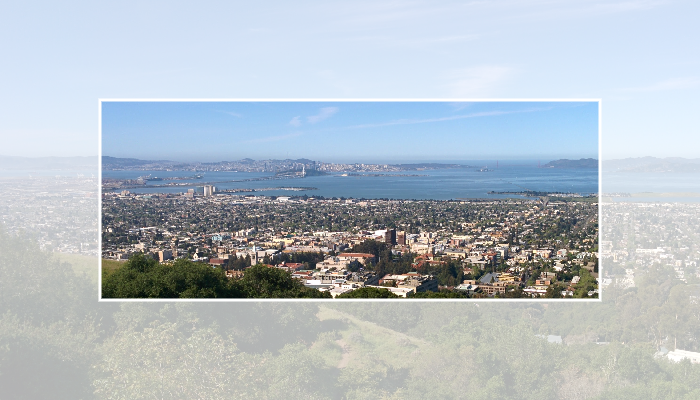 |
| /// |
| /// If [doAntiAlias] is true, then the clip will be anti-aliased. |
| /// |
| /// If multiple draw commands intersect with the clip boundary, this can result |
| /// in incorrect blending at the clip boundary. See [saveLayer] for a |
| /// discussion of how to address that. |
| /// |
| /// Use [ClipOp.difference] to subtract the provided rectangle from the |
| /// current clip. |
| void clipRect(Rect rect, {ClipOp clipOp = ClipOp.intersect, bool doAntiAlias = true}); |
| |
| /// Reduces the clip region to the intersection of the current clip and the |
| /// given rounded rectangle. |
| /// |
| /// 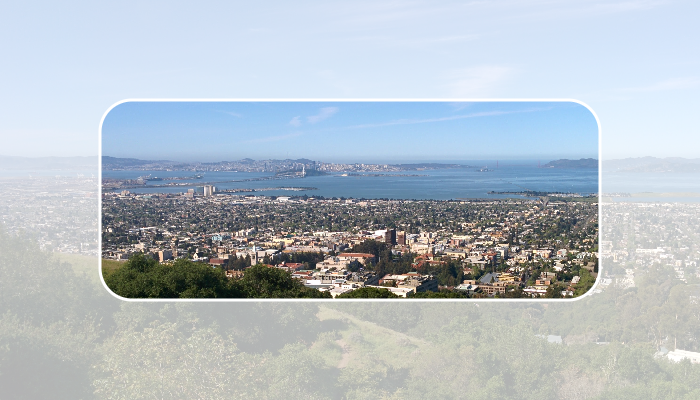 |
| /// |
| /// If [doAntiAlias] is true, then the clip will be anti-aliased. |
| /// |
| /// If multiple draw commands intersect with the clip boundary, this can result |
| /// in incorrect blending at the clip boundary. See [saveLayer] for a |
| /// discussion of how to address that and some examples of using [clipRRect]. |
| void clipRRect(RRect rrect, {bool doAntiAlias = true}); |
| |
| /// Reduces the clip region to the intersection of the current clip and the |
| /// given rounded superellipse. |
| /// |
| ///  |
| /// |
| /// If [doAntiAlias] is true, then the clip will be anti-aliased. |
| /// |
| /// If multiple draw commands intersect with the clip boundary, this can result |
| /// in incorrect blending at the clip boundary. See [saveLayer] for a |
| /// discussion of how to address that and some examples of using [clipRSuperellipse]. |
| void clipRSuperellipse(RSuperellipse rsuperellipse, {bool doAntiAlias = true}); |
| |
| /// Reduces the clip region to the intersection of the current clip and the |
| /// given [Path]. |
| /// |
| /// 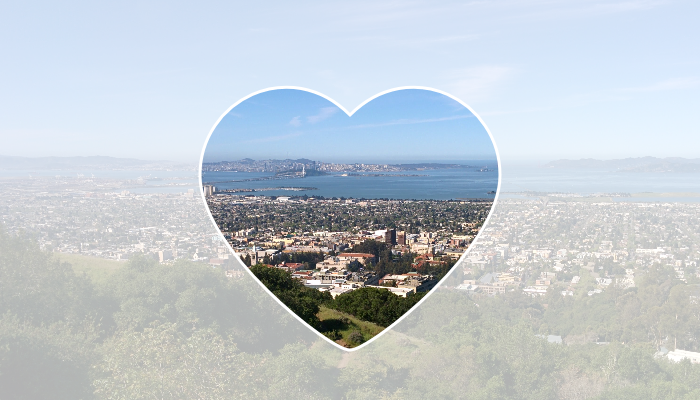 |
| /// |
| /// If [doAntiAlias] is true, then the clip will be anti-aliased. |
| /// |
| /// If multiple draw commands intersect with the clip boundary, this can result |
| /// in incorrect blending at the clip boundary. See [saveLayer] for a |
| /// discussion of how to address that. |
| void clipPath(Path path, {bool doAntiAlias = true}); |
| |
| /// Returns the conservative bounds of the combined result of all clip methods |
| /// executed within the current save stack of this [Canvas] object, as measured |
| /// in the local coordinate space under which rendering operations are currently |
| /// performed. |
| /// |
| /// The combined clip results are rounded out to an integer pixel boundary before |
| /// they are transformed back into the local coordinate space which accounts for |
| /// the pixel roundoff in rendering operations, particularly when antialiasing. |
| /// Because the [Picture] may eventually be rendered into a scene within the |
| /// context of transforming widgets or layers, the result may thus be overly |
| /// conservative due to premature rounding. Using the [getDestinationClipBounds] |
| /// method combined with the external transforms and rounding in the true device |
| /// coordinate system will produce more accurate results, but this value may |
| /// provide a more convenient approximation to compare rendering operations to |
| /// the established clip. |
| /// |
| /// {@template dart.ui.canvas.conservativeClipBounds} |
| /// The conservative estimate of the bounds is based on intersecting the bounds |
| /// of each clip method that was executed with [ClipOp.intersect] and potentially |
| /// ignoring any clip method that was executed with [ClipOp.difference]. The |
| /// [ClipOp] argument is only present on the [clipRect] method. |
| /// |
| /// To understand how the bounds estimate can be conservative, consider the |
| /// following two clip method calls: |
| /// |
| /// ```dart |
| /// void draw(Canvas canvas) { |
| /// canvas.clipPath(Path() |
| /// ..addRect(const Rect.fromLTRB(10, 10, 20, 20)) |
| /// ..addRect(const Rect.fromLTRB(80, 80, 100, 100))); |
| /// canvas.clipPath(Path() |
| /// ..addRect(const Rect.fromLTRB(80, 10, 100, 20)) |
| /// ..addRect(const Rect.fromLTRB(10, 80, 20, 100))); |
| /// // ... |
| /// } |
| /// ``` |
| /// |
| /// After executing both of those calls there is no area left in which to draw |
| /// because the two paths have no overlapping regions. But, in this case, |
| /// [getLocalClipBounds] would return a rectangle from `10, 10` to `100, 100` because it |
| /// only intersects the bounds of the two path objects to obtain its conservative |
| /// estimate. |
| /// |
| /// The clip bounds are not affected by the bounds of any enclosing |
| /// [saveLayer] call as the engine does not currently guarantee the strict |
| /// enforcement of those bounds during rendering. |
| /// |
| /// Methods that can change the current clip include [clipRect], [clipRRect], |
| /// and [clipPath]. The [restore] method can also modify the current clip by |
| /// restoring it to the same value it had before its associated [save] or |
| /// [saveLayer] call. |
| /// {@endtemplate} |
| Rect getLocalClipBounds(); |
| |
| /// Returns the conservative bounds of the combined result of all clip methods |
| /// executed within the current save stack of this [Canvas] object, as measured |
| /// in the destination coordinate space in which the [Picture] will be rendered. |
| /// |
| /// Unlike [getLocalClipBounds], the bounds are not rounded out to an integer |
| /// pixel boundary as the Destination coordinate space may not represent pixels |
| /// if the [Picture] being constructed will be further transformed when it is |
| /// rendered or added to a scene. In order to determine the true pixels being |
| /// affected, those external transforms should be applied first before rounding |
| /// out the result to integer pixel boundaries. Most typically, [Picture] objects |
| /// are rendered in a scene with a scale transform representing the Device Pixel |
| /// Ratio. |
| /// |
| /// {@macro dart.ui.canvas.conservativeClipBounds} |
| Rect getDestinationClipBounds(); |
| |
| /// Paints the given [Color] onto the canvas, applying the given |
| /// [BlendMode], with the given color being the source and the background |
| /// being the destination. |
| void drawColor(Color color, BlendMode blendMode); |
| |
| /// Draws a line between the given points using the given paint. The line is |
| /// stroked, the value of the [Paint.style] is ignored for this call. |
| /// |
| /// The `p1` and `p2` arguments are interpreted as offsets from the origin. |
| /// |
| /// 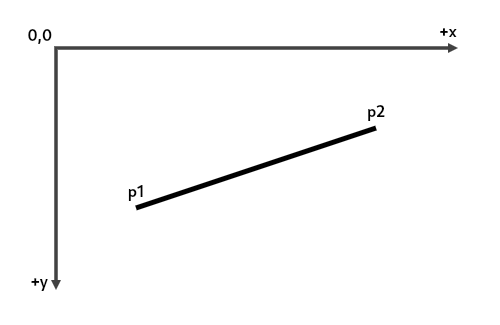 |
| ///  |
| void drawLine(Offset p1, Offset p2, Paint paint); |
| |
| /// Fills the canvas with the given [Paint]. |
| /// |
| /// To fill the canvas with a solid color and blend mode, consider |
| /// [drawColor] instead. |
| void drawPaint(Paint paint); |
| |
| /// Draws a rectangle with the given [Paint]. Whether the rectangle is filled |
| /// or stroked (or both) is controlled by [Paint.style]. |
| /// |
| /// 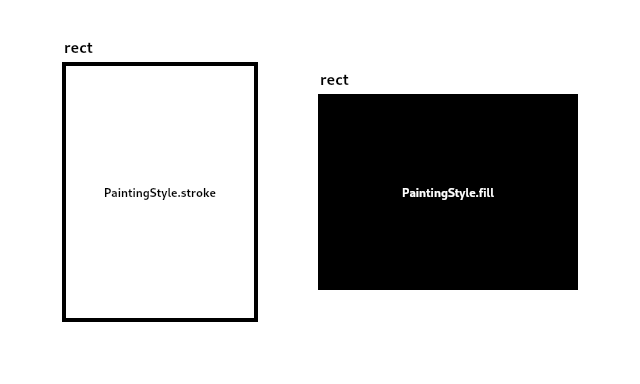 |
| ///  |
| void drawRect(Rect rect, Paint paint); |
| |
| /// Draws a rounded rectangle with the given [Paint]. Whether the rectangle is |
| /// filled or stroked (or both) is controlled by [Paint.style]. |
| /// |
| /// 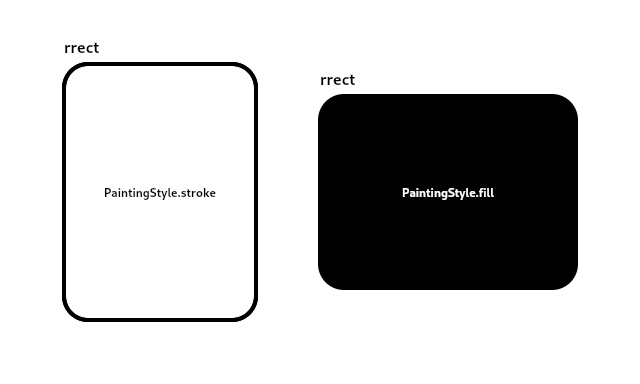 |
| ///  |
| void drawRRect(RRect rrect, Paint paint); |
| |
| /// Draws a shape consisting of the difference between two rounded rectangles |
| /// with the given [Paint]. Whether this shape is filled or stroked (or both) |
| /// is controlled by [Paint.style]. |
| /// |
| /// This shape is almost but not quite entirely unlike an annulus. |
| void drawDRRect(RRect outer, RRect inner, Paint paint); |
| |
| /// Draws a rounded superellipse with the given [Paint]. The shape is filled, |
| /// and the value of the [Paint.style] is ignored for this call. |
| /// |
| ///  |
| ///  |
| void drawRSuperellipse(RSuperellipse rsuperellipse, Paint paint); |
| |
| /// Draws an axis-aligned oval that fills the given axis-aligned rectangle |
| /// with the given [Paint]. Whether the oval is filled or stroked (or both) is |
| /// controlled by [Paint.style]. |
| /// |
| /// 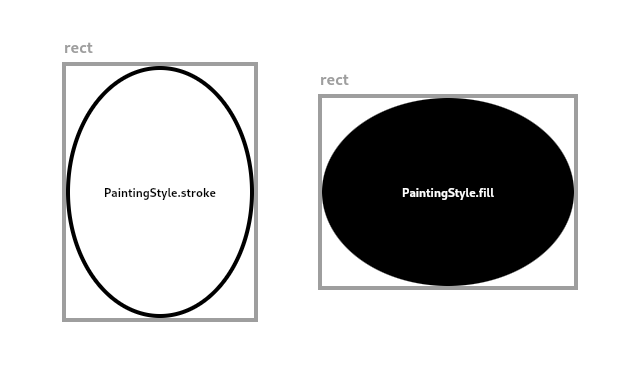 |
| /// 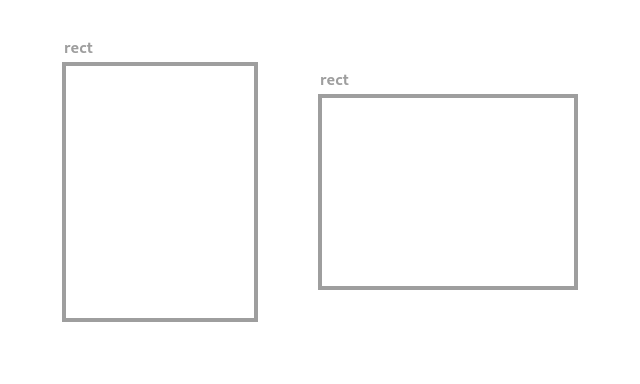 |
| void drawOval(Rect rect, Paint paint); |
| |
| /// Draws a circle centered at the point given by the first argument and |
| /// that has the radius given by the second argument, with the [Paint] given in |
| /// the third argument. Whether the circle is filled or stroked (or both) is |
| /// controlled by [Paint.style]. |
| /// |
| /// 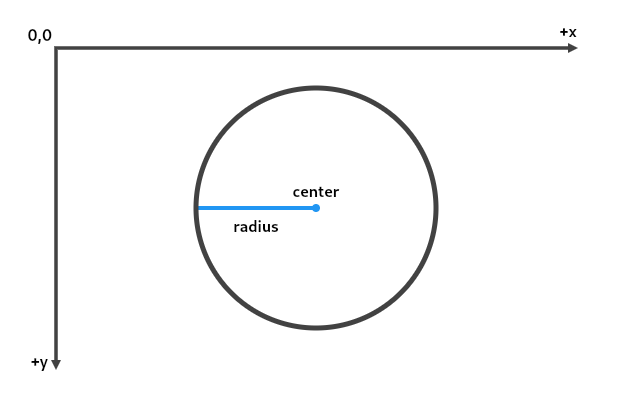 |
| ///  |
| void drawCircle(Offset c, double radius, Paint paint); |
| |
| /// Draw an arc scaled to fit inside the given rectangle. |
| /// |
| /// It starts from `startAngle` radians around the oval up to |
| /// `startAngle` + `sweepAngle` radians around the oval, with zero radians |
| /// being the point on the right hand side of the oval that crosses the |
| /// horizontal line that intersects the center of the rectangle and with positive |
| /// angles going clockwise around the oval. If `useCenter` is true, the arc is |
| /// closed back to the center, forming a circle sector. Otherwise, the arc is |
| /// not closed, forming a circle segment. |
| /// |
| /// 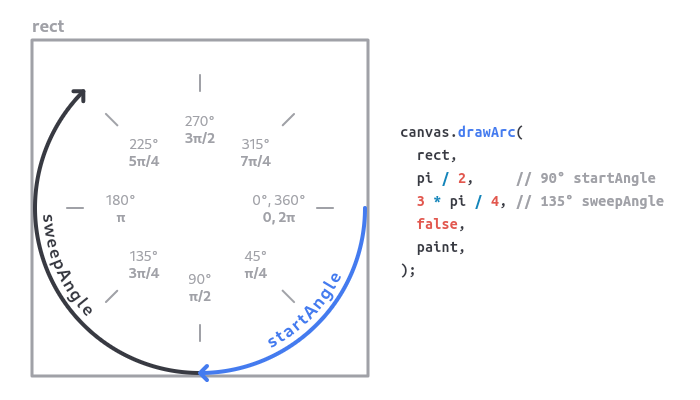 |
| /// 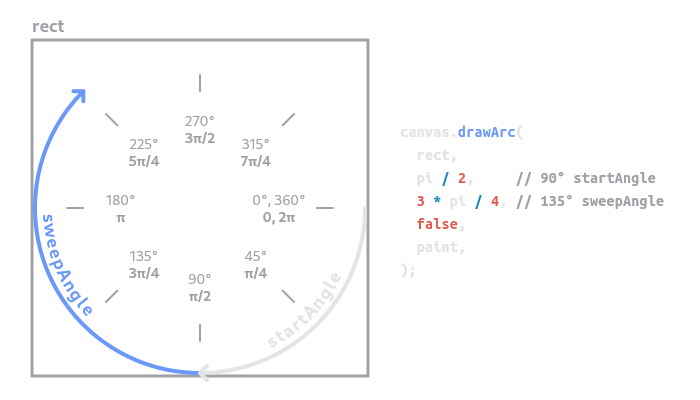 |
| /// |
| /// This method is optimized for drawing arcs and should be faster than [Path.arcTo]. |
| void drawArc(Rect rect, double startAngle, double sweepAngle, bool useCenter, Paint paint); |
| |
| /// Draws the given [Path] with the given [Paint]. |
| /// |
| /// Whether this shape is filled or stroked (or both) is controlled by |
| /// [Paint.style]. If the path is filled, then sub-paths within it are |
| /// implicitly closed (see [Path.close]). |
| /// |
| /// When drawing simple shapes (such as rectangles, ovals, or rounded |
| /// rectangles), prefer using methods such as [drawRect], [drawOval], or |
| /// [drawRRect] over [drawPath]. Methods that draw simple shapes are generally |
| /// more efficient than drawing a [Path]. |
| void drawPath(Path path, Paint paint); |
| |
| /// Draws the given [Image] into the canvas with its top-left corner at the |
| /// given [Offset]. The image is composited into the canvas using the given [Paint]. |
| void drawImage(Image image, Offset offset, Paint paint); |
| |
| /// Draws the subset of the given image described by the `src` argument into |
| /// the canvas in the axis-aligned rectangle given by the `dst` argument. |
| /// |
| /// This might sample from outside the `src` rect by up to half the width of |
| /// an applied filter. |
| /// |
| /// Multiple calls to this method with different arguments (from the same |
| /// image) can be batched into a single call to [drawAtlas] to improve |
| /// performance. |
| void drawImageRect(Image image, Rect src, Rect dst, Paint paint); |
| |
| /// Draws the given [Image] into the canvas using the given [Paint]. |
| /// |
| /// The image is drawn in nine portions described by splitting the image by |
| /// drawing two horizontal lines and two vertical lines, where the `center` |
| /// argument describes the rectangle formed by the four points where these |
| /// four lines intersect each other. (This forms a 3-by-3 grid of regions, |
| /// the center region being described by the `center` argument.) |
| /// |
| /// The four regions in the corners are drawn, without scaling, in the four |
| /// corners of the destination rectangle described by `dst`. The remaining |
| /// five regions are drawn by stretching them to fit such that they exactly |
| /// cover the destination rectangle while maintaining their relative |
| /// positions. |
| void drawImageNine(Image image, Rect center, Rect dst, Paint paint); |
| |
| /// Draw the given picture onto the canvas. To create a picture, see |
| /// [PictureRecorder]. |
| void drawPicture(Picture picture); |
| |
| /// Draws the text in the given [Paragraph] into this canvas at the given |
| /// [Offset]. |
| /// |
| /// The [Paragraph] object must have had [Paragraph.layout] called on it |
| /// first. |
| /// |
| /// To align the text, set the `textAlign` on the [ParagraphStyle] object |
| /// passed to the [ParagraphBuilder.new] constructor. For more details see |
| /// [TextAlign] and the discussion at [ParagraphStyle.new]. |
| /// |
| /// If the text is left aligned or justified, the left margin will be at the |
| /// position specified by the `offset` argument's [Offset.dx] coordinate. |
| /// |
| /// If the text is right aligned or justified, the right margin will be at the |
| /// position described by adding the [ParagraphConstraints.width] given to |
| /// [Paragraph.layout], to the `offset` argument's [Offset.dx] coordinate. |
| /// |
| /// If the text is centered, the centering axis will be at the position |
| /// described by adding half of the [ParagraphConstraints.width] given to |
| /// [Paragraph.layout], to the `offset` argument's [Offset.dx] coordinate. |
| void drawParagraph(Paragraph paragraph, Offset offset); |
| |
| /// Draws a sequence of points according to the given [PointMode]. |
| /// |
| /// The `points` argument is interpreted as offsets from the origin. |
| /// |
| /// The `paint` is used for each point ([PointMode.points]) or line |
| /// ([PointMode.lines] or [PointMode.polygon]), ignoring [Paint.style]. |
| /// |
| /// See also: |
| /// |
| /// * [drawRawPoints], which takes `points` as a [Float32List] rather than a |
| /// [List<Offset>]. |
| void drawPoints(PointMode pointMode, List<Offset> points, Paint paint); |
| |
| /// Draws a sequence of points according to the given [PointMode]. |
| /// |
| /// The `points` argument is interpreted as a list of pairs of floating point |
| /// numbers, where each pair represents an x and y offset from the origin. |
| /// |
| /// The `paint` is used for each point ([PointMode.points]) or line |
| /// ([PointMode.lines] or [PointMode.polygon]), ignoring [Paint.style]. |
| /// |
| /// See also: |
| /// |
| /// * [drawPoints], which takes `points` as a [List<Offset>] rather than a |
| /// [List<Float32List>]. |
| void drawRawPoints(PointMode pointMode, Float32List points, Paint paint); |
| |
| /// Draws a set of [Vertices] onto the canvas as one or more triangles. |
| /// |
| /// The [Paint.color] property specifies the default color to use for the |
| /// triangles. |
| /// |
| /// The [Paint.shader] property, if set, overrides the color entirely, |
| /// replacing it with the colors from the specified [ImageShader], [Gradient], |
| /// or other shader. |
| /// |
| /// The `blendMode` parameter is used to control how the colors in the |
| /// `vertices` are combined with the colors in the `paint`. If there are no |
| /// colors specified in `vertices` then the `blendMode` has no effect. If |
| /// there are colors in the `vertices`, then the color taken from the |
| /// [Paint.shader] or [Paint.color] in the `paint` is blended with the colors |
| /// specified in the `vertices` using the `blendMode` parameter. For the |
| /// purposes of this blending, the colors from the `paint` parameter are |
| /// considered the source, and the colors from the `vertices` are considered |
| /// the destination. [BlendMode.dst] ignores the `paint` and uses only the |
| /// colors of the `vertices`; [BlendMode.src] ignores the colors of the |
| /// `vertices` and uses only the colors in the `paint`. |
| /// |
| /// All parameters must not be null. |
| /// |
| /// See also: |
| /// * [Vertices.new], which creates a set of vertices to draw on the canvas. |
| /// * [Vertices.raw], which creates the vertices using typed data lists |
| /// rather than unencoded lists. |
| /// * [paint], Image shaders can be used to draw images on a triangular mesh. |
| void drawVertices(Vertices vertices, BlendMode blendMode, Paint paint); |
| |
| /// Draws many parts of an image - the [atlas] - onto the canvas. |
| /// |
| /// This method allows for optimization when you want to draw many parts of an |
| /// image onto the canvas, such as when using sprites or zooming. It is more efficient |
| /// than using multiple calls to [drawImageRect] and provides more functionality |
| /// to individually transform each image part by a separate rotation or scale and |
| /// blend or modulate those parts with a solid color. |
| /// |
| /// The method takes a list of [Rect] objects that each define a piece of the |
| /// [atlas] image to be drawn independently. Each [Rect] is associated with an |
| /// [RSTransform] entry in the [transforms] list which defines the location, |
| /// rotation, and (uniform) scale with which to draw that portion of the image. |
| /// Each [Rect] can also be associated with an optional [Color] which will be |
| /// composed with the associated image part using the [blendMode] before blending |
| /// the result onto the canvas. The full operation can be broken down as: |
| /// |
| /// - Blend each rectangular portion of the image specified by an entry in the |
| /// [rects] argument with its associated entry in the [colors] list using the |
| /// [blendMode] argument (if a color is specified). In this part of the operation, |
| /// the image part will be considered the source of the operation and the associated |
| /// color will be considered the destination. |
| /// - Blend the result from the first step onto the canvas using the translation, |
| /// rotation, and scale properties expressed in the associated entry in the |
| /// [transforms] list using the properties of the [Paint] object. |
| /// |
| /// If the first stage of the operation which blends each part of the image with |
| /// a color is needed, then both the [colors] and [blendMode] arguments must |
| /// not be null and there must be an entry in the [colors] list for each |
| /// image part. If that stage is not needed, then the [colors] argument can |
| /// be either null or an empty list and the [blendMode] argument may also be null. |
| /// |
| /// The optional [cullRect] argument can provide an estimate of the bounds of the |
| /// coordinates rendered by all components of the atlas to be compared against |
| /// the clip to quickly reject the operation if it does not intersect. |
| /// |
| /// An example usage to render many sprites from a single sprite atlas with no |
| /// rotations or scales: |
| /// |
| /// ```dart |
| /// class Sprite { |
| /// Sprite(this.index, this.center); |
| /// int index; |
| /// Offset center; |
| /// } |
| /// |
| /// class MyPainter extends CustomPainter { |
| /// MyPainter(this.spriteAtlas, this.allSprites); |
| /// |
| /// // assume spriteAtlas contains N 10x10 sprites side by side in a (N*10)x10 image |
| /// ui.Image spriteAtlas; |
| /// List<Sprite> allSprites; |
| /// |
| /// @override |
| /// void paint(Canvas canvas, Size size) { |
| /// Paint paint = Paint(); |
| /// canvas.drawAtlas(spriteAtlas, <RSTransform>[ |
| /// for (final Sprite sprite in allSprites) |
| /// RSTransform.fromComponents( |
| /// rotation: 0.0, |
| /// scale: 1.0, |
| /// // Center of the sprite relative to its rect |
| /// anchorX: 5.0, |
| /// anchorY: 5.0, |
| /// // Location at which to draw the center of the sprite |
| /// translateX: sprite.center.dx, |
| /// translateY: sprite.center.dy, |
| /// ), |
| /// ], <Rect>[ |
| /// for (final Sprite sprite in allSprites) |
| /// Rect.fromLTWH(sprite.index * 10.0, 0.0, 10.0, 10.0), |
| /// ], null, null, null, paint); |
| /// } |
| /// |
| /// // ... |
| /// } |
| /// ``` |
| /// |
| /// Another example usage which renders sprites with an optional opacity and rotation: |
| /// |
| /// ```dart |
| /// class Sprite { |
| /// Sprite(this.index, this.center, this.alpha, this.rotation); |
| /// int index; |
| /// Offset center; |
| /// int alpha; |
| /// double rotation; |
| /// } |
| /// |
| /// class MyPainter extends CustomPainter { |
| /// MyPainter(this.spriteAtlas, this.allSprites); |
| /// |
| /// // assume spriteAtlas contains N 10x10 sprites side by side in a (N*10)x10 image |
| /// ui.Image spriteAtlas; |
| /// List<Sprite> allSprites; |
| /// |
| /// @override |
| /// void paint(Canvas canvas, Size size) { |
| /// Paint paint = Paint(); |
| /// canvas.drawAtlas(spriteAtlas, <RSTransform>[ |
| /// for (final Sprite sprite in allSprites) |
| /// RSTransform.fromComponents( |
| /// rotation: sprite.rotation, |
| /// scale: 1.0, |
| /// // Center of the sprite relative to its rect |
| /// anchorX: 5.0, |
| /// anchorY: 5.0, |
| /// // Location at which to draw the center of the sprite |
| /// translateX: sprite.center.dx, |
| /// translateY: sprite.center.dy, |
| /// ), |
| /// ], <Rect>[ |
| /// for (final Sprite sprite in allSprites) |
| /// Rect.fromLTWH(sprite.index * 10.0, 0.0, 10.0, 10.0), |
| /// ], <Color>[ |
| /// for (final Sprite sprite in allSprites) |
| /// Colors.white.withAlpha(sprite.alpha), |
| /// ], BlendMode.srcIn, null, paint); |
| /// } |
| /// |
| /// // ... |
| /// } |
| /// ``` |
| /// |
| /// The length of the [transforms] and [rects] lists must be equal and |
| /// if the [colors] argument is not null then it must either be empty or |
| /// have the same length as the other two lists. |
| /// |
| /// See also: |
| /// |
| /// * [drawRawAtlas], which takes its arguments as typed data lists rather |
| /// than objects. |
| void drawAtlas( |
| Image atlas, |
| List<RSTransform> transforms, |
| List<Rect> rects, |
| List<Color>? colors, |
| BlendMode? blendMode, |
| Rect? cullRect, |
| Paint paint, |
| ); |
| |
| /// Draws many parts of an image - the [atlas] - onto the canvas. |
| /// |
| /// This method allows for optimization when you want to draw many parts of an |
| /// image onto the canvas, such as when using sprites or zooming. It is more efficient |
| /// than using multiple calls to [drawImageRect] and provides more functionality |
| /// to individually transform each image part by a separate rotation or scale and |
| /// blend or modulate those parts with a solid color. It is also more efficient |
| /// than [drawAtlas] as the data in the arguments is already packed in a format |
| /// that can be directly used by the rendering code. |
| /// |
| /// A full description of how this method uses its arguments to draw onto the |
| /// canvas can be found in the description of the [drawAtlas] method. |
| /// |
| /// The [rstTransforms] argument is interpreted as a list of four-tuples, with |
| /// each tuple being ([RSTransform.scos], [RSTransform.ssin], |
| /// [RSTransform.tx], [RSTransform.ty]). |
| /// |
| /// The [rects] argument is interpreted as a list of four-tuples, with each |
| /// tuple being ([Rect.left], [Rect.top], [Rect.right], [Rect.bottom]). |
| /// |
| /// The [colors] argument, which can be null, is interpreted as a list of |
| /// 32-bit colors, with the same packing as [Color.value]. If the [colors] |
| /// argument is not null then the [blendMode] argument must also not be null. |
| /// |
| /// An example usage to render many sprites from a single sprite atlas with no rotations |
| /// or scales: |
| /// |
| /// ```dart |
| /// class Sprite { |
| /// Sprite(this.index, this.center); |
| /// int index; |
| /// Offset center; |
| /// } |
| /// |
| /// class MyPainter extends CustomPainter { |
| /// MyPainter(this.spriteAtlas, this.allSprites); |
| /// |
| /// // assume spriteAtlas contains N 10x10 sprites side by side in a (N*10)x10 image |
| /// ui.Image spriteAtlas; |
| /// List<Sprite> allSprites; |
| /// |
| /// @override |
| /// void paint(Canvas canvas, Size size) { |
| /// // For best advantage, these lists should be cached and only specific |
| /// // entries updated when the sprite information changes. This code is |
| /// // illustrative of how to set up the data and not a recommendation for |
| /// // optimal usage. |
| /// Float32List rectList = Float32List(allSprites.length * 4); |
| /// Float32List transformList = Float32List(allSprites.length * 4); |
| /// for (int i = 0; i < allSprites.length; i++) { |
| /// Sprite sprite = allSprites[i]; |
| /// final double rectX = sprite.index * 10.0; |
| /// rectList[i * 4 + 0] = rectX; |
| /// rectList[i * 4 + 1] = 0.0; |
| /// rectList[i * 4 + 2] = rectX + 10.0; |
| /// rectList[i * 4 + 3] = 10.0; |
| /// |
| /// // This example sets the RSTransform values directly for a common case of no |
| /// // rotations or scales and just a translation to position the atlas entry. For |
| /// // more complicated transforms one could use the RSTransform class to compute |
| /// // the necessary values or do the same math directly. |
| /// transformList[i * 4 + 0] = 1.0; |
| /// transformList[i * 4 + 1] = 0.0; |
| /// transformList[i * 4 + 2] = sprite.center.dx - 5.0; |
| /// transformList[i * 4 + 3] = sprite.center.dy - 5.0; |
| /// } |
| /// Paint paint = Paint(); |
| /// canvas.drawRawAtlas(spriteAtlas, transformList, rectList, null, null, null, paint); |
| /// } |
| /// |
| /// // ... |
| /// } |
| /// ``` |
| /// |
| /// Another example usage which renders sprites with an optional opacity and rotation: |
| /// |
| /// ```dart |
| /// class Sprite { |
| /// Sprite(this.index, this.center, this.alpha, this.rotation); |
| /// int index; |
| /// Offset center; |
| /// int alpha; |
| /// double rotation; |
| /// } |
| /// |
| /// class MyPainter extends CustomPainter { |
| /// MyPainter(this.spriteAtlas, this.allSprites); |
| /// |
| /// // assume spriteAtlas contains N 10x10 sprites side by side in a (N*10)x10 image |
| /// ui.Image spriteAtlas; |
| /// List<Sprite> allSprites; |
| /// |
| /// @override |
| /// void paint(Canvas canvas, Size size) { |
| /// // For best advantage, these lists should be cached and only specific |
| /// // entries updated when the sprite information changes. This code is |
| /// // illustrative of how to set up the data and not a recommendation for |
| /// // optimal usage. |
| /// Float32List rectList = Float32List(allSprites.length * 4); |
| /// Float32List transformList = Float32List(allSprites.length * 4); |
| /// Int32List colorList = Int32List(allSprites.length); |
| /// for (int i = 0; i < allSprites.length; i++) { |
| /// Sprite sprite = allSprites[i]; |
| /// final double rectX = sprite.index * 10.0; |
| /// rectList[i * 4 + 0] = rectX; |
| /// rectList[i * 4 + 1] = 0.0; |
| /// rectList[i * 4 + 2] = rectX + 10.0; |
| /// rectList[i * 4 + 3] = 10.0; |
| /// |
| /// // This example uses an RSTransform object to compute the necessary values for |
| /// // the transform using a factory helper method because the sprites contain |
| /// // rotation values which are not trivial to work with. But if the math for the |
| /// // values falls out from other calculations on the sprites then the values could |
| /// // possibly be generated directly from the sprite update code. |
| /// final RSTransform transform = RSTransform.fromComponents( |
| /// rotation: sprite.rotation, |
| /// scale: 1.0, |
| /// // Center of the sprite relative to its rect |
| /// anchorX: 5.0, |
| /// anchorY: 5.0, |
| /// // Location at which to draw the center of the sprite |
| /// translateX: sprite.center.dx, |
| /// translateY: sprite.center.dy, |
| /// ); |
| /// transformList[i * 4 + 0] = transform.scos; |
| /// transformList[i * 4 + 1] = transform.ssin; |
| /// transformList[i * 4 + 2] = transform.tx; |
| /// transformList[i * 4 + 3] = transform.ty; |
| /// |
| /// // This example computes the color value directly, but one could also compute |
| /// // an actual Color object and use its Color.value getter for the same result. |
| /// // Since we are using BlendMode.srcIn, only the alpha component matters for |
| /// // these colors which makes this a simple shift operation. |
| /// colorList[i] = sprite.alpha << 24; |
| /// } |
| /// Paint paint = Paint(); |
| /// canvas.drawRawAtlas(spriteAtlas, transformList, rectList, colorList, BlendMode.srcIn, null, paint); |
| /// } |
| /// |
| /// // ... |
| /// } |
| /// ``` |
| /// |
| /// See also: |
| /// |
| /// * [drawAtlas], which takes its arguments as objects rather than typed |
| /// data lists. |
| void drawRawAtlas( |
| Image atlas, |
| Float32List rstTransforms, |
| Float32List rects, |
| Int32List? colors, |
| BlendMode? blendMode, |
| Rect? cullRect, |
| Paint paint, |
| ); |
| |
| /// Draws a shadow for a [Path] representing the given material elevation. |
| /// |
| /// The `transparentOccluder` argument should be true if the occluding object |
| /// is not opaque. |
| /// |
| /// The arguments must not be null. |
| void drawShadow(Path path, Color color, double elevation, bool transparentOccluder); |
| } |
| |
| base class _NativeCanvas extends NativeFieldWrapperClass1 implements Canvas { |
| _NativeCanvas(PictureRecorder recorder, [Rect? cullRect]) { |
| if (recorder.isRecording) { |
| throw ArgumentError('"recorder" must not already be associated with another Canvas.'); |
| } |
| _recorder = recorder as _NativePictureRecorder; |
| _recorder!._canvas = this; |
| cullRect ??= Rect.largest; |
| _constructor(_recorder!, cullRect.left, cullRect.top, cullRect.right, cullRect.bottom); |
| } |
| |
| @Native<Void Function(Handle, Pointer<Void>, Double, Double, Double, Double)>( |
| symbol: 'Canvas::Create', |
| ) |
| external void _constructor( |
| _NativePictureRecorder recorder, |
| double left, |
| double top, |
| double right, |
| double bottom, |
| ); |
| |
| // The underlying DlCanvas is owned by the DisplayListBuilder used to create this Canvas. |
| // The Canvas holds a reference to the PictureRecorder to prevent the recorder from being |
| // garbage collected until PictureRecorder.endRecording is called. |
| _NativePictureRecorder? _recorder; |
| |
| @override |
| @Native<Void Function(Pointer<Void>)>(symbol: 'Canvas::save', isLeaf: true) |
| external void save(); |
| |
| static Rect _sorted(Rect rect) { |
| if (rect.isEmpty) { |
| rect = Rect.fromLTRB( |
| math.min(rect.left, rect.right), |
| math.min(rect.top, rect.bottom), |
| math.max(rect.left, rect.right), |
| math.max(rect.top, rect.bottom), |
| ); |
| } |
| return rect; |
| } |
| |
| @override |
| void saveLayer(Rect? bounds, Paint paint) { |
| if (bounds == null) { |
| _saveLayerWithoutBounds(paint._objects, paint._data); |
| } else { |
| assert(_rectIsValid(bounds)); |
| _saveLayer(bounds.left, bounds.top, bounds.right, bounds.bottom, paint._objects, paint._data); |
| } |
| } |
| |
| @Native<Void Function(Pointer<Void>, Handle, Handle)>(symbol: 'Canvas::saveLayerWithoutBounds') |
| external void _saveLayerWithoutBounds(List<Object?>? paintObjects, ByteData paintData); |
| |
| @Native<Void Function(Pointer<Void>, Double, Double, Double, Double, Handle, Handle)>( |
| symbol: 'Canvas::saveLayer', |
| ) |
| external void _saveLayer( |
| double left, |
| double top, |
| double right, |
| double bottom, |
| List<Object?>? paintObjects, |
| ByteData paintData, |
| ); |
| |
| @override |
| @Native<Void Function(Pointer<Void>)>(symbol: 'Canvas::restore', isLeaf: true) |
| external void restore(); |
| |
| @override |
| @Native<Void Function(Pointer<Void>, Int32)>(symbol: 'Canvas::restoreToCount', isLeaf: true) |
| external void restoreToCount(int count); |
| |
| @override |
| @Native<Int32 Function(Pointer<Void>)>(symbol: 'Canvas::getSaveCount', isLeaf: true) |
| external int getSaveCount(); |
| |
| @override |
| @Native<Void Function(Pointer<Void>, Double, Double)>(symbol: 'Canvas::translate', isLeaf: true) |
| external void translate(double dx, double dy); |
| |
| @override |
| void scale(double sx, [double? sy]) => _scale(sx, sy ?? sx); |
| |
| @Native<Void Function(Pointer<Void>, Double, Double)>(symbol: 'Canvas::scale', isLeaf: true) |
| external void _scale(double sx, double sy); |
| |
| @override |
| @Native<Void Function(Pointer<Void>, Double)>(symbol: 'Canvas::rotate', isLeaf: true) |
| external void rotate(double radians); |
| |
| @override |
| @Native<Void Function(Pointer<Void>, Double, Double)>(symbol: 'Canvas::skew', isLeaf: true) |
| external void skew(double sx, double sy); |
| |
| @override |
| void transform(Float64List matrix4) { |
| if (matrix4.length != 16) { |
| throw ArgumentError('"matrix4" must have 16 entries.'); |
| } |
| _transform(matrix4); |
| } |
| |
| @Native<Void Function(Pointer<Void>, Handle)>(symbol: 'Canvas::transform') |
| external void _transform(Float64List matrix4); |
| |
| @override |
| Float64List getTransform() { |
| final matrix4 = Float64List(16); |
| _getTransform(matrix4); |
| return matrix4; |
| } |
| |
| @Native<Void Function(Pointer<Void>, Handle)>(symbol: 'Canvas::getTransform') |
| external void _getTransform(Float64List matrix4); |
| |
| @override |
| void clipRect(Rect rect, {ClipOp clipOp = ClipOp.intersect, bool doAntiAlias = true}) { |
| assert(_rectIsValid(rect)); |
| rect = _sorted(rect); |
| // Even if rect is still empty - which implies it has a zero dimension - |
| // we still need to perform the clipRect operation as it will effectively |
| // nullify any further rendering until the next restore call. |
| _clipRect(rect.left, rect.top, rect.right, rect.bottom, clipOp.index, doAntiAlias); |
| } |
| |
| @Native<Void Function(Pointer<Void>, Double, Double, Double, Double, Int32, Bool)>( |
| symbol: 'Canvas::clipRect', |
| isLeaf: true, |
| ) |
| external void _clipRect( |
| double left, |
| double top, |
| double right, |
| double bottom, |
| int clipOp, |
| bool doAntiAlias, |
| ); |
| |
| @override |
| void clipRRect(RRect rrect, {bool doAntiAlias = true}) { |
| assert(_rrectIsValid(rrect)); |
| _clipRRect(rrect._getValue32(), doAntiAlias); |
| } |
| |
| @Native<Void Function(Pointer<Void>, Handle, Bool)>(symbol: 'Canvas::clipRRect') |
| external void _clipRRect(Float32List rrect, bool doAntiAlias); |
| |
| @override |
| void clipRSuperellipse(RSuperellipse rsuperellipse, {bool doAntiAlias = true}) { |
| assert(_rsuperellipseIsValid(rsuperellipse)); |
| _clipRSuperellipse(rsuperellipse._native(), doAntiAlias); |
| } |
| |
| @Native<Void Function(Pointer<Void>, Pointer<Void>, Bool)>(symbol: 'Canvas::clipRSuperellipse') |
| external void _clipRSuperellipse(_NativeRSuperellipse rsuperellipse, bool doAntiAlias); |
| |
| @override |
| void clipPath(Path path, {bool doAntiAlias = true}) { |
| _clipPath(path as _NativePath, doAntiAlias); |
| } |
| |
| @Native<Void Function(Pointer<Void>, Pointer<Void>, Bool)>(symbol: 'Canvas::clipPath') |
| external void _clipPath(_NativePath path, bool doAntiAlias); |
| |
| @override |
| Rect getLocalClipBounds() { |
| final bounds = Float64List(4); |
| _getLocalClipBounds(bounds); |
| return Rect.fromLTRB(bounds[0], bounds[1], bounds[2], bounds[3]); |
| } |
| |
| @Native<Void Function(Pointer<Void>, Handle)>(symbol: 'Canvas::getLocalClipBounds') |
| external void _getLocalClipBounds(Float64List bounds); |
| |
| @override |
| Rect getDestinationClipBounds() { |
| final bounds = Float64List(4); |
| _getDestinationClipBounds(bounds); |
| return Rect.fromLTRB(bounds[0], bounds[1], bounds[2], bounds[3]); |
| } |
| |
| @Native<Void Function(Pointer<Void>, Handle)>(symbol: 'Canvas::getDestinationClipBounds') |
| external void _getDestinationClipBounds(Float64List bounds); |
| |
| @override |
| void drawColor(Color color, BlendMode blendMode) { |
| _drawColor(color.value, blendMode.index); |
| } |
| |
| @Native<Void Function(Pointer<Void>, Uint32, Int32)>(symbol: 'Canvas::drawColor', isLeaf: true) |
| external void _drawColor(int color, int blendMode); |
| |
| @override |
| void drawLine(Offset p1, Offset p2, Paint paint) { |
| assert(_offsetIsValid(p1)); |
| assert(_offsetIsValid(p2)); |
| _drawLine(p1.dx, p1.dy, p2.dx, p2.dy, paint._objects, paint._data); |
| } |
| |
| @Native<Void Function(Pointer<Void>, Double, Double, Double, Double, Handle, Handle)>( |
| symbol: 'Canvas::drawLine', |
| ) |
| external void _drawLine( |
| double x1, |
| double y1, |
| double x2, |
| double y2, |
| List<Object?>? paintObjects, |
| ByteData paintData, |
| ); |
| |
| @override |
| void drawPaint(Paint paint) { |
| _drawPaint(paint._objects, paint._data); |
| } |
| |
| @Native<Void Function(Pointer<Void>, Handle, Handle)>(symbol: 'Canvas::drawPaint') |
| external void _drawPaint(List<Object?>? paintObjects, ByteData paintData); |
| |
| @override |
| void drawRect(Rect rect, Paint paint) { |
| assert(_rectIsValid(rect)); |
| rect = _sorted(rect); |
| if (paint.style != PaintingStyle.fill || !rect.isEmpty) { |
| _drawRect(rect.left, rect.top, rect.right, rect.bottom, paint._objects, paint._data); |
| } |
| } |
| |
| @Native<Void Function(Pointer<Void>, Double, Double, Double, Double, Handle, Handle)>( |
| symbol: 'Canvas::drawRect', |
| ) |
| external void _drawRect( |
| double left, |
| double top, |
| double right, |
| double bottom, |
| List<Object?>? paintObjects, |
| ByteData paintData, |
| ); |
| |
| @override |
| void drawRRect(RRect rrect, Paint paint) { |
| assert(_rrectIsValid(rrect)); |
| _drawRRect(rrect._getValue32(), paint._objects, paint._data); |
| } |
| |
| @Native<Void Function(Pointer<Void>, Handle, Handle, Handle)>(symbol: 'Canvas::drawRRect') |
| external void _drawRRect(Float32List rrect, List<Object?>? paintObjects, ByteData paintData); |
| |
| @override |
| void drawDRRect(RRect outer, RRect inner, Paint paint) { |
| assert(_rrectIsValid(outer)); |
| assert(_rrectIsValid(inner)); |
| _drawDRRect(outer._getValue32(), inner._getValue32(), paint._objects, paint._data); |
| } |
| |
| @Native<Void Function(Pointer<Void>, Handle, Handle, Handle, Handle)>( |
| symbol: 'Canvas::drawDRRect', |
| ) |
| external void _drawDRRect( |
| Float32List outer, |
| Float32List inner, |
| List<Object?>? paintObjects, |
| ByteData paintData, |
| ); |
| |
| @override |
| void drawRSuperellipse(RSuperellipse rsuperellipse, Paint paint) { |
| assert(_rsuperellipseIsValid(rsuperellipse)); |
| _drawRSuperellipse(rsuperellipse._native(), paint._objects, paint._data); |
| } |
| |
| @Native<Void Function(Pointer<Void>, Pointer<Void>, Handle, Handle)>( |
| symbol: 'Canvas::drawRSuperellipse', |
| ) |
| external void _drawRSuperellipse( |
| _NativeRSuperellipse rsuperellipse, |
| List<Object?>? paintObjects, |
| ByteData paintData, |
| ); |
| |
| @override |
| void drawOval(Rect rect, Paint paint) { |
| assert(_rectIsValid(rect)); |
| rect = _sorted(rect); |
| if (paint.style != PaintingStyle.fill || !rect.isEmpty) { |
| _drawOval(rect.left, rect.top, rect.right, rect.bottom, paint._objects, paint._data); |
| } |
| } |
| |
| @Native<Void Function(Pointer<Void>, Double, Double, Double, Double, Handle, Handle)>( |
| symbol: 'Canvas::drawOval', |
| ) |
| external void _drawOval( |
| double left, |
| double top, |
| double right, |
| double bottom, |
| List<Object?>? paintObjects, |
| ByteData paintData, |
| ); |
| |
| @override |
| void drawCircle(Offset c, double radius, Paint paint) { |
| assert(_offsetIsValid(c)); |
| _drawCircle(c.dx, c.dy, radius, paint._objects, paint._data); |
| } |
| |
| @Native<Void Function(Pointer<Void>, Double, Double, Double, Handle, Handle)>( |
| symbol: 'Canvas::drawCircle', |
| ) |
| external void _drawCircle( |
| double x, |
| double y, |
| double radius, |
| List<Object?>? paintObjects, |
| ByteData paintData, |
| ); |
| |
| @override |
| void drawArc(Rect rect, double startAngle, double sweepAngle, bool useCenter, Paint paint) { |
| assert(_rectIsValid(rect)); |
| _drawArc( |
| rect.left, |
| rect.top, |
| rect.right, |
| rect.bottom, |
| startAngle, |
| sweepAngle, |
| useCenter, |
| paint._objects, |
| paint._data, |
| ); |
| } |
| |
| @Native< |
| Void Function( |
| Pointer<Void>, |
| Double, |
| Double, |
| Double, |
| Double, |
| Double, |
| Double, |
| Bool, |
| Handle, |
| Handle, |
| ) |
| >(symbol: 'Canvas::drawArc') |
| external void _drawArc( |
| double left, |
| double top, |
| double right, |
| double bottom, |
| double startAngle, |
| double sweepAngle, |
| bool useCenter, |
| List<Object?>? paintObjects, |
| ByteData paintData, |
| ); |
| |
| @override |
| void drawPath(Path path, Paint paint) { |
| _drawPath(path as _NativePath, paint._objects, paint._data); |
| } |
| |
| @Native<Void Function(Pointer<Void>, Pointer<Void>, Handle, Handle)>(symbol: 'Canvas::drawPath') |
| external void _drawPath(_NativePath path, List<Object?>? paintObjects, ByteData paintData); |
| |
| @override |
| void drawImage(Image image, Offset offset, Paint paint) { |
| assert(!image.debugDisposed); |
| assert(_offsetIsValid(offset)); |
| final String? error = _drawImage( |
| image._image, |
| offset.dx, |
| offset.dy, |
| paint._objects, |
| paint._data, |
| paint.filterQuality.index, |
| ); |
| if (error != null) { |
| throw PictureRasterizationException._(error, stack: image._debugStack); |
| } |
| } |
| |
| @Native<Handle Function(Pointer<Void>, Pointer<Void>, Double, Double, Handle, Handle, Int32)>( |
| symbol: 'Canvas::drawImage', |
| ) |
| external String? _drawImage( |
| _Image image, |
| double x, |
| double y, |
| List<Object?>? paintObjects, |
| ByteData paintData, |
| int filterQualityIndex, |
| ); |
| |
| @override |
| void drawImageRect(Image image, Rect src, Rect dst, Paint paint) { |
| assert(!image.debugDisposed); |
| assert(_rectIsValid(src)); |
| assert(_rectIsValid(dst)); |
| final String? error = _drawImageRect( |
| image._image, |
| src.left, |
| src.top, |
| src.right, |
| src.bottom, |
| dst.left, |
| dst.top, |
| dst.right, |
| dst.bottom, |
| paint._objects, |
| paint._data, |
| paint.filterQuality.index, |
| ); |
| if (error != null) { |
| throw PictureRasterizationException._(error, stack: image._debugStack); |
| } |
| } |
| |
| @Native< |
| Handle Function( |
| Pointer<Void>, |
| Pointer<Void>, |
| Double, |
| Double, |
| Double, |
| Double, |
| Double, |
| Double, |
| Double, |
| Double, |
| Handle, |
| Handle, |
| Int32, |
| ) |
| >(symbol: 'Canvas::drawImageRect') |
| external String? _drawImageRect( |
| _Image image, |
| double srcLeft, |
| double srcTop, |
| double srcRight, |
| double srcBottom, |
| double dstLeft, |
| double dstTop, |
| double dstRight, |
| double dstBottom, |
| List<Object?>? paintObjects, |
| ByteData paintData, |
| int filterQualityIndex, |
| ); |
| |
| @override |
| void drawImageNine(Image image, Rect center, Rect dst, Paint paint) { |
| assert(!image.debugDisposed); |
| assert(_rectIsValid(center)); |
| assert(_rectIsValid(dst)); |
| final String? error = _drawImageNine( |
| image._image, |
| center.left, |
| center.top, |
| center.right, |
| center.bottom, |
| dst.left, |
| dst.top, |
| dst.right, |
| dst.bottom, |
| paint._objects, |
| paint._data, |
| paint.filterQuality.index, |
| ); |
| if (error != null) { |
| throw PictureRasterizationException._(error, stack: image._debugStack); |
| } |
| } |
| |
| @Native< |
| Handle Function( |
| Pointer<Void>, |
| Pointer<Void>, |
| Double, |
| Double, |
| Double, |
| Double, |
| Double, |
| Double, |
| Double, |
| Double, |
| Handle, |
| Handle, |
| Int32, |
| ) |
| >(symbol: 'Canvas::drawImageNine') |
| external String? _drawImageNine( |
| _Image image, |
| double centerLeft, |
| double centerTop, |
| double centerRight, |
| double centerBottom, |
| double dstLeft, |
| double dstTop, |
| double dstRight, |
| double dstBottom, |
| List<Object?>? paintObjects, |
| ByteData paintData, |
| int filterQualityIndex, |
| ); |
| |
| @override |
| void drawPicture(Picture picture) { |
| assert(!picture.debugDisposed); |
| _drawPicture(picture as _NativePicture); |
| } |
| |
| @Native<Void Function(Pointer<Void>, Pointer<Void>)>(symbol: 'Canvas::drawPicture') |
| external void _drawPicture(_NativePicture picture); |
| |
| @override |
| void drawParagraph(Paragraph paragraph, Offset offset) { |
| final nativeParagraph = paragraph as _NativeParagraph; |
| assert(!nativeParagraph.debugDisposed); |
| assert(_offsetIsValid(offset)); |
| assert(!nativeParagraph._needsLayout); |
| nativeParagraph._paint(this, offset.dx, offset.dy); |
| } |
| |
| @override |
| void drawPoints(PointMode pointMode, List<Offset> points, Paint paint) { |
| _drawPoints(paint._objects, paint._data, pointMode.index, _encodePointList(points)); |
| } |
| |
| @override |
| void drawRawPoints(PointMode pointMode, Float32List points, Paint paint) { |
| if (points.length % 2 != 0) { |
| throw ArgumentError('"points" must have an even number of values.'); |
| } |
| _drawPoints(paint._objects, paint._data, pointMode.index, points); |
| } |
| |
| @Native<Void Function(Pointer<Void>, Handle, Handle, Int32, Handle)>(symbol: 'Canvas::drawPoints') |
| external void _drawPoints( |
| List<Object?>? paintObjects, |
| ByteData paintData, |
| int pointMode, |
| Float32List points, |
| ); |
| |
| @override |
| void drawVertices(Vertices vertices, BlendMode blendMode, Paint paint) { |
| assert(!vertices.debugDisposed); |
| _drawVertices(vertices, blendMode.index, paint._objects, paint._data); |
| } |
| |
| @Native<Void Function(Pointer<Void>, Pointer<Void>, Int32, Handle, Handle)>( |
| symbol: 'Canvas::drawVertices', |
| ) |
| external void _drawVertices( |
| Vertices vertices, |
| int blendMode, |
| List<Object?>? paintObjects, |
| ByteData paintData, |
| ); |
| |
| @override |
| void drawAtlas( |
| Image atlas, |
| List<RSTransform> transforms, |
| List<Rect> rects, |
| List<Color>? colors, |
| BlendMode? blendMode, |
| Rect? cullRect, |
| Paint paint, |
| ) { |
| assert(!atlas.debugDisposed); |
| assert(colors == null || colors.isEmpty || blendMode != null); |
| |
| final int rectCount = rects.length; |
| if (transforms.length != rectCount) { |
| throw ArgumentError('"transforms" and "rects" lengths must match.'); |
| } |
| if (colors != null && colors.isNotEmpty && colors.length != rectCount) { |
| throw ArgumentError( |
| 'If non-null, "colors" length must match that of "transforms" and "rects".', |
| ); |
| } |
| |
| final rstTransformBuffer = Float32List(rectCount * 4); |
| final rectBuffer = Float32List(rectCount * 4); |
| |
| for (var i = 0; i < rectCount; i++) { |
| final int index0 = i * 4; |
| final int index1 = index0 + 1; |
| final int index2 = index0 + 2; |
| final int index3 = index0 + 3; |
| final RSTransform rstTransform = transforms[i]; |
| final Rect rect = rects[i]; |
| assert(_rectIsValid(rect)); |
| rstTransformBuffer[index0] = rstTransform.scos; |
| rstTransformBuffer[index1] = rstTransform.ssin; |
| rstTransformBuffer[index2] = rstTransform.tx; |
| rstTransformBuffer[index3] = rstTransform.ty; |
| rectBuffer[index0] = rect.left; |
| rectBuffer[index1] = rect.top; |
| rectBuffer[index2] = rect.right; |
| rectBuffer[index3] = rect.bottom; |
| } |
| |
| final Int32List? colorBuffer = (colors == null || colors.isEmpty) |
| ? null |
| : _encodeColorList(colors); |
| final Float32List? cullRectBuffer = cullRect?._getValue32(); |
| final int qualityIndex = paint.filterQuality.index; |
| |
| final String? error = _drawAtlas( |
| paint._objects, |
| paint._data, |
| qualityIndex, |
| atlas._image, |
| rstTransformBuffer, |
| rectBuffer, |
| colorBuffer, |
| (blendMode ?? BlendMode.src).index, |
| cullRectBuffer, |
| ); |
| |
| if (error != null) { |
| throw PictureRasterizationException._(error, stack: atlas._debugStack); |
| } |
| } |
| |
| @override |
| void drawRawAtlas( |
| Image atlas, |
| Float32List rstTransforms, |
| Float32List rects, |
| Int32List? colors, |
| BlendMode? blendMode, |
| Rect? cullRect, |
| Paint paint, |
| ) { |
| assert(colors == null || blendMode != null); |
| |
| final int rectCount = rects.length; |
| if (rstTransforms.length != rectCount) { |
| throw ArgumentError('"rstTransforms" and "rects" lengths must match.'); |
| } |
| if (rectCount % 4 != 0) { |
| throw ArgumentError('"rstTransforms" and "rects" lengths must be a multiple of four.'); |
| } |
| if (colors != null && colors.length * 4 != rectCount) { |
| throw ArgumentError( |
| 'If non-null, "colors" length must be one fourth the length of "rstTransforms" and "rects".', |
| ); |
| } |
| final int qualityIndex = paint.filterQuality.index; |
| |
| final String? error = _drawAtlas( |
| paint._objects, |
| paint._data, |
| qualityIndex, |
| atlas._image, |
| rstTransforms, |
| rects, |
| colors, |
| (blendMode ?? BlendMode.src).index, |
| cullRect?._getValue32(), |
| ); |
| |
| if (error != null) { |
| throw PictureRasterizationException._(error, stack: atlas._debugStack); |
| } |
| } |
| |
| @Native< |
| Handle Function( |
| Pointer<Void>, |
| Handle, |
| Handle, |
| Int32, |
| Pointer<Void>, |
| Handle, |
| Handle, |
| Handle, |
| Int32, |
| Handle, |
| ) |
| >(symbol: 'Canvas::drawAtlas') |
| external String? _drawAtlas( |
| List<Object?>? paintObjects, |
| ByteData paintData, |
| int filterQualityIndex, |
| _Image atlas, |
| Float32List rstTransforms, |
| Float32List rects, |
| Int32List? colors, |
| int blendMode, |
| Float32List? cullRect, |
| ); |
| |
| @override |
| void drawShadow(Path path, Color color, double elevation, bool transparentOccluder) { |
| _drawShadow(path as _NativePath, color.value, elevation, transparentOccluder); |
| } |
| |
| @Native<Void Function(Pointer<Void>, Pointer<Void>, Uint32, Double, Bool)>( |
| symbol: 'Canvas::drawShadow', |
| ) |
| external void _drawShadow( |
| _NativePath path, |
| int color, |
| double elevation, |
| bool transparentOccluder, |
| ); |
| |
| @override |
| String toString() => 'Canvas(recording: ${_recorder != null})'; |
| } |
| |
| /// Signature for [Picture] lifecycle events. |
| typedef PictureEventCallback = void Function(Picture picture); |
| |
| /// An object representing a sequence of recorded graphical operations. |
| /// |
| /// To create a [Picture], use a [PictureRecorder]. |
| /// |
| /// A [Picture] can be placed in a [Scene] using a [SceneBuilder], via |
| /// the [SceneBuilder.addPicture] method. A [Picture] can also be |
| /// drawn into a [Canvas], using the [Canvas.drawPicture] method. |
| abstract class Picture { |
| /// A callback that is invoked to report a picture creation. |
| /// |
| /// It's preferred to use [MemoryAllocations] in flutter/foundation.dart |
| /// than to use [onCreate] directly because [MemoryAllocations] |
| /// allows multiple callbacks. |
| static PictureEventCallback? onCreate; |
| |
| /// A callback that is invoked to report the picture disposal. |
| /// |
| /// It's preferred to use [MemoryAllocations] in flutter/foundation.dart |
| /// than to use [onDispose] directly because [MemoryAllocations] |
| /// allows multiple callbacks. |
| static PictureEventCallback? onDispose; |
| |
| /// Creates an image from this picture. |
| /// |
| /// The returned image will be `width` pixels wide and `height` pixels high. |
| /// The picture is rasterized within the 0 (left), 0 (top), `width` (right), |
| /// `height` (bottom) bounds. Content outside these bounds is clipped. |
| Future<Image> toImage(int width, int height); |
| |
| /// Synchronously creates a handle to an image of this picture. |
| /// |
| /// {@template dart.ui.painting.Picture.toImageSync} |
| /// The returned image will be [width] pixels wide and [height] pixels high. |
| /// The picture is rasterized within the 0 (left), 0 (top), [width] (right), |
| /// [height] (bottom) bounds. Content outside these bounds is clipped. |
| /// |
| /// The image object is created and returned synchronously, but is rasterized |
| /// asynchronously. If the rasterization fails, an exception will be thrown |
| /// when the image is drawn to a [Canvas]. |
| /// |
| /// If a GPU context is available, this image will be created as GPU resident |
| /// and not copied back to the host. This means the image will be more |
| /// efficient to draw. |
| /// |
| /// If no GPU context is available, the image will be rasterized on the CPU. |
| /// |
| /// The [targetFormat] argument specifies the pixel format of the returned |
| /// [Image]. If [TargetPixelFormat.dontCare] is specified, the pixel format |
| /// will be chosen automatically based on the GPU capabilities. |
| /// {@endtemplate} |
| Image toImageSync( |
| int width, |
| int height, { |
| TargetPixelFormat targetFormat = TargetPixelFormat.dontCare, |
| }); |
| |
| /// Release the resources used by this object. The object is no longer usable |
| /// after this method is called. |
| void dispose(); |
| |
| /// Whether this reference to the underlying picture is [dispose]d. |
| /// |
| /// This only returns a valid value if asserts are enabled, and must not be |
| /// used otherwise. |
| bool get debugDisposed; |
| |
| /// Returns the approximate number of bytes allocated for this object. |
| /// |
| /// The actual size of this picture may be larger, particularly if it contains |
| /// references to image or other large objects. |
| int get approximateBytesUsed; |
| } |
| |
| base class _NativePicture extends NativeFieldWrapperClass1 implements Picture { |
| /// This class is created by the engine, and should not be instantiated |
| /// or extended directly. |
| /// |
| /// To create a [Picture], use a [PictureRecorder]. |
| _NativePicture._(); |
| |
| @override |
| Future<Image> toImage(int width, int height) { |
| assert(!_disposed); |
| if (width <= 0 || height <= 0) { |
| throw Exception('Invalid image dimensions.'); |
| } |
| return _futurize( |
| (_Callback<Image?> callback) => _toImage(width, height, (_Image? image) { |
| if (image == null) { |
| callback(null); |
| } else { |
| callback(Image._(image, image.width, image.height)); |
| } |
| }), |
| ); |
| } |
| |
| @Native<Handle Function(Pointer<Void>, Uint32, Uint32, Handle)>(symbol: 'Picture::toImage') |
| external String? _toImage(int width, int height, void Function(_Image?) callback); |
| |
| @override |
| Image toImageSync( |
| int width, |
| int height, { |
| TargetPixelFormat targetFormat = TargetPixelFormat.dontCare, |
| }) { |
| assert(!_disposed); |
| if (width <= 0 || height <= 0) { |
| throw Exception('Invalid image dimensions.'); |
| } |
| |
| final image = _Image._(); |
| _toImageSync(width, height, targetFormat.index, image); |
| return Image._(image, image.width, image.height); |
| } |
| |
| @Native<Void Function(Pointer<Void>, Uint32, Uint32, Int32, Handle)>( |
| symbol: 'Picture::toImageSync', |
| ) |
| external void _toImageSync(int width, int height, int targetFormat, _Image outImage); |
| |
| @override |
| void dispose() { |
| assert(!_disposed); |
| assert(() { |
| _disposed = true; |
| return true; |
| }()); |
| Picture.onDispose?.call(this); |
| _dispose(); |
| } |
| |
| /// This can't be a leaf call because the native function calls Dart API |
| /// (Dart_SetNativeInstanceField). |
| @Native<Void Function(Pointer<Void>)>(symbol: 'Picture::dispose') |
| external void _dispose(); |
| |
| bool _disposed = false; |
| |
| @override |
| bool get debugDisposed { |
| bool? disposed; |
| assert(() { |
| disposed = _disposed; |
| return true; |
| }()); |
| return disposed ?? |
| (throw StateError('Picture.debugDisposed is only available when asserts are enabled.')); |
| } |
| |
| @override |
| @Native<Uint64 Function(Pointer<Void>)>(symbol: 'Picture::GetAllocationSize', isLeaf: true) |
| external int get approximateBytesUsed; |
| |
| @override |
| String toString() => 'Picture'; |
| } |
| |
| /// Records a [Picture] containing a sequence of graphical operations. |
| /// |
| /// To begin recording, construct a [Canvas] to record the commands. |
| /// To end recording, use the [PictureRecorder.endRecording] method. |
| /// |
| /// ## Use with the Flutter framework |
| /// |
| /// The Flutter framework's [RendererBinding] provides a hook for creating |
| /// [PictureRecorder] objects ([RendererBinding.createPictureRecorder]) that |
| /// allows tests to hook into the scene creation logic. When creating a |
| /// [PictureRecorder] and [Canvas] that will be used with a [PictureLayer] as |
| /// part of the [Scene] in the context of the Flutter framework, consider |
| /// calling [RendererBinding.createPictureRecorder] instead of calling the |
| /// [PictureRecorder.new] constructor directly. |
| /// |
| /// This does not apply when using a canvas to generate a bitmap for other |
| /// purposes, e.g. for generating a PNG image using [Picture.toImage]. |
| abstract class PictureRecorder { |
| /// Creates a new idle PictureRecorder. To associate it with a |
| /// [Canvas] and begin recording, pass this [PictureRecorder] to the |
| /// [Canvas] constructor. |
| factory PictureRecorder() = _NativePictureRecorder; |
| |
| /// Whether this object is currently recording commands. |
| /// |
| /// Specifically, this returns true if a [Canvas] object has been |
| /// created to record commands and recording has not yet ended via a |
| /// call to [endRecording], and false if either this |
| /// [PictureRecorder] has not yet been associated with a [Canvas], |
| /// or the [endRecording] method has already been called. |
| bool get isRecording; |
| |
| /// Finishes recording graphical operations. |
| /// |
| /// Returns a picture containing the graphical operations that have been |
| /// recorded thus far. After calling this function, both the picture recorder |
| /// and the canvas objects are invalid and cannot be used further. |
| Picture endRecording(); |
| } |
| |
| base class _NativePictureRecorder extends NativeFieldWrapperClass1 implements PictureRecorder { |
| _NativePictureRecorder() { |
| _constructor(); |
| } |
| |
| @Native<Void Function(Handle)>(symbol: 'PictureRecorder::Create') |
| external void _constructor(); |
| |
| @override |
| bool get isRecording => _canvas != null; |
| |
| @override |
| Picture endRecording() { |
| if (_canvas == null) { |
| throw StateError('PictureRecorder did not start recording.'); |
| } |
| final picture = _NativePicture._(); |
| _endRecording(picture); |
| _canvas!._recorder = null; |
| _canvas = null; |
| // We invoke the handler here, not in the Picture constructor, because we want |
| // [picture.approximateBytesUsed] to be available for the handler. |
| Picture.onCreate?.call(picture); |
| return picture; |
| } |
| |
| @Native<Void Function(Pointer<Void>, Handle)>(symbol: 'PictureRecorder::endRecording') |
| external void _endRecording(_NativePicture outPicture); |
| |
| _NativeCanvas? _canvas; |
| |
| @override |
| String toString() => 'PictureRecorder(recording: $isRecording)'; |
| } |
| |
| /// A single shadow. |
| /// |
| /// Multiple shadows are stacked together in a [TextStyle]. |
| class Shadow { |
| /// Construct a shadow. |
| /// |
| /// The default shadow is a black shadow with zero offset and zero blur. |
| /// Default shadows should be completely covered by the casting element, |
| /// and not be visible. |
| /// |
| /// Transparency should be adjusted through the [color] alpha. |
| /// |
| /// Shadow order matters due to compositing multiple translucent objects not |
| /// being commutative. |
| const Shadow({ |
| this.color = const Color(_kColorDefault), |
| this.offset = Offset.zero, |
| this.blurRadius = 0.0, |
| }) : assert(blurRadius >= 0.0, 'Text shadow blur radius should be non-negative.'); |
| |
| static const int _kColorDefault = 0xFF000000; |
| // Constants for shadow encoding. |
| static const int _kBytesPerShadow = 16; |
| static const int _kColorOffset = 0 << 2; |
| static const int _kXOffset = 1 << 2; |
| static const int _kYOffset = 2 << 2; |
| static const int _kBlurOffset = 3 << 2; |
| |
| /// Color that the shadow will be drawn with. |
| /// |
| /// The shadows are shapes composited directly over the base canvas, and do not |
| /// represent optical occlusion. |
| final Color color; |
| |
| /// The displacement of the shadow from the casting element. |
| /// |
| /// Positive x/y offsets will shift the shadow to the right and down, while |
| /// negative offsets shift the shadow to the left and up. The offsets are |
| /// relative to the position of the element that is casting it. |
| final Offset offset; |
| |
| /// The standard deviation of the Gaussian to convolve with the shadow's shape. |
| final double blurRadius; |
| |
| /// Converts a blur radius in pixels to sigmas. |
| /// |
| /// See the sigma argument to [MaskFilter.blur]. |
| /// |
| // See SkBlurMask::ConvertRadiusToSigma(). |
| // <https://github.com/google/skia/blob/bb5b77db51d2e149ee66db284903572a5aac09be/src/effects/SkBlurMask.cpp#L23> |
| static double convertRadiusToSigma(double radius) { |
| return radius > 0 ? radius * 0.57735 + 0.5 : 0; |
| } |
| |
| /// The [blurRadius] in sigmas instead of logical pixels. |
| /// |
| /// See the sigma argument to [MaskFilter.blur]. |
| double get blurSigma => convertRadiusToSigma(blurRadius); |
| |
| /// Create the [Paint] object that corresponds to this shadow description. |
| /// |
| /// The [offset] is not represented in the [Paint] object. |
| /// To honor this as well, the shape should be translated by [offset] before |
| /// being filled using this [Paint]. |
| /// |
| /// This class does not provide a way to disable shadows to avoid |
| /// inconsistencies in shadow blur rendering, primarily as a method of |
| /// reducing test flakiness. [toPaint] should be overridden in subclasses to |
| /// provide this functionality. |
| Paint toPaint() { |
| return Paint() |
| ..color = color |
| ..maskFilter = MaskFilter.blur(BlurStyle.normal, blurSigma); |
| } |
| |
| /// Returns a new shadow with its [offset] and [blurRadius] scaled by the given |
| /// factor. |
| Shadow scale(double factor) { |
| return Shadow(color: color, offset: offset * factor, blurRadius: blurRadius * factor); |
| } |
| |
| /// Linearly interpolate between two shadows. |
| /// |
| /// If either shadow is null, this function linearly interpolates from |
| /// a shadow that matches the other shadow in color but has a zero |
| /// offset and a zero blurRadius. |
| /// |
| /// {@template dart.ui.shadow.lerp} |
| /// The `t` argument represents position on the timeline, with 0.0 meaning |
| /// that the interpolation has not started, returning `a` (or something |
| /// equivalent to `a`), 1.0 meaning that the interpolation has finished, |
| /// returning `b` (or something equivalent to `b`), and values in between |
| /// meaning that the interpolation is at the relevant point on the timeline |
| /// between `a` and `b`. The interpolation can be extrapolated beyond 0.0 and |
| /// 1.0, so negative values and values greater than 1.0 are valid (and can |
| /// easily be generated by curves such as [Curves.elasticInOut]). |
| /// |
| /// Values for `t` are usually obtained from an [Animation<double>], such as |
| /// an [AnimationController]. |
| /// {@endtemplate} |
| static Shadow? lerp(Shadow? a, Shadow? b, double t) { |
| if (b == null) { |
| if (a == null) { |
| return null; |
| } else { |
| return a.scale(1.0 - t); |
| } |
| } else { |
| if (a == null) { |
| return b.scale(t); |
| } else { |
| return Shadow( |
| color: Color.lerp(a.color, b.color, t)!, |
| offset: Offset.lerp(a.offset, b.offset, t)!, |
| blurRadius: _lerpDouble(a.blurRadius, b.blurRadius, t), |
| ); |
| } |
| } |
| } |
| |
| /// Linearly interpolate between two lists of shadows. |
| /// |
| /// If the lists differ in length, excess items are lerped with null. |
| /// |
| /// {@macro dart.ui.shadow.lerp} |
| static List<Shadow>? lerpList(List<Shadow>? a, List<Shadow>? b, double t) { |
| if (a == null && b == null) { |
| return null; |
| } |
| a ??= <Shadow>[]; |
| b ??= <Shadow>[]; |
| final result = <Shadow>[]; |
| final int commonLength = math.min(a.length, b.length); |
| for (var i = 0; i < commonLength; i += 1) { |
| result.add(Shadow.lerp(a[i], b[i], t)!); |
| } |
| for (var i = commonLength; i < a.length; i += 1) { |
| result.add(a[i].scale(1.0 - t)); |
| } |
| for (var i = commonLength; i < b.length; i += 1) { |
| result.add(b[i].scale(t)); |
| } |
| return result; |
| } |
| |
| @override |
| bool operator ==(Object other) { |
| if (identical(this, other)) { |
| return true; |
| } |
| return other is Shadow && |
| other.color == color && |
| other.offset == offset && |
| other.blurRadius == blurRadius; |
| } |
| |
| @override |
| int get hashCode => Object.hash(color, offset, blurRadius); |
| |
| // Serialize [shadows] into ByteData. The format is a single uint_32_t at |
| // the beginning indicating the number of shadows, followed by _kBytesPerShadow |
| // bytes for each shadow. |
| static ByteData _encodeShadows(List<Shadow>? shadows) { |
| if (shadows == null) { |
| return ByteData(0); |
| } |
| |
| final int byteCount = shadows.length * _kBytesPerShadow; |
| final shadowsData = ByteData(byteCount); |
| |
| var shadowOffset = 0; |
| for (var shadowIndex = 0; shadowIndex < shadows.length; ++shadowIndex) { |
| final Shadow shadow = shadows[shadowIndex]; |
| shadowOffset = shadowIndex * _kBytesPerShadow; |
| |
| shadowsData.setInt32( |
| _kColorOffset + shadowOffset, |
| shadow.color.value ^ Shadow._kColorDefault, |
| _kFakeHostEndian, |
| ); |
| |
| shadowsData.setFloat32(_kXOffset + shadowOffset, shadow.offset.dx, _kFakeHostEndian); |
| |
| shadowsData.setFloat32(_kYOffset + shadowOffset, shadow.offset.dy, _kFakeHostEndian); |
| |
| final double blurSigma = Shadow.convertRadiusToSigma(shadow.blurRadius); |
| shadowsData.setFloat32(_kBlurOffset + shadowOffset, blurSigma, _kFakeHostEndian); |
| } |
| |
| return shadowsData; |
| } |
| |
| @override |
| String toString() => 'TextShadow($color, $offset, $blurRadius)'; |
| } |
| |
| /// A handle to a read-only byte buffer that is managed by the engine. |
| /// |
| /// The creator of this object is responsible for calling [dispose] when it is |
| /// no longer needed. |
| base class ImmutableBuffer extends NativeFieldWrapperClass1 { |
| ImmutableBuffer._(this._length); |
| |
| /// Creates a copy of the data from a [Uint8List] suitable for internal use |
| /// in the engine. |
| static Future<ImmutableBuffer> fromUint8List(Uint8List list) { |
| final instance = ImmutableBuffer._(list.length); |
| return _futurize((_Callback<void> callback) { |
| return instance._init(list, callback); |
| }).then((_) => instance); |
| } |
| |
| /// Create a buffer from the asset with key [assetKey]. |
| /// |
| /// Throws an [Exception] if the asset does not exist. |
| static Future<ImmutableBuffer> fromAsset(String assetKey) { |
| // The flutter tool converts all asset keys with spaces into URI |
| // encoded paths (replacing ' ' with '%20', for example). We perform |
| // the same encoding here so that users can load assets with the same |
| // key they have written in the pubspec. |
| final String encodedKey = Uri(path: Uri.encodeFull(assetKey)).path; |
| final instance = ImmutableBuffer._(0); |
| return _futurize((_Callback<int> callback) { |
| return instance._initFromAsset(encodedKey, callback); |
| }).then((int length) { |
| if (length == -1) { |
| throw Exception('Asset not found'); |
| } |
| return instance.._length = length; |
| }); |
| } |
| |
| /// Create a buffer from the file with [path]. |
| /// |
| /// Throws an [Exception] if the asset does not exist. |
| static Future<ImmutableBuffer> fromFilePath(String path) { |
| final instance = ImmutableBuffer._(0); |
| return _futurize((_Callback<int> callback) { |
| return instance._initFromFile(path, callback); |
| }).then((int length) { |
| if (length == -1) { |
| throw Exception('Could not load file at $path.'); |
| } |
| return instance.._length = length; |
| }); |
| } |
| |
| @Native<Handle Function(Handle, Handle, Handle)>(symbol: 'ImmutableBuffer::init') |
| external String? _init(Uint8List list, _Callback<void> callback); |
| |
| @Native<Handle Function(Handle, Handle, Handle)>(symbol: 'ImmutableBuffer::initFromAsset') |
| external String? _initFromAsset(String assetKey, _Callback<int> callback); |
| |
| @Native<Handle Function(Handle, Handle, Handle)>(symbol: 'ImmutableBuffer::initFromFile') |
| external String? _initFromFile(String assetKey, _Callback<int> callback); |
| |
| /// The length, in bytes, of the underlying data. |
| int get length => _length; |
| int _length; |
| |
| bool _debugDisposed = false; |
| |
| /// Whether [dispose] has been called. |
| /// |
| /// This must only be used when asserts are enabled. Otherwise, it will throw. |
| bool get debugDisposed { |
| late bool disposed; |
| assert(() { |
| disposed = _debugDisposed; |
| return true; |
| }()); |
| return disposed; |
| } |
| |
| /// Release the resources used by this object. The object is no longer usable |
| /// after this method is called. |
| /// |
| /// The underlying memory allocated by this object will be retained beyond |
| /// this call if it is still needed by another object that has not been |
| /// disposed. For example, an [ImageDescriptor] that has not been disposed |
| /// may still retain a reference to the memory from this buffer even if it |
| /// has been disposed. Freeing that memory requires disposing all resources |
| /// that may still hold it. |
| void dispose() { |
| assert(() { |
| assert(!_debugDisposed); |
| _debugDisposed = true; |
| return true; |
| }()); |
| _dispose(); |
| } |
| |
| /// This can't be a leaf call because the native function calls Dart API |
| /// (Dart_SetNativeInstanceField). |
| @Native<Void Function(Pointer<Void>)>(symbol: 'ImmutableBuffer::dispose') |
| external void _dispose(); |
| } |
| |
| /// A descriptor of data that can be turned into an [Image] via a [Codec]. |
| /// |
| /// Use this class to determine the height, width, and byte size of image data |
| /// before decoding it. |
| abstract class ImageDescriptor { |
| /// Creates an image descriptor from raw image pixels. |
| /// |
| /// The `pixels` parameter is the pixel data. They are packed in bytes in the |
| /// order described by `pixelFormat`, then grouped in rows, from left to right, |
| /// then top to bottom. |
| /// |
| /// The `rowBytes` parameter is the number of bytes consumed by each row of |
| /// pixels in the data buffer. If unspecified, it defaults to `width` multiplied |
| /// by the number of bytes per pixel in the provided `format`. |
| // Not async because there's no expensive work to do here. |
| factory ImageDescriptor.raw( |
| ImmutableBuffer buffer, { |
| required int width, |
| required int height, |
| int? rowBytes, |
| required PixelFormat pixelFormat, |
| }) = _NativeImageDescriptor.raw; |
| |
| /// Creates an image descriptor from encoded data in a supported format. |
| static Future<ImageDescriptor> encoded(ImmutableBuffer buffer) { |
| final descriptor = _NativeImageDescriptor._(); |
| return _futurize((_Callback<void> callback) { |
| return descriptor._initEncoded(buffer, callback); |
| }).then((_) => descriptor); |
| } |
| |
| /// The width, in pixels, of the image. |
| /// |
| /// On the Web, this is only supported for [raw] images. |
| int get width; |
| |
| /// The height, in pixels, of the image. |
| /// |
| /// On the Web, this is only supported for [raw] images. |
| int get height; |
| |
| /// The number of bytes per pixel in the image. |
| /// |
| /// On web, this is only supported for [raw] images. |
| int get bytesPerPixel; |
| |
| /// Release the resources used by this object. The object is no longer usable |
| /// after this method is called. |
| /// |
| /// This can't be a leaf call because the native function calls Dart API |
| /// (Dart_SetNativeInstanceField). |
| void dispose(); |
| |
| /// Creates a [Codec] object which is suitable for decoding the data in the |
| /// buffer to an [Image]. |
| /// |
| /// If only one of targetWidth or targetHeight are specified, the other |
| /// dimension will be scaled according to the aspect ratio of the supplied |
| /// dimension. |
| /// |
| /// If either targetWidth or targetHeight is less than or equal to zero, it |
| /// will be treated as if it is null. |
| Future<Codec> instantiateCodec({ |
| int? targetWidth, |
| int? targetHeight, |
| TargetPixelFormat targetFormat = TargetPixelFormat.dontCare, |
| }); |
| } |
| |
| base class _NativeImageDescriptor extends NativeFieldWrapperClass1 implements ImageDescriptor { |
| _NativeImageDescriptor._(); |
| |
| /// Creates an image descriptor from raw image pixels. |
| /// |
| /// The `pixels` parameter is the pixel data. They are packed in bytes in the |
| /// order described by `pixelFormat`, then grouped in rows, from left to right, |
| /// then top to bottom. |
| /// |
| /// The `rowBytes` parameter is the number of bytes consumed by each row of |
| /// pixels in the data buffer. If unspecified, it defaults to `width` multiplied |
| /// by the number of bytes per pixel in the provided `format`. |
| // Not async because there's no expensive work to do here. |
| _NativeImageDescriptor.raw( |
| ImmutableBuffer buffer, { |
| required int width, |
| required int height, |
| int? rowBytes, |
| required PixelFormat pixelFormat, |
| }) { |
| _width = width; |
| _height = height; |
| // We only support 4 byte pixel formats in the PixelFormat enum. |
| _bytesPerPixel = 4; |
| _initRaw(this, buffer, width, height, rowBytes ?? -1, pixelFormat.index); |
| } |
| |
| @Native<Handle Function(Handle, Pointer<Void>, Handle)>(symbol: 'ImageDescriptor::initEncoded') |
| external String? _initEncoded(ImmutableBuffer buffer, _Callback<void> callback); |
| |
| @Native<Void Function(Handle, Handle, Int32, Int32, Int32, Int32)>( |
| symbol: 'ImageDescriptor::initRaw', |
| ) |
| external static void _initRaw( |
| ImageDescriptor outDescriptor, |
| ImmutableBuffer buffer, |
| int width, |
| int height, |
| int rowBytes, |
| int pixelFormat, |
| ); |
| |
| int? _width; |
| |
| @Native<Int32 Function(Pointer<Void>)>(symbol: 'ImageDescriptor::width', isLeaf: true) |
| external int _getWidth(); |
| |
| @override |
| int get width => _width ??= _getWidth(); |
| |
| int? _height; |
| |
| @Native<Int32 Function(Pointer<Void>)>(symbol: 'ImageDescriptor::height', isLeaf: true) |
| external int _getHeight(); |
| |
| @override |
| int get height => _height ??= _getHeight(); |
| |
| int? _bytesPerPixel; |
| |
| @Native<Int32 Function(Pointer<Void>)>(symbol: 'ImageDescriptor::bytesPerPixel', isLeaf: true) |
| external int _getBytesPerPixel(); |
| |
| @override |
| int get bytesPerPixel => _bytesPerPixel ??= _getBytesPerPixel(); |
| |
| @override |
| @Native<Void Function(Pointer<Void>)>(symbol: 'ImageDescriptor::dispose') |
| external void dispose(); |
| |
| @override |
| Future<Codec> instantiateCodec({ |
| int? targetWidth, |
| int? targetHeight, |
| TargetPixelFormat targetFormat = TargetPixelFormat.dontCare, |
| }) async { |
| if (targetWidth != null && targetWidth <= 0) { |
| targetWidth = null; |
| } |
| if (targetHeight != null && targetHeight <= 0) { |
| targetHeight = null; |
| } |
| |
| if (targetWidth == null && targetHeight == null) { |
| targetWidth = width; |
| targetHeight = height; |
| } else if (targetWidth == null && targetHeight != null) { |
| targetWidth = (targetHeight * (width / height)).round(); |
| } else if (targetHeight == null && targetWidth != null) { |
| targetHeight = targetWidth ~/ (width / height); |
| } |
| assert(targetWidth != null); |
| assert(targetHeight != null); |
| |
| final Codec codec = _NativeCodec._(); |
| _instantiateCodec(codec, targetWidth!, targetHeight!, targetFormat.index); |
| return codec; |
| } |
| |
| @Native<Void Function(Pointer<Void>, Handle, Int32, Int32, Int32)>( |
| symbol: 'ImageDescriptor::instantiateCodec', |
| ) |
| external void _instantiateCodec( |
| Codec outCodec, |
| int targetWidth, |
| int targetHeight, |
| int targetFormat, |
| ); |
| |
| @override |
| String toString() => |
| 'ImageDescriptor(width: ${_width ?? '?'}, height: ${_height ?? '?'}, bytes per pixel: ${_bytesPerPixel ?? '?'})'; |
| } |
| |
| /// Generic callback signature, used by [_futurize]. |
| typedef _Callback<T> = void Function(T result); |
| |
| /// Generic callback signature, used by [_futurizeWithError]. |
| typedef _CallbackWithError<T> = void Function(T result, String? error); |
| |
| /// Signature for a method that receives a [_Callback]. |
| /// |
| /// Return value should be null on success, and a string error message on |
| /// failure. |
| typedef _Callbacker<T> = String? Function(_Callback<T?> callback); |
| |
| /// Signature for a method that receives a [_CallbackWithError]. |
| /// See also: [_Callbacker] |
| typedef _CallbackerWithError<T> = String? Function(_CallbackWithError<T?> callback); |
| |
| // Converts a method that receives a value-returning callback to a method that |
| // returns a Future. |
| // |
| // Return a [String] to cause an [Exception] to be synchronously thrown with |
| // that string as a message. |
| // |
| // If the callback is called with null, the future completes with an error. |
| // |
| // Example usage: |
| // |
| // ```dart |
| // typedef IntCallback = void Function(int result); |
| // |
| // String? _doSomethingAndCallback(IntCallback callback) { |
| // Timer(const Duration(seconds: 1), () { callback(1); }); |
| // } |
| // |
| // Future<int> doSomething() { |
| // return _futurize(_doSomethingAndCallback); |
| // } |
| // ``` |
| // |
| // This function is private and so not directly tested. Instead, an exact copy of it |
| // has been inlined into the test at lib/ui/fixtures/ui_test.dart. if you change this |
| // function, then you must update the test. |
| // |
| // TODO(ianh): We should either automate the code duplication or just make it public. |
| Future<T> _futurize<T>(_Callbacker<T> callbacker) { |
| final completer = Completer<T>.sync(); |
| // If the callback synchronously throws an error, then synchronously |
| // rethrow that error instead of adding it to the completer. This |
| // prevents the Zone from receiving an uncaught exception. |
| var isSync = true; |
| final String? error = callbacker((T? t) { |
| if (t == null) { |
| if (isSync) { |
| throw Exception('operation failed'); |
| } else { |
| completer.completeError(Exception('operation failed')); |
| } |
| } else { |
| completer.complete(t); |
| } |
| }); |
| isSync = false; |
| if (error != null) { |
| throw Exception(error); |
| } |
| return completer.future; |
| } |
| |
| /// A variant of `_futurize` that can communicate specific errors. |
| Future<T> _futurizeWithError<T>(_CallbackerWithError<T> callbacker) { |
| final completer = Completer<T>.sync(); |
| // If the callback synchronously throws an error, then synchronously |
| // rethrow that error instead of adding it to the completer. This |
| // prevents the Zone from receiving an uncaught exception. |
| var isSync = true; |
| final String? error = callbacker((T? t, String? error) { |
| if (t != null) { |
| completer.complete(t); |
| } else { |
| if (isSync) { |
| throw Exception(error ?? 'operation failed'); |
| } else { |
| completer.completeError(Exception(error ?? 'operation failed')); |
| } |
| } |
| }); |
| isSync = false; |
| if (error != null) { |
| throw Exception(error); |
| } |
| return completer.future; |
| } |
| |
| /// An exception thrown by [Canvas.drawImage] and related methods when drawing |
| /// an [Image] created via [Picture.toImageSync] that is in an invalid state. |
| /// |
| /// This exception may be thrown if the requested image dimensions exceeded the |
| /// maximum 2D texture size allowed by the GPU, or if no GPU surface or context |
| /// was available for rasterization at request time. |
| class PictureRasterizationException implements Exception { |
| const PictureRasterizationException._(this.message, {this.stack}); |
| |
| /// A string containing details about the failure. |
| final String message; |
| |
| /// If available, the stack trace at the time [Picture.toImageSync] was called. |
| final StackTrace? stack; |
| |
| @override |
| String toString() { |
| final buffer = StringBuffer('Failed to rasterize a picture: $message.'); |
| if (stack != null) { |
| buffer.writeln(); |
| buffer.writeln('The callstack when the image was created was:'); |
| buffer.writeln(stack!.toString()); |
| } |
| return buffer.toString(); |
| } |
| } |
