| // Copyright 2018 Google LLC |
| // |
| // Use of this source code is governed by a BSD-style |
| // license that can be found in the LICENSE file or at |
| // https://developers.google.com/open-source/licenses/bsd |
| |
| // This is a generated file (see the discoveryapis_generator project). |
| |
| // ignore_for_file: camel_case_types |
| // ignore_for_file: comment_references |
| // ignore_for_file: deprecated_member_use_from_same_package |
| // ignore_for_file: doc_directive_unknown |
| // ignore_for_file: lines_longer_than_80_chars |
| // ignore_for_file: non_constant_identifier_names |
| // ignore_for_file: prefer_interpolation_to_compose_strings |
| // ignore_for_file: unintended_html_in_doc_comment |
| // ignore_for_file: unnecessary_brace_in_string_interps |
| // ignore_for_file: unnecessary_lambdas |
| // ignore_for_file: unnecessary_string_interpolations |
| |
| /// Google Chat API - v1 |
| /// |
| /// The Google Chat API lets you build Chat apps to integrate your services with |
| /// Google Chat and manage Chat resources such as spaces, members, and messages. |
| /// |
| /// For more information, see <https://developers.google.com/workspace/chat> |
| /// |
| /// Create an instance of [HangoutsChatApi] to access these resources: |
| /// |
| /// - [CustomEmojisResource] |
| /// - [MediaResource] |
| /// - [SpacesResource] |
| /// - [SpacesMembersResource] |
| /// - [SpacesMessagesResource] |
| /// - [SpacesMessagesAttachmentsResource] |
| /// - [SpacesMessagesReactionsResource] |
| /// - [SpacesSpaceEventsResource] |
| /// - [UsersResource] |
| /// - [UsersSectionsResource] |
| /// - [UsersSectionsItemsResource] |
| /// - [UsersSpacesResource] |
| /// - [UsersSpacesSpaceNotificationSettingResource] |
| /// - [UsersSpacesThreadsResource] |
| library; |
| |
| import 'dart:async' as async; |
| import 'dart:convert' as convert; |
| import 'dart:core' as core; |
| |
| import 'package:_discoveryapis_commons/_discoveryapis_commons.dart' as commons; |
| import 'package:http/http.dart' as http; |
| |
| import '../shared.dart'; |
| import '../src/user_agent.dart'; |
| |
| export 'package:_discoveryapis_commons/_discoveryapis_commons.dart' |
| show |
| ApiRequestError, |
| ByteRange, |
| DetailedApiRequestError, |
| DownloadOptions, |
| Media, |
| PartialDownloadOptions, |
| ResumableUploadOptions, |
| UploadOptions; |
| |
| /// The Google Chat API lets you build Chat apps to integrate your services with |
| /// Google Chat and manage Chat resources such as spaces, members, and messages. |
| class HangoutsChatApi { |
| /// Delete conversations and spaces owned by your organization and remove |
| /// access to associated files in Google Chat |
| static const chatAdminDeleteScope = |
| 'https://www.googleapis.com/auth/chat.admin.delete'; |
| |
| /// View, add, update and remove members and managers in conversations owned |
| /// by your organization |
| static const chatAdminMembershipsScope = |
| 'https://www.googleapis.com/auth/chat.admin.memberships'; |
| |
| /// View members and managers in conversations owned by your organization |
| static const chatAdminMembershipsReadonlyScope = |
| 'https://www.googleapis.com/auth/chat.admin.memberships.readonly'; |
| |
| /// View or edit display name, description, and other metadata for all Google |
| /// Chat conversations owned by your organization |
| static const chatAdminSpacesScope = |
| 'https://www.googleapis.com/auth/chat.admin.spaces'; |
| |
| /// View display name, description, and other metadata for all Google Chat |
| /// conversations owned by your organization |
| static const chatAdminSpacesReadonlyScope = |
| 'https://www.googleapis.com/auth/chat.admin.spaces.readonly'; |
| |
| /// On their own behalf, apps in Google Chat can delete conversations and |
| /// spaces and remove access to associated files |
| static const chatAppDeleteScope = |
| 'https://www.googleapis.com/auth/chat.app.delete'; |
| |
| /// On their own behalf, apps in Google Chat can see, add, update, and remove |
| /// members from conversations and spaces |
| static const chatAppMembershipsScope = |
| 'https://www.googleapis.com/auth/chat.app.memberships'; |
| |
| /// On their own behalf, apps in Google Chat can see members of conversations |
| /// and spaces |
| static const chatAppMembershipsReadonlyScope = |
| 'https://www.googleapis.com/auth/chat.app.memberships.readonly'; |
| |
| /// On their own behalf, apps in Google Chat can see all messages and their |
| /// associated reactions and message content |
| static const chatAppMessagesReadonlyScope = |
| 'https://www.googleapis.com/auth/chat.app.messages.readonly'; |
| |
| /// On their own behalf, apps in Google Chat can create conversations and |
| /// spaces and see or update their metadata (including history settings and |
| /// access settings) |
| static const chatAppSpacesScope = |
| 'https://www.googleapis.com/auth/chat.app.spaces'; |
| |
| /// On their own behalf, apps in Google Chat can create conversations and |
| /// spaces |
| static const chatAppSpacesCreateScope = |
| 'https://www.googleapis.com/auth/chat.app.spaces.create'; |
| |
| /// On their own behalf, apps in Google Chat can see conversations and spaces |
| /// and their metadata (including history settings and access settings) |
| static const chatAppSpacesReadonlyScope = |
| 'https://www.googleapis.com/auth/chat.app.spaces.readonly'; |
| |
| /// Private Service: https://www.googleapis.com/auth/chat.bot |
| static const chatBotScope = 'https://www.googleapis.com/auth/chat.bot'; |
| |
| /// View, create, and delete custom emoji in Google Chat |
| static const chatCustomemojisScope = |
| 'https://www.googleapis.com/auth/chat.customemojis'; |
| |
| /// View custom emoji in Google Chat |
| static const chatCustomemojisReadonlyScope = |
| 'https://www.googleapis.com/auth/chat.customemojis.readonly'; |
| |
| /// Delete conversations and spaces and remove access to associated files in |
| /// Google Chat |
| static const chatDeleteScope = 'https://www.googleapis.com/auth/chat.delete'; |
| |
| /// Import spaces, messages, and memberships into Google Chat. |
| static const chatImportScope = 'https://www.googleapis.com/auth/chat.import'; |
| |
| /// See, add, update, and remove members from conversations and spaces in |
| /// Google Chat |
| static const chatMembershipsScope = |
| 'https://www.googleapis.com/auth/chat.memberships'; |
| |
| /// Add and remove itself from conversations and spaces in Google Chat |
| static const chatMembershipsAppScope = |
| 'https://www.googleapis.com/auth/chat.memberships.app'; |
| |
| /// View members in Google Chat conversations. |
| static const chatMembershipsReadonlyScope = |
| 'https://www.googleapis.com/auth/chat.memberships.readonly'; |
| |
| /// See, compose, send, update, and delete messages as well as their message |
| /// content; add, see, and delete reactions to messages. |
| static const chatMessagesScope = |
| 'https://www.googleapis.com/auth/chat.messages'; |
| |
| /// Compose and send messages in Google Chat |
| static const chatMessagesCreateScope = |
| 'https://www.googleapis.com/auth/chat.messages.create'; |
| |
| /// See, add, and delete reactions as well as their reaction content to |
| /// messages in Google Chat |
| static const chatMessagesReactionsScope = |
| 'https://www.googleapis.com/auth/chat.messages.reactions'; |
| |
| /// Add reactions to messages in Google Chat |
| static const chatMessagesReactionsCreateScope = |
| 'https://www.googleapis.com/auth/chat.messages.reactions.create'; |
| |
| /// View reactions as well as their reaction content to messages in Google |
| /// Chat |
| static const chatMessagesReactionsReadonlyScope = |
| 'https://www.googleapis.com/auth/chat.messages.reactions.readonly'; |
| |
| /// See messages as well as their reactions and message content in Google Chat |
| static const chatMessagesReadonlyScope = |
| 'https://www.googleapis.com/auth/chat.messages.readonly'; |
| |
| /// Create conversations and spaces and see or update metadata (including |
| /// history settings and access settings) in Google Chat |
| static const chatSpacesScope = 'https://www.googleapis.com/auth/chat.spaces'; |
| |
| /// Create new conversations and spaces in Google Chat |
| static const chatSpacesCreateScope = |
| 'https://www.googleapis.com/auth/chat.spaces.create'; |
| |
| /// View chat and spaces in Google Chat |
| static const chatSpacesReadonlyScope = |
| 'https://www.googleapis.com/auth/chat.spaces.readonly'; |
| |
| /// View and modify last read time for Google Chat conversations |
| static const chatUsersReadstateScope = |
| 'https://www.googleapis.com/auth/chat.users.readstate'; |
| |
| /// View last read time for Google Chat conversations |
| static const chatUsersReadstateReadonlyScope = |
| 'https://www.googleapis.com/auth/chat.users.readstate.readonly'; |
| |
| /// View, create, update, and delete your sections in Google Chat; move and |
| /// list your section items in Google Chat |
| static const chatUsersSectionsScope = |
| 'https://www.googleapis.com/auth/chat.users.sections'; |
| |
| /// View your sections and their section items in Google Chat |
| static const chatUsersSectionsReadonlyScope = |
| 'https://www.googleapis.com/auth/chat.users.sections.readonly'; |
| |
| /// Read and update your space settings |
| static const chatUsersSpacesettingsScope = |
| 'https://www.googleapis.com/auth/chat.users.spacesettings'; |
| |
| final commons.ApiRequester _requester; |
| |
| CustomEmojisResource get customEmojis => CustomEmojisResource(_requester); |
| MediaResource get media => MediaResource(_requester); |
| SpacesResource get spaces => SpacesResource(_requester); |
| UsersResource get users => UsersResource(_requester); |
| |
| HangoutsChatApi( |
| http.Client client, { |
| core.String rootUrl = 'https://chat.googleapis.com/', |
| core.String servicePath = '', |
| }) : _requester = commons.ApiRequester( |
| client, |
| rootUrl, |
| servicePath, |
| requestHeaders, |
| ); |
| } |
| |
| class CustomEmojisResource { |
| final commons.ApiRequester _requester; |
| |
| CustomEmojisResource(commons.ApiRequester client) : _requester = client; |
| |
| /// Creates a custom emoji. |
| /// |
| /// Custom emojis are only available for Google Workspace accounts, and the |
| /// administrator must turn custom emojis on for the organization. For more |
| /// information, see |
| /// [Learn about custom emojis in Google Chat](https://support.google.com/chat/answer/12800149) |
| /// and |
| /// [Manage custom emoji permissions](https://support.google.com/a/answer/12850085). |
| /// Requires |
| /// [user authentication](https://developers.google.com/workspace/chat/authenticate-authorize-chat-user) |
| /// with the |
| /// [authorization scope](https://developers.google.com/workspace/chat/authenticate-authorize#chat-api-scopes): |
| /// - `https://www.googleapis.com/auth/chat.customemojis` |
| /// |
| /// [request] - The metadata request object. |
| /// |
| /// Request parameters: |
| /// |
| /// [$fields] - Selector specifying which fields to include in a partial |
| /// response. |
| /// |
| /// Completes with a [CustomEmoji]. |
| /// |
| /// Completes with a [commons.ApiRequestError] if the API endpoint returned an |
| /// error. |
| /// |
| /// If the used [http.Client] completes with an error when making a REST call, |
| /// this method will complete with the same error. |
| async.Future<CustomEmoji> create( |
| CustomEmoji request, { |
| core.String? $fields, |
| }) async { |
| final body_ = convert.json.encode(request); |
| final queryParams_ = <core.String, core.List<core.String>>{ |
| 'fields': ?$fields == null ? null : [$fields], |
| }; |
| |
| const url_ = 'v1/customEmojis'; |
| |
| final response_ = await _requester.request( |
| url_, |
| 'POST', |
| body: body_, |
| queryParams: queryParams_, |
| ); |
| return CustomEmoji.fromJson( |
| response_ as core.Map<core.String, core.dynamic>, |
| ); |
| } |
| |
| /// Deletes a custom emoji. |
| /// |
| /// By default, users can only delete custom emoji they created. |
| /// [Emoji managers](https://support.google.com/a/answer/12850085) assigned by |
| /// the administrator can delete any custom emoji in the organization. See |
| /// [Learn about custom emojis in Google Chat](https://support.google.com/chat/answer/12800149). |
| /// Custom emojis are only available for Google Workspace accounts, and the |
| /// administrator must turn custom emojis on for the organization. For more |
| /// information, see |
| /// [Learn about custom emojis in Google Chat](https://support.google.com/chat/answer/12800149) |
| /// and |
| /// [Manage custom emoji permissions](https://support.google.com/a/answer/12850085). |
| /// Requires |
| /// [user authentication](https://developers.google.com/workspace/chat/authenticate-authorize-chat-user) |
| /// with the |
| /// [authorization scope](https://developers.google.com/workspace/chat/authenticate-authorize#chat-api-scopes): |
| /// - `https://www.googleapis.com/auth/chat.customemojis` |
| /// |
| /// Request parameters: |
| /// |
| /// [name] - Required. Resource name of the custom emoji to delete. Format: |
| /// `customEmojis/{customEmoji}` You can use the emoji name as an alias for |
| /// `{customEmoji}`. For example, `customEmojis/:example-emoji:` where |
| /// `:example-emoji:` is the emoji name for a custom emoji. |
| /// Value must have pattern `^customEmojis/\[^/\]+$`. |
| /// |
| /// [$fields] - Selector specifying which fields to include in a partial |
| /// response. |
| /// |
| /// Completes with a [Empty]. |
| /// |
| /// Completes with a [commons.ApiRequestError] if the API endpoint returned an |
| /// error. |
| /// |
| /// If the used [http.Client] completes with an error when making a REST call, |
| /// this method will complete with the same error. |
| async.Future<Empty> delete(core.String name, {core.String? $fields}) async { |
| final queryParams_ = <core.String, core.List<core.String>>{ |
| 'fields': ?$fields == null ? null : [$fields], |
| }; |
| |
| final url_ = 'v1/' + core.Uri.encodeFull('$name'); |
| |
| final response_ = await _requester.request( |
| url_, |
| 'DELETE', |
| queryParams: queryParams_, |
| ); |
| return Empty.fromJson(response_ as core.Map<core.String, core.dynamic>); |
| } |
| |
| /// Returns details about a custom emoji. |
| /// |
| /// Custom emojis are only available for Google Workspace accounts, and the |
| /// administrator must turn custom emojis on for the organization. For more |
| /// information, see |
| /// [Learn about custom emojis in Google Chat](https://support.google.com/chat/answer/12800149) |
| /// and |
| /// [Manage custom emoji permissions](https://support.google.com/a/answer/12850085). |
| /// Requires |
| /// [user authentication](https://developers.google.com/workspace/chat/authenticate-authorize-chat-user) |
| /// with one of the following |
| /// [authorization scopes](https://developers.google.com/workspace/chat/authenticate-authorize#chat-api-scopes): |
| /// - `https://www.googleapis.com/auth/chat.customemojis.readonly` - |
| /// `https://www.googleapis.com/auth/chat.customemojis` |
| /// |
| /// Request parameters: |
| /// |
| /// [name] - Required. Resource name of the custom emoji. Format: |
| /// `customEmojis/{customEmoji}` You can use the emoji name as an alias for |
| /// `{customEmoji}`. For example, `customEmojis/:example-emoji:` where |
| /// `:example-emoji:` is the emoji name for a custom emoji. |
| /// Value must have pattern `^customEmojis/\[^/\]+$`. |
| /// |
| /// [$fields] - Selector specifying which fields to include in a partial |
| /// response. |
| /// |
| /// Completes with a [CustomEmoji]. |
| /// |
| /// Completes with a [commons.ApiRequestError] if the API endpoint returned an |
| /// error. |
| /// |
| /// If the used [http.Client] completes with an error when making a REST call, |
| /// this method will complete with the same error. |
| async.Future<CustomEmoji> get( |
| core.String name, { |
| core.String? $fields, |
| }) async { |
| final queryParams_ = <core.String, core.List<core.String>>{ |
| 'fields': ?$fields == null ? null : [$fields], |
| }; |
| |
| final url_ = 'v1/' + core.Uri.encodeFull('$name'); |
| |
| final response_ = await _requester.request( |
| url_, |
| 'GET', |
| queryParams: queryParams_, |
| ); |
| return CustomEmoji.fromJson( |
| response_ as core.Map<core.String, core.dynamic>, |
| ); |
| } |
| |
| /// Lists custom emojis visible to the authenticated user. |
| /// |
| /// Custom emojis are only available for Google Workspace accounts, and the |
| /// administrator must turn custom emojis on for the organization. For more |
| /// information, see |
| /// [Learn about custom emojis in Google Chat](https://support.google.com/chat/answer/12800149) |
| /// and |
| /// [Manage custom emoji permissions](https://support.google.com/a/answer/12850085). |
| /// Requires |
| /// [user authentication](https://developers.google.com/workspace/chat/authenticate-authorize-chat-user) |
| /// with one of the following |
| /// [authorization scopes](https://developers.google.com/workspace/chat/authenticate-authorize#chat-api-scopes): |
| /// - `https://www.googleapis.com/auth/chat.customemojis.readonly` - |
| /// `https://www.googleapis.com/auth/chat.customemojis` |
| /// |
| /// Request parameters: |
| /// |
| /// [filter] - Optional. A query filter. Supports filtering by creator. To |
| /// filter by creator, you must specify a valid value. Currently only |
| /// `creator("users/me")` and `NOT creator("users/me")` are accepted to filter |
| /// custom emojis by whether they were created by the calling user or not. For |
| /// example, the following query returns custom emojis created by the caller: |
| /// ``` creator("users/me") ``` Invalid queries are rejected with an |
| /// `INVALID_ARGUMENT` error. |
| /// |
| /// [pageSize] - Optional. The maximum number of custom emojis returned. The |
| /// service can return fewer custom emojis than this value. If unspecified, |
| /// the default value is 25. The maximum value is 200; values above 200 are |
| /// changed to 200. |
| /// |
| /// [pageToken] - Optional. (If resuming from a previous query.) A page token |
| /// received from a previous list custom emoji call. Provide this to retrieve |
| /// the subsequent page. When paginating, the filter value should match the |
| /// call that provided the page token. Passing a different value might lead to |
| /// unexpected results. |
| /// |
| /// [$fields] - Selector specifying which fields to include in a partial |
| /// response. |
| /// |
| /// Completes with a [ListCustomEmojisResponse]. |
| /// |
| /// Completes with a [commons.ApiRequestError] if the API endpoint returned an |
| /// error. |
| /// |
| /// If the used [http.Client] completes with an error when making a REST call, |
| /// this method will complete with the same error. |
| async.Future<ListCustomEmojisResponse> list({ |
| core.String? filter, |
| core.int? pageSize, |
| core.String? pageToken, |
| core.String? $fields, |
| }) async { |
| final queryParams_ = <core.String, core.List<core.String>>{ |
| 'filter': ?filter == null ? null : [filter], |
| 'pageSize': ?pageSize == null ? null : ['${pageSize}'], |
| 'pageToken': ?pageToken == null ? null : [pageToken], |
| 'fields': ?$fields == null ? null : [$fields], |
| }; |
| |
| const url_ = 'v1/customEmojis'; |
| |
| final response_ = await _requester.request( |
| url_, |
| 'GET', |
| queryParams: queryParams_, |
| ); |
| return ListCustomEmojisResponse.fromJson( |
| response_ as core.Map<core.String, core.dynamic>, |
| ); |
| } |
| } |
| |
| class MediaResource { |
| final commons.ApiRequester _requester; |
| |
| MediaResource(commons.ApiRequester client) : _requester = client; |
| |
| /// Downloads media. |
| /// |
| /// Download is supported on the URI `/v1/media/{+name}?alt=media`. |
| /// |
| /// Request parameters: |
| /// |
| /// [resourceName] - Name of the media that is being downloaded. See |
| /// ReadRequest.resource_name. |
| /// Value must have pattern `^.*$`. |
| /// |
| /// [$fields] - Selector specifying which fields to include in a partial |
| /// response. |
| /// |
| /// [downloadOptions] - Options for downloading. A download can be either a |
| /// Metadata (default) or Media download. Partial Media downloads are possible |
| /// as well. |
| /// |
| /// Completes with a |
| /// |
| /// - [Media] for Metadata downloads (see [downloadOptions]). |
| /// |
| /// - [commons.Media] for Media downloads (see [downloadOptions]). |
| /// |
| /// Completes with a [commons.ApiRequestError] if the API endpoint returned an |
| /// error. |
| /// |
| /// If the used [http.Client] completes with an error when making a REST call, |
| /// this method will complete with the same error. |
| async.Future<core.Object> download( |
| core.String resourceName, { |
| core.String? $fields, |
| commons.DownloadOptions downloadOptions = commons.DownloadOptions.metadata, |
| }) async { |
| final queryParams_ = <core.String, core.List<core.String>>{ |
| 'fields': ?$fields == null ? null : [$fields], |
| }; |
| |
| final url_ = 'v1/media/' + core.Uri.encodeFull('$resourceName'); |
| |
| final response_ = await _requester.request( |
| url_, |
| 'GET', |
| queryParams: queryParams_, |
| downloadOptions: downloadOptions, |
| ); |
| if (downloadOptions.isMetadataDownload) { |
| return Media.fromJson(response_ as core.Map<core.String, core.dynamic>); |
| } else { |
| return response_ as commons.Media; |
| } |
| } |
| |
| /// Uploads an attachment. |
| /// |
| /// For an example, see |
| /// [Upload media as a file attachment](https://developers.google.com/workspace/chat/upload-media-attachments). |
| /// Requires user |
| /// [authentication](https://developers.google.com/workspace/chat/authenticate-authorize-chat-user) |
| /// with one of the following |
| /// [authorization scopes](https://developers.google.com/workspace/chat/authenticate-authorize#chat-api-scopes): |
| /// - `https://www.googleapis.com/auth/chat.messages.create` - |
| /// `https://www.googleapis.com/auth/chat.messages` - |
| /// `https://www.googleapis.com/auth/chat.import` (import mode spaces only) |
| /// You can upload attachments up to 200 MB. Certain file types aren't |
| /// supported. For details, see |
| /// [File types blocked by Google Chat](https://support.google.com/chat/answer/7651457?&co=GENIE.Platform%3DDesktop#File%20types%20blocked%20in%20Google%20Chat). |
| /// |
| /// [request] - The metadata request object. |
| /// |
| /// Request parameters: |
| /// |
| /// [parent] - Required. Resource name of the Chat space in which the |
| /// attachment is uploaded. Format "spaces/{space}". |
| /// Value must have pattern `^spaces/\[^/\]+$`. |
| /// |
| /// [$fields] - Selector specifying which fields to include in a partial |
| /// response. |
| /// |
| /// [uploadMedia] - The media to upload. |
| /// |
| /// [uploadOptions] - Options for the media upload. Streaming Media without |
| /// the length being known ahead of time is only supported via resumable |
| /// uploads. |
| /// |
| /// Completes with a [UploadAttachmentResponse]. |
| /// |
| /// Completes with a [commons.ApiRequestError] if the API endpoint returned an |
| /// error. |
| /// |
| /// If the used [http.Client] completes with an error when making a REST call, |
| /// this method will complete with the same error. |
| async.Future<UploadAttachmentResponse> upload( |
| UploadAttachmentRequest request, |
| core.String parent, { |
| core.String? $fields, |
| commons.UploadOptions uploadOptions = commons.UploadOptions.defaultOptions, |
| commons.Media? uploadMedia, |
| }) async { |
| final body_ = convert.json.encode(request); |
| final queryParams_ = <core.String, core.List<core.String>>{ |
| 'fields': ?$fields == null ? null : [$fields], |
| }; |
| |
| core.String url_; |
| if (uploadMedia == null) { |
| url_ = 'v1/' + core.Uri.encodeFull('$parent') + '/attachments:upload'; |
| } else if (uploadOptions is commons.ResumableUploadOptions) { |
| url_ = |
| '/resumable/upload/v1/' + |
| core.Uri.encodeFull('$parent') + |
| '/attachments:upload'; |
| } else { |
| url_ = |
| '/upload/v1/' + |
| core.Uri.encodeFull('$parent') + |
| '/attachments:upload'; |
| } |
| |
| final response_ = await _requester.request( |
| url_, |
| 'POST', |
| body: body_, |
| queryParams: queryParams_, |
| uploadMedia: uploadMedia, |
| uploadOptions: uploadOptions, |
| ); |
| return UploadAttachmentResponse.fromJson( |
| response_ as core.Map<core.String, core.dynamic>, |
| ); |
| } |
| } |
| |
| class SpacesResource { |
| final commons.ApiRequester _requester; |
| |
| SpacesMembersResource get members => SpacesMembersResource(_requester); |
| SpacesMessagesResource get messages => SpacesMessagesResource(_requester); |
| SpacesSpaceEventsResource get spaceEvents => |
| SpacesSpaceEventsResource(_requester); |
| |
| SpacesResource(commons.ApiRequester client) : _requester = client; |
| |
| /// Completes the |
| /// [import process](https://developers.google.com/workspace/chat/import-data) |
| /// for the specified space and makes it visible to users. |
| /// |
| /// Requires |
| /// [user authentication](https://developers.google.com/workspace/chat/authenticate-authorize-chat-user) |
| /// and domain-wide delegation with the |
| /// [authorization scope](https://developers.google.com/workspace/chat/authenticate-authorize#chat-api-scopes): |
| /// - `https://www.googleapis.com/auth/chat.import` For more information, see |
| /// [Authorize Google Chat apps to import data](https://developers.google.com/workspace/chat/authorize-import). |
| /// |
| /// [request] - The metadata request object. |
| /// |
| /// Request parameters: |
| /// |
| /// [name] - Required. Resource name of the import mode space. Format: |
| /// `spaces/{space}` |
| /// Value must have pattern `^spaces/\[^/\]+$`. |
| /// |
| /// [$fields] - Selector specifying which fields to include in a partial |
| /// response. |
| /// |
| /// Completes with a [CompleteImportSpaceResponse]. |
| /// |
| /// Completes with a [commons.ApiRequestError] if the API endpoint returned an |
| /// error. |
| /// |
| /// If the used [http.Client] completes with an error when making a REST call, |
| /// this method will complete with the same error. |
| async.Future<CompleteImportSpaceResponse> completeImport( |
| CompleteImportSpaceRequest request, |
| core.String name, { |
| core.String? $fields, |
| }) async { |
| final body_ = convert.json.encode(request); |
| final queryParams_ = <core.String, core.List<core.String>>{ |
| 'fields': ?$fields == null ? null : [$fields], |
| }; |
| |
| final url_ = 'v1/' + core.Uri.encodeFull('$name') + ':completeImport'; |
| |
| final response_ = await _requester.request( |
| url_, |
| 'POST', |
| body: body_, |
| queryParams: queryParams_, |
| ); |
| return CompleteImportSpaceResponse.fromJson( |
| response_ as core.Map<core.String, core.dynamic>, |
| ); |
| } |
| |
| /// Creates a space. |
| /// |
| /// Can be used to create a named space, or a group chat in `Import mode`. For |
| /// an example, see |
| /// [Create a space](https://developers.google.com/workspace/chat/create-spaces). |
| /// Supports the following types of |
| /// [authentication](https://developers.google.com/workspace/chat/authenticate-authorize): |
| /// - |
| /// [App authentication](https://developers.google.com/workspace/chat/authenticate-authorize-chat-app) |
| /// with |
| /// [administrator approval](https://support.google.com/a?p=chat-app-auth) and |
| /// one of the following authorization scopes: - |
| /// `https://www.googleapis.com/auth/chat.app.spaces.create` - |
| /// `https://www.googleapis.com/auth/chat.app.spaces` - |
| /// [User authentication](https://developers.google.com/workspace/chat/authenticate-authorize-chat-user) |
| /// with one of the following authorization scopes: - |
| /// `https://www.googleapis.com/auth/chat.spaces.create` - |
| /// `https://www.googleapis.com/auth/chat.spaces` - |
| /// `https://www.googleapis.com/auth/chat.import` (import mode spaces only) |
| /// When authenticating as an app, the `space.customer` field must be set in |
| /// the request. When authenticating as an app, the Chat app is added as a |
| /// member of the space. However, unlike human authentication, the Chat app is |
| /// not added as a space manager. By default, the Chat app can be removed from |
| /// the space by all space members. To allow only space managers to remove the |
| /// app from a space, set `space.permission_settings.manage_apps` to |
| /// `managers_allowed`. Space membership upon creation depends on whether the |
| /// space is created in `Import mode`: * **Import mode:** No members are |
| /// created. * **All other modes:** The calling user is added as a member. |
| /// This is: * The app itself when using app authentication. * The human user |
| /// when using user authentication. If you receive the error message |
| /// `ALREADY_EXISTS` when creating a space, try a different `displayName`. An |
| /// existing space within the Google Workspace organization might already use |
| /// this display name. |
| /// |
| /// [request] - The metadata request object. |
| /// |
| /// Request parameters: |
| /// |
| /// [requestId] - Optional. A unique identifier for this request. A random |
| /// UUID is recommended. Specifying an existing request ID returns the space |
| /// created with that ID instead of creating a new space. Specifying an |
| /// existing request ID from the same Chat app with a different authenticated |
| /// user returns an error. |
| /// |
| /// [$fields] - Selector specifying which fields to include in a partial |
| /// response. |
| /// |
| /// Completes with a [Space]. |
| /// |
| /// Completes with a [commons.ApiRequestError] if the API endpoint returned an |
| /// error. |
| /// |
| /// If the used [http.Client] completes with an error when making a REST call, |
| /// this method will complete with the same error. |
| async.Future<Space> create( |
| Space request, { |
| core.String? requestId, |
| core.String? $fields, |
| }) async { |
| final body_ = convert.json.encode(request); |
| final queryParams_ = <core.String, core.List<core.String>>{ |
| 'requestId': ?requestId == null ? null : [requestId], |
| 'fields': ?$fields == null ? null : [$fields], |
| }; |
| |
| const url_ = 'v1/spaces'; |
| |
| final response_ = await _requester.request( |
| url_, |
| 'POST', |
| body: body_, |
| queryParams: queryParams_, |
| ); |
| return Space.fromJson(response_ as core.Map<core.String, core.dynamic>); |
| } |
| |
| /// Deletes a named space. |
| /// |
| /// Always performs a cascading delete, which means that the space's child |
| /// resources—like messages posted in the space and memberships in the |
| /// space—are also deleted. For an example, see |
| /// [Delete a space](https://developers.google.com/workspace/chat/delete-spaces). |
| /// Supports the following types of |
| /// [authentication](https://developers.google.com/workspace/chat/authenticate-authorize): |
| /// - |
| /// [App authentication](https://developers.google.com/workspace/chat/authenticate-authorize-chat-app) |
| /// with |
| /// [administrator approval](https://support.google.com/a?p=chat-app-auth) and |
| /// the authorization scope: - |
| /// `https://www.googleapis.com/auth/chat.app.delete` (only in spaces the app |
| /// created) - |
| /// [User authentication](https://developers.google.com/workspace/chat/authenticate-authorize-chat-user) |
| /// with one of the following authorization scopes: - |
| /// `https://www.googleapis.com/auth/chat.delete` - |
| /// `https://www.googleapis.com/auth/chat.import` (import mode spaces only) - |
| /// User authentication grants administrator privileges when an administrator |
| /// account authenticates, `use_admin_access` is `true`, and the following |
| /// authorization scope is used: - |
| /// `https://www.googleapis.com/auth/chat.admin.delete` |
| /// |
| /// Request parameters: |
| /// |
| /// [name] - Required. Resource name of the space to delete. Format: |
| /// `spaces/{space}` |
| /// Value must have pattern `^spaces/\[^/\]+$`. |
| /// |
| /// [useAdminAccess] - Optional. When `true`, the method runs using the user's |
| /// Google Workspace administrator privileges. The calling user must be a |
| /// Google Workspace administrator with the |
| /// [manage chat and spaces conversations privilege](https://support.google.com/a/answer/13369245). |
| /// Requires the `chat.admin.delete` |
| /// [OAuth 2.0 scope](https://developers.google.com/workspace/chat/authenticate-authorize#chat-api-scopes). |
| /// |
| /// [$fields] - Selector specifying which fields to include in a partial |
| /// response. |
| /// |
| /// Completes with a [Empty]. |
| /// |
| /// Completes with a [commons.ApiRequestError] if the API endpoint returned an |
| /// error. |
| /// |
| /// If the used [http.Client] completes with an error when making a REST call, |
| /// this method will complete with the same error. |
| async.Future<Empty> delete( |
| core.String name, { |
| core.bool? useAdminAccess, |
| core.String? $fields, |
| }) async { |
| final queryParams_ = <core.String, core.List<core.String>>{ |
| 'useAdminAccess': ?useAdminAccess == null ? null : ['${useAdminAccess}'], |
| 'fields': ?$fields == null ? null : [$fields], |
| }; |
| |
| final url_ = 'v1/' + core.Uri.encodeFull('$name'); |
| |
| final response_ = await _requester.request( |
| url_, |
| 'DELETE', |
| queryParams: queryParams_, |
| ); |
| return Empty.fromJson(response_ as core.Map<core.String, core.dynamic>); |
| } |
| |
| /// Returns the existing direct message with the specified user. |
| /// |
| /// If no direct message space is found, returns a `404 NOT_FOUND` error. For |
| /// an example, see \[Find a direct |
| /// message\](/chat/api/guides/v1/spaces/find-direct-message). With |
| /// [app authentication](https://developers.google.com/workspace/chat/authenticate-authorize-chat-app), |
| /// returns the direct message space between the specified user and the |
| /// calling Chat app. With |
| /// [user authentication](https://developers.google.com/workspace/chat/authenticate-authorize-chat-user), |
| /// returns the direct message space between the specified user and the |
| /// authenticated user. Supports the following types of |
| /// [authentication](https://developers.google.com/workspace/chat/authenticate-authorize): |
| /// - |
| /// [App authentication](https://developers.google.com/workspace/chat/authenticate-authorize-chat-app) |
| /// with the authorization scope: - `https://www.googleapis.com/auth/chat.bot` |
| /// - |
| /// [User authentication](https://developers.google.com/workspace/chat/authenticate-authorize-chat-user) |
| /// with one of the following authorization scopes: - |
| /// `https://www.googleapis.com/auth/chat.spaces.readonly` - |
| /// `https://www.googleapis.com/auth/chat.spaces` |
| /// |
| /// Request parameters: |
| /// |
| /// [name] - Required. Resource name of the user to find direct message with. |
| /// Format: `users/{user}`, where `{user}` is either the `id` for the |
| /// [person](https://developers.google.com/people/api/rest/v1/people) from the |
| /// People API, or the `id` for the |
| /// [user](https://developers.google.com/admin-sdk/directory/reference/rest/v1/users) |
| /// in the Directory API. For example, if the People API profile ID is |
| /// `123456789`, you can find a direct message with that person by using |
| /// `users/123456789` as the `name`. When |
| /// [authenticated as a user](https://developers.google.com/workspace/chat/authenticate-authorize-chat-user), |
| /// you can use the email as an alias for `{user}`. For example, |
| /// `users/example@gmail.com` where `example@gmail.com` is the email of the |
| /// Google Chat user. |
| /// |
| /// [$fields] - Selector specifying which fields to include in a partial |
| /// response. |
| /// |
| /// Completes with a [Space]. |
| /// |
| /// Completes with a [commons.ApiRequestError] if the API endpoint returned an |
| /// error. |
| /// |
| /// If the used [http.Client] completes with an error when making a REST call, |
| /// this method will complete with the same error. |
| async.Future<Space> findDirectMessage({ |
| core.String? name, |
| core.String? $fields, |
| }) async { |
| final queryParams_ = <core.String, core.List<core.String>>{ |
| 'name': ?name == null ? null : [name], |
| 'fields': ?$fields == null ? null : [$fields], |
| }; |
| |
| const url_ = 'v1/spaces:findDirectMessage'; |
| |
| final response_ = await _requester.request( |
| url_, |
| 'GET', |
| queryParams: queryParams_, |
| ); |
| return Space.fromJson(response_ as core.Map<core.String, core.dynamic>); |
| } |
| |
| /// [Developer Preview](https://developers.google.com/workspace/preview): |
| /// Returns all spaces with `spaceType == GROUP_CHAT`, whose human memberships |
| /// contain exactly the calling user, and the users specified in |
| /// `FindGroupChatsRequest.users`. |
| /// |
| /// Only members that have joined the conversation are supported. For an |
| /// example, see |
| /// [Find group chats](https://developers.google.com/workspace/chat/find-group-chats). |
| /// If the calling user blocks, or is blocked by, some users, and no spaces |
| /// with the entire specified set of users are found, this method returns |
| /// spaces that don't include the blocked or blocking users. The specified set |
| /// of users must contain only human (non-app) memberships. A request that |
| /// contains non-human users doesn't return any spaces. Requires |
| /// [user authentication](https://developers.google.com/workspace/chat/authenticate-authorize-chat-user) |
| /// with one of the following |
| /// [authorization scopes](https://developers.google.com/workspace/chat/authenticate-authorize#chat-api-scopes): |
| /// - `https://www.googleapis.com/auth/chat.memberships.readonly` - |
| /// `https://www.googleapis.com/auth/chat.memberships` |
| /// |
| /// Request parameters: |
| /// |
| /// [pageSize] - Optional. The maximum number of spaces to return. The service |
| /// might return fewer than this value. If unspecified, at most 10 spaces are |
| /// returned. The maximum value is 30. If you use a value more than 30, it's |
| /// automatically changed to 30. Negative values return an `INVALID_ARGUMENT` |
| /// error. |
| /// |
| /// [pageToken] - Optional. A page token, received from a previous call to |
| /// find group chats. Provide this parameter to retrieve the subsequent page. |
| /// When paginating, all other parameters provided should match the call that |
| /// provided the token. Passing different values may lead to unexpected |
| /// results. |
| /// |
| /// [spaceView] - Requested space view type. If unset, defaults to |
| /// `SPACE_VIEW_RESOURCE_NAME_ONLY`. Requests that specify |
| /// `SPACE_VIEW_EXPANDED` must include scopes that allow reading space data, |
| /// for example, https://www.googleapis.com/auth/chat.spaces or |
| /// https://www.googleapis.com/auth/chat.spaces.readonly. |
| /// Possible string values are: |
| /// - "SPACE_VIEW_UNSPECIFIED" : The default / unset value. |
| /// - "SPACE_VIEW_RESOURCE_NAME_ONLY" : Populates only the Space resource |
| /// name. |
| /// - "SPACE_VIEW_EXPANDED" : Populates Space resource fields. Note: the |
| /// `permissionSettings` field will not be populated. Requests that specify |
| /// SPACE_VIEW_EXPANDED must include scopes that allow reading space data, for |
| /// example, https://www.googleapis.com/auth/chat.spaces or |
| /// https://www.googleapis.com/auth/chat.spaces.readonly. |
| /// |
| /// [users] - Optional. Resource names of all human users in group chat with |
| /// the calling user. Chat apps can't be included in the request. The maximum |
| /// number of users that can be specified in a single request is `49`. Format: |
| /// `users/{user}`, where `{user}` is either the `id` for the |
| /// [person](https://developers.google.com/people/api/rest/v1/people) from the |
| /// People API, or the `id` for the |
| /// [user](https://developers.google.com/admin-sdk/directory/reference/rest/v1/users) |
| /// in the Directory API. For example, to find all group chats with the |
| /// calling user and two other users, with People API profile IDs `123456789` |
| /// and `987654321`, you can use `users/123456789` and `users/987654321`. You |
| /// can also use the email as an alias for `{user}`. For example, |
| /// `users/example@gmail.com` where `example@gmail.com` is the email of the |
| /// Google Chat user. |
| /// |
| /// [$fields] - Selector specifying which fields to include in a partial |
| /// response. |
| /// |
| /// Completes with a [FindGroupChatsResponse]. |
| /// |
| /// Completes with a [commons.ApiRequestError] if the API endpoint returned an |
| /// error. |
| /// |
| /// If the used [http.Client] completes with an error when making a REST call, |
| /// this method will complete with the same error. |
| async.Future<FindGroupChatsResponse> findGroupChats({ |
| core.int? pageSize, |
| core.String? pageToken, |
| core.String? spaceView, |
| core.List<core.String>? users, |
| core.String? $fields, |
| }) async { |
| final queryParams_ = <core.String, core.List<core.String>>{ |
| 'pageSize': ?pageSize == null ? null : ['${pageSize}'], |
| 'pageToken': ?pageToken == null ? null : [pageToken], |
| 'spaceView': ?spaceView == null ? null : [spaceView], |
| 'users': ?users, |
| 'fields': ?$fields == null ? null : [$fields], |
| }; |
| |
| const url_ = 'v1/spaces:findGroupChats'; |
| |
| final response_ = await _requester.request( |
| url_, |
| 'GET', |
| queryParams: queryParams_, |
| ); |
| return FindGroupChatsResponse.fromJson( |
| response_ as core.Map<core.String, core.dynamic>, |
| ); |
| } |
| |
| /// Returns details about a space. |
| /// |
| /// For an example, see |
| /// [Get details about a space](https://developers.google.com/workspace/chat/get-spaces). |
| /// Supports the following types of |
| /// [authentication](https://developers.google.com/workspace/chat/authenticate-authorize): |
| /// - |
| /// [App authentication](https://developers.google.com/workspace/chat/authenticate-authorize-chat-app) |
| /// with one of the following authorization scopes: - |
| /// `https://www.googleapis.com/auth/chat.bot` - |
| /// `https://www.googleapis.com/auth/chat.app.spaces` with |
| /// [administrator approval](https://support.google.com/a?p=chat-app-auth) - |
| /// [User authentication](https://developers.google.com/workspace/chat/authenticate-authorize-chat-user) |
| /// with one of the following authorization scopes: - |
| /// `https://www.googleapis.com/auth/chat.spaces.readonly` - |
| /// `https://www.googleapis.com/auth/chat.spaces` - User authentication grants |
| /// administrator privileges when an administrator account authenticates, |
| /// `use_admin_access` is `true`, and one of the following authorization |
| /// scopes is used: - |
| /// `https://www.googleapis.com/auth/chat.admin.spaces.readonly` - |
| /// `https://www.googleapis.com/auth/chat.admin.spaces` App authentication has |
| /// the following limitations: - `space.access_settings` is only populated |
| /// when using the `chat.app.spaces` scope. - |
| /// `space.predefind_permission_settings` and `space.permission_settings` are |
| /// only populated when using the `chat.app.spaces` scope, and only for spaces |
| /// the app created. |
| /// |
| /// Request parameters: |
| /// |
| /// [name] - Required. Resource name of the space, in the form |
| /// `spaces/{space}`. Format: `spaces/{space}` |
| /// Value must have pattern `^spaces/\[^/\]+$`. |
| /// |
| /// [useAdminAccess] - Optional. When `true`, the method runs using the user's |
| /// Google Workspace administrator privileges. The calling user must be a |
| /// Google Workspace administrator with the |
| /// [manage chat and spaces conversations privilege](https://support.google.com/a/answer/13369245). |
| /// Requires the `chat.admin.spaces` or `chat.admin.spaces.readonly` |
| /// [OAuth 2.0 scopes](https://developers.google.com/workspace/chat/authenticate-authorize#chat-api-scopes). |
| /// |
| /// [$fields] - Selector specifying which fields to include in a partial |
| /// response. |
| /// |
| /// Completes with a [Space]. |
| /// |
| /// Completes with a [commons.ApiRequestError] if the API endpoint returned an |
| /// error. |
| /// |
| /// If the used [http.Client] completes with an error when making a REST call, |
| /// this method will complete with the same error. |
| async.Future<Space> get( |
| core.String name, { |
| core.bool? useAdminAccess, |
| core.String? $fields, |
| }) async { |
| final queryParams_ = <core.String, core.List<core.String>>{ |
| 'useAdminAccess': ?useAdminAccess == null ? null : ['${useAdminAccess}'], |
| 'fields': ?$fields == null ? null : [$fields], |
| }; |
| |
| final url_ = 'v1/' + core.Uri.encodeFull('$name'); |
| |
| final response_ = await _requester.request( |
| url_, |
| 'GET', |
| queryParams: queryParams_, |
| ); |
| return Space.fromJson(response_ as core.Map<core.String, core.dynamic>); |
| } |
| |
| /// Lists spaces the caller is a member of. |
| /// |
| /// Group chats and DMs aren't listed until the first message is sent. For an |
| /// example, see |
| /// [List spaces](https://developers.google.com/workspace/chat/list-spaces). |
| /// Supports the following types of |
| /// [authentication](https://developers.google.com/workspace/chat/authenticate-authorize): |
| /// - |
| /// [App authentication](https://developers.google.com/workspace/chat/authenticate-authorize-chat-app) |
| /// with the authorization scope: - `https://www.googleapis.com/auth/chat.bot` |
| /// - |
| /// [User authentication](https://developers.google.com/workspace/chat/authenticate-authorize-chat-user) |
| /// with one of the following authorization scopes: - |
| /// `https://www.googleapis.com/auth/chat.spaces.readonly` - |
| /// `https://www.googleapis.com/auth/chat.spaces` To list all named spaces by |
| /// Google Workspace organization, use the |
| /// \[`spaces.search()`\](https://developers.google.com/workspace/chat/api/reference/rest/v1/spaces/search) |
| /// method using Workspace administrator privileges instead. |
| /// |
| /// Request parameters: |
| /// |
| /// [filter] - Optional. A query filter. You can filter spaces by the space |
| /// type |
| /// (\[`space_type`\](https://developers.google.com/workspace/chat/api/reference/rest/v1/spaces#spacetype)). |
| /// To filter by space type, you must specify valid enum value, such as |
| /// `SPACE` or `GROUP_CHAT` (the `space_type` can't be |
| /// `SPACE_TYPE_UNSPECIFIED`). To query for multiple space types, use the `OR` |
| /// operator. For example, the following queries are valid: ``` space_type = |
| /// "SPACE" spaceType = "GROUP_CHAT" OR spaceType = "DIRECT_MESSAGE" ``` |
| /// Invalid queries are rejected by the server with an `INVALID_ARGUMENT` |
| /// error. |
| /// |
| /// [pageSize] - Optional. The maximum number of spaces to return. The service |
| /// might return fewer than this value. If unspecified, at most 100 spaces are |
| /// returned. The maximum value is 1000. If you use a value more than 1000, |
| /// it's automatically changed to 1000. Negative values return an |
| /// `INVALID_ARGUMENT` error. |
| /// |
| /// [pageToken] - Optional. A page token, received from a previous list spaces |
| /// call. Provide this parameter to retrieve the subsequent page. When |
| /// paginating, the filter value should match the call that provided the page |
| /// token. Passing a different value may lead to unexpected results. |
| /// |
| /// [$fields] - Selector specifying which fields to include in a partial |
| /// response. |
| /// |
| /// Completes with a [ListSpacesResponse]. |
| /// |
| /// Completes with a [commons.ApiRequestError] if the API endpoint returned an |
| /// error. |
| /// |
| /// If the used [http.Client] completes with an error when making a REST call, |
| /// this method will complete with the same error. |
| async.Future<ListSpacesResponse> list({ |
| core.String? filter, |
| core.int? pageSize, |
| core.String? pageToken, |
| core.String? $fields, |
| }) async { |
| final queryParams_ = <core.String, core.List<core.String>>{ |
| 'filter': ?filter == null ? null : [filter], |
| 'pageSize': ?pageSize == null ? null : ['${pageSize}'], |
| 'pageToken': ?pageToken == null ? null : [pageToken], |
| 'fields': ?$fields == null ? null : [$fields], |
| }; |
| |
| const url_ = 'v1/spaces'; |
| |
| final response_ = await _requester.request( |
| url_, |
| 'GET', |
| queryParams: queryParams_, |
| ); |
| return ListSpacesResponse.fromJson( |
| response_ as core.Map<core.String, core.dynamic>, |
| ); |
| } |
| |
| /// Updates a space. |
| /// |
| /// For an example, see |
| /// [Update a space](https://developers.google.com/workspace/chat/update-spaces). |
| /// If you're updating the `displayName` field and receive the error message |
| /// `ALREADY_EXISTS`, try a different display name.. An existing space within |
| /// the Google Workspace organization might already use this display name. |
| /// Supports the following types of |
| /// [authentication](https://developers.google.com/workspace/chat/authenticate-authorize): |
| /// - |
| /// [App authentication](https://developers.google.com/workspace/chat/authenticate-authorize-chat-app) |
| /// with |
| /// [administrator approval](https://support.google.com/a?p=chat-app-auth) and |
| /// one of the following authorization scopes: - |
| /// `https://www.googleapis.com/auth/chat.app.spaces` - |
| /// [User authentication](https://developers.google.com/workspace/chat/authenticate-authorize-chat-user) |
| /// with one of the following authorization scopes: - |
| /// `https://www.googleapis.com/auth/chat.spaces` - |
| /// `https://www.googleapis.com/auth/chat.import` (import mode spaces only) - |
| /// User authentication grants administrator privileges when an administrator |
| /// account authenticates, `use_admin_access` is `true`, and the following |
| /// authorization scopes is used: - |
| /// `https://www.googleapis.com/auth/chat.admin.spaces` App authentication has |
| /// the following limitations: - To update either |
| /// `space.predefined_permission_settings` or `space.permission_settings`, the |
| /// app must be the space creator. - Updating the |
| /// `space.access_settings.audience` is not supported for app authentication. |
| /// |
| /// [request] - The metadata request object. |
| /// |
| /// Request parameters: |
| /// |
| /// [name] - Identifier. Resource name of the space. Format: `spaces/{space}` |
| /// Where `{space}` represents the system-assigned ID for the space. You can |
| /// obtain the space ID by calling the |
| /// \[`spaces.list()`\](https://developers.google.com/workspace/chat/api/reference/rest/v1/spaces/list) |
| /// method or from the space URL. For example, if the space URL is |
| /// `https://mail.google.com/mail/u/0/#chat/space/AAAAAAAAA`, the space ID is |
| /// `AAAAAAAAA`. |
| /// Value must have pattern `^spaces/\[^/\]+$`. |
| /// |
| /// [updateMask] - Required. The updated field paths, comma separated if there |
| /// are multiple. You can update the following fields for a space: |
| /// `space_details`: Updates the space's description and guidelines. You must |
| /// pass both description and guidelines in the update request as |
| /// `SpaceDetails`. If you only want to update one of the fields, pass the |
| /// existing value for the other field. `display_name`: Only supports updating |
| /// the display name for spaces where `spaceType` field is `SPACE`. If you |
| /// receive the error message `ALREADY_EXISTS`, try a different value. An |
| /// existing space within the Google Workspace organization might already use |
| /// this display name. `space_type`: Only supports changing a `GROUP_CHAT` |
| /// space type to `SPACE`. Include `display_name` together with `space_type` |
| /// in the update mask and ensure that the specified space has a non-empty |
| /// display name and the `SPACE` space type. Including the `space_type` mask |
| /// and the `SPACE` type in the specified space when updating the display name |
| /// is optional if the existing space already has the `SPACE` type. Trying to |
| /// update the space type in other ways results in an invalid argument error. |
| /// `space_type` is not supported with `useAdminAccess`. |
| /// `space_history_state`: Updates |
| /// [space history settings](https://support.google.com/chat/answer/7664687) |
| /// by turning history on or off for the space. Only supported if history |
| /// settings are enabled for the Google Workspace organization. To update the |
| /// space history state, you must omit all other field masks in your request. |
| /// `space_history_state` is not supported with `useAdminAccess`. |
| /// `access_settings.audience`: Updates the |
| /// [access setting](https://support.google.com/chat/answer/11971020) of who |
| /// can discover the space, join the space, and preview the messages in named |
| /// space where `spaceType` field is `SPACE`. If the existing space has a |
| /// target audience, you can remove the audience and restrict space access by |
| /// omitting a value for this field mask. To update access settings for a |
| /// space, the authenticating user must be a space manager and omit all other |
| /// field masks in your request. You can't update this field if the space is |
| /// in |
| /// [import mode](https://developers.google.com/workspace/chat/import-data-overview). |
| /// To learn more, see |
| /// [Make a space discoverable to specific users](https://developers.google.com/workspace/chat/space-target-audience). |
| /// `access_settings.audience` is not supported with `useAdminAccess`. |
| /// `permission_settings`: Supports changing the |
| /// [permission settings](https://support.google.com/chat/answer/13340792) of |
| /// a space. When updating permission settings, you can only specify |
| /// `permissionSettings` field masks; you cannot update other field masks at |
| /// the same time. The supported field masks include: - |
| /// `permission_settings.manageMembersAndGroups` - |
| /// `permission_settings.modifySpaceDetails` - |
| /// `permission_settings.toggleHistory` - |
| /// `permission_settings.useAtMentionAll` - `permission_settings.manageApps` - |
| /// `permission_settings.manageWebhooks` - `permission_settings.replyMessages` |
| /// |
| /// [useAdminAccess] - Optional. When `true`, the method runs using the user's |
| /// Google Workspace administrator privileges. The calling user must be a |
| /// Google Workspace administrator with the |
| /// [manage chat and spaces conversations privilege](https://support.google.com/a/answer/13369245). |
| /// Requires the `chat.admin.spaces` |
| /// [OAuth 2.0 scope](https://developers.google.com/workspace/chat/authenticate-authorize#chat-api-scopes). |
| /// Some `FieldMask` values are not supported using admin access. For details, |
| /// see the description of `update_mask`. |
| /// |
| /// [$fields] - Selector specifying which fields to include in a partial |
| /// response. |
| /// |
| /// Completes with a [Space]. |
| /// |
| /// Completes with a [commons.ApiRequestError] if the API endpoint returned an |
| /// error. |
| /// |
| /// If the used [http.Client] completes with an error when making a REST call, |
| /// this method will complete with the same error. |
| async.Future<Space> patch( |
| Space request, |
| core.String name, { |
| core.String? updateMask, |
| core.bool? useAdminAccess, |
| core.String? $fields, |
| }) async { |
| final body_ = convert.json.encode(request); |
| final queryParams_ = <core.String, core.List<core.String>>{ |
| 'updateMask': ?updateMask == null ? null : [updateMask], |
| 'useAdminAccess': ?useAdminAccess == null ? null : ['${useAdminAccess}'], |
| 'fields': ?$fields == null ? null : [$fields], |
| }; |
| |
| final url_ = 'v1/' + core.Uri.encodeFull('$name'); |
| |
| final response_ = await _requester.request( |
| url_, |
| 'PATCH', |
| body: body_, |
| queryParams: queryParams_, |
| ); |
| return Space.fromJson(response_ as core.Map<core.String, core.dynamic>); |
| } |
| |
| /// Returns a list of spaces in a Google Workspace organization based on an |
| /// administrator's search. |
| /// |
| /// In the request, set `use_admin_access` to `true`. For an example, see |
| /// [Search for and manage spaces](https://developers.google.com/workspace/chat/search-manage-admin). |
| /// Requires |
| /// [user authentication with administrator privileges](https://developers.google.com/workspace/chat/authenticate-authorize-chat-user#admin-privileges) |
| /// and one of the following |
| /// [authorization scopes](https://developers.google.com/workspace/chat/authenticate-authorize#chat-api-scopes): |
| /// - `https://www.googleapis.com/auth/chat.admin.spaces.readonly` - |
| /// `https://www.googleapis.com/auth/chat.admin.spaces` |
| /// |
| /// Request parameters: |
| /// |
| /// [orderBy] - Optional. How the list of spaces is ordered. Supported |
| /// attributes to order by are: - |
| /// `membership_count.joined_direct_human_user_count` — Denotes the count of |
| /// human users that have directly joined a space. - `last_active_time` — |
| /// Denotes the time when last eligible item is added to any topic of this |
| /// space. - `create_time` — Denotes the time of the space creation. Valid |
| /// ordering operation values are: - `ASC` for ascending. Default value. - |
| /// `DESC` for descending. The supported syntax are: - |
| /// `membership_count.joined_direct_human_user_count DESC` - |
| /// `membership_count.joined_direct_human_user_count ASC` - `last_active_time |
| /// DESC` - `last_active_time ASC` - `create_time DESC` - `create_time ASC` |
| /// |
| /// [pageSize] - The maximum number of spaces to return. The service may |
| /// return fewer than this value. If unspecified, at most 100 spaces are |
| /// returned. The maximum value is 1000. If you use a value more than 1000, |
| /// it's automatically changed to 1000. |
| /// |
| /// [pageToken] - A token, received from the previous search spaces call. |
| /// Provide this parameter to retrieve the subsequent page. When paginating, |
| /// all other parameters provided should match the call that provided the page |
| /// token. Passing different values to the other parameters might lead to |
| /// unexpected results. |
| /// |
| /// [query] - Required. A search query. You can search by using the following |
| /// parameters: - `create_time` - `customer` - `display_name` - |
| /// `external_user_allowed` - `last_active_time` - `space_history_state` - |
| /// `space_type` `create_time` and `last_active_time` accept a timestamp in |
| /// \[RFC-3339\](https://www.rfc-editor.org/rfc/rfc3339) format and the |
| /// supported comparison operators are: `=`, `<`, `>`, `<=`, `>=`. `customer` |
| /// is required and is used to indicate which customer to fetch spaces from. |
| /// `customers/my_customer` is the only supported value. `display_name` only |
| /// accepts the `HAS` (`:`) operator. The text to match is first tokenized |
| /// into tokens and each token is prefix-matched case-insensitively and |
| /// independently as a substring anywhere in the space's `display_name`. For |
| /// example, `Fun Eve` matches `Fun event` or `The evening was fun`, but not |
| /// `notFun event` or `even`. `external_user_allowed` accepts either `true` or |
| /// `false`. `space_history_state` only accepts values from the |
| /// \[`historyState`\](https://developers.google.com/workspace/chat/api/reference/rest/v1/spaces#Space.HistoryState) |
| /// field of a `space` resource. `space_type` is required and the only valid |
| /// value is `SPACE`. Across different fields, only `AND` operators are |
| /// supported. A valid example is `space_type = "SPACE" AND |
| /// display_name:"Hello"` and an invalid example is `space_type = "SPACE" OR |
| /// display_name:"Hello"`. Among the same field, `space_type` doesn't support |
| /// `AND` or `OR` operators. `display_name`, 'space_history_state', and |
| /// 'external_user_allowed' only support `OR` operators. `last_active_time` |
| /// and `create_time` support both `AND` and `OR` operators. `AND` can only be |
| /// used to represent an interval, such as `last_active_time < |
| /// "2022-01-01T00:00:00+00:00" AND last_active_time > |
| /// "2023-01-01T00:00:00+00:00"`. The following example queries are valid: ``` |
| /// customer = "customers/my_customer" AND space_type = "SPACE" customer = |
| /// "customers/my_customer" AND space_type = "SPACE" AND display_name:"Hello |
| /// World" customer = "customers/my_customer" AND space_type = "SPACE" AND |
| /// (last_active_time < "2020-01-01T00:00:00+00:00" OR last_active_time > |
| /// "2022-01-01T00:00:00+00:00") customer = "customers/my_customer" AND |
| /// space_type = "SPACE" AND (display_name:"Hello World" OR display_name:"Fun |
| /// event") AND (last_active_time > "2020-01-01T00:00:00+00:00" AND |
| /// last_active_time < "2022-01-01T00:00:00+00:00") customer = |
| /// "customers/my_customer" AND space_type = "SPACE" AND (create_time > |
| /// "2019-01-01T00:00:00+00:00" AND create_time < "2020-01-01T00:00:00+00:00") |
| /// AND (external_user_allowed = "true") AND (space_history_state = |
| /// "HISTORY_ON" OR space_history_state = "HISTORY_OFF") ``` |
| /// |
| /// [useAdminAccess] - When `true`, the method runs using the user's Google |
| /// Workspace administrator privileges. The calling user must be a Google |
| /// Workspace administrator with the |
| /// [manage chat and spaces conversations privilege](https://support.google.com/a/answer/13369245). |
| /// Requires either the `chat.admin.spaces.readonly` or `chat.admin.spaces` |
| /// [OAuth 2.0 scope](https://developers.google.com/workspace/chat/authenticate-authorize#chat-api-scopes). |
| /// This method currently only supports admin access, thus only `true` is |
| /// accepted for this field. |
| /// |
| /// [$fields] - Selector specifying which fields to include in a partial |
| /// response. |
| /// |
| /// Completes with a [SearchSpacesResponse]. |
| /// |
| /// Completes with a [commons.ApiRequestError] if the API endpoint returned an |
| /// error. |
| /// |
| /// If the used [http.Client] completes with an error when making a REST call, |
| /// this method will complete with the same error. |
| async.Future<SearchSpacesResponse> search({ |
| core.String? orderBy, |
| core.int? pageSize, |
| core.String? pageToken, |
| core.String? query, |
| core.bool? useAdminAccess, |
| core.String? $fields, |
| }) async { |
| final queryParams_ = <core.String, core.List<core.String>>{ |
| 'orderBy': ?orderBy == null ? null : [orderBy], |
| 'pageSize': ?pageSize == null ? null : ['${pageSize}'], |
| 'pageToken': ?pageToken == null ? null : [pageToken], |
| 'query': ?query == null ? null : [query], |
| 'useAdminAccess': ?useAdminAccess == null ? null : ['${useAdminAccess}'], |
| 'fields': ?$fields == null ? null : [$fields], |
| }; |
| |
| const url_ = 'v1/spaces:search'; |
| |
| final response_ = await _requester.request( |
| url_, |
| 'GET', |
| queryParams: queryParams_, |
| ); |
| return SearchSpacesResponse.fromJson( |
| response_ as core.Map<core.String, core.dynamic>, |
| ); |
| } |
| |
| /// Creates a space and adds specified users to it. |
| /// |
| /// The calling user is automatically added to the space, and shouldn't be |
| /// specified as a membership in the request. For an example, see |
| /// [Set up a space with initial members](https://developers.google.com/workspace/chat/set-up-spaces). |
| /// To specify the human members to add, add memberships with the appropriate |
| /// `membership.member.name`. To add a human user, use `users/{user}`, where |
| /// `{user}` can be the email address for the user. For users in the same |
| /// Workspace organization `{user}` can also be the `id` for the person from |
| /// the People API, or the `id` for the user in the Directory API. For |
| /// example, if the People API Person profile ID for `user@example.com` is |
| /// `123456789`, you can add the user to the space by setting the |
| /// `membership.member.name` to `users/user@example.com` or `users/123456789`. |
| /// To specify the Google groups to add, add memberships with the appropriate |
| /// `membership.group_member.name`. To add or invite a Google group, use |
| /// `groups/{group}`, where `{group}` is the `id` for the group from the Cloud |
| /// Identity Groups API. For example, you can use |
| /// [Cloud Identity Groups lookup API](https://cloud.google.com/identity/docs/reference/rest/v1/groups/lookup) |
| /// to retrieve the ID `123456789` for group email `group@example.com`, then |
| /// you can add the group to the space by setting the |
| /// `membership.group_member.name` to `groups/123456789`. Group email is not |
| /// supported, and Google groups can only be added as members in named spaces. |
| /// For a named space or group chat, if the caller blocks, or is blocked by |
| /// some members, or doesn't have permission to add some members, then those |
| /// members aren't added to the created space. To create a direct message (DM) |
| /// between the calling user and another human user, specify exactly one |
| /// membership to represent the human user. If one user blocks the other, the |
| /// request fails and the DM isn't created. To create a DM between the calling |
| /// user and the calling app, set `Space.singleUserBotDm` to `true` and don't |
| /// specify any memberships. You can only use this method to set up a DM with |
| /// the calling app. To add the calling app as a member of a space or an |
| /// existing DM between two human users, see |
| /// [Invite or add a user or app to a space](https://developers.google.com/workspace/chat/create-members). |
| /// If a DM already exists between two users, even when one user blocks the |
| /// other at the time a request is made, then the existing DM is returned. |
| /// Spaces with threaded replies aren't supported. If you receive the error |
| /// message `ALREADY_EXISTS` when setting up a space, try a different |
| /// `displayName`. An existing space within the Google Workspace organization |
| /// might already use this display name. Requires |
| /// [user authentication](https://developers.google.com/workspace/chat/authenticate-authorize-chat-user) |
| /// with one of the following |
| /// [authorization scopes](https://developers.google.com/workspace/chat/authenticate-authorize#chat-api-scopes): |
| /// - `https://www.googleapis.com/auth/chat.spaces.create` - |
| /// `https://www.googleapis.com/auth/chat.spaces` |
| /// |
| /// [request] - The metadata request object. |
| /// |
| /// Request parameters: |
| /// |
| /// [$fields] - Selector specifying which fields to include in a partial |
| /// response. |
| /// |
| /// Completes with a [Space]. |
| /// |
| /// Completes with a [commons.ApiRequestError] if the API endpoint returned an |
| /// error. |
| /// |
| /// If the used [http.Client] completes with an error when making a REST call, |
| /// this method will complete with the same error. |
| async.Future<Space> setup( |
| SetUpSpaceRequest request, { |
| core.String? $fields, |
| }) async { |
| final body_ = convert.json.encode(request); |
| final queryParams_ = <core.String, core.List<core.String>>{ |
| 'fields': ?$fields == null ? null : [$fields], |
| }; |
| |
| const url_ = 'v1/spaces:setup'; |
| |
| final response_ = await _requester.request( |
| url_, |
| 'POST', |
| body: body_, |
| queryParams: queryParams_, |
| ); |
| return Space.fromJson(response_ as core.Map<core.String, core.dynamic>); |
| } |
| } |
| |
| class SpacesMembersResource { |
| final commons.ApiRequester _requester; |
| |
| SpacesMembersResource(commons.ApiRequester client) : _requester = client; |
| |
| /// Creates a membership for the calling Chat app, a user, or a Google Group. |
| /// |
| /// Creating memberships for other Chat apps isn't supported. When creating a |
| /// membership, if the specified member has their auto-accept policy turned |
| /// off, then they're invited, and must accept the space invitation before |
| /// joining. Otherwise, creating a membership adds the member directly to the |
| /// specified space. Supports the following types of |
| /// [authentication](https://developers.google.com/workspace/chat/authenticate-authorize): |
| /// - |
| /// [App authentication](https://developers.google.com/workspace/chat/authenticate-authorize-chat-app) |
| /// with |
| /// [administrator approval](https://support.google.com/a?p=chat-app-auth) and |
| /// the authorization scope: - |
| /// `https://www.googleapis.com/auth/chat.app.memberships` - |
| /// [User authentication](https://developers.google.com/workspace/chat/authenticate-authorize-chat-user) |
| /// with one of the following authorization scopes: - |
| /// `https://www.googleapis.com/auth/chat.memberships` - |
| /// `https://www.googleapis.com/auth/chat.memberships.app` (to add the calling |
| /// app to the space) - `https://www.googleapis.com/auth/chat.import` (import |
| /// mode spaces only) - User authentication grants administrator privileges |
| /// when an administrator account authenticates, `use_admin_access` is `true`, |
| /// and the following authorization scope is used: - |
| /// `https://www.googleapis.com/auth/chat.admin.memberships` App |
| /// authentication is not supported for the following use cases: - Inviting |
| /// users external to the Workspace organization that owns the space. - Adding |
| /// a Google Group to a space. - Adding a Chat app to a space. For example |
| /// usage, see: - |
| /// [Invite or add a user to a space](https://developers.google.com/workspace/chat/create-members#create-user-membership). |
| /// - |
| /// [Invite or add a Google Group to a space](https://developers.google.com/workspace/chat/create-members#create-group-membership). |
| /// - |
| /// [Add the Chat app to a space](https://developers.google.com/workspace/chat/create-members#create-membership-calling-api). |
| /// |
| /// [request] - The metadata request object. |
| /// |
| /// Request parameters: |
| /// |
| /// [parent] - Required. The resource name of the space for which to create |
| /// the membership. Format: spaces/{space} |
| /// Value must have pattern `^spaces/\[^/\]+$`. |
| /// |
| /// [useAdminAccess] - Optional. When `true`, the method runs using the user's |
| /// Google Workspace administrator privileges. The calling user must be a |
| /// Google Workspace administrator with the |
| /// [manage chat and spaces conversations privilege](https://support.google.com/a/answer/13369245). |
| /// Requires the `chat.admin.memberships` |
| /// [OAuth 2.0 scope](https://developers.google.com/workspace/chat/authenticate-authorize#chat-api-scopes). |
| /// Creating app memberships or creating memberships for users outside the |
| /// administrator's Google Workspace organization isn't supported using admin |
| /// access. |
| /// |
| /// [$fields] - Selector specifying which fields to include in a partial |
| /// response. |
| /// |
| /// Completes with a [Membership]. |
| /// |
| /// Completes with a [commons.ApiRequestError] if the API endpoint returned an |
| /// error. |
| /// |
| /// If the used [http.Client] completes with an error when making a REST call, |
| /// this method will complete with the same error. |
| async.Future<Membership> create( |
| Membership request, |
| core.String parent, { |
| core.bool? useAdminAccess, |
| core.String? $fields, |
| }) async { |
| final body_ = convert.json.encode(request); |
| final queryParams_ = <core.String, core.List<core.String>>{ |
| 'useAdminAccess': ?useAdminAccess == null ? null : ['${useAdminAccess}'], |
| 'fields': ?$fields == null ? null : [$fields], |
| }; |
| |
| final url_ = 'v1/' + core.Uri.encodeFull('$parent') + '/members'; |
| |
| final response_ = await _requester.request( |
| url_, |
| 'POST', |
| body: body_, |
| queryParams: queryParams_, |
| ); |
| return Membership.fromJson( |
| response_ as core.Map<core.String, core.dynamic>, |
| ); |
| } |
| |
| /// Deletes a membership. |
| /// |
| /// For an example, see |
| /// [Remove a user or a Google Chat app from a space](https://developers.google.com/workspace/chat/delete-members). |
| /// Supports the following types of |
| /// [authentication](https://developers.google.com/workspace/chat/authenticate-authorize): |
| /// - |
| /// [App authentication](https://developers.google.com/workspace/chat/authenticate-authorize-chat-app) |
| /// with |
| /// [administrator approval](https://support.google.com/a?p=chat-app-auth) and |
| /// the authorization scope: - |
| /// `https://www.googleapis.com/auth/chat.app.memberships` - |
| /// [User authentication](https://developers.google.com/workspace/chat/authenticate-authorize-chat-user) |
| /// with one of the following authorization scopes: - |
| /// `https://www.googleapis.com/auth/chat.memberships` - |
| /// `https://www.googleapis.com/auth/chat.memberships.app` (to remove the |
| /// calling app from the space) - |
| /// `https://www.googleapis.com/auth/chat.import` (import mode spaces only) - |
| /// User authentication grants administrator privileges when an administrator |
| /// account authenticates, `use_admin_access` is `true`, and the following |
| /// authorization scope is used: - |
| /// `https://www.googleapis.com/auth/chat.admin.memberships` App |
| /// authentication is not supported for the following use cases: - Removing a |
| /// Google Group from a space. - Removing a Chat app from a space. To delete |
| /// memberships for space managers, the requester must be a space manager. If |
| /// you're using |
| /// [app authentication](https://developers.google.com/workspace/chat/authenticate-authorize-chat-app) |
| /// the Chat app must be the space creator. |
| /// |
| /// Request parameters: |
| /// |
| /// [name] - Required. Resource name of the membership to delete. Chat apps |
| /// can delete human users' or their own memberships. Chat apps can't delete |
| /// other apps' memberships. When deleting a human membership, requires the |
| /// `chat.memberships` scope with |
| /// [user authentication](https://developers.google.com/workspace/chat/authenticate-authorize-chat-user) |
| /// or the `chat.memberships.app` scope with |
| /// [app authentication](https://developers.google.com/workspace/chat/authenticate-authorize-chat-app) |
| /// and the `spaces/{space}/members/{member}` format. You can use the email as |
| /// an alias for `{member}`. For example, |
| /// `spaces/{space}/members/example@gmail.com` where `example@gmail.com` is |
| /// the email of the Google Chat user. When deleting an app membership, |
| /// requires the `chat.memberships.app` scope and `spaces/{space}/members/app` |
| /// format. Format: `spaces/{space}/members/{member}` or |
| /// `spaces/{space}/members/app`. |
| /// Value must have pattern `^spaces/\[^/\]+/members/\[^/\]+$`. |
| /// |
| /// [useAdminAccess] - Optional. When `true`, the method runs using the user's |
| /// Google Workspace administrator privileges. The calling user must be a |
| /// Google Workspace administrator with the |
| /// [manage chat and spaces conversations privilege](https://support.google.com/a/answer/13369245). |
| /// Requires the `chat.admin.memberships` |
| /// [OAuth 2.0 scope](https://developers.google.com/workspace/chat/authenticate-authorize#chat-api-scopes). |
| /// Deleting app memberships in a space isn't supported using admin access. |
| /// |
| /// [$fields] - Selector specifying which fields to include in a partial |
| /// response. |
| /// |
| /// Completes with a [Membership]. |
| /// |
| /// Completes with a [commons.ApiRequestError] if the API endpoint returned an |
| /// error. |
| /// |
| /// If the used [http.Client] completes with an error when making a REST call, |
| /// this method will complete with the same error. |
| async.Future<Membership> delete( |
| core.String name, { |
| core.bool? useAdminAccess, |
| core.String? $fields, |
| }) async { |
| final queryParams_ = <core.String, core.List<core.String>>{ |
| 'useAdminAccess': ?useAdminAccess == null ? null : ['${useAdminAccess}'], |
| 'fields': ?$fields == null ? null : [$fields], |
| }; |
| |
| final url_ = 'v1/' + core.Uri.encodeFull('$name'); |
| |
| final response_ = await _requester.request( |
| url_, |
| 'DELETE', |
| queryParams: queryParams_, |
| ); |
| return Membership.fromJson( |
| response_ as core.Map<core.String, core.dynamic>, |
| ); |
| } |
| |
| /// Returns details about a membership. |
| /// |
| /// For an example, see |
| /// [Get details about a user's or Google Chat app's membership](https://developers.google.com/workspace/chat/get-members). |
| /// Supports the following types of |
| /// [authentication](https://developers.google.com/workspace/chat/authenticate-authorize): |
| /// - |
| /// [App authentication](https://developers.google.com/workspace/chat/authenticate-authorize-chat-app) |
| /// with one of the following authorization scopes: - |
| /// `https://www.googleapis.com/auth/chat.bot` - |
| /// `https://www.googleapis.com/auth/chat.app.memberships` (requires |
| /// [administrator approval](https://support.google.com/a?p=chat-app-auth)) - |
| /// [User authentication](https://developers.google.com/workspace/chat/authenticate-authorize-chat-user) |
| /// with one of the following authorization scopes: - |
| /// `https://www.googleapis.com/auth/chat.memberships.readonly` - |
| /// `https://www.googleapis.com/auth/chat.memberships` - User authentication |
| /// grants administrator privileges when an administrator account |
| /// authenticates, `use_admin_access` is `true`, and one of the following |
| /// authorization scopes is used: - |
| /// `https://www.googleapis.com/auth/chat.admin.memberships.readonly` - |
| /// `https://www.googleapis.com/auth/chat.admin.memberships` |
| /// |
| /// Request parameters: |
| /// |
| /// [name] - Required. Resource name of the membership to retrieve. To get the |
| /// app's own membership |
| /// [by using user authentication](https://developers.google.com/workspace/chat/authenticate-authorize-chat-user), |
| /// you can optionally use `spaces/{space}/members/app`. Format: |
| /// `spaces/{space}/members/{member}` or `spaces/{space}/members/app` You can |
| /// use the user's email as an alias for `{member}`. For example, |
| /// `spaces/{space}/members/example@gmail.com` where `example@gmail.com` is |
| /// the email of the Google Chat user. |
| /// Value must have pattern `^spaces/\[^/\]+/members/\[^/\]+$`. |
| /// |
| /// [useAdminAccess] - Optional. When `true`, the method runs using the user's |
| /// Google Workspace administrator privileges. The calling user must be a |
| /// Google Workspace administrator with the |
| /// [manage chat and spaces conversations privilege](https://support.google.com/a/answer/13369245). |
| /// Requires the `chat.admin.memberships` or `chat.admin.memberships.readonly` |
| /// [OAuth 2.0 scopes](https://developers.google.com/workspace/chat/authenticate-authorize#chat-api-scopes). |
| /// Getting app memberships in a space isn't supported when using admin |
| /// access. |
| /// |
| /// [$fields] - Selector specifying which fields to include in a partial |
| /// response. |
| /// |
| /// Completes with a [Membership]. |
| /// |
| /// Completes with a [commons.ApiRequestError] if the API endpoint returned an |
| /// error. |
| /// |
| /// If the used [http.Client] completes with an error when making a REST call, |
| /// this method will complete with the same error. |
| async.Future<Membership> get( |
| core.String name, { |
| core.bool? useAdminAccess, |
| core.String? $fields, |
| }) async { |
| final queryParams_ = <core.String, core.List<core.String>>{ |
| 'useAdminAccess': ?useAdminAccess == null ? null : ['${useAdminAccess}'], |
| 'fields': ?$fields == null ? null : [$fields], |
| }; |
| |
| final url_ = 'v1/' + core.Uri.encodeFull('$name'); |
| |
| final response_ = await _requester.request( |
| url_, |
| 'GET', |
| queryParams: queryParams_, |
| ); |
| return Membership.fromJson( |
| response_ as core.Map<core.String, core.dynamic>, |
| ); |
| } |
| |
| /// Lists memberships in a space. |
| /// |
| /// For an example, see |
| /// [List users and Google Chat apps in a space](https://developers.google.com/workspace/chat/list-members). |
| /// Listing memberships with |
| /// [app authentication](https://developers.google.com/workspace/chat/authenticate-authorize-chat-app) |
| /// lists memberships in spaces that the Chat app has access to, but excludes |
| /// Chat app memberships, including its own. Listing memberships with |
| /// [User authentication](https://developers.google.com/workspace/chat/authenticate-authorize-chat-user) |
| /// lists memberships in spaces that the authenticated user has access to. |
| /// Supports the following types of |
| /// [authentication](https://developers.google.com/workspace/chat/authenticate-authorize): |
| /// - |
| /// [App authentication](https://developers.google.com/workspace/chat/authenticate-authorize-chat-app) |
| /// with one of the following authorization scopes: - |
| /// `https://www.googleapis.com/auth/chat.bot` - |
| /// `https://www.googleapis.com/auth/chat.app.memberships` (requires |
| /// [administrator approval](https://support.google.com/a?p=chat-app-auth)) - |
| /// [User authentication](https://developers.google.com/workspace/chat/authenticate-authorize-chat-user) |
| /// with one of the following authorization scopes: - |
| /// `https://www.googleapis.com/auth/chat.memberships.readonly` - |
| /// `https://www.googleapis.com/auth/chat.memberships` - |
| /// `https://www.googleapis.com/auth/chat.import` (import mode spaces only) - |
| /// User authentication grants administrator privileges when an administrator |
| /// account authenticates, `use_admin_access` is `true`, and one of the |
| /// following authorization scopes is used: - |
| /// `https://www.googleapis.com/auth/chat.admin.memberships.readonly` - |
| /// `https://www.googleapis.com/auth/chat.admin.memberships` |
| /// |
| /// Request parameters: |
| /// |
| /// [parent] - Required. The resource name of the space for which to fetch a |
| /// membership list. Format: spaces/{space} |
| /// Value must have pattern `^spaces/\[^/\]+$`. |
| /// |
| /// [filter] - Optional. A query filter. You can filter memberships by a |
| /// member's role |
| /// (\[`role`\](https://developers.google.com/workspace/chat/api/reference/rest/v1/spaces.members#membershiprole)) |
| /// and type |
| /// (\[`member.type`\](https://developers.google.com/workspace/chat/api/reference/rest/v1/User#type)). |
| /// To filter by role, set `role` to `ROLE_MEMBER` or `ROLE_MANAGER`. To |
| /// filter by type, set `member.type` to `HUMAN` or `BOT`. You can also filter |
| /// for `member.type` using the `!=` operator. To filter by both role and |
| /// type, use the `AND` operator. To filter by either role or type, use the |
| /// `OR` operator. Either `member.type = "HUMAN"` or `member.type != "BOT"` is |
| /// required when `use_admin_access` is set to true. Other member type filters |
| /// will be rejected. For example, the following queries are valid: ``` role = |
| /// "ROLE_MANAGER" OR role = "ROLE_MEMBER" member.type = "HUMAN" AND role = |
| /// "ROLE_MANAGER" member.type != "BOT" ``` The following queries are invalid: |
| /// ``` member.type = "HUMAN" AND member.type = "BOT" role = "ROLE_MANAGER" |
| /// AND role = "ROLE_MEMBER" ``` Invalid queries are rejected by the server |
| /// with an `INVALID_ARGUMENT` error. |
| /// |
| /// [pageSize] - Optional. The maximum number of memberships to return. The |
| /// service might return fewer than this value. If unspecified, at most 100 |
| /// memberships are returned. The maximum value is 1000. If you use a value |
| /// more than 1000, it's automatically changed to 1000. Negative values return |
| /// an `INVALID_ARGUMENT` error. |
| /// |
| /// [pageToken] - Optional. A page token, received from a previous call to |
| /// list memberships. Provide this parameter to retrieve the subsequent page. |
| /// When paginating, all other parameters provided should match the call that |
| /// provided the page token. Passing different values to the other parameters |
| /// might lead to unexpected results. |
| /// |
| /// [showGroups] - Optional. When `true`, also returns memberships associated |
| /// with a Google Group, in addition to other types of memberships. If a |
| /// filter is set, Google Group memberships that don't match the filter |
| /// criteria aren't returned. |
| /// |
| /// [showInvited] - Optional. When `true`, also returns memberships associated |
| /// with invited members, in addition to other types of memberships. If a |
| /// filter is set, invited memberships that don't match the filter criteria |
| /// aren't returned. Currently requires |
| /// [user authentication](https://developers.google.com/workspace/chat/authenticate-authorize-chat-user). |
| /// |
| /// [useAdminAccess] - Optional. When `true`, the method runs using the user's |
| /// Google Workspace administrator privileges. The calling user must be a |
| /// Google Workspace administrator with the |
| /// [manage chat and spaces conversations privilege](https://support.google.com/a/answer/13369245). |
| /// Requires either the `chat.admin.memberships.readonly` or |
| /// `chat.admin.memberships` |
| /// [OAuth 2.0 scope](https://developers.google.com/workspace/chat/authenticate-authorize#chat-api-scopes). |
| /// Listing app memberships in a space isn't supported when using admin |
| /// access. |
| /// |
| /// [$fields] - Selector specifying which fields to include in a partial |
| /// response. |
| /// |
| /// Completes with a [ListMembershipsResponse]. |
| /// |
| /// Completes with a [commons.ApiRequestError] if the API endpoint returned an |
| /// error. |
| /// |
| /// If the used [http.Client] completes with an error when making a REST call, |
| /// this method will complete with the same error. |
| async.Future<ListMembershipsResponse> list( |
| core.String parent, { |
| core.String? filter, |
| core.int? pageSize, |
| core.String? pageToken, |
| core.bool? showGroups, |
| core.bool? showInvited, |
| core.bool? useAdminAccess, |
| core.String? $fields, |
| }) async { |
| final queryParams_ = <core.String, core.List<core.String>>{ |
| 'filter': ?filter == null ? null : [filter], |
| 'pageSize': ?pageSize == null ? null : ['${pageSize}'], |
| 'pageToken': ?pageToken == null ? null : [pageToken], |
| 'showGroups': ?showGroups == null ? null : ['${showGroups}'], |
| 'showInvited': ?showInvited == null ? null : ['${showInvited}'], |
| 'useAdminAccess': ?useAdminAccess == null ? null : ['${useAdminAccess}'], |
| 'fields': ?$fields == null ? null : [$fields], |
| }; |
| |
| final url_ = 'v1/' + core.Uri.encodeFull('$parent') + '/members'; |
| |
| final response_ = await _requester.request( |
| url_, |
| 'GET', |
| queryParams: queryParams_, |
| ); |
| return ListMembershipsResponse.fromJson( |
| response_ as core.Map<core.String, core.dynamic>, |
| ); |
| } |
| |
| /// Updates a membership. |
| /// |
| /// For an example, see |
| /// [Update a user's membership in a space](https://developers.google.com/workspace/chat/update-members). |
| /// Supports the following types of |
| /// [authentication](https://developers.google.com/workspace/chat/authenticate-authorize): |
| /// - |
| /// [App authentication](https://developers.google.com/workspace/chat/authenticate-authorize-chat-app) |
| /// with |
| /// [administrator approval](https://support.google.com/a?p=chat-app-auth) and |
| /// the authorization scope: - |
| /// `https://www.googleapis.com/auth/chat.app.memberships` (only in spaces the |
| /// app created) - |
| /// [User authentication](https://developers.google.com/workspace/chat/authenticate-authorize-chat-user) |
| /// with one of the following authorization scopes: - |
| /// `https://www.googleapis.com/auth/chat.memberships` - |
| /// `https://www.googleapis.com/auth/chat.import` (import mode spaces only) - |
| /// User authentication grants administrator privileges when an administrator |
| /// account authenticates, `use_admin_access` is `true`, and the following |
| /// authorization scope is used: - |
| /// `https://www.googleapis.com/auth/chat.admin.memberships` |
| /// |
| /// [request] - The metadata request object. |
| /// |
| /// Request parameters: |
| /// |
| /// [name] - Identifier. Resource name of the membership, assigned by the |
| /// server. Format: `spaces/{space}/members/{member}` |
| /// Value must have pattern `^spaces/\[^/\]+/members/\[^/\]+$`. |
| /// |
| /// [updateMask] - Required. The field paths to update. Separate multiple |
| /// values with commas or use `*` to update all field paths. Currently |
| /// supported field paths: - `role` |
| /// |
| /// [useAdminAccess] - Optional. When `true`, the method runs using the user's |
| /// Google Workspace administrator privileges. The calling user must be a |
| /// Google Workspace administrator with the |
| /// [manage chat and spaces conversations privilege](https://support.google.com/a/answer/13369245). |
| /// Requires the `chat.admin.memberships` |
| /// [OAuth 2.0 scope](https://developers.google.com/workspace/chat/authenticate-authorize#chat-api-scopes). |
| /// |
| /// [$fields] - Selector specifying which fields to include in a partial |
| /// response. |
| /// |
| /// Completes with a [Membership]. |
| /// |
| /// Completes with a [commons.ApiRequestError] if the API endpoint returned an |
| /// error. |
| /// |
| /// If the used [http.Client] completes with an error when making a REST call, |
| /// this method will complete with the same error. |
| async.Future<Membership> patch( |
| Membership request, |
| core.String name, { |
| core.String? updateMask, |
| core.bool? useAdminAccess, |
| core.String? $fields, |
| }) async { |
| final body_ = convert.json.encode(request); |
| final queryParams_ = <core.String, core.List<core.String>>{ |
| 'updateMask': ?updateMask == null ? null : [updateMask], |
| 'useAdminAccess': ?useAdminAccess == null ? null : ['${useAdminAccess}'], |
| 'fields': ?$fields == null ? null : [$fields], |
| }; |
| |
| final url_ = 'v1/' + core.Uri.encodeFull('$name'); |
| |
| final response_ = await _requester.request( |
| url_, |
| 'PATCH', |
| body: body_, |
| queryParams: queryParams_, |
| ); |
| return Membership.fromJson( |
| response_ as core.Map<core.String, core.dynamic>, |
| ); |
| } |
| } |
| |
| class SpacesMessagesResource { |
| final commons.ApiRequester _requester; |
| |
| SpacesMessagesAttachmentsResource get attachments => |
| SpacesMessagesAttachmentsResource(_requester); |
| SpacesMessagesReactionsResource get reactions => |
| SpacesMessagesReactionsResource(_requester); |
| |
| SpacesMessagesResource(commons.ApiRequester client) : _requester = client; |
| |
| /// Creates a message in a Google Chat space. |
| /// |
| /// For an example, see |
| /// [Send a message](https://developers.google.com/workspace/chat/create-messages). |
| /// Supports the following types of |
| /// [authentication](https://developers.google.com/workspace/chat/authenticate-authorize): |
| /// - |
| /// [App authentication](https://developers.google.com/workspace/chat/authenticate-authorize-chat-app) |
| /// with the authorization scope: - `https://www.googleapis.com/auth/chat.bot` |
| /// - |
| /// [User authentication](https://developers.google.com/workspace/chat/authenticate-authorize-chat-user) |
| /// with one of the following authorization scopes: - |
| /// `https://www.googleapis.com/auth/chat.messages.create` - |
| /// `https://www.googleapis.com/auth/chat.messages` - |
| /// `https://www.googleapis.com/auth/chat.import` (import mode spaces only) |
| /// Chat attributes the message sender differently depending on the type of |
| /// authentication that you use in your request. The following image shows how |
| /// Chat attributes a message when you use app authentication. Chat displays |
| /// the Chat app as the message sender. The content of the message can contain |
| /// text (`text`), cards (`cardsV2`), and accessory widgets |
| /// (`accessoryWidgets`). |
| /// 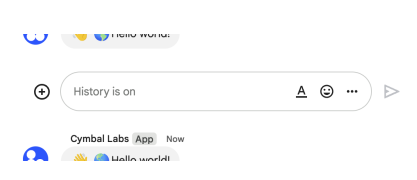 |
| /// The following image shows how Chat attributes a message when you use user |
| /// authentication. Chat displays the user as the message sender and |
| /// attributes the Chat app to the message by displaying its name. The content |
| /// of message can only contain text (`text`). |
| ///  |
| /// The maximum message size, including the message contents, is 32,000 bytes. |
| /// For |
| /// [webhook](https://developers.google.com/workspace/chat/quickstart/webhooks) |
| /// requests, the response doesn't contain the full message. The response only |
| /// populates the `name` and `thread.name` fields in addition to the |
| /// information that was in the request. |
| /// |
| /// [request] - The metadata request object. |
| /// |
| /// Request parameters: |
| /// |
| /// [parent] - Required. The resource name of the space in which to create a |
| /// message. Format: `spaces/{space}` |
| /// Value must have pattern `^spaces/\[^/\]+$`. |
| /// |
| /// [messageId] - Optional. A custom ID for a message. Lets Chat apps get, |
| /// update, or delete a message without needing to store the system-assigned |
| /// ID in the message's resource name (represented in the message `name` |
| /// field). The value for this field must meet the following requirements: * |
| /// Begins with `client-`. For example, `client-custom-name` is a valid custom |
| /// ID, but `custom-name` is not. * Contains up to 63 characters and only |
| /// lowercase letters, numbers, and hyphens. * Is unique within a space. A |
| /// Chat app can't use the same custom ID for different messages. For details, |
| /// see |
| /// [Name a message](https://developers.google.com/workspace/chat/create-messages#name_a_created_message). |
| /// |
| /// [messageReplyOption] - Optional. Specifies whether a message starts a |
| /// thread or replies to one. Only supported in named spaces. When |
| /// [responding to user interactions](https://developers.google.com/workspace/chat/receive-respond-interactions), |
| /// this field is ignored. For interactions within a thread, the reply is |
| /// created in the same thread. Otherwise, the reply is created as a new |
| /// thread. |
| /// Possible string values are: |
| /// - "MESSAGE_REPLY_OPTION_UNSPECIFIED" : Default. Starts a new thread. Using |
| /// this option ignores any thread ID or `thread_key` that's included. |
| /// - "REPLY_MESSAGE_FALLBACK_TO_NEW_THREAD" : Creates the message as a reply |
| /// to the thread specified by thread ID or `thread_key`. If it fails, the |
| /// message starts a new thread instead. |
| /// - "REPLY_MESSAGE_OR_FAIL" : Creates the message as a reply to the thread |
| /// specified by thread ID or `thread_key`. If a new `thread_key` is used, a |
| /// new thread is created. If the message creation fails, a `NOT_FOUND` error |
| /// is returned instead. |
| /// |
| /// [requestId] - Optional. A unique request ID for this message. Specifying |
| /// an existing request ID returns the message created with that ID instead of |
| /// creating a new message. |
| /// |
| /// [threadKey] - Optional. Deprecated: Use thread.thread_key instead. ID for |
| /// the thread. Supports up to 4000 characters. To start or add to a thread, |
| /// create a message and specify a `threadKey` or the thread.name. For example |
| /// usage, see |
| /// [Start or reply to a message thread](https://developers.google.com/workspace/chat/create-messages#create-message-thread). |
| /// |
| /// [$fields] - Selector specifying which fields to include in a partial |
| /// response. |
| /// |
| /// Completes with a [Message]. |
| /// |
| /// Completes with a [commons.ApiRequestError] if the API endpoint returned an |
| /// error. |
| /// |
| /// If the used [http.Client] completes with an error when making a REST call, |
| /// this method will complete with the same error. |
| async.Future<Message> create( |
| Message request, |
| core.String parent, { |
| core.String? messageId, |
| core.String? messageReplyOption, |
| core.String? requestId, |
| core.String? threadKey, |
| core.String? $fields, |
| }) async { |
| final body_ = convert.json.encode(request); |
| final queryParams_ = <core.String, core.List<core.String>>{ |
| 'messageId': ?messageId == null ? null : [messageId], |
| 'messageReplyOption': ?messageReplyOption == null |
| ? null |
| : [messageReplyOption], |
| 'requestId': ?requestId == null ? null : [requestId], |
| 'threadKey': ?threadKey == null ? null : [threadKey], |
| 'fields': ?$fields == null ? null : [$fields], |
| }; |
| |
| final url_ = 'v1/' + core.Uri.encodeFull('$parent') + '/messages'; |
| |
| final response_ = await _requester.request( |
| url_, |
| 'POST', |
| body: body_, |
| queryParams: queryParams_, |
| ); |
| return Message.fromJson(response_ as core.Map<core.String, core.dynamic>); |
| } |
| |
| /// Deletes a message. |
| /// |
| /// For an example, see |
| /// [Delete a message](https://developers.google.com/workspace/chat/delete-messages). |
| /// Supports the following types of |
| /// [authentication](https://developers.google.com/workspace/chat/authenticate-authorize): |
| /// - |
| /// [App authentication](https://developers.google.com/workspace/chat/authenticate-authorize-chat-app) |
| /// with the authorization scope: - `https://www.googleapis.com/auth/chat.bot` |
| /// - |
| /// [User authentication](https://developers.google.com/workspace/chat/authenticate-authorize-chat-user) |
| /// with one of the following authorization scopes: - |
| /// `https://www.googleapis.com/auth/chat.messages` - |
| /// `https://www.googleapis.com/auth/chat.import` (import mode spaces only) |
| /// When using app authentication, requests can only delete messages created |
| /// by the calling Chat app. |
| /// |
| /// Request parameters: |
| /// |
| /// [name] - Required. Resource name of the message. Format: |
| /// `spaces/{space}/messages/{message}` If you've set a custom ID for your |
| /// message, you can use the value from the `clientAssignedMessageId` field |
| /// for `{message}`. For details, see |
| /// [Name a message](https://developers.google.com/workspace/chat/create-messages#name_a_created_message). |
| /// Value must have pattern `^spaces/\[^/\]+/messages/\[^/\]+$`. |
| /// |
| /// [force] - Optional. When `true`, deleting a message also deletes its |
| /// threaded replies. When `false`, if a message has threaded replies, |
| /// deletion fails. Only applies when |
| /// [authenticating as a user](https://developers.google.com/workspace/chat/authenticate-authorize-chat-user). |
| /// Has no effect when |
| /// [authenticating as a Chat app](https://developers.google.com/workspace/chat/authenticate-authorize-chat-app). |
| /// |
| /// [$fields] - Selector specifying which fields to include in a partial |
| /// response. |
| /// |
| /// Completes with a [Empty]. |
| /// |
| /// Completes with a [commons.ApiRequestError] if the API endpoint returned an |
| /// error. |
| /// |
| /// If the used [http.Client] completes with an error when making a REST call, |
| /// this method will complete with the same error. |
| async.Future<Empty> delete( |
| core.String name, { |
| core.bool? force, |
| core.String? $fields, |
| }) async { |
| final queryParams_ = <core.String, core.List<core.String>>{ |
| 'force': ?force == null ? null : ['${force}'], |
| 'fields': ?$fields == null ? null : [$fields], |
| }; |
| |
| final url_ = 'v1/' + core.Uri.encodeFull('$name'); |
| |
| final response_ = await _requester.request( |
| url_, |
| 'DELETE', |
| queryParams: queryParams_, |
| ); |
| return Empty.fromJson(response_ as core.Map<core.String, core.dynamic>); |
| } |
| |
| /// Returns details about a message. |
| /// |
| /// For an example, see |
| /// [Get details about a message](https://developers.google.com/workspace/chat/get-messages). |
| /// Supports the following types of |
| /// [authentication](https://developers.google.com/workspace/chat/authenticate-authorize): |
| /// - |
| /// [App authentication](https://developers.google.com/workspace/chat/authenticate-authorize-chat-app) |
| /// with one of the following authorization scopes: - |
| /// `https://www.googleapis.com/auth/chat.bot`: When using this authorization |
| /// scope, this method returns details about a message the Chat app has access |
| /// to, like direct messages and |
| /// [slash commands](https://developers.google.com/workspace/chat/slash-commands) |
| /// that invoke the Chat app. - |
| /// `https://www.googleapis.com/auth/chat.app.messages.readonly` with |
| /// [administrator approval](https://support.google.com/a?p=chat-app-auth). |
| /// When using this authentication scope, this method returns details about a |
| /// public message in a space. - |
| /// [User authentication](https://developers.google.com/workspace/chat/authenticate-authorize-chat-user) |
| /// with one of the following authorization scopes: - |
| /// `https://www.googleapis.com/auth/chat.messages.readonly` - |
| /// `https://www.googleapis.com/auth/chat.messages` Note: Might return a |
| /// message from a blocked member or space. |
| /// |
| /// Request parameters: |
| /// |
| /// [name] - Required. Resource name of the message. Format: |
| /// `spaces/{space}/messages/{message}` If you've set a custom ID for your |
| /// message, you can use the value from the `clientAssignedMessageId` field |
| /// for `{message}`. For details, see |
| /// [Name a message](https://developers.google.com/workspace/chat/create-messages#name_a_created_message). |
| /// Value must have pattern `^spaces/\[^/\]+/messages/\[^/\]+$`. |
| /// |
| /// [$fields] - Selector specifying which fields to include in a partial |
| /// response. |
| /// |
| /// Completes with a [Message]. |
| /// |
| /// Completes with a [commons.ApiRequestError] if the API endpoint returned an |
| /// error. |
| /// |
| /// If the used [http.Client] completes with an error when making a REST call, |
| /// this method will complete with the same error. |
| async.Future<Message> get(core.String name, {core.String? $fields}) async { |
| final queryParams_ = <core.String, core.List<core.String>>{ |
| 'fields': ?$fields == null ? null : [$fields], |
| }; |
| |
| final url_ = 'v1/' + core.Uri.encodeFull('$name'); |
| |
| final response_ = await _requester.request( |
| url_, |
| 'GET', |
| queryParams: queryParams_, |
| ); |
| return Message.fromJson(response_ as core.Map<core.String, core.dynamic>); |
| } |
| |
| /// Lists messages in a space that the caller is a member of, including |
| /// messages from blocked members and spaces. |
| /// |
| /// System messages, like those announcing new space members, aren't included. |
| /// If you list messages from a space with no messages, the response is an |
| /// empty object. When using a REST/HTTP interface, the response contains an |
| /// empty JSON object, `{}`. For an example, see |
| /// [List messages](https://developers.google.com/workspace/chat/api/guides/v1/messages/list). |
| /// Supports the following types of |
| /// [authentication](https://developers.google.com/workspace/chat/authenticate-authorize): |
| /// - |
| /// [App authentication](https://developers.google.com/workspace/chat/authenticate-authorize-chat-app) |
| /// with |
| /// [administrator approval](https://support.google.com/a?p=chat-app-auth) |
| /// with the authorization scope: - |
| /// `https://www.googleapis.com/auth/chat.app.messages.readonly`. When using |
| /// this authentication scope, this method only returns public messages in a |
| /// space. It doesn't include private messages. - |
| /// [User authentication](https://developers.google.com/workspace/chat/authenticate-authorize-chat-user) |
| /// with one of the following authorization scopes: - |
| /// `https://www.googleapis.com/auth/chat.messages.readonly` - |
| /// `https://www.googleapis.com/auth/chat.messages` - |
| /// `https://www.googleapis.com/auth/chat.import` (import mode spaces only) |
| /// |
| /// Request parameters: |
| /// |
| /// [parent] - Required. The resource name of the space to list messages from. |
| /// Format: `spaces/{space}` |
| /// Value must have pattern `^spaces/\[^/\]+$`. |
| /// |
| /// [filter] - Optional. A query filter. You can filter messages by date |
| /// (`create_time`) and thread (`thread.name`). To filter messages by the date |
| /// they were created, specify the `create_time` with a timestamp in |
| /// \[RFC-3339\](https://www.rfc-editor.org/rfc/rfc3339) format and double |
| /// quotation marks. For example, `"2023-04-21T11:30:00-04:00"`. You can use |
| /// the greater than operator `>` to list messages that were created after a |
| /// timestamp, or the less than operator `<` to list messages that were |
| /// created before a timestamp. To filter messages within a time interval, use |
| /// the `AND` operator between two timestamps. To filter by thread, specify |
| /// the `thread.name`, formatted as `spaces/{space}/threads/{thread}`. You can |
| /// only specify one `thread.name` per query. To filter by both thread and |
| /// date, use the `AND` operator in your query. For example, the following |
| /// queries are valid: ``` create_time > "2012-04-21T11:30:00-04:00" |
| /// create_time > "2012-04-21T11:30:00-04:00" AND thread.name = |
| /// spaces/AAAAAAAAAAA/threads/123 create_time > "2012-04-21T11:30:00+00:00" |
| /// AND create_time < "2013-01-01T00:00:00+00:00" AND thread.name = |
| /// spaces/AAAAAAAAAAA/threads/123 thread.name = |
| /// spaces/AAAAAAAAAAA/threads/123 ``` Invalid queries are rejected by the |
| /// server with an `INVALID_ARGUMENT` error. |
| /// |
| /// [orderBy] - Optional. How the list of messages is ordered. Specify a value |
| /// to order by an ordering operation. Valid ordering operation values are as |
| /// follows: - `ASC` for ascending. - `DESC` for descending. The default |
| /// ordering is `create_time ASC`. |
| /// |
| /// [pageSize] - Optional. The maximum number of messages returned. The |
| /// service might return fewer messages than this value. If unspecified, at |
| /// most 25 are returned. The maximum value is 1000. If you use a value more |
| /// than 1000, it's automatically changed to 1000. Negative values return an |
| /// `INVALID_ARGUMENT` error. |
| /// |
| /// [pageToken] - Optional. A page token received from a previous list |
| /// messages call. Provide this parameter to retrieve the subsequent page. |
| /// When paginating, all other parameters provided should match the call that |
| /// provided the page token. Passing different values to the other parameters |
| /// might lead to unexpected results. |
| /// |
| /// [showDeleted] - Optional. Whether to include deleted messages. Deleted |
| /// messages include deleted time and metadata about their deletion, but |
| /// message content is unavailable. |
| /// |
| /// [$fields] - Selector specifying which fields to include in a partial |
| /// response. |
| /// |
| /// Completes with a [ListMessagesResponse]. |
| /// |
| /// Completes with a [commons.ApiRequestError] if the API endpoint returned an |
| /// error. |
| /// |
| /// If the used [http.Client] completes with an error when making a REST call, |
| /// this method will complete with the same error. |
| async.Future<ListMessagesResponse> list( |
| core.String parent, { |
| core.String? filter, |
| core.String? orderBy, |
| core.int? pageSize, |
| core.String? pageToken, |
| core.bool? showDeleted, |
| core.String? $fields, |
| }) async { |
| final queryParams_ = <core.String, core.List<core.String>>{ |
| 'filter': ?filter == null ? null : [filter], |
| 'orderBy': ?orderBy == null ? null : [orderBy], |
| 'pageSize': ?pageSize == null ? null : ['${pageSize}'], |
| 'pageToken': ?pageToken == null ? null : [pageToken], |
| 'showDeleted': ?showDeleted == null ? null : ['${showDeleted}'], |
| 'fields': ?$fields == null ? null : [$fields], |
| }; |
| |
| final url_ = 'v1/' + core.Uri.encodeFull('$parent') + '/messages'; |
| |
| final response_ = await _requester.request( |
| url_, |
| 'GET', |
| queryParams: queryParams_, |
| ); |
| return ListMessagesResponse.fromJson( |
| response_ as core.Map<core.String, core.dynamic>, |
| ); |
| } |
| |
| /// Updates a message. |
| /// |
| /// There's a difference between the `patch` and `update` methods. The `patch` |
| /// method uses a `patch` request while the `update` method uses a `put` |
| /// request. We recommend using the `patch` method. For an example, see |
| /// [Update a message](https://developers.google.com/workspace/chat/update-messages). |
| /// Supports the following types of |
| /// [authentication](https://developers.google.com/workspace/chat/authenticate-authorize): |
| /// - |
| /// [App authentication](https://developers.google.com/workspace/chat/authenticate-authorize-chat-app) |
| /// with the authorization scope: - `https://www.googleapis.com/auth/chat.bot` |
| /// - |
| /// [User authentication](https://developers.google.com/workspace/chat/authenticate-authorize-chat-user) |
| /// with one of the following authorization scopes: - |
| /// `https://www.googleapis.com/auth/chat.messages` - |
| /// `https://www.googleapis.com/auth/chat.import` (import mode spaces only) |
| /// When using app authentication, requests can only update messages created |
| /// by the calling Chat app. |
| /// |
| /// [request] - The metadata request object. |
| /// |
| /// Request parameters: |
| /// |
| /// [name] - Identifier. Resource name of the message. Format: |
| /// `spaces/{space}/messages/{message}` Where `{space}` is the ID of the space |
| /// where the message is posted and `{message}` is a system-assigned ID for |
| /// the message. For example, |
| /// `spaces/AAAAAAAAAAA/messages/BBBBBBBBBBB.BBBBBBBBBBB`. If you set a custom |
| /// ID when you create a message, you can use this ID to specify the message |
| /// in a request by replacing `{message}` with the value from the |
| /// `clientAssignedMessageId` field. For example, |
| /// `spaces/AAAAAAAAAAA/messages/client-custom-name`. For details, see |
| /// [Name a message](https://developers.google.com/workspace/chat/create-messages#name_a_created_message). |
| /// Value must have pattern `^spaces/\[^/\]+/messages/\[^/\]+$`. |
| /// |
| /// [allowMissing] - Optional. If `true` and the message isn't found, a new |
| /// message is created and `updateMask` is ignored. The specified message ID |
| /// must be |
| /// \[client-assigned\](https://developers.google.com/workspace/chat/create-messages#name_a_created_message) |
| /// or the request fails. |
| /// |
| /// [updateMask] - Required. The field paths to update. Separate multiple |
| /// values with commas or use `*` to update all field paths. Currently |
| /// supported field paths: - `text` - `attachment` - `cards` (Requires \[app |
| /// authentication\](/chat/api/guides/auth/service-accounts).) - `cards_v2` |
| /// (Requires \[app authentication\](/chat/api/guides/auth/service-accounts).) |
| /// - `accessory_widgets` (Requires \[app |
| /// authentication\](/chat/api/guides/auth/service-accounts).) - |
| /// `quoted_message_metadata` (Only allows removal of the quoted message.) |
| /// |
| /// [$fields] - Selector specifying which fields to include in a partial |
| /// response. |
| /// |
| /// Completes with a [Message]. |
| /// |
| /// Completes with a [commons.ApiRequestError] if the API endpoint returned an |
| /// error. |
| /// |
| /// If the used [http.Client] completes with an error when making a REST call, |
| /// this method will complete with the same error. |
| async.Future<Message> patch( |
| Message request, |
| core.String name, { |
| core.bool? allowMissing, |
| core.String? updateMask, |
| core.String? $fields, |
| }) async { |
| final body_ = convert.json.encode(request); |
| final queryParams_ = <core.String, core.List<core.String>>{ |
| 'allowMissing': ?allowMissing == null ? null : ['${allowMissing}'], |
| 'updateMask': ?updateMask == null ? null : [updateMask], |
| 'fields': ?$fields == null ? null : [$fields], |
| }; |
| |
| final url_ = 'v1/' + core.Uri.encodeFull('$name'); |
| |
| final response_ = await _requester.request( |
| url_, |
| 'PATCH', |
| body: body_, |
| queryParams: queryParams_, |
| ); |
| return Message.fromJson(response_ as core.Map<core.String, core.dynamic>); |
| } |
| |
| /// Updates a message. |
| /// |
| /// There's a difference between the `patch` and `update` methods. The `patch` |
| /// method uses a `patch` request while the `update` method uses a `put` |
| /// request. We recommend using the `patch` method. For an example, see |
| /// [Update a message](https://developers.google.com/workspace/chat/update-messages). |
| /// Supports the following types of |
| /// [authentication](https://developers.google.com/workspace/chat/authenticate-authorize): |
| /// - |
| /// [App authentication](https://developers.google.com/workspace/chat/authenticate-authorize-chat-app) |
| /// with the authorization scope: - `https://www.googleapis.com/auth/chat.bot` |
| /// - |
| /// [User authentication](https://developers.google.com/workspace/chat/authenticate-authorize-chat-user) |
| /// with one of the following authorization scopes: - |
| /// `https://www.googleapis.com/auth/chat.messages` - |
| /// `https://www.googleapis.com/auth/chat.import` (import mode spaces only) |
| /// When using app authentication, requests can only update messages created |
| /// by the calling Chat app. |
| /// |
| /// [request] - The metadata request object. |
| /// |
| /// Request parameters: |
| /// |
| /// [name] - Identifier. Resource name of the message. Format: |
| /// `spaces/{space}/messages/{message}` Where `{space}` is the ID of the space |
| /// where the message is posted and `{message}` is a system-assigned ID for |
| /// the message. For example, |
| /// `spaces/AAAAAAAAAAA/messages/BBBBBBBBBBB.BBBBBBBBBBB`. If you set a custom |
| /// ID when you create a message, you can use this ID to specify the message |
| /// in a request by replacing `{message}` with the value from the |
| /// `clientAssignedMessageId` field. For example, |
| /// `spaces/AAAAAAAAAAA/messages/client-custom-name`. For details, see |
| /// [Name a message](https://developers.google.com/workspace/chat/create-messages#name_a_created_message). |
| /// Value must have pattern `^spaces/\[^/\]+/messages/\[^/\]+$`. |
| /// |
| /// [allowMissing] - Optional. If `true` and the message isn't found, a new |
| /// message is created and `updateMask` is ignored. The specified message ID |
| /// must be |
| /// \[client-assigned\](https://developers.google.com/workspace/chat/create-messages#name_a_created_message) |
| /// or the request fails. |
| /// |
| /// [updateMask] - Required. The field paths to update. Separate multiple |
| /// values with commas or use `*` to update all field paths. Currently |
| /// supported field paths: - `text` - `attachment` - `cards` (Requires \[app |
| /// authentication\](/chat/api/guides/auth/service-accounts).) - `cards_v2` |
| /// (Requires \[app authentication\](/chat/api/guides/auth/service-accounts).) |
| /// - `accessory_widgets` (Requires \[app |
| /// authentication\](/chat/api/guides/auth/service-accounts).) - |
| /// `quoted_message_metadata` (Only allows removal of the quoted message.) |
| /// |
| /// [$fields] - Selector specifying which fields to include in a partial |
| /// response. |
| /// |
| /// Completes with a [Message]. |
| /// |
| /// Completes with a [commons.ApiRequestError] if the API endpoint returned an |
| /// error. |
| /// |
| /// If the used [http.Client] completes with an error when making a REST call, |
| /// this method will complete with the same error. |
| async.Future<Message> update( |
| Message request, |
| core.String name, { |
| core.bool? allowMissing, |
| core.String? updateMask, |
| core.String? $fields, |
| }) async { |
| final body_ = convert.json.encode(request); |
| final queryParams_ = <core.String, core.List<core.String>>{ |
| 'allowMissing': ?allowMissing == null ? null : ['${allowMissing}'], |
| 'updateMask': ?updateMask == null ? null : [updateMask], |
| 'fields': ?$fields == null ? null : [$fields], |
| }; |
| |
| final url_ = 'v1/' + core.Uri.encodeFull('$name'); |
| |
| final response_ = await _requester.request( |
| url_, |
| 'PUT', |
| body: body_, |
| queryParams: queryParams_, |
| ); |
| return Message.fromJson(response_ as core.Map<core.String, core.dynamic>); |
| } |
| } |
| |
| class SpacesMessagesAttachmentsResource { |
| final commons.ApiRequester _requester; |
| |
| SpacesMessagesAttachmentsResource(commons.ApiRequester client) |
| : _requester = client; |
| |
| /// Gets the metadata of a message attachment. |
| /// |
| /// The attachment data is fetched using the |
| /// [media API](https://developers.google.com/workspace/chat/api/reference/rest/v1/media/download). |
| /// For an example, see |
| /// [Get metadata about a message attachment](https://developers.google.com/workspace/chat/get-media-attachments). |
| /// Requires |
| /// [app authentication](https://developers.google.com/workspace/chat/authenticate-authorize-chat-app) |
| /// with the |
| /// [authorization scope](https://developers.google.com/workspace/chat/authenticate-authorize#chat-api-scopes): |
| /// - `https://www.googleapis.com/auth/chat.bot` |
| /// |
| /// Request parameters: |
| /// |
| /// [name] - Required. Resource name of the attachment, in the form |
| /// `spaces/{space}/messages/{message}/attachments/{attachment}`. |
| /// Value must have pattern |
| /// `^spaces/\[^/\]+/messages/\[^/\]+/attachments/\[^/\]+$`. |
| /// |
| /// [$fields] - Selector specifying which fields to include in a partial |
| /// response. |
| /// |
| /// Completes with a [Attachment]. |
| /// |
| /// Completes with a [commons.ApiRequestError] if the API endpoint returned an |
| /// error. |
| /// |
| /// If the used [http.Client] completes with an error when making a REST call, |
| /// this method will complete with the same error. |
| async.Future<Attachment> get(core.String name, {core.String? $fields}) async { |
| final queryParams_ = <core.String, core.List<core.String>>{ |
| 'fields': ?$fields == null ? null : [$fields], |
| }; |
| |
| final url_ = 'v1/' + core.Uri.encodeFull('$name'); |
| |
| final response_ = await _requester.request( |
| url_, |
| 'GET', |
| queryParams: queryParams_, |
| ); |
| return Attachment.fromJson( |
| response_ as core.Map<core.String, core.dynamic>, |
| ); |
| } |
| } |
| |
| class SpacesMessagesReactionsResource { |
| final commons.ApiRequester _requester; |
| |
| SpacesMessagesReactionsResource(commons.ApiRequester client) |
| : _requester = client; |
| |
| /// Creates a reaction and adds it to a message. |
| /// |
| /// For an example, see |
| /// [Add a reaction to a message](https://developers.google.com/workspace/chat/create-reactions). |
| /// Requires |
| /// [user authentication](https://developers.google.com/workspace/chat/authenticate-authorize-chat-user) |
| /// with one of the following |
| /// [authorization scopes](https://developers.google.com/workspace/chat/authenticate-authorize#chat-api-scopes): |
| /// - `https://www.googleapis.com/auth/chat.messages.reactions.create` - |
| /// `https://www.googleapis.com/auth/chat.messages.reactions` - |
| /// `https://www.googleapis.com/auth/chat.messages` - |
| /// `https://www.googleapis.com/auth/chat.import` (import mode spaces only) |
| /// |
| /// [request] - The metadata request object. |
| /// |
| /// Request parameters: |
| /// |
| /// [parent] - Required. The message where the reaction is created. Format: |
| /// `spaces/{space}/messages/{message}` |
| /// Value must have pattern `^spaces/\[^/\]+/messages/\[^/\]+$`. |
| /// |
| /// [$fields] - Selector specifying which fields to include in a partial |
| /// response. |
| /// |
| /// Completes with a [Reaction]. |
| /// |
| /// Completes with a [commons.ApiRequestError] if the API endpoint returned an |
| /// error. |
| /// |
| /// If the used [http.Client] completes with an error when making a REST call, |
| /// this method will complete with the same error. |
| async.Future<Reaction> create( |
| Reaction request, |
| core.String parent, { |
| core.String? $fields, |
| }) async { |
| final body_ = convert.json.encode(request); |
| final queryParams_ = <core.String, core.List<core.String>>{ |
| 'fields': ?$fields == null ? null : [$fields], |
| }; |
| |
| final url_ = 'v1/' + core.Uri.encodeFull('$parent') + '/reactions'; |
| |
| final response_ = await _requester.request( |
| url_, |
| 'POST', |
| body: body_, |
| queryParams: queryParams_, |
| ); |
| return Reaction.fromJson(response_ as core.Map<core.String, core.dynamic>); |
| } |
| |
| /// Deletes a reaction to a message. |
| /// |
| /// For an example, see |
| /// [Delete a reaction](https://developers.google.com/workspace/chat/delete-reactions). |
| /// Requires |
| /// [user authentication](https://developers.google.com/workspace/chat/authenticate-authorize-chat-user) |
| /// with one of the following |
| /// [authorization scopes](https://developers.google.com/workspace/chat/authenticate-authorize#chat-api-scopes): |
| /// - `https://www.googleapis.com/auth/chat.messages.reactions` - |
| /// `https://www.googleapis.com/auth/chat.messages` - |
| /// `https://www.googleapis.com/auth/chat.import` (import mode spaces only) |
| /// |
| /// Request parameters: |
| /// |
| /// [name] - Required. Name of the reaction to delete. Format: |
| /// `spaces/{space}/messages/{message}/reactions/{reaction}` |
| /// Value must have pattern |
| /// `^spaces/\[^/\]+/messages/\[^/\]+/reactions/\[^/\]+$`. |
| /// |
| /// [$fields] - Selector specifying which fields to include in a partial |
| /// response. |
| /// |
| /// Completes with a [Empty]. |
| /// |
| /// Completes with a [commons.ApiRequestError] if the API endpoint returned an |
| /// error. |
| /// |
| /// If the used [http.Client] completes with an error when making a REST call, |
| /// this method will complete with the same error. |
| async.Future<Empty> delete(core.String name, {core.String? $fields}) async { |
| final queryParams_ = <core.String, core.List<core.String>>{ |
| 'fields': ?$fields == null ? null : [$fields], |
| }; |
| |
| final url_ = 'v1/' + core.Uri.encodeFull('$name'); |
| |
| final response_ = await _requester.request( |
| url_, |
| 'DELETE', |
| queryParams: queryParams_, |
| ); |
| return Empty.fromJson(response_ as core.Map<core.String, core.dynamic>); |
| } |
| |
| /// Lists reactions to a message. |
| /// |
| /// For an example, see |
| /// [List reactions for a message](https://developers.google.com/workspace/chat/list-reactions). |
| /// Requires |
| /// [user authentication](https://developers.google.com/workspace/chat/authenticate-authorize-chat-user) |
| /// with one of the following |
| /// [authorization scopes](https://developers.google.com/workspace/chat/authenticate-authorize#chat-api-scopes): |
| /// - `https://www.googleapis.com/auth/chat.messages.reactions.readonly` - |
| /// `https://www.googleapis.com/auth/chat.messages.reactions` - |
| /// `https://www.googleapis.com/auth/chat.messages.readonly` - |
| /// `https://www.googleapis.com/auth/chat.messages` |
| /// |
| /// Request parameters: |
| /// |
| /// [parent] - Required. The message users reacted to. Format: |
| /// `spaces/{space}/messages/{message}` |
| /// Value must have pattern `^spaces/\[^/\]+/messages/\[^/\]+$`. |
| /// |
| /// [filter] - Optional. A query filter. You can filter reactions by |
| /// [emoji](https://developers.google.com/workspace/chat/api/reference/rest/v1/Emoji) |
| /// (either `emoji.unicode` or `emoji.custom_emoji.uid`) and |
| /// [user](https://developers.google.com/workspace/chat/api/reference/rest/v1/User) |
| /// (`user.name`). To filter reactions for multiple emojis or users, join |
| /// similar fields with the `OR` operator, such as `emoji.unicode = "🙂" OR |
| /// emoji.unicode = "👍"` and `user.name = "users/AAAAAA" OR user.name = |
| /// "users/BBBBBB"`. To filter reactions by emoji and user, use the `AND` |
| /// operator, such as `emoji.unicode = "🙂" AND user.name = "users/AAAAAA"`. |
| /// If your query uses both `AND` and `OR`, group them with parentheses. For |
| /// example, the following queries are valid: ``` user.name = "users/{user}" |
| /// emoji.unicode = "🙂" emoji.custom_emoji.uid = "{uid}" emoji.unicode = "🙂" |
| /// OR emoji.unicode = "👍" emoji.unicode = "🙂" OR emoji.custom_emoji.uid = |
| /// "{uid}" emoji.unicode = "🙂" AND user.name = "users/{user}" (emoji.unicode |
| /// = "🙂" OR emoji.custom_emoji.uid = "{uid}") AND user.name = "users/{user}" |
| /// ``` The following queries are invalid: ``` emoji.unicode = "🙂" AND |
| /// emoji.unicode = "👍" emoji.unicode = "🙂" AND emoji.custom_emoji.uid = |
| /// "{uid}" emoji.unicode = "🙂" OR user.name = "users/{user}" emoji.unicode = |
| /// "🙂" OR emoji.custom_emoji.uid = "{uid}" OR user.name = "users/{user}" |
| /// emoji.unicode = "🙂" OR emoji.custom_emoji.uid = "{uid}" AND user.name = |
| /// "users/{user}" ``` Invalid queries are rejected with an `INVALID_ARGUMENT` |
| /// error. |
| /// |
| /// [pageSize] - Optional. The maximum number of reactions returned. The |
| /// service can return fewer reactions than this value. If unspecified, the |
| /// default value is 25. The maximum value is 200; values above 200 are |
| /// changed to 200. |
| /// |
| /// [pageToken] - Optional. (If resuming from a previous query.) A page token |
| /// received from a previous list reactions call. Provide this to retrieve the |
| /// subsequent page. When paginating, the filter value should match the call |
| /// that provided the page token. Passing a different value might lead to |
| /// unexpected results. |
| /// |
| /// [$fields] - Selector specifying which fields to include in a partial |
| /// response. |
| /// |
| /// Completes with a [ListReactionsResponse]. |
| /// |
| /// Completes with a [commons.ApiRequestError] if the API endpoint returned an |
| /// error. |
| /// |
| /// If the used [http.Client] completes with an error when making a REST call, |
| /// this method will complete with the same error. |
| async.Future<ListReactionsResponse> list( |
| core.String parent, { |
| core.String? filter, |
| core.int? pageSize, |
| core.String? pageToken, |
| core.String? $fields, |
| }) async { |
| final queryParams_ = <core.String, core.List<core.String>>{ |
| 'filter': ?filter == null ? null : [filter], |
| 'pageSize': ?pageSize == null ? null : ['${pageSize}'], |
| 'pageToken': ?pageToken == null ? null : [pageToken], |
| 'fields': ?$fields == null ? null : [$fields], |
| }; |
| |
| final url_ = 'v1/' + core.Uri.encodeFull('$parent') + '/reactions'; |
| |
| final response_ = await _requester.request( |
| url_, |
| 'GET', |
| queryParams: queryParams_, |
| ); |
| return ListReactionsResponse.fromJson( |
| response_ as core.Map<core.String, core.dynamic>, |
| ); |
| } |
| } |
| |
| class SpacesSpaceEventsResource { |
| final commons.ApiRequester _requester; |
| |
| SpacesSpaceEventsResource(commons.ApiRequester client) : _requester = client; |
| |
| /// Returns an event from a Google Chat space. |
| /// |
| /// The |
| /// [event payload](https://developers.google.com/workspace/chat/api/reference/rest/v1/spaces.spaceEvents#SpaceEvent.FIELDS.oneof_payload) |
| /// contains the most recent version of the resource that changed. For |
| /// example, if you request an event about a new message but the message was |
| /// later updated, the server returns the updated `Message` resource in the |
| /// event payload. Note: The `permissionSettings` field is not returned in the |
| /// Space object of the Space event data for this request. Supports the |
| /// following types of |
| /// [authentication](https://developers.google.com/workspace/chat/authenticate-authorize) |
| /// with an |
| /// [authorization scope](https://developers.google.com/workspace/chat/authenticate-authorize#chat-api-scopes) |
| /// appropriate for reading the requested data: - |
| /// [App authentication](https://developers.google.com/workspace/chat/authenticate-authorize-chat-app) |
| /// with |
| /// [administrator approval](https://support.google.com/a?p=chat-app-auth) |
| /// with one of the following authorization scopes: - |
| /// `https://www.googleapis.com/auth/chat.app.spaces` - |
| /// `https://www.googleapis.com/auth/chat.app.spaces.readonly` - |
| /// `https://www.googleapis.com/auth/chat.app.messages.readonly` - |
| /// `https://www.googleapis.com/auth/chat.app.memberships` - |
| /// `https://www.googleapis.com/auth/chat.app.memberships.readonly` - |
| /// [User authentication](https://developers.google.com/workspace/chat/authenticate-authorize-chat-user) |
| /// with one of the following authorization scopes: - |
| /// `https://www.googleapis.com/auth/chat.spaces.readonly` - |
| /// `https://www.googleapis.com/auth/chat.spaces` - |
| /// `https://www.googleapis.com/auth/chat.messages.readonly` - |
| /// `https://www.googleapis.com/auth/chat.messages` - |
| /// `https://www.googleapis.com/auth/chat.messages.reactions.readonly` - |
| /// `https://www.googleapis.com/auth/chat.messages.reactions` - |
| /// `https://www.googleapis.com/auth/chat.memberships.readonly` - |
| /// `https://www.googleapis.com/auth/chat.memberships` To get an event, the |
| /// authenticated caller must be a member of the space. For an example, see |
| /// [Get details about an event from a Google Chat space](https://developers.google.com/workspace/chat/get-space-event). |
| /// |
| /// Request parameters: |
| /// |
| /// [name] - Required. The resource name of the space event. Format: |
| /// `spaces/{space}/spaceEvents/{spaceEvent}` |
| /// Value must have pattern `^spaces/\[^/\]+/spaceEvents/\[^/\]+$`. |
| /// |
| /// [$fields] - Selector specifying which fields to include in a partial |
| /// response. |
| /// |
| /// Completes with a [SpaceEvent]. |
| /// |
| /// Completes with a [commons.ApiRequestError] if the API endpoint returned an |
| /// error. |
| /// |
| /// If the used [http.Client] completes with an error when making a REST call, |
| /// this method will complete with the same error. |
| async.Future<SpaceEvent> get(core.String name, {core.String? $fields}) async { |
| final queryParams_ = <core.String, core.List<core.String>>{ |
| 'fields': ?$fields == null ? null : [$fields], |
| }; |
| |
| final url_ = 'v1/' + core.Uri.encodeFull('$name'); |
| |
| final response_ = await _requester.request( |
| url_, |
| 'GET', |
| queryParams: queryParams_, |
| ); |
| return SpaceEvent.fromJson( |
| response_ as core.Map<core.String, core.dynamic>, |
| ); |
| } |
| |
| /// Lists events from a Google Chat space. |
| /// |
| /// For each event, the |
| /// [payload](https://developers.google.com/workspace/chat/api/reference/rest/v1/spaces.spaceEvents#SpaceEvent.FIELDS.oneof_payload) |
| /// contains the most recent version of the Chat resource. For example, if you |
| /// list events about new space members, the server returns `Membership` |
| /// resources that contain the latest membership details. If new members were |
| /// removed during the requested period, the event payload contains an empty |
| /// `Membership` resource. Supports the following types of |
| /// [authentication](https://developers.google.com/workspace/chat/authenticate-authorize) |
| /// with an |
| /// [authorization scope](https://developers.google.com/workspace/chat/authenticate-authorize#chat-api-scopes) |
| /// appropriate for reading the requested data: - |
| /// [App authentication](https://developers.google.com/workspace/chat/authenticate-authorize-chat-app) |
| /// with |
| /// [administrator approval](https://support.google.com/a?p=chat-app-auth) |
| /// with one of the following authorization scopes: - |
| /// `https://www.googleapis.com/auth/chat.app.spaces` - |
| /// `https://www.googleapis.com/auth/chat.app.spaces.readonly` - |
| /// `https://www.googleapis.com/auth/chat.app.messages.readonly` - |
| /// `https://www.googleapis.com/auth/chat.app.memberships` - |
| /// `https://www.googleapis.com/auth/chat.app.memberships.readonly` - |
| /// [User authentication](https://developers.google.com/workspace/chat/authenticate-authorize-chat-user) |
| /// with one of the following authorization scopes: - |
| /// `https://www.googleapis.com/auth/chat.spaces.readonly` - |
| /// `https://www.googleapis.com/auth/chat.spaces` - |
| /// `https://www.googleapis.com/auth/chat.messages.readonly` - |
| /// `https://www.googleapis.com/auth/chat.messages` - |
| /// `https://www.googleapis.com/auth/chat.messages.reactions.readonly` - |
| /// `https://www.googleapis.com/auth/chat.messages.reactions` - |
| /// `https://www.googleapis.com/auth/chat.memberships.readonly` - |
| /// `https://www.googleapis.com/auth/chat.memberships` To list events, the |
| /// authenticated caller must be a member of the space. For an example, see |
| /// [List events from a Google Chat space](https://developers.google.com/workspace/chat/list-space-events). |
| /// |
| /// Request parameters: |
| /// |
| /// [parent] - Required. Resource name of the |
| /// [Google Chat space](https://developers.google.com/workspace/chat/api/reference/rest/v1/spaces) |
| /// where the events occurred. Format: `spaces/{space}`. |
| /// Value must have pattern `^spaces/\[^/\]+$`. |
| /// |
| /// [filter] - Required. A query filter. You must specify at least one event |
| /// type (`event_type`) using the has `:` operator. To filter by multiple |
| /// event types, use the `OR` operator. Omit batch event types in your filter. |
| /// The request automatically returns any related batch events. For example, |
| /// if you filter by new reactions |
| /// (`google.workspace.chat.reaction.v1.created`), the server also returns |
| /// batch new reactions events |
| /// (`google.workspace.chat.reaction.v1.batchCreated`). For a list of |
| /// supported event types, see the \[`SpaceEvents` reference |
| /// documentation\](https://developers.google.com/workspace/chat/api/reference/rest/v1/spaces.spaceEvents#SpaceEvent.FIELDS.event_type). |
| /// Optionally, you can also filter by start time (`start_time`) and end time |
| /// (`end_time`): * `start_time`: Exclusive timestamp from which to start |
| /// listing space events. You can list events that occurred up to 28 days ago. |
| /// If unspecified, lists space events from the past 28 days. * `end_time`: |
| /// Inclusive timestamp until which space events are listed. If unspecified, |
| /// lists events up to the time of the request. To specify a start or end |
| /// time, use the equals `=` operator and format in |
| /// \[RFC-3339\](https://www.rfc-editor.org/rfc/rfc3339). To filter by both |
| /// `start_time` and `end_time`, use the `AND` operator. For example, the |
| /// following queries are valid: ``` start_time="2023-08-23T19:20:33+00:00" |
| /// AND end_time="2023-08-23T19:21:54+00:00" ``` ``` |
| /// start_time="2023-08-23T19:20:33+00:00" AND |
| /// (event_types:"google.workspace.chat.space.v1.updated" OR |
| /// event_types:"google.workspace.chat.message.v1.created") ``` The following |
| /// queries are invalid: ``` start_time="2023-08-23T19:20:33+00:00" OR |
| /// end_time="2023-08-23T19:21:54+00:00" ``` ``` |
| /// event_types:"google.workspace.chat.space.v1.updated" AND |
| /// event_types:"google.workspace.chat.message.v1.created" ``` Invalid queries |
| /// are rejected by the server with an `INVALID_ARGUMENT` error. |
| /// |
| /// [pageSize] - Optional. The maximum number of space events returned. The |
| /// service might return fewer than this value. Negative values return an |
| /// `INVALID_ARGUMENT` error. |
| /// |
| /// [pageToken] - Optional. A page token, received from a previous list space |
| /// events call. Provide this to retrieve the subsequent page. When |
| /// paginating, all other parameters provided to list space events must match |
| /// the call that provided the page token. Passing different values to the |
| /// other parameters might lead to unexpected results. |
| /// |
| /// [$fields] - Selector specifying which fields to include in a partial |
| /// response. |
| /// |
| /// Completes with a [ListSpaceEventsResponse]. |
| /// |
| /// Completes with a [commons.ApiRequestError] if the API endpoint returned an |
| /// error. |
| /// |
| /// If the used [http.Client] completes with an error when making a REST call, |
| /// this method will complete with the same error. |
| async.Future<ListSpaceEventsResponse> list( |
| core.String parent, { |
| core.String? filter, |
| core.int? pageSize, |
| core.String? pageToken, |
| core.String? $fields, |
| }) async { |
| final queryParams_ = <core.String, core.List<core.String>>{ |
| 'filter': ?filter == null ? null : [filter], |
| 'pageSize': ?pageSize == null ? null : ['${pageSize}'], |
| 'pageToken': ?pageToken == null ? null : [pageToken], |
| 'fields': ?$fields == null ? null : [$fields], |
| }; |
| |
| final url_ = 'v1/' + core.Uri.encodeFull('$parent') + '/spaceEvents'; |
| |
| final response_ = await _requester.request( |
| url_, |
| 'GET', |
| queryParams: queryParams_, |
| ); |
| return ListSpaceEventsResponse.fromJson( |
| response_ as core.Map<core.String, core.dynamic>, |
| ); |
| } |
| } |
| |
| class UsersResource { |
| final commons.ApiRequester _requester; |
| |
| UsersSectionsResource get sections => UsersSectionsResource(_requester); |
| UsersSpacesResource get spaces => UsersSpacesResource(_requester); |
| |
| UsersResource(commons.ApiRequester client) : _requester = client; |
| } |
| |
| class UsersSectionsResource { |
| final commons.ApiRequester _requester; |
| |
| UsersSectionsItemsResource get items => |
| UsersSectionsItemsResource(_requester); |
| |
| UsersSectionsResource(commons.ApiRequester client) : _requester = client; |
| |
| /// Creates a section in Google Chat. |
| /// |
| /// Sections help users group conversations and customize the list of spaces |
| /// displayed in Chat navigation panel. Only sections of type `CUSTOM_SECTION` |
| /// can be created. For details, see |
| /// [Create and organize sections in Google Chat](https://support.google.com/chat/answer/16059854). |
| /// Requires |
| /// [user authentication](https://developers.google.com/workspace/chat/authenticate-authorize-chat-user) |
| /// with the |
| /// [authorization scope](https://developers.google.com/workspace/chat/authenticate-authorize#chat-api-scopes): |
| /// - `https://www.googleapis.com/auth/chat.users.sections` |
| /// |
| /// [request] - The metadata request object. |
| /// |
| /// Request parameters: |
| /// |
| /// [parent] - Required. The parent resource name where the section is |
| /// created. Format: `users/{user}` |
| /// Value must have pattern `^users/\[^/\]+$`. |
| /// |
| /// [$fields] - Selector specifying which fields to include in a partial |
| /// response. |
| /// |
| /// Completes with a [GoogleChatV1Section]. |
| /// |
| /// Completes with a [commons.ApiRequestError] if the API endpoint returned an |
| /// error. |
| /// |
| /// If the used [http.Client] completes with an error when making a REST call, |
| /// this method will complete with the same error. |
| async.Future<GoogleChatV1Section> create( |
| GoogleChatV1Section request, |
| core.String parent, { |
| core.String? $fields, |
| }) async { |
| final body_ = convert.json.encode(request); |
| final queryParams_ = <core.String, core.List<core.String>>{ |
| 'fields': ?$fields == null ? null : [$fields], |
| }; |
| |
| final url_ = 'v1/' + core.Uri.encodeFull('$parent') + '/sections'; |
| |
| final response_ = await _requester.request( |
| url_, |
| 'POST', |
| body: body_, |
| queryParams: queryParams_, |
| ); |
| return GoogleChatV1Section.fromJson( |
| response_ as core.Map<core.String, core.dynamic>, |
| ); |
| } |
| |
| /// Deletes a section of type `CUSTOM_SECTION`. |
| /// |
| /// If the section contains items, such as spaces, the items are moved to |
| /// Google Chat's default sections and are not deleted. For details, see |
| /// [Create and organize sections in Google Chat](https://support.google.com/chat/answer/16059854). |
| /// Requires |
| /// [user authentication](https://developers.google.com/workspace/chat/authenticate-authorize-chat-user) |
| /// with the |
| /// [authorization scope](https://developers.google.com/workspace/chat/authenticate-authorize#chat-api-scopes): |
| /// - `https://www.googleapis.com/auth/chat.users.sections` |
| /// |
| /// Request parameters: |
| /// |
| /// [name] - Required. The name of the section to delete. Format: |
| /// `users/{user}/sections/{section}` |
| /// Value must have pattern `^users/\[^/\]+/sections/\[^/\]+$`. |
| /// |
| /// [$fields] - Selector specifying which fields to include in a partial |
| /// response. |
| /// |
| /// Completes with a [Empty]. |
| /// |
| /// Completes with a [commons.ApiRequestError] if the API endpoint returned an |
| /// error. |
| /// |
| /// If the used [http.Client] completes with an error when making a REST call, |
| /// this method will complete with the same error. |
| async.Future<Empty> delete(core.String name, {core.String? $fields}) async { |
| final queryParams_ = <core.String, core.List<core.String>>{ |
| 'fields': ?$fields == null ? null : [$fields], |
| }; |
| |
| final url_ = 'v1/' + core.Uri.encodeFull('$name'); |
| |
| final response_ = await _requester.request( |
| url_, |
| 'DELETE', |
| queryParams: queryParams_, |
| ); |
| return Empty.fromJson(response_ as core.Map<core.String, core.dynamic>); |
| } |
| |
| /// Lists sections available to the Chat user. |
| /// |
| /// Sections help users group their conversations and customize the list of |
| /// spaces displayed in Chat navigation panel. For details, see |
| /// [Create and organize sections in Google Chat](https://support.google.com/chat/answer/16059854). |
| /// Requires |
| /// [user authentication](https://developers.google.com/workspace/chat/authenticate-authorize-chat-user) |
| /// with the |
| /// [authorization scope](https://developers.google.com/workspace/chat/authenticate-authorize#chat-api-scopes): |
| /// - `https://www.googleapis.com/auth/chat.users.sections` - |
| /// `https://www.googleapis.com/auth/chat.users.sections.readonly` |
| /// |
| /// Request parameters: |
| /// |
| /// [parent] - Required. The parent, which is the user resource name that owns |
| /// this collection of sections. Only supports listing sections for the |
| /// calling user. To refer to the calling user, set one of the following: - |
| /// The `me` alias. For example, `users/me`. - Their Workspace email address. |
| /// For example, `users/user@example.com`. - Their user id. For example, |
| /// `users/123456789`. Format: `users/{user}` |
| /// Value must have pattern `^users/\[^/\]+$`. |
| /// |
| /// [pageSize] - Optional. The maximum number of sections to return. The |
| /// service may return fewer than this value. If unspecified, at most 10 |
| /// sections will be returned. The maximum value is 100. If you use a value |
| /// more than 100, it's automatically changed to 100. Negative values return |
| /// an `INVALID_ARGUMENT` error. |
| /// |
| /// [pageToken] - Optional. A page token, received from a previous list |
| /// sections call. Provide this to retrieve the subsequent page. When |
| /// paginating, all other parameters provided should match the call that |
| /// provided the page token. Passing different values to the other parameters |
| /// might lead to unexpected results. |
| /// |
| /// [$fields] - Selector specifying which fields to include in a partial |
| /// response. |
| /// |
| /// Completes with a [ListSectionsResponse]. |
| /// |
| /// Completes with a [commons.ApiRequestError] if the API endpoint returned an |
| /// error. |
| /// |
| /// If the used [http.Client] completes with an error when making a REST call, |
| /// this method will complete with the same error. |
| async.Future<ListSectionsResponse> list( |
| core.String parent, { |
| core.int? pageSize, |
| core.String? pageToken, |
| core.String? $fields, |
| }) async { |
| final queryParams_ = <core.String, core.List<core.String>>{ |
| 'pageSize': ?pageSize == null ? null : ['${pageSize}'], |
| 'pageToken': ?pageToken == null ? null : [pageToken], |
| 'fields': ?$fields == null ? null : [$fields], |
| }; |
| |
| final url_ = 'v1/' + core.Uri.encodeFull('$parent') + '/sections'; |
| |
| final response_ = await _requester.request( |
| url_, |
| 'GET', |
| queryParams: queryParams_, |
| ); |
| return ListSectionsResponse.fromJson( |
| response_ as core.Map<core.String, core.dynamic>, |
| ); |
| } |
| |
| /// Updates a section. |
| /// |
| /// Only sections of type `CUSTOM_SECTION` can be updated. For details, see |
| /// [Create and organize sections in Google Chat](https://support.google.com/chat/answer/16059854). |
| /// Requires |
| /// [user authentication](https://developers.google.com/workspace/chat/authenticate-authorize-chat-user) |
| /// with the |
| /// [authorization scope](https://developers.google.com/workspace/chat/authenticate-authorize#chat-api-scopes): |
| /// - `https://www.googleapis.com/auth/chat.users.sections` |
| /// |
| /// [request] - The metadata request object. |
| /// |
| /// Request parameters: |
| /// |
| /// [name] - Identifier. Resource name of the section. For system sections, |
| /// the section ID is a constant string: - DEFAULT_DIRECT_MESSAGES: |
| /// `users/{user}/sections/default-direct-messages` - DEFAULT_SPACES: |
| /// `users/{user}/sections/default-spaces` - DEFAULT_APPS: |
| /// `users/{user}/sections/default-apps` Format: |
| /// `users/{user}/sections/{section}` |
| /// Value must have pattern `^users/\[^/\]+/sections/\[^/\]+$`. |
| /// |
| /// [updateMask] - Required. The mask to specify which fields to update. |
| /// Currently supported field paths: - `display_name` |
| /// |
| /// [$fields] - Selector specifying which fields to include in a partial |
| /// response. |
| /// |
| /// Completes with a [GoogleChatV1Section]. |
| /// |
| /// Completes with a [commons.ApiRequestError] if the API endpoint returned an |
| /// error. |
| /// |
| /// If the used [http.Client] completes with an error when making a REST call, |
| /// this method will complete with the same error. |
| async.Future<GoogleChatV1Section> patch( |
| GoogleChatV1Section request, |
| core.String name, { |
| core.String? updateMask, |
| core.String? $fields, |
| }) async { |
| final body_ = convert.json.encode(request); |
| final queryParams_ = <core.String, core.List<core.String>>{ |
| 'updateMask': ?updateMask == null ? null : [updateMask], |
| 'fields': ?$fields == null ? null : [$fields], |
| }; |
| |
| final url_ = 'v1/' + core.Uri.encodeFull('$name'); |
| |
| final response_ = await _requester.request( |
| url_, |
| 'PATCH', |
| body: body_, |
| queryParams: queryParams_, |
| ); |
| return GoogleChatV1Section.fromJson( |
| response_ as core.Map<core.String, core.dynamic>, |
| ); |
| } |
| |
| /// Changes the sort order of a section. |
| /// |
| /// For details, see |
| /// [Create and organize sections in Google Chat](https://support.google.com/chat/answer/16059854). |
| /// Requires |
| /// [user authentication](https://developers.google.com/workspace/chat/authenticate-authorize-chat-user) |
| /// with the |
| /// [authorization scope](https://developers.google.com/workspace/chat/authenticate-authorize#chat-api-scopes): |
| /// - `https://www.googleapis.com/auth/chat.users.sections` |
| /// |
| /// [request] - The metadata request object. |
| /// |
| /// Request parameters: |
| /// |
| /// [name] - Required. The resource name of the section to position. Format: |
| /// `users/{user}/sections/{section}` |
| /// Value must have pattern `^users/\[^/\]+/sections/\[^/\]+$`. |
| /// |
| /// [$fields] - Selector specifying which fields to include in a partial |
| /// response. |
| /// |
| /// Completes with a [PositionSectionResponse]. |
| /// |
| /// Completes with a [commons.ApiRequestError] if the API endpoint returned an |
| /// error. |
| /// |
| /// If the used [http.Client] completes with an error when making a REST call, |
| /// this method will complete with the same error. |
| async.Future<PositionSectionResponse> position( |
| PositionSectionRequest request, |
| core.String name, { |
| core.String? $fields, |
| }) async { |
| final body_ = convert.json.encode(request); |
| final queryParams_ = <core.String, core.List<core.String>>{ |
| 'fields': ?$fields == null ? null : [$fields], |
| }; |
| |
| final url_ = 'v1/' + core.Uri.encodeFull('$name') + ':position'; |
| |
| final response_ = await _requester.request( |
| url_, |
| 'POST', |
| body: body_, |
| queryParams: queryParams_, |
| ); |
| return PositionSectionResponse.fromJson( |
| response_ as core.Map<core.String, core.dynamic>, |
| ); |
| } |
| } |
| |
| class UsersSectionsItemsResource { |
| final commons.ApiRequester _requester; |
| |
| UsersSectionsItemsResource(commons.ApiRequester client) : _requester = client; |
| |
| /// Lists items in a section. |
| /// |
| /// Only spaces can be section items. For details, see |
| /// [Create and organize sections in Google Chat](https://support.google.com/chat/answer/16059854). |
| /// Requires |
| /// [user authentication](https://developers.google.com/workspace/chat/authenticate-authorize-chat-user) |
| /// with the |
| /// [authorization scope](https://developers.google.com/workspace/chat/authenticate-authorize#chat-api-scopes): |
| /// - `https://www.googleapis.com/auth/chat.users.sections` - |
| /// `https://www.googleapis.com/auth/chat.users.sections.readonly` |
| /// |
| /// Request parameters: |
| /// |
| /// [parent] - Required. The parent, which is the section resource name that |
| /// owns this collection of section items. Only supports listing section items |
| /// for the calling user. When you're filtering by space, use the wildcard `-` |
| /// to search across all sections. For example, `users/{user}/sections/-`. |
| /// Format: `users/{user}/sections/{section}` |
| /// Value must have pattern `^users/\[^/\]+/sections/\[^/\]+$`. |
| /// |
| /// [filter] - Optional. A query filter. Currently only supports filtering by |
| /// space. For example, `space = spaces/{space}`. Invalid queries are rejected |
| /// with an `INVALID_ARGUMENT` error. |
| /// |
| /// [pageSize] - Optional. The maximum number of section items to return. The |
| /// service may return fewer than this value. If unspecified, at most 10 |
| /// section items will be returned. The maximum value is 100. If you use a |
| /// value more than 100, it's automatically changed to 100. Negative values |
| /// return an `INVALID_ARGUMENT` error. |
| /// |
| /// [pageToken] - Optional. A page token, received from a previous list |
| /// section items call. Provide this to retrieve the subsequent page. When |
| /// paginating, all other parameters provided should match the call that |
| /// provided the page token. Passing different values to the other parameters |
| /// might lead to unexpected results. |
| /// |
| /// [$fields] - Selector specifying which fields to include in a partial |
| /// response. |
| /// |
| /// Completes with a [ListSectionItemsResponse]. |
| /// |
| /// Completes with a [commons.ApiRequestError] if the API endpoint returned an |
| /// error. |
| /// |
| /// If the used [http.Client] completes with an error when making a REST call, |
| /// this method will complete with the same error. |
| async.Future<ListSectionItemsResponse> list( |
| core.String parent, { |
| core.String? filter, |
| core.int? pageSize, |
| core.String? pageToken, |
| core.String? $fields, |
| }) async { |
| final queryParams_ = <core.String, core.List<core.String>>{ |
| 'filter': ?filter == null ? null : [filter], |
| 'pageSize': ?pageSize == null ? null : ['${pageSize}'], |
| 'pageToken': ?pageToken == null ? null : [pageToken], |
| 'fields': ?$fields == null ? null : [$fields], |
| }; |
| |
| final url_ = 'v1/' + core.Uri.encodeFull('$parent') + '/items'; |
| |
| final response_ = await _requester.request( |
| url_, |
| 'GET', |
| queryParams: queryParams_, |
| ); |
| return ListSectionItemsResponse.fromJson( |
| response_ as core.Map<core.String, core.dynamic>, |
| ); |
| } |
| |
| /// Moves an item from one section to another. |
| /// |
| /// For example, if a section contains spaces, this method can be used to move |
| /// a space to a different section. For details, see |
| /// [Create and organize sections in Google Chat](https://support.google.com/chat/answer/16059854). |
| /// Requires |
| /// [user authentication](https://developers.google.com/workspace/chat/authenticate-authorize-chat-user) |
| /// with the |
| /// [authorization scope](https://developers.google.com/workspace/chat/authenticate-authorize#chat-api-scopes): |
| /// - `https://www.googleapis.com/auth/chat.users.sections` |
| /// |
| /// [request] - The metadata request object. |
| /// |
| /// Request parameters: |
| /// |
| /// [name] - Required. The resource name of the section item to move. Format: |
| /// `users/{user}/sections/{section}/items/{item}` |
| /// Value must have pattern `^users/\[^/\]+/sections/\[^/\]+/items/\[^/\]+$`. |
| /// |
| /// [$fields] - Selector specifying which fields to include in a partial |
| /// response. |
| /// |
| /// Completes with a [MoveSectionItemResponse]. |
| /// |
| /// Completes with a [commons.ApiRequestError] if the API endpoint returned an |
| /// error. |
| /// |
| /// If the used [http.Client] completes with an error when making a REST call, |
| /// this method will complete with the same error. |
| async.Future<MoveSectionItemResponse> move( |
| MoveSectionItemRequest request, |
| core.String name, { |
| core.String? $fields, |
| }) async { |
| final body_ = convert.json.encode(request); |
| final queryParams_ = <core.String, core.List<core.String>>{ |
| 'fields': ?$fields == null ? null : [$fields], |
| }; |
| |
| final url_ = 'v1/' + core.Uri.encodeFull('$name') + ':move'; |
| |
| final response_ = await _requester.request( |
| url_, |
| 'POST', |
| body: body_, |
| queryParams: queryParams_, |
| ); |
| return MoveSectionItemResponse.fromJson( |
| response_ as core.Map<core.String, core.dynamic>, |
| ); |
| } |
| } |
| |
| class UsersSpacesResource { |
| final commons.ApiRequester _requester; |
| |
| UsersSpacesSpaceNotificationSettingResource get spaceNotificationSetting => |
| UsersSpacesSpaceNotificationSettingResource(_requester); |
| UsersSpacesThreadsResource get threads => |
| UsersSpacesThreadsResource(_requester); |
| |
| UsersSpacesResource(commons.ApiRequester client) : _requester = client; |
| |
| /// Returns details about a user's read state within a space, used to identify |
| /// read and unread messages. |
| /// |
| /// For an example, see |
| /// [Get details about a user's space read state](https://developers.google.com/workspace/chat/get-space-read-state). |
| /// Requires |
| /// [user authentication](https://developers.google.com/workspace/chat/authenticate-authorize-chat-user) |
| /// with one of the following |
| /// [authorization scopes](https://developers.google.com/workspace/chat/authenticate-authorize#chat-api-scopes): |
| /// - `https://www.googleapis.com/auth/chat.users.readstate.readonly` - |
| /// `https://www.googleapis.com/auth/chat.users.readstate` |
| /// |
| /// Request parameters: |
| /// |
| /// [name] - Required. Resource name of the space read state to retrieve. Only |
| /// supports getting read state for the calling user. To refer to the calling |
| /// user, set one of the following: - The `me` alias. For example, |
| /// `users/me/spaces/{space}/spaceReadState`. - Their Workspace email address. |
| /// For example, `users/user@example.com/spaces/{space}/spaceReadState`. - |
| /// Their user id. For example, |
| /// `users/123456789/spaces/{space}/spaceReadState`. Format: |
| /// users/{user}/spaces/{space}/spaceReadState |
| /// Value must have pattern `^users/\[^/\]+/spaces/\[^/\]+/spaceReadState$`. |
| /// |
| /// [$fields] - Selector specifying which fields to include in a partial |
| /// response. |
| /// |
| /// Completes with a [SpaceReadState]. |
| /// |
| /// Completes with a [commons.ApiRequestError] if the API endpoint returned an |
| /// error. |
| /// |
| /// If the used [http.Client] completes with an error when making a REST call, |
| /// this method will complete with the same error. |
| async.Future<SpaceReadState> getSpaceReadState( |
| core.String name, { |
| core.String? $fields, |
| }) async { |
| final queryParams_ = <core.String, core.List<core.String>>{ |
| 'fields': ?$fields == null ? null : [$fields], |
| }; |
| |
| final url_ = 'v1/' + core.Uri.encodeFull('$name'); |
| |
| final response_ = await _requester.request( |
| url_, |
| 'GET', |
| queryParams: queryParams_, |
| ); |
| return SpaceReadState.fromJson( |
| response_ as core.Map<core.String, core.dynamic>, |
| ); |
| } |
| |
| /// Updates a user's read state within a space, used to identify read and |
| /// unread messages. |
| /// |
| /// For an example, see |
| /// [Update a user's space read state](https://developers.google.com/workspace/chat/update-space-read-state). |
| /// Requires |
| /// [user authentication](https://developers.google.com/workspace/chat/authenticate-authorize-chat-user) |
| /// with the |
| /// [authorization scope](https://developers.google.com/workspace/chat/authenticate-authorize#chat-api-scopes): |
| /// - `https://www.googleapis.com/auth/chat.users.readstate` |
| /// |
| /// [request] - The metadata request object. |
| /// |
| /// Request parameters: |
| /// |
| /// [name] - Resource name of the space read state. Format: |
| /// `users/{user}/spaces/{space}/spaceReadState` |
| /// Value must have pattern `^users/\[^/\]+/spaces/\[^/\]+/spaceReadState$`. |
| /// |
| /// [updateMask] - Required. The field paths to update. Currently supported |
| /// field paths: - `last_read_time` When the `last_read_time` is before the |
| /// latest message create time, the space appears as unread in the UI. To mark |
| /// the space as read, set `last_read_time` to any value later (larger) than |
| /// the latest message create time. The `last_read_time` is coerced to match |
| /// the latest message create time. Note that the space read state only |
| /// affects the read state of messages that are visible in the space's |
| /// top-level conversation. Replies in threads are unaffected by this |
| /// timestamp, and instead rely on the thread read state. |
| /// |
| /// [$fields] - Selector specifying which fields to include in a partial |
| /// response. |
| /// |
| /// Completes with a [SpaceReadState]. |
| /// |
| /// Completes with a [commons.ApiRequestError] if the API endpoint returned an |
| /// error. |
| /// |
| /// If the used [http.Client] completes with an error when making a REST call, |
| /// this method will complete with the same error. |
| async.Future<SpaceReadState> updateSpaceReadState( |
| SpaceReadState request, |
| core.String name, { |
| core.String? updateMask, |
| core.String? $fields, |
| }) async { |
| final body_ = convert.json.encode(request); |
| final queryParams_ = <core.String, core.List<core.String>>{ |
| 'updateMask': ?updateMask == null ? null : [updateMask], |
| 'fields': ?$fields == null ? null : [$fields], |
| }; |
| |
| final url_ = 'v1/' + core.Uri.encodeFull('$name'); |
| |
| final response_ = await _requester.request( |
| url_, |
| 'PATCH', |
| body: body_, |
| queryParams: queryParams_, |
| ); |
| return SpaceReadState.fromJson( |
| response_ as core.Map<core.String, core.dynamic>, |
| ); |
| } |
| } |
| |
| class UsersSpacesSpaceNotificationSettingResource { |
| final commons.ApiRequester _requester; |
| |
| UsersSpacesSpaceNotificationSettingResource(commons.ApiRequester client) |
| : _requester = client; |
| |
| /// Gets the space notification setting. |
| /// |
| /// For an example, see |
| /// [Get the caller's space notification setting](https://developers.google.com/workspace/chat/get-space-notification-setting). |
| /// Requires |
| /// [user authentication](https://developers.google.com/workspace/chat/authenticate-authorize-chat-user) |
| /// with the |
| /// [authorization scope](https://developers.google.com/workspace/chat/authenticate-authorize#chat-api-scopes): |
| /// - `https://www.googleapis.com/auth/chat.users.spacesettings` |
| /// |
| /// Request parameters: |
| /// |
| /// [name] - Required. Format: |
| /// users/{user}/spaces/{space}/spaceNotificationSetting - |
| /// `users/me/spaces/{space}/spaceNotificationSetting`, OR - |
| /// `users/user@example.com/spaces/{space}/spaceNotificationSetting`, OR - |
| /// `users/123456789/spaces/{space}/spaceNotificationSetting`. Note: Only the |
| /// caller's user id or email is allowed in the path. |
| /// Value must have pattern |
| /// `^users/\[^/\]+/spaces/\[^/\]+/spaceNotificationSetting$`. |
| /// |
| /// [$fields] - Selector specifying which fields to include in a partial |
| /// response. |
| /// |
| /// Completes with a [SpaceNotificationSetting]. |
| /// |
| /// Completes with a [commons.ApiRequestError] if the API endpoint returned an |
| /// error. |
| /// |
| /// If the used [http.Client] completes with an error when making a REST call, |
| /// this method will complete with the same error. |
| async.Future<SpaceNotificationSetting> get( |
| core.String name, { |
| core.String? $fields, |
| }) async { |
| final queryParams_ = <core.String, core.List<core.String>>{ |
| 'fields': ?$fields == null ? null : [$fields], |
| }; |
| |
| final url_ = 'v1/' + core.Uri.encodeFull('$name'); |
| |
| final response_ = await _requester.request( |
| url_, |
| 'GET', |
| queryParams: queryParams_, |
| ); |
| return SpaceNotificationSetting.fromJson( |
| response_ as core.Map<core.String, core.dynamic>, |
| ); |
| } |
| |
| /// Updates the space notification setting. |
| /// |
| /// For an example, see |
| /// [Update the caller's space notification setting](https://developers.google.com/workspace/chat/update-space-notification-setting). |
| /// Requires |
| /// [user authentication](https://developers.google.com/workspace/chat/authenticate-authorize-chat-user) |
| /// with the |
| /// [authorization scope](https://developers.google.com/workspace/chat/authenticate-authorize#chat-api-scopes): |
| /// - `https://www.googleapis.com/auth/chat.users.spacesettings` |
| /// |
| /// [request] - The metadata request object. |
| /// |
| /// Request parameters: |
| /// |
| /// [name] - Identifier. The resource name of the space notification setting. |
| /// Format: `users/{user}/spaces/{space}/spaceNotificationSetting`. |
| /// Value must have pattern |
| /// `^users/\[^/\]+/spaces/\[^/\]+/spaceNotificationSetting$`. |
| /// |
| /// [updateMask] - Required. Supported field paths: - `notification_setting` - |
| /// `mute_setting` |
| /// |
| /// [$fields] - Selector specifying which fields to include in a partial |
| /// response. |
| /// |
| /// Completes with a [SpaceNotificationSetting]. |
| /// |
| /// Completes with a [commons.ApiRequestError] if the API endpoint returned an |
| /// error. |
| /// |
| /// If the used [http.Client] completes with an error when making a REST call, |
| /// this method will complete with the same error. |
| async.Future<SpaceNotificationSetting> patch( |
| SpaceNotificationSetting request, |
| core.String name, { |
| core.String? updateMask, |
| core.String? $fields, |
| }) async { |
| final body_ = convert.json.encode(request); |
| final queryParams_ = <core.String, core.List<core.String>>{ |
| 'updateMask': ?updateMask == null ? null : [updateMask], |
| 'fields': ?$fields == null ? null : [$fields], |
| }; |
| |
| final url_ = 'v1/' + core.Uri.encodeFull('$name'); |
| |
| final response_ = await _requester.request( |
| url_, |
| 'PATCH', |
| body: body_, |
| queryParams: queryParams_, |
| ); |
| return SpaceNotificationSetting.fromJson( |
| response_ as core.Map<core.String, core.dynamic>, |
| ); |
| } |
| } |
| |
| class UsersSpacesThreadsResource { |
| final commons.ApiRequester _requester; |
| |
| UsersSpacesThreadsResource(commons.ApiRequester client) : _requester = client; |
| |
| /// Returns details about a user's read state within a thread, used to |
| /// identify read and unread messages. |
| /// |
| /// For an example, see |
| /// [Get details about a user's thread read state](https://developers.google.com/workspace/chat/get-thread-read-state). |
| /// Requires |
| /// [user authentication](https://developers.google.com/workspace/chat/authenticate-authorize-chat-user) |
| /// with one of the following |
| /// [authorization scopes](https://developers.google.com/workspace/chat/authenticate-authorize#chat-api-scopes): |
| /// - `https://www.googleapis.com/auth/chat.users.readstate.readonly` - |
| /// `https://www.googleapis.com/auth/chat.users.readstate` |
| /// |
| /// Request parameters: |
| /// |
| /// [name] - Required. Resource name of the thread read state to retrieve. |
| /// Only supports getting read state for the calling user. To refer to the |
| /// calling user, set one of the following: - The `me` alias. For example, |
| /// `users/me/spaces/{space}/threads/{thread}/threadReadState`. - Their |
| /// Workspace email address. For example, |
| /// `users/user@example.com/spaces/{space}/threads/{thread}/threadReadState`. |
| /// - Their user id. For example, |
| /// `users/123456789/spaces/{space}/threads/{thread}/threadReadState`. Format: |
| /// users/{user}/spaces/{space}/threads/{thread}/threadReadState |
| /// Value must have pattern |
| /// `^users/\[^/\]+/spaces/\[^/\]+/threads/\[^/\]+/threadReadState$`. |
| /// |
| /// [$fields] - Selector specifying which fields to include in a partial |
| /// response. |
| /// |
| /// Completes with a [ThreadReadState]. |
| /// |
| /// Completes with a [commons.ApiRequestError] if the API endpoint returned an |
| /// error. |
| /// |
| /// If the used [http.Client] completes with an error when making a REST call, |
| /// this method will complete with the same error. |
| async.Future<ThreadReadState> getThreadReadState( |
| core.String name, { |
| core.String? $fields, |
| }) async { |
| final queryParams_ = <core.String, core.List<core.String>>{ |
| 'fields': ?$fields == null ? null : [$fields], |
| }; |
| |
| final url_ = 'v1/' + core.Uri.encodeFull('$name'); |
| |
| final response_ = await _requester.request( |
| url_, |
| 'GET', |
| queryParams: queryParams_, |
| ); |
| return ThreadReadState.fromJson( |
| response_ as core.Map<core.String, core.dynamic>, |
| ); |
| } |
| } |
| |
| /// Represents the |
| /// [access setting](https://support.google.com/chat/answer/11971020) of the |
| /// space. |
| class AccessSettings { |
| /// Indicates the access state of the space. |
| /// |
| /// Output only. |
| /// Possible string values are: |
| /// - "ACCESS_STATE_UNSPECIFIED" : Access state is unknown or not supported in |
| /// this API. |
| /// - "PRIVATE" : Only users or Google Groups that have been individually |
| /// added or invited by other users or Google Workspace administrators can |
| /// discover and access the space. |
| /// - "DISCOVERABLE" : A space manager has granted a target audience access to |
| /// the space. Users or Google Groups that have been individually added or |
| /// invited to the space can also discover and access the space. To learn |
| /// more, see |
| /// [Make a space discoverable to specific users](https://developers.google.com/workspace/chat/space-target-audience). |
| /// Creating discoverable spaces requires |
| /// [user authentication](https://developers.google.com/workspace/chat/authenticate-authorize-chat-user). |
| core.String? accessState; |
| |
| /// The resource name of the |
| /// [target audience](https://support.google.com/a/answer/9934697) who can |
| /// discover the space, join the space, and preview the messages in the space. |
| /// |
| /// If unset, only users or Google Groups who have been individually invited |
| /// or added to the space can access it. For details, see |
| /// [Make a space discoverable to a target audience](https://developers.google.com/workspace/chat/space-target-audience). |
| /// Format: `audiences/{audience}` To use the default target audience for the |
| /// Google Workspace organization, set to `audiences/default`. Reading the |
| /// target audience supports: - |
| /// [User authentication](https://developers.google.com/workspace/chat/authenticate-authorize-chat-user) |
| /// - |
| /// [App authentication](https://developers.google.com/workspace/chat/authenticate-authorize-chat-app) |
| /// with |
| /// [administrator approval](https://support.google.com/a?p=chat-app-auth) |
| /// with the `chat.app.spaces` scope. This field is not populated when using |
| /// the `chat.bot` scope with |
| /// [app authentication](https://developers.google.com/workspace/chat/authenticate-authorize-chat-app). |
| /// Setting the target audience requires |
| /// [user authentication](https://developers.google.com/workspace/chat/authenticate-authorize-chat-user). |
| /// |
| /// Optional. |
| core.String? audience; |
| |
| AccessSettings({this.accessState, this.audience}); |
| |
| AccessSettings.fromJson(core.Map json_) |
| : this( |
| accessState: json_['accessState'] as core.String?, |
| audience: json_['audience'] as core.String?, |
| ); |
| |
| core.Map<core.String, core.dynamic> toJson() { |
| final accessState = this.accessState; |
| final audience = this.audience; |
| return {'accessState': ?accessState, 'audience': ?audience}; |
| } |
| } |
| |
| /// One or more interactive widgets that appear at the bottom of a message. |
| /// |
| /// For details, see |
| /// [Add interactive widgets at the bottom of a message](https://developers.google.com/workspace/chat/create-messages#add-accessory-widgets). |
| class AccessoryWidget { |
| /// A list of buttons. |
| GoogleAppsCardV1ButtonList? buttonList; |
| |
| AccessoryWidget({this.buttonList}); |
| |
| AccessoryWidget.fromJson(core.Map json_) |
| : this( |
| buttonList: json_.containsKey('buttonList') |
| ? GoogleAppsCardV1ButtonList.fromJson( |
| json_['buttonList'] as core.Map<core.String, core.dynamic>, |
| ) |
| : null, |
| ); |
| |
| core.Map<core.String, core.dynamic> toJson() { |
| final buttonList = this.buttonList; |
| return {'buttonList': ?buttonList}; |
| } |
| } |
| |
| /// List of string parameters to supply when the action method is invoked. |
| /// |
| /// For example, consider three snooze buttons: snooze now, snooze one day, |
| /// snooze next week. You might use `action method = snooze()`, passing the |
| /// snooze type and snooze time in the list of string parameters. |
| typedef ActionParameter = $ActionParameter; |
| |
| /// Parameters that a Chat app can use to configure how its response is posted. |
| class ActionResponse { |
| /// Input only. |
| /// |
| /// A response to an interaction event related to a |
| /// [dialog](https://developers.google.com/workspace/chat/dialogs). Must be |
| /// accompanied by `ResponseType.Dialog`. |
| DialogAction? dialogAction; |
| |
| /// Input only. |
| /// |
| /// The type of Chat app response. |
| /// Possible string values are: |
| /// - "TYPE_UNSPECIFIED" : Default type that's handled as `NEW_MESSAGE`. |
| /// - "NEW_MESSAGE" : Post as a new message in the topic. |
| /// - "UPDATE_MESSAGE" : Update the Chat app's message. This is only permitted |
| /// on a `CARD_CLICKED` event where the message sender type is `BOT`. |
| /// - "UPDATE_USER_MESSAGE_CARDS" : Update the cards on a user's message. This |
| /// is only permitted as a response to a `MESSAGE` event with a matched url, |
| /// or a `CARD_CLICKED` event where the message sender type is `HUMAN`. Text |
| /// is ignored. |
| /// - "REQUEST_CONFIG" : Privately ask the user for additional authentication |
| /// or configuration. |
| /// - "DIALOG" : Presents a |
| /// [dialog](https://developers.google.com/workspace/chat/dialogs). |
| /// - "UPDATE_WIDGET" : Widget text autocomplete options query. |
| core.String? type; |
| |
| /// Input only. |
| /// |
| /// The response of the updated widget. |
| UpdatedWidget? updatedWidget; |
| |
| /// Input only. |
| /// |
| /// URL for users to authenticate or configure. (Only for `REQUEST_CONFIG` |
| /// response types.) |
| core.String? url; |
| |
| ActionResponse({this.dialogAction, this.type, this.updatedWidget, this.url}); |
| |
| ActionResponse.fromJson(core.Map json_) |
| : this( |
| dialogAction: json_.containsKey('dialogAction') |
| ? DialogAction.fromJson( |
| json_['dialogAction'] as core.Map<core.String, core.dynamic>, |
| ) |
| : null, |
| type: json_['type'] as core.String?, |
| updatedWidget: json_.containsKey('updatedWidget') |
| ? UpdatedWidget.fromJson( |
| json_['updatedWidget'] as core.Map<core.String, core.dynamic>, |
| ) |
| : null, |
| url: json_['url'] as core.String?, |
| ); |
| |
| core.Map<core.String, core.dynamic> toJson() { |
| final dialogAction = this.dialogAction; |
| final type = this.type; |
| final updatedWidget = this.updatedWidget; |
| final url = this.url; |
| return { |
| 'dialogAction': ?dialogAction, |
| 'type': ?type, |
| 'updatedWidget': ?updatedWidget, |
| 'url': ?url, |
| }; |
| } |
| } |
| |
| /// Represents the status for a request to either invoke or submit a |
| /// [dialog](https://developers.google.com/workspace/chat/dialogs). |
| class ActionStatus { |
| /// The status code. |
| /// Possible string values are: |
| /// - "OK" : Not an error; returned on success. HTTP Mapping: 200 OK |
| /// - "CANCELLED" : The operation was cancelled, typically by the caller. HTTP |
| /// Mapping: 499 Client Closed Request |
| /// - "UNKNOWN" : Unknown error. For example, this error may be returned when |
| /// a `Status` value received from another address space belongs to an error |
| /// space that is not known in this address space. Also errors raised by APIs |
| /// that do not return enough error information may be converted to this |
| /// error. HTTP Mapping: 500 Internal Server Error |
| /// - "INVALID_ARGUMENT" : The client specified an invalid argument. Note that |
| /// this differs from `FAILED_PRECONDITION`. `INVALID_ARGUMENT` indicates |
| /// arguments that are problematic regardless of the state of the system |
| /// (e.g., a malformed file name). HTTP Mapping: 400 Bad Request |
| /// - "DEADLINE_EXCEEDED" : The deadline expired before the operation could |
| /// complete. For operations that change the state of the system, this error |
| /// may be returned even if the operation has completed successfully. For |
| /// example, a successful response from a server could have been delayed long |
| /// enough for the deadline to expire. HTTP Mapping: 504 Gateway Timeout |
| /// - "NOT_FOUND" : Some requested entity (e.g., file or directory) was not |
| /// found. Note to server developers: if a request is denied for an entire |
| /// class of users, such as gradual feature rollout or undocumented allowlist, |
| /// `NOT_FOUND` may be used. If a request is denied for some users within a |
| /// class of users, such as user-based access control, `PERMISSION_DENIED` |
| /// must be used. HTTP Mapping: 404 Not Found |
| /// - "ALREADY_EXISTS" : The entity that a client attempted to create (e.g., |
| /// file or directory) already exists. HTTP Mapping: 409 Conflict |
| /// - "PERMISSION_DENIED" : The caller does not have permission to execute the |
| /// specified operation. `PERMISSION_DENIED` must not be used for rejections |
| /// caused by exhausting some resource (use `RESOURCE_EXHAUSTED` instead for |
| /// those errors). `PERMISSION_DENIED` must not be used if the caller can not |
| /// be identified (use `UNAUTHENTICATED` instead for those errors). This error |
| /// code does not imply the request is valid or the requested entity exists or |
| /// satisfies other pre-conditions. HTTP Mapping: 403 Forbidden |
| /// - "UNAUTHENTICATED" : The request does not have valid authentication |
| /// credentials for the operation. HTTP Mapping: 401 Unauthorized |
| /// - "RESOURCE_EXHAUSTED" : Some resource has been exhausted, perhaps a |
| /// per-user quota, or perhaps the entire file system is out of space. HTTP |
| /// Mapping: 429 Too Many Requests |
| /// - "FAILED_PRECONDITION" : The operation was rejected because the system is |
| /// not in a state required for the operation's execution. For example, the |
| /// directory to be deleted is non-empty, an rmdir operation is applied to a |
| /// non-directory, etc. Service implementors can use the following guidelines |
| /// to decide between `FAILED_PRECONDITION`, `ABORTED`, and `UNAVAILABLE`: (a) |
| /// Use `UNAVAILABLE` if the client can retry just the failing call. (b) Use |
| /// `ABORTED` if the client should retry at a higher level. For example, when |
| /// a client-specified test-and-set fails, indicating the client should |
| /// restart a read-modify-write sequence. (c) Use `FAILED_PRECONDITION` if the |
| /// client should not retry until the system state has been explicitly fixed. |
| /// For example, if an "rmdir" fails because the directory is non-empty, |
| /// `FAILED_PRECONDITION` should be returned since the client should not retry |
| /// unless the files are deleted from the directory. HTTP Mapping: 400 Bad |
| /// Request |
| /// - "ABORTED" : The operation was aborted, typically due to a concurrency |
| /// issue such as a sequencer check failure or transaction abort. See the |
| /// guidelines above for deciding between `FAILED_PRECONDITION`, `ABORTED`, |
| /// and `UNAVAILABLE`. HTTP Mapping: 409 Conflict |
| /// - "OUT_OF_RANGE" : The operation was attempted past the valid range. E.g., |
| /// seeking or reading past end-of-file. Unlike `INVALID_ARGUMENT`, this error |
| /// indicates a problem that may be fixed if the system state changes. For |
| /// example, a 32-bit file system will generate `INVALID_ARGUMENT` if asked to |
| /// read at an offset that is not in the range \[0,2^32-1\], but it will |
| /// generate `OUT_OF_RANGE` if asked to read from an offset past the current |
| /// file size. There is a fair bit of overlap between `FAILED_PRECONDITION` |
| /// and `OUT_OF_RANGE`. We recommend using `OUT_OF_RANGE` (the more specific |
| /// error) when it applies so that callers who are iterating through a space |
| /// can easily look for an `OUT_OF_RANGE` error to detect when they are done. |
| /// HTTP Mapping: 400 Bad Request |
| /// - "UNIMPLEMENTED" : The operation is not implemented or is not |
| /// supported/enabled in this service. HTTP Mapping: 501 Not Implemented |
| /// - "INTERNAL" : Internal errors. This means that some invariants expected |
| /// by the underlying system have been broken. This error code is reserved for |
| /// serious errors. HTTP Mapping: 500 Internal Server Error |
| /// - "UNAVAILABLE" : The service is currently unavailable. This is most |
| /// likely a transient condition, which can be corrected by retrying with a |
| /// backoff. Note that it is not always safe to retry non-idempotent |
| /// operations. See the guidelines above for deciding between |
| /// `FAILED_PRECONDITION`, `ABORTED`, and `UNAVAILABLE`. HTTP Mapping: 503 |
| /// Service Unavailable |
| /// - "DATA_LOSS" : Unrecoverable data loss or corruption. HTTP Mapping: 500 |
| /// Internal Server Error |
| core.String? statusCode; |
| |
| /// The message to send users about the status of their request. |
| /// |
| /// If unset, a generic message based on the `status_code` is sent. |
| core.String? userFacingMessage; |
| |
| ActionStatus({this.statusCode, this.userFacingMessage}); |
| |
| ActionStatus.fromJson(core.Map json_) |
| : this( |
| statusCode: json_['statusCode'] as core.String?, |
| userFacingMessage: json_['userFacingMessage'] as core.String?, |
| ); |
| |
| core.Map<core.String, core.dynamic> toJson() { |
| final statusCode = this.statusCode; |
| final userFacingMessage = this.userFacingMessage; |
| return {'statusCode': ?statusCode, 'userFacingMessage': ?userFacingMessage}; |
| } |
| } |
| |
| /// Annotations can be associated with the plain-text body of the message or |
| /// with chips that link to Google Workspace resources like Google Docs or |
| /// Sheets with `start_index` and `length` of 0. |
| /// |
| /// To add basic formatting to a text message, see |
| /// [Format text messages](https://developers.google.com/workspace/chat/format-messages). |
| /// Example plain-text message body: ``` Hello @FooBot how are you!" ``` The |
| /// corresponding annotations metadata: ``` "annotations":[{ |
| /// "type":"USER_MENTION", "startIndex":6, "length":7, "userMention": { "user": |
| /// { "name":"users/{user}", "displayName":"FooBot", |
| /// "avatarUrl":"https://goo.gl/aeDtrS", "type":"BOT" }, "type":"MENTION" } }] |
| /// ``` |
| /// |
| /// Output only. |
| class Annotation { |
| /// The metadata for a custom emoji. |
| CustomEmojiMetadata? customEmojiMetadata; |
| |
| /// Length of the substring in the plain-text message body this annotation |
| /// corresponds to. |
| /// |
| /// If not present, indicates a length of 0. |
| core.int? length; |
| |
| /// The metadata for a rich link. |
| RichLinkMetadata? richLinkMetadata; |
| |
| /// The metadata for a slash command. |
| SlashCommandMetadata? slashCommand; |
| |
| /// Start index (0-based, inclusive) in the plain-text message body this |
| /// annotation corresponds to. |
| core.int? startIndex; |
| |
| /// The type of this annotation. |
| /// Possible string values are: |
| /// - "ANNOTATION_TYPE_UNSPECIFIED" : Default value for the enum. Don't use. |
| /// - "USER_MENTION" : A user is mentioned. |
| /// - "SLASH_COMMAND" : A slash command is invoked. |
| /// - "RICH_LINK" : A rich link annotation. |
| /// - "CUSTOM_EMOJI" : A custom emoji annotation. |
| core.String? type; |
| |
| /// The metadata of user mention. |
| UserMentionMetadata? userMention; |
| |
| Annotation({ |
| this.customEmojiMetadata, |
| this.length, |
| this.richLinkMetadata, |
| this.slashCommand, |
| this.startIndex, |
| this.type, |
| this.userMention, |
| }); |
| |
| Annotation.fromJson(core.Map json_) |
| : this( |
| customEmojiMetadata: json_.containsKey('customEmojiMetadata') |
| ? CustomEmojiMetadata.fromJson( |
| json_['customEmojiMetadata'] |
| as core.Map<core.String, core.dynamic>, |
| ) |
| : null, |
| length: json_['length'] as core.int?, |
| richLinkMetadata: json_.containsKey('richLinkMetadata') |
| ? RichLinkMetadata.fromJson( |
| json_['richLinkMetadata'] |
| as core.Map<core.String, core.dynamic>, |
| ) |
| : null, |
| slashCommand: json_.containsKey('slashCommand') |
| ? SlashCommandMetadata.fromJson( |
| json_['slashCommand'] as core.Map<core.String, core.dynamic>, |
| ) |
| : null, |
| startIndex: json_['startIndex'] as core.int?, |
| type: json_['type'] as core.String?, |
| userMention: json_.containsKey('userMention') |
| ? UserMentionMetadata.fromJson( |
| json_['userMention'] as core.Map<core.String, core.dynamic>, |
| ) |
| : null, |
| ); |
| |
| core.Map<core.String, core.dynamic> toJson() { |
| final customEmojiMetadata = this.customEmojiMetadata; |
| final length = this.length; |
| final richLinkMetadata = this.richLinkMetadata; |
| final slashCommand = this.slashCommand; |
| final startIndex = this.startIndex; |
| final type = this.type; |
| final userMention = this.userMention; |
| return { |
| 'customEmojiMetadata': ?customEmojiMetadata, |
| 'length': ?length, |
| 'richLinkMetadata': ?richLinkMetadata, |
| 'slashCommand': ?slashCommand, |
| 'startIndex': ?startIndex, |
| 'type': ?type, |
| 'userMention': ?userMention, |
| }; |
| } |
| } |
| |
| /// A GIF image that's specified by a URL. |
| class AttachedGif { |
| /// The URL that hosts the GIF image. |
| /// |
| /// Output only. |
| core.String? uri; |
| |
| AttachedGif({this.uri}); |
| |
| AttachedGif.fromJson(core.Map json_) |
| : this(uri: json_['uri'] as core.String?); |
| |
| core.Map<core.String, core.dynamic> toJson() { |
| final uri = this.uri; |
| return {'uri': ?uri}; |
| } |
| } |
| |
| /// An attachment in Google Chat. |
| class Attachment { |
| /// A reference to the attachment data. |
| /// |
| /// This field is used to create or update messages with attachments, or with |
| /// the media API to download the attachment data. |
| /// |
| /// Optional. |
| AttachmentDataRef? attachmentDataRef; |
| |
| /// The original file name for the content, not the full path. |
| /// |
| /// Output only. |
| core.String? contentName; |
| |
| /// The content type (MIME type) of the file. |
| /// |
| /// Output only. |
| core.String? contentType; |
| |
| /// The download URL which should be used to allow a human user to download |
| /// the attachment. |
| /// |
| /// Chat apps shouldn't use this URL to download attachment content. |
| /// |
| /// Output only. |
| core.String? downloadUri; |
| |
| /// A reference to the Google Drive attachment. |
| /// |
| /// This field is used with the Google Drive API. |
| /// |
| /// Output only. |
| DriveDataRef? driveDataRef; |
| |
| /// Identifier. |
| /// |
| /// Resource name of the attachment. Format: |
| /// `spaces/{space}/messages/{message}/attachments/{attachment}`. |
| core.String? name; |
| |
| /// The source of the attachment. |
| /// |
| /// Output only. |
| /// Possible string values are: |
| /// - "SOURCE_UNSPECIFIED" : Reserved. |
| /// - "DRIVE_FILE" : The file is a Google Drive file. |
| /// - "UPLOADED_CONTENT" : The file is uploaded to Chat. |
| core.String? source; |
| |
| /// The thumbnail URL which should be used to preview the attachment to a |
| /// human user. |
| /// |
| /// Chat apps shouldn't use this URL to download attachment content. |
| /// |
| /// Output only. |
| core.String? thumbnailUri; |
| |
| Attachment({ |
| this.attachmentDataRef, |
| this.contentName, |
| this.contentType, |
| this.downloadUri, |
| this.driveDataRef, |
| this.name, |
| this.source, |
| this.thumbnailUri, |
| }); |
| |
| Attachment.fromJson(core.Map json_) |
| : this( |
| attachmentDataRef: json_.containsKey('attachmentDataRef') |
| ? AttachmentDataRef.fromJson( |
| json_['attachmentDataRef'] |
| as core.Map<core.String, core.dynamic>, |
| ) |
| : null, |
| contentName: json_['contentName'] as core.String?, |
| contentType: json_['contentType'] as core.String?, |
| downloadUri: json_['downloadUri'] as core.String?, |
| driveDataRef: json_.containsKey('driveDataRef') |
| ? DriveDataRef.fromJson( |
| json_['driveDataRef'] as core.Map<core.String, core.dynamic>, |
| ) |
| : null, |
| name: json_['name'] as core.String?, |
| source: json_['source'] as core.String?, |
| thumbnailUri: json_['thumbnailUri'] as core.String?, |
| ); |
| |
| core.Map<core.String, core.dynamic> toJson() { |
| final attachmentDataRef = this.attachmentDataRef; |
| final contentName = this.contentName; |
| final contentType = this.contentType; |
| final downloadUri = this.downloadUri; |
| final driveDataRef = this.driveDataRef; |
| final name = this.name; |
| final source = this.source; |
| final thumbnailUri = this.thumbnailUri; |
| return { |
| 'attachmentDataRef': ?attachmentDataRef, |
| 'contentName': ?contentName, |
| 'contentType': ?contentType, |
| 'downloadUri': ?downloadUri, |
| 'driveDataRef': ?driveDataRef, |
| 'name': ?name, |
| 'source': ?source, |
| 'thumbnailUri': ?thumbnailUri, |
| }; |
| } |
| } |
| |
| /// A reference to the attachment data. |
| class AttachmentDataRef { |
| /// Opaque token containing a reference to an uploaded attachment. |
| /// |
| /// Treated by clients as an opaque string and used to create or update Chat |
| /// messages with attachments. |
| /// |
| /// Optional. |
| core.String? attachmentUploadToken; |
| |
| /// The resource name of the attachment data. |
| /// |
| /// This field is used with the media API to download the attachment data. |
| /// |
| /// Optional. |
| core.String? resourceName; |
| |
| AttachmentDataRef({this.attachmentUploadToken, this.resourceName}); |
| |
| AttachmentDataRef.fromJson(core.Map json_) |
| : this( |
| attachmentUploadToken: json_['attachmentUploadToken'] as core.String?, |
| resourceName: json_['resourceName'] as core.String?, |
| ); |
| |
| core.Map<core.String, core.dynamic> toJson() { |
| final attachmentUploadToken = this.attachmentUploadToken; |
| final resourceName = this.resourceName; |
| return { |
| 'attachmentUploadToken': ?attachmentUploadToken, |
| 'resourceName': ?resourceName, |
| }; |
| } |
| } |
| |
| /// A button. |
| /// |
| /// Can be a text button or an image button. |
| class Button { |
| /// A button with image and `onclick` action. |
| ImageButton? imageButton; |
| |
| /// A button with text and `onclick` action. |
| TextButton? textButton; |
| |
| Button({this.imageButton, this.textButton}); |
| |
| Button.fromJson(core.Map json_) |
| : this( |
| imageButton: json_.containsKey('imageButton') |
| ? ImageButton.fromJson( |
| json_['imageButton'] as core.Map<core.String, core.dynamic>, |
| ) |
| : null, |
| textButton: json_.containsKey('textButton') |
| ? TextButton.fromJson( |
| json_['textButton'] as core.Map<core.String, core.dynamic>, |
| ) |
| : null, |
| ); |
| |
| core.Map<core.String, core.dynamic> toJson() { |
| final imageButton = this.imageButton; |
| final textButton = this.textButton; |
| return {'imageButton': ?imageButton, 'textButton': ?textButton}; |
| } |
| } |
| |
| /// Data for Calendar event links. |
| class CalendarEventLinkData { |
| /// The |
| /// [Calendar identifier](https://developers.google.com/workspace/calendar/api/v3/reference/calendars) |
| /// of the linked Calendar. |
| core.String? calendarId; |
| |
| /// The |
| /// [Event identifier](https://developers.google.com/workspace/calendar/api/v3/reference/events) |
| /// of the linked Calendar event. |
| core.String? eventId; |
| |
| CalendarEventLinkData({this.calendarId, this.eventId}); |
| |
| CalendarEventLinkData.fromJson(core.Map json_) |
| : this( |
| calendarId: json_['calendarId'] as core.String?, |
| eventId: json_['eventId'] as core.String?, |
| ); |
| |
| core.Map<core.String, core.dynamic> toJson() { |
| final calendarId = this.calendarId; |
| final eventId = this.eventId; |
| return {'calendarId': ?calendarId, 'eventId': ?eventId}; |
| } |
| } |
| |
| /// A card is a UI element that can contain UI widgets such as text and images. |
| class Card { |
| /// The actions of this card. |
| core.List<CardAction>? cardActions; |
| |
| /// The header of the card. |
| /// |
| /// A header usually contains a title and an image. |
| CardHeader? header; |
| |
| /// Name of the card. |
| core.String? name; |
| |
| /// Sections are separated by a line divider. |
| core.List<Section>? sections; |
| |
| Card({this.cardActions, this.header, this.name, this.sections}); |
| |
| Card.fromJson(core.Map json_) |
| : this( |
| cardActions: (json_['cardActions'] as core.List?) |
| ?.map( |
| (value) => CardAction.fromJson( |
| value as core.Map<core.String, core.dynamic>, |
| ), |
| ) |
| .toList(), |
| header: json_.containsKey('header') |
| ? CardHeader.fromJson( |
| json_['header'] as core.Map<core.String, core.dynamic>, |
| ) |
| : null, |
| name: json_['name'] as core.String?, |
| sections: (json_['sections'] as core.List?) |
| ?.map( |
| (value) => Section.fromJson( |
| value as core.Map<core.String, core.dynamic>, |
| ), |
| ) |
| .toList(), |
| ); |
| |
| core.Map<core.String, core.dynamic> toJson() { |
| final cardActions = this.cardActions; |
| final header = this.header; |
| final name = this.name; |
| final sections = this.sections; |
| return { |
| 'cardActions': ?cardActions, |
| 'header': ?header, |
| 'name': ?name, |
| 'sections': ?sections, |
| }; |
| } |
| } |
| |
| /// A card action is the action associated with the card. |
| /// |
| /// For an invoice card, a typical action would be: delete invoice, email |
| /// invoice or open the invoice in browser. Not supported by Google Chat apps. |
| class CardAction { |
| /// The label used to be displayed in the action menu item. |
| core.String? actionLabel; |
| |
| /// The onclick action for this action item. |
| OnClick? onClick; |
| |
| CardAction({this.actionLabel, this.onClick}); |
| |
| CardAction.fromJson(core.Map json_) |
| : this( |
| actionLabel: json_['actionLabel'] as core.String?, |
| onClick: json_.containsKey('onClick') |
| ? OnClick.fromJson( |
| json_['onClick'] as core.Map<core.String, core.dynamic>, |
| ) |
| : null, |
| ); |
| |
| core.Map<core.String, core.dynamic> toJson() { |
| final actionLabel = this.actionLabel; |
| final onClick = this.onClick; |
| return {'actionLabel': ?actionLabel, 'onClick': ?onClick}; |
| } |
| } |
| |
| class CardHeader { |
| /// The image's type (for example, square border or circular border). |
| /// Possible string values are: |
| /// - "IMAGE_STYLE_UNSPECIFIED" |
| /// - "IMAGE" : Square border. |
| /// - "AVATAR" : Circular border. |
| core.String? imageStyle; |
| |
| /// The URL of the image in the card header. |
| core.String? imageUrl; |
| |
| /// The subtitle of the card header. |
| core.String? subtitle; |
| |
| /// The title must be specified. |
| /// |
| /// The header has a fixed height: if both a title and subtitle is specified, |
| /// each takes up one line. If only the title is specified, it takes up both |
| /// lines. |
| core.String? title; |
| |
| CardHeader({this.imageStyle, this.imageUrl, this.subtitle, this.title}); |
| |
| CardHeader.fromJson(core.Map json_) |
| : this( |
| imageStyle: json_['imageStyle'] as core.String?, |
| imageUrl: json_['imageUrl'] as core.String?, |
| subtitle: json_['subtitle'] as core.String?, |
| title: json_['title'] as core.String?, |
| ); |
| |
| core.Map<core.String, core.dynamic> toJson() { |
| final imageStyle = this.imageStyle; |
| final imageUrl = this.imageUrl; |
| final subtitle = this.subtitle; |
| final title = this.title; |
| return { |
| 'imageStyle': ?imageStyle, |
| 'imageUrl': ?imageUrl, |
| 'subtitle': ?subtitle, |
| 'title': ?title, |
| }; |
| } |
| } |
| |
| /// A |
| /// [card](https://developers.google.com/workspace/chat/api/reference/rest/v1/cards) |
| /// in a Google Chat message. |
| /// |
| /// Chat apps can create cards with |
| /// [app authentication](https://developers.google.com/workspace/chat/authenticate-authorize-chat-app). |
| /// As part of the |
| /// [Developer Preview Program](https://developers.google.com/workspace/preview), |
| /// if your Chat app |
| /// [authenticates as a user](https://developers.google.com/workspace/chat/authenticate-authorize-chat-user), |
| /// it can create card messages. If your Chat app is not part of Developer |
| /// Preview Program, it can't create cards with user authentication. To learn |
| /// how to create a message that contains cards, see |
| /// [Send a message](https://developers.google.com/workspace/chat/create-messages). |
| /// [Card builder](https://addons.gsuite.google.com/uikit/builder) |
| class CardWithId { |
| /// A card. |
| /// |
| /// Maximum size is 32 KB. |
| GoogleAppsCardV1Card? card; |
| |
| /// Required if the message contains multiple cards. |
| /// |
| /// A unique identifier for a card in a message. |
| core.String? cardId; |
| |
| CardWithId({this.card, this.cardId}); |
| |
| CardWithId.fromJson(core.Map json_) |
| : this( |
| card: json_.containsKey('card') |
| ? GoogleAppsCardV1Card.fromJson( |
| json_['card'] as core.Map<core.String, core.dynamic>, |
| ) |
| : null, |
| cardId: json_['cardId'] as core.String?, |
| ); |
| |
| core.Map<core.String, core.dynamic> toJson() { |
| final card = this.card; |
| final cardId = this.cardId; |
| return {'card': ?card, 'cardId': ?cardId}; |
| } |
| } |
| |
| /// For a `SelectionInput` widget that uses a multiselect menu, a data source |
| /// from Google Chat. |
| /// |
| /// The data source populates selection items for the multiselect menu. For |
| /// example, a user can select Google Chat spaces that they're a member of. |
| /// [Google Chat apps](https://developers.google.com/workspace/chat): |
| class ChatClientDataSourceMarkup { |
| /// Google Chat spaces that the user is a member of. |
| SpaceDataSource? spaceDataSource; |
| |
| ChatClientDataSourceMarkup({this.spaceDataSource}); |
| |
| ChatClientDataSourceMarkup.fromJson(core.Map json_) |
| : this( |
| spaceDataSource: json_.containsKey('spaceDataSource') |
| ? SpaceDataSource.fromJson( |
| json_['spaceDataSource'] as core.Map<core.String, core.dynamic>, |
| ) |
| : null, |
| ); |
| |
| core.Map<core.String, core.dynamic> toJson() { |
| final spaceDataSource = this.spaceDataSource; |
| return {'spaceDataSource': ?spaceDataSource}; |
| } |
| } |
| |
| /// Data for Chat space links. |
| class ChatSpaceLinkData { |
| /// The message of the linked Chat space resource. |
| /// |
| /// Format: `spaces/{space}/messages/{message}` |
| core.String? message; |
| |
| /// The space of the linked Chat space resource. |
| /// |
| /// Format: `spaces/{space}` |
| core.String? space; |
| |
| /// The thread of the linked Chat space resource. |
| /// |
| /// Format: `spaces/{space}/threads/{thread}` |
| core.String? thread; |
| |
| ChatSpaceLinkData({this.message, this.space, this.thread}); |
| |
| ChatSpaceLinkData.fromJson(core.Map json_) |
| : this( |
| message: json_['message'] as core.String?, |
| space: json_['space'] as core.String?, |
| thread: json_['thread'] as core.String?, |
| ); |
| |
| core.Map<core.String, core.dynamic> toJson() { |
| final message = this.message; |
| final space = this.space; |
| final thread = this.thread; |
| return {'message': ?message, 'space': ?space, 'thread': ?thread}; |
| } |
| } |
| |
| /// Represents a color in the RGBA color space. |
| /// |
| /// This representation is designed for simplicity of conversion to and from |
| /// color representations in various languages over compactness. For example, |
| /// the fields of this representation can be trivially provided to the |
| /// constructor of `java.awt.Color` in Java; it can also be trivially provided |
| /// to UIColor's `+colorWithRed:green:blue:alpha` method in iOS; and, with just |
| /// a little work, it can be easily formatted into a CSS `rgba()` string in |
| /// JavaScript. This reference page doesn't have information about the absolute |
| /// color space that should be used to interpret the RGB value—for example, |
| /// sRGB, Adobe RGB, DCI-P3, and BT.2020. By default, applications should assume |
| /// the sRGB color space. When color equality needs to be decided, |
| /// implementations, unless documented otherwise, treat two colors as equal if |
| /// all their red, green, blue, and alpha values each differ by at most `1e-5`. |
| /// Example (Java): import com.google.type.Color; // ... public static |
| /// java.awt.Color fromProto(Color protocolor) { float alpha = |
| /// protocolor.hasAlpha() ? protocolor.getAlpha().getValue() : 1.0; return new |
| /// java.awt.Color( protocolor.getRed(), protocolor.getGreen(), |
| /// protocolor.getBlue(), alpha); } public static Color toProto(java.awt.Color |
| /// color) { float red = (float) color.getRed(); float green = (float) |
| /// color.getGreen(); float blue = (float) color.getBlue(); float denominator = |
| /// 255.0; Color.Builder resultBuilder = Color .newBuilder() .setRed(red / |
| /// denominator) .setGreen(green / denominator) .setBlue(blue / denominator); |
| /// int alpha = color.getAlpha(); if (alpha != 255) { result.setAlpha( |
| /// FloatValue .newBuilder() .setValue(((float) alpha) / denominator) .build()); |
| /// } return resultBuilder.build(); } // ... Example (iOS / Obj-C): // ... |
| /// static UIColor* fromProto(Color* protocolor) { float red = \[protocolor |
| /// red\]; float green = \[protocolor green\]; float blue = \[protocolor blue\]; |
| /// FloatValue* alpha_wrapper = \[protocolor alpha\]; float alpha = 1.0; if |
| /// (alpha_wrapper != nil) { alpha = \[alpha_wrapper value\]; } return \[UIColor |
| /// colorWithRed:red green:green blue:blue alpha:alpha\]; } static Color* |
| /// toProto(UIColor* color) { CGFloat red, green, blue, alpha; if (!\[color |
| /// getRed:&red green:&green blue:&blue alpha:&alpha\]) { return nil; } Color* |
| /// result = \[\[Color alloc\] init\]; \[result setRed:red\]; \[result |
| /// setGreen:green\]; \[result setBlue:blue\]; if (alpha \<= 0.9999) { \[result |
| /// setAlpha:floatWrapperWithValue(alpha)\]; } \[result autorelease\]; return |
| /// result; } // ... Example (JavaScript): // ... var protoToCssColor = |
| /// function(rgb_color) { var redFrac = rgb_color.red || 0.0; var greenFrac = |
| /// rgb_color.green || 0.0; var blueFrac = rgb_color.blue || 0.0; var red = |
| /// Math.floor(redFrac * 255); var green = Math.floor(greenFrac * 255); var blue |
| /// = Math.floor(blueFrac * 255); if (!('alpha' in rgb_color)) { return |
| /// rgbToCssColor(red, green, blue); } var alphaFrac = rgb_color.alpha.value || |
| /// 0.0; var rgbParams = \[red, green, blue\].join(','); return \['rgba(', |
| /// rgbParams, ',', alphaFrac, ')'\].join(''); }; var rgbToCssColor = |
| /// function(red, green, blue) { var rgbNumber = new Number((red \<\< 16) | |
| /// (green \<\< 8) | blue); var hexString = rgbNumber.toString(16); var |
| /// missingZeros = 6 - hexString.length; var resultBuilder = \['#'\]; for (var i |
| /// = 0; i \< missingZeros; i++) { resultBuilder.push('0'); } |
| /// resultBuilder.push(hexString); return resultBuilder.join(''); }; // ... |
| typedef Color = $Color; |
| |
| /// Request message for completing the import process for a space. |
| typedef CompleteImportSpaceRequest = $Empty; |
| |
| /// Response message for completing the import process for a space. |
| class CompleteImportSpaceResponse { |
| /// The import mode space. |
| Space? space; |
| |
| CompleteImportSpaceResponse({this.space}); |
| |
| CompleteImportSpaceResponse.fromJson(core.Map json_) |
| : this( |
| space: json_.containsKey('space') |
| ? Space.fromJson( |
| json_['space'] as core.Map<core.String, core.dynamic>, |
| ) |
| : null, |
| ); |
| |
| core.Map<core.String, core.dynamic> toJson() { |
| final space = this.space; |
| return {'space': ?space}; |
| } |
| } |
| |
| /// Represents a |
| /// [custom emoji](https://support.google.com/chat/answer/12800149). |
| class CustomEmoji { |
| /// User-provided name for the custom emoji, which is unique within the |
| /// organization. |
| /// |
| /// Required when the custom emoji is created, output only otherwise. Emoji |
| /// names must start and end with colons, must be lowercase and can only |
| /// contain alphanumeric characters, hyphens, and underscores. Hyphens and |
| /// underscores should be used to separate words and cannot be used |
| /// consecutively. Example: `:valid-emoji-name:` |
| /// |
| /// Optional. Immutable. |
| core.String? emojiName; |
| |
| /// Identifier. |
| /// |
| /// The resource name of the custom emoji, assigned by the server. Format: |
| /// `customEmojis/{customEmoji}` |
| core.String? name; |
| |
| /// Input only. |
| /// |
| /// Payload data. Required when the custom emoji is created. |
| /// |
| /// Optional. |
| CustomEmojiPayload? payload; |
| |
| /// A temporary image URL for the custom emoji, valid for at least 10 minutes. |
| /// |
| /// Note that this is not populated in the response when the custom emoji is |
| /// created. |
| /// |
| /// Output only. |
| core.String? temporaryImageUri; |
| |
| /// Unique key for the custom emoji resource. |
| /// |
| /// Output only. |
| core.String? uid; |
| |
| CustomEmoji({ |
| this.emojiName, |
| this.name, |
| this.payload, |
| this.temporaryImageUri, |
| this.uid, |
| }); |
| |
| CustomEmoji.fromJson(core.Map json_) |
| : this( |
| emojiName: json_['emojiName'] as core.String?, |
| name: json_['name'] as core.String?, |
| payload: json_.containsKey('payload') |
| ? CustomEmojiPayload.fromJson( |
| json_['payload'] as core.Map<core.String, core.dynamic>, |
| ) |
| : null, |
| temporaryImageUri: json_['temporaryImageUri'] as core.String?, |
| uid: json_['uid'] as core.String?, |
| ); |
| |
| core.Map<core.String, core.dynamic> toJson() { |
| final emojiName = this.emojiName; |
| final name = this.name; |
| final payload = this.payload; |
| final temporaryImageUri = this.temporaryImageUri; |
| final uid = this.uid; |
| return { |
| 'emojiName': ?emojiName, |
| 'name': ?name, |
| 'payload': ?payload, |
| 'temporaryImageUri': ?temporaryImageUri, |
| 'uid': ?uid, |
| }; |
| } |
| } |
| |
| /// Annotation metadata for custom emoji. |
| class CustomEmojiMetadata { |
| /// The custom emoji. |
| CustomEmoji? customEmoji; |
| |
| CustomEmojiMetadata({this.customEmoji}); |
| |
| CustomEmojiMetadata.fromJson(core.Map json_) |
| : this( |
| customEmoji: json_.containsKey('customEmoji') |
| ? CustomEmoji.fromJson( |
| json_['customEmoji'] as core.Map<core.String, core.dynamic>, |
| ) |
| : null, |
| ); |
| |
| core.Map<core.String, core.dynamic> toJson() { |
| final customEmoji = this.customEmoji; |
| return {'customEmoji': ?customEmoji}; |
| } |
| } |
| |
| /// Payload data for the custom emoji. |
| class CustomEmojiPayload { |
| /// Input only. |
| /// |
| /// The image used for the custom emoji. The payload must be under 256 KB and |
| /// the dimension of the image must be square and between 64 and 500 pixels. |
| /// The restrictions are subject to change. |
| /// |
| /// Required. |
| core.String? fileContent; |
| core.List<core.int> get fileContentAsBytes => |
| convert.base64.decode(fileContent!); |
| |
| set fileContentAsBytes(core.List<core.int> bytes_) { |
| fileContent = convert.base64 |
| .encode(bytes_) |
| .replaceAll('/', '_') |
| .replaceAll('+', '-'); |
| } |
| |
| /// Input only. |
| /// |
| /// The image file name. Supported file extensions: `.png`, `.jpg`, `.gif`. |
| /// |
| /// Required. |
| core.String? filename; |
| |
| CustomEmojiPayload({this.fileContent, this.filename}); |
| |
| CustomEmojiPayload.fromJson(core.Map json_) |
| : this( |
| fileContent: json_['fileContent'] as core.String?, |
| filename: json_['filename'] as core.String?, |
| ); |
| |
| core.Map<core.String, core.dynamic> toJson() { |
| final fileContent = this.fileContent; |
| final filename = this.filename; |
| return {'fileContent': ?fileContent, 'filename': ?filename}; |
| } |
| } |
| |
| /// Information about a deleted message. |
| /// |
| /// A message is deleted when `delete_time` is set. |
| class DeletionMetadata { |
| /// Indicates who deleted the message. |
| /// Possible string values are: |
| /// - "DELETION_TYPE_UNSPECIFIED" : This value is unused. |
| /// - "CREATOR" : User deleted their own message. |
| /// - "SPACE_OWNER" : An owner or manager deleted the message. |
| /// - "ADMIN" : A Google Workspace administrator deleted the message. |
| /// Administrators can delete any message in the space, including messages |
| /// sent by any space member or Chat app. |
| /// - "APP_MESSAGE_EXPIRY" : A Chat app deleted its own message when it |
| /// expired. |
| /// - "CREATOR_VIA_APP" : A Chat app deleted the message on behalf of the |
| /// creator (using user authentication). |
| /// - "SPACE_OWNER_VIA_APP" : A Chat app deleted the message on behalf of a |
| /// space manager (using user authentication). |
| /// - "SPACE_MEMBER" : A member of the space deleted the message. Users can |
| /// delete messages sent by apps. |
| core.String? deletionType; |
| |
| DeletionMetadata({this.deletionType}); |
| |
| DeletionMetadata.fromJson(core.Map json_) |
| : this(deletionType: json_['deletionType'] as core.String?); |
| |
| core.Map<core.String, core.dynamic> toJson() { |
| final deletionType = this.deletionType; |
| return {'deletionType': ?deletionType}; |
| } |
| } |
| |
| /// Wrapper around the card body of the dialog. |
| class Dialog { |
| /// Input only. |
| /// |
| /// Body of the dialog, which is rendered in a modal. Google Chat apps don't |
| /// support the following card entities: `DateTimePicker`, `OnChangeAction`. |
| GoogleAppsCardV1Card? body; |
| |
| Dialog({this.body}); |
| |
| Dialog.fromJson(core.Map json_) |
| : this( |
| body: json_.containsKey('body') |
| ? GoogleAppsCardV1Card.fromJson( |
| json_['body'] as core.Map<core.String, core.dynamic>, |
| ) |
| : null, |
| ); |
| |
| core.Map<core.String, core.dynamic> toJson() { |
| final body = this.body; |
| return {'body': ?body}; |
| } |
| } |
| |
| /// Contains a [dialog](https://developers.google.com/workspace/chat/dialogs) |
| /// and request status code. |
| class DialogAction { |
| /// Input only. |
| /// |
| /// Status for a request to either invoke or submit a |
| /// [dialog](https://developers.google.com/workspace/chat/dialogs). Displays a |
| /// status and message to users, if necessary. For example, in case of an |
| /// error or success. |
| ActionStatus? actionStatus; |
| |
| /// Input only. |
| /// |
| /// [Dialog](https://developers.google.com/workspace/chat/dialogs) for the |
| /// request. |
| Dialog? dialog; |
| |
| DialogAction({this.actionStatus, this.dialog}); |
| |
| DialogAction.fromJson(core.Map json_) |
| : this( |
| actionStatus: json_.containsKey('actionStatus') |
| ? ActionStatus.fromJson( |
| json_['actionStatus'] as core.Map<core.String, core.dynamic>, |
| ) |
| : null, |
| dialog: json_.containsKey('dialog') |
| ? Dialog.fromJson( |
| json_['dialog'] as core.Map<core.String, core.dynamic>, |
| ) |
| : null, |
| ); |
| |
| core.Map<core.String, core.dynamic> toJson() { |
| final actionStatus = this.actionStatus; |
| final dialog = this.dialog; |
| return {'actionStatus': ?actionStatus, 'dialog': ?dialog}; |
| } |
| } |
| |
| /// A reference to the data of a drive attachment. |
| class DriveDataRef { |
| /// The ID for the drive file. |
| /// |
| /// Use with the Drive API. |
| core.String? driveFileId; |
| |
| DriveDataRef({this.driveFileId}); |
| |
| DriveDataRef.fromJson(core.Map json_) |
| : this(driveFileId: json_['driveFileId'] as core.String?); |
| |
| core.Map<core.String, core.dynamic> toJson() { |
| final driveFileId = this.driveFileId; |
| return {'driveFileId': ?driveFileId}; |
| } |
| } |
| |
| /// Data for Google Drive links. |
| class DriveLinkData { |
| /// A |
| /// [DriveDataRef](https://developers.google.com/workspace/chat/api/reference/rest/v1/spaces.messages.attachments#drivedataref) |
| /// which references a Google Drive file. |
| DriveDataRef? driveDataRef; |
| |
| /// The mime type of the linked Google Drive resource. |
| core.String? mimeType; |
| |
| DriveLinkData({this.driveDataRef, this.mimeType}); |
| |
| DriveLinkData.fromJson(core.Map json_) |
| : this( |
| driveDataRef: json_.containsKey('driveDataRef') |
| ? DriveDataRef.fromJson( |
| json_['driveDataRef'] as core.Map<core.String, core.dynamic>, |
| ) |
| : null, |
| mimeType: json_['mimeType'] as core.String?, |
| ); |
| |
| core.Map<core.String, core.dynamic> toJson() { |
| final driveDataRef = this.driveDataRef; |
| final mimeType = this.mimeType; |
| return {'driveDataRef': ?driveDataRef, 'mimeType': ?mimeType}; |
| } |
| } |
| |
| /// An emoji that is used as a reaction to a message. |
| class Emoji { |
| /// A custom emoji. |
| CustomEmoji? customEmoji; |
| |
| /// A basic emoji represented by a unicode string. |
| /// |
| /// Optional. |
| core.String? unicode; |
| |
| Emoji({this.customEmoji, this.unicode}); |
| |
| Emoji.fromJson(core.Map json_) |
| : this( |
| customEmoji: json_.containsKey('customEmoji') |
| ? CustomEmoji.fromJson( |
| json_['customEmoji'] as core.Map<core.String, core.dynamic>, |
| ) |
| : null, |
| unicode: json_['unicode'] as core.String?, |
| ); |
| |
| core.Map<core.String, core.dynamic> toJson() { |
| final customEmoji = this.customEmoji; |
| final unicode = this.unicode; |
| return {'customEmoji': ?customEmoji, 'unicode': ?unicode}; |
| } |
| } |
| |
| /// The number of people who reacted to a message with a specific emoji. |
| class EmojiReactionSummary { |
| /// Emoji associated with the reactions. |
| /// |
| /// Output only. |
| Emoji? emoji; |
| |
| /// The total number of reactions using the associated emoji. |
| /// |
| /// Output only. |
| core.int? reactionCount; |
| |
| EmojiReactionSummary({this.emoji, this.reactionCount}); |
| |
| EmojiReactionSummary.fromJson(core.Map json_) |
| : this( |
| emoji: json_.containsKey('emoji') |
| ? Emoji.fromJson( |
| json_['emoji'] as core.Map<core.String, core.dynamic>, |
| ) |
| : null, |
| reactionCount: json_['reactionCount'] as core.int?, |
| ); |
| |
| core.Map<core.String, core.dynamic> toJson() { |
| final emoji = this.emoji; |
| final reactionCount = this.reactionCount; |
| return {'emoji': ?emoji, 'reactionCount': ?reactionCount}; |
| } |
| } |
| |
| /// A generic empty message that you can re-use to avoid defining duplicated |
| /// empty messages in your APIs. |
| /// |
| /// A typical example is to use it as the request or the response type of an API |
| /// method. For instance: service Foo { rpc Bar(google.protobuf.Empty) returns |
| /// (google.protobuf.Empty); } |
| typedef Empty = $Empty; |
| |
| /// A response containing group chat spaces with exactly the calling user and |
| /// the requested users. |
| /// |
| /// [Developer Preview](https://developers.google.com/workspace/preview): |
| class FindGroupChatsResponse { |
| /// A token that you can send as `pageToken` to retrieve the next page of |
| /// results. |
| /// |
| /// If empty, there are no subsequent pages. |
| core.String? nextPageToken; |
| |
| /// List of spaces in the requested (or first) page. |
| core.List<Space>? spaces; |
| |
| FindGroupChatsResponse({this.nextPageToken, this.spaces}); |
| |
| FindGroupChatsResponse.fromJson(core.Map json_) |
| : this( |
| nextPageToken: json_['nextPageToken'] as core.String?, |
| spaces: (json_['spaces'] as core.List?) |
| ?.map( |
| (value) => |
| Space.fromJson(value as core.Map<core.String, core.dynamic>), |
| ) |
| .toList(), |
| ); |
| |
| core.Map<core.String, core.dynamic> toJson() { |
| final nextPageToken = this.nextPageToken; |
| final spaces = this.spaces; |
| return {'nextPageToken': ?nextPageToken, 'spaces': ?spaces}; |
| } |
| } |
| |
| /// A form action describes the behavior when the form is submitted. |
| /// |
| /// For example, you can invoke Apps Script to handle the form. |
| class FormAction { |
| /// The method name is used to identify which part of the form triggered the |
| /// form submission. |
| /// |
| /// This information is echoed back to the Chat app as part of the card click |
| /// event. You can use the same method name for several elements that trigger |
| /// a common behavior. |
| core.String? actionMethodName; |
| |
| /// List of action parameters. |
| core.List<ActionParameter>? parameters; |
| |
| FormAction({this.actionMethodName, this.parameters}); |
| |
| FormAction.fromJson(core.Map json_) |
| : this( |
| actionMethodName: json_['actionMethodName'] as core.String?, |
| parameters: (json_['parameters'] as core.List?) |
| ?.map( |
| (value) => ActionParameter.fromJson( |
| value as core.Map<core.String, core.dynamic>, |
| ), |
| ) |
| .toList(), |
| ); |
| |
| core.Map<core.String, core.dynamic> toJson() { |
| final actionMethodName = this.actionMethodName; |
| final parameters = this.parameters; |
| return {'actionMethodName': ?actionMethodName, 'parameters': ?parameters}; |
| } |
| } |
| |
| /// Metadata about the source space from which a message was forwarded. |
| class ForwardedMetadata { |
| /// The resource name of the source space. |
| /// |
| /// Format: spaces/{space} |
| /// |
| /// Output only. |
| core.String? space; |
| |
| /// The display name of the source space or DM at the time of forwarding. |
| /// |
| /// For `SPACE`, this is the space name. For `DIRECT_MESSAGE`, this is the |
| /// other participant's name (e.g., "User A"). For `GROUP_CHAT`, this is a |
| /// generated name based on members' first names, limited to 5 including the |
| /// creator (e.g., "User A, User B"). |
| /// |
| /// Output only. |
| core.String? spaceDisplayName; |
| |
| ForwardedMetadata({this.space, this.spaceDisplayName}); |
| |
| ForwardedMetadata.fromJson(core.Map json_) |
| : this( |
| space: json_['space'] as core.String?, |
| spaceDisplayName: json_['spaceDisplayName'] as core.String?, |
| ); |
| |
| core.Map<core.String, core.dynamic> toJson() { |
| final space = this.space; |
| final spaceDisplayName = this.spaceDisplayName; |
| return {'space': ?space, 'spaceDisplayName': ?spaceDisplayName}; |
| } |
| } |
| |
| /// An action that describes the behavior when the form is submitted. |
| /// |
| /// For example, you can invoke an Apps Script script to handle the form. If the |
| /// action is triggered, the form values are sent to the server. \[Google |
| /// Workspace add-ons and Chat |
| /// apps\](https://developers.google.com/workspace/extend): |
| class GoogleAppsCardV1Action { |
| /// If this is true, then all widgets are considered required by this action. |
| /// |
| /// \[Google Workspace add-ons and Chat |
| /// apps\](https://developers.google.com/workspace/extend): |
| /// |
| /// Optional. |
| core.bool? allWidgetsAreRequired; |
| |
| /// A custom function to invoke when the containing element is clicked or |
| /// otherwise activated. |
| /// |
| /// For example usage, see |
| /// [Read form data](https://developers.google.com/workspace/chat/read-form-data). |
| core.String? function; |
| |
| /// Required when opening a |
| /// [dialog](https://developers.google.com/workspace/chat/dialogs). |
| /// |
| /// What to do in response to an interaction with a user, such as a user |
| /// clicking a button in a card message. If unspecified, the app responds by |
| /// executing an `action`—like opening a link or running a function—as normal. |
| /// By specifying an `interaction`, the app can respond in special interactive |
| /// ways. For example, by setting `interaction` to `OPEN_DIALOG`, the app can |
| /// open a [dialog](https://developers.google.com/workspace/chat/dialogs). |
| /// When specified, a loading indicator isn't shown. If specified for an |
| /// add-on, the entire card is stripped and nothing is shown in the client. |
| /// [Google Chat apps](https://developers.google.com/workspace/chat): |
| /// |
| /// Optional. |
| /// Possible string values are: |
| /// - "INTERACTION_UNSPECIFIED" : Default value. The `action` executes as |
| /// normal. |
| /// - "OPEN_DIALOG" : Opens a |
| /// [dialog](https://developers.google.com/workspace/chat/dialogs), a |
| /// windowed, card-based interface that Chat apps use to interact with users. |
| /// Only supported by Chat apps in response to button-clicks on card messages. |
| /// If specified for an add-on, the entire card is stripped and nothing is |
| /// shown in the client. |
| /// [Google Chat apps](https://developers.google.com/workspace/chat): |
| core.String? interaction; |
| |
| /// Specifies the loading indicator that the action displays while making the |
| /// call to the action. |
| /// Possible string values are: |
| /// - "SPINNER" : Displays a spinner to indicate that content is loading. |
| /// - "NONE" : Nothing is displayed. |
| core.String? loadIndicator; |
| |
| /// List of action parameters. |
| core.List<GoogleAppsCardV1ActionParameter>? parameters; |
| |
| /// Indicates whether form values persist after the action. |
| /// |
| /// The default value is `false`. If `true`, form values remain after the |
| /// action is triggered. To let the user make changes while the action is |
| /// being processed, set |
| /// \[`LoadIndicator`\](https://developers.google.com/workspace/add-ons/reference/rpc/google.apps.card.v1#loadindicator) |
| /// to `NONE`. For |
| /// [card messages](https://developers.google.com/workspace/chat/api/guides/v1/messages/create#create) |
| /// in Chat apps, you must also set the action's |
| /// \[`ResponseType`\](https://developers.google.com/workspace/chat/api/reference/rest/v1/spaces.messages#responsetype) |
| /// to `UPDATE_MESSAGE` and use the same |
| /// \[`card_id`\](https://developers.google.com/workspace/chat/api/reference/rest/v1/spaces.messages#CardWithId) |
| /// from the card that contained the action. If `false`, the form values are |
| /// cleared when the action is triggered. To prevent the user from making |
| /// changes while the action is being processed, set |
| /// \[`LoadIndicator`\](https://developers.google.com/workspace/add-ons/reference/rpc/google.apps.card.v1#loadindicator) |
| /// to `SPINNER`. |
| core.bool? persistValues; |
| |
| /// Fill this list with the names of widgets that this Action needs for a |
| /// valid submission. |
| /// |
| /// If the widgets listed here don't have a value when this Action is invoked, |
| /// the form submission is aborted. \[Google Workspace add-ons and Chat |
| /// apps\](https://developers.google.com/workspace/extend): |
| /// |
| /// Optional. |
| core.List<core.String>? requiredWidgets; |
| |
| GoogleAppsCardV1Action({ |
| this.allWidgetsAreRequired, |
| this.function, |
| this.interaction, |
| this.loadIndicator, |
| this.parameters, |
| this.persistValues, |
| this.requiredWidgets, |
| }); |
| |
| GoogleAppsCardV1Action.fromJson(core.Map json_) |
| : this( |
| allWidgetsAreRequired: json_['allWidgetsAreRequired'] as core.bool?, |
| function: json_['function'] as core.String?, |
| interaction: json_['interaction'] as core.String?, |
| loadIndicator: json_['loadIndicator'] as core.String?, |
| parameters: (json_['parameters'] as core.List?) |
| ?.map( |
| (value) => GoogleAppsCardV1ActionParameter.fromJson( |
| value as core.Map<core.String, core.dynamic>, |
| ), |
| ) |
| .toList(), |
| persistValues: json_['persistValues'] as core.bool?, |
| requiredWidgets: (json_['requiredWidgets'] as core.List?) |
| ?.map((value) => value as core.String) |
| .toList(), |
| ); |
| |
| core.Map<core.String, core.dynamic> toJson() { |
| final allWidgetsAreRequired = this.allWidgetsAreRequired; |
| final function = this.function; |
| final interaction = this.interaction; |
| final loadIndicator = this.loadIndicator; |
| final parameters = this.parameters; |
| final persistValues = this.persistValues; |
| final requiredWidgets = this.requiredWidgets; |
| return { |
| 'allWidgetsAreRequired': ?allWidgetsAreRequired, |
| 'function': ?function, |
| 'interaction': ?interaction, |
| 'loadIndicator': ?loadIndicator, |
| 'parameters': ?parameters, |
| 'persistValues': ?persistValues, |
| 'requiredWidgets': ?requiredWidgets, |
| }; |
| } |
| } |
| |
| /// List of string parameters to supply when the action method is invoked. |
| /// |
| /// For example, consider three snooze buttons: snooze now, snooze one day, or |
| /// snooze next week. You might use `action method = snooze()`, passing the |
| /// snooze type and snooze time in the list of string parameters. To learn more, |
| /// see |
| /// \[`CommonEventObject`\](https://developers.google.com/workspace/chat/api/reference/rest/v1/Event#commoneventobject). |
| /// \[Google Workspace add-ons and Chat |
| /// apps\](https://developers.google.com/workspace/extend): |
| typedef GoogleAppsCardV1ActionParameter = $ActionParameter; |
| |
| /// The style options for the border of a card or widget, including the border |
| /// type and color. |
| /// |
| /// \[Google Workspace add-ons and Chat |
| /// apps\](https://developers.google.com/workspace/extend): |
| class GoogleAppsCardV1BorderStyle { |
| /// The corner radius for the border. |
| core.int? cornerRadius; |
| |
| /// The colors to use when the type is `BORDER_TYPE_STROKE`. |
| /// |
| /// To set the stroke color, specify a value for the `red`, `green`, and |
| /// `blue` fields. The value must be a float number between 0 and 1 based on |
| /// the RGB color value, where `0` (0/255) represents the absence of color and |
| /// `1` (255/255) represents the maximum intensity of the color. For example, |
| /// the following sets the color to red at its maximum intensity: ``` "color": |
| /// { "red": 1, "green": 0, "blue": 0, } ``` The `alpha` field is unavailable |
| /// for stroke color. If specified, this field is ignored. |
| Color? strokeColor; |
| |
| /// The border type. |
| /// Possible string values are: |
| /// - "BORDER_TYPE_UNSPECIFIED" : Don't use. Unspecified. |
| /// - "NO_BORDER" : No border. |
| /// - "STROKE" : Default value. Outline. |
| core.String? type; |
| |
| GoogleAppsCardV1BorderStyle({this.cornerRadius, this.strokeColor, this.type}); |
| |
| GoogleAppsCardV1BorderStyle.fromJson(core.Map json_) |
| : this( |
| cornerRadius: json_['cornerRadius'] as core.int?, |
| strokeColor: json_.containsKey('strokeColor') |
| ? Color.fromJson( |
| json_['strokeColor'] as core.Map<core.String, core.dynamic>, |
| ) |
| : null, |
| type: json_['type'] as core.String?, |
| ); |
| |
| core.Map<core.String, core.dynamic> toJson() { |
| final cornerRadius = this.cornerRadius; |
| final strokeColor = this.strokeColor; |
| final type = this.type; |
| return { |
| 'cornerRadius': ?cornerRadius, |
| 'strokeColor': ?strokeColor, |
| 'type': ?type, |
| }; |
| } |
| } |
| |
| /// A text, icon, or text and icon button that users can click. |
| /// |
| /// For an example in Google Chat apps, see |
| /// [Add a button](https://developers.google.com/workspace/chat/design-interactive-card-dialog#add_a_button). |
| /// To make an image a clickable button, specify an `Image` (not an |
| /// `ImageComponent`) and set an `onClick` action. \[Google Workspace add-ons |
| /// and Chat apps\](https://developers.google.com/workspace/extend): |
| class GoogleAppsCardV1Button { |
| /// The alternative text that's used for accessibility. |
| /// |
| /// Set descriptive text that lets users know what the button does. For |
| /// example, if a button opens a hyperlink, you might write: "Opens a new |
| /// browser tab and navigates to the Google Chat developer documentation at |
| /// https://developers.google.com/workspace/chat". |
| core.String? altText; |
| |
| /// The color of the button. |
| /// |
| /// If set, the button `type` is set to `FILLED` and the color of `text` and |
| /// `icon` fields are set to a contrasting color for readability. For example, |
| /// if the button color is set to blue, any text or icons in the button are |
| /// set to white. To set the button color, specify a value for the `red`, |
| /// `green`, and `blue` fields. The value must be a float number between 0 and |
| /// 1 based on the RGB color value, where `0` (0/255) represents the absence |
| /// of color and `1` (255/255) represents the maximum intensity of the color. |
| /// For example, the following sets the color to red at its maximum intensity: |
| /// ``` "color": { "red": 1, "green": 0, "blue": 0, } ``` The `alpha` field is |
| /// unavailable for button color. If specified, this field is ignored. |
| /// |
| /// Optional. |
| Color? color; |
| |
| /// If `true`, the button is displayed in an inactive state and doesn't |
| /// respond to user actions. |
| core.bool? disabled; |
| |
| /// An icon displayed inside the button. |
| /// |
| /// If both `icon` and `text` are set, then the icon appears before the text. |
| GoogleAppsCardV1Icon? icon; |
| |
| /// The action to perform when a user clicks the button, such as opening a |
| /// hyperlink or running a custom function. |
| /// |
| /// Required. |
| GoogleAppsCardV1OnClick? onClick; |
| |
| /// The text displayed inside the button. |
| core.String? text; |
| |
| /// The type of a button. |
| /// |
| /// If unset, button type defaults to `OUTLINED`. If the `color` field is set, |
| /// the button type is forced to `FILLED` and any value set for this field is |
| /// ignored. |
| /// |
| /// Optional. |
| /// Possible string values are: |
| /// - "TYPE_UNSPECIFIED" : Don't use. Unspecified. |
| /// - "OUTLINED" : Outlined buttons are medium-emphasis buttons. They usually |
| /// contain actions that are important, but aren’t the primary action in a |
| /// Chat app or an add-on. |
| /// - "FILLED" : A filled button has a container with a solid color. It has |
| /// the most visual impact and is recommended for the important and primary |
| /// action in a Chat app or an add-on. |
| /// - "FILLED_TONAL" : A filled tonal button is an alternative middle ground |
| /// between filled and outlined buttons. They’re useful in contexts where a |
| /// lower-priority button requires slightly more emphasis than an outline |
| /// button would give. |
| /// - "BORDERLESS" : A button does not have an invisible container in its |
| /// default state. It is often used for the lowest priority actions, |
| /// especially when presenting multiple options. |
| core.String? type; |
| |
| GoogleAppsCardV1Button({ |
| this.altText, |
| this.color, |
| this.disabled, |
| this.icon, |
| this.onClick, |
| this.text, |
| this.type, |
| }); |
| |
| GoogleAppsCardV1Button.fromJson(core.Map json_) |
| : this( |
| altText: json_['altText'] as core.String?, |
| color: json_.containsKey('color') |
| ? Color.fromJson( |
| json_['color'] as core.Map<core.String, core.dynamic>, |
| ) |
| : null, |
| disabled: json_['disabled'] as core.bool?, |
| icon: json_.containsKey('icon') |
| ? GoogleAppsCardV1Icon.fromJson( |
| json_['icon'] as core.Map<core.String, core.dynamic>, |
| ) |
| : null, |
| onClick: json_.containsKey('onClick') |
| ? GoogleAppsCardV1OnClick.fromJson( |
| json_['onClick'] as core.Map<core.String, core.dynamic>, |
| ) |
| : null, |
| text: json_['text'] as core.String?, |
| type: json_['type'] as core.String?, |
| ); |
| |
| core.Map<core.String, core.dynamic> toJson() { |
| final altText = this.altText; |
| final color = this.color; |
| final disabled = this.disabled; |
| final icon = this.icon; |
| final onClick = this.onClick; |
| final text = this.text; |
| final type = this.type; |
| return { |
| 'altText': ?altText, |
| 'color': ?color, |
| 'disabled': ?disabled, |
| 'icon': ?icon, |
| 'onClick': ?onClick, |
| 'text': ?text, |
| 'type': ?type, |
| }; |
| } |
| } |
| |
| /// A list of buttons layed out horizontally. |
| /// |
| /// For an example in Google Chat apps, see |
| /// [Add a button](https://developers.google.com/workspace/chat/design-interactive-card-dialog#add_a_button). |
| /// \[Google Workspace add-ons and Chat |
| /// apps\](https://developers.google.com/workspace/extend): |
| class GoogleAppsCardV1ButtonList { |
| /// An array of buttons. |
| core.List<GoogleAppsCardV1Button>? buttons; |
| |
| GoogleAppsCardV1ButtonList({this.buttons}); |
| |
| GoogleAppsCardV1ButtonList.fromJson(core.Map json_) |
| : this( |
| buttons: (json_['buttons'] as core.List?) |
| ?.map( |
| (value) => GoogleAppsCardV1Button.fromJson( |
| value as core.Map<core.String, core.dynamic>, |
| ), |
| ) |
| .toList(), |
| ); |
| |
| core.Map<core.String, core.dynamic> toJson() { |
| final buttons = this.buttons; |
| return {'buttons': ?buttons}; |
| } |
| } |
| |
| /// A card interface displayed in a Google Chat message or Google Workspace |
| /// add-on. |
| /// |
| /// Cards support a defined layout, interactive UI elements like buttons, and |
| /// rich media like images. Use cards to present detailed information, gather |
| /// information from users, and guide users to take a next step. |
| /// [Card builder](https://addons.gsuite.google.com/uikit/builder) To learn how |
| /// to build cards, see the following documentation: * For Google Chat apps, see |
| /// [Design the components of a card or dialog](https://developers.google.com/workspace/chat/design-components-card-dialog). |
| /// * For Google Workspace add-ons, see \[Card-based |
| /// interfaces\](https://developers.google.com/apps-script/add-ons/concepts/cards). |
| /// Note: You can add up to 100 widgets per card. If a section's widgets push |
| /// the total count above 100, that entire section and all following sections |
| /// are ignored. This limit applies to both card messages and dialogs in Google |
| /// Chat apps, and to cards in Google Workspace add-ons. **Example: Card message |
| /// for a Google Chat app** |
| ///  |
| /// To create the sample card message in Google Chat, use the following JSON: |
| /// ``` { "cardsV2": [ { "cardId": "unique-card-id", "card": { "header": { |
| /// "title": "Sasha", "subtitle": "Software Engineer", "imageUrl": |
| /// "https://developers.google.com/workspace/chat/images/quickstart-app-avatar.png", |
| /// "imageType": "CIRCLE", "imageAltText": "Avatar for Sasha" }, "sections": [ { |
| /// "header": "Contact Info", "collapsible": true, "uncollapsibleWidgetsCount": |
| /// 1, "widgets": [ { "decoratedText": { "startIcon": { "knownIcon": "EMAIL" }, |
| /// "text": "sasha@example.com" } }, { "decoratedText": { "startIcon": { |
| /// "knownIcon": "PERSON" }, "text": "Online" } }, { "decoratedText": { |
| /// "startIcon": { "knownIcon": "PHONE" }, "text": "+1 (555) 555-1234" } }, { |
| /// "buttonList": { "buttons": [ { "text": "Share", "onClick": { "openLink": { |
| /// "url": "https://example.com/share" } } }, { "text": "Edit", "onClick": { |
| /// "action": { "function": "goToView", "parameters": [ { "key": "viewType", |
| /// "value": "EDIT" } ] } } } ] } } ] } ] } } ] } ``` |
| class GoogleAppsCardV1Card { |
| /// The card's actions. |
| /// |
| /// Actions are added to the card's toolbar menu. \[Google Workspace |
| /// add-ons\](https://developers.google.com/workspace/add-ons): For example, |
| /// the following JSON constructs a card action menu with `Settings` and `Send |
| /// Feedback` options: ``` "card_actions": [ { "actionLabel": "Settings", |
| /// "onClick": { "action": { "functionName": "goToView", "parameters": [ { |
| /// "key": "viewType", "value": "SETTING" } ], "loadIndicator": |
| /// "LoadIndicator.SPINNER" } } }, { "actionLabel": "Send Feedback", |
| /// "onClick": { "openLink": { "url": "https://example.com/feedback" } } } ] |
| /// ``` |
| core.List<GoogleAppsCardV1CardAction>? cardActions; |
| |
| /// In Google Workspace add-ons, sets the display properties of the |
| /// `peekCardHeader`. |
| /// |
| /// \[Google Workspace |
| /// add-ons\](https://developers.google.com/workspace/add-ons): |
| /// Possible string values are: |
| /// - "DISPLAY_STYLE_UNSPECIFIED" : Don't use. Unspecified. |
| /// - "PEEK" : The header of the card appears at the bottom of the sidebar, |
| /// partially covering the current top card of the stack. Clicking the header |
| /// pops the card into the card stack. If the card has no header, a generated |
| /// header is used instead. |
| /// - "REPLACE" : Default value. The card is shown by replacing the view of |
| /// the top card in the card stack. |
| core.String? displayStyle; |
| |
| /// The expression data for the card. |
| /// |
| /// Available for Google Workspace add-ons that extend Google Workspace |
| /// Studio. Unavailable for Google Chat apps. |
| core.List<GoogleAppsCardV1ExpressionData>? expressionData; |
| |
| /// The fixed footer shown at the bottom of this card. |
| /// |
| /// Setting `fixedFooter` without specifying a `primaryButton` or a |
| /// `secondaryButton` causes an error. For Chat apps, you can use fixed |
| /// footers in |
| /// [dialogs](https://developers.google.com/workspace/chat/dialogs), but not |
| /// [card messages](https://developers.google.com/workspace/chat/create-messages#create). |
| /// \[Google Workspace add-ons and Chat |
| /// apps\](https://developers.google.com/workspace/extend): |
| GoogleAppsCardV1CardFixedFooter? fixedFooter; |
| |
| /// The header of the card. |
| /// |
| /// A header usually contains a leading image and a title. Headers always |
| /// appear at the top of a card. |
| GoogleAppsCardV1CardHeader? header; |
| |
| /// Name of the card. |
| /// |
| /// Used as a card identifier in card navigation. \[Google Workspace |
| /// add-ons\](https://developers.google.com/workspace/add-ons): |
| core.String? name; |
| |
| /// When displaying contextual content, the peek card header acts as a |
| /// placeholder so that the user can navigate forward between the homepage |
| /// cards and the contextual cards. |
| /// |
| /// \[Google Workspace |
| /// add-ons\](https://developers.google.com/workspace/add-ons): |
| GoogleAppsCardV1CardHeader? peekCardHeader; |
| |
| /// The divider style between the header, sections and footer. |
| /// Possible string values are: |
| /// - "DIVIDER_STYLE_UNSPECIFIED" : Don't use. Unspecified. |
| /// - "SOLID_DIVIDER" : Default option. Render a solid divider. |
| /// - "NO_DIVIDER" : If set, no divider is rendered. This style completely |
| /// removes the divider from the layout. The result is equivalent to not |
| /// adding a divider at all. |
| core.String? sectionDividerStyle; |
| |
| /// Contains a collection of widgets. |
| /// |
| /// Each section has its own, optional header. Sections are visually separated |
| /// by a line divider. For an example in Google Chat apps, see |
| /// [Define a section of a card](https://developers.google.com/workspace/chat/design-components-card-dialog#define_a_section_of_a_card). |
| core.List<GoogleAppsCardV1Section>? sections; |
| |
| GoogleAppsCardV1Card({ |
| this.cardActions, |
| this.displayStyle, |
| this.expressionData, |
| this.fixedFooter, |
| this.header, |
| this.name, |
| this.peekCardHeader, |
| this.sectionDividerStyle, |
| this.sections, |
| }); |
| |
| GoogleAppsCardV1Card.fromJson(core.Map json_) |
| : this( |
| cardActions: (json_['cardActions'] as core.List?) |
| ?.map( |
| (value) => GoogleAppsCardV1CardAction.fromJson( |
| value as core.Map<core.String, core.dynamic>, |
| ), |
| ) |
| .toList(), |
| displayStyle: json_['displayStyle'] as core.String?, |
| expressionData: (json_['expressionData'] as core.List?) |
| ?.map( |
| (value) => GoogleAppsCardV1ExpressionData.fromJson( |
| value as core.Map<core.String, core.dynamic>, |
| ), |
| ) |
| .toList(), |
| fixedFooter: json_.containsKey('fixedFooter') |
| ? GoogleAppsCardV1CardFixedFooter.fromJson( |
| json_['fixedFooter'] as core.Map<core.String, core.dynamic>, |
| ) |
| : null, |
| header: json_.containsKey('header') |
| ? GoogleAppsCardV1CardHeader.fromJson( |
| json_['header'] as core.Map<core.String, core.dynamic>, |
| ) |
| : null, |
| name: json_['name'] as core.String?, |
| peekCardHeader: json_.containsKey('peekCardHeader') |
| ? GoogleAppsCardV1CardHeader.fromJson( |
| json_['peekCardHeader'] as core.Map<core.String, core.dynamic>, |
| ) |
| : null, |
| sectionDividerStyle: json_['sectionDividerStyle'] as core.String?, |
| sections: (json_['sections'] as core.List?) |
| ?.map( |
| (value) => GoogleAppsCardV1Section.fromJson( |
| value as core.Map<core.String, core.dynamic>, |
| ), |
| ) |
| .toList(), |
| ); |
| |
| core.Map<core.String, core.dynamic> toJson() { |
| final cardActions = this.cardActions; |
| final displayStyle = this.displayStyle; |
| final expressionData = this.expressionData; |
| final fixedFooter = this.fixedFooter; |
| final header = this.header; |
| final name = this.name; |
| final peekCardHeader = this.peekCardHeader; |
| final sectionDividerStyle = this.sectionDividerStyle; |
| final sections = this.sections; |
| return { |
| 'cardActions': ?cardActions, |
| 'displayStyle': ?displayStyle, |
| 'expressionData': ?expressionData, |
| 'fixedFooter': ?fixedFooter, |
| 'header': ?header, |
| 'name': ?name, |
| 'peekCardHeader': ?peekCardHeader, |
| 'sectionDividerStyle': ?sectionDividerStyle, |
| 'sections': ?sections, |
| }; |
| } |
| } |
| |
| /// A card action is the action associated with the card. |
| /// |
| /// For example, an invoice card might include actions such as delete invoice, |
| /// email invoice, or open the invoice in a browser. \[Google Workspace |
| /// add-ons\](https://developers.google.com/workspace/add-ons): |
| class GoogleAppsCardV1CardAction { |
| /// The label that displays as the action menu item. |
| core.String? actionLabel; |
| |
| /// The `onClick` action for this action item. |
| GoogleAppsCardV1OnClick? onClick; |
| |
| GoogleAppsCardV1CardAction({this.actionLabel, this.onClick}); |
| |
| GoogleAppsCardV1CardAction.fromJson(core.Map json_) |
| : this( |
| actionLabel: json_['actionLabel'] as core.String?, |
| onClick: json_.containsKey('onClick') |
| ? GoogleAppsCardV1OnClick.fromJson( |
| json_['onClick'] as core.Map<core.String, core.dynamic>, |
| ) |
| : null, |
| ); |
| |
| core.Map<core.String, core.dynamic> toJson() { |
| final actionLabel = this.actionLabel; |
| final onClick = this.onClick; |
| return {'actionLabel': ?actionLabel, 'onClick': ?onClick}; |
| } |
| } |
| |
| /// A persistent (sticky) footer that that appears at the bottom of the card. |
| /// |
| /// Setting `fixedFooter` without specifying a `primaryButton` or a |
| /// `secondaryButton` causes an error. For Chat apps, you can use fixed footers |
| /// in [dialogs](https://developers.google.com/workspace/chat/dialogs), but not |
| /// [card messages](https://developers.google.com/workspace/chat/create-messages#create). |
| /// For an example in Google Chat apps, see |
| /// [Add a persistent footer](https://developers.google.com/workspace/chat/design-components-card-dialog#add_a_persistent_footer). |
| /// \[Google Workspace add-ons and Chat |
| /// apps\](https://developers.google.com/workspace/extend): |
| class GoogleAppsCardV1CardFixedFooter { |
| /// The primary button of the fixed footer. |
| /// |
| /// The button must be a text button with text and color set. |
| GoogleAppsCardV1Button? primaryButton; |
| |
| /// The secondary button of the fixed footer. |
| /// |
| /// The button must be a text button with text and color set. If |
| /// `secondaryButton` is set, you must also set `primaryButton`. |
| GoogleAppsCardV1Button? secondaryButton; |
| |
| GoogleAppsCardV1CardFixedFooter({this.primaryButton, this.secondaryButton}); |
| |
| GoogleAppsCardV1CardFixedFooter.fromJson(core.Map json_) |
| : this( |
| primaryButton: json_.containsKey('primaryButton') |
| ? GoogleAppsCardV1Button.fromJson( |
| json_['primaryButton'] as core.Map<core.String, core.dynamic>, |
| ) |
| : null, |
| secondaryButton: json_.containsKey('secondaryButton') |
| ? GoogleAppsCardV1Button.fromJson( |
| json_['secondaryButton'] as core.Map<core.String, core.dynamic>, |
| ) |
| : null, |
| ); |
| |
| core.Map<core.String, core.dynamic> toJson() { |
| final primaryButton = this.primaryButton; |
| final secondaryButton = this.secondaryButton; |
| return { |
| 'primaryButton': ?primaryButton, |
| 'secondaryButton': ?secondaryButton, |
| }; |
| } |
| } |
| |
| /// Represents a card header. |
| /// |
| /// For an example in Google Chat apps, see |
| /// [Add a header](https://developers.google.com/workspace/chat/design-components-card-dialog#add_a_header). |
| /// \[Google Workspace add-ons and Chat |
| /// apps\](https://developers.google.com/workspace/extend): |
| class GoogleAppsCardV1CardHeader { |
| /// The alternative text of this image that's used for accessibility. |
| core.String? imageAltText; |
| |
| /// The shape used to crop the image. |
| /// |
| /// \[Google Workspace add-ons and Chat |
| /// apps\](https://developers.google.com/workspace/extend): |
| /// Possible string values are: |
| /// - "SQUARE" : Default value. Applies a square mask to the image. For |
| /// example, a 4x3 image becomes 3x3. |
| /// - "CIRCLE" : Applies a circular mask to the image. For example, a 4x3 |
| /// image becomes a circle with a diameter of 3. |
| core.String? imageType; |
| |
| /// The HTTPS URL of the image in the card header. |
| core.String? imageUrl; |
| |
| /// The subtitle of the card header. |
| /// |
| /// If specified, appears on its own line below the `title`. |
| core.String? subtitle; |
| |
| /// The title of the card header. |
| /// |
| /// The header has a fixed height: if both a title and subtitle are specified, |
| /// each takes up one line. If only the title is specified, it takes up both |
| /// lines. |
| /// |
| /// Required. |
| core.String? title; |
| |
| GoogleAppsCardV1CardHeader({ |
| this.imageAltText, |
| this.imageType, |
| this.imageUrl, |
| this.subtitle, |
| this.title, |
| }); |
| |
| GoogleAppsCardV1CardHeader.fromJson(core.Map json_) |
| : this( |
| imageAltText: json_['imageAltText'] as core.String?, |
| imageType: json_['imageType'] as core.String?, |
| imageUrl: json_['imageUrl'] as core.String?, |
| subtitle: json_['subtitle'] as core.String?, |
| title: json_['title'] as core.String?, |
| ); |
| |
| core.Map<core.String, core.dynamic> toJson() { |
| final imageAltText = this.imageAltText; |
| final imageType = this.imageType; |
| final imageUrl = this.imageUrl; |
| final subtitle = this.subtitle; |
| final title = this.title; |
| return { |
| 'imageAltText': ?imageAltText, |
| 'imageType': ?imageType, |
| 'imageUrl': ?imageUrl, |
| 'subtitle': ?subtitle, |
| 'title': ?title, |
| }; |
| } |
| } |
| |
| /// A carousel, also known as a slider, rotates and displays a list of widgets |
| /// in a slideshow format, with buttons navigating to the previous or next |
| /// widget. |
| /// |
| /// For example, this is a JSON representation of a carousel that contains three |
| /// text paragraph widgets. ``` { "carouselCards": [ { "widgets": [ { |
| /// "textParagraph": { "text": "First text paragraph in carousel", } } ] }, { |
| /// "widgets": [ { "textParagraph": { "text": "Second text paragraph in |
| /// carousel", } } ] }, { "widgets": [ { "textParagraph": { "text": "Third text |
| /// paragraph in carousel", } } ] } ] } ``` |
| /// [Google Chat apps](https://developers.google.com/workspace/chat): |
| class GoogleAppsCardV1Carousel { |
| /// A list of cards included in the carousel. |
| core.List<GoogleAppsCardV1CarouselCard>? carouselCards; |
| |
| GoogleAppsCardV1Carousel({this.carouselCards}); |
| |
| GoogleAppsCardV1Carousel.fromJson(core.Map json_) |
| : this( |
| carouselCards: (json_['carouselCards'] as core.List?) |
| ?.map( |
| (value) => GoogleAppsCardV1CarouselCard.fromJson( |
| value as core.Map<core.String, core.dynamic>, |
| ), |
| ) |
| .toList(), |
| ); |
| |
| core.Map<core.String, core.dynamic> toJson() { |
| final carouselCards = this.carouselCards; |
| return {'carouselCards': ?carouselCards}; |
| } |
| } |
| |
| /// A card that can be displayed as a carousel item. |
| /// |
| /// [Google Chat apps](https://developers.google.com/workspace/chat): |
| class GoogleAppsCardV1CarouselCard { |
| /// A list of widgets displayed at the bottom of the carousel card. |
| /// |
| /// The widgets are displayed in the order that they are specified. |
| core.List<GoogleAppsCardV1NestedWidget>? footerWidgets; |
| |
| /// A list of widgets displayed in the carousel card. |
| /// |
| /// The widgets are displayed in the order that they are specified. |
| core.List<GoogleAppsCardV1NestedWidget>? widgets; |
| |
| GoogleAppsCardV1CarouselCard({this.footerWidgets, this.widgets}); |
| |
| GoogleAppsCardV1CarouselCard.fromJson(core.Map json_) |
| : this( |
| footerWidgets: (json_['footerWidgets'] as core.List?) |
| ?.map( |
| (value) => GoogleAppsCardV1NestedWidget.fromJson( |
| value as core.Map<core.String, core.dynamic>, |
| ), |
| ) |
| .toList(), |
| widgets: (json_['widgets'] as core.List?) |
| ?.map( |
| (value) => GoogleAppsCardV1NestedWidget.fromJson( |
| value as core.Map<core.String, core.dynamic>, |
| ), |
| ) |
| .toList(), |
| ); |
| |
| core.Map<core.String, core.dynamic> toJson() { |
| final footerWidgets = this.footerWidgets; |
| final widgets = this.widgets; |
| return {'footerWidgets': ?footerWidgets, 'widgets': ?widgets}; |
| } |
| } |
| |
| /// A text, icon, or text and icon chip that users can click. |
| /// |
| /// \[Google Workspace add-ons and Chat |
| /// apps\](https://developers.google.com/workspace/extend): |
| class GoogleAppsCardV1Chip { |
| /// The alternative text that's used for accessibility. |
| /// |
| /// Set descriptive text that lets users know what the chip does. For example, |
| /// if a chip opens a hyperlink, write: "Opens a new browser tab and navigates |
| /// to the Google Chat developer documentation at |
| /// https://developers.google.com/workspace/chat". |
| core.String? altText; |
| |
| /// Whether the chip is in an inactive state and ignores user actions. |
| /// |
| /// Defaults to `false`. |
| core.bool? disabled; |
| |
| /// Whether the chip is in an active state and responds to user actions. |
| /// |
| /// Defaults to `true`. Deprecated. Use `disabled` instead. |
| @core.Deprecated( |
| 'Not supported. Member documentation may have more information.', |
| ) |
| core.bool? enabled; |
| |
| /// The icon image. |
| /// |
| /// If both `icon` and `text` are set, then the icon appears before the text. |
| GoogleAppsCardV1Icon? icon; |
| |
| /// The text displayed inside the chip. |
| core.String? label; |
| |
| /// The action to perform when a user clicks the chip, such as opening a |
| /// hyperlink or running a custom function. |
| /// |
| /// Optional. |
| GoogleAppsCardV1OnClick? onClick; |
| |
| GoogleAppsCardV1Chip({ |
| this.altText, |
| this.disabled, |
| this.enabled, |
| this.icon, |
| this.label, |
| this.onClick, |
| }); |
| |
| GoogleAppsCardV1Chip.fromJson(core.Map json_) |
| : this( |
| altText: json_['altText'] as core.String?, |
| disabled: json_['disabled'] as core.bool?, |
| enabled: json_['enabled'] as core.bool?, |
| icon: json_.containsKey('icon') |
| ? GoogleAppsCardV1Icon.fromJson( |
| json_['icon'] as core.Map<core.String, core.dynamic>, |
| ) |
| : null, |
| label: json_['label'] as core.String?, |
| onClick: json_.containsKey('onClick') |
| ? GoogleAppsCardV1OnClick.fromJson( |
| json_['onClick'] as core.Map<core.String, core.dynamic>, |
| ) |
| : null, |
| ); |
| |
| core.Map<core.String, core.dynamic> toJson() { |
| final altText = this.altText; |
| final disabled = this.disabled; |
| final enabled = this.enabled; |
| final icon = this.icon; |
| final label = this.label; |
| final onClick = this.onClick; |
| return { |
| 'altText': ?altText, |
| 'disabled': ?disabled, |
| 'enabled': ?enabled, |
| 'icon': ?icon, |
| 'label': ?label, |
| 'onClick': ?onClick, |
| }; |
| } |
| } |
| |
| /// A list of chips layed out horizontally, which can either scroll horizontally |
| /// or wrap to the next line. |
| /// |
| /// \[Google Workspace add-ons and Chat |
| /// apps\](https://developers.google.com/workspace/extend): |
| class GoogleAppsCardV1ChipList { |
| /// An array of chips. |
| core.List<GoogleAppsCardV1Chip>? chips; |
| |
| /// Specified chip list layout. |
| /// Possible string values are: |
| /// - "LAYOUT_UNSPECIFIED" : Don't use. Unspecified. |
| /// - "WRAPPED" : Default value. The chip list wraps to the next line if there |
| /// isn't enough horizontal space. |
| /// - "HORIZONTAL_SCROLLABLE" : The chips scroll horizontally if they don't |
| /// fit in the available space. |
| core.String? layout; |
| |
| GoogleAppsCardV1ChipList({this.chips, this.layout}); |
| |
| GoogleAppsCardV1ChipList.fromJson(core.Map json_) |
| : this( |
| chips: (json_['chips'] as core.List?) |
| ?.map( |
| (value) => GoogleAppsCardV1Chip.fromJson( |
| value as core.Map<core.String, core.dynamic>, |
| ), |
| ) |
| .toList(), |
| layout: json_['layout'] as core.String?, |
| ); |
| |
| core.Map<core.String, core.dynamic> toJson() { |
| final chips = this.chips; |
| final layout = this.layout; |
| return {'chips': ?chips, 'layout': ?layout}; |
| } |
| } |
| |
| /// Represent an expand and collapse control. |
| /// |
| /// \[Google Workspace add-ons and Chat |
| /// apps\](https://developers.google.com/workspace/extend): |
| class GoogleAppsCardV1CollapseControl { |
| /// Define a customizable button to collapse the section. |
| /// |
| /// Both expand_button and collapse_button field must be set. Only one field |
| /// set will not take into effect. If this field isn't set, the default button |
| /// is used. |
| /// |
| /// Optional. |
| GoogleAppsCardV1Button? collapseButton; |
| |
| /// Define a customizable button to expand the section. |
| /// |
| /// Both expand_button and collapse_button field must be set. Only one field |
| /// set will not take into effect. If this field isn't set, the default button |
| /// is used. |
| /// |
| /// Optional. |
| GoogleAppsCardV1Button? expandButton; |
| |
| /// The horizontal alignment of the expand and collapse button. |
| /// Possible string values are: |
| /// - "HORIZONTAL_ALIGNMENT_UNSPECIFIED" : Don't use. Unspecified. |
| /// - "START" : Default value. Aligns widgets to the start position of the |
| /// column. For left-to-right layouts, aligns to the left. For right-to-left |
| /// layouts, aligns to the right. |
| /// - "CENTER" : Aligns widgets to the center of the column. |
| /// - "END" : Aligns widgets to the end position of the column. For |
| /// left-to-right layouts, aligns widgets to the right. For right-to-left |
| /// layouts, aligns widgets to the left. |
| core.String? horizontalAlignment; |
| |
| GoogleAppsCardV1CollapseControl({ |
| this.collapseButton, |
| this.expandButton, |
| this.horizontalAlignment, |
| }); |
| |
| GoogleAppsCardV1CollapseControl.fromJson(core.Map json_) |
| : this( |
| collapseButton: json_.containsKey('collapseButton') |
| ? GoogleAppsCardV1Button.fromJson( |
| json_['collapseButton'] as core.Map<core.String, core.dynamic>, |
| ) |
| : null, |
| expandButton: json_.containsKey('expandButton') |
| ? GoogleAppsCardV1Button.fromJson( |
| json_['expandButton'] as core.Map<core.String, core.dynamic>, |
| ) |
| : null, |
| horizontalAlignment: json_['horizontalAlignment'] as core.String?, |
| ); |
| |
| core.Map<core.String, core.dynamic> toJson() { |
| final collapseButton = this.collapseButton; |
| final expandButton = this.expandButton; |
| final horizontalAlignment = this.horizontalAlignment; |
| return { |
| 'collapseButton': ?collapseButton, |
| 'expandButton': ?expandButton, |
| 'horizontalAlignment': ?horizontalAlignment, |
| }; |
| } |
| } |
| |
| /// A column. |
| /// |
| /// \[Google Workspace add-ons and Chat |
| /// apps\](https://developers.google.com/workspace/extend) |
| class GoogleAppsCardV1Column { |
| /// Specifies whether widgets align to the left, right, or center of a column. |
| /// Possible string values are: |
| /// - "HORIZONTAL_ALIGNMENT_UNSPECIFIED" : Don't use. Unspecified. |
| /// - "START" : Default value. Aligns widgets to the start position of the |
| /// column. For left-to-right layouts, aligns to the left. For right-to-left |
| /// layouts, aligns to the right. |
| /// - "CENTER" : Aligns widgets to the center of the column. |
| /// - "END" : Aligns widgets to the end position of the column. For |
| /// left-to-right layouts, aligns widgets to the right. For right-to-left |
| /// layouts, aligns widgets to the left. |
| core.String? horizontalAlignment; |
| |
| /// Specifies how a column fills the width of the card. |
| /// Possible string values are: |
| /// - "HORIZONTAL_SIZE_STYLE_UNSPECIFIED" : Don't use. Unspecified. |
| /// - "FILL_AVAILABLE_SPACE" : Default value. Column fills the available |
| /// space, up to 70% of the card's width. If both columns are set to |
| /// `FILL_AVAILABLE_SPACE`, each column fills 50% of the space. |
| /// - "FILL_MINIMUM_SPACE" : Column fills the least amount of space possible |
| /// and no more than 30% of the card's width. |
| core.String? horizontalSizeStyle; |
| |
| /// Specifies whether widgets align to the top, bottom, or center of a column. |
| /// Possible string values are: |
| /// - "VERTICAL_ALIGNMENT_UNSPECIFIED" : Don't use. Unspecified. |
| /// - "CENTER" : Default value. Aligns widgets to the center of a column. |
| /// - "TOP" : Aligns widgets to the top of a column. |
| /// - "BOTTOM" : Aligns widgets to the bottom of a column. |
| core.String? verticalAlignment; |
| |
| /// An array of widgets included in a column. |
| /// |
| /// Widgets appear in the order that they are specified. |
| core.List<GoogleAppsCardV1Widgets>? widgets; |
| |
| GoogleAppsCardV1Column({ |
| this.horizontalAlignment, |
| this.horizontalSizeStyle, |
| this.verticalAlignment, |
| this.widgets, |
| }); |
| |
| GoogleAppsCardV1Column.fromJson(core.Map json_) |
| : this( |
| horizontalAlignment: json_['horizontalAlignment'] as core.String?, |
| horizontalSizeStyle: json_['horizontalSizeStyle'] as core.String?, |
| verticalAlignment: json_['verticalAlignment'] as core.String?, |
| widgets: (json_['widgets'] as core.List?) |
| ?.map( |
| (value) => GoogleAppsCardV1Widgets.fromJson( |
| value as core.Map<core.String, core.dynamic>, |
| ), |
| ) |
| .toList(), |
| ); |
| |
| core.Map<core.String, core.dynamic> toJson() { |
| final horizontalAlignment = this.horizontalAlignment; |
| final horizontalSizeStyle = this.horizontalSizeStyle; |
| final verticalAlignment = this.verticalAlignment; |
| final widgets = this.widgets; |
| return { |
| 'horizontalAlignment': ?horizontalAlignment, |
| 'horizontalSizeStyle': ?horizontalSizeStyle, |
| 'verticalAlignment': ?verticalAlignment, |
| 'widgets': ?widgets, |
| }; |
| } |
| } |
| |
| /// The `Columns` widget displays up to 2 columns in a card or dialog. |
| /// |
| /// You can add widgets to each column; the widgets appear in the order that |
| /// they are specified. For an example in Google Chat apps, see |
| /// [Display cards and dialogs in columns](https://developers.google.com/workspace/chat/format-structure-card-dialog#display_cards_and_dialogs_in_columns). |
| /// The height of each column is determined by the taller column. For example, |
| /// if the first column is taller than the second column, both columns have the |
| /// height of the first column. Because each column can contain a different |
| /// number of widgets, you can't define rows or align widgets between the |
| /// columns. Columns are displayed side-by-side. You can customize the width of |
| /// each column using the `HorizontalSizeStyle` field. If the user's screen |
| /// width is too narrow, the second column wraps below the first: * On web, the |
| /// second column wraps if the screen width is less than or equal to 480 pixels. |
| /// * On iOS devices, the second column wraps if the screen width is less than |
| /// or equal to 300 pt. * On Android devices, the second column wraps if the |
| /// screen width is less than or equal to 320 dp. To include more than two |
| /// columns, or to use rows, use the `Grid` widget. \[Google Workspace add-ons |
| /// and Chat apps\](https://developers.google.com/workspace/extend): The add-on |
| /// UIs that support columns include: * The dialog displayed when users open the |
| /// add-on from an email draft. * The dialog displayed when users open the |
| /// add-on from the **Add attachment** menu in a Google Calendar event. |
| class GoogleAppsCardV1Columns { |
| /// An array of columns. |
| /// |
| /// You can include up to 2 columns in a card or dialog. |
| core.List<GoogleAppsCardV1Column>? columnItems; |
| |
| GoogleAppsCardV1Columns({this.columnItems}); |
| |
| GoogleAppsCardV1Columns.fromJson(core.Map json_) |
| : this( |
| columnItems: (json_['columnItems'] as core.List?) |
| ?.map( |
| (value) => GoogleAppsCardV1Column.fromJson( |
| value as core.Map<core.String, core.dynamic>, |
| ), |
| ) |
| .toList(), |
| ); |
| |
| core.Map<core.String, core.dynamic> toJson() { |
| final columnItems = this.columnItems; |
| return {'columnItems': ?columnItems}; |
| } |
| } |
| |
| /// Represents an action that is not specific to a widget. |
| /// |
| /// Available for Google Workspace add-ons that extend Google Workspace Studio. |
| /// Unavailable for Google Chat apps. |
| class GoogleAppsCardV1CommonWidgetAction { |
| /// The action to update the visibility of a widget. |
| GoogleAppsCardV1UpdateVisibilityAction? updateVisibilityAction; |
| |
| GoogleAppsCardV1CommonWidgetAction({this.updateVisibilityAction}); |
| |
| GoogleAppsCardV1CommonWidgetAction.fromJson(core.Map json_) |
| : this( |
| updateVisibilityAction: json_.containsKey('updateVisibilityAction') |
| ? GoogleAppsCardV1UpdateVisibilityAction.fromJson( |
| json_['updateVisibilityAction'] |
| as core.Map<core.String, core.dynamic>, |
| ) |
| : null, |
| ); |
| |
| core.Map<core.String, core.dynamic> toJson() { |
| final updateVisibilityAction = this.updateVisibilityAction; |
| return {'updateVisibilityAction': ?updateVisibilityAction}; |
| } |
| } |
| |
| /// Represents a condition that can be used to trigger an action. |
| /// |
| /// Available for Google Workspace add-ons that extend Google Workspace Studio. |
| /// Unavailable for Google Chat apps. |
| class GoogleAppsCardV1Condition { |
| /// The unique identifier of the ActionRule. |
| core.String? actionRuleId; |
| |
| /// The condition that is determined by the expression data. |
| GoogleAppsCardV1ExpressionDataCondition? expressionDataCondition; |
| |
| GoogleAppsCardV1Condition({this.actionRuleId, this.expressionDataCondition}); |
| |
| GoogleAppsCardV1Condition.fromJson(core.Map json_) |
| : this( |
| actionRuleId: json_['actionRuleId'] as core.String?, |
| expressionDataCondition: json_.containsKey('expressionDataCondition') |
| ? GoogleAppsCardV1ExpressionDataCondition.fromJson( |
| json_['expressionDataCondition'] |
| as core.Map<core.String, core.dynamic>, |
| ) |
| : null, |
| ); |
| |
| core.Map<core.String, core.dynamic> toJson() { |
| final actionRuleId = this.actionRuleId; |
| final expressionDataCondition = this.expressionDataCondition; |
| return { |
| 'actionRuleId': ?actionRuleId, |
| 'expressionDataCondition': ?expressionDataCondition, |
| }; |
| } |
| } |
| |
| /// A configuration object that helps configure the data sources for a widget. |
| /// |
| /// Available for Google Chat apps and Google Workspace add-ons that extend |
| /// Google Workspace Studio. |
| class GoogleAppsCardV1DataSourceConfig { |
| /// The minimum number of characters the user must enter before this data |
| /// provider is triggered (i.e., before it starts returning results). |
| core.int? minCharactersTrigger; |
| |
| /// The data is from a Google Workspace application. |
| GoogleAppsCardV1PlatformDataSource? platformDataSource; |
| |
| /// The data is from a remote data provider. |
| GoogleAppsCardV1Action? remoteDataSource; |
| |
| GoogleAppsCardV1DataSourceConfig({ |
| this.minCharactersTrigger, |
| this.platformDataSource, |
| this.remoteDataSource, |
| }); |
| |
| GoogleAppsCardV1DataSourceConfig.fromJson(core.Map json_) |
| : this( |
| minCharactersTrigger: json_['minCharactersTrigger'] as core.int?, |
| platformDataSource: json_.containsKey('platformDataSource') |
| ? GoogleAppsCardV1PlatformDataSource.fromJson( |
| json_['platformDataSource'] |
| as core.Map<core.String, core.dynamic>, |
| ) |
| : null, |
| remoteDataSource: json_.containsKey('remoteDataSource') |
| ? GoogleAppsCardV1Action.fromJson( |
| json_['remoteDataSource'] |
| as core.Map<core.String, core.dynamic>, |
| ) |
| : null, |
| ); |
| |
| core.Map<core.String, core.dynamic> toJson() { |
| final minCharactersTrigger = this.minCharactersTrigger; |
| final platformDataSource = this.platformDataSource; |
| final remoteDataSource = this.remoteDataSource; |
| return { |
| 'minCharactersTrigger': ?minCharactersTrigger, |
| 'platformDataSource': ?platformDataSource, |
| 'remoteDataSource': ?remoteDataSource, |
| }; |
| } |
| } |
| |
| /// Lets users input a date, a time, or both a date and a time. |
| /// |
| /// Supports form submission validation. When `Action.all_widgets_are_required` |
| /// is set to `true` or this widget is specified in `Action.required_widgets`, |
| /// the submission action is blocked unless a value is selected. For an example |
| /// in Google Chat apps, see |
| /// [Let a user pick a date and time](https://developers.google.com/workspace/chat/design-interactive-card-dialog#let_a_user_pick_a_date_and_time). |
| /// Users can input text or use the picker to select dates and times. If users |
| /// input an invalid date or time, the picker shows an error that prompts users |
| /// to input the information correctly. \[Google Workspace add-ons and Chat |
| /// apps\](https://developers.google.com/workspace/extend): |
| class GoogleAppsCardV1DateTimePicker { |
| /// A data source that's unique to a Google Workspace host application, such |
| /// as Gmail emails, Google Calendar events, or Google Chat messages. |
| /// |
| /// Available for Google Workspace add-ons that extend Google Workspace |
| /// Studio. Unavailable for Google Chat apps. |
| HostAppDataSourceMarkup? hostAppDataSource; |
| |
| /// The text that prompts users to input a date, a time, or a date and time. |
| /// |
| /// For example, if users are scheduling an appointment, use a label such as |
| /// `Appointment date` or `Appointment date and time`. |
| core.String? label; |
| |
| /// The name by which the `DateTimePicker` is identified in a form input |
| /// event. |
| /// |
| /// For details about working with form inputs, see |
| /// [Receive form data](https://developers.google.com/workspace/chat/read-form-data). |
| core.String? name; |
| |
| /// Triggered when the user clicks **Save** or **Clear** from the |
| /// `DateTimePicker` interface. |
| GoogleAppsCardV1Action? onChangeAction; |
| |
| /// The number representing the time zone offset from UTC, in minutes. |
| /// |
| /// If set, the `value_ms_epoch` is displayed in the specified time zone. If |
| /// unset, the value defaults to the user's time zone setting. |
| core.int? timezoneOffsetDate; |
| |
| /// Whether the widget supports inputting a date, a time, or the date and |
| /// time. |
| /// Possible string values are: |
| /// - "DATE_AND_TIME" : Users input a date and time. |
| /// - "DATE_ONLY" : Users input a date. |
| /// - "TIME_ONLY" : Users input a time. |
| core.String? type; |
| |
| /// The default value displayed in the widget, in milliseconds since |
| /// [Unix epoch time](https://en.wikipedia.org/wiki/Unix_time). |
| /// |
| /// Specify the value based on the type of picker (`DateTimePickerType`): * |
| /// `DATE_AND_TIME`: a calendar date and time in UTC. For example, to |
| /// represent January 1, 2023 at 12:00 PM UTC, use `1672574400000`. * |
| /// `DATE_ONLY`: a calendar date at 00:00:00 UTC. For example, to represent |
| /// January 1, 2023, use `1672531200000`. * `TIME_ONLY`: a time in UTC. For |
| /// example, to represent 12:00 PM, use `43200000` (or `12 * 60 * 60 * 1000`). |
| core.String? valueMsEpoch; |
| |
| GoogleAppsCardV1DateTimePicker({ |
| this.hostAppDataSource, |
| this.label, |
| this.name, |
| this.onChangeAction, |
| this.timezoneOffsetDate, |
| this.type, |
| this.valueMsEpoch, |
| }); |
| |
| GoogleAppsCardV1DateTimePicker.fromJson(core.Map json_) |
| : this( |
| hostAppDataSource: json_.containsKey('hostAppDataSource') |
| ? HostAppDataSourceMarkup.fromJson( |
| json_['hostAppDataSource'] |
| as core.Map<core.String, core.dynamic>, |
| ) |
| : null, |
| label: json_['label'] as core.String?, |
| name: json_['name'] as core.String?, |
| onChangeAction: json_.containsKey('onChangeAction') |
| ? GoogleAppsCardV1Action.fromJson( |
| json_['onChangeAction'] as core.Map<core.String, core.dynamic>, |
| ) |
| : null, |
| timezoneOffsetDate: json_['timezoneOffsetDate'] as core.int?, |
| type: json_['type'] as core.String?, |
| valueMsEpoch: json_['valueMsEpoch'] as core.String?, |
| ); |
| |
| core.Map<core.String, core.dynamic> toJson() { |
| final hostAppDataSource = this.hostAppDataSource; |
| final label = this.label; |
| final name = this.name; |
| final onChangeAction = this.onChangeAction; |
| final timezoneOffsetDate = this.timezoneOffsetDate; |
| final type = this.type; |
| final valueMsEpoch = this.valueMsEpoch; |
| return { |
| 'hostAppDataSource': ?hostAppDataSource, |
| 'label': ?label, |
| 'name': ?name, |
| 'onChangeAction': ?onChangeAction, |
| 'timezoneOffsetDate': ?timezoneOffsetDate, |
| 'type': ?type, |
| 'valueMsEpoch': ?valueMsEpoch, |
| }; |
| } |
| } |
| |
| /// A widget that displays text with optional decorations such as a label above |
| /// or below the text, an icon in front of the text, a selection widget, or a |
| /// button after the text. |
| /// |
| /// For an example in Google Chat apps, see |
| /// [Display text with decorative text](https://developers.google.com/workspace/chat/add-text-image-card-dialog#display_text_with_decorative_elements). |
| /// \[Google Workspace add-ons and Chat |
| /// apps\](https://developers.google.com/workspace/extend): |
| class GoogleAppsCardV1DecoratedText { |
| /// The text that appears below `text`. |
| /// |
| /// Always wraps. |
| core.String? bottomLabel; |
| |
| /// `TextParagraph` equivalent of `bottom_label`. |
| /// |
| /// Always wraps. Allows for more complex formatting than `bottom_label`. |
| /// [Google Chat apps](https://developers.google.com/workspace/chat): |
| GoogleAppsCardV1TextParagraph? bottomLabelText; |
| |
| /// A button that a user can click to trigger an action. |
| GoogleAppsCardV1Button? button; |
| |
| /// `TextParagraph` equivalent of `text`. |
| /// |
| /// Allows for more complex formatting than `text`. |
| /// [Google Chat apps](https://developers.google.com/workspace/chat): |
| GoogleAppsCardV1TextParagraph? contentText; |
| |
| /// An icon displayed after the text. |
| /// |
| /// Supports |
| /// \[built-in\](https://developers.google.com/workspace/chat/format-messages#builtinicons) |
| /// and |
| /// [custom](https://developers.google.com/workspace/chat/format-messages#customicons) |
| /// icons. |
| GoogleAppsCardV1Icon? endIcon; |
| |
| /// Deprecated in favor of `startIcon`. |
| @core.Deprecated( |
| 'Not supported. Member documentation may have more information.', |
| ) |
| GoogleAppsCardV1Icon? icon; |
| |
| /// This action is triggered when users click `topLabel` or `bottomLabel`. |
| GoogleAppsCardV1OnClick? onClick; |
| |
| /// The icon displayed in front of the text. |
| GoogleAppsCardV1Icon? startIcon; |
| |
| /// Vertical alignment of the start icon. |
| /// |
| /// If not set, the icon will be vertically centered. |
| /// [Google Chat apps](https://developers.google.com/workspace/chat): |
| /// |
| /// Optional. |
| /// Possible string values are: |
| /// - "VERTICAL_ALIGNMENT_UNSPECIFIED" : Unspecified type. Do not use. |
| /// - "TOP" : Alignment to the top position. |
| /// - "MIDDLE" : Alignment to the middle position. |
| /// - "BOTTOM" : Alignment to the bottom position. |
| core.String? startIconVerticalAlignment; |
| |
| /// A switch widget that a user can click to change its state and trigger an |
| /// action. |
| GoogleAppsCardV1SwitchControl? switchControl; |
| |
| /// The primary text. |
| /// |
| /// Supports simple formatting. For more information about formatting text, |
| /// see |
| /// [Formatting text in Google Chat apps](https://developers.google.com/workspace/chat/format-messages#card-formatting) |
| /// and \[Formatting text in Google Workspace |
| /// add-ons\](https://developers.google.com/apps-script/add-ons/concepts/widgets#text_formatting). |
| /// |
| /// Required. |
| core.String? text; |
| |
| /// The text that appears above `text`. |
| /// |
| /// Always truncates. |
| core.String? topLabel; |
| |
| /// `TextParagraph` equivalent of `top_label`. |
| /// |
| /// Always truncates. Allows for more complex formatting than `top_label`. |
| /// [Google Chat apps](https://developers.google.com/workspace/chat): |
| GoogleAppsCardV1TextParagraph? topLabelText; |
| |
| /// The wrap text setting. |
| /// |
| /// If `true`, the text wraps and displays on multiple lines. Otherwise, the |
| /// text is truncated. Only applies to `text`, not `topLabel` and |
| /// `bottomLabel`. |
| core.bool? wrapText; |
| |
| GoogleAppsCardV1DecoratedText({ |
| this.bottomLabel, |
| this.bottomLabelText, |
| this.button, |
| this.contentText, |
| this.endIcon, |
| this.icon, |
| this.onClick, |
| this.startIcon, |
| this.startIconVerticalAlignment, |
| this.switchControl, |
| this.text, |
| this.topLabel, |
| this.topLabelText, |
| this.wrapText, |
| }); |
| |
| GoogleAppsCardV1DecoratedText.fromJson(core.Map json_) |
| : this( |
| bottomLabel: json_['bottomLabel'] as core.String?, |
| bottomLabelText: json_.containsKey('bottomLabelText') |
| ? GoogleAppsCardV1TextParagraph.fromJson( |
| json_['bottomLabelText'] as core.Map<core.String, core.dynamic>, |
| ) |
| : null, |
| button: json_.containsKey('button') |
| ? GoogleAppsCardV1Button.fromJson( |
| json_['button'] as core.Map<core.String, core.dynamic>, |
| ) |
| : null, |
| contentText: json_.containsKey('contentText') |
| ? GoogleAppsCardV1TextParagraph.fromJson( |
| json_['contentText'] as core.Map<core.String, core.dynamic>, |
| ) |
| : null, |
| endIcon: json_.containsKey('endIcon') |
| ? GoogleAppsCardV1Icon.fromJson( |
| json_['endIcon'] as core.Map<core.String, core.dynamic>, |
| ) |
| : null, |
| icon: json_.containsKey('icon') |
| ? GoogleAppsCardV1Icon.fromJson( |
| json_['icon'] as core.Map<core.String, core.dynamic>, |
| ) |
| : null, |
| onClick: json_.containsKey('onClick') |
| ? GoogleAppsCardV1OnClick.fromJson( |
| json_['onClick'] as core.Map<core.String, core.dynamic>, |
| ) |
| : null, |
| startIcon: json_.containsKey('startIcon') |
| ? GoogleAppsCardV1Icon.fromJson( |
| json_['startIcon'] as core.Map<core.String, core.dynamic>, |
| ) |
| : null, |
| startIconVerticalAlignment: |
| json_['startIconVerticalAlignment'] as core.String?, |
| switchControl: json_.containsKey('switchControl') |
| ? GoogleAppsCardV1SwitchControl.fromJson( |
| json_['switchControl'] as core.Map<core.String, core.dynamic>, |
| ) |
| : null, |
| text: json_['text'] as core.String?, |
| topLabel: json_['topLabel'] as core.String?, |
| topLabelText: json_.containsKey('topLabelText') |
| ? GoogleAppsCardV1TextParagraph.fromJson( |
| json_['topLabelText'] as core.Map<core.String, core.dynamic>, |
| ) |
| : null, |
| wrapText: json_['wrapText'] as core.bool?, |
| ); |
| |
| core.Map<core.String, core.dynamic> toJson() { |
| final bottomLabel = this.bottomLabel; |
| final bottomLabelText = this.bottomLabelText; |
| final button = this.button; |
| final contentText = this.contentText; |
| final endIcon = this.endIcon; |
| final icon = this.icon; |
| final onClick = this.onClick; |
| final startIcon = this.startIcon; |
| final startIconVerticalAlignment = this.startIconVerticalAlignment; |
| final switchControl = this.switchControl; |
| final text = this.text; |
| final topLabel = this.topLabel; |
| final topLabelText = this.topLabelText; |
| final wrapText = this.wrapText; |
| return { |
| 'bottomLabel': ?bottomLabel, |
| 'bottomLabelText': ?bottomLabelText, |
| 'button': ?button, |
| 'contentText': ?contentText, |
| 'endIcon': ?endIcon, |
| 'icon': ?icon, |
| 'onClick': ?onClick, |
| 'startIcon': ?startIcon, |
| 'startIconVerticalAlignment': ?startIconVerticalAlignment, |
| 'switchControl': ?switchControl, |
| 'text': ?text, |
| 'topLabel': ?topLabel, |
| 'topLabelText': ?topLabelText, |
| 'wrapText': ?wrapText, |
| }; |
| } |
| } |
| |
| /// Displays a divider between widgets as a horizontal line. |
| /// |
| /// For an example in Google Chat apps, see |
| /// [Add a horizontal divider between widgets](https://developers.google.com/workspace/chat/format-structure-card-dialog#add_a_horizontal_divider_between_widgets). |
| /// \[Google Workspace add-ons and Chat |
| /// apps\](https://developers.google.com/workspace/extend): For example, the |
| /// following JSON creates a divider: ``` "divider": {} ``` |
| typedef GoogleAppsCardV1Divider = $Empty; |
| |
| /// Represents an actionthat can be performed on an ui element. |
| /// |
| /// Available for Google Workspace add-ons that extend Google Workspace Studio. |
| /// Unavailable for Google Chat apps. |
| class GoogleAppsCardV1EventAction { |
| /// The unique identifier of the ActionRule. |
| core.String? actionRuleId; |
| |
| /// Common widget action. |
| GoogleAppsCardV1CommonWidgetAction? commonWidgetAction; |
| |
| /// The list of triggers that will be triggered after the EventAction is |
| /// executed. |
| core.List<GoogleAppsCardV1Trigger>? postEventTriggers; |
| |
| GoogleAppsCardV1EventAction({ |
| this.actionRuleId, |
| this.commonWidgetAction, |
| this.postEventTriggers, |
| }); |
| |
| GoogleAppsCardV1EventAction.fromJson(core.Map json_) |
| : this( |
| actionRuleId: json_['actionRuleId'] as core.String?, |
| commonWidgetAction: json_.containsKey('commonWidgetAction') |
| ? GoogleAppsCardV1CommonWidgetAction.fromJson( |
| json_['commonWidgetAction'] |
| as core.Map<core.String, core.dynamic>, |
| ) |
| : null, |
| postEventTriggers: (json_['postEventTriggers'] as core.List?) |
| ?.map( |
| (value) => GoogleAppsCardV1Trigger.fromJson( |
| value as core.Map<core.String, core.dynamic>, |
| ), |
| ) |
| .toList(), |
| ); |
| |
| core.Map<core.String, core.dynamic> toJson() { |
| final actionRuleId = this.actionRuleId; |
| final commonWidgetAction = this.commonWidgetAction; |
| final postEventTriggers = this.postEventTriggers; |
| return { |
| 'actionRuleId': ?actionRuleId, |
| 'commonWidgetAction': ?commonWidgetAction, |
| 'postEventTriggers': ?postEventTriggers, |
| }; |
| } |
| } |
| |
| /// Represents the data that is used to evaluate an expression. |
| /// |
| /// Available for Google Workspace add-ons that extend Google Workspace Studio. |
| /// Unavailable for Google Chat apps. |
| class GoogleAppsCardV1ExpressionData { |
| /// The list of conditions that are determined by the expression evaluation |
| /// result. |
| core.List<GoogleAppsCardV1Condition>? conditions; |
| |
| /// The list of actions that the ExpressionData can be used. |
| core.List<GoogleAppsCardV1EventAction>? eventActions; |
| |
| /// The uncompiled expression. |
| core.String? expression; |
| |
| /// The unique identifier of the ExpressionData. |
| core.String? id; |
| |
| GoogleAppsCardV1ExpressionData({ |
| this.conditions, |
| this.eventActions, |
| this.expression, |
| this.id, |
| }); |
| |
| GoogleAppsCardV1ExpressionData.fromJson(core.Map json_) |
| : this( |
| conditions: (json_['conditions'] as core.List?) |
| ?.map( |
| (value) => GoogleAppsCardV1Condition.fromJson( |
| value as core.Map<core.String, core.dynamic>, |
| ), |
| ) |
| .toList(), |
| eventActions: (json_['eventActions'] as core.List?) |
| ?.map( |
| (value) => GoogleAppsCardV1EventAction.fromJson( |
| value as core.Map<core.String, core.dynamic>, |
| ), |
| ) |
| .toList(), |
| expression: json_['expression'] as core.String?, |
| id: json_['id'] as core.String?, |
| ); |
| |
| core.Map<core.String, core.dynamic> toJson() { |
| final conditions = this.conditions; |
| final eventActions = this.eventActions; |
| final expression = this.expression; |
| final id = this.id; |
| return { |
| 'conditions': ?conditions, |
| 'eventActions': ?eventActions, |
| 'expression': ?expression, |
| 'id': ?id, |
| }; |
| } |
| } |
| |
| /// Represents a condition that is evaluated using CEL. |
| /// |
| /// Available for Google Workspace add-ons that extend Google Workspace Studio. |
| /// Unavailable for Google Chat apps. |
| class GoogleAppsCardV1ExpressionDataCondition { |
| /// The type of the condition. |
| /// Possible string values are: |
| /// - "CONDITION_TYPE_UNSPECIFIED" : Unspecified condition type. |
| /// - "EXPRESSION_EVALUATION_SUCCESS" : The expression evaluation was |
| /// successful. |
| /// - "EXPRESSION_EVALUATION_FAILURE" : The expression evaluation was |
| /// unsuccessful. |
| core.String? conditionType; |
| |
| GoogleAppsCardV1ExpressionDataCondition({this.conditionType}); |
| |
| GoogleAppsCardV1ExpressionDataCondition.fromJson(core.Map json_) |
| : this(conditionType: json_['conditionType'] as core.String?); |
| |
| core.Map<core.String, core.dynamic> toJson() { |
| final conditionType = this.conditionType; |
| return {'conditionType': ?conditionType}; |
| } |
| } |
| |
| /// Displays a grid with a collection of items. |
| /// |
| /// Items can only include text or images. For responsive columns, or to include |
| /// more than text or images, use `Columns`. For an example in Google Chat apps, |
| /// see |
| /// [Display a Grid with a collection of items](https://developers.google.com/workspace/chat/format-structure-card-dialog#display_a_grid_with_a_collection_of_items). |
| /// A grid supports any number of columns and items. The number of rows is |
| /// determined by items divided by columns. A grid with 10 items and 2 columns |
| /// has 5 rows. A grid with 11 items and 2 columns has 6 rows. \[Google |
| /// Workspace add-ons and Chat |
| /// apps\](https://developers.google.com/workspace/extend): For example, the |
| /// following JSON creates a 2 column grid with a single item: ``` "grid": { |
| /// "title": "A fine collection of items", "columnCount": 2, "borderStyle": { |
| /// "type": "STROKE", "cornerRadius": 4 }, "items": [ { "image": { "imageUri": |
| /// "https://www.example.com/image.png", "cropStyle": { "type": "SQUARE" }, |
| /// "borderStyle": { "type": "STROKE" } }, "title": "An item", "textAlignment": |
| /// "CENTER" } ], "onClick": { "openLink": { "url": "https://www.example.com" } |
| /// } } ``` |
| class GoogleAppsCardV1Grid { |
| /// The border style to apply to each grid item. |
| GoogleAppsCardV1BorderStyle? borderStyle; |
| |
| /// The number of columns to display in the grid. |
| /// |
| /// A default value is used if this field isn't specified, and that default |
| /// value is different depending on where the grid is shown (dialog versus |
| /// companion). |
| core.int? columnCount; |
| |
| /// The items to display in the grid. |
| core.List<GoogleAppsCardV1GridItem>? items; |
| |
| /// This callback is reused by each individual grid item, but with the item's |
| /// identifier and index in the items list added to the callback's parameters. |
| GoogleAppsCardV1OnClick? onClick; |
| |
| /// The text that displays in the grid header. |
| core.String? title; |
| |
| GoogleAppsCardV1Grid({ |
| this.borderStyle, |
| this.columnCount, |
| this.items, |
| this.onClick, |
| this.title, |
| }); |
| |
| GoogleAppsCardV1Grid.fromJson(core.Map json_) |
| : this( |
| borderStyle: json_.containsKey('borderStyle') |
| ? GoogleAppsCardV1BorderStyle.fromJson( |
| json_['borderStyle'] as core.Map<core.String, core.dynamic>, |
| ) |
| : null, |
| columnCount: json_['columnCount'] as core.int?, |
| items: (json_['items'] as core.List?) |
| ?.map( |
| (value) => GoogleAppsCardV1GridItem.fromJson( |
| value as core.Map<core.String, core.dynamic>, |
| ), |
| ) |
| .toList(), |
| onClick: json_.containsKey('onClick') |
| ? GoogleAppsCardV1OnClick.fromJson( |
| json_['onClick'] as core.Map<core.String, core.dynamic>, |
| ) |
| : null, |
| title: json_['title'] as core.String?, |
| ); |
| |
| core.Map<core.String, core.dynamic> toJson() { |
| final borderStyle = this.borderStyle; |
| final columnCount = this.columnCount; |
| final items = this.items; |
| final onClick = this.onClick; |
| final title = this.title; |
| return { |
| 'borderStyle': ?borderStyle, |
| 'columnCount': ?columnCount, |
| 'items': ?items, |
| 'onClick': ?onClick, |
| 'title': ?title, |
| }; |
| } |
| } |
| |
| /// Represents an item in a grid layout. |
| /// |
| /// Items can contain text, an image, or both text and an image. \[Google |
| /// Workspace add-ons and Chat |
| /// apps\](https://developers.google.com/workspace/extend): |
| class GoogleAppsCardV1GridItem { |
| /// A user-specified identifier for this grid item. |
| /// |
| /// This identifier is returned in the parent grid's `onClick` callback |
| /// parameters. |
| core.String? id; |
| |
| /// The image that displays in the grid item. |
| GoogleAppsCardV1ImageComponent? image; |
| |
| /// The layout to use for the grid item. |
| /// Possible string values are: |
| /// - "GRID_ITEM_LAYOUT_UNSPECIFIED" : Don't use. Unspecified. |
| /// - "TEXT_BELOW" : The title and subtitle are shown below the grid item's |
| /// image. |
| /// - "TEXT_ABOVE" : The title and subtitle are shown above the grid item's |
| /// image. |
| core.String? layout; |
| |
| /// The grid item's subtitle. |
| core.String? subtitle; |
| |
| /// The grid item's title. |
| core.String? title; |
| |
| GoogleAppsCardV1GridItem({ |
| this.id, |
| this.image, |
| this.layout, |
| this.subtitle, |
| this.title, |
| }); |
| |
| GoogleAppsCardV1GridItem.fromJson(core.Map json_) |
| : this( |
| id: json_['id'] as core.String?, |
| image: json_.containsKey('image') |
| ? GoogleAppsCardV1ImageComponent.fromJson( |
| json_['image'] as core.Map<core.String, core.dynamic>, |
| ) |
| : null, |
| layout: json_['layout'] as core.String?, |
| subtitle: json_['subtitle'] as core.String?, |
| title: json_['title'] as core.String?, |
| ); |
| |
| core.Map<core.String, core.dynamic> toJson() { |
| final id = this.id; |
| final image = this.image; |
| final layout = this.layout; |
| final subtitle = this.subtitle; |
| final title = this.title; |
| return { |
| 'id': ?id, |
| 'image': ?image, |
| 'layout': ?layout, |
| 'subtitle': ?subtitle, |
| 'title': ?title, |
| }; |
| } |
| } |
| |
| /// An icon displayed in a widget on a card. |
| /// |
| /// For an example in Google Chat apps, see |
| /// [Add an icon](https://developers.google.com/workspace/chat/add-text-image-card-dialog#add_an_icon). |
| /// Supports |
| /// \[built-in\](https://developers.google.com/workspace/chat/format-messages#builtinicons) |
| /// and |
| /// [custom](https://developers.google.com/workspace/chat/format-messages#customicons) |
| /// icons. \[Google Workspace add-ons and Chat |
| /// apps\](https://developers.google.com/workspace/extend): |
| class GoogleAppsCardV1Icon { |
| /// A description of the icon used for accessibility. |
| /// |
| /// If unspecified, the default value `Button` is provided. As a best |
| /// practice, you should set a helpful description for what the icon displays, |
| /// and if applicable, what it does. For example, `A user's account portrait`, |
| /// or `Opens a new browser tab and navigates to the Google Chat developer |
| /// documentation at https://developers.google.com/workspace/chat`. If the |
| /// icon is set in a `Button`, the `altText` appears as helper text when the |
| /// user hovers over the button. However, if the button also sets `text`, the |
| /// icon's `altText` is ignored. |
| /// |
| /// Optional. |
| core.String? altText; |
| |
| /// Display a custom icon hosted at an HTTPS URL. |
| /// |
| /// For example: ``` "iconUrl": |
| /// "https://developers.google.com/workspace/chat/images/quickstart-app-avatar.png" |
| /// ``` Supported file types include `.png` and `.jpg`. |
| core.String? iconUrl; |
| |
| /// The crop style applied to the image. |
| /// |
| /// In some cases, applying a `CIRCLE` crop causes the image to be drawn |
| /// larger than a built-in icon. |
| /// Possible string values are: |
| /// - "SQUARE" : Default value. Applies a square mask to the image. For |
| /// example, a 4x3 image becomes 3x3. |
| /// - "CIRCLE" : Applies a circular mask to the image. For example, a 4x3 |
| /// image becomes a circle with a diameter of 3. |
| core.String? imageType; |
| |
| /// Display one of the built-in icons provided by Google Workspace. |
| /// |
| /// For example, to display an airplane icon, specify `AIRPLANE`. For a bus, |
| /// specify `BUS`. For a full list of supported icons, see \[built-in |
| /// icons\](https://developers.google.com/workspace/chat/format-messages#builtinicons). |
| core.String? knownIcon; |
| |
| /// Display one of the |
| /// [Google Material Icons](https://fonts.google.com/icons). |
| /// |
| /// For example, to display a |
| /// [checkbox icon](https://fonts.google.com/icons?selected=Material%20Symbols%20Outlined%3Acheck_box%3AFILL%400%3Bwght%40400%3BGRAD%400%3Bopsz%4048), |
| /// use ``` "material_icon": { "name": "check_box" } ``` |
| /// [Google Chat apps](https://developers.google.com/workspace/chat): |
| GoogleAppsCardV1MaterialIcon? materialIcon; |
| |
| GoogleAppsCardV1Icon({ |
| this.altText, |
| this.iconUrl, |
| this.imageType, |
| this.knownIcon, |
| this.materialIcon, |
| }); |
| |
| GoogleAppsCardV1Icon.fromJson(core.Map json_) |
| : this( |
| altText: json_['altText'] as core.String?, |
| iconUrl: json_['iconUrl'] as core.String?, |
| imageType: json_['imageType'] as core.String?, |
| knownIcon: json_['knownIcon'] as core.String?, |
| materialIcon: json_.containsKey('materialIcon') |
| ? GoogleAppsCardV1MaterialIcon.fromJson( |
| json_['materialIcon'] as core.Map<core.String, core.dynamic>, |
| ) |
| : null, |
| ); |
| |
| core.Map<core.String, core.dynamic> toJson() { |
| final altText = this.altText; |
| final iconUrl = this.iconUrl; |
| final imageType = this.imageType; |
| final knownIcon = this.knownIcon; |
| final materialIcon = this.materialIcon; |
| return { |
| 'altText': ?altText, |
| 'iconUrl': ?iconUrl, |
| 'imageType': ?imageType, |
| 'knownIcon': ?knownIcon, |
| 'materialIcon': ?materialIcon, |
| }; |
| } |
| } |
| |
| /// An image that is specified by a URL and can have an `onClick` action. |
| /// |
| /// For an example, see |
| /// [Add an image](https://developers.google.com/workspace/chat/add-text-image-card-dialog#add_an_image). |
| /// \[Google Workspace add-ons and Chat |
| /// apps\](https://developers.google.com/workspace/extend): |
| class GoogleAppsCardV1Image { |
| /// The alternative text of this image that's used for accessibility. |
| core.String? altText; |
| |
| /// The HTTPS URL that hosts the image. |
| /// |
| /// For example: ``` |
| /// https://developers.google.com/workspace/chat/images/quickstart-app-avatar.png |
| /// ``` |
| core.String? imageUrl; |
| |
| /// When a user clicks the image, the click triggers this action. |
| GoogleAppsCardV1OnClick? onClick; |
| |
| GoogleAppsCardV1Image({this.altText, this.imageUrl, this.onClick}); |
| |
| GoogleAppsCardV1Image.fromJson(core.Map json_) |
| : this( |
| altText: json_['altText'] as core.String?, |
| imageUrl: json_['imageUrl'] as core.String?, |
| onClick: json_.containsKey('onClick') |
| ? GoogleAppsCardV1OnClick.fromJson( |
| json_['onClick'] as core.Map<core.String, core.dynamic>, |
| ) |
| : null, |
| ); |
| |
| core.Map<core.String, core.dynamic> toJson() { |
| final altText = this.altText; |
| final imageUrl = this.imageUrl; |
| final onClick = this.onClick; |
| return {'altText': ?altText, 'imageUrl': ?imageUrl, 'onClick': ?onClick}; |
| } |
| } |
| |
| /// Represents an image. |
| /// |
| /// \[Google Workspace add-ons and Chat |
| /// apps\](https://developers.google.com/workspace/extend): |
| class GoogleAppsCardV1ImageComponent { |
| /// The accessibility label for the image. |
| core.String? altText; |
| |
| /// The border style to apply to the image. |
| GoogleAppsCardV1BorderStyle? borderStyle; |
| |
| /// The crop style to apply to the image. |
| GoogleAppsCardV1ImageCropStyle? cropStyle; |
| |
| /// The image URL. |
| core.String? imageUri; |
| |
| GoogleAppsCardV1ImageComponent({ |
| this.altText, |
| this.borderStyle, |
| this.cropStyle, |
| this.imageUri, |
| }); |
| |
| GoogleAppsCardV1ImageComponent.fromJson(core.Map json_) |
| : this( |
| altText: json_['altText'] as core.String?, |
| borderStyle: json_.containsKey('borderStyle') |
| ? GoogleAppsCardV1BorderStyle.fromJson( |
| json_['borderStyle'] as core.Map<core.String, core.dynamic>, |
| ) |
| : null, |
| cropStyle: json_.containsKey('cropStyle') |
| ? GoogleAppsCardV1ImageCropStyle.fromJson( |
| json_['cropStyle'] as core.Map<core.String, core.dynamic>, |
| ) |
| : null, |
| imageUri: json_['imageUri'] as core.String?, |
| ); |
| |
| core.Map<core.String, core.dynamic> toJson() { |
| final altText = this.altText; |
| final borderStyle = this.borderStyle; |
| final cropStyle = this.cropStyle; |
| final imageUri = this.imageUri; |
| return { |
| 'altText': ?altText, |
| 'borderStyle': ?borderStyle, |
| 'cropStyle': ?cropStyle, |
| 'imageUri': ?imageUri, |
| }; |
| } |
| } |
| |
| /// Represents the crop style applied to an image. |
| /// |
| /// \[Google Workspace add-ons and Chat |
| /// apps\](https://developers.google.com/workspace/extend): For example, here's |
| /// how to apply a 16:9 aspect ratio: ``` cropStyle { "type": |
| /// "RECTANGLE_CUSTOM", "aspectRatio": 16/9 } ``` |
| class GoogleAppsCardV1ImageCropStyle { |
| /// The aspect ratio to use if the crop type is `RECTANGLE_CUSTOM`. |
| /// |
| /// For example, here's how to apply a 16:9 aspect ratio: ``` cropStyle { |
| /// "type": "RECTANGLE_CUSTOM", "aspectRatio": 16/9 } ``` |
| core.double? aspectRatio; |
| |
| /// The crop type. |
| /// Possible string values are: |
| /// - "IMAGE_CROP_TYPE_UNSPECIFIED" : Don't use. Unspecified. |
| /// - "SQUARE" : Default value. Applies a square crop. |
| /// - "CIRCLE" : Applies a circular crop. |
| /// - "RECTANGLE_CUSTOM" : Applies a rectangular crop with a custom aspect |
| /// ratio. Set the custom aspect ratio with `aspectRatio`. |
| /// - "RECTANGLE_4_3" : Applies a rectangular crop with a 4:3 aspect ratio. |
| core.String? type; |
| |
| GoogleAppsCardV1ImageCropStyle({this.aspectRatio, this.type}); |
| |
| GoogleAppsCardV1ImageCropStyle.fromJson(core.Map json_) |
| : this( |
| aspectRatio: (json_['aspectRatio'] as core.num?)?.toDouble(), |
| type: json_['type'] as core.String?, |
| ); |
| |
| core.Map<core.String, core.dynamic> toJson() { |
| final aspectRatio = this.aspectRatio; |
| final type = this.type; |
| return {'aspectRatio': ?aspectRatio, 'type': ?type}; |
| } |
| } |
| |
| /// A [Google Material Icon](https://fonts.google.com/icons), which includes |
| /// over 2500+ options. |
| /// |
| /// For example, to display a |
| /// [checkbox icon](https://fonts.google.com/icons?selected=Material%20Symbols%20Outlined%3Acheck_box%3AFILL%400%3Bwght%40400%3BGRAD%400%3Bopsz%4048) |
| /// with customized weight and grade, write the following: ``` { "name": |
| /// "check_box", "fill": true, "weight": 300, "grade": -25 } ``` |
| /// [Google Chat apps](https://developers.google.com/workspace/chat): |
| class GoogleAppsCardV1MaterialIcon { |
| /// Whether the icon renders as filled. |
| /// |
| /// Default value is false. To preview different icon settings, go to |
| /// [Google Font Icons](https://fonts.google.com/icons) and adjust the |
| /// settings under **Customize**. |
| core.bool? fill; |
| |
| /// Weight and grade affect a symbol’s thickness. |
| /// |
| /// Adjustments to grade are more granular than adjustments to weight and have |
| /// a small impact on the size of the symbol. Choose from {-25, 0, 200}. If |
| /// absent, default value is 0. If any other value is specified, the default |
| /// value is used. To preview different icon settings, go to |
| /// [Google Font Icons](https://fonts.google.com/icons) and adjust the |
| /// settings under **Customize**. |
| core.int? grade; |
| |
| /// The icon name defined in the |
| /// [Google Material Icon](https://fonts.google.com/icons), for example, |
| /// `check_box`. |
| /// |
| /// Any invalid names are abandoned and replaced with empty string and results |
| /// in the icon failing to render. |
| core.String? name; |
| |
| /// The stroke weight of the icon. |
| /// |
| /// Choose from {100, 200, 300, 400, 500, 600, 700}. If absent, default value |
| /// is 400. If any other value is specified, the default value is used. To |
| /// preview different icon settings, go to |
| /// [Google Font Icons](https://fonts.google.com/icons) and adjust the |
| /// settings under **Customize**. |
| core.int? weight; |
| |
| GoogleAppsCardV1MaterialIcon({this.fill, this.grade, this.name, this.weight}); |
| |
| GoogleAppsCardV1MaterialIcon.fromJson(core.Map json_) |
| : this( |
| fill: json_['fill'] as core.bool?, |
| grade: json_['grade'] as core.int?, |
| name: json_['name'] as core.String?, |
| weight: json_['weight'] as core.int?, |
| ); |
| |
| core.Map<core.String, core.dynamic> toJson() { |
| final fill = this.fill; |
| final grade = this.grade; |
| final name = this.name; |
| final weight = this.weight; |
| return {'fill': ?fill, 'grade': ?grade, 'name': ?name, 'weight': ?weight}; |
| } |
| } |
| |
| /// A list of widgets that can be displayed in a containing layout, such as a |
| /// `CarouselCard`. |
| /// |
| /// [Google Chat apps](https://developers.google.com/workspace/chat): |
| class GoogleAppsCardV1NestedWidget { |
| /// A button list widget. |
| GoogleAppsCardV1ButtonList? buttonList; |
| |
| /// An image widget. |
| GoogleAppsCardV1Image? image; |
| |
| /// A text paragraph widget. |
| GoogleAppsCardV1TextParagraph? textParagraph; |
| |
| GoogleAppsCardV1NestedWidget({ |
| this.buttonList, |
| this.image, |
| this.textParagraph, |
| }); |
| |
| GoogleAppsCardV1NestedWidget.fromJson(core.Map json_) |
| : this( |
| buttonList: json_.containsKey('buttonList') |
| ? GoogleAppsCardV1ButtonList.fromJson( |
| json_['buttonList'] as core.Map<core.String, core.dynamic>, |
| ) |
| : null, |
| image: json_.containsKey('image') |
| ? GoogleAppsCardV1Image.fromJson( |
| json_['image'] as core.Map<core.String, core.dynamic>, |
| ) |
| : null, |
| textParagraph: json_.containsKey('textParagraph') |
| ? GoogleAppsCardV1TextParagraph.fromJson( |
| json_['textParagraph'] as core.Map<core.String, core.dynamic>, |
| ) |
| : null, |
| ); |
| |
| core.Map<core.String, core.dynamic> toJson() { |
| final buttonList = this.buttonList; |
| final image = this.image; |
| final textParagraph = this.textParagraph; |
| return { |
| 'buttonList': ?buttonList, |
| 'image': ?image, |
| 'textParagraph': ?textParagraph, |
| }; |
| } |
| } |
| |
| /// Represents how to respond when users click an interactive element on a card, |
| /// such as a button. |
| /// |
| /// \[Google Workspace add-ons and Chat |
| /// apps\](https://developers.google.com/workspace/extend): |
| class GoogleAppsCardV1OnClick { |
| /// If specified, an action is triggered by this `onClick`. |
| GoogleAppsCardV1Action? action; |
| |
| /// A new card is pushed to the card stack after clicking if specified. |
| /// |
| /// \[Google Workspace |
| /// add-ons\](https://developers.google.com/workspace/add-ons): |
| GoogleAppsCardV1Card? card; |
| |
| /// An add-on triggers this action when the action needs to open a link. |
| /// |
| /// This differs from the `open_link` above in that this needs to talk to |
| /// server to get the link. Thus some preparation work is required for web |
| /// client to do before the open link action response comes back. \[Google |
| /// Workspace add-ons\](https://developers.google.com/workspace/add-ons): |
| GoogleAppsCardV1Action? openDynamicLinkAction; |
| |
| /// If specified, this `onClick` triggers an open link action. |
| GoogleAppsCardV1OpenLink? openLink; |
| |
| /// If specified, this `onClick` opens an overflow menu. |
| GoogleAppsCardV1OverflowMenu? overflowMenu; |
| |
| GoogleAppsCardV1OnClick({ |
| this.action, |
| this.card, |
| this.openDynamicLinkAction, |
| this.openLink, |
| this.overflowMenu, |
| }); |
| |
| GoogleAppsCardV1OnClick.fromJson(core.Map json_) |
| : this( |
| action: json_.containsKey('action') |
| ? GoogleAppsCardV1Action.fromJson( |
| json_['action'] as core.Map<core.String, core.dynamic>, |
| ) |
| : null, |
| card: json_.containsKey('card') |
| ? GoogleAppsCardV1Card.fromJson( |
| json_['card'] as core.Map<core.String, core.dynamic>, |
| ) |
| : null, |
| openDynamicLinkAction: json_.containsKey('openDynamicLinkAction') |
| ? GoogleAppsCardV1Action.fromJson( |
| json_['openDynamicLinkAction'] |
| as core.Map<core.String, core.dynamic>, |
| ) |
| : null, |
| openLink: json_.containsKey('openLink') |
| ? GoogleAppsCardV1OpenLink.fromJson( |
| json_['openLink'] as core.Map<core.String, core.dynamic>, |
| ) |
| : null, |
| overflowMenu: json_.containsKey('overflowMenu') |
| ? GoogleAppsCardV1OverflowMenu.fromJson( |
| json_['overflowMenu'] as core.Map<core.String, core.dynamic>, |
| ) |
| : null, |
| ); |
| |
| core.Map<core.String, core.dynamic> toJson() { |
| final action = this.action; |
| final card = this.card; |
| final openDynamicLinkAction = this.openDynamicLinkAction; |
| final openLink = this.openLink; |
| final overflowMenu = this.overflowMenu; |
| return { |
| 'action': ?action, |
| 'card': ?card, |
| 'openDynamicLinkAction': ?openDynamicLinkAction, |
| 'openLink': ?openLink, |
| 'overflowMenu': ?overflowMenu, |
| }; |
| } |
| } |
| |
| /// Represents an `onClick` event that opens a hyperlink. |
| /// |
| /// \[Google Workspace add-ons and Chat |
| /// apps\](https://developers.google.com/workspace/extend): |
| class GoogleAppsCardV1OpenLink { |
| /// Whether the client forgets about a link after opening it, or observes it |
| /// until the window closes. |
| /// |
| /// \[Google Workspace |
| /// add-ons\](https://developers.google.com/workspace/add-ons): |
| /// Possible string values are: |
| /// - "NOTHING" : Default value. The card doesn't reload; nothing happens. |
| /// - "RELOAD" : Reloads the card after the child window closes. If used in |
| /// conjunction with |
| /// \[`OpenAs.OVERLAY`\](https://developers.google.com/workspace/add-ons/reference/rpc/google.apps.card.v1#openas), |
| /// the child window acts as a modal dialog and the parent card is blocked |
| /// until the child window closes. |
| core.String? onClose; |
| |
| /// How to open a link. |
| /// |
| /// \[Google Workspace |
| /// add-ons\](https://developers.google.com/workspace/add-ons): |
| /// Possible string values are: |
| /// - "FULL_SIZE" : The link opens as a full-size window (if that's the frame |
| /// used by the client). |
| /// - "OVERLAY" : The link opens as an overlay, such as a pop-up. |
| core.String? openAs; |
| |
| /// The URL to open. |
| /// |
| /// HTTP URLs are converted to HTTPS. |
| core.String? url; |
| |
| GoogleAppsCardV1OpenLink({this.onClose, this.openAs, this.url}); |
| |
| GoogleAppsCardV1OpenLink.fromJson(core.Map json_) |
| : this( |
| onClose: json_['onClose'] as core.String?, |
| openAs: json_['openAs'] as core.String?, |
| url: json_['url'] as core.String?, |
| ); |
| |
| core.Map<core.String, core.dynamic> toJson() { |
| final onClose = this.onClose; |
| final openAs = this.openAs; |
| final url = this.url; |
| return {'onClose': ?onClose, 'openAs': ?openAs, 'url': ?url}; |
| } |
| } |
| |
| /// A widget that presents a pop-up menu with one or more actions that users can |
| /// invoke. |
| /// |
| /// For example, showing non-primary actions in a card. You can use this widget |
| /// when actions don't fit in the available space. To use, specify this widget |
| /// in the `OnClick` action of widgets that support it. For example, in a |
| /// `Button`. \[Google Workspace add-ons and Chat |
| /// apps\](https://developers.google.com/workspace/extend): |
| class GoogleAppsCardV1OverflowMenu { |
| /// The list of menu options. |
| /// |
| /// Required. |
| core.List<GoogleAppsCardV1OverflowMenuItem>? items; |
| |
| GoogleAppsCardV1OverflowMenu({this.items}); |
| |
| GoogleAppsCardV1OverflowMenu.fromJson(core.Map json_) |
| : this( |
| items: (json_['items'] as core.List?) |
| ?.map( |
| (value) => GoogleAppsCardV1OverflowMenuItem.fromJson( |
| value as core.Map<core.String, core.dynamic>, |
| ), |
| ) |
| .toList(), |
| ); |
| |
| core.Map<core.String, core.dynamic> toJson() { |
| final items = this.items; |
| return {'items': ?items}; |
| } |
| } |
| |
| /// An option that users can invoke in an overflow menu. |
| /// |
| /// \[Google Workspace add-ons and Chat |
| /// apps\](https://developers.google.com/workspace/extend): |
| class GoogleAppsCardV1OverflowMenuItem { |
| /// Whether the menu option is disabled. |
| /// |
| /// Defaults to false. |
| core.bool? disabled; |
| |
| /// The action invoked when a menu option is selected. |
| /// |
| /// This `OnClick` cannot contain an `OverflowMenu`, any specified |
| /// `OverflowMenu` is dropped and the menu item disabled. |
| /// |
| /// Required. |
| GoogleAppsCardV1OnClick? onClick; |
| |
| /// The icon displayed in front of the text. |
| GoogleAppsCardV1Icon? startIcon; |
| |
| /// The text that identifies or describes the item to users. |
| /// |
| /// Required. |
| core.String? text; |
| |
| GoogleAppsCardV1OverflowMenuItem({ |
| this.disabled, |
| this.onClick, |
| this.startIcon, |
| this.text, |
| }); |
| |
| GoogleAppsCardV1OverflowMenuItem.fromJson(core.Map json_) |
| : this( |
| disabled: json_['disabled'] as core.bool?, |
| onClick: json_.containsKey('onClick') |
| ? GoogleAppsCardV1OnClick.fromJson( |
| json_['onClick'] as core.Map<core.String, core.dynamic>, |
| ) |
| : null, |
| startIcon: json_.containsKey('startIcon') |
| ? GoogleAppsCardV1Icon.fromJson( |
| json_['startIcon'] as core.Map<core.String, core.dynamic>, |
| ) |
| : null, |
| text: json_['text'] as core.String?, |
| ); |
| |
| core.Map<core.String, core.dynamic> toJson() { |
| final disabled = this.disabled; |
| final onClick = this.onClick; |
| final startIcon = this.startIcon; |
| final text = this.text; |
| return { |
| 'disabled': ?disabled, |
| 'onClick': ?onClick, |
| 'startIcon': ?startIcon, |
| 'text': ?text, |
| }; |
| } |
| } |
| |
| /// For a `SelectionInput` widget that uses a multiselect menu, a data source |
| /// from Google Workspace. |
| /// |
| /// Used to populate items in a multiselect menu. |
| /// [Google Chat apps](https://developers.google.com/workspace/chat): |
| class GoogleAppsCardV1PlatformDataSource { |
| /// A data source shared by all Google Workspace applications, such as users |
| /// in a Google Workspace organization. |
| /// Possible string values are: |
| /// - "UNKNOWN" : Default value. Don't use. |
| /// - "USER" : Google Workspace users. The user can only view and select users |
| /// from their Google Workspace organization. |
| core.String? commonDataSource; |
| |
| /// A data source that's unique to a Google Workspace host application, such |
| /// spaces in Google Chat. |
| /// |
| /// This field supports the Google API Client Libraries but isn't available in |
| /// the Cloud Client Libraries. To learn more, see |
| /// [Install the client libraries](https://developers.google.com/workspace/chat/libraries). |
| HostAppDataSourceMarkup? hostAppDataSource; |
| |
| GoogleAppsCardV1PlatformDataSource({ |
| this.commonDataSource, |
| this.hostAppDataSource, |
| }); |
| |
| GoogleAppsCardV1PlatformDataSource.fromJson(core.Map json_) |
| : this( |
| commonDataSource: json_['commonDataSource'] as core.String?, |
| hostAppDataSource: json_.containsKey('hostAppDataSource') |
| ? HostAppDataSourceMarkup.fromJson( |
| json_['hostAppDataSource'] |
| as core.Map<core.String, core.dynamic>, |
| ) |
| : null, |
| ); |
| |
| core.Map<core.String, core.dynamic> toJson() { |
| final commonDataSource = this.commonDataSource; |
| final hostAppDataSource = this.hostAppDataSource; |
| return { |
| 'commonDataSource': ?commonDataSource, |
| 'hostAppDataSource': ?hostAppDataSource, |
| }; |
| } |
| } |
| |
| /// A section contains a collection of widgets that are rendered vertically in |
| /// the order that they're specified. |
| /// |
| /// \[Google Workspace add-ons and Chat |
| /// apps\](https://developers.google.com/workspace/extend): |
| class GoogleAppsCardV1Section { |
| /// Define the expand and collapse button of the section. |
| /// |
| /// This button will be shown only if the section is collapsible. If this |
| /// field isn't set, the default button is used. |
| /// |
| /// Optional. |
| GoogleAppsCardV1CollapseControl? collapseControl; |
| |
| /// Indicates whether this section is collapsible. |
| /// |
| /// Collapsible sections hide some or all widgets, but users can expand the |
| /// section to reveal the hidden widgets by clicking **Show more**. Users can |
| /// hide the widgets again by clicking **Show less**. To determine which |
| /// widgets are hidden, specify `uncollapsibleWidgetsCount`. |
| core.bool? collapsible; |
| |
| /// Text that appears at the top of a section. |
| /// |
| /// Supports simple HTML formatted text. For more information about formatting |
| /// text, see |
| /// [Formatting text in Google Chat apps](https://developers.google.com/workspace/chat/format-messages#card-formatting) |
| /// and \[Formatting text in Google Workspace |
| /// add-ons\](https://developers.google.com/apps-script/add-ons/concepts/widgets#text_formatting). |
| core.String? header; |
| |
| /// A unique ID assigned to the section that's used to identify the section to |
| /// be mutated. |
| /// |
| /// The ID has a character limit of 64 characters and should be in the format |
| /// of `[a-zA-Z0-9-]+`. Available for Google Workspace add-ons that extend |
| /// Google Workspace Studio. Unavailable for Google Chat apps. |
| core.String? id; |
| |
| /// The number of uncollapsible widgets which remain visible even when a |
| /// section is collapsed. |
| /// |
| /// For example, when a section contains five widgets and the |
| /// `uncollapsibleWidgetsCount` is set to `2`, the first two widgets are |
| /// always shown and the last three are collapsed by default. The |
| /// `uncollapsibleWidgetsCount` is taken into account only when `collapsible` |
| /// is `true`. |
| core.int? uncollapsibleWidgetsCount; |
| |
| /// All the widgets in the section. |
| /// |
| /// Must contain at least one widget. |
| core.List<GoogleAppsCardV1Widget>? widgets; |
| |
| GoogleAppsCardV1Section({ |
| this.collapseControl, |
| this.collapsible, |
| this.header, |
| this.id, |
| this.uncollapsibleWidgetsCount, |
| this.widgets, |
| }); |
| |
| GoogleAppsCardV1Section.fromJson(core.Map json_) |
| : this( |
| collapseControl: json_.containsKey('collapseControl') |
| ? GoogleAppsCardV1CollapseControl.fromJson( |
| json_['collapseControl'] as core.Map<core.String, core.dynamic>, |
| ) |
| : null, |
| collapsible: json_['collapsible'] as core.bool?, |
| header: json_['header'] as core.String?, |
| id: json_['id'] as core.String?, |
| uncollapsibleWidgetsCount: |
| json_['uncollapsibleWidgetsCount'] as core.int?, |
| widgets: (json_['widgets'] as core.List?) |
| ?.map( |
| (value) => GoogleAppsCardV1Widget.fromJson( |
| value as core.Map<core.String, core.dynamic>, |
| ), |
| ) |
| .toList(), |
| ); |
| |
| core.Map<core.String, core.dynamic> toJson() { |
| final collapseControl = this.collapseControl; |
| final collapsible = this.collapsible; |
| final header = this.header; |
| final id = this.id; |
| final uncollapsibleWidgetsCount = this.uncollapsibleWidgetsCount; |
| final widgets = this.widgets; |
| return { |
| 'collapseControl': ?collapseControl, |
| 'collapsible': ?collapsible, |
| 'header': ?header, |
| 'id': ?id, |
| 'uncollapsibleWidgetsCount': ?uncollapsibleWidgetsCount, |
| 'widgets': ?widgets, |
| }; |
| } |
| } |
| |
| /// A widget that creates one or more UI items that users can select. |
| /// |
| /// Supports form submission validation for `dropdown` and `multiselect` menus |
| /// only. When `Action.all_widgets_are_required` is set to `true` or this widget |
| /// is specified in `Action.required_widgets`, the submission action is blocked |
| /// unless a value is selected. For example, a dropdown menu or checkboxes. You |
| /// can use this widget to collect data that can be predicted or enumerated. For |
| /// an example in Google Chat apps, see \[Add selectable UI |
| /// elements\](/workspace/chat/design-interactive-card-dialog#add_selectable_ui_elements). |
| /// Chat apps can process the value of items that users select or input. For |
| /// details about working with form inputs, see |
| /// [Receive form data](https://developers.google.com/workspace/chat/read-form-data). |
| /// To collect undefined or abstract data from users, use the TextInput widget. |
| /// \[Google Workspace add-ons and Chat |
| /// apps\](https://developers.google.com/workspace/extend): |
| class GoogleAppsCardV1SelectionInput { |
| /// The data source configs for the selection control. |
| /// |
| /// This field provides more fine-grained control over the data source. If |
| /// specified, the `multi_select_max_selected_items` field, |
| /// `multi_select_min_query_length` field, `external_data_source` field and |
| /// `platform_data_source` field are ignored. Available for Google Workspace |
| /// add-ons that extend Google Workspace Studio. Available for the `Dropdown |
| /// widget` in Google Chat apps. For the `Dropdown` widget in Google Chat |
| /// apps, only one `DataSourceConfig` is supported. If multiple |
| /// `DataSourceConfig`s are set, only the first one is used. |
| /// |
| /// Optional. |
| core.List<GoogleAppsCardV1DataSourceConfig>? dataSourceConfigs; |
| |
| /// An external data source, such as a relational database. |
| GoogleAppsCardV1Action? externalDataSource; |
| |
| /// Text that appears below the selection input field meant to assist users by |
| /// prompting them to enter a certain value. |
| /// |
| /// This text is always visible. Available for Google Workspace add-ons that |
| /// extend Google Workspace Studio. Unavailable for Google Chat apps. |
| /// |
| /// Optional. |
| core.String? hintText; |
| |
| /// An array of selectable items. |
| /// |
| /// For example, an array of radio buttons or checkboxes. Supports up to 100 |
| /// items. |
| core.List<GoogleAppsCardV1SelectionItem>? items; |
| |
| /// The text that appears above the selection input field in the user |
| /// interface. |
| /// |
| /// Specify text that helps the user enter the information your app needs. For |
| /// example, if users are selecting the urgency of a work ticket from a |
| /// drop-down menu, the label might be "Urgency" or "Select urgency". |
| core.String? label; |
| |
| /// For multiselect menus, the maximum number of items that a user can select. |
| /// |
| /// Minimum value is 1 item. If unspecified, defaults to 3 items. |
| core.int? multiSelectMaxSelectedItems; |
| |
| /// For multiselect menus, the number of text characters that a user inputs |
| /// before the menu returns suggested selection items. |
| /// |
| /// If unset, the multiselect menu uses the following default values: * If the |
| /// menu uses a static array of `SelectionInput` items, defaults to 0 |
| /// characters and immediately populates items from the array. * If the menu |
| /// uses a dynamic data source (`multi_select_data_source`), defaults to 3 |
| /// characters before querying the data source to return suggested items. |
| core.int? multiSelectMinQueryLength; |
| |
| /// The name that identifies the selection input in a form input event. |
| /// |
| /// For details about working with form inputs, see |
| /// [Receive form data](https://developers.google.com/workspace/chat/read-form-data). |
| /// |
| /// Required. |
| core.String? name; |
| |
| /// If specified, the form is submitted when the selection changes. |
| /// |
| /// If not specified, you must specify a separate button that submits the |
| /// form. For details about working with form inputs, see |
| /// [Receive form data](https://developers.google.com/workspace/chat/read-form-data). |
| GoogleAppsCardV1Action? onChangeAction; |
| |
| /// A data source from Google Workspace. |
| GoogleAppsCardV1PlatformDataSource? platformDataSource; |
| |
| /// The type of items that are displayed to users in a `SelectionInput` |
| /// widget. |
| /// |
| /// Selection types support different types of interactions. For example, |
| /// users can select one or more checkboxes, but they can only select one |
| /// value from a dropdown menu. |
| /// Possible string values are: |
| /// - "CHECK_BOX" : A set of checkboxes. Users can select one or more |
| /// checkboxes. |
| /// - "RADIO_BUTTON" : A set of radio buttons. Users can select one radio |
| /// button. |
| /// - "SWITCH" : A set of switches. Users can turn on one or more switches. |
| /// - "DROPDOWN" : A dropdown menu. Users can select one item from the menu. |
| /// For Google Chat apps, you can populate items using a dynamic data source |
| /// and autosuggest items as users type in the menu. For example, users can |
| /// start typing the name of a Google Chat space and the widget autosuggests |
| /// the space. To dynamically populate items for a dropdown menu, use one of |
| /// the following types of data sources: * Google Workspace data: Items are |
| /// populated using data from Google Workspace, such as Google Workspace users |
| /// or Google Chat spaces. * External data: Items are populated from an |
| /// external data source outside of Google Workspace. For examples of how to |
| /// implement dropdown menus for Chat apps, see |
| /// [Add a dropdown menu](https://developers.google.com/workspace/chat/design-interactive-card-dialog#dropdown-menu) |
| /// and \[Dynamically populate drop-down |
| /// menus\](https://developers.google.com/workspace/chat/design-interactive-card-dialog#dynamic-dropdown-menu). |
| /// \[Google Workspace add-ons and Chat |
| /// apps\](https://developers.google.com/workspace/extend): |
| /// - "MULTI_SELECT" : A menu with a text box. Users can type and select one |
| /// or more items. For Google Workspace add-ons, you must populate items using |
| /// a static array of `SelectionItem` objects. For Google Chat apps, you can |
| /// also populate items using a dynamic data source and autosuggest items as |
| /// users type in the menu. For example, users can start typing the name of a |
| /// Google Chat space and the widget autosuggests the space. To dynamically |
| /// populate items for a multiselect menu, use one of the following types of |
| /// data sources: * Google Workspace data: Items are populated using data from |
| /// Google Workspace, such as Google Workspace users or Google Chat spaces. * |
| /// External data: Items are populated from an external data source outside of |
| /// Google Workspace. For examples of how to implement multiselect menus for |
| /// Chat apps, see |
| /// [Add a multiselect menu](https://developers.google.com/workspace/chat/design-interactive-card-dialog#multiselect-menu). |
| /// \[Google Workspace add-ons and Chat |
| /// apps\](https://developers.google.com/workspace/extend): |
| core.String? type; |
| |
| GoogleAppsCardV1SelectionInput({ |
| this.dataSourceConfigs, |
| this.externalDataSource, |
| this.hintText, |
| this.items, |
| this.label, |
| this.multiSelectMaxSelectedItems, |
| this.multiSelectMinQueryLength, |
| this.name, |
| this.onChangeAction, |
| this.platformDataSource, |
| this.type, |
| }); |
| |
| GoogleAppsCardV1SelectionInput.fromJson(core.Map json_) |
| : this( |
| dataSourceConfigs: (json_['dataSourceConfigs'] as core.List?) |
| ?.map( |
| (value) => GoogleAppsCardV1DataSourceConfig.fromJson( |
| value as core.Map<core.String, core.dynamic>, |
| ), |
| ) |
| .toList(), |
| externalDataSource: json_.containsKey('externalDataSource') |
| ? GoogleAppsCardV1Action.fromJson( |
| json_['externalDataSource'] |
| as core.Map<core.String, core.dynamic>, |
| ) |
| : null, |
| hintText: json_['hintText'] as core.String?, |
| items: (json_['items'] as core.List?) |
| ?.map( |
| (value) => GoogleAppsCardV1SelectionItem.fromJson( |
| value as core.Map<core.String, core.dynamic>, |
| ), |
| ) |
| .toList(), |
| label: json_['label'] as core.String?, |
| multiSelectMaxSelectedItems: |
| json_['multiSelectMaxSelectedItems'] as core.int?, |
| multiSelectMinQueryLength: |
| json_['multiSelectMinQueryLength'] as core.int?, |
| name: json_['name'] as core.String?, |
| onChangeAction: json_.containsKey('onChangeAction') |
| ? GoogleAppsCardV1Action.fromJson( |
| json_['onChangeAction'] as core.Map<core.String, core.dynamic>, |
| ) |
| : null, |
| platformDataSource: json_.containsKey('platformDataSource') |
| ? GoogleAppsCardV1PlatformDataSource.fromJson( |
| json_['platformDataSource'] |
| as core.Map<core.String, core.dynamic>, |
| ) |
| : null, |
| type: json_['type'] as core.String?, |
| ); |
| |
| core.Map<core.String, core.dynamic> toJson() { |
| final dataSourceConfigs = this.dataSourceConfigs; |
| final externalDataSource = this.externalDataSource; |
| final hintText = this.hintText; |
| final items = this.items; |
| final label = this.label; |
| final multiSelectMaxSelectedItems = this.multiSelectMaxSelectedItems; |
| final multiSelectMinQueryLength = this.multiSelectMinQueryLength; |
| final name = this.name; |
| final onChangeAction = this.onChangeAction; |
| final platformDataSource = this.platformDataSource; |
| final type = this.type; |
| return { |
| 'dataSourceConfigs': ?dataSourceConfigs, |
| 'externalDataSource': ?externalDataSource, |
| 'hintText': ?hintText, |
| 'items': ?items, |
| 'label': ?label, |
| 'multiSelectMaxSelectedItems': ?multiSelectMaxSelectedItems, |
| 'multiSelectMinQueryLength': ?multiSelectMinQueryLength, |
| 'name': ?name, |
| 'onChangeAction': ?onChangeAction, |
| 'platformDataSource': ?platformDataSource, |
| 'type': ?type, |
| }; |
| } |
| } |
| |
| /// An item that users can select in a selection input, such as a checkbox or |
| /// switch. |
| /// |
| /// Supports up to 100 items. \[Google Workspace add-ons and Chat |
| /// apps\](https://developers.google.com/workspace/extend): |
| class GoogleAppsCardV1SelectionItem { |
| /// For multiselect menus, a text description or label that's displayed below |
| /// the item's `text` field. |
| core.String? bottomText; |
| |
| /// Whether the item is selected by default. |
| /// |
| /// If the selection input only accepts one value (such as for radio buttons |
| /// or a dropdown menu), only set this field for one item. |
| core.bool? selected; |
| core.String? startIconUri; |
| |
| /// The text that identifies or describes the item to users. |
| core.String? text; |
| |
| /// The value associated with this item. |
| /// |
| /// The client should use this as a form input value. For details about |
| /// working with form inputs, see |
| /// [Receive form data](https://developers.google.com/workspace/chat/read-form-data). |
| core.String? value; |
| |
| GoogleAppsCardV1SelectionItem({ |
| this.bottomText, |
| this.selected, |
| this.startIconUri, |
| this.text, |
| this.value, |
| }); |
| |
| GoogleAppsCardV1SelectionItem.fromJson(core.Map json_) |
| : this( |
| bottomText: json_['bottomText'] as core.String?, |
| selected: json_['selected'] as core.bool?, |
| startIconUri: json_['startIconUri'] as core.String?, |
| text: json_['text'] as core.String?, |
| value: json_['value'] as core.String?, |
| ); |
| |
| core.Map<core.String, core.dynamic> toJson() { |
| final bottomText = this.bottomText; |
| final selected = this.selected; |
| final startIconUri = this.startIconUri; |
| final text = this.text; |
| final value = this.value; |
| return { |
| 'bottomText': ?bottomText, |
| 'selected': ?selected, |
| 'startIconUri': ?startIconUri, |
| 'text': ?text, |
| 'value': ?value, |
| }; |
| } |
| } |
| |
| /// One suggested value that users can enter in a text input field. |
| /// |
| /// \[Google Workspace add-ons and Chat |
| /// apps\](https://developers.google.com/workspace/extend): |
| class GoogleAppsCardV1SuggestionItem { |
| /// The value of a suggested input to a text input field. |
| /// |
| /// This is equivalent to what users enter themselves. |
| core.String? text; |
| |
| GoogleAppsCardV1SuggestionItem({this.text}); |
| |
| GoogleAppsCardV1SuggestionItem.fromJson(core.Map json_) |
| : this(text: json_['text'] as core.String?); |
| |
| core.Map<core.String, core.dynamic> toJson() { |
| final text = this.text; |
| return {'text': ?text}; |
| } |
| } |
| |
| /// Suggested values that users can enter. |
| /// |
| /// These values appear when users click inside the text input field. As users |
| /// type, the suggested values dynamically filter to match what the users have |
| /// typed. For example, a text input field for programming language might |
| /// suggest Java, JavaScript, Python, and C++. When users start typing `Jav`, |
| /// the list of suggestions filters to show `Java` and `JavaScript`. Suggested |
| /// values help guide users to enter values that your app can make sense of. |
| /// When referring to JavaScript, some users might enter `javascript` and others |
| /// `java script`. Suggesting `JavaScript` can standardize how users interact |
| /// with your app. When specified, `TextInput.type` is always `SINGLE_LINE`, |
| /// even if it's set to `MULTIPLE_LINE`. \[Google Workspace add-ons and Chat |
| /// apps\](https://developers.google.com/workspace/extend): |
| class GoogleAppsCardV1Suggestions { |
| /// A list of suggestions used for autocomplete recommendations in text input |
| /// fields. |
| core.List<GoogleAppsCardV1SuggestionItem>? items; |
| |
| GoogleAppsCardV1Suggestions({this.items}); |
| |
| GoogleAppsCardV1Suggestions.fromJson(core.Map json_) |
| : this( |
| items: (json_['items'] as core.List?) |
| ?.map( |
| (value) => GoogleAppsCardV1SuggestionItem.fromJson( |
| value as core.Map<core.String, core.dynamic>, |
| ), |
| ) |
| .toList(), |
| ); |
| |
| core.Map<core.String, core.dynamic> toJson() { |
| final items = this.items; |
| return {'items': ?items}; |
| } |
| } |
| |
| /// Either a toggle-style switch or a checkbox inside a `decoratedText` widget. |
| /// |
| /// \[Google Workspace add-ons and Chat |
| /// apps\](https://developers.google.com/workspace/extend): Only supported in |
| /// the `decoratedText` widget. |
| class GoogleAppsCardV1SwitchControl { |
| /// How the switch appears in the user interface. |
| /// |
| /// \[Google Workspace add-ons and Chat |
| /// apps\](https://developers.google.com/workspace/extend): |
| /// Possible string values are: |
| /// - "SWITCH" : A toggle-style switch. |
| /// - "CHECKBOX" : Deprecated in favor of `CHECK_BOX`. |
| /// - "CHECK_BOX" : A checkbox. |
| core.String? controlType; |
| |
| /// The name by which the switch widget is identified in a form input event. |
| /// |
| /// For details about working with form inputs, see |
| /// [Receive form data](https://developers.google.com/workspace/chat/read-form-data). |
| core.String? name; |
| |
| /// The action to perform when the switch state is changed, such as what |
| /// function to run. |
| GoogleAppsCardV1Action? onChangeAction; |
| |
| /// When `true`, the switch is selected. |
| core.bool? selected; |
| |
| /// The value entered by a user, returned as part of a form input event. |
| /// |
| /// For details about working with form inputs, see |
| /// [Receive form data](https://developers.google.com/workspace/chat/read-form-data). |
| core.String? value; |
| |
| GoogleAppsCardV1SwitchControl({ |
| this.controlType, |
| this.name, |
| this.onChangeAction, |
| this.selected, |
| this.value, |
| }); |
| |
| GoogleAppsCardV1SwitchControl.fromJson(core.Map json_) |
| : this( |
| controlType: json_['controlType'] as core.String?, |
| name: json_['name'] as core.String?, |
| onChangeAction: json_.containsKey('onChangeAction') |
| ? GoogleAppsCardV1Action.fromJson( |
| json_['onChangeAction'] as core.Map<core.String, core.dynamic>, |
| ) |
| : null, |
| selected: json_['selected'] as core.bool?, |
| value: json_['value'] as core.String?, |
| ); |
| |
| core.Map<core.String, core.dynamic> toJson() { |
| final controlType = this.controlType; |
| final name = this.name; |
| final onChangeAction = this.onChangeAction; |
| final selected = this.selected; |
| final value = this.value; |
| return { |
| 'controlType': ?controlType, |
| 'name': ?name, |
| 'onChangeAction': ?onChangeAction, |
| 'selected': ?selected, |
| 'value': ?value, |
| }; |
| } |
| } |
| |
| /// A field in which users can enter text. |
| /// |
| /// Supports suggestions and on-change actions. Supports form submission |
| /// validation. When `Action.all_widgets_are_required` is set to `true` or this |
| /// widget is specified in `Action.required_widgets`, the submission action is |
| /// blocked unless a value is entered. For an example in Google Chat apps, see |
| /// [Add a field in which a user can enter text](https://developers.google.com/workspace/chat/design-interactive-card-dialog#add_a_field_in_which_a_user_can_enter_text). |
| /// Chat apps receive and can process the value of entered text during form |
| /// input events. For details about working with form inputs, see |
| /// [Receive form data](https://developers.google.com/workspace/chat/read-form-data). |
| /// When you need to collect undefined or abstract data from users, use a text |
| /// input. To collect defined or enumerated data from users, use the |
| /// SelectionInput widget. \[Google Workspace add-ons and Chat |
| /// apps\](https://developers.google.com/workspace/extend): |
| class GoogleAppsCardV1TextInput { |
| /// Specify what action to take when the text input field provides suggestions |
| /// to users who interact with it. |
| /// |
| /// If unspecified, the suggestions are set by `initialSuggestions` and are |
| /// processed by the client. If specified, the app takes the action specified |
| /// here, such as running a custom function. \[Google Workspace |
| /// add-ons\](https://developers.google.com/workspace/add-ons): |
| /// |
| /// Optional. |
| GoogleAppsCardV1Action? autoCompleteAction; |
| |
| /// Text that appears below the text input field meant to assist users by |
| /// prompting them to enter a certain value. |
| /// |
| /// This text is always visible. Required if `label` is unspecified. |
| /// Otherwise, optional. |
| core.String? hintText; |
| |
| /// A data source that's unique to a Google Workspace host application, such |
| /// as Gmail emails, Google Calendar events, or Google Chat messages. |
| /// |
| /// Available for Google Workspace add-ons that extend Google Workspace |
| /// Studio. Unavailable for Google Chat apps. |
| HostAppDataSourceMarkup? hostAppDataSource; |
| |
| /// Suggested values that users can enter. |
| /// |
| /// These values appear when users click inside the text input field. As users |
| /// type, the suggested values dynamically filter to match what the users have |
| /// typed. For example, a text input field for programming language might |
| /// suggest Java, JavaScript, Python, and C++. When users start typing `Jav`, |
| /// the list of suggestions filters to show just `Java` and `JavaScript`. |
| /// Suggested values help guide users to enter values that your app can make |
| /// sense of. When referring to JavaScript, some users might enter |
| /// `javascript` and others `java script`. Suggesting `JavaScript` can |
| /// standardize how users interact with your app. When specified, |
| /// `TextInput.type` is always `SINGLE_LINE`, even if it's set to |
| /// `MULTIPLE_LINE`. \[Google Workspace add-ons and Chat |
| /// apps\](https://developers.google.com/workspace/extend): |
| GoogleAppsCardV1Suggestions? initialSuggestions; |
| |
| /// The text that appears above the text input field in the user interface. |
| /// |
| /// Specify text that helps the user enter the information your app needs. For |
| /// example, if you are asking someone's name, but specifically need their |
| /// surname, write `surname` instead of `name`. Required if `hintText` is |
| /// unspecified. Otherwise, optional. |
| core.String? label; |
| |
| /// The name by which the text input is identified in a form input event. |
| /// |
| /// For details about working with form inputs, see |
| /// [Receive form data](https://developers.google.com/workspace/chat/read-form-data). |
| core.String? name; |
| |
| /// What to do when a change occurs in the text input field. |
| /// |
| /// For example, a user adding to the field or deleting text. Examples of |
| /// actions to take include running a custom function or opening a |
| /// [dialog](https://developers.google.com/workspace/chat/dialogs) in Google |
| /// Chat. |
| GoogleAppsCardV1Action? onChangeAction; |
| |
| /// Text that appears in the text input field when the field is empty. |
| /// |
| /// Use this text to prompt users to enter a value. For example, `Enter a |
| /// number from 0 to 100`. |
| /// [Google Chat apps](https://developers.google.com/workspace/chat): |
| core.String? placeholderText; |
| |
| /// How a text input field appears in the user interface. |
| /// |
| /// For example, whether the field is single or multi-line. |
| /// Possible string values are: |
| /// - "SINGLE_LINE" : The text input field has a fixed height of one line. |
| /// - "MULTIPLE_LINE" : The text input field has a fixed height of multiple |
| /// lines. |
| core.String? type; |
| |
| /// Specify the input format validation necessary for this text field. |
| /// |
| /// \[Google Workspace add-ons and Chat |
| /// apps\](https://developers.google.com/workspace/extend): |
| GoogleAppsCardV1Validation? validation; |
| |
| /// The value entered by a user, returned as part of a form input event. |
| /// |
| /// For details about working with form inputs, see |
| /// [Receive form data](https://developers.google.com/workspace/chat/read-form-data). |
| core.String? value; |
| |
| GoogleAppsCardV1TextInput({ |
| this.autoCompleteAction, |
| this.hintText, |
| this.hostAppDataSource, |
| this.initialSuggestions, |
| this.label, |
| this.name, |
| this.onChangeAction, |
| this.placeholderText, |
| this.type, |
| this.validation, |
| this.value, |
| }); |
| |
| GoogleAppsCardV1TextInput.fromJson(core.Map json_) |
| : this( |
| autoCompleteAction: json_.containsKey('autoCompleteAction') |
| ? GoogleAppsCardV1Action.fromJson( |
| json_['autoCompleteAction'] |
| as core.Map<core.String, core.dynamic>, |
| ) |
| : null, |
| hintText: json_['hintText'] as core.String?, |
| hostAppDataSource: json_.containsKey('hostAppDataSource') |
| ? HostAppDataSourceMarkup.fromJson( |
| json_['hostAppDataSource'] |
| as core.Map<core.String, core.dynamic>, |
| ) |
| : null, |
| initialSuggestions: json_.containsKey('initialSuggestions') |
| ? GoogleAppsCardV1Suggestions.fromJson( |
| json_['initialSuggestions'] |
| as core.Map<core.String, core.dynamic>, |
| ) |
| : null, |
| label: json_['label'] as core.String?, |
| name: json_['name'] as core.String?, |
| onChangeAction: json_.containsKey('onChangeAction') |
| ? GoogleAppsCardV1Action.fromJson( |
| json_['onChangeAction'] as core.Map<core.String, core.dynamic>, |
| ) |
| : null, |
| placeholderText: json_['placeholderText'] as core.String?, |
| type: json_['type'] as core.String?, |
| validation: json_.containsKey('validation') |
| ? GoogleAppsCardV1Validation.fromJson( |
| json_['validation'] as core.Map<core.String, core.dynamic>, |
| ) |
| : null, |
| value: json_['value'] as core.String?, |
| ); |
| |
| core.Map<core.String, core.dynamic> toJson() { |
| final autoCompleteAction = this.autoCompleteAction; |
| final hintText = this.hintText; |
| final hostAppDataSource = this.hostAppDataSource; |
| final initialSuggestions = this.initialSuggestions; |
| final label = this.label; |
| final name = this.name; |
| final onChangeAction = this.onChangeAction; |
| final placeholderText = this.placeholderText; |
| final type = this.type; |
| final validation = this.validation; |
| final value = this.value; |
| return { |
| 'autoCompleteAction': ?autoCompleteAction, |
| 'hintText': ?hintText, |
| 'hostAppDataSource': ?hostAppDataSource, |
| 'initialSuggestions': ?initialSuggestions, |
| 'label': ?label, |
| 'name': ?name, |
| 'onChangeAction': ?onChangeAction, |
| 'placeholderText': ?placeholderText, |
| 'type': ?type, |
| 'validation': ?validation, |
| 'value': ?value, |
| }; |
| } |
| } |
| |
| /// A paragraph of text that supports formatting. |
| /// |
| /// For an example in Google Chat apps, see |
| /// [Add a paragraph of formatted text](https://developers.google.com/workspace/chat/add-text-image-card-dialog#add_a_paragraph_of_formatted_text). |
| /// For more information about formatting text, see |
| /// [Formatting text in Google Chat apps](https://developers.google.com/workspace/chat/format-messages#card-formatting) |
| /// and \[Formatting text in Google Workspace |
| /// add-ons\](https://developers.google.com/apps-script/add-ons/concepts/widgets#text_formatting). |
| /// \[Google Workspace add-ons and Chat |
| /// apps\](https://developers.google.com/workspace/extend): |
| class GoogleAppsCardV1TextParagraph { |
| /// The maximum number of lines of text that are displayed in the widget. |
| /// |
| /// If the text exceeds the specified maximum number of lines, the excess |
| /// content is concealed behind a **show more** button. If the text is equal |
| /// or shorter than the specified maximum number of lines, a **show more** |
| /// button isn't displayed. The default value is 0, in which case all context |
| /// is displayed. Negative values are ignored. |
| core.int? maxLines; |
| |
| /// The text that's shown in the widget. |
| core.String? text; |
| |
| /// The syntax of the text. |
| /// |
| /// If not set, the text is rendered as HTML. |
| /// [Google Chat apps](https://developers.google.com/workspace/chat): |
| /// Possible string values are: |
| /// - "TEXT_SYNTAX_UNSPECIFIED" : The text is rendered as HTML if unspecified. |
| /// - "HTML" : The text is rendered as HTML. This is the default value. |
| /// - "MARKDOWN" : The text is rendered as Markdown. |
| core.String? textSyntax; |
| |
| GoogleAppsCardV1TextParagraph({this.maxLines, this.text, this.textSyntax}); |
| |
| GoogleAppsCardV1TextParagraph.fromJson(core.Map json_) |
| : this( |
| maxLines: json_['maxLines'] as core.int?, |
| text: json_['text'] as core.String?, |
| textSyntax: json_['textSyntax'] as core.String?, |
| ); |
| |
| core.Map<core.String, core.dynamic> toJson() { |
| final maxLines = this.maxLines; |
| final text = this.text; |
| final textSyntax = this.textSyntax; |
| return {'maxLines': ?maxLines, 'text': ?text, 'textSyntax': ?textSyntax}; |
| } |
| } |
| |
| /// Represents a trigger. |
| /// |
| /// Available for Google Workspace add-ons that extend Google Workspace Studio. |
| /// Unavailable for Google Chat apps. |
| class GoogleAppsCardV1Trigger { |
| /// The unique identifier of the ActionRule. |
| core.String? actionRuleId; |
| |
| GoogleAppsCardV1Trigger({this.actionRuleId}); |
| |
| GoogleAppsCardV1Trigger.fromJson(core.Map json_) |
| : this(actionRuleId: json_['actionRuleId'] as core.String?); |
| |
| core.Map<core.String, core.dynamic> toJson() { |
| final actionRuleId = this.actionRuleId; |
| return {'actionRuleId': ?actionRuleId}; |
| } |
| } |
| |
| /// Represents an action that updates the visibility of a widget. |
| /// |
| /// Available for Google Workspace add-ons that extend Google Workspace Studio. |
| /// Unavailable for Google Chat apps. |
| class GoogleAppsCardV1UpdateVisibilityAction { |
| /// The new visibility. |
| /// Possible string values are: |
| /// - "VISIBILITY_UNSPECIFIED" : Unspecified visibility. Do not use. |
| /// - "VISIBLE" : The UI element is visible. |
| /// - "HIDDEN" : The UI element is hidden. |
| core.String? visibility; |
| |
| GoogleAppsCardV1UpdateVisibilityAction({this.visibility}); |
| |
| GoogleAppsCardV1UpdateVisibilityAction.fromJson(core.Map json_) |
| : this(visibility: json_['visibility'] as core.String?); |
| |
| core.Map<core.String, core.dynamic> toJson() { |
| final visibility = this.visibility; |
| return {'visibility': ?visibility}; |
| } |
| } |
| |
| /// Represents the necessary data for validating the widget it's attached to. |
| /// |
| /// \[Google Workspace add-ons and Chat |
| /// apps\](https://developers.google.com/workspace/extend): |
| class GoogleAppsCardV1Validation { |
| /// Specify the character limit for text input widgets. |
| /// |
| /// Note that this is only used for text input and is ignored for other |
| /// widgets. \[Google Workspace add-ons and Chat |
| /// apps\](https://developers.google.com/workspace/extend): |
| core.int? characterLimit; |
| |
| /// Specify the type of the input widgets. |
| /// |
| /// \[Google Workspace add-ons and Chat |
| /// apps\](https://developers.google.com/workspace/extend): |
| /// Possible string values are: |
| /// - "INPUT_TYPE_UNSPECIFIED" : Unspecified type. Do not use. |
| /// - "TEXT" : Regular text that accepts all characters. |
| /// - "INTEGER" : An integer value. |
| /// - "FLOAT" : A float value. |
| /// - "EMAIL" : An email address. |
| /// - "EMOJI_PICKER" : A emoji selected from system-provided emoji picker. |
| core.String? inputType; |
| |
| GoogleAppsCardV1Validation({this.characterLimit, this.inputType}); |
| |
| GoogleAppsCardV1Validation.fromJson(core.Map json_) |
| : this( |
| characterLimit: json_['characterLimit'] as core.int?, |
| inputType: json_['inputType'] as core.String?, |
| ); |
| |
| core.Map<core.String, core.dynamic> toJson() { |
| final characterLimit = this.characterLimit; |
| final inputType = this.inputType; |
| return {'characterLimit': ?characterLimit, 'inputType': ?inputType}; |
| } |
| } |
| |
| /// Each card is made up of widgets. |
| /// |
| /// A widget is a composite object that can represent one of text, images, |
| /// buttons, and other object types. |
| class GoogleAppsCardV1Widget { |
| /// A list of buttons. |
| /// |
| /// For example, the following JSON creates two buttons. The first is a blue |
| /// text button and the second is an image button that opens a link: ``` |
| /// "buttonList": { "buttons": [ { "text": "Edit", "color": { "red": 0, |
| /// "green": 0, "blue": 1, }, "disabled": true, }, { "icon": { "knownIcon": |
| /// "INVITE", "altText": "check calendar" }, "onClick": { "openLink": { "url": |
| /// "https://example.com/calendar" } } } ] } ``` |
| GoogleAppsCardV1ButtonList? buttonList; |
| |
| /// A carousel contains a collection of nested widgets. |
| /// |
| /// For example, this is a JSON representation of a carousel that contains two |
| /// text paragraphs. ``` { "widgets": [ { "textParagraph": { "text": "First |
| /// text paragraph in the carousel." } }, { "textParagraph": { "text": "Second |
| /// text paragraph in the carousel." } } ] } ``` |
| GoogleAppsCardV1Carousel? carousel; |
| |
| /// A list of chips. |
| /// |
| /// For example, the following JSON creates two chips. The first is a text |
| /// chip and the second is an icon chip that opens a link: ``` "chipList": { |
| /// "chips": [ { "text": "Edit", "disabled": true, }, { "icon": { "knownIcon": |
| /// "INVITE", "altText": "check calendar" }, "onClick": { "openLink": { "url": |
| /// "https://example.com/calendar" } } } ] } ``` |
| GoogleAppsCardV1ChipList? chipList; |
| |
| /// Displays up to 2 columns. |
| /// |
| /// To include more than 2 columns, or to use rows, use the `Grid` widget. For |
| /// example, the following JSON creates 2 columns that each contain text |
| /// paragraphs: ``` "columns": { "columnItems": [ { "horizontalSizeStyle": |
| /// "FILL_AVAILABLE_SPACE", "horizontalAlignment": "CENTER", |
| /// "verticalAlignment": "CENTER", "widgets": [ { "textParagraph": { "text": |
| /// "First column text paragraph" } } ] }, { "horizontalSizeStyle": |
| /// "FILL_AVAILABLE_SPACE", "horizontalAlignment": "CENTER", |
| /// "verticalAlignment": "CENTER", "widgets": [ { "textParagraph": { "text": |
| /// "Second column text paragraph" } } ] } ] } ``` |
| GoogleAppsCardV1Columns? columns; |
| |
| /// Displays a widget that lets users input a date, time, or date and time. |
| /// |
| /// For example, the following JSON creates a date time picker to schedule an |
| /// appointment: ``` "dateTimePicker": { "name": "appointment_time", "label": |
| /// "Book your appointment at:", "type": "DATE_AND_TIME", "valueMsEpoch": |
| /// 796435200000 } ``` |
| GoogleAppsCardV1DateTimePicker? dateTimePicker; |
| |
| /// Displays a decorated text item. |
| /// |
| /// For example, the following JSON creates a decorated text widget showing |
| /// email address: ``` "decoratedText": { "icon": { "knownIcon": "EMAIL" }, |
| /// "topLabel": "Email Address", "text": "sasha@example.com", "bottomLabel": |
| /// "This is a new Email address!", "switchControl": { "name": |
| /// "has_send_welcome_email_to_sasha", "selected": false, "controlType": |
| /// "CHECKBOX" } } ``` |
| GoogleAppsCardV1DecoratedText? decoratedText; |
| |
| /// Displays a horizontal line divider between widgets. |
| /// |
| /// For example, the following JSON creates a divider: ``` "divider": { } ``` |
| GoogleAppsCardV1Divider? divider; |
| |
| /// Specifies the event actions that can be performed on the widget. |
| /// |
| /// Available for Google Workspace add-ons that extend Google Workspace |
| /// Studio. Unavailable for Google Chat apps. |
| core.List<GoogleAppsCardV1EventAction>? eventActions; |
| |
| /// Displays a grid with a collection of items. |
| /// |
| /// A grid supports any number of columns and items. The number of rows is |
| /// determined by the upper bounds of the number items divided by the number |
| /// of columns. A grid with 10 items and 2 columns has 5 rows. A grid with 11 |
| /// items and 2 columns has 6 rows. \[Google Workspace add-ons and Chat |
| /// apps\](https://developers.google.com/workspace/extend): For example, the |
| /// following JSON creates a 2 column grid with a single item: ``` "grid": { |
| /// "title": "A fine collection of items", "columnCount": 2, "borderStyle": { |
| /// "type": "STROKE", "cornerRadius": 4 }, "items": [ { "image": { "imageUri": |
| /// "https://www.example.com/image.png", "cropStyle": { "type": "SQUARE" }, |
| /// "borderStyle": { "type": "STROKE" } }, "title": "An item", |
| /// "textAlignment": "CENTER" } ], "onClick": { "openLink": { "url": |
| /// "https://www.example.com" } } } ``` |
| GoogleAppsCardV1Grid? grid; |
| |
| /// Specifies whether widgets align to the left, right, or center of a column. |
| /// Possible string values are: |
| /// - "HORIZONTAL_ALIGNMENT_UNSPECIFIED" : Don't use. Unspecified. |
| /// - "START" : Default value. Aligns widgets to the start position of the |
| /// column. For left-to-right layouts, aligns to the left. For right-to-left |
| /// layouts, aligns to the right. |
| /// - "CENTER" : Aligns widgets to the center of the column. |
| /// - "END" : Aligns widgets to the end position of the column. For |
| /// left-to-right layouts, aligns widgets to the right. For right-to-left |
| /// layouts, aligns widgets to the left. |
| core.String? horizontalAlignment; |
| |
| /// A unique ID assigned to the widget that's used to identify the widget to |
| /// be mutated. |
| /// |
| /// The ID has a character limit of 64 characters and should be in the format |
| /// of `[a-zA-Z0-9-]+`. Available for Google Workspace add-ons that extend |
| /// Google Workspace Studio. Unavailable for Google Chat apps. |
| core.String? id; |
| |
| /// Displays an image. |
| /// |
| /// For example, the following JSON creates an image with alternative text: |
| /// ``` "image": { "imageUrl": |
| /// "https://developers.google.com/workspace/chat/images/quickstart-app-avatar.png", |
| /// "altText": "Chat app avatar" } ``` |
| GoogleAppsCardV1Image? image; |
| |
| /// Displays a selection control that lets users select items. |
| /// |
| /// Selection controls can be checkboxes, radio buttons, switches, or dropdown |
| /// menus. For example, the following JSON creates a dropdown menu that lets |
| /// users choose a size: ``` "selectionInput": { "name": "size", "label": |
| /// "Size" "type": "DROPDOWN", "items": [ { "text": "S", "value": "small", |
| /// "selected": false }, { "text": "M", "value": "medium", "selected": true }, |
| /// { "text": "L", "value": "large", "selected": false }, { "text": "XL", |
| /// "value": "extra_large", "selected": false } ] } ``` |
| GoogleAppsCardV1SelectionInput? selectionInput; |
| |
| /// Displays a text box that users can type into. |
| /// |
| /// For example, the following JSON creates a text input for an email address: |
| /// ``` "textInput": { "name": "mailing_address", "label": "Mailing Address" } |
| /// ``` As another example, the following JSON creates a text input for a |
| /// programming language with static suggestions: ``` "textInput": { "name": |
| /// "preferred_programing_language", "label": "Preferred Language", |
| /// "initialSuggestions": { "items": [ { "text": "C++" }, { "text": "Java" }, |
| /// { "text": "JavaScript" }, { "text": "Python" } ] } } ``` |
| GoogleAppsCardV1TextInput? textInput; |
| |
| /// Displays a text paragraph. |
| /// |
| /// Supports simple HTML formatted text. For more information about formatting |
| /// text, see |
| /// [Formatting text in Google Chat apps](https://developers.google.com/workspace/chat/format-messages#card-formatting) |
| /// and \[Formatting text in Google Workspace |
| /// add-ons\](https://developers.google.com/apps-script/add-ons/concepts/widgets#text_formatting). |
| /// For example, the following JSON creates a bolded text: ``` |
| /// "textParagraph": { "text": " *bold text*" } ``` |
| GoogleAppsCardV1TextParagraph? textParagraph; |
| |
| /// Specifies whether the widget is visible or hidden. |
| /// |
| /// The default value is `VISIBLE`. Available for Google Workspace add-ons |
| /// that extend Google Workspace Studio. Unavailable for Google Chat apps. |
| /// Possible string values are: |
| /// - "VISIBILITY_UNSPECIFIED" : Unspecified visibility. Do not use. |
| /// - "VISIBLE" : The UI element is visible. |
| /// - "HIDDEN" : The UI element is hidden. |
| core.String? visibility; |
| |
| GoogleAppsCardV1Widget({ |
| this.buttonList, |
| this.carousel, |
| this.chipList, |
| this.columns, |
| this.dateTimePicker, |
| this.decoratedText, |
| this.divider, |
| this.eventActions, |
| this.grid, |
| this.horizontalAlignment, |
| this.id, |
| this.image, |
| this.selectionInput, |
| this.textInput, |
| this.textParagraph, |
| this.visibility, |
| }); |
| |
| GoogleAppsCardV1Widget.fromJson(core.Map json_) |
| : this( |
| buttonList: json_.containsKey('buttonList') |
| ? GoogleAppsCardV1ButtonList.fromJson( |
| json_['buttonList'] as core.Map<core.String, core.dynamic>, |
| ) |
| : null, |
| carousel: json_.containsKey('carousel') |
| ? GoogleAppsCardV1Carousel.fromJson( |
| json_['carousel'] as core.Map<core.String, core.dynamic>, |
| ) |
| : null, |
| chipList: json_.containsKey('chipList') |
| ? GoogleAppsCardV1ChipList.fromJson( |
| json_['chipList'] as core.Map<core.String, core.dynamic>, |
| ) |
| : null, |
| columns: json_.containsKey('columns') |
| ? GoogleAppsCardV1Columns.fromJson( |
| json_['columns'] as core.Map<core.String, core.dynamic>, |
| ) |
| : null, |
| dateTimePicker: json_.containsKey('dateTimePicker') |
| ? GoogleAppsCardV1DateTimePicker.fromJson( |
| json_['dateTimePicker'] as core.Map<core.String, core.dynamic>, |
| ) |
| : null, |
| decoratedText: json_.containsKey('decoratedText') |
| ? GoogleAppsCardV1DecoratedText.fromJson( |
| json_['decoratedText'] as core.Map<core.String, core.dynamic>, |
| ) |
| : null, |
| divider: json_.containsKey('divider') |
| ? GoogleAppsCardV1Divider.fromJson( |
| json_['divider'] as core.Map<core.String, core.dynamic>, |
| ) |
| : null, |
| eventActions: (json_['eventActions'] as core.List?) |
| ?.map( |
| (value) => GoogleAppsCardV1EventAction.fromJson( |
| value as core.Map<core.String, core.dynamic>, |
| ), |
| ) |
| .toList(), |
| grid: json_.containsKey('grid') |
| ? GoogleAppsCardV1Grid.fromJson( |
| json_['grid'] as core.Map<core.String, core.dynamic>, |
| ) |
| : null, |
| horizontalAlignment: json_['horizontalAlignment'] as core.String?, |
| id: json_['id'] as core.String?, |
| image: json_.containsKey('image') |
| ? GoogleAppsCardV1Image.fromJson( |
| json_['image'] as core.Map<core.String, core.dynamic>, |
| ) |
| : null, |
| selectionInput: json_.containsKey('selectionInput') |
| ? GoogleAppsCardV1SelectionInput.fromJson( |
| json_['selectionInput'] as core.Map<core.String, core.dynamic>, |
| ) |
| : null, |
| textInput: json_.containsKey('textInput') |
| ? GoogleAppsCardV1TextInput.fromJson( |
| json_['textInput'] as core.Map<core.String, core.dynamic>, |
| ) |
| : null, |
| textParagraph: json_.containsKey('textParagraph') |
| ? GoogleAppsCardV1TextParagraph.fromJson( |
| json_['textParagraph'] as core.Map<core.String, core.dynamic>, |
| ) |
| : null, |
| visibility: json_['visibility'] as core.String?, |
| ); |
| |
| core.Map<core.String, core.dynamic> toJson() { |
| final buttonList = this.buttonList; |
| final carousel = this.carousel; |
| final chipList = this.chipList; |
| final columns = this.columns; |
| final dateTimePicker = this.dateTimePicker; |
| final decoratedText = this.decoratedText; |
| final divider = this.divider; |
| final eventActions = this.eventActions; |
| final grid = this.grid; |
| final horizontalAlignment = this.horizontalAlignment; |
| final id = this.id; |
| final image = this.image; |
| final selectionInput = this.selectionInput; |
| final textInput = this.textInput; |
| final textParagraph = this.textParagraph; |
| final visibility = this.visibility; |
| return { |
| 'buttonList': ?buttonList, |
| 'carousel': ?carousel, |
| 'chipList': ?chipList, |
| 'columns': ?columns, |
| 'dateTimePicker': ?dateTimePicker, |
| 'decoratedText': ?decoratedText, |
| 'divider': ?divider, |
| 'eventActions': ?eventActions, |
| 'grid': ?grid, |
| 'horizontalAlignment': ?horizontalAlignment, |
| 'id': ?id, |
| 'image': ?image, |
| 'selectionInput': ?selectionInput, |
| 'textInput': ?textInput, |
| 'textParagraph': ?textParagraph, |
| 'visibility': ?visibility, |
| }; |
| } |
| } |
| |
| /// The supported widgets that you can include in a column. |
| /// |
| /// \[Google Workspace add-ons and Chat |
| /// apps\](https://developers.google.com/workspace/extend) |
| class GoogleAppsCardV1Widgets { |
| /// ButtonList widget. |
| GoogleAppsCardV1ButtonList? buttonList; |
| |
| /// ChipList widget. |
| GoogleAppsCardV1ChipList? chipList; |
| |
| /// DateTimePicker widget. |
| GoogleAppsCardV1DateTimePicker? dateTimePicker; |
| |
| /// DecoratedText widget. |
| GoogleAppsCardV1DecoratedText? decoratedText; |
| |
| /// Image widget. |
| GoogleAppsCardV1Image? image; |
| |
| /// SelectionInput widget. |
| GoogleAppsCardV1SelectionInput? selectionInput; |
| |
| /// TextInput widget. |
| GoogleAppsCardV1TextInput? textInput; |
| |
| /// TextParagraph widget. |
| GoogleAppsCardV1TextParagraph? textParagraph; |
| |
| GoogleAppsCardV1Widgets({ |
| this.buttonList, |
| this.chipList, |
| this.dateTimePicker, |
| this.decoratedText, |
| this.image, |
| this.selectionInput, |
| this.textInput, |
| this.textParagraph, |
| }); |
| |
| GoogleAppsCardV1Widgets.fromJson(core.Map json_) |
| : this( |
| buttonList: json_.containsKey('buttonList') |
| ? GoogleAppsCardV1ButtonList.fromJson( |
| json_['buttonList'] as core.Map<core.String, core.dynamic>, |
| ) |
| : null, |
| chipList: json_.containsKey('chipList') |
| ? GoogleAppsCardV1ChipList.fromJson( |
| json_['chipList'] as core.Map<core.String, core.dynamic>, |
| ) |
| : null, |
| dateTimePicker: json_.containsKey('dateTimePicker') |
| ? GoogleAppsCardV1DateTimePicker.fromJson( |
| json_['dateTimePicker'] as core.Map<core.String, core.dynamic>, |
| ) |
| : null, |
| decoratedText: json_.containsKey('decoratedText') |
| ? GoogleAppsCardV1DecoratedText.fromJson( |
| json_['decoratedText'] as core.Map<core.String, core.dynamic>, |
| ) |
| : null, |
| image: json_.containsKey('image') |
| ? GoogleAppsCardV1Image.fromJson( |
| json_['image'] as core.Map<core.String, core.dynamic>, |
| ) |
| : null, |
| selectionInput: json_.containsKey('selectionInput') |
| ? GoogleAppsCardV1SelectionInput.fromJson( |
| json_['selectionInput'] as core.Map<core.String, core.dynamic>, |
| ) |
| : null, |
| textInput: json_.containsKey('textInput') |
| ? GoogleAppsCardV1TextInput.fromJson( |
| json_['textInput'] as core.Map<core.String, core.dynamic>, |
| ) |
| : null, |
| textParagraph: json_.containsKey('textParagraph') |
| ? GoogleAppsCardV1TextParagraph.fromJson( |
| json_['textParagraph'] as core.Map<core.String, core.dynamic>, |
| ) |
| : null, |
| ); |
| |
| core.Map<core.String, core.dynamic> toJson() { |
| final buttonList = this.buttonList; |
| final chipList = this.chipList; |
| final dateTimePicker = this.dateTimePicker; |
| final decoratedText = this.decoratedText; |
| final image = this.image; |
| final selectionInput = this.selectionInput; |
| final textInput = this.textInput; |
| final textParagraph = this.textParagraph; |
| return { |
| 'buttonList': ?buttonList, |
| 'chipList': ?chipList, |
| 'dateTimePicker': ?dateTimePicker, |
| 'decoratedText': ?decoratedText, |
| 'image': ?image, |
| 'selectionInput': ?selectionInput, |
| 'textInput': ?textInput, |
| 'textParagraph': ?textParagraph, |
| }; |
| } |
| } |
| |
| /// Represents a [section](https://support.google.com/chat/answer/16059854) in |
| /// Google Chat. |
| /// |
| /// Sections help users organize their spaces. There are two types of sections: |
| /// 1. **System Sections:** These are predefined sections managed by Google |
| /// Chat. Their resource names are fixed, and they cannot be created, deleted, |
| /// or have their `display_name` modified. Examples include: * |
| /// `users/{user}/sections/default-direct-messages` * |
| /// `users/{user}/sections/default-spaces` * |
| /// `users/{user}/sections/default-apps` 2. **Custom Sections:** These are |
| /// sections created and managed by the user. Creating a custom section using |
| /// `CreateSection` **requires** a `display_name`. Custom sections can be |
| /// updated using `UpdateSection` and deleted using `DeleteSection`. |
| class GoogleChatV1Section { |
| /// The section's display name. |
| /// |
| /// Only populated for sections of type `CUSTOM_SECTION`. Supports up to 80 |
| /// characters. Required when creating a `CUSTOM_SECTION`. |
| /// |
| /// Optional. |
| core.String? displayName; |
| |
| /// Identifier. |
| /// |
| /// Resource name of the section. For system sections, the section ID is a |
| /// constant string: - DEFAULT_DIRECT_MESSAGES: |
| /// `users/{user}/sections/default-direct-messages` - DEFAULT_SPACES: |
| /// `users/{user}/sections/default-spaces` - DEFAULT_APPS: |
| /// `users/{user}/sections/default-apps` Format: |
| /// `users/{user}/sections/{section}` |
| core.String? name; |
| |
| /// The order of the section in relation to other sections. |
| /// |
| /// Sections with a lower `sort_order` value appear before sections with a |
| /// higher value. |
| /// |
| /// Output only. |
| core.int? sortOrder; |
| |
| /// The type of the section. |
| /// |
| /// Required. |
| /// Possible string values are: |
| /// - "SECTION_TYPE_UNSPECIFIED" : Unspecified section type. |
| /// - "CUSTOM_SECTION" : Custom section. |
| /// - "DEFAULT_DIRECT_MESSAGES" : Default section containing |
| /// [DIRECT_MESSAGE](https://developers.google.com/workspace/chat/api/reference/rest/v1/spaces#spacetype) |
| /// between two human users or |
| /// [GROUP_CHAT](https://developers.google.com/workspace/chat/api/reference/rest/v1/spaces#spacetype) |
| /// spaces that don't belong to any custom section. |
| /// - "DEFAULT_SPACES" : Default spaces that don't belong to any custom |
| /// section. |
| /// - "DEFAULT_APPS" : Default section containing a user's installed apps. |
| core.String? type; |
| |
| GoogleChatV1Section({this.displayName, this.name, this.sortOrder, this.type}); |
| |
| GoogleChatV1Section.fromJson(core.Map json_) |
| : this( |
| displayName: json_['displayName'] as core.String?, |
| name: json_['name'] as core.String?, |
| sortOrder: json_['sortOrder'] as core.int?, |
| type: json_['type'] as core.String?, |
| ); |
| |
| core.Map<core.String, core.dynamic> toJson() { |
| final displayName = this.displayName; |
| final name = this.name; |
| final sortOrder = this.sortOrder; |
| final type = this.type; |
| return { |
| 'displayName': ?displayName, |
| 'name': ?name, |
| 'sortOrder': ?sortOrder, |
| 'type': ?type, |
| }; |
| } |
| } |
| |
| /// A Google Group in Google Chat. |
| class Group { |
| /// Resource name for a Google Group. |
| /// |
| /// Represents a |
| /// [group](https://cloud.google.com/identity/docs/reference/rest/v1/groups) |
| /// in Cloud Identity Groups API. Format: groups/{group} |
| core.String? name; |
| |
| Group({this.name}); |
| |
| Group.fromJson(core.Map json_) : this(name: json_['name'] as core.String?); |
| |
| core.Map<core.String, core.dynamic> toJson() { |
| final name = this.name; |
| return {'name': ?name}; |
| } |
| } |
| |
| /// A data source from a Google Workspace application. |
| /// |
| /// The data source populates available items for a widget. |
| class HostAppDataSourceMarkup { |
| /// A data source from Google Chat. |
| ChatClientDataSourceMarkup? chatDataSource; |
| |
| /// A data source from Google Workflow. |
| WorkflowDataSourceMarkup? workflowDataSource; |
| |
| HostAppDataSourceMarkup({this.chatDataSource, this.workflowDataSource}); |
| |
| HostAppDataSourceMarkup.fromJson(core.Map json_) |
| : this( |
| chatDataSource: json_.containsKey('chatDataSource') |
| ? ChatClientDataSourceMarkup.fromJson( |
| json_['chatDataSource'] as core.Map<core.String, core.dynamic>, |
| ) |
| : null, |
| workflowDataSource: json_.containsKey('workflowDataSource') |
| ? WorkflowDataSourceMarkup.fromJson( |
| json_['workflowDataSource'] |
| as core.Map<core.String, core.dynamic>, |
| ) |
| : null, |
| ); |
| |
| core.Map<core.String, core.dynamic> toJson() { |
| final chatDataSource = this.chatDataSource; |
| final workflowDataSource = this.workflowDataSource; |
| return { |
| 'chatDataSource': ?chatDataSource, |
| 'workflowDataSource': ?workflowDataSource, |
| }; |
| } |
| } |
| |
| /// An image that's specified by a URL and can have an `onclick` action. |
| class Image { |
| /// The aspect ratio of this image (width and height). |
| /// |
| /// This field lets you reserve the right height for the image while waiting |
| /// for it to load. It's not meant to override the built-in aspect ratio of |
| /// the image. If unset, the server fills it by prefetching the image. |
| core.double? aspectRatio; |
| |
| /// The URL of the image. |
| core.String? imageUrl; |
| |
| /// The `onclick` action. |
| OnClick? onClick; |
| |
| Image({this.aspectRatio, this.imageUrl, this.onClick}); |
| |
| Image.fromJson(core.Map json_) |
| : this( |
| aspectRatio: (json_['aspectRatio'] as core.num?)?.toDouble(), |
| imageUrl: json_['imageUrl'] as core.String?, |
| onClick: json_.containsKey('onClick') |
| ? OnClick.fromJson( |
| json_['onClick'] as core.Map<core.String, core.dynamic>, |
| ) |
| : null, |
| ); |
| |
| core.Map<core.String, core.dynamic> toJson() { |
| final aspectRatio = this.aspectRatio; |
| final imageUrl = this.imageUrl; |
| final onClick = this.onClick; |
| return { |
| 'aspectRatio': ?aspectRatio, |
| 'imageUrl': ?imageUrl, |
| 'onClick': ?onClick, |
| }; |
| } |
| } |
| |
| /// An image button with an `onclick` action. |
| class ImageButton { |
| /// The icon specified by an `enum` that indices to an icon provided by Chat |
| /// API. |
| /// Possible string values are: |
| /// - "ICON_UNSPECIFIED" |
| /// - "AIRPLANE" |
| /// - "BOOKMARK" |
| /// - "BUS" |
| /// - "CAR" |
| /// - "CLOCK" |
| /// - "CONFIRMATION_NUMBER_ICON" |
| /// - "DOLLAR" |
| /// - "DESCRIPTION" |
| /// - "EMAIL" |
| /// - "EVENT_PERFORMER" |
| /// - "EVENT_SEAT" |
| /// - "FLIGHT_ARRIVAL" |
| /// - "FLIGHT_DEPARTURE" |
| /// - "HOTEL" |
| /// - "HOTEL_ROOM_TYPE" |
| /// - "INVITE" |
| /// - "MAP_PIN" |
| /// - "MEMBERSHIP" |
| /// - "MULTIPLE_PEOPLE" |
| /// - "OFFER" |
| /// - "PERSON" |
| /// - "PHONE" |
| /// - "RESTAURANT_ICON" |
| /// - "SHOPPING_CART" |
| /// - "STAR" |
| /// - "STORE" |
| /// - "TICKET" |
| /// - "TRAIN" |
| /// - "VIDEO_CAMERA" |
| /// - "VIDEO_PLAY" |
| core.String? icon; |
| |
| /// The icon specified by a URL. |
| core.String? iconUrl; |
| |
| /// The name of this `image_button` that's used for accessibility. |
| /// |
| /// Default value is provided if this name isn't specified. |
| core.String? name; |
| |
| /// The `onclick` action. |
| OnClick? onClick; |
| |
| ImageButton({this.icon, this.iconUrl, this.name, this.onClick}); |
| |
| ImageButton.fromJson(core.Map json_) |
| : this( |
| icon: json_['icon'] as core.String?, |
| iconUrl: json_['iconUrl'] as core.String?, |
| name: json_['name'] as core.String?, |
| onClick: json_.containsKey('onClick') |
| ? OnClick.fromJson( |
| json_['onClick'] as core.Map<core.String, core.dynamic>, |
| ) |
| : null, |
| ); |
| |
| core.Map<core.String, core.dynamic> toJson() { |
| final icon = this.icon; |
| final iconUrl = this.iconUrl; |
| final name = this.name; |
| final onClick = this.onClick; |
| return { |
| 'icon': ?icon, |
| 'iconUrl': ?iconUrl, |
| 'name': ?name, |
| 'onClick': ?onClick, |
| }; |
| } |
| } |
| |
| /// A UI element contains a key (label) and a value (content). |
| /// |
| /// This element can also contain some actions such as `onclick` button. |
| class KeyValue { |
| /// The text of the bottom label. |
| /// |
| /// Formatted text supported. For more information about formatting text, see |
| /// [Formatting text in Google Chat apps](https://developers.google.com/workspace/chat/format-messages#card-formatting) |
| /// and \[Formatting text in Google Workspace |
| /// Add-ons\](https://developers.google.com/apps-script/add-ons/concepts/widgets#text_formatting). |
| core.String? bottomLabel; |
| |
| /// A button that can be clicked to trigger an action. |
| Button? button; |
| |
| /// The text of the content. |
| /// |
| /// Formatted text supported and always required. For more information about |
| /// formatting text, see |
| /// [Formatting text in Google Chat apps](https://developers.google.com/workspace/chat/format-messages#card-formatting) |
| /// and \[Formatting text in Google Workspace |
| /// Add-ons\](https://developers.google.com/apps-script/add-ons/concepts/widgets#text_formatting). |
| core.String? content; |
| |
| /// If the content should be multiline. |
| core.bool? contentMultiline; |
| |
| /// An enum value that's replaced by the Chat API with the corresponding icon |
| /// image. |
| /// Possible string values are: |
| /// - "ICON_UNSPECIFIED" |
| /// - "AIRPLANE" |
| /// - "BOOKMARK" |
| /// - "BUS" |
| /// - "CAR" |
| /// - "CLOCK" |
| /// - "CONFIRMATION_NUMBER_ICON" |
| /// - "DOLLAR" |
| /// - "DESCRIPTION" |
| /// - "EMAIL" |
| /// - "EVENT_PERFORMER" |
| /// - "EVENT_SEAT" |
| /// - "FLIGHT_ARRIVAL" |
| /// - "FLIGHT_DEPARTURE" |
| /// - "HOTEL" |
| /// - "HOTEL_ROOM_TYPE" |
| /// - "INVITE" |
| /// - "MAP_PIN" |
| /// - "MEMBERSHIP" |
| /// - "MULTIPLE_PEOPLE" |
| /// - "OFFER" |
| /// - "PERSON" |
| /// - "PHONE" |
| /// - "RESTAURANT_ICON" |
| /// - "SHOPPING_CART" |
| /// - "STAR" |
| /// - "STORE" |
| /// - "TICKET" |
| /// - "TRAIN" |
| /// - "VIDEO_CAMERA" |
| /// - "VIDEO_PLAY" |
| core.String? icon; |
| |
| /// The icon specified by a URL. |
| core.String? iconUrl; |
| |
| /// The `onclick` action. |
| /// |
| /// Only the top label, bottom label, and content region are clickable. |
| OnClick? onClick; |
| |
| /// The text of the top label. |
| /// |
| /// Formatted text supported. For more information about formatting text, see |
| /// [Formatting text in Google Chat apps](https://developers.google.com/workspace/chat/format-messages#card-formatting) |
| /// and \[Formatting text in Google Workspace |
| /// Add-ons\](https://developers.google.com/apps-script/add-ons/concepts/widgets#text_formatting). |
| core.String? topLabel; |
| |
| KeyValue({ |
| this.bottomLabel, |
| this.button, |
| this.content, |
| this.contentMultiline, |
| this.icon, |
| this.iconUrl, |
| this.onClick, |
| this.topLabel, |
| }); |
| |
| KeyValue.fromJson(core.Map json_) |
| : this( |
| bottomLabel: json_['bottomLabel'] as core.String?, |
| button: json_.containsKey('button') |
| ? Button.fromJson( |
| json_['button'] as core.Map<core.String, core.dynamic>, |
| ) |
| : null, |
| content: json_['content'] as core.String?, |
| contentMultiline: json_['contentMultiline'] as core.bool?, |
| icon: json_['icon'] as core.String?, |
| iconUrl: json_['iconUrl'] as core.String?, |
| onClick: json_.containsKey('onClick') |
| ? OnClick.fromJson( |
| json_['onClick'] as core.Map<core.String, core.dynamic>, |
| ) |
| : null, |
| topLabel: json_['topLabel'] as core.String?, |
| ); |
| |
| core.Map<core.String, core.dynamic> toJson() { |
| final bottomLabel = this.bottomLabel; |
| final button = this.button; |
| final content = this.content; |
| final contentMultiline = this.contentMultiline; |
| final icon = this.icon; |
| final iconUrl = this.iconUrl; |
| final onClick = this.onClick; |
| final topLabel = this.topLabel; |
| return { |
| 'bottomLabel': ?bottomLabel, |
| 'button': ?button, |
| 'content': ?content, |
| 'contentMultiline': ?contentMultiline, |
| 'icon': ?icon, |
| 'iconUrl': ?iconUrl, |
| 'onClick': ?onClick, |
| 'topLabel': ?topLabel, |
| }; |
| } |
| } |
| |
| /// A response to list custom emojis. |
| class ListCustomEmojisResponse { |
| /// Unordered list. |
| /// |
| /// List of custom emojis. |
| core.List<CustomEmoji>? customEmojis; |
| |
| /// A token that you can send as `pageToken` to retrieve the next page of |
| /// results. |
| /// |
| /// If empty, there are no subsequent pages. |
| core.String? nextPageToken; |
| |
| ListCustomEmojisResponse({this.customEmojis, this.nextPageToken}); |
| |
| ListCustomEmojisResponse.fromJson(core.Map json_) |
| : this( |
| customEmojis: (json_['customEmojis'] as core.List?) |
| ?.map( |
| (value) => CustomEmoji.fromJson( |
| value as core.Map<core.String, core.dynamic>, |
| ), |
| ) |
| .toList(), |
| nextPageToken: json_['nextPageToken'] as core.String?, |
| ); |
| |
| core.Map<core.String, core.dynamic> toJson() { |
| final customEmojis = this.customEmojis; |
| final nextPageToken = this.nextPageToken; |
| return {'customEmojis': ?customEmojis, 'nextPageToken': ?nextPageToken}; |
| } |
| } |
| |
| /// Response to list memberships of the space. |
| class ListMembershipsResponse { |
| /// Unordered list. |
| /// |
| /// List of memberships in the requested (or first) page. |
| core.List<Membership>? memberships; |
| |
| /// A token that you can send as `pageToken` to retrieve the next page of |
| /// results. |
| /// |
| /// If empty, there are no subsequent pages. |
| core.String? nextPageToken; |
| |
| ListMembershipsResponse({this.memberships, this.nextPageToken}); |
| |
| ListMembershipsResponse.fromJson(core.Map json_) |
| : this( |
| memberships: (json_['memberships'] as core.List?) |
| ?.map( |
| (value) => Membership.fromJson( |
| value as core.Map<core.String, core.dynamic>, |
| ), |
| ) |
| .toList(), |
| nextPageToken: json_['nextPageToken'] as core.String?, |
| ); |
| |
| core.Map<core.String, core.dynamic> toJson() { |
| final memberships = this.memberships; |
| final nextPageToken = this.nextPageToken; |
| return {'memberships': ?memberships, 'nextPageToken': ?nextPageToken}; |
| } |
| } |
| |
| /// Response message for listing messages. |
| class ListMessagesResponse { |
| /// List of messages. |
| core.List<Message>? messages; |
| |
| /// You can send a token as `pageToken` to retrieve the next page of results. |
| /// |
| /// If empty, there are no subsequent pages. |
| core.String? nextPageToken; |
| |
| ListMessagesResponse({this.messages, this.nextPageToken}); |
| |
| ListMessagesResponse.fromJson(core.Map json_) |
| : this( |
| messages: (json_['messages'] as core.List?) |
| ?.map( |
| (value) => Message.fromJson( |
| value as core.Map<core.String, core.dynamic>, |
| ), |
| ) |
| .toList(), |
| nextPageToken: json_['nextPageToken'] as core.String?, |
| ); |
| |
| core.Map<core.String, core.dynamic> toJson() { |
| final messages = this.messages; |
| final nextPageToken = this.nextPageToken; |
| return {'messages': ?messages, 'nextPageToken': ?nextPageToken}; |
| } |
| } |
| |
| /// Response to a list reactions request. |
| class ListReactionsResponse { |
| /// Continuation token to retrieve the next page of results. |
| /// |
| /// It's empty for the last page of results. |
| core.String? nextPageToken; |
| |
| /// List of reactions in the requested (or first) page. |
| core.List<Reaction>? reactions; |
| |
| ListReactionsResponse({this.nextPageToken, this.reactions}); |
| |
| ListReactionsResponse.fromJson(core.Map json_) |
| : this( |
| nextPageToken: json_['nextPageToken'] as core.String?, |
| reactions: (json_['reactions'] as core.List?) |
| ?.map( |
| (value) => Reaction.fromJson( |
| value as core.Map<core.String, core.dynamic>, |
| ), |
| ) |
| .toList(), |
| ); |
| |
| core.Map<core.String, core.dynamic> toJson() { |
| final nextPageToken = this.nextPageToken; |
| final reactions = this.reactions; |
| return {'nextPageToken': ?nextPageToken, 'reactions': ?reactions}; |
| } |
| } |
| |
| /// Response message for listing section items. |
| class ListSectionItemsResponse { |
| /// A token, which can be sent as `page_token` to retrieve the next page. |
| /// |
| /// If this field is omitted, there are no subsequent pages. |
| core.String? nextPageToken; |
| |
| /// The section items from the specified section. |
| core.List<SectionItem>? sectionItems; |
| |
| ListSectionItemsResponse({this.nextPageToken, this.sectionItems}); |
| |
| ListSectionItemsResponse.fromJson(core.Map json_) |
| : this( |
| nextPageToken: json_['nextPageToken'] as core.String?, |
| sectionItems: (json_['sectionItems'] as core.List?) |
| ?.map( |
| (value) => SectionItem.fromJson( |
| value as core.Map<core.String, core.dynamic>, |
| ), |
| ) |
| .toList(), |
| ); |
| |
| core.Map<core.String, core.dynamic> toJson() { |
| final nextPageToken = this.nextPageToken; |
| final sectionItems = this.sectionItems; |
| return {'nextPageToken': ?nextPageToken, 'sectionItems': ?sectionItems}; |
| } |
| } |
| |
| /// Response message for listing sections. |
| class ListSectionsResponse { |
| /// A token, which can be sent as `page_token` to retrieve the next page. |
| /// |
| /// If this field is omitted, there are no subsequent pages. |
| core.String? nextPageToken; |
| |
| /// The sections from the specified user. |
| core.List<GoogleChatV1Section>? sections; |
| |
| ListSectionsResponse({this.nextPageToken, this.sections}); |
| |
| ListSectionsResponse.fromJson(core.Map json_) |
| : this( |
| nextPageToken: json_['nextPageToken'] as core.String?, |
| sections: (json_['sections'] as core.List?) |
| ?.map( |
| (value) => GoogleChatV1Section.fromJson( |
| value as core.Map<core.String, core.dynamic>, |
| ), |
| ) |
| .toList(), |
| ); |
| |
| core.Map<core.String, core.dynamic> toJson() { |
| final nextPageToken = this.nextPageToken; |
| final sections = this.sections; |
| return {'nextPageToken': ?nextPageToken, 'sections': ?sections}; |
| } |
| } |
| |
| /// Response message for listing space events. |
| class ListSpaceEventsResponse { |
| /// Continuation token used to fetch more events. |
| /// |
| /// If this field is omitted, there are no subsequent pages. |
| core.String? nextPageToken; |
| |
| /// Results are returned in chronological order (oldest event first). |
| /// |
| /// Note: The `permissionSettings` field is not returned in the Space object |
| /// for list requests. |
| core.List<SpaceEvent>? spaceEvents; |
| |
| ListSpaceEventsResponse({this.nextPageToken, this.spaceEvents}); |
| |
| ListSpaceEventsResponse.fromJson(core.Map json_) |
| : this( |
| nextPageToken: json_['nextPageToken'] as core.String?, |
| spaceEvents: (json_['spaceEvents'] as core.List?) |
| ?.map( |
| (value) => SpaceEvent.fromJson( |
| value as core.Map<core.String, core.dynamic>, |
| ), |
| ) |
| .toList(), |
| ); |
| |
| core.Map<core.String, core.dynamic> toJson() { |
| final nextPageToken = this.nextPageToken; |
| final spaceEvents = this.spaceEvents; |
| return {'nextPageToken': ?nextPageToken, 'spaceEvents': ?spaceEvents}; |
| } |
| } |
| |
| /// The response for a list spaces request. |
| class ListSpacesResponse { |
| /// You can send a token as `pageToken` to retrieve the next page of results. |
| /// |
| /// If empty, there are no subsequent pages. |
| core.String? nextPageToken; |
| |
| /// List of spaces in the requested (or first) page. |
| /// |
| /// Note: The `permissionSettings` field is not returned in the Space object |
| /// for list requests. |
| core.List<Space>? spaces; |
| |
| ListSpacesResponse({this.nextPageToken, this.spaces}); |
| |
| ListSpacesResponse.fromJson(core.Map json_) |
| : this( |
| nextPageToken: json_['nextPageToken'] as core.String?, |
| spaces: (json_['spaces'] as core.List?) |
| ?.map( |
| (value) => |
| Space.fromJson(value as core.Map<core.String, core.dynamic>), |
| ) |
| .toList(), |
| ); |
| |
| core.Map<core.String, core.dynamic> toJson() { |
| final nextPageToken = this.nextPageToken; |
| final spaces = this.spaces; |
| return {'nextPageToken': ?nextPageToken, 'spaces': ?spaces}; |
| } |
| } |
| |
| /// A matched URL in a Chat message. |
| /// |
| /// Chat apps can preview matched URLs. For more information, see |
| /// [Preview links](https://developers.google.com/chat/how-tos/preview-links). |
| class MatchedUrl { |
| /// The URL that was matched. |
| /// |
| /// Output only. |
| core.String? url; |
| |
| MatchedUrl({this.url}); |
| |
| MatchedUrl.fromJson(core.Map json_) : this(url: json_['url'] as core.String?); |
| |
| core.Map<core.String, core.dynamic> toJson() { |
| final url = this.url; |
| return {'url': ?url}; |
| } |
| } |
| |
| /// Media resource. |
| typedef Media = $Media; |
| |
| /// Data for Meet space links. |
| class MeetSpaceLinkData { |
| /// If the Meet is a Huddle, indicates the status of the huddle. |
| /// |
| /// Otherwise, this is unset. |
| /// |
| /// Optional. Output only. |
| /// Possible string values are: |
| /// - "HUDDLE_STATUS_UNSPECIFIED" : Default value for the enum. Don't use. |
| /// - "STARTED" : The huddle has started. |
| /// - "ENDED" : The huddle has ended. In this case the Meet space URI and |
| /// identifiers will no longer be valid. |
| /// - "MISSED" : The huddle has been missed. In this case the Meet space URI |
| /// and identifiers will no longer be valid. |
| core.String? huddleStatus; |
| |
| /// Meeting code of the linked Meet space. |
| core.String? meetingCode; |
| |
| /// Indicates the type of the Meet space. |
| /// Possible string values are: |
| /// - "TYPE_UNSPECIFIED" : Default value for the enum. Don't use. |
| /// - "MEETING" : The Meet space is a meeting. |
| /// - "HUDDLE" : The Meet space is a huddle. |
| core.String? type; |
| |
| MeetSpaceLinkData({this.huddleStatus, this.meetingCode, this.type}); |
| |
| MeetSpaceLinkData.fromJson(core.Map json_) |
| : this( |
| huddleStatus: json_['huddleStatus'] as core.String?, |
| meetingCode: json_['meetingCode'] as core.String?, |
| type: json_['type'] as core.String?, |
| ); |
| |
| core.Map<core.String, core.dynamic> toJson() { |
| final huddleStatus = this.huddleStatus; |
| final meetingCode = this.meetingCode; |
| final type = this.type; |
| return { |
| 'huddleStatus': ?huddleStatus, |
| 'meetingCode': ?meetingCode, |
| 'type': ?type, |
| }; |
| } |
| } |
| |
| /// Represents a membership relation in Google Chat, such as whether a user or |
| /// Chat app is invited to, part of, or absent from a space. |
| class Membership { |
| /// The creation time of the membership, such as when a member joined or was |
| /// invited to join a space. |
| /// |
| /// This field is output only, except when used to import historical |
| /// memberships in import mode spaces. |
| /// |
| /// Optional. Immutable. |
| core.String? createTime; |
| |
| /// The deletion time of the membership, such as when a member left or was |
| /// removed from a space. |
| /// |
| /// This field is output only, except when used to import historical |
| /// memberships in import mode spaces. |
| /// |
| /// Optional. Immutable. |
| core.String? deleteTime; |
| |
| /// The Google Group the membership corresponds to. |
| /// |
| /// Reading or mutating memberships for Google Groups requires |
| /// [user authentication](https://developers.google.com/workspace/chat/authenticate-authorize-chat-user). |
| /// |
| /// Optional. |
| Group? groupMember; |
| |
| /// The Google Chat user or app the membership corresponds to. |
| /// |
| /// If your Chat app |
| /// [authenticates as a user](https://developers.google.com/workspace/chat/authenticate-authorize-chat-user), |
| /// the output populates the |
| /// [user](https://developers.google.com/workspace/chat/api/reference/rest/v1/User) |
| /// `name` and `type`. |
| /// |
| /// Optional. |
| User? member; |
| |
| /// Identifier. |
| /// |
| /// Resource name of the membership, assigned by the server. Format: |
| /// `spaces/{space}/members/{member}` |
| core.String? name; |
| |
| /// User's role within a Chat space, which determines their permitted actions |
| /// in the space. |
| /// |
| /// This field can only be used as input in `UpdateMembership`. |
| /// |
| /// Optional. |
| /// Possible string values are: |
| /// - "MEMBERSHIP_ROLE_UNSPECIFIED" : Default value. For users: they aren't a |
| /// member of the space, but can be invited. For Google Groups: they're always |
| /// assigned this role (other enum values might be used in the future). |
| /// - "ROLE_MEMBER" : A member of the space. In the Chat UI, this role is |
| /// called Member. The user has basic permissions, like sending messages to |
| /// the space. Managers and owners can grant members additional permissions in |
| /// a space, including: - Add or remove members. - Modify space details. - |
| /// Turn history on or off. - Mention everyone in the space with `@all`. - |
| /// Manage Chat apps and webhooks installed in the space. In direct messages |
| /// and unnamed group conversations, everyone has this role. |
| /// - "ROLE_MANAGER" : A space owner. In the Chat UI, this role is called |
| /// Owner. The user has the complete set of space permissions to manage the |
| /// space, including: - Change the role of other members in the space to |
| /// member, manager, or owner. - Delete the space. Only supported in |
| /// SpaceType.SPACE (named spaces). To learn more, see |
| /// [Learn more about your role as a space owner or manager](https://support.google.com/chat/answer/11833441). |
| /// - "ROLE_ASSISTANT_MANAGER" : A space manager. In the Chat UI, this role is |
| /// called Manager. The user has all basic permissions of `ROLE_MEMBER`, and |
| /// can be granted a subset of administrative permissions by an owner. By |
| /// default, managers have all the permissions of an owner except for the |
| /// ability to: - Delete the space. - Make another space member an owner. - |
| /// Change an owner's role. By default, managers permissions include but |
| /// aren't limited to: - Make another member a manager. - Delete messages in |
| /// the space. - Manage space permissions. - Receive notifications for |
| /// requests to join the space if the manager has the "manage members" |
| /// permission in the space settings. - Make a space discoverable. Only |
| /// supported in SpaceType.SPACE (named spaces). To learn more, see |
| /// [Manage space settings](https://support.google.com/chat/answer/13340792). |
| core.String? role; |
| |
| /// State of the membership. |
| /// |
| /// Output only. |
| /// Possible string values are: |
| /// - "MEMBERSHIP_STATE_UNSPECIFIED" : Default value. Don't use. |
| /// - "JOINED" : The user is added to the space, and can participate in the |
| /// space. |
| /// - "INVITED" : The user is invited to join the space, but hasn't joined it. |
| /// - "NOT_A_MEMBER" : The user doesn't belong to the space and doesn't have a |
| /// pending invitation to join the space. |
| core.String? state; |
| |
| Membership({ |
| this.createTime, |
| this.deleteTime, |
| this.groupMember, |
| this.member, |
| this.name, |
| this.role, |
| this.state, |
| }); |
| |
| Membership.fromJson(core.Map json_) |
| : this( |
| createTime: json_['createTime'] as core.String?, |
| deleteTime: json_['deleteTime'] as core.String?, |
| groupMember: json_.containsKey('groupMember') |
| ? Group.fromJson( |
| json_['groupMember'] as core.Map<core.String, core.dynamic>, |
| ) |
| : null, |
| member: json_.containsKey('member') |
| ? User.fromJson( |
| json_['member'] as core.Map<core.String, core.dynamic>, |
| ) |
| : null, |
| name: json_['name'] as core.String?, |
| role: json_['role'] as core.String?, |
| state: json_['state'] as core.String?, |
| ); |
| |
| core.Map<core.String, core.dynamic> toJson() { |
| final createTime = this.createTime; |
| final deleteTime = this.deleteTime; |
| final groupMember = this.groupMember; |
| final member = this.member; |
| final name = this.name; |
| final role = this.role; |
| final state = this.state; |
| return { |
| 'createTime': ?createTime, |
| 'deleteTime': ?deleteTime, |
| 'groupMember': ?groupMember, |
| 'member': ?member, |
| 'name': ?name, |
| 'role': ?role, |
| 'state': ?state, |
| }; |
| } |
| } |
| |
| /// Event payload for multiple new memberships. |
| /// |
| /// Event type: `google.workspace.chat.membership.v1.batchCreated` |
| class MembershipBatchCreatedEventData { |
| /// A list of new memberships. |
| core.List<MembershipCreatedEventData>? memberships; |
| |
| MembershipBatchCreatedEventData({this.memberships}); |
| |
| MembershipBatchCreatedEventData.fromJson(core.Map json_) |
| : this( |
| memberships: (json_['memberships'] as core.List?) |
| ?.map( |
| (value) => MembershipCreatedEventData.fromJson( |
| value as core.Map<core.String, core.dynamic>, |
| ), |
| ) |
| .toList(), |
| ); |
| |
| core.Map<core.String, core.dynamic> toJson() { |
| final memberships = this.memberships; |
| return {'memberships': ?memberships}; |
| } |
| } |
| |
| /// Event payload for multiple deleted memberships. |
| /// |
| /// Event type: `google.workspace.chat.membership.v1.batchDeleted` |
| class MembershipBatchDeletedEventData { |
| /// A list of deleted memberships. |
| core.List<MembershipDeletedEventData>? memberships; |
| |
| MembershipBatchDeletedEventData({this.memberships}); |
| |
| MembershipBatchDeletedEventData.fromJson(core.Map json_) |
| : this( |
| memberships: (json_['memberships'] as core.List?) |
| ?.map( |
| (value) => MembershipDeletedEventData.fromJson( |
| value as core.Map<core.String, core.dynamic>, |
| ), |
| ) |
| .toList(), |
| ); |
| |
| core.Map<core.String, core.dynamic> toJson() { |
| final memberships = this.memberships; |
| return {'memberships': ?memberships}; |
| } |
| } |
| |
| /// Event payload for multiple updated memberships. |
| /// |
| /// Event type: `google.workspace.chat.membership.v1.batchUpdated` |
| class MembershipBatchUpdatedEventData { |
| /// A list of updated memberships. |
| core.List<MembershipUpdatedEventData>? memberships; |
| |
| MembershipBatchUpdatedEventData({this.memberships}); |
| |
| MembershipBatchUpdatedEventData.fromJson(core.Map json_) |
| : this( |
| memberships: (json_['memberships'] as core.List?) |
| ?.map( |
| (value) => MembershipUpdatedEventData.fromJson( |
| value as core.Map<core.String, core.dynamic>, |
| ), |
| ) |
| .toList(), |
| ); |
| |
| core.Map<core.String, core.dynamic> toJson() { |
| final memberships = this.memberships; |
| return {'memberships': ?memberships}; |
| } |
| } |
| |
| /// Represents the count of memberships of a space, grouped into categories. |
| class MembershipCount { |
| /// Count of human users that have directly joined the space, not counting |
| /// users joined by having membership in a joined group. |
| /// |
| /// Output only. |
| core.int? joinedDirectHumanUserCount; |
| |
| /// Count of all groups that have directly joined the space. |
| /// |
| /// Output only. |
| core.int? joinedGroupCount; |
| |
| MembershipCount({this.joinedDirectHumanUserCount, this.joinedGroupCount}); |
| |
| MembershipCount.fromJson(core.Map json_) |
| : this( |
| joinedDirectHumanUserCount: |
| json_['joinedDirectHumanUserCount'] as core.int?, |
| joinedGroupCount: json_['joinedGroupCount'] as core.int?, |
| ); |
| |
| core.Map<core.String, core.dynamic> toJson() { |
| final joinedDirectHumanUserCount = this.joinedDirectHumanUserCount; |
| final joinedGroupCount = this.joinedGroupCount; |
| return { |
| 'joinedDirectHumanUserCount': ?joinedDirectHumanUserCount, |
| 'joinedGroupCount': ?joinedGroupCount, |
| }; |
| } |
| } |
| |
| /// Event payload for a new membership. |
| /// |
| /// Event type: `google.workspace.chat.membership.v1.created`. |
| class MembershipCreatedEventData { |
| /// The new membership. |
| Membership? membership; |
| |
| MembershipCreatedEventData({this.membership}); |
| |
| MembershipCreatedEventData.fromJson(core.Map json_) |
| : this( |
| membership: json_.containsKey('membership') |
| ? Membership.fromJson( |
| json_['membership'] as core.Map<core.String, core.dynamic>, |
| ) |
| : null, |
| ); |
| |
| core.Map<core.String, core.dynamic> toJson() { |
| final membership = this.membership; |
| return {'membership': ?membership}; |
| } |
| } |
| |
| /// Event payload for a deleted membership. |
| /// |
| /// Event type: `google.workspace.chat.membership.v1.deleted` |
| class MembershipDeletedEventData { |
| /// The deleted membership. |
| /// |
| /// Only the `name` and `state` fields are populated. |
| Membership? membership; |
| |
| MembershipDeletedEventData({this.membership}); |
| |
| MembershipDeletedEventData.fromJson(core.Map json_) |
| : this( |
| membership: json_.containsKey('membership') |
| ? Membership.fromJson( |
| json_['membership'] as core.Map<core.String, core.dynamic>, |
| ) |
| : null, |
| ); |
| |
| core.Map<core.String, core.dynamic> toJson() { |
| final membership = this.membership; |
| return {'membership': ?membership}; |
| } |
| } |
| |
| /// Event payload for an updated membership. |
| /// |
| /// Event type: `google.workspace.chat.membership.v1.updated` |
| class MembershipUpdatedEventData { |
| /// The updated membership. |
| Membership? membership; |
| |
| MembershipUpdatedEventData({this.membership}); |
| |
| MembershipUpdatedEventData.fromJson(core.Map json_) |
| : this( |
| membership: json_.containsKey('membership') |
| ? Membership.fromJson( |
| json_['membership'] as core.Map<core.String, core.dynamic>, |
| ) |
| : null, |
| ); |
| |
| core.Map<core.String, core.dynamic> toJson() { |
| final membership = this.membership; |
| return {'membership': ?membership}; |
| } |
| } |
| |
| /// A message in a Google Chat space. |
| class Message { |
| /// One or more interactive widgets that appear at the bottom of a message. |
| /// |
| /// You can add accessory widgets to messages that contain text, cards, or |
| /// both text and cards. Not supported for messages that contain dialogs. For |
| /// details, see |
| /// [Add interactive widgets at the bottom of a message](https://developers.google.com/workspace/chat/create-messages#add-accessory-widgets). |
| /// Creating a message with accessory widgets requires |
| /// [app authentication](https://developers.google.com/workspace/chat/authenticate-authorize-chat-app). |
| /// |
| /// Optional. |
| core.List<AccessoryWidget>? accessoryWidgets; |
| |
| /// Input only. |
| /// |
| /// Parameters that a Chat app can use to configure how its response is |
| /// posted. |
| ActionResponse? actionResponse; |
| |
| /// Annotations can be associated with the plain-text body of the message or |
| /// with chips that link to Google Workspace resources like Google Docs or |
| /// Sheets with `start_index` and `length` of 0. |
| /// |
| /// Output only. |
| core.List<Annotation>? annotations; |
| |
| /// Plain-text body of the message with all Chat app mentions stripped out. |
| /// |
| /// Output only. |
| core.String? argumentText; |
| |
| /// GIF images that are attached to the message. |
| /// |
| /// Output only. |
| core.List<AttachedGif>? attachedGifs; |
| |
| /// User-uploaded attachment. |
| /// |
| /// Optional. |
| core.List<Attachment>? attachment; |
| |
| /// Deprecated: Use `cards_v2` instead. |
| /// |
| /// Rich, formatted, and interactive cards that you can use to display UI |
| /// elements such as: formatted texts, buttons, and clickable images. Cards |
| /// are normally displayed below the plain-text body of the message. `cards` |
| /// and `cards_v2` can have a maximum size of 32 KB. |
| @core.Deprecated( |
| 'Not supported. Member documentation may have more information.', |
| ) |
| core.List<Card>? cards; |
| |
| /// An array of |
| /// [cards](https://developers.google.com/workspace/chat/api/reference/rest/v1/cards). |
| /// |
| /// Chat apps can create cards with |
| /// [app authentication](https://developers.google.com/workspace/chat/authenticate-authorize-chat-app). |
| /// As part of the |
| /// [Developer Preview Program](https://developers.google.com/workspace/preview), |
| /// if your Chat app |
| /// [authenticates as a user](https://developers.google.com/workspace/chat/authenticate-authorize-chat-user), |
| /// it can create card messages. If your Chat app is not part of Developer |
| /// Preview Program, it can't create cards with user authentication. To learn |
| /// how to create a message that contains cards, see |
| /// [Send a message](https://developers.google.com/workspace/chat/create-messages). |
| /// [Card builder](https://addons.gsuite.google.com/uikit/builder) |
| /// |
| /// Optional. |
| core.List<CardWithId>? cardsV2; |
| |
| /// A custom ID for the message. |
| /// |
| /// You can use field to identify a message, or to get, delete, or update a |
| /// message. To set a custom ID, specify the |
| /// \[`messageId`\](https://developers.google.com/workspace/chat/api/reference/rest/v1/spaces.messages/create#body.QUERY_PARAMETERS.message_id) |
| /// field when you create the message. For details, see |
| /// [Name a message](https://developers.google.com/workspace/chat/create-messages#name_a_created_message). |
| /// |
| /// Optional. |
| core.String? clientAssignedMessageId; |
| |
| /// For spaces created in Chat, the time at which the message was created. |
| /// |
| /// This field is output only, except when used in import mode spaces. For |
| /// import mode spaces, set this field to the historical timestamp at which |
| /// the message was created in the source in order to preserve the original |
| /// creation time. |
| /// |
| /// Optional. Immutable. |
| core.String? createTime; |
| |
| /// The time at which the message was deleted in Google Chat. |
| /// |
| /// If the message is never deleted, this field is empty. |
| /// |
| /// Output only. |
| core.String? deleteTime; |
| |
| /// Information about a deleted message. |
| /// |
| /// A message is deleted when `delete_time` is set. |
| /// |
| /// Output only. |
| DeletionMetadata? deletionMetadata; |
| |
| /// The list of emoji reaction summaries on the message. |
| /// |
| /// Output only. |
| core.List<EmojiReactionSummary>? emojiReactionSummaries; |
| |
| /// A plain-text description of the message's cards, used when the actual |
| /// cards can't be displayed—for example, mobile notifications. |
| /// |
| /// Optional. |
| core.String? fallbackText; |
| |
| /// Contains the message `text` with markups added to communicate formatting. |
| /// |
| /// This field might not capture all formatting visible in the UI, but |
| /// includes the following: * |
| /// [Markup syntax](https://developers.google.com/workspace/chat/format-messages) |
| /// for bold, italic, strikethrough, monospace, monospace block, bulleted |
| /// list, and block quote. * |
| /// [User mentions](https://developers.google.com/workspace/chat/format-messages#messages-@mention) |
| /// using the format ``. * Custom hyperlinks using the format |
| /// `<{url}|{rendered_text}>` where the first string is the URL and the second |
| /// is the rendered text—for example, ``. * Custom emoji using the format |
| /// `:{emoji_name}:`—for example, `:smile:`. This doesn't apply to Unicode |
| /// emoji, such as `U+1F600` for a grinning face emoji. * Bullet list items |
| /// using asterisks (`*`)—for example, `* item`. For more information, see |
| /// [View text formatting sent in a message](https://developers.google.com/workspace/chat/format-messages#view_text_formatting_sent_in_a_message) |
| /// |
| /// Output only. |
| core.String? formattedText; |
| |
| /// The time at which the message was last edited by a user. |
| /// |
| /// If the message has never been edited, this field is empty. |
| /// |
| /// Output only. |
| core.String? lastUpdateTime; |
| |
| /// A URL in the Chat message `text` field that matches a link preview |
| /// pattern. |
| /// |
| /// For more information, see |
| /// [Preview links](https://developers.google.com/workspace/chat/preview-links). |
| /// |
| /// Output only. |
| MatchedUrl? matchedUrl; |
| |
| /// Identifier. |
| /// |
| /// Resource name of the message. Format: `spaces/{space}/messages/{message}` |
| /// Where `{space}` is the ID of the space where the message is posted and |
| /// `{message}` is a system-assigned ID for the message. For example, |
| /// `spaces/AAAAAAAAAAA/messages/BBBBBBBBBBB.BBBBBBBBBBB`. If you set a custom |
| /// ID when you create a message, you can use this ID to specify the message |
| /// in a request by replacing `{message}` with the value from the |
| /// `clientAssignedMessageId` field. For example, |
| /// `spaces/AAAAAAAAAAA/messages/client-custom-name`. For details, see |
| /// [Name a message](https://developers.google.com/workspace/chat/create-messages#name_a_created_message). |
| core.String? name; |
| |
| /// Input for creating a message, otherwise output only. |
| /// |
| /// The user that can view the message. When set, the message is private and |
| /// only visible to the specified user and the Chat app. To include this field |
| /// in your request, you must call the Chat API using |
| /// [app authentication](https://developers.google.com/workspace/chat/authenticate-authorize-chat-app) |
| /// and omit the following: * |
| /// [Attachments](https://developers.google.com/workspace/chat/api/reference/rest/v1/spaces.messages.attachments) |
| /// For details, see |
| /// [Send a message privately](https://developers.google.com/workspace/chat/create-messages#private). |
| /// |
| /// Optional. Immutable. |
| User? privateMessageViewer; |
| |
| /// Information about a message that another message quotes. |
| /// |
| /// When you create a message, you can quote messages within the same thread, |
| /// or quote a root message to create a new root message. However, you can't |
| /// quote a message reply from a different thread. When you update a message, |
| /// you can't add or replace the `quotedMessageMetadata` field, but you can |
| /// remove it. For example usage, see |
| /// [Quote another message](https://developers.google.com/workspace/chat/create-messages#quote-a-message). |
| /// |
| /// Optional. |
| QuotedMessageMetadata? quotedMessageMetadata; |
| |
| /// The user who created the message. |
| /// |
| /// If your Chat app |
| /// [authenticates as a user](https://developers.google.com/workspace/chat/authenticate-authorize-chat-user), |
| /// the output populates the |
| /// [user](https://developers.google.com/workspace/chat/api/reference/rest/v1/User) |
| /// `name` and `type`. |
| /// |
| /// Output only. |
| User? sender; |
| |
| /// Slash command information, if applicable. |
| /// |
| /// Output only. |
| SlashCommand? slashCommand; |
| |
| /// If your Chat app |
| /// [authenticates as a user](https://developers.google.com/workspace/chat/authenticate-authorize-chat-user), |
| /// the output only populates the |
| /// [space](https://developers.google.com/workspace/chat/api/reference/rest/v1/spaces) |
| /// `name`. |
| /// |
| /// Output only. |
| Space? space; |
| |
| /// Plain-text body of the message. |
| /// |
| /// The first link to an image, video, or web page generates a |
| /// [preview chip](https://developers.google.com/workspace/chat/preview-links). |
| /// You can also \[@mention a Google Chat |
| /// user\](https://developers.google.com/workspace/chat/format-messages#messages-@mention), |
| /// or everyone in the space. To learn about creating text messages, see |
| /// [Send a message](https://developers.google.com/workspace/chat/create-messages). |
| /// |
| /// Optional. |
| core.String? text; |
| |
| /// The thread the message belongs to. |
| /// |
| /// For example usage, see |
| /// [Start or reply to a message thread](https://developers.google.com/workspace/chat/create-messages#create-message-thread). |
| Thread? thread; |
| |
| /// When `true`, the message is a response in a reply thread. |
| /// |
| /// When `false`, the message is visible in the space's top-level conversation |
| /// as either the first message of a thread or a message with no threaded |
| /// replies. If the space doesn't support reply in threads, this field is |
| /// always `false`. |
| /// |
| /// Output only. |
| core.bool? threadReply; |
| |
| Message({ |
| this.accessoryWidgets, |
| this.actionResponse, |
| this.annotations, |
| this.argumentText, |
| this.attachedGifs, |
| this.attachment, |
| this.cards, |
| this.cardsV2, |
| this.clientAssignedMessageId, |
| this.createTime, |
| this.deleteTime, |
| this.deletionMetadata, |
| this.emojiReactionSummaries, |
| this.fallbackText, |
| this.formattedText, |
| this.lastUpdateTime, |
| this.matchedUrl, |
| this.name, |
| this.privateMessageViewer, |
| this.quotedMessageMetadata, |
| this.sender, |
| this.slashCommand, |
| this.space, |
| this.text, |
| this.thread, |
| this.threadReply, |
| }); |
| |
| Message.fromJson(core.Map json_) |
| : this( |
| accessoryWidgets: (json_['accessoryWidgets'] as core.List?) |
| ?.map( |
| (value) => AccessoryWidget.fromJson( |
| value as core.Map<core.String, core.dynamic>, |
| ), |
| ) |
| .toList(), |
| actionResponse: json_.containsKey('actionResponse') |
| ? ActionResponse.fromJson( |
| json_['actionResponse'] as core.Map<core.String, core.dynamic>, |
| ) |
| : null, |
| annotations: (json_['annotations'] as core.List?) |
| ?.map( |
| (value) => Annotation.fromJson( |
| value as core.Map<core.String, core.dynamic>, |
| ), |
| ) |
| .toList(), |
| argumentText: json_['argumentText'] as core.String?, |
| attachedGifs: (json_['attachedGifs'] as core.List?) |
| ?.map( |
| (value) => AttachedGif.fromJson( |
| value as core.Map<core.String, core.dynamic>, |
| ), |
| ) |
| .toList(), |
| attachment: (json_['attachment'] as core.List?) |
| ?.map( |
| (value) => Attachment.fromJson( |
| value as core.Map<core.String, core.dynamic>, |
| ), |
| ) |
| .toList(), |
| cards: (json_['cards'] as core.List?) |
| ?.map( |
| (value) => |
| Card.fromJson(value as core.Map<core.String, core.dynamic>), |
| ) |
| .toList(), |
| cardsV2: (json_['cardsV2'] as core.List?) |
| ?.map( |
| (value) => CardWithId.fromJson( |
| value as core.Map<core.String, core.dynamic>, |
| ), |
| ) |
| .toList(), |
| clientAssignedMessageId: |
| json_['clientAssignedMessageId'] as core.String?, |
| createTime: json_['createTime'] as core.String?, |
| deleteTime: json_['deleteTime'] as core.String?, |
| deletionMetadata: json_.containsKey('deletionMetadata') |
| ? DeletionMetadata.fromJson( |
| json_['deletionMetadata'] |
| as core.Map<core.String, core.dynamic>, |
| ) |
| : null, |
| emojiReactionSummaries: (json_['emojiReactionSummaries'] as core.List?) |
| ?.map( |
| (value) => EmojiReactionSummary.fromJson( |
| value as core.Map<core.String, core.dynamic>, |
| ), |
| ) |
| .toList(), |
| fallbackText: json_['fallbackText'] as core.String?, |
| formattedText: json_['formattedText'] as core.String?, |
| lastUpdateTime: json_['lastUpdateTime'] as core.String?, |
| matchedUrl: json_.containsKey('matchedUrl') |
| ? MatchedUrl.fromJson( |
| json_['matchedUrl'] as core.Map<core.String, core.dynamic>, |
| ) |
| : null, |
| name: json_['name'] as core.String?, |
| privateMessageViewer: json_.containsKey('privateMessageViewer') |
| ? User.fromJson( |
| json_['privateMessageViewer'] |
| as core.Map<core.String, core.dynamic>, |
| ) |
| : null, |
| quotedMessageMetadata: json_.containsKey('quotedMessageMetadata') |
| ? QuotedMessageMetadata.fromJson( |
| json_['quotedMessageMetadata'] |
| as core.Map<core.String, core.dynamic>, |
| ) |
| : null, |
| sender: json_.containsKey('sender') |
| ? User.fromJson( |
| json_['sender'] as core.Map<core.String, core.dynamic>, |
| ) |
| : null, |
| slashCommand: json_.containsKey('slashCommand') |
| ? SlashCommand.fromJson( |
| json_['slashCommand'] as core.Map<core.String, core.dynamic>, |
| ) |
| : null, |
| space: json_.containsKey('space') |
| ? Space.fromJson( |
| json_['space'] as core.Map<core.String, core.dynamic>, |
| ) |
| : null, |
| text: json_['text'] as core.String?, |
| thread: json_.containsKey('thread') |
| ? Thread.fromJson( |
| json_['thread'] as core.Map<core.String, core.dynamic>, |
| ) |
| : null, |
| threadReply: json_['threadReply'] as core.bool?, |
| ); |
| |
| core.Map<core.String, core.dynamic> toJson() { |
| final accessoryWidgets = this.accessoryWidgets; |
| final actionResponse = this.actionResponse; |
| final annotations = this.annotations; |
| final argumentText = this.argumentText; |
| final attachedGifs = this.attachedGifs; |
| final attachment = this.attachment; |
| final cards = this.cards; |
| final cardsV2 = this.cardsV2; |
| final clientAssignedMessageId = this.clientAssignedMessageId; |
| final createTime = this.createTime; |
| final deleteTime = this.deleteTime; |
| final deletionMetadata = this.deletionMetadata; |
| final emojiReactionSummaries = this.emojiReactionSummaries; |
| final fallbackText = this.fallbackText; |
| final formattedText = this.formattedText; |
| final lastUpdateTime = this.lastUpdateTime; |
| final matchedUrl = this.matchedUrl; |
| final name = this.name; |
| final privateMessageViewer = this.privateMessageViewer; |
| final quotedMessageMetadata = this.quotedMessageMetadata; |
| final sender = this.sender; |
| final slashCommand = this.slashCommand; |
| final space = this.space; |
| final text = this.text; |
| final thread = this.thread; |
| final threadReply = this.threadReply; |
| return { |
| 'accessoryWidgets': ?accessoryWidgets, |
| 'actionResponse': ?actionResponse, |
| 'annotations': ?annotations, |
| 'argumentText': ?argumentText, |
| 'attachedGifs': ?attachedGifs, |
| 'attachment': ?attachment, |
| 'cards': ?cards, |
| 'cardsV2': ?cardsV2, |
| 'clientAssignedMessageId': ?clientAssignedMessageId, |
| 'createTime': ?createTime, |
| 'deleteTime': ?deleteTime, |
| 'deletionMetadata': ?deletionMetadata, |
| 'emojiReactionSummaries': ?emojiReactionSummaries, |
| 'fallbackText': ?fallbackText, |
| 'formattedText': ?formattedText, |
| 'lastUpdateTime': ?lastUpdateTime, |
| 'matchedUrl': ?matchedUrl, |
| 'name': ?name, |
| 'privateMessageViewer': ?privateMessageViewer, |
| 'quotedMessageMetadata': ?quotedMessageMetadata, |
| 'sender': ?sender, |
| 'slashCommand': ?slashCommand, |
| 'space': ?space, |
| 'text': ?text, |
| 'thread': ?thread, |
| 'threadReply': ?threadReply, |
| }; |
| } |
| } |
| |
| /// Event payload for multiple new messages. |
| /// |
| /// Event type: `google.workspace.chat.message.v1.batchCreated` |
| class MessageBatchCreatedEventData { |
| /// A list of new messages. |
| core.List<MessageCreatedEventData>? messages; |
| |
| MessageBatchCreatedEventData({this.messages}); |
| |
| MessageBatchCreatedEventData.fromJson(core.Map json_) |
| : this( |
| messages: (json_['messages'] as core.List?) |
| ?.map( |
| (value) => MessageCreatedEventData.fromJson( |
| value as core.Map<core.String, core.dynamic>, |
| ), |
| ) |
| .toList(), |
| ); |
| |
| core.Map<core.String, core.dynamic> toJson() { |
| final messages = this.messages; |
| return {'messages': ?messages}; |
| } |
| } |
| |
| /// Event payload for multiple deleted messages. |
| /// |
| /// Event type: `google.workspace.chat.message.v1.batchDeleted` |
| class MessageBatchDeletedEventData { |
| /// A list of deleted messages. |
| core.List<MessageDeletedEventData>? messages; |
| |
| MessageBatchDeletedEventData({this.messages}); |
| |
| MessageBatchDeletedEventData.fromJson(core.Map json_) |
| : this( |
| messages: (json_['messages'] as core.List?) |
| ?.map( |
| (value) => MessageDeletedEventData.fromJson( |
| value as core.Map<core.String, core.dynamic>, |
| ), |
| ) |
| .toList(), |
| ); |
| |
| core.Map<core.String, core.dynamic> toJson() { |
| final messages = this.messages; |
| return {'messages': ?messages}; |
| } |
| } |
| |
| /// Event payload for multiple updated messages. |
| /// |
| /// Event type: `google.workspace.chat.message.v1.batchUpdated` |
| class MessageBatchUpdatedEventData { |
| /// A list of updated messages. |
| core.List<MessageUpdatedEventData>? messages; |
| |
| MessageBatchUpdatedEventData({this.messages}); |
| |
| MessageBatchUpdatedEventData.fromJson(core.Map json_) |
| : this( |
| messages: (json_['messages'] as core.List?) |
| ?.map( |
| (value) => MessageUpdatedEventData.fromJson( |
| value as core.Map<core.String, core.dynamic>, |
| ), |
| ) |
| .toList(), |
| ); |
| |
| core.Map<core.String, core.dynamic> toJson() { |
| final messages = this.messages; |
| return {'messages': ?messages}; |
| } |
| } |
| |
| /// Event payload for a new message. |
| /// |
| /// Event type: `google.workspace.chat.message.v1.created` |
| class MessageCreatedEventData { |
| /// The new message. |
| Message? message; |
| |
| MessageCreatedEventData({this.message}); |
| |
| MessageCreatedEventData.fromJson(core.Map json_) |
| : this( |
| message: json_.containsKey('message') |
| ? Message.fromJson( |
| json_['message'] as core.Map<core.String, core.dynamic>, |
| ) |
| : null, |
| ); |
| |
| core.Map<core.String, core.dynamic> toJson() { |
| final message = this.message; |
| return {'message': ?message}; |
| } |
| } |
| |
| /// Event payload for a deleted message. |
| /// |
| /// Event type: `google.workspace.chat.message.v1.deleted` |
| class MessageDeletedEventData { |
| /// The deleted message. |
| /// |
| /// Only the `name`, `createTime`, and `deletionMetadata` fields are |
| /// populated. |
| Message? message; |
| |
| MessageDeletedEventData({this.message}); |
| |
| MessageDeletedEventData.fromJson(core.Map json_) |
| : this( |
| message: json_.containsKey('message') |
| ? Message.fromJson( |
| json_['message'] as core.Map<core.String, core.dynamic>, |
| ) |
| : null, |
| ); |
| |
| core.Map<core.String, core.dynamic> toJson() { |
| final message = this.message; |
| return {'message': ?message}; |
| } |
| } |
| |
| /// Event payload for an updated message. |
| /// |
| /// Event type: `google.workspace.chat.message.v1.updated` |
| class MessageUpdatedEventData { |
| /// The updated message. |
| Message? message; |
| |
| MessageUpdatedEventData({this.message}); |
| |
| MessageUpdatedEventData.fromJson(core.Map json_) |
| : this( |
| message: json_.containsKey('message') |
| ? Message.fromJson( |
| json_['message'] as core.Map<core.String, core.dynamic>, |
| ) |
| : null, |
| ); |
| |
| core.Map<core.String, core.dynamic> toJson() { |
| final message = this.message; |
| return {'message': ?message}; |
| } |
| } |
| |
| /// Request message for moving a section item across sections. |
| class MoveSectionItemRequest { |
| /// The resource name of the section to move the section item to. |
| /// |
| /// Format: `users/{user}/sections/{section}` |
| /// |
| /// Required. |
| core.String? targetSection; |
| |
| MoveSectionItemRequest({this.targetSection}); |
| |
| MoveSectionItemRequest.fromJson(core.Map json_) |
| : this(targetSection: json_['targetSection'] as core.String?); |
| |
| core.Map<core.String, core.dynamic> toJson() { |
| final targetSection = this.targetSection; |
| return {'targetSection': ?targetSection}; |
| } |
| } |
| |
| /// Response message for moving a section item. |
| class MoveSectionItemResponse { |
| /// The updated section item. |
| SectionItem? sectionItem; |
| |
| MoveSectionItemResponse({this.sectionItem}); |
| |
| MoveSectionItemResponse.fromJson(core.Map json_) |
| : this( |
| sectionItem: json_.containsKey('sectionItem') |
| ? SectionItem.fromJson( |
| json_['sectionItem'] as core.Map<core.String, core.dynamic>, |
| ) |
| : null, |
| ); |
| |
| core.Map<core.String, core.dynamic> toJson() { |
| final sectionItem = this.sectionItem; |
| return {'sectionItem': ?sectionItem}; |
| } |
| } |
| |
| /// An `onclick` action (for example, open a link). |
| class OnClick { |
| /// A form action is triggered by this `onclick` action if specified. |
| FormAction? action; |
| |
| /// This `onclick` action triggers an open link action if specified. |
| OpenLink? openLink; |
| |
| OnClick({this.action, this.openLink}); |
| |
| OnClick.fromJson(core.Map json_) |
| : this( |
| action: json_.containsKey('action') |
| ? FormAction.fromJson( |
| json_['action'] as core.Map<core.String, core.dynamic>, |
| ) |
| : null, |
| openLink: json_.containsKey('openLink') |
| ? OpenLink.fromJson( |
| json_['openLink'] as core.Map<core.String, core.dynamic>, |
| ) |
| : null, |
| ); |
| |
| core.Map<core.String, core.dynamic> toJson() { |
| final action = this.action; |
| final openLink = this.openLink; |
| return {'action': ?action, 'openLink': ?openLink}; |
| } |
| } |
| |
| /// A link that opens a new window. |
| class OpenLink { |
| /// The URL to open. |
| core.String? url; |
| |
| OpenLink({this.url}); |
| |
| OpenLink.fromJson(core.Map json_) : this(url: json_['url'] as core.String?); |
| |
| core.Map<core.String, core.dynamic> toJson() { |
| final url = this.url; |
| return {'url': ?url}; |
| } |
| } |
| |
| /// Represents a space permission setting. |
| class PermissionSetting { |
| /// Whether space managers `ROLE_ASSISTANT_MANAGER`) have this permission. |
| /// |
| /// Optional. |
| core.bool? assistantManagersAllowed; |
| |
| /// Whether space owners (`ROLE_MANAGER`) have this permission. |
| /// |
| /// Optional. |
| core.bool? managersAllowed; |
| |
| /// Whether basic space members (`ROLE_MEMBER`) have this permission. |
| /// |
| /// Optional. |
| core.bool? membersAllowed; |
| |
| PermissionSetting({ |
| this.assistantManagersAllowed, |
| this.managersAllowed, |
| this.membersAllowed, |
| }); |
| |
| PermissionSetting.fromJson(core.Map json_) |
| : this( |
| assistantManagersAllowed: |
| json_['assistantManagersAllowed'] as core.bool?, |
| managersAllowed: json_['managersAllowed'] as core.bool?, |
| membersAllowed: json_['membersAllowed'] as core.bool?, |
| ); |
| |
| core.Map<core.String, core.dynamic> toJson() { |
| final assistantManagersAllowed = this.assistantManagersAllowed; |
| final managersAllowed = this.managersAllowed; |
| final membersAllowed = this.membersAllowed; |
| return { |
| 'assistantManagersAllowed': ?assistantManagersAllowed, |
| 'managersAllowed': ?managersAllowed, |
| 'membersAllowed': ?membersAllowed, |
| }; |
| } |
| } |
| |
| /// [Permission settings](https://support.google.com/chat/answer/13340792) that |
| /// you can specify when updating an existing named space. |
| /// |
| /// To set permission settings when creating a space, specify the |
| /// `PredefinedPermissionSettings` field in your request. |
| class PermissionSettings { |
| /// Setting for managing apps in a space. |
| /// |
| /// Optional. |
| PermissionSetting? manageApps; |
| |
| /// Setting for managing members and groups in a space. |
| /// |
| /// Optional. |
| PermissionSetting? manageMembersAndGroups; |
| |
| /// Setting for managing webhooks in a space. |
| /// |
| /// Optional. |
| PermissionSetting? manageWebhooks; |
| |
| /// Setting for updating space name, avatar, description and guidelines. |
| /// |
| /// Optional. |
| PermissionSetting? modifySpaceDetails; |
| |
| /// Setting for posting messages in a space. |
| /// |
| /// Output only. |
| PermissionSetting? postMessages; |
| |
| /// Setting for replying to messages in a space. |
| /// |
| /// Optional. |
| PermissionSetting? replyMessages; |
| |
| /// Setting for toggling space history on and off. |
| /// |
| /// Optional. |
| PermissionSetting? toggleHistory; |
| |
| /// Setting for using @all in a space. |
| /// |
| /// Optional. |
| PermissionSetting? useAtMentionAll; |
| |
| PermissionSettings({ |
| this.manageApps, |
| this.manageMembersAndGroups, |
| this.manageWebhooks, |
| this.modifySpaceDetails, |
| this.postMessages, |
| this.replyMessages, |
| this.toggleHistory, |
| this.useAtMentionAll, |
| }); |
| |
| PermissionSettings.fromJson(core.Map json_) |
| : this( |
| manageApps: json_.containsKey('manageApps') |
| ? PermissionSetting.fromJson( |
| json_['manageApps'] as core.Map<core.String, core.dynamic>, |
| ) |
| : null, |
| manageMembersAndGroups: json_.containsKey('manageMembersAndGroups') |
| ? PermissionSetting.fromJson( |
| json_['manageMembersAndGroups'] |
| as core.Map<core.String, core.dynamic>, |
| ) |
| : null, |
| manageWebhooks: json_.containsKey('manageWebhooks') |
| ? PermissionSetting.fromJson( |
| json_['manageWebhooks'] as core.Map<core.String, core.dynamic>, |
| ) |
| : null, |
| modifySpaceDetails: json_.containsKey('modifySpaceDetails') |
| ? PermissionSetting.fromJson( |
| json_['modifySpaceDetails'] |
| as core.Map<core.String, core.dynamic>, |
| ) |
| : null, |
| postMessages: json_.containsKey('postMessages') |
| ? PermissionSetting.fromJson( |
| json_['postMessages'] as core.Map<core.String, core.dynamic>, |
| ) |
| : null, |
| replyMessages: json_.containsKey('replyMessages') |
| ? PermissionSetting.fromJson( |
| json_['replyMessages'] as core.Map<core.String, core.dynamic>, |
| ) |
| : null, |
| toggleHistory: json_.containsKey('toggleHistory') |
| ? PermissionSetting.fromJson( |
| json_['toggleHistory'] as core.Map<core.String, core.dynamic>, |
| ) |
| : null, |
| useAtMentionAll: json_.containsKey('useAtMentionAll') |
| ? PermissionSetting.fromJson( |
| json_['useAtMentionAll'] as core.Map<core.String, core.dynamic>, |
| ) |
| : null, |
| ); |
| |
| core.Map<core.String, core.dynamic> toJson() { |
| final manageApps = this.manageApps; |
| final manageMembersAndGroups = this.manageMembersAndGroups; |
| final manageWebhooks = this.manageWebhooks; |
| final modifySpaceDetails = this.modifySpaceDetails; |
| final postMessages = this.postMessages; |
| final replyMessages = this.replyMessages; |
| final toggleHistory = this.toggleHistory; |
| final useAtMentionAll = this.useAtMentionAll; |
| return { |
| 'manageApps': ?manageApps, |
| 'manageMembersAndGroups': ?manageMembersAndGroups, |
| 'manageWebhooks': ?manageWebhooks, |
| 'modifySpaceDetails': ?modifySpaceDetails, |
| 'postMessages': ?postMessages, |
| 'replyMessages': ?replyMessages, |
| 'toggleHistory': ?toggleHistory, |
| 'useAtMentionAll': ?useAtMentionAll, |
| }; |
| } |
| } |
| |
| /// Request message for positioning a section. |
| class PositionSectionRequest { |
| /// The relative position of the section in the list of sections. |
| /// |
| /// Optional. |
| /// Possible string values are: |
| /// - "POSITION_UNSPECIFIED" : Unspecified position. |
| /// - "START" : Start of the list of sections. |
| /// - "END" : End of the list of sections. |
| core.String? relativePosition; |
| |
| /// The absolute position of the section in the list of sections. |
| /// |
| /// The position must be greater than 0. If the position is greater than the |
| /// number of sections, the section will be appended to the end of the list. |
| /// This operation inserts the section at the given position and shifts the |
| /// original section at that position, and those below it, to the next |
| /// position. |
| /// |
| /// Optional. |
| core.int? sortOrder; |
| |
| PositionSectionRequest({this.relativePosition, this.sortOrder}); |
| |
| PositionSectionRequest.fromJson(core.Map json_) |
| : this( |
| relativePosition: json_['relativePosition'] as core.String?, |
| sortOrder: json_['sortOrder'] as core.int?, |
| ); |
| |
| core.Map<core.String, core.dynamic> toJson() { |
| final relativePosition = this.relativePosition; |
| final sortOrder = this.sortOrder; |
| return {'relativePosition': ?relativePosition, 'sortOrder': ?sortOrder}; |
| } |
| } |
| |
| /// Response message for positioning a section. |
| class PositionSectionResponse { |
| /// The updated section. |
| GoogleChatV1Section? section; |
| |
| PositionSectionResponse({this.section}); |
| |
| PositionSectionResponse.fromJson(core.Map json_) |
| : this( |
| section: json_.containsKey('section') |
| ? GoogleChatV1Section.fromJson( |
| json_['section'] as core.Map<core.String, core.dynamic>, |
| ) |
| : null, |
| ); |
| |
| core.Map<core.String, core.dynamic> toJson() { |
| final section = this.section; |
| return {'section': ?section}; |
| } |
| } |
| |
| /// Information about a message that another message quotes. |
| /// |
| /// When you create a message, you can quote messages within the same thread, or |
| /// quote a root message to create a new root message. However, you can't quote |
| /// a message reply from a different thread. When you update a message, you |
| /// can't add or replace the `quotedMessageMetadata` field, but you can remove |
| /// it. For example usage, see |
| /// [Quote another message](https://developers.google.com/workspace/chat/create-messages#quote-a-message). |
| class QuotedMessageMetadata { |
| /// Metadata about the source space of the quoted message. |
| /// |
| /// Populated only for FORWARD quote type. |
| /// |
| /// Output only. |
| ForwardedMetadata? forwardedMetadata; |
| |
| /// The timestamp when the quoted message was created or when the quoted |
| /// message was last updated. |
| /// |
| /// If the message was edited, use this field, `last_update_time`. If the |
| /// message was never edited, use `create_time`. If `last_update_time` doesn't |
| /// match the latest version of the quoted message, the request fails. |
| /// |
| /// Required. |
| core.String? lastUpdateTime; |
| |
| /// Resource name of the message that is quoted. |
| /// |
| /// Format: `spaces/{space}/messages/{message}` |
| /// |
| /// Required. |
| core.String? name; |
| |
| /// Specifies the quote type. |
| /// |
| /// If not set, defaults to REPLY in the message read/write path for backward |
| /// compatibility. |
| /// |
| /// Optional. |
| /// Possible string values are: |
| /// - "QUOTE_TYPE_UNSPECIFIED" : Reserved. This value is unused. |
| /// - "REPLY" : If quote_type is `REPLY`, you can do the following: * If |
| /// you're replying in a thread, you can quote another message in that thread. |
| /// * If you're creating a root message, you can quote another root message in |
| /// that space. You can't quote a message reply from a different thread. |
| core.String? quoteType; |
| |
| /// A snapshot of the quoted message's content. |
| /// |
| /// Output only. |
| QuotedMessageSnapshot? quotedMessageSnapshot; |
| |
| QuotedMessageMetadata({ |
| this.forwardedMetadata, |
| this.lastUpdateTime, |
| this.name, |
| this.quoteType, |
| this.quotedMessageSnapshot, |
| }); |
| |
| QuotedMessageMetadata.fromJson(core.Map json_) |
| : this( |
| forwardedMetadata: json_.containsKey('forwardedMetadata') |
| ? ForwardedMetadata.fromJson( |
| json_['forwardedMetadata'] |
| as core.Map<core.String, core.dynamic>, |
| ) |
| : null, |
| lastUpdateTime: json_['lastUpdateTime'] as core.String?, |
| name: json_['name'] as core.String?, |
| quoteType: json_['quoteType'] as core.String?, |
| quotedMessageSnapshot: json_.containsKey('quotedMessageSnapshot') |
| ? QuotedMessageSnapshot.fromJson( |
| json_['quotedMessageSnapshot'] |
| as core.Map<core.String, core.dynamic>, |
| ) |
| : null, |
| ); |
| |
| core.Map<core.String, core.dynamic> toJson() { |
| final forwardedMetadata = this.forwardedMetadata; |
| final lastUpdateTime = this.lastUpdateTime; |
| final name = this.name; |
| final quoteType = this.quoteType; |
| final quotedMessageSnapshot = this.quotedMessageSnapshot; |
| return { |
| 'forwardedMetadata': ?forwardedMetadata, |
| 'lastUpdateTime': ?lastUpdateTime, |
| 'name': ?name, |
| 'quoteType': ?quoteType, |
| 'quotedMessageSnapshot': ?quotedMessageSnapshot, |
| }; |
| } |
| } |
| |
| /// Provides a snapshot of the content of the quoted message at the time of |
| /// quoting or forwarding |
| class QuotedMessageSnapshot { |
| /// Annotations parsed from the text body of the quoted message. |
| /// |
| /// Populated only for FORWARD quote type. |
| /// |
| /// Output only. |
| core.List<Annotation>? annotations; |
| |
| /// Attachments that were part of the quoted message. |
| /// |
| /// These are copies of the quoted message's attachment metadata. Populated |
| /// only for FORWARD quote type. |
| /// |
| /// Output only. |
| core.List<Attachment>? attachments; |
| |
| /// Contains the quoted message `text` with markups added to support rich |
| /// formatting like hyperlinks,custom emojis, markup, etc. |
| /// |
| /// Populated only for FORWARD quote type. |
| /// |
| /// Output only. |
| core.String? formattedText; |
| |
| /// The quoted message's author name. |
| /// |
| /// Populated for both REPLY & FORWARD quote types. |
| /// |
| /// Output only. |
| core.String? sender; |
| |
| /// Snapshot of the quoted message's text content. |
| /// |
| /// Output only. |
| core.String? text; |
| |
| QuotedMessageSnapshot({ |
| this.annotations, |
| this.attachments, |
| this.formattedText, |
| this.sender, |
| this.text, |
| }); |
| |
| QuotedMessageSnapshot.fromJson(core.Map json_) |
| : this( |
| annotations: (json_['annotations'] as core.List?) |
| ?.map( |
| (value) => Annotation.fromJson( |
| value as core.Map<core.String, core.dynamic>, |
| ), |
| ) |
| .toList(), |
| attachments: (json_['attachments'] as core.List?) |
| ?.map( |
| (value) => Attachment.fromJson( |
| value as core.Map<core.String, core.dynamic>, |
| ), |
| ) |
| .toList(), |
| formattedText: json_['formattedText'] as core.String?, |
| sender: json_['sender'] as core.String?, |
| text: json_['text'] as core.String?, |
| ); |
| |
| core.Map<core.String, core.dynamic> toJson() { |
| final annotations = this.annotations; |
| final attachments = this.attachments; |
| final formattedText = this.formattedText; |
| final sender = this.sender; |
| final text = this.text; |
| return { |
| 'annotations': ?annotations, |
| 'attachments': ?attachments, |
| 'formattedText': ?formattedText, |
| 'sender': ?sender, |
| 'text': ?text, |
| }; |
| } |
| } |
| |
| /// A reaction to a message. |
| class Reaction { |
| /// The emoji used in the reaction. |
| /// |
| /// Required. |
| Emoji? emoji; |
| |
| /// Identifier. |
| /// |
| /// The resource name of the reaction. Format: |
| /// `spaces/{space}/messages/{message}/reactions/{reaction}` |
| core.String? name; |
| |
| /// The user who created the reaction. |
| /// |
| /// Output only. |
| User? user; |
| |
| Reaction({this.emoji, this.name, this.user}); |
| |
| Reaction.fromJson(core.Map json_) |
| : this( |
| emoji: json_.containsKey('emoji') |
| ? Emoji.fromJson( |
| json_['emoji'] as core.Map<core.String, core.dynamic>, |
| ) |
| : null, |
| name: json_['name'] as core.String?, |
| user: json_.containsKey('user') |
| ? User.fromJson( |
| json_['user'] as core.Map<core.String, core.dynamic>, |
| ) |
| : null, |
| ); |
| |
| core.Map<core.String, core.dynamic> toJson() { |
| final emoji = this.emoji; |
| final name = this.name; |
| final user = this.user; |
| return {'emoji': ?emoji, 'name': ?name, 'user': ?user}; |
| } |
| } |
| |
| /// Event payload for multiple new reactions. |
| /// |
| /// Event type: `google.workspace.chat.reaction.v1.batchCreated` |
| class ReactionBatchCreatedEventData { |
| /// A list of new reactions. |
| core.List<ReactionCreatedEventData>? reactions; |
| |
| ReactionBatchCreatedEventData({this.reactions}); |
| |
| ReactionBatchCreatedEventData.fromJson(core.Map json_) |
| : this( |
| reactions: (json_['reactions'] as core.List?) |
| ?.map( |
| (value) => ReactionCreatedEventData.fromJson( |
| value as core.Map<core.String, core.dynamic>, |
| ), |
| ) |
| .toList(), |
| ); |
| |
| core.Map<core.String, core.dynamic> toJson() { |
| final reactions = this.reactions; |
| return {'reactions': ?reactions}; |
| } |
| } |
| |
| /// Event payload for multiple deleted reactions. |
| /// |
| /// Event type: `google.workspace.chat.reaction.v1.batchDeleted` |
| class ReactionBatchDeletedEventData { |
| /// A list of deleted reactions. |
| core.List<ReactionDeletedEventData>? reactions; |
| |
| ReactionBatchDeletedEventData({this.reactions}); |
| |
| ReactionBatchDeletedEventData.fromJson(core.Map json_) |
| : this( |
| reactions: (json_['reactions'] as core.List?) |
| ?.map( |
| (value) => ReactionDeletedEventData.fromJson( |
| value as core.Map<core.String, core.dynamic>, |
| ), |
| ) |
| .toList(), |
| ); |
| |
| core.Map<core.String, core.dynamic> toJson() { |
| final reactions = this.reactions; |
| return {'reactions': ?reactions}; |
| } |
| } |
| |
| /// Event payload for a new reaction. |
| /// |
| /// Event type: `google.workspace.chat.reaction.v1.created` |
| class ReactionCreatedEventData { |
| /// The new reaction. |
| Reaction? reaction; |
| |
| ReactionCreatedEventData({this.reaction}); |
| |
| ReactionCreatedEventData.fromJson(core.Map json_) |
| : this( |
| reaction: json_.containsKey('reaction') |
| ? Reaction.fromJson( |
| json_['reaction'] as core.Map<core.String, core.dynamic>, |
| ) |
| : null, |
| ); |
| |
| core.Map<core.String, core.dynamic> toJson() { |
| final reaction = this.reaction; |
| return {'reaction': ?reaction}; |
| } |
| } |
| |
| /// Event payload for a deleted reaction. |
| /// |
| /// Type: `google.workspace.chat.reaction.v1.deleted` |
| class ReactionDeletedEventData { |
| /// The deleted reaction. |
| Reaction? reaction; |
| |
| ReactionDeletedEventData({this.reaction}); |
| |
| ReactionDeletedEventData.fromJson(core.Map json_) |
| : this( |
| reaction: json_.containsKey('reaction') |
| ? Reaction.fromJson( |
| json_['reaction'] as core.Map<core.String, core.dynamic>, |
| ) |
| : null, |
| ); |
| |
| core.Map<core.String, core.dynamic> toJson() { |
| final reaction = this.reaction; |
| return {'reaction': ?reaction}; |
| } |
| } |
| |
| /// A rich link to a resource. |
| /// |
| /// Rich links can be associated with the plain-text body of the message or |
| /// represent chips that link to Google Workspace resources like Google Docs or |
| /// Sheets with `start_index` and `length` of 0. |
| class RichLinkMetadata { |
| /// Data for a Calendar event link. |
| CalendarEventLinkData? calendarEventLinkData; |
| |
| /// Data for a chat space link. |
| ChatSpaceLinkData? chatSpaceLinkData; |
| |
| /// Data for a drive link. |
| DriveLinkData? driveLinkData; |
| |
| /// Data for a Meet space link. |
| MeetSpaceLinkData? meetSpaceLinkData; |
| |
| /// The rich link type. |
| /// Possible string values are: |
| /// - "RICH_LINK_TYPE_UNSPECIFIED" : Default value for the enum. Don't use. |
| /// - "DRIVE_FILE" : A Google Drive rich link type. |
| /// - "CHAT_SPACE" : A Chat space rich link type. For example, a space smart |
| /// chip. |
| /// - "GMAIL_MESSAGE" : A Gmail message rich link type. Specifically, a Gmail |
| /// chip from [Share to Chat](https://support.google.com/chat?p=chat_gmail). |
| /// The API only supports reading messages with GMAIL_MESSAGE rich links. |
| /// - "MEET_SPACE" : A Meet message rich link type. For example, a Meet chip. |
| /// - "CALENDAR_EVENT" : A Calendar message rich link type. For example, a |
| /// Calendar chip. |
| core.String? richLinkType; |
| |
| /// The URI of this link. |
| core.String? uri; |
| |
| RichLinkMetadata({ |
| this.calendarEventLinkData, |
| this.chatSpaceLinkData, |
| this.driveLinkData, |
| this.meetSpaceLinkData, |
| this.richLinkType, |
| this.uri, |
| }); |
| |
| RichLinkMetadata.fromJson(core.Map json_) |
| : this( |
| calendarEventLinkData: json_.containsKey('calendarEventLinkData') |
| ? CalendarEventLinkData.fromJson( |
| json_['calendarEventLinkData'] |
| as core.Map<core.String, core.dynamic>, |
| ) |
| : null, |
| chatSpaceLinkData: json_.containsKey('chatSpaceLinkData') |
| ? ChatSpaceLinkData.fromJson( |
| json_['chatSpaceLinkData'] |
| as core.Map<core.String, core.dynamic>, |
| ) |
| : null, |
| driveLinkData: json_.containsKey('driveLinkData') |
| ? DriveLinkData.fromJson( |
| json_['driveLinkData'] as core.Map<core.String, core.dynamic>, |
| ) |
| : null, |
| meetSpaceLinkData: json_.containsKey('meetSpaceLinkData') |
| ? MeetSpaceLinkData.fromJson( |
| json_['meetSpaceLinkData'] |
| as core.Map<core.String, core.dynamic>, |
| ) |
| : null, |
| richLinkType: json_['richLinkType'] as core.String?, |
| uri: json_['uri'] as core.String?, |
| ); |
| |
| core.Map<core.String, core.dynamic> toJson() { |
| final calendarEventLinkData = this.calendarEventLinkData; |
| final chatSpaceLinkData = this.chatSpaceLinkData; |
| final driveLinkData = this.driveLinkData; |
| final meetSpaceLinkData = this.meetSpaceLinkData; |
| final richLinkType = this.richLinkType; |
| final uri = this.uri; |
| return { |
| 'calendarEventLinkData': ?calendarEventLinkData, |
| 'chatSpaceLinkData': ?chatSpaceLinkData, |
| 'driveLinkData': ?driveLinkData, |
| 'meetSpaceLinkData': ?meetSpaceLinkData, |
| 'richLinkType': ?richLinkType, |
| 'uri': ?uri, |
| }; |
| } |
| } |
| |
| /// Response with a list of spaces corresponding to the search spaces request. |
| class SearchSpacesResponse { |
| /// A token that can be used to retrieve the next page. |
| /// |
| /// If this field is empty, there are no subsequent pages. |
| core.String? nextPageToken; |
| |
| /// A page of the requested spaces. |
| core.List<Space>? spaces; |
| |
| /// The total number of spaces that match the query, across all pages. |
| /// |
| /// If the result is over 10,000 spaces, this value is an estimate. |
| core.int? totalSize; |
| |
| SearchSpacesResponse({this.nextPageToken, this.spaces, this.totalSize}); |
| |
| SearchSpacesResponse.fromJson(core.Map json_) |
| : this( |
| nextPageToken: json_['nextPageToken'] as core.String?, |
| spaces: (json_['spaces'] as core.List?) |
| ?.map( |
| (value) => |
| Space.fromJson(value as core.Map<core.String, core.dynamic>), |
| ) |
| .toList(), |
| totalSize: json_['totalSize'] as core.int?, |
| ); |
| |
| core.Map<core.String, core.dynamic> toJson() { |
| final nextPageToken = this.nextPageToken; |
| final spaces = this.spaces; |
| final totalSize = this.totalSize; |
| return { |
| 'nextPageToken': ?nextPageToken, |
| 'spaces': ?spaces, |
| 'totalSize': ?totalSize, |
| }; |
| } |
| } |
| |
| /// A section contains a collection of widgets that are rendered (vertically) in |
| /// the order that they are specified. |
| /// |
| /// Across all platforms, cards have a narrow fixed width, so there's currently |
| /// no need for layout properties (for example, float). |
| class Section { |
| /// The header of the section. |
| /// |
| /// Formatted text is supported. For more information about formatting text, |
| /// see |
| /// [Formatting text in Google Chat apps](https://developers.google.com/workspace/chat/format-messages#card-formatting) |
| /// and \[Formatting text in Google Workspace |
| /// Add-ons\](https://developers.google.com/apps-script/add-ons/concepts/widgets#text_formatting). |
| core.String? header; |
| |
| /// A section must contain at least one widget. |
| core.List<WidgetMarkup>? widgets; |
| |
| Section({this.header, this.widgets}); |
| |
| Section.fromJson(core.Map json_) |
| : this( |
| header: json_['header'] as core.String?, |
| widgets: (json_['widgets'] as core.List?) |
| ?.map( |
| (value) => WidgetMarkup.fromJson( |
| value as core.Map<core.String, core.dynamic>, |
| ), |
| ) |
| .toList(), |
| ); |
| |
| core.Map<core.String, core.dynamic> toJson() { |
| final header = this.header; |
| final widgets = this.widgets; |
| return {'header': ?header, 'widgets': ?widgets}; |
| } |
| } |
| |
| /// A user's defined section item. |
| /// |
| /// This is used to represent section items, such as spaces, grouped under a |
| /// section. |
| class SectionItem { |
| /// Identifier. |
| /// |
| /// The resource name of the section item. Format: |
| /// `users/{user}/sections/{section}/items/{item}` |
| core.String? name; |
| |
| /// The space resource name. |
| /// |
| /// Format: `spaces/{space}` |
| /// |
| /// Optional. |
| core.String? space; |
| |
| SectionItem({this.name, this.space}); |
| |
| SectionItem.fromJson(core.Map json_) |
| : this( |
| name: json_['name'] as core.String?, |
| space: json_['space'] as core.String?, |
| ); |
| |
| core.Map<core.String, core.dynamic> toJson() { |
| final name = this.name; |
| final space = this.space; |
| return {'name': ?name, 'space': ?space}; |
| } |
| } |
| |
| /// List of widget autocomplete results. |
| class SelectionItems { |
| /// An array of the SelectionItem objects. |
| core.List<GoogleAppsCardV1SelectionItem>? items; |
| |
| SelectionItems({this.items}); |
| |
| SelectionItems.fromJson(core.Map json_) |
| : this( |
| items: (json_['items'] as core.List?) |
| ?.map( |
| (value) => GoogleAppsCardV1SelectionItem.fromJson( |
| value as core.Map<core.String, core.dynamic>, |
| ), |
| ) |
| .toList(), |
| ); |
| |
| core.Map<core.String, core.dynamic> toJson() { |
| final items = this.items; |
| return {'items': ?items}; |
| } |
| } |
| |
| /// Request to create a space and add specified users to it. |
| class SetUpSpaceRequest { |
| /// The Google Chat users or groups to invite to join the space. |
| /// |
| /// Omit the calling user, as they are added automatically. The set currently |
| /// allows up to 49 memberships (in addition to the caller). For human |
| /// membership, the `Membership.member` field must contain a `user` with |
| /// `name` populated (format: `users/{user}`) and `type` set to |
| /// `User.Type.HUMAN`. You can only add human users when setting up a space |
| /// (adding Chat apps is only supported for direct message setup with the |
| /// calling app). You can also add members using the user's email as an alias |
| /// for {user}. For example, the `user.name` can be `users/example@gmail.com`. |
| /// To invite Gmail users or users from external Google Workspace domains, |
| /// user's email must be used for `{user}`. For Google group membership, the |
| /// `Membership.group_member` field must contain a `group` with `name` |
| /// populated (format `groups/{group}`). You can only add Google groups when |
| /// setting `Space.spaceType` to `SPACE`. Optional when setting |
| /// `Space.spaceType` to `SPACE`. Required when setting `Space.spaceType` to |
| /// `GROUP_CHAT`, along with at least two memberships. Required when setting |
| /// `Space.spaceType` to `DIRECT_MESSAGE` with a human user, along with |
| /// exactly one membership. Must be empty when creating a 1:1 conversation |
| /// between a human and the calling Chat app (when setting `Space.spaceType` |
| /// to `DIRECT_MESSAGE` and `Space.singleUserBotDm` to `true`). |
| /// |
| /// Optional. |
| core.List<Membership>? memberships; |
| |
| /// A unique identifier for this request. |
| /// |
| /// A random UUID is recommended. Specifying an existing request ID returns |
| /// the space created with that ID instead of creating a new space. Specifying |
| /// an existing request ID from the same Chat app with a different |
| /// authenticated user returns an error. |
| /// |
| /// Optional. |
| core.String? requestId; |
| |
| /// The `Space.spaceType` field is required. |
| /// |
| /// To create a space, set `Space.spaceType` to `SPACE` and set |
| /// `Space.displayName`. If you receive the error message `ALREADY_EXISTS` |
| /// when setting up a space, try a different `displayName`. An existing space |
| /// within the Google Workspace organization might already use this display |
| /// name. To create a group chat, set `Space.spaceType` to `GROUP_CHAT`. Don't |
| /// set `Space.displayName`. To create a 1:1 conversation between humans, set |
| /// `Space.spaceType` to `DIRECT_MESSAGE` and set `Space.singleUserBotDm` to |
| /// `false`. Don't set `Space.displayName` or `Space.spaceDetails`. To create |
| /// an 1:1 conversation between a human and the calling Chat app, set |
| /// `Space.spaceType` to `DIRECT_MESSAGE` and `Space.singleUserBotDm` to |
| /// `true`. Don't set `Space.displayName` or `Space.spaceDetails`. If a |
| /// `DIRECT_MESSAGE` space already exists, that space is returned instead of |
| /// creating a new space. |
| /// |
| /// Required. |
| Space? space; |
| |
| SetUpSpaceRequest({this.memberships, this.requestId, this.space}); |
| |
| SetUpSpaceRequest.fromJson(core.Map json_) |
| : this( |
| memberships: (json_['memberships'] as core.List?) |
| ?.map( |
| (value) => Membership.fromJson( |
| value as core.Map<core.String, core.dynamic>, |
| ), |
| ) |
| .toList(), |
| requestId: json_['requestId'] as core.String?, |
| space: json_.containsKey('space') |
| ? Space.fromJson( |
| json_['space'] as core.Map<core.String, core.dynamic>, |
| ) |
| : null, |
| ); |
| |
| core.Map<core.String, core.dynamic> toJson() { |
| final memberships = this.memberships; |
| final requestId = this.requestId; |
| final space = this.space; |
| return { |
| 'memberships': ?memberships, |
| 'requestId': ?requestId, |
| 'space': ?space, |
| }; |
| } |
| } |
| |
| /// Metadata about a |
| /// [slash command](https://developers.google.com/workspace/chat/commands) in |
| /// Google Chat. |
| class SlashCommand { |
| /// The ID of the slash command. |
| core.String? commandId; |
| |
| SlashCommand({this.commandId}); |
| |
| SlashCommand.fromJson(core.Map json_) |
| : this(commandId: json_['commandId'] as core.String?); |
| |
| core.Map<core.String, core.dynamic> toJson() { |
| final commandId = this.commandId; |
| return {'commandId': ?commandId}; |
| } |
| } |
| |
| /// Annotation metadata for slash commands (/). |
| class SlashCommandMetadata { |
| /// The Chat app whose command was invoked. |
| User? bot; |
| |
| /// The command ID of the invoked slash command. |
| core.String? commandId; |
| |
| /// The name of the invoked slash command. |
| core.String? commandName; |
| |
| /// Indicates whether the slash command is for a dialog. |
| core.bool? triggersDialog; |
| |
| /// The type of slash command. |
| /// Possible string values are: |
| /// - "TYPE_UNSPECIFIED" : Default value for the enum. Don't use. |
| /// - "ADD" : Add Chat app to space. |
| /// - "INVOKE" : Invoke slash command in space. |
| core.String? type; |
| |
| SlashCommandMetadata({ |
| this.bot, |
| this.commandId, |
| this.commandName, |
| this.triggersDialog, |
| this.type, |
| }); |
| |
| SlashCommandMetadata.fromJson(core.Map json_) |
| : this( |
| bot: json_.containsKey('bot') |
| ? User.fromJson(json_['bot'] as core.Map<core.String, core.dynamic>) |
| : null, |
| commandId: json_['commandId'] as core.String?, |
| commandName: json_['commandName'] as core.String?, |
| triggersDialog: json_['triggersDialog'] as core.bool?, |
| type: json_['type'] as core.String?, |
| ); |
| |
| core.Map<core.String, core.dynamic> toJson() { |
| final bot = this.bot; |
| final commandId = this.commandId; |
| final commandName = this.commandName; |
| final triggersDialog = this.triggersDialog; |
| final type = this.type; |
| return { |
| 'bot': ?bot, |
| 'commandId': ?commandId, |
| 'commandName': ?commandName, |
| 'triggersDialog': ?triggersDialog, |
| 'type': ?type, |
| }; |
| } |
| } |
| |
| /// A space in Google Chat. |
| /// |
| /// Spaces are conversations between two or more users or 1:1 messages between a |
| /// user and a Chat app. |
| class Space { |
| /// Specifies the |
| /// [access setting](https://support.google.com/chat/answer/11971020) of the |
| /// space. |
| /// |
| /// Only populated when the `space_type` is `SPACE`. |
| /// |
| /// Optional. |
| AccessSettings? accessSettings; |
| |
| /// For direct message (DM) spaces with a Chat app, whether the space was |
| /// created by a Google Workspace administrator. |
| /// |
| /// Administrators can install and set up a direct message with a Chat app on |
| /// behalf of users in their organization. To support admin install, your Chat |
| /// app must feature direct messaging. |
| /// |
| /// Output only. |
| core.bool? adminInstalled; |
| |
| /// For spaces created in Chat, the time the space was created. |
| /// |
| /// This field is output only, except when used in import mode spaces. For |
| /// import mode spaces, set this field to the historical timestamp at which |
| /// the space was created in the source in order to preserve the original |
| /// creation time. Only populated in the output when `spaceType` is |
| /// `GROUP_CHAT` or `SPACE`. |
| /// |
| /// Optional. Immutable. |
| core.String? createTime; |
| |
| /// The customer id of the domain of the space. |
| /// |
| /// Required only when creating a space with |
| /// [app authentication](https://developers.google.com/workspace/chat/authenticate-authorize-chat-app) |
| /// and `SpaceType` is `SPACE`, otherwise should not be set. In the format |
| /// `customers/{customer}`, where `customer` is the `id` from the |
| /// [Admin SDK customer resource](https://developers.google.com/admin-sdk/directory/reference/rest/v1/customers). |
| /// Private apps can also use the `customers/my_customer` alias to create the |
| /// space in the same Google Workspace organization as the app. This field |
| /// isn't populated for direct messages (DMs) or when the space is created by |
| /// non-Google Workspace users. |
| /// |
| /// Optional. Immutable. |
| core.String? customer; |
| |
| /// The space's display name. |
| /// |
| /// Required when |
| /// [creating a space](https://developers.google.com/workspace/chat/api/reference/rest/v1/spaces/create) |
| /// with a `spaceType` of `SPACE`. If you receive the error message |
| /// `ALREADY_EXISTS` when creating a space or updating the `displayName`, try |
| /// a different `displayName`. An existing space within the Google Workspace |
| /// organization might already use this display name. For direct messages, |
| /// this field might be empty. Supports up to 128 characters. |
| /// |
| /// Optional. |
| core.String? displayName; |
| |
| /// Whether this space permits any Google Chat user as a member. |
| /// |
| /// Input when creating a space in a Google Workspace organization. Omit this |
| /// field when creating spaces in the following conditions: * The |
| /// authenticated user uses a consumer account (unmanaged user account). By |
| /// default, a space created by a consumer account permits any Google Chat |
| /// user. For existing spaces, this field is output only. |
| /// |
| /// Optional. Immutable. |
| core.bool? externalUserAllowed; |
| |
| /// Whether this space is created in `Import Mode` as part of a data migration |
| /// into Google Workspace. |
| /// |
| /// While spaces are being imported, they aren't visible to users until the |
| /// import is complete. Creating a space in `Import Mode`requires |
| /// [user authentication](https://developers.google.com/workspace/chat/authenticate-authorize-chat-user). |
| /// |
| /// Optional. |
| core.bool? importMode; |
| |
| /// The time when the space will be automatically deleted by the system if it |
| /// remains in import mode. |
| /// |
| /// Each space created in import mode must exit this mode before this expire |
| /// time using `spaces.completeImport`. This field is only populated for |
| /// spaces that were created with import mode. |
| /// |
| /// Output only. |
| core.String? importModeExpireTime; |
| |
| /// Timestamp of the last message in the space. |
| /// |
| /// Output only. |
| core.String? lastActiveTime; |
| |
| /// The count of joined memberships grouped by member type. |
| /// |
| /// Populated when the `space_type` is `SPACE`, `DIRECT_MESSAGE` or |
| /// `GROUP_CHAT`. |
| /// |
| /// Output only. |
| MembershipCount? membershipCount; |
| |
| /// Identifier. |
| /// |
| /// Resource name of the space. Format: `spaces/{space}` Where `{space}` |
| /// represents the system-assigned ID for the space. You can obtain the space |
| /// ID by calling the |
| /// \[`spaces.list()`\](https://developers.google.com/workspace/chat/api/reference/rest/v1/spaces/list) |
| /// method or from the space URL. For example, if the space URL is |
| /// `https://mail.google.com/mail/u/0/#chat/space/AAAAAAAAA`, the space ID is |
| /// `AAAAAAAAA`. |
| core.String? name; |
| |
| /// Space permission settings for existing spaces. |
| /// |
| /// Input for updating exact space permission settings, where existing |
| /// permission settings are replaced. Output lists current permission |
| /// settings. Reading and updating permission settings supports: - |
| /// [App authentication](https://developers.google.com/workspace/chat/authenticate-authorize-chat-app) |
| /// with |
| /// [administrator approval](https://support.google.com/a?p=chat-app-auth) |
| /// with the `chat.app.spaces` scope. Only populated and settable when the |
| /// Chat app created the space. - |
| /// [User authentication](https://developers.google.com/workspace/chat/authenticate-authorize-chat-user) |
| /// |
| /// Optional. |
| PermissionSettings? permissionSettings; |
| |
| /// Input only. |
| /// |
| /// Predefined space permission settings, input only when creating a space. If |
| /// the field is not set, a collaboration space is created. After you create |
| /// the space, settings are populated in the `PermissionSettings` field. |
| /// Setting predefined permission settings supports: - |
| /// [App authentication](https://developers.google.com/workspace/chat/authenticate-authorize-chat-app) |
| /// with |
| /// [administrator approval](https://support.google.com/a?p=chat-app-auth) |
| /// with the `chat.app.spaces` or `chat.app.spaces.create` scopes. - |
| /// [User authentication](https://developers.google.com/workspace/chat/authenticate-authorize-chat-user) |
| /// |
| /// Optional. |
| /// Possible string values are: |
| /// - "PREDEFINED_PERMISSION_SETTINGS_UNSPECIFIED" : Unspecified. Don't use. |
| /// - "COLLABORATION_SPACE" : Setting to make the space a collaboration space |
| /// where all members can post messages. |
| /// - "ANNOUNCEMENT_SPACE" : Setting to make the space an announcement space |
| /// where only space managers can post messages. |
| core.String? predefinedPermissionSettings; |
| |
| /// Whether the space is a DM between a Chat app and a single human. |
| /// |
| /// Optional. |
| core.bool? singleUserBotDm; |
| |
| /// Details about the space including description and rules. |
| /// |
| /// Optional. |
| SpaceDetails? spaceDetails; |
| |
| /// The message history state for messages and threads in this space. |
| /// |
| /// Optional. |
| /// Possible string values are: |
| /// - "HISTORY_STATE_UNSPECIFIED" : Default value. Do not use. |
| /// - "HISTORY_OFF" : History off. |
| /// [Messages and threads are kept for 24 hours](https://support.google.com/chat/answer/7664687). |
| /// - "HISTORY_ON" : History on. The organization's |
| /// [Vault retention rules](https://support.google.com/vault/answer/7657597) |
| /// specify for how long messages and threads are kept. |
| core.String? spaceHistoryState; |
| |
| /// The threading state in the Chat space. |
| /// |
| /// Output only. |
| /// Possible string values are: |
| /// - "SPACE_THREADING_STATE_UNSPECIFIED" : Reserved. |
| /// - "THREADED_MESSAGES" : Spaces that support message threads. When users |
| /// respond to a message, they can reply in-thread, which keeps their response |
| /// in the context of the original message. |
| /// - "GROUPED_MESSAGES" : Named spaces where the conversation is organized by |
| /// topic. Topics and their replies are grouped together. |
| /// - "UNTHREADED_MESSAGES" : Spaces that don't support message threading. |
| /// This space threading state is only used for special cases including: * |
| /// Continuous meeting chat where threading is intentionally turned off. * |
| /// Legacy group conversations that were created prior to 2022. |
| core.String? spaceThreadingState; |
| |
| /// The type of space. |
| /// |
| /// Required when creating a space or updating the space type of a space. |
| /// Output only for other usage. |
| /// |
| /// Optional. |
| /// Possible string values are: |
| /// - "SPACE_TYPE_UNSPECIFIED" : Reserved. |
| /// - "SPACE" : A place where people send messages, share files, and |
| /// collaborate. A `SPACE` can include Chat apps. |
| /// - "GROUP_CHAT" : Group conversations between 3 or more people. A |
| /// `GROUP_CHAT` can include Chat apps. |
| /// - "DIRECT_MESSAGE" : 1:1 messages between two humans or a human and a Chat |
| /// app. |
| core.String? spaceType; |
| |
| /// The URI for a user to access the space. |
| /// |
| /// Output only. |
| core.String? spaceUri; |
| |
| /// Deprecated: Use `spaceThreadingState` instead. |
| /// |
| /// Whether messages are threaded in this space. |
| /// |
| /// Output only. |
| @core.Deprecated( |
| 'Not supported. Member documentation may have more information.', |
| ) |
| core.bool? threaded; |
| |
| /// Deprecated: Use `space_type` instead. |
| /// |
| /// The type of a space. |
| /// |
| /// Output only. |
| /// Possible string values are: |
| /// - "TYPE_UNSPECIFIED" : Reserved. |
| /// - "ROOM" : Conversations between two or more humans. |
| /// - "DM" : 1:1 Direct Message between a human and a Chat app, where all |
| /// messages are flat. Note that this doesn't include direct messages between |
| /// two humans. |
| @core.Deprecated( |
| 'Not supported. Member documentation may have more information.', |
| ) |
| core.String? type; |
| |
| Space({ |
| this.accessSettings, |
| this.adminInstalled, |
| this.createTime, |
| this.customer, |
| this.displayName, |
| this.externalUserAllowed, |
| this.importMode, |
| this.importModeExpireTime, |
| this.lastActiveTime, |
| this.membershipCount, |
| this.name, |
| this.permissionSettings, |
| this.predefinedPermissionSettings, |
| this.singleUserBotDm, |
| this.spaceDetails, |
| this.spaceHistoryState, |
| this.spaceThreadingState, |
| this.spaceType, |
| this.spaceUri, |
| this.threaded, |
| this.type, |
| }); |
| |
| Space.fromJson(core.Map json_) |
| : this( |
| accessSettings: json_.containsKey('accessSettings') |
| ? AccessSettings.fromJson( |
| json_['accessSettings'] as core.Map<core.String, core.dynamic>, |
| ) |
| : null, |
| adminInstalled: json_['adminInstalled'] as core.bool?, |
| createTime: json_['createTime'] as core.String?, |
| customer: json_['customer'] as core.String?, |
| displayName: json_['displayName'] as core.String?, |
| externalUserAllowed: json_['externalUserAllowed'] as core.bool?, |
| importMode: json_['importMode'] as core.bool?, |
| importModeExpireTime: json_['importModeExpireTime'] as core.String?, |
| lastActiveTime: json_['lastActiveTime'] as core.String?, |
| membershipCount: json_.containsKey('membershipCount') |
| ? MembershipCount.fromJson( |
| json_['membershipCount'] as core.Map<core.String, core.dynamic>, |
| ) |
| : null, |
| name: json_['name'] as core.String?, |
| permissionSettings: json_.containsKey('permissionSettings') |
| ? PermissionSettings.fromJson( |
| json_['permissionSettings'] |
| as core.Map<core.String, core.dynamic>, |
| ) |
| : null, |
| predefinedPermissionSettings: |
| json_['predefinedPermissionSettings'] as core.String?, |
| singleUserBotDm: json_['singleUserBotDm'] as core.bool?, |
| spaceDetails: json_.containsKey('spaceDetails') |
| ? SpaceDetails.fromJson( |
| json_['spaceDetails'] as core.Map<core.String, core.dynamic>, |
| ) |
| : null, |
| spaceHistoryState: json_['spaceHistoryState'] as core.String?, |
| spaceThreadingState: json_['spaceThreadingState'] as core.String?, |
| spaceType: json_['spaceType'] as core.String?, |
| spaceUri: json_['spaceUri'] as core.String?, |
| threaded: json_['threaded'] as core.bool?, |
| type: json_['type'] as core.String?, |
| ); |
| |
| core.Map<core.String, core.dynamic> toJson() { |
| final accessSettings = this.accessSettings; |
| final adminInstalled = this.adminInstalled; |
| final createTime = this.createTime; |
| final customer = this.customer; |
| final displayName = this.displayName; |
| final externalUserAllowed = this.externalUserAllowed; |
| final importMode = this.importMode; |
| final importModeExpireTime = this.importModeExpireTime; |
| final lastActiveTime = this.lastActiveTime; |
| final membershipCount = this.membershipCount; |
| final name = this.name; |
| final permissionSettings = this.permissionSettings; |
| final predefinedPermissionSettings = this.predefinedPermissionSettings; |
| final singleUserBotDm = this.singleUserBotDm; |
| final spaceDetails = this.spaceDetails; |
| final spaceHistoryState = this.spaceHistoryState; |
| final spaceThreadingState = this.spaceThreadingState; |
| final spaceType = this.spaceType; |
| final spaceUri = this.spaceUri; |
| final threaded = this.threaded; |
| final type = this.type; |
| return { |
| 'accessSettings': ?accessSettings, |
| 'adminInstalled': ?adminInstalled, |
| 'createTime': ?createTime, |
| 'customer': ?customer, |
| 'displayName': ?displayName, |
| 'externalUserAllowed': ?externalUserAllowed, |
| 'importMode': ?importMode, |
| 'importModeExpireTime': ?importModeExpireTime, |
| 'lastActiveTime': ?lastActiveTime, |
| 'membershipCount': ?membershipCount, |
| 'name': ?name, |
| 'permissionSettings': ?permissionSettings, |
| 'predefinedPermissionSettings': ?predefinedPermissionSettings, |
| 'singleUserBotDm': ?singleUserBotDm, |
| 'spaceDetails': ?spaceDetails, |
| 'spaceHistoryState': ?spaceHistoryState, |
| 'spaceThreadingState': ?spaceThreadingState, |
| 'spaceType': ?spaceType, |
| 'spaceUri': ?spaceUri, |
| 'threaded': ?threaded, |
| 'type': ?type, |
| }; |
| } |
| } |
| |
| /// Event payload for multiple updates to a space. |
| /// |
| /// Event type: `google.workspace.chat.space.v1.batchUpdated` |
| class SpaceBatchUpdatedEventData { |
| /// A list of updated spaces. |
| core.List<SpaceUpdatedEventData>? spaces; |
| |
| SpaceBatchUpdatedEventData({this.spaces}); |
| |
| SpaceBatchUpdatedEventData.fromJson(core.Map json_) |
| : this( |
| spaces: (json_['spaces'] as core.List?) |
| ?.map( |
| (value) => SpaceUpdatedEventData.fromJson( |
| value as core.Map<core.String, core.dynamic>, |
| ), |
| ) |
| .toList(), |
| ); |
| |
| core.Map<core.String, core.dynamic> toJson() { |
| final spaces = this.spaces; |
| return {'spaces': ?spaces}; |
| } |
| } |
| |
| /// A data source that populates Google Chat spaces as selection items for a |
| /// multiselect menu. |
| /// |
| /// Only populates spaces that the user is a member of. |
| /// [Google Chat apps](https://developers.google.com/workspace/chat): |
| class SpaceDataSource { |
| /// If set to `true`, the multiselect menu selects the current Google Chat |
| /// space as an item by default. |
| core.bool? defaultToCurrentSpace; |
| |
| SpaceDataSource({this.defaultToCurrentSpace}); |
| |
| SpaceDataSource.fromJson(core.Map json_) |
| : this(defaultToCurrentSpace: json_['defaultToCurrentSpace'] as core.bool?); |
| |
| core.Map<core.String, core.dynamic> toJson() { |
| final defaultToCurrentSpace = this.defaultToCurrentSpace; |
| return {'defaultToCurrentSpace': ?defaultToCurrentSpace}; |
| } |
| } |
| |
| /// Details about the space including description and rules. |
| class SpaceDetails { |
| /// A description of the space. |
| /// |
| /// For example, describe the space's discussion topic, functional purpose, or |
| /// participants. Supports up to 150 characters. |
| /// |
| /// Optional. |
| core.String? description; |
| |
| /// The space's rules, expectations, and etiquette. |
| /// |
| /// Supports up to 5,000 characters. |
| /// |
| /// Optional. |
| core.String? guidelines; |
| |
| SpaceDetails({this.description, this.guidelines}); |
| |
| SpaceDetails.fromJson(core.Map json_) |
| : this( |
| description: json_['description'] as core.String?, |
| guidelines: json_['guidelines'] as core.String?, |
| ); |
| |
| core.Map<core.String, core.dynamic> toJson() { |
| final description = this.description; |
| final guidelines = this.guidelines; |
| return {'description': ?description, 'guidelines': ?guidelines}; |
| } |
| } |
| |
| /// An event that represents a change or activity in a Google Chat space. |
| /// |
| /// To learn more, see |
| /// [Work with events from Google Chat](https://developers.google.com/workspace/chat/events-overview). |
| class SpaceEvent { |
| /// Time when the event occurred. |
| core.String? eventTime; |
| |
| /// Type of space event. |
| /// |
| /// Each event type has a batch version, which represents multiple instances |
| /// of the event type that occur in a short period of time. For |
| /// `spaceEvents.list()` requests, omit batch event types in your query |
| /// filter. By default, the server returns both event type and its batch |
| /// version. Supported event types for |
| /// [messages](https://developers.google.com/workspace/chat/api/reference/rest/v1/spaces.messages): |
| /// * New message: `google.workspace.chat.message.v1.created` * Updated |
| /// message: `google.workspace.chat.message.v1.updated` * Deleted message: |
| /// `google.workspace.chat.message.v1.deleted` * Multiple new messages: |
| /// `google.workspace.chat.message.v1.batchCreated` * Multiple updated |
| /// messages: `google.workspace.chat.message.v1.batchUpdated` * Multiple |
| /// deleted messages: `google.workspace.chat.message.v1.batchDeleted` |
| /// Supported event types for |
| /// [memberships](https://developers.google.com/workspace/chat/api/reference/rest/v1/spaces.members): |
| /// * New membership: `google.workspace.chat.membership.v1.created` * Updated |
| /// membership: `google.workspace.chat.membership.v1.updated` * Deleted |
| /// membership: `google.workspace.chat.membership.v1.deleted` * Multiple new |
| /// memberships: `google.workspace.chat.membership.v1.batchCreated` * Multiple |
| /// updated memberships: `google.workspace.chat.membership.v1.batchUpdated` * |
| /// Multiple deleted memberships: |
| /// `google.workspace.chat.membership.v1.batchDeleted` Supported event types |
| /// for |
| /// [reactions](https://developers.google.com/workspace/chat/api/reference/rest/v1/spaces.messages.reactions): |
| /// * New reaction: `google.workspace.chat.reaction.v1.created` * Deleted |
| /// reaction: `google.workspace.chat.reaction.v1.deleted` * Multiple new |
| /// reactions: `google.workspace.chat.reaction.v1.batchCreated` * Multiple |
| /// deleted reactions: `google.workspace.chat.reaction.v1.batchDeleted` |
| /// Supported event types about the |
| /// [space](https://developers.google.com/workspace/chat/api/reference/rest/v1/spaces): |
| /// * Updated space: `google.workspace.chat.space.v1.updated` * Multiple space |
| /// updates: `google.workspace.chat.space.v1.batchUpdated` |
| core.String? eventType; |
| |
| /// Event payload for multiple new memberships. |
| /// |
| /// Event type: `google.workspace.chat.membership.v1.batchCreated` |
| MembershipBatchCreatedEventData? membershipBatchCreatedEventData; |
| |
| /// Event payload for multiple deleted memberships. |
| /// |
| /// Event type: `google.workspace.chat.membership.v1.batchDeleted` |
| MembershipBatchDeletedEventData? membershipBatchDeletedEventData; |
| |
| /// Event payload for multiple updated memberships. |
| /// |
| /// Event type: `google.workspace.chat.membership.v1.batchUpdated` |
| MembershipBatchUpdatedEventData? membershipBatchUpdatedEventData; |
| |
| /// Event payload for a new membership. |
| /// |
| /// Event type: `google.workspace.chat.membership.v1.created` |
| MembershipCreatedEventData? membershipCreatedEventData; |
| |
| /// Event payload for a deleted membership. |
| /// |
| /// Event type: `google.workspace.chat.membership.v1.deleted` |
| MembershipDeletedEventData? membershipDeletedEventData; |
| |
| /// Event payload for an updated membership. |
| /// |
| /// Event type: `google.workspace.chat.membership.v1.updated` |
| MembershipUpdatedEventData? membershipUpdatedEventData; |
| |
| /// Event payload for multiple new messages. |
| /// |
| /// Event type: `google.workspace.chat.message.v1.batchCreated` |
| MessageBatchCreatedEventData? messageBatchCreatedEventData; |
| |
| /// Event payload for multiple deleted messages. |
| /// |
| /// Event type: `google.workspace.chat.message.v1.batchDeleted` |
| MessageBatchDeletedEventData? messageBatchDeletedEventData; |
| |
| /// Event payload for multiple updated messages. |
| /// |
| /// Event type: `google.workspace.chat.message.v1.batchUpdated` |
| MessageBatchUpdatedEventData? messageBatchUpdatedEventData; |
| |
| /// Event payload for a new message. |
| /// |
| /// Event type: `google.workspace.chat.message.v1.created` |
| MessageCreatedEventData? messageCreatedEventData; |
| |
| /// Event payload for a deleted message. |
| /// |
| /// Event type: `google.workspace.chat.message.v1.deleted` |
| MessageDeletedEventData? messageDeletedEventData; |
| |
| /// Event payload for an updated message. |
| /// |
| /// Event type: `google.workspace.chat.message.v1.updated` |
| MessageUpdatedEventData? messageUpdatedEventData; |
| |
| /// Resource name of the space event. |
| /// |
| /// Format: `spaces/{space}/spaceEvents/{spaceEvent}` |
| core.String? name; |
| |
| /// Event payload for multiple new reactions. |
| /// |
| /// Event type: `google.workspace.chat.reaction.v1.batchCreated` |
| ReactionBatchCreatedEventData? reactionBatchCreatedEventData; |
| |
| /// Event payload for multiple deleted reactions. |
| /// |
| /// Event type: `google.workspace.chat.reaction.v1.batchDeleted` |
| ReactionBatchDeletedEventData? reactionBatchDeletedEventData; |
| |
| /// Event payload for a new reaction. |
| /// |
| /// Event type: `google.workspace.chat.reaction.v1.created` |
| ReactionCreatedEventData? reactionCreatedEventData; |
| |
| /// Event payload for a deleted reaction. |
| /// |
| /// Event type: `google.workspace.chat.reaction.v1.deleted` |
| ReactionDeletedEventData? reactionDeletedEventData; |
| |
| /// Event payload for multiple updates to a space. |
| /// |
| /// Event type: `google.workspace.chat.space.v1.batchUpdated` |
| SpaceBatchUpdatedEventData? spaceBatchUpdatedEventData; |
| |
| /// Event payload for a space update. |
| /// |
| /// Event type: `google.workspace.chat.space.v1.updated` |
| SpaceUpdatedEventData? spaceUpdatedEventData; |
| |
| SpaceEvent({ |
| this.eventTime, |
| this.eventType, |
| this.membershipBatchCreatedEventData, |
| this.membershipBatchDeletedEventData, |
| this.membershipBatchUpdatedEventData, |
| this.membershipCreatedEventData, |
| this.membershipDeletedEventData, |
| this.membershipUpdatedEventData, |
| this.messageBatchCreatedEventData, |
| this.messageBatchDeletedEventData, |
| this.messageBatchUpdatedEventData, |
| this.messageCreatedEventData, |
| this.messageDeletedEventData, |
| this.messageUpdatedEventData, |
| this.name, |
| this.reactionBatchCreatedEventData, |
| this.reactionBatchDeletedEventData, |
| this.reactionCreatedEventData, |
| this.reactionDeletedEventData, |
| this.spaceBatchUpdatedEventData, |
| this.spaceUpdatedEventData, |
| }); |
| |
| SpaceEvent.fromJson(core.Map json_) |
| : this( |
| eventTime: json_['eventTime'] as core.String?, |
| eventType: json_['eventType'] as core.String?, |
| membershipBatchCreatedEventData: |
| json_.containsKey('membershipBatchCreatedEventData') |
| ? MembershipBatchCreatedEventData.fromJson( |
| json_['membershipBatchCreatedEventData'] |
| as core.Map<core.String, core.dynamic>, |
| ) |
| : null, |
| membershipBatchDeletedEventData: |
| json_.containsKey('membershipBatchDeletedEventData') |
| ? MembershipBatchDeletedEventData.fromJson( |
| json_['membershipBatchDeletedEventData'] |
| as core.Map<core.String, core.dynamic>, |
| ) |
| : null, |
| membershipBatchUpdatedEventData: |
| json_.containsKey('membershipBatchUpdatedEventData') |
| ? MembershipBatchUpdatedEventData.fromJson( |
| json_['membershipBatchUpdatedEventData'] |
| as core.Map<core.String, core.dynamic>, |
| ) |
| : null, |
| membershipCreatedEventData: |
| json_.containsKey('membershipCreatedEventData') |
| ? MembershipCreatedEventData.fromJson( |
| json_['membershipCreatedEventData'] |
| as core.Map<core.String, core.dynamic>, |
| ) |
| : null, |
| membershipDeletedEventData: |
| json_.containsKey('membershipDeletedEventData') |
| ? MembershipDeletedEventData.fromJson( |
| json_['membershipDeletedEventData'] |
| as core.Map<core.String, core.dynamic>, |
| ) |
| : null, |
| membershipUpdatedEventData: |
| json_.containsKey('membershipUpdatedEventData') |
| ? MembershipUpdatedEventData.fromJson( |
| json_['membershipUpdatedEventData'] |
| as core.Map<core.String, core.dynamic>, |
| ) |
| : null, |
| messageBatchCreatedEventData: |
| json_.containsKey('messageBatchCreatedEventData') |
| ? MessageBatchCreatedEventData.fromJson( |
| json_['messageBatchCreatedEventData'] |
| as core.Map<core.String, core.dynamic>, |
| ) |
| : null, |
| messageBatchDeletedEventData: |
| json_.containsKey('messageBatchDeletedEventData') |
| ? MessageBatchDeletedEventData.fromJson( |
| json_['messageBatchDeletedEventData'] |
| as core.Map<core.String, core.dynamic>, |
| ) |
| : null, |
| messageBatchUpdatedEventData: |
| json_.containsKey('messageBatchUpdatedEventData') |
| ? MessageBatchUpdatedEventData.fromJson( |
| json_['messageBatchUpdatedEventData'] |
| as core.Map<core.String, core.dynamic>, |
| ) |
| : null, |
| messageCreatedEventData: json_.containsKey('messageCreatedEventData') |
| ? MessageCreatedEventData.fromJson( |
| json_['messageCreatedEventData'] |
| as core.Map<core.String, core.dynamic>, |
| ) |
| : null, |
| messageDeletedEventData: json_.containsKey('messageDeletedEventData') |
| ? MessageDeletedEventData.fromJson( |
| json_['messageDeletedEventData'] |
| as core.Map<core.String, core.dynamic>, |
| ) |
| : null, |
| messageUpdatedEventData: json_.containsKey('messageUpdatedEventData') |
| ? MessageUpdatedEventData.fromJson( |
| json_['messageUpdatedEventData'] |
| as core.Map<core.String, core.dynamic>, |
| ) |
| : null, |
| name: json_['name'] as core.String?, |
| reactionBatchCreatedEventData: |
| json_.containsKey('reactionBatchCreatedEventData') |
| ? ReactionBatchCreatedEventData.fromJson( |
| json_['reactionBatchCreatedEventData'] |
| as core.Map<core.String, core.dynamic>, |
| ) |
| : null, |
| reactionBatchDeletedEventData: |
| json_.containsKey('reactionBatchDeletedEventData') |
| ? ReactionBatchDeletedEventData.fromJson( |
| json_['reactionBatchDeletedEventData'] |
| as core.Map<core.String, core.dynamic>, |
| ) |
| : null, |
| reactionCreatedEventData: json_.containsKey('reactionCreatedEventData') |
| ? ReactionCreatedEventData.fromJson( |
| json_['reactionCreatedEventData'] |
| as core.Map<core.String, core.dynamic>, |
| ) |
| : null, |
| reactionDeletedEventData: json_.containsKey('reactionDeletedEventData') |
| ? ReactionDeletedEventData.fromJson( |
| json_['reactionDeletedEventData'] |
| as core.Map<core.String, core.dynamic>, |
| ) |
| : null, |
| spaceBatchUpdatedEventData: |
| json_.containsKey('spaceBatchUpdatedEventData') |
| ? SpaceBatchUpdatedEventData.fromJson( |
| json_['spaceBatchUpdatedEventData'] |
| as core.Map<core.String, core.dynamic>, |
| ) |
| : null, |
| spaceUpdatedEventData: json_.containsKey('spaceUpdatedEventData') |
| ? SpaceUpdatedEventData.fromJson( |
| json_['spaceUpdatedEventData'] |
| as core.Map<core.String, core.dynamic>, |
| ) |
| : null, |
| ); |
| |
| core.Map<core.String, core.dynamic> toJson() { |
| final eventTime = this.eventTime; |
| final eventType = this.eventType; |
| final membershipBatchCreatedEventData = |
| this.membershipBatchCreatedEventData; |
| final membershipBatchDeletedEventData = |
| this.membershipBatchDeletedEventData; |
| final membershipBatchUpdatedEventData = |
| this.membershipBatchUpdatedEventData; |
| final membershipCreatedEventData = this.membershipCreatedEventData; |
| final membershipDeletedEventData = this.membershipDeletedEventData; |
| final membershipUpdatedEventData = this.membershipUpdatedEventData; |
| final messageBatchCreatedEventData = this.messageBatchCreatedEventData; |
| final messageBatchDeletedEventData = this.messageBatchDeletedEventData; |
| final messageBatchUpdatedEventData = this.messageBatchUpdatedEventData; |
| final messageCreatedEventData = this.messageCreatedEventData; |
| final messageDeletedEventData = this.messageDeletedEventData; |
| final messageUpdatedEventData = this.messageUpdatedEventData; |
| final name = this.name; |
| final reactionBatchCreatedEventData = this.reactionBatchCreatedEventData; |
| final reactionBatchDeletedEventData = this.reactionBatchDeletedEventData; |
| final reactionCreatedEventData = this.reactionCreatedEventData; |
| final reactionDeletedEventData = this.reactionDeletedEventData; |
| final spaceBatchUpdatedEventData = this.spaceBatchUpdatedEventData; |
| final spaceUpdatedEventData = this.spaceUpdatedEventData; |
| return { |
| 'eventTime': ?eventTime, |
| 'eventType': ?eventType, |
| 'membershipBatchCreatedEventData': ?membershipBatchCreatedEventData, |
| 'membershipBatchDeletedEventData': ?membershipBatchDeletedEventData, |
| 'membershipBatchUpdatedEventData': ?membershipBatchUpdatedEventData, |
| 'membershipCreatedEventData': ?membershipCreatedEventData, |
| 'membershipDeletedEventData': ?membershipDeletedEventData, |
| 'membershipUpdatedEventData': ?membershipUpdatedEventData, |
| 'messageBatchCreatedEventData': ?messageBatchCreatedEventData, |
| 'messageBatchDeletedEventData': ?messageBatchDeletedEventData, |
| 'messageBatchUpdatedEventData': ?messageBatchUpdatedEventData, |
| 'messageCreatedEventData': ?messageCreatedEventData, |
| 'messageDeletedEventData': ?messageDeletedEventData, |
| 'messageUpdatedEventData': ?messageUpdatedEventData, |
| 'name': ?name, |
| 'reactionBatchCreatedEventData': ?reactionBatchCreatedEventData, |
| 'reactionBatchDeletedEventData': ?reactionBatchDeletedEventData, |
| 'reactionCreatedEventData': ?reactionCreatedEventData, |
| 'reactionDeletedEventData': ?reactionDeletedEventData, |
| 'spaceBatchUpdatedEventData': ?spaceBatchUpdatedEventData, |
| 'spaceUpdatedEventData': ?spaceUpdatedEventData, |
| }; |
| } |
| } |
| |
| /// The notification setting of a user in a space. |
| class SpaceNotificationSetting { |
| /// The space notification mute setting. |
| /// Possible string values are: |
| /// - "MUTE_SETTING_UNSPECIFIED" : Reserved. |
| /// - "UNMUTED" : The user will receive notifications for the space based on |
| /// the notification setting. |
| /// - "MUTED" : The user will not receive any notifications for the space, |
| /// regardless of the notification setting. |
| core.String? muteSetting; |
| |
| /// Identifier. |
| /// |
| /// The resource name of the space notification setting. Format: |
| /// `users/{user}/spaces/{space}/spaceNotificationSetting`. |
| core.String? name; |
| |
| /// The notification setting. |
| /// Possible string values are: |
| /// - "NOTIFICATION_SETTING_UNSPECIFIED" : Reserved. |
| /// - "ALL" : Notifications are triggered by @mentions, followed threads, |
| /// first message of new threads. All new threads are automatically followed, |
| /// unless manually unfollowed by the user. |
| /// - "MAIN_CONVERSATIONS" : The notification is triggered by @mentions, |
| /// followed threads, first message of new threads. Not available for 1:1 |
| /// direct messages. |
| /// - "FOR_YOU" : The notification is triggered by @mentions, followed |
| /// threads. Not available for 1:1 direct messages. |
| /// - "OFF" : Notification is off. |
| core.String? notificationSetting; |
| |
| SpaceNotificationSetting({ |
| this.muteSetting, |
| this.name, |
| this.notificationSetting, |
| }); |
| |
| SpaceNotificationSetting.fromJson(core.Map json_) |
| : this( |
| muteSetting: json_['muteSetting'] as core.String?, |
| name: json_['name'] as core.String?, |
| notificationSetting: json_['notificationSetting'] as core.String?, |
| ); |
| |
| core.Map<core.String, core.dynamic> toJson() { |
| final muteSetting = this.muteSetting; |
| final name = this.name; |
| final notificationSetting = this.notificationSetting; |
| return { |
| 'muteSetting': ?muteSetting, |
| 'name': ?name, |
| 'notificationSetting': ?notificationSetting, |
| }; |
| } |
| } |
| |
| /// A user's read state within a space, used to identify read and unread |
| /// messages. |
| class SpaceReadState { |
| /// The time when the user's space read state was updated. |
| /// |
| /// Usually this corresponds with either the timestamp of the last read |
| /// message, or a timestamp specified by the user to mark the last read |
| /// position in a space. |
| /// |
| /// Optional. |
| core.String? lastReadTime; |
| |
| /// Resource name of the space read state. |
| /// |
| /// Format: `users/{user}/spaces/{space}/spaceReadState` |
| core.String? name; |
| |
| SpaceReadState({this.lastReadTime, this.name}); |
| |
| SpaceReadState.fromJson(core.Map json_) |
| : this( |
| lastReadTime: json_['lastReadTime'] as core.String?, |
| name: json_['name'] as core.String?, |
| ); |
| |
| core.Map<core.String, core.dynamic> toJson() { |
| final lastReadTime = this.lastReadTime; |
| final name = this.name; |
| return {'lastReadTime': ?lastReadTime, 'name': ?name}; |
| } |
| } |
| |
| /// Event payload for an updated space. |
| /// |
| /// Event type: `google.workspace.chat.space.v1.updated` |
| class SpaceUpdatedEventData { |
| /// The updated space. |
| Space? space; |
| |
| SpaceUpdatedEventData({this.space}); |
| |
| SpaceUpdatedEventData.fromJson(core.Map json_) |
| : this( |
| space: json_.containsKey('space') |
| ? Space.fromJson( |
| json_['space'] as core.Map<core.String, core.dynamic>, |
| ) |
| : null, |
| ); |
| |
| core.Map<core.String, core.dynamic> toJson() { |
| final space = this.space; |
| return {'space': ?space}; |
| } |
| } |
| |
| /// A button with text and `onclick` action. |
| class TextButton { |
| /// The `onclick` action of the button. |
| OnClick? onClick; |
| |
| /// The text of the button. |
| core.String? text; |
| |
| TextButton({this.onClick, this.text}); |
| |
| TextButton.fromJson(core.Map json_) |
| : this( |
| onClick: json_.containsKey('onClick') |
| ? OnClick.fromJson( |
| json_['onClick'] as core.Map<core.String, core.dynamic>, |
| ) |
| : null, |
| text: json_['text'] as core.String?, |
| ); |
| |
| core.Map<core.String, core.dynamic> toJson() { |
| final onClick = this.onClick; |
| final text = this.text; |
| return {'onClick': ?onClick, 'text': ?text}; |
| } |
| } |
| |
| /// A paragraph of text. |
| /// |
| /// Formatted text supported. For more information about formatting text, see |
| /// [Formatting text in Google Chat apps](https://developers.google.com/workspace/chat/format-messages#card-formatting) |
| /// and \[Formatting text in Google Workspace |
| /// Add-ons\](https://developers.google.com/apps-script/add-ons/concepts/widgets#text_formatting). |
| typedef TextParagraph = $Shared02; |
| |
| /// A thread in a Google Chat space. |
| /// |
| /// For example usage, see |
| /// [Start or reply to a message thread](https://developers.google.com/workspace/chat/create-messages#create-message-thread). |
| /// If you specify a thread when creating a message, you can set the |
| /// \[`messageReplyOption`\](https://developers.google.com/workspace/chat/api/reference/rest/v1/spaces.messages/create#messagereplyoption) |
| /// field to determine what happens if no matching thread is found. |
| class Thread { |
| /// Identifier. |
| /// |
| /// Resource name of the thread. Example: `spaces/{space}/threads/{thread}` |
| core.String? name; |
| |
| /// Input for creating or updating a thread. |
| /// |
| /// Otherwise, output only. ID for the thread. Supports up to 4000 characters. |
| /// This ID is unique to the Chat app that sets it. For example, if multiple |
| /// Chat apps create a message using the same thread key, the messages are |
| /// posted in different threads. To reply in a thread created by a person or |
| /// another Chat app, specify the thread `name` field instead. |
| /// |
| /// Optional. |
| core.String? threadKey; |
| |
| Thread({this.name, this.threadKey}); |
| |
| Thread.fromJson(core.Map json_) |
| : this( |
| name: json_['name'] as core.String?, |
| threadKey: json_['threadKey'] as core.String?, |
| ); |
| |
| core.Map<core.String, core.dynamic> toJson() { |
| final name = this.name; |
| final threadKey = this.threadKey; |
| return {'name': ?name, 'threadKey': ?threadKey}; |
| } |
| } |
| |
| /// A user's read state within a thread, used to identify read and unread |
| /// messages. |
| class ThreadReadState { |
| /// The time when the user's thread read state was updated. |
| /// |
| /// Usually this corresponds with the timestamp of the last read message in a |
| /// thread. |
| core.String? lastReadTime; |
| |
| /// Resource name of the thread read state. |
| /// |
| /// Format: `users/{user}/spaces/{space}/threads/{thread}/threadReadState` |
| core.String? name; |
| |
| ThreadReadState({this.lastReadTime, this.name}); |
| |
| ThreadReadState.fromJson(core.Map json_) |
| : this( |
| lastReadTime: json_['lastReadTime'] as core.String?, |
| name: json_['name'] as core.String?, |
| ); |
| |
| core.Map<core.String, core.dynamic> toJson() { |
| final lastReadTime = this.lastReadTime; |
| final name = this.name; |
| return {'lastReadTime': ?lastReadTime, 'name': ?name}; |
| } |
| } |
| |
| /// For `selectionInput` widgets, returns autocomplete suggestions for a |
| /// multiselect menu. |
| class UpdatedWidget { |
| /// List of widget autocomplete results |
| SelectionItems? suggestions; |
| |
| /// The ID of the updated widget. |
| /// |
| /// The ID must match the one for the widget that triggered the update |
| /// request. |
| core.String? widget; |
| |
| UpdatedWidget({this.suggestions, this.widget}); |
| |
| UpdatedWidget.fromJson(core.Map json_) |
| : this( |
| suggestions: json_.containsKey('suggestions') |
| ? SelectionItems.fromJson( |
| json_['suggestions'] as core.Map<core.String, core.dynamic>, |
| ) |
| : null, |
| widget: json_['widget'] as core.String?, |
| ); |
| |
| core.Map<core.String, core.dynamic> toJson() { |
| final suggestions = this.suggestions; |
| final widget = this.widget; |
| return {'suggestions': ?suggestions, 'widget': ?widget}; |
| } |
| } |
| |
| /// Request to upload an attachment. |
| class UploadAttachmentRequest { |
| /// The filename of the attachment, including the file extension. |
| /// |
| /// Required. |
| core.String? filename; |
| |
| UploadAttachmentRequest({this.filename}); |
| |
| UploadAttachmentRequest.fromJson(core.Map json_) |
| : this(filename: json_['filename'] as core.String?); |
| |
| core.Map<core.String, core.dynamic> toJson() { |
| final filename = this.filename; |
| return {'filename': ?filename}; |
| } |
| } |
| |
| /// Response of uploading an attachment. |
| class UploadAttachmentResponse { |
| /// Reference to the uploaded attachment. |
| AttachmentDataRef? attachmentDataRef; |
| |
| UploadAttachmentResponse({this.attachmentDataRef}); |
| |
| UploadAttachmentResponse.fromJson(core.Map json_) |
| : this( |
| attachmentDataRef: json_.containsKey('attachmentDataRef') |
| ? AttachmentDataRef.fromJson( |
| json_['attachmentDataRef'] |
| as core.Map<core.String, core.dynamic>, |
| ) |
| : null, |
| ); |
| |
| core.Map<core.String, core.dynamic> toJson() { |
| final attachmentDataRef = this.attachmentDataRef; |
| return {'attachmentDataRef': ?attachmentDataRef}; |
| } |
| } |
| |
| /// A user in Google Chat. |
| /// |
| /// When returned as an output from a request, if your Chat app |
| /// [authenticates as a user](https://developers.google.com/workspace/chat/authenticate-authorize-chat-user), |
| /// the output for a `User` resource only populates the user's `name` and |
| /// `type`. |
| class User { |
| /// The user's display name. |
| /// |
| /// Output only. |
| core.String? displayName; |
| |
| /// Unique identifier of the user's Google Workspace domain. |
| core.String? domainId; |
| |
| /// When `true`, the user is deleted or their profile is not visible. |
| /// |
| /// Output only. |
| core.bool? isAnonymous; |
| |
| /// Resource name for a Google Chat user. |
| /// |
| /// Format: `users/{user}`. `users/app` can be used as an alias for the |
| /// calling app bot user. For human users, `{user}` is the same user |
| /// identifier as: - the `id` for the |
| /// [Person](https://developers.google.com/people/api/rest/v1/people) in the |
| /// People API. For example, `users/123456789` in Chat API represents the same |
| /// person as the `123456789` Person profile ID in People API. - the `id` for |
| /// a |
| /// [user](https://developers.google.com/admin-sdk/directory/reference/rest/v1/users) |
| /// in the Admin SDK Directory API. - the user's email address can be used as |
| /// an alias for `{user}` in API requests. For example, if the People API |
| /// Person profile ID for `user@example.com` is `123456789`, you can use |
| /// `users/user@example.com` as an alias to reference `users/123456789`. Only |
| /// the canonical resource name (for example `users/123456789`) will be |
| /// returned from the API. |
| core.String? name; |
| |
| /// User type. |
| /// Possible string values are: |
| /// - "TYPE_UNSPECIFIED" : Default value for the enum. DO NOT USE. |
| /// - "HUMAN" : Human user. |
| /// - "BOT" : Chat app user. |
| core.String? type; |
| |
| User({ |
| this.displayName, |
| this.domainId, |
| this.isAnonymous, |
| this.name, |
| this.type, |
| }); |
| |
| User.fromJson(core.Map json_) |
| : this( |
| displayName: json_['displayName'] as core.String?, |
| domainId: json_['domainId'] as core.String?, |
| isAnonymous: json_['isAnonymous'] as core.bool?, |
| name: json_['name'] as core.String?, |
| type: json_['type'] as core.String?, |
| ); |
| |
| core.Map<core.String, core.dynamic> toJson() { |
| final displayName = this.displayName; |
| final domainId = this.domainId; |
| final isAnonymous = this.isAnonymous; |
| final name = this.name; |
| final type = this.type; |
| return { |
| 'displayName': ?displayName, |
| 'domainId': ?domainId, |
| 'isAnonymous': ?isAnonymous, |
| 'name': ?name, |
| 'type': ?type, |
| }; |
| } |
| } |
| |
| /// Annotation metadata for user mentions (@). |
| class UserMentionMetadata { |
| /// The type of user mention. |
| /// Possible string values are: |
| /// - "TYPE_UNSPECIFIED" : Default value for the enum. Don't use. |
| /// - "ADD" : Add user to space. |
| /// - "MENTION" : Mention user in space. |
| core.String? type; |
| |
| /// The user mentioned. |
| User? user; |
| |
| UserMentionMetadata({this.type, this.user}); |
| |
| UserMentionMetadata.fromJson(core.Map json_) |
| : this( |
| type: json_['type'] as core.String?, |
| user: json_.containsKey('user') |
| ? User.fromJson( |
| json_['user'] as core.Map<core.String, core.dynamic>, |
| ) |
| : null, |
| ); |
| |
| core.Map<core.String, core.dynamic> toJson() { |
| final type = this.type; |
| final user = this.user; |
| return {'type': ?type, 'user': ?user}; |
| } |
| } |
| |
| /// A widget is a UI element that presents text and images. |
| class WidgetMarkup { |
| /// A list of buttons. |
| /// |
| /// Buttons is also `oneof data` and only one of these fields should be set. |
| core.List<Button>? buttons; |
| |
| /// Display an image in this widget. |
| Image? image; |
| |
| /// Display a key value item in this widget. |
| KeyValue? keyValue; |
| |
| /// Display a text paragraph in this widget. |
| TextParagraph? textParagraph; |
| |
| WidgetMarkup({this.buttons, this.image, this.keyValue, this.textParagraph}); |
| |
| WidgetMarkup.fromJson(core.Map json_) |
| : this( |
| buttons: (json_['buttons'] as core.List?) |
| ?.map( |
| (value) => |
| Button.fromJson(value as core.Map<core.String, core.dynamic>), |
| ) |
| .toList(), |
| image: json_.containsKey('image') |
| ? Image.fromJson( |
| json_['image'] as core.Map<core.String, core.dynamic>, |
| ) |
| : null, |
| keyValue: json_.containsKey('keyValue') |
| ? KeyValue.fromJson( |
| json_['keyValue'] as core.Map<core.String, core.dynamic>, |
| ) |
| : null, |
| textParagraph: json_.containsKey('textParagraph') |
| ? TextParagraph.fromJson( |
| json_['textParagraph'] as core.Map<core.String, core.dynamic>, |
| ) |
| : null, |
| ); |
| |
| core.Map<core.String, core.dynamic> toJson() { |
| final buttons = this.buttons; |
| final image = this.image; |
| final keyValue = this.keyValue; |
| final textParagraph = this.textParagraph; |
| return { |
| 'buttons': ?buttons, |
| 'image': ?image, |
| 'keyValue': ?keyValue, |
| 'textParagraph': ?textParagraph, |
| }; |
| } |
| } |
| |
| /// * Only supported by Google Workspace Workflow, but not Google Chat apps or |
| /// Google Workspace add-ons. |
| /// |
| /// In a `TextInput` or `SelectionInput` widget with MULTI_SELECT type or a |
| /// `DateTimePicker`, provide data source from Google. |
| class WorkflowDataSourceMarkup { |
| /// Whether to include variables from the previous step in the data source. |
| core.bool? includeVariables; |
| |
| /// The type of data source. |
| /// Possible string values are: |
| /// - "UNKNOWN" : Default value. Don't use. |
| /// - "USER" : Google Workspace users. The user can only view and select users |
| /// from their Google Workspace organization. |
| /// - "SPACE" : Google Chat spaces that the user is a member of. |
| /// - "USER_WITH_FREE_FORM" : Users can choose to view and select existing |
| /// members from their Google Workspace organization or manually enter an |
| /// email address or a valid domain. |
| core.String? type; |
| |
| WorkflowDataSourceMarkup({this.includeVariables, this.type}); |
| |
| WorkflowDataSourceMarkup.fromJson(core.Map json_) |
| : this( |
| includeVariables: json_['includeVariables'] as core.bool?, |
| type: json_['type'] as core.String?, |
| ); |
| |
| core.Map<core.String, core.dynamic> toJson() { |
| final includeVariables = this.includeVariables; |
| final type = this.type; |
| return {'includeVariables': ?includeVariables, 'type': ?type}; |
| } |
| } |
